
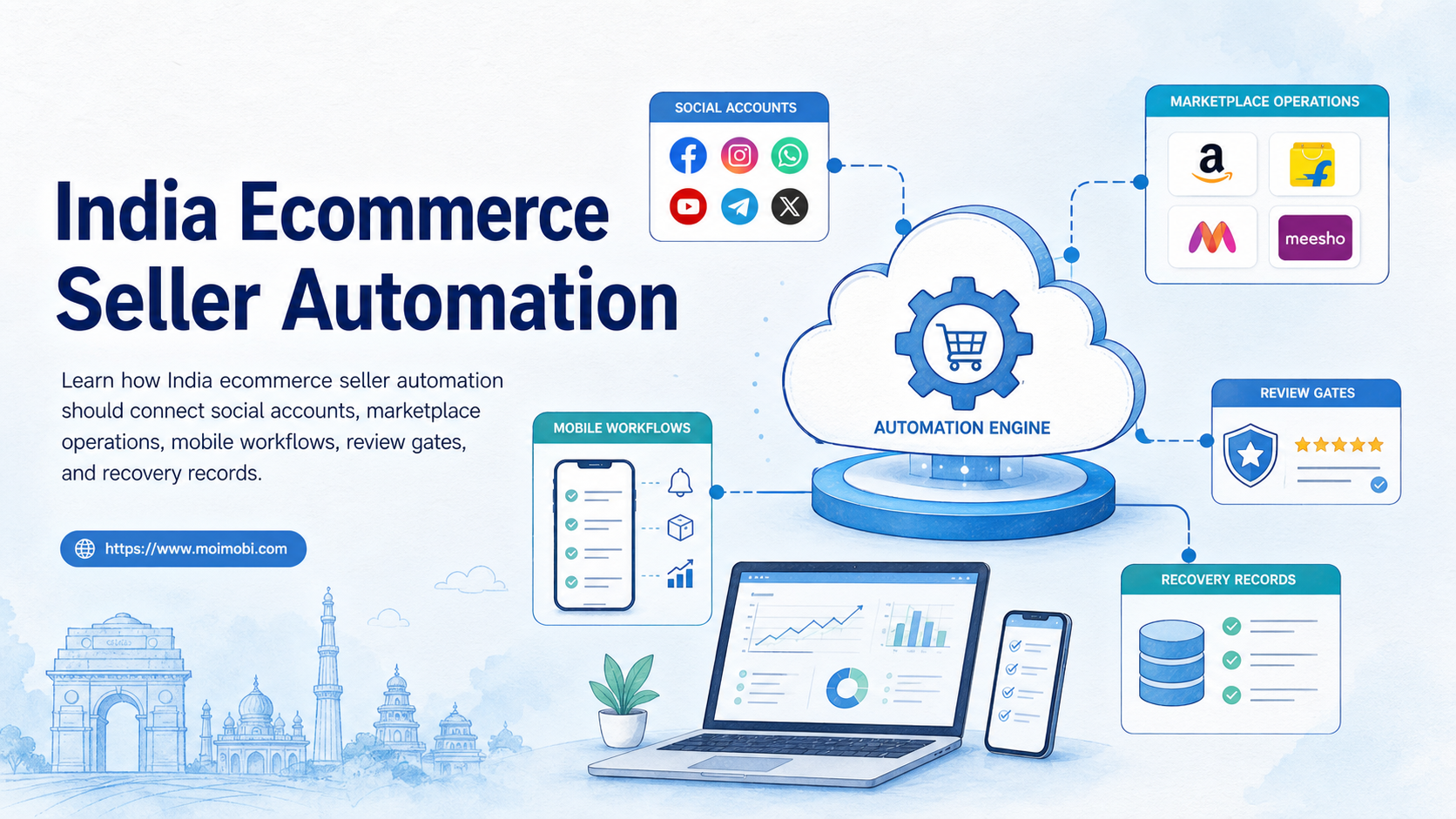
India ecommerce seller automation means using controlled workflows to manage product content, marketplace tasks, social publishing, customer replies, and account records across selling channels.
For Indian sellers, the goal is not to make every action automatic. The useful goal is to reduce repeated manual work while keeping account ownership, product accuracy, marketplace rules, and customer follow-up visible.
This matters because ecommerce work crosses several systems. A seller may list products on Amazon or Flipkart, promote content on Instagram or Facebook, reply to buyer messages, track inventory, and review account health. If those tasks live in separate spreadsheets and phones, automation becomes hard to control.
Key Takeaways
- India ecommerce seller automation should connect marketplace tasks, social content, customer replies, and account records.
- Start with workflow control before adding volume.
- Marketplace policies, product accuracy, payment rules, and account health need review gates.
- Mobile execution can help sellers handle app-side tasks, but each account still needs ownership and logs.
- A pilot should measure completion, failures, response time, and recovery cost.
The Core Idea Behind Seller Automation in India
The core idea is to turn seller work into repeatable steps. Product listing updates, social posts, comment checks, customer replies, order follow-up, and report collection all become tasks with owners and status.
Automation should not hide platform rules. Amazon Seller Central describes Account Health as a page that shows whether a selling account meets performance targets and policies required to sell on Amazon. That is a useful reminder for every seller workflow: speed is not enough if the account cannot stay within marketplace requirements. See Amazon India Seller Central on Account Health.
Indian sellers also work under local ecommerce obligations. India's Department of Consumer Affairs lists the Consumer Protection Act and the Consumer Protection (E-Commerce) Rules, 2020, which set rules for online commerce. Sellers should treat product information, customer service, and dispute handling as part of the operating system, not as side work. See the Department of Consumer Affairs page on consumer protection acts and e-commerce rules.
For teams, the practical workflow looks like this:
- Prepare product data. Confirm title, images, price, stock, attributes, and claims.
- Map the channel. Assign the task to Amazon, Flipkart, social content, customer reply, or internal report.
- Review before execution. Check platform rules, product accuracy, and account ownership.
- Execute in the right environment. Use the correct browser profile, mobile device, cloud phone, or logged-in account.
- Record the result. Save status, failure reason, operator, time, and next step.
Why Teams Search for This Topic
Teams search for this topic when manual seller operations become fragmented. One person may manage product data. Another handles social posts. A third person replies to messages. The owner then asks why tasks are late or why accounts show warnings.
The pain usually appears in four areas:
- product information changes across marketplaces,
- social content needs regular publishing,
- customer questions need fast routing,
- marketplace account health needs monitoring.
Flipkart Seller Hub terms require seller-provided dispatch details to be true, correct, authorized, and not misleading, fraudulent, false, unauthorized, illegal, or forged. That reinforces the need for review before marketplace execution. See Flipkart Seller Hub Terms of Use.
Social selling adds another layer. Meta Commerce Policies apply when products or services are offered for sale across Meta commerce surfaces. Sellers using Facebook or Instagram content for commerce should not treat social content as separate from product compliance. See Meta's Commerce Policies.
Fit Boundaries for Sellers and Teams
India ecommerce seller automation fits teams that already know their channels, products, and responsibilities. It is weak when the seller has no clean catalog, no account owner, and no review process.
Strong fit
- Multiple accounts need daily task coordination.
- Product updates repeat across channels.
- Social posts support marketplace sales.
- Customer replies need status tracking.
- Managers need proof of completed work.
Weak fit
- Product data is still incomplete.
- No one owns account access.
- The team wants volume without review.
- Platform policies are not checked.
- Failures are not recorded.
This is where a multi-account management model matters. Sellers may manage marketplace accounts, social profiles, support inboxes, and campaign accounts. Each account needs a role, owner, and task history.
When mobile apps are part of the workflow, sellers may also need cloud phone execution environments. A cloud phone can support persistent mobile access, but it does not replace product review or marketplace compliance.
How to Evaluate or Start Using India Ecommerce Seller Automation
Start with one workflow, not the whole business. A good first workflow is visible, repeated, and easy to verify.
Use this selection table:
| Workflow | Good first pilot? | What to measure |
|---|---|---|
| Product content update | Yes | Accuracy, approval time, failed updates |
| Social post publishing | Yes | Published posts, review status, link checks |
| Customer reply routing | Yes | Response time, owner, unresolved messages |
| Marketplace account recovery | No for first pilot | Needs expert review and policy context |
| Bulk account expansion | No | Too much risk before workflow proof |
For sellers comparing an Android emulator alternative for marketplace automation, check whether the workflow needs real mobile sessions, persistent app login, and team visibility. Emulator-style setups may be enough for testing, but sellers running operational accounts usually need cleaner account mapping and records. The same logic applies when comparing a phone farm alternative for marketplace sellers.
Readiness Checklist for Social and Marketplace Accounts
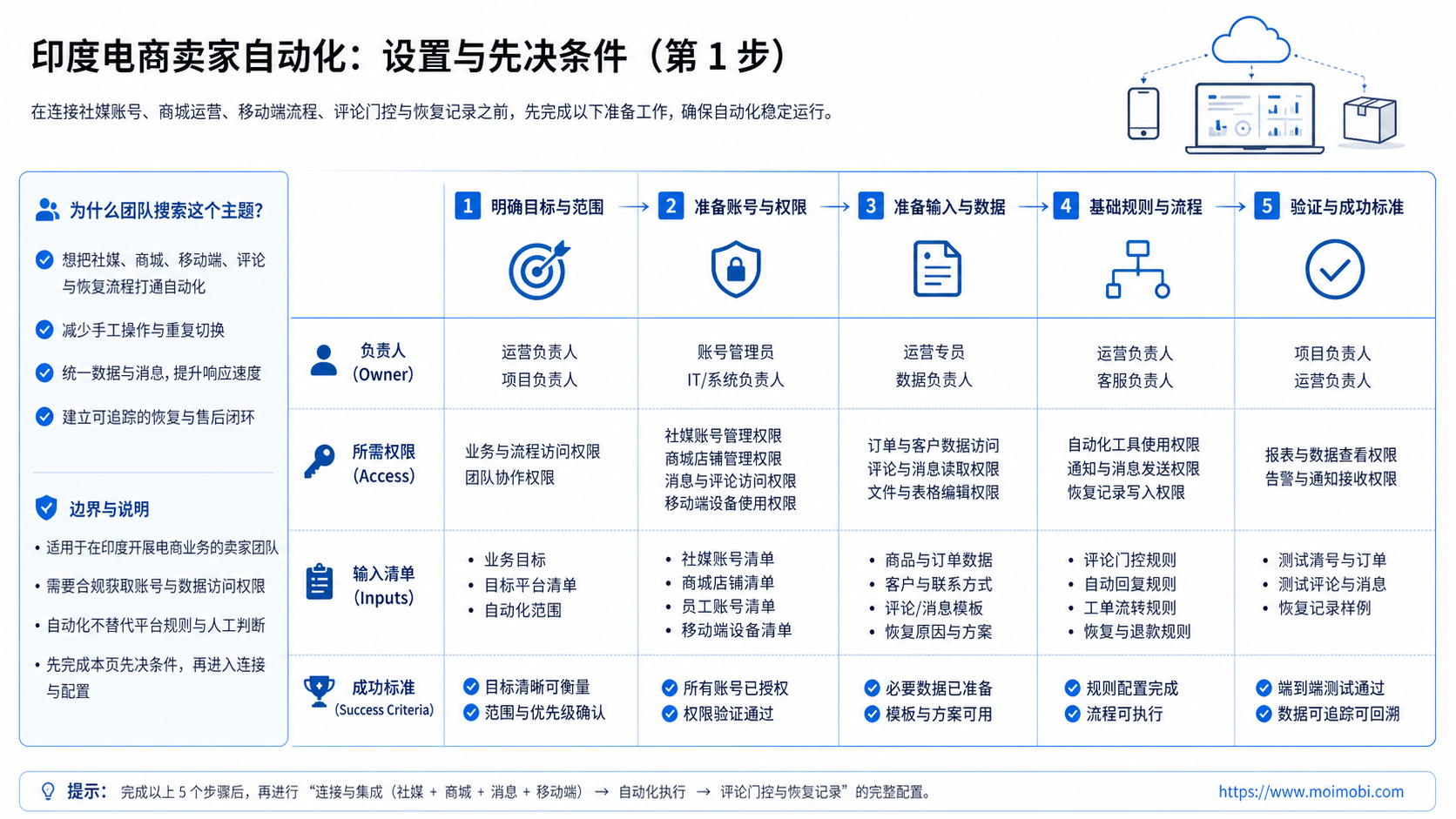
Readiness starts with ownership. A seller should know who owns each account, who can access it, and who can approve content or marketplace changes.
Use this checklist before the first automation run:
- Marketplace accounts have named owners.
- Social accounts have named owners.
- Product data has a source of truth.
- Customer messages have response labels.
- Content assets are tied to products or campaigns.
- Mobile devices, cloud phones, or browser profiles are mapped to account groups.
- Failed tasks have a recovery owner.
- Managers can see what changed and when.
This list looks basic, but it prevents most early workflow confusion. A marketplace seller may assume that the social team owns customer comments. The social team may assume that the catalog owner controls product details. The buyer only sees slow or inconsistent answers.
Separate the seller workflow into three lanes. The first lane is product data, including SKU, price, images, claims, inventory, and destination links. The second lane is account execution, including marketplace dashboards, social profiles, mobile apps, and support inboxes. The third lane is review and reporting, including approvals, issue logs, and weekly checks.
Do not merge those lanes too early. Product data errors should not become publishing errors. Customer reply delays should not be hidden inside social activity. Account warnings should not disappear in a general task list.
Cost Model and Pricing Checks
Cost planning should include more than software. A seller comparing Shopee automation pricing, eBay automation pricing, marketplace helper tools, or mobile execution platforms should calculate the full operating cost.
The practical cost model includes five buckets:
- Software cost: subscriptions, seats, usage limits, or workflow modules.
- Execution cost: devices, cloud phones, browser profiles, proxies, and routing.
- Content cost: images, titles, product descriptions, social captions, and translation.
- Operator cost: review, customer replies, task recovery, and reporting.
- Failure cost: wrong listings, delayed replies, rejected content, retries, and account review time.
This is why the cheapest tool can become expensive. If it saves subscription cost but creates manual recovery work, the seller still pays. The right comparison is cost per clean completed workflow, not cost per login or cost per scheduled post.
For cross-border sellers, pricing checks should also include platform differences. Shopee, eBay, Amazon, Flipkart, Facebook, and Instagram do not all use the same rules, seller dashboards, message flows, or listing fields. A workflow that works for one platform may need a different review step on another.
The best early signal is not a large dashboard. It is a short report that shows whether the team completed tasks with fewer errors, faster routing, and cleaner account records.
India Ecommerce Seller Automation Scorecard
Use a simple scorecard before expanding the system. The scorecard should judge workflow readiness, not only tool features.
Rate each item from 1 to 5:
- product data accuracy,
- account ownership clarity,
- social publishing review,
- marketplace task completion,
- customer reply speed,
- failed-task recovery,
- mobile environment tracking,
- manager reporting.
Scores below 3 show where automation should pause. A low product data score means the seller should fix catalog work first. A low ownership score means account access and role assignment need attention. A low recovery score means the team still does not know what happens after a task fails.
This scorecard is also useful for agencies. It gives clients a concrete review format before they ask for more accounts, more devices, or more publishing volume.
Review the score every week during the pilot. A falling score means the team should pause expansion and fix the workflow first.
Mistakes That Reduce Results
The first mistake is automating before the catalog is clean. If product titles, images, prices, or claims are wrong, automation spreads the problem faster.
The second mistake is mixing social and marketplace accounts without ownership. A social post may drive buyer questions, but the marketplace team may own inventory or fulfillment answers. The handoff should be written down.
The third mistake is treating pricing as a software-only line item. Shopee automation pricing, eBay automation pricing, marketplace helper tools, device costs, proxies, content work, and operator time all affect the real cost. Sellers should compare the full workflow cost, not only the subscription fee.
Avoid these patterns:
- one shared login for several operators,
- no approval before product claim changes,
- no record of who published social content,
- customer replies without status labels,
- mobile account work without device history,
- no pause rule when a marketplace account shows warnings.
For social content and customer engagement, social media marketing workflows should connect to marketplace records. Otherwise, the seller sees activity but cannot connect it to operations.
Pilot Rollout, Measurement, and Recovery Checks
Run a two-week pilot before scaling. Choose one product category, one marketplace account, and one social account group.
The pilot should answer a practical question: can the team complete the same workflow repeatedly with fewer missed steps and better records?
Track these fields:
- task owner,
- account used,
- product or SKU,
- content asset,
- review status,
- execution environment,
- success or failure,
- recovery action,
- time to completion.
Add a recovery rule before the pilot starts. If a task fails, the operator should classify the reason as content, account, device, platform, permission, or customer issue. Then the team decides whether to retry, revise, escalate, or pause.
Teams that need mobile app execution can use mobile automation and device isolation as part of the workflow. The important point is still the same: every account and task should be traceable.
Frequently Asked Questions
1. What is India ecommerce seller automation?
It is a workflow system for managing repeated seller tasks across marketplaces, social accounts, customer messages, and operational records.
2. Should a new seller automate everything?
No. New sellers should first clean product data, account ownership, review steps, and customer reply rules.
3. What is the best first workflow to automate?
Start with product content updates, social publishing review, or customer reply routing. These tasks are visible and easy to measure.
4. Can cloud phones help marketplace sellers?
Cloud phones can help when sellers need persistent mobile environments for app-side workflows. They still need account control and logs.
5. Is an Android emulator alternative enough?
It depends on the task. Testing may fit an emulator. Daily account operations usually need clearer environment ownership and recovery records.
6. How should sellers compare automation pricing?
Compare total workflow cost. Include software, devices, content labor, operator time, support, retries, and failed-task recovery.
7. Does automation reduce marketplace policy risk?
Not by itself. Automation can improve records and consistency, but sellers still need policy review, accurate product data, and responsible account use.
8. Where does MoiMobi fit?
MoiMobi fits teams that need browser and mobile environments, account isolation, workflow records, and team handoff for repeated seller operations.
Conclusion
India ecommerce seller automation is useful when it turns daily seller work into visible, repeatable workflows. It should not be a shortcut for unclear product data, shared logins, or unmanaged account activity.
Before scaling, choose one workflow and run a small pilot. Confirm the account owner, product data, review step, execution environment, and recovery rule. If those pieces are clear, automation can support seller operations without turning the business into a pile of disconnected tasks.
References:



