
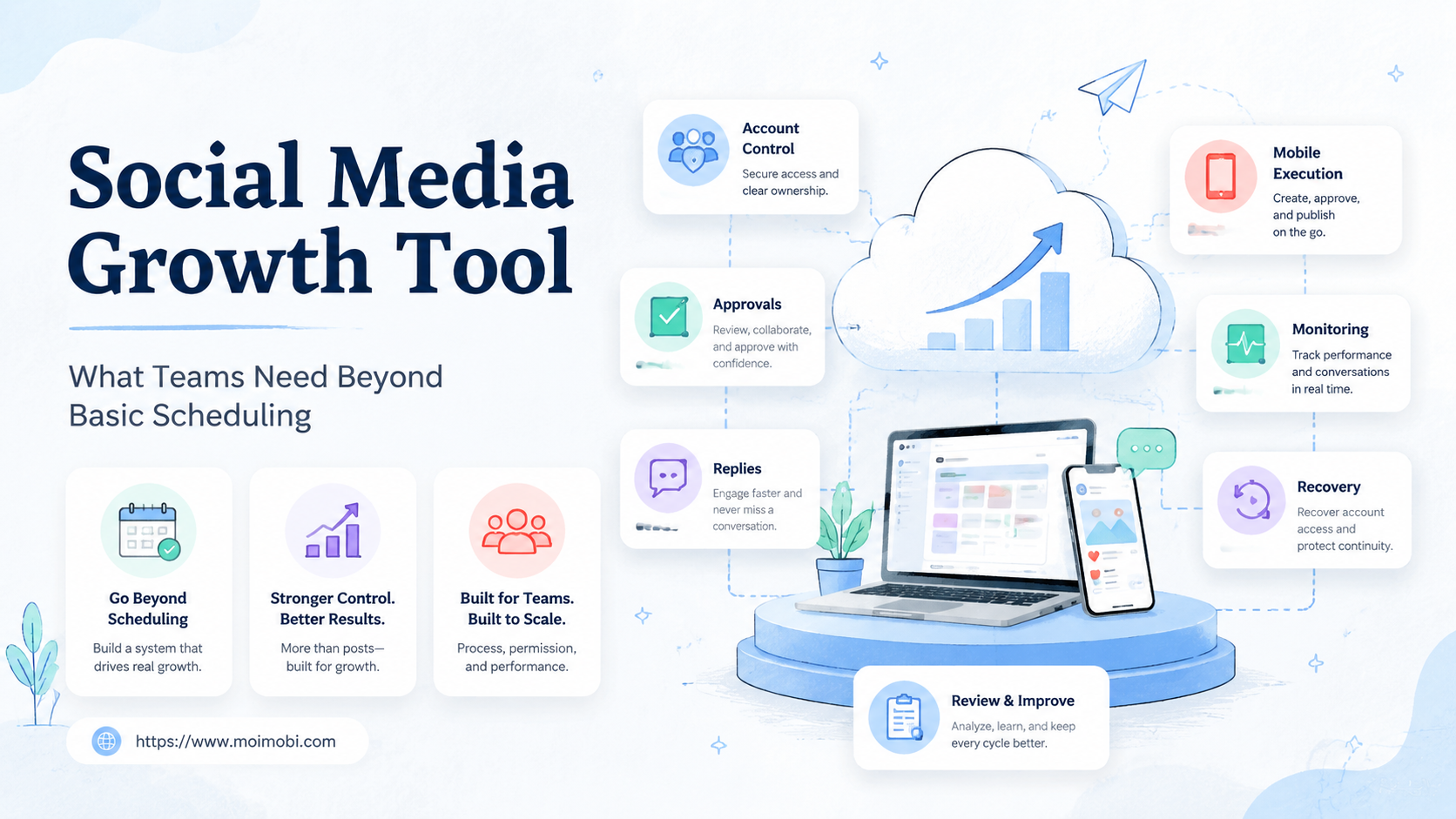
A social media growth tool is software that helps teams plan, publish, monitor, engage, and improve social workflows across accounts. Basic scheduling is only one part of that job.
Teams usually outgrow simple scheduling when account count, content volume, inbox work, mobile execution, and approval steps increase. At that point, the decision is no longer "which calendar posts faster?" It becomes "which system helps the team run social work without losing control?"
Key Takeaways
- Scheduling tools help with timing, but growth teams also need execution control.
- A useful social media growth tool should connect content, accounts, replies, approvals, and reporting.
- Mobile-first platforms often need real device or app execution, not only API scheduling.
- Multi-account teams should compare ownership, permissions, review logs, and recovery paths.
- The right tool depends on workflow maturity, not only feature count.
What Is a Social Media Growth Tool?
A social media growth tool helps a team turn content and engagement into repeatable operations. It may include scheduling, content planning, inbox management, analytics, social listening, approval workflows, account management, and execution environments.
Traditional social media management platforms already cover important parts of this stack. Meta Business Suite lets teams create and schedule posts for Facebook and Instagram, and Meta's own help center describes post creation, scheduling, and insights inside the product. Hootsuite describes its platform as covering scheduling, publishing, analytics, engagement, and social listening. Sprout Social highlights publishing, engagement, analytics, and real-time social signals.
Those capabilities matter. They solve planning, publishing, and reporting problems. The gap appears when a team also needs to run mobile-first tasks, manage many account environments, coordinate operators, or keep account-level execution records.
That is where an execution-focused growth tool becomes different. It does not replace the calendar. It adds workflow control around accounts, devices, approvals, replies, and recovery.
Why Basic Scheduling Is Not Enough
Basic scheduling answers one question: when should content go live? Growth teams usually need answers to several harder questions.
Who owns this account? Which environment should run the task? Who approved the post? What happens if a reply needs human follow-up? Which account already contacted this lead? Why did a task fail yesterday?
These questions become more important as teams add platforms. TikTok Business Center documentation describes account and asset-level permissions that define how members and partners access business resources. That shows why social workflows are not only about posting time. They also involve access, ownership, and resource control.
Scheduling also does not solve mobile execution. Some social workflows happen inside apps or require a mobile account environment. In those cases, teams may need a cloud phone layer, Android devices, or controlled mobile workspaces.
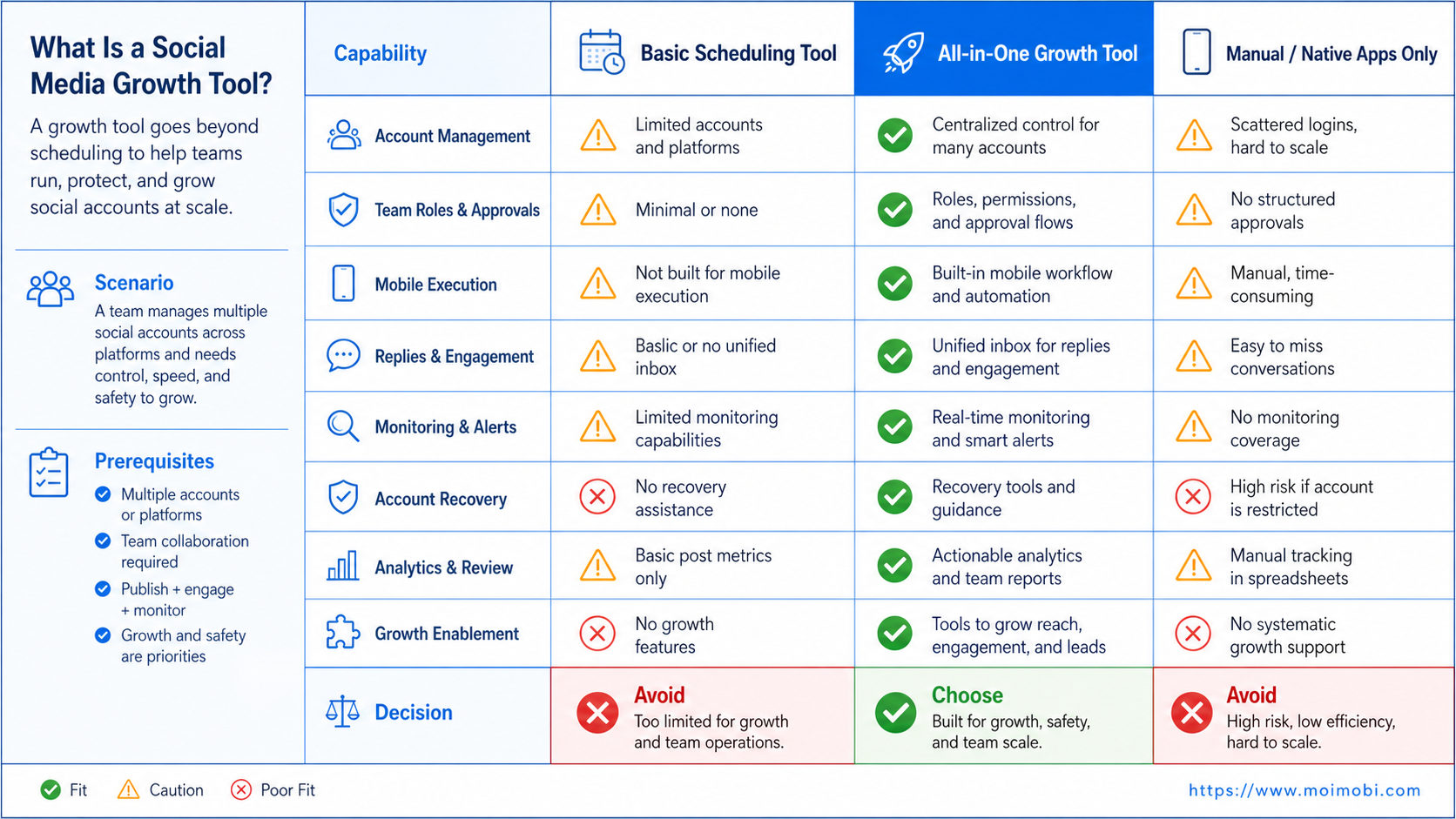
Comparison: Scheduling Tool vs Social Media Growth Tool
The best comparison starts with workflow depth. A basic scheduler may be enough for a solo creator or a small brand with one account per platform. A team running multiple accounts, regions, and reply workflows needs more structure.
| Capability | Basic scheduler | Traditional management platform | Execution-focused growth tool |
|---|---|---|---|
| Content calendar | Strong | Strong | Usually supported |
| Multi-account visibility | Limited to connected accounts | Stronger | Tied to account environments |
| Inbox and replies | Often limited | Usually stronger | Routed with task ownership |
| Mobile app execution | Usually absent | Limited | Core requirement |
| Approval workflow | Basic or paid tier | Often available | Connected to task execution |
| Device/account isolation | Usually absent | Not the core focus | Core operating layer |
| Recovery logs | Limited | Reporting-focused | Task and environment focused |
The decision is not that one category is always better. A scheduler is efficient when the job is simple. A management platform is useful when planning, inbox, and analytics are the center of work. An execution-focused tool is stronger when account environments, app-based work, and operator handoff matter.
Decision Framework for Choosing a Social Media Growth Tool
Use five criteria before buying or migrating.
- Account structure: Count active accounts, roles, owners, and platform types.
- Execution surface: Separate API-based scheduling from browser and mobile app work.
- Approval risk: Identify which tasks need review before execution.
- Engagement load: Measure comments, DMs, lead replies, and escalation needs.
- Recovery need: Decide how the team will inspect failed or duplicated work.
The strongest signal is not feature count. It is whether the tool matches the team's operating bottleneck.
For example, a small brand may only need a calendar and analytics. An agency may need approvals, client views, and multi-account reporting. A cross-border growth team may need separated browser and mobile environments, task queues, and execution logs.
MoiMobi approaches the problem as an AI execution platform for account-based work. AI can help create captions, scripts, replies, and task plans. The execution layer then helps teams run tasks in browser and mobile environments with clearer ownership.
What Teams Need Beyond Basic Scheduling
Growth teams usually need four layers beyond a calendar.
First, account workspaces. Each account should have an owner, environment, platform, and current task state. This helps prevent operators from using the wrong account or repeating work.
Second, mobile execution. Some tasks cannot be handled well from a scheduler. App-based publishing, mobile inbox checks, and platform-specific interactions may need mobile automation or controlled devices.
Third, engagement routing. Comments, DMs, customer questions, and lead replies should move to the right person. Drafting a reply is not enough if nobody knows who owns the conversation.
Fourth, review and recovery. Teams need records for approvals, failures, duplicates, and paused tasks. A good system makes the next action clear.
This is also why cloud phones for growth teams are not only a device rental idea. They become part of the social media operating layer when teams need mobile sessions, account separation, and parallel capacity.
Fit and Not-Fit Guidance
The right social media growth tool depends on the team shape.
| Team type | Best fit | Not a good fit when |
|---|---|---|
| Solo creator | Simple scheduler | The tool adds heavy process |
| Small brand team | Scheduler plus inbox and analytics | No one owns replies or review |
| Agency | Approval workflow and account management | Client access is unclear |
| Cross-border growth team | Account environments and mobile execution | Devices and routing are unmanaged |
| E-commerce team | Replies, product content, and account control | Customer handoff is not logged |
An execution-focused setup is a strong match when multiple people touch the same campaign. It is also useful when the team runs a social media matrix on cloud phones or mobile devices.
A heavier stack is a weak match when the team only needs one weekly post calendar. Adding infrastructure too early can slow the team down.
How to Test a Social Media Growth Tool
Do not test every feature at once. Pick one workflow that already creates pain.
Use this rollout checklist:
- Choose one platform and one account group.
- Map account owner, reviewer, operator, and support owner.
- Define which tasks run through scheduling and which need mobile execution.
- Add approval rules for content and sensitive replies.
- Run the workflow for one campaign cycle.
- Track failed tasks, duplicate actions, reply backlog, and review time.
- Decide whether the tool reduced coordination work or only moved it elsewhere.
The last step matters. A tool may look powerful during setup but still fail in daily operations. Keep the pilot narrow enough that the team can inspect what changed.
Common Mistakes to Avoid
The first mistake is buying a growth tool only because it has more features. Feature lists do not prove operational fit.
The second mistake is ignoring mobile-first work. If operators still need to open phones manually after using the tool, the team has not solved execution. It has only moved planning into software.
The third mistake is treating all accounts the same. A brand account, creator account, support account, and test account need different rules.
The fourth mistake is measuring only scheduled posts. Growth depends on replies, lead quality, customer handoff, creative learning, and recovery speed. A narrow metric can hide workflow problems.
The fifth mistake is skipping permission design. TikTok's Business Center materials show that teams can manage members, assets, and permissions. Any growth workflow should respect that kind of access planning, even when the platform differs.
Migration and Cost Review
Migration cost is not only software price. It also includes account cleanup, team training, approval design, device mapping, and workflow changes.
A team moving from a scheduler to a growth system should list the work that must move:
- connected social accounts and page permissions
- calendars, campaign drafts, and approval rules
- inbox ownership and saved replies
- reporting fields and success metrics
- device or app execution steps
- exception handling and recovery records
The safest migration pattern is staged. Keep the old scheduler for low-risk publishing while one team tests the new workflow on a limited account group. Move more accounts only after the pilot proves that operators can complete tasks, managers can review results, and customer replies do not get lost.
Budget should follow the same logic. A cheaper tool may be enough if the workflow is only scheduling. A more complete stack is easier to justify when it replaces manual device switching, scattered approvals, duplicated replies, and unclear account handoff.
How MoiMobi Fits the Tool Stack
MoiMobi is not trying to be only a calendar or a generic social dashboard. It is designed for teams that need browser and mobile execution capacity around social operations.
That includes account workspaces, cloud phones for social media marketing, AI-prepared content and replies, task execution, and review records. Teams can use it alongside native platform tools or existing management platforms when execution is the missing layer.
For social media marketing, the key value is practical control. The team can connect content preparation with account environments, mobile tasks, and follow-up review.
For multi-account management, the value is separation. Operators need to know which account belongs to which workflow and where each task should run.
Frequently Asked Questions
What is a social media growth tool?
This software helps teams plan, publish, engage, monitor, and improve social workflows across accounts.
Is scheduling enough for growth teams?
Scheduling is enough for simple publishing. It is not enough when teams need replies, approvals, mobile execution, and account control.
When should a team consider cloud phones?
Consider cloud phones when social work depends on mobile apps, persistent mobile sessions, or separated account environments.
How is MoiMobi different from a scheduler?
MoiMobi focuses on execution environments, AI-assisted tasks, account workspaces, and mobile workflows rather than only post timing.
Should agencies choose an execution-focused tool?
Agencies should consider it when multiple operators, clients, accounts, and mobile workflows create coordination risk.
What should the first pilot measure?
Measure task completion, approval coverage, reply handoff, failed tasks, duplicate actions, and recovery time.
Can a social media growth tool replace native platform tools?
Usually no. Native tools still matter for platform-specific features. A growth tool should organize the wider workflow around them.
Conclusion
Select a social media growth tool around the team's real bottleneck. If timing is the only issue, scheduling may be enough. If account environments, replies, approvals, and mobile tasks create errors, the team needs a deeper execution layer.
Before choosing a tool, map one workflow from content idea to account execution and review. The best option is the one that makes that workflow clearer, easier to audit, and easier to repeat.



