
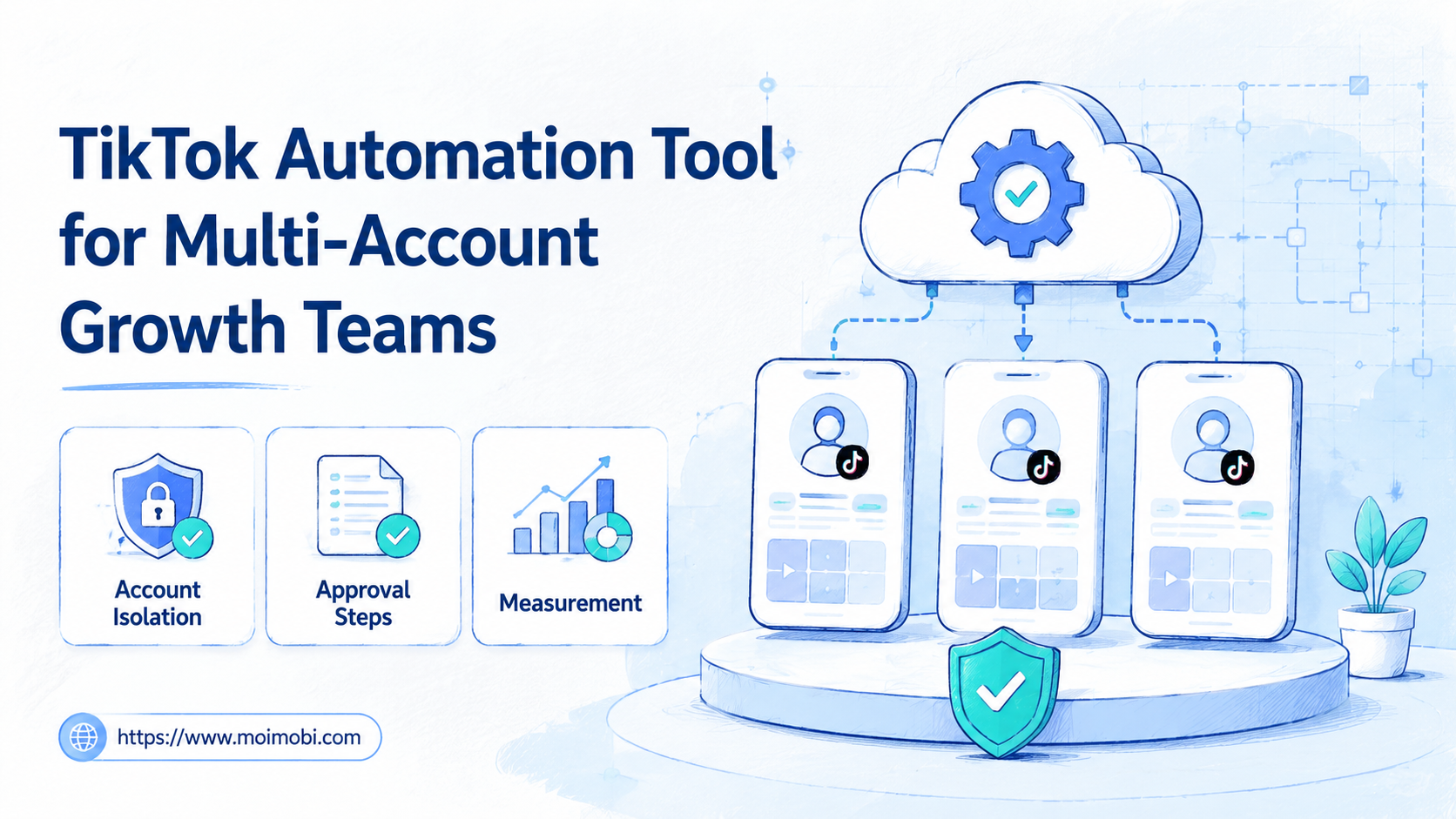
A TikTok automation tool is software that helps teams prepare, schedule, execute, review, and track repeatable TikTok account workflows. For multi-account growth teams, the real value is not pushing more actions faster. The value is controlling who does what, from which account, in which environment, and with what review trail.
The safest operating model is workflow automation with clear limits. A team can use automation for content preparation, task routing, publishing checklists, comment review, inbox handoff, and activity reporting. It should avoid spam patterns, fake engagement, or bulk account operation that conflicts with platform rules. TikTok has said it does not allow spam, fake engagement, or automation used to register or operate accounts in bulk in deceptive ways, so the operating design matters as much as the tool choice.
Key Takeaways
- A TikTok automation tool should support account ownership, review steps, logs, and team handoff.
- Multi-account teams need isolated browser or mobile environments, not only a shared content calendar.
- The workflow should separate content planning, approval, publishing, replies, and reporting.
- A pilot should measure reply quality, approval speed, account issues, and failed tasks, not only volume.
- Automation should assist compliant operations. It should not be used for spam, fake engagement, or platform manipulation.
What Is TikTok Automation Tool for Multi-Account Growth Teams?
The common mistake is treating a TikTok automation tool as a button that makes many accounts act at once. That view creates operational risk. It also ignores the work that growth teams actually need to manage: content drafts, account roles, mobile app access, comments, leads, handoffs, and review history.
For a multi-account team, the better model is an execution system. Content teams prepare posts. Operators assign accounts and environments. Reviewers approve sensitive actions. Support or growth teams monitor comments and inboxes. Managers read the results and adjust the next workflow.
That is where Moimobi's AI browser and cloud phone platform fits the discussion. A team may need browser sessions for dashboards and account management, plus cloud phone environments for mobile-first TikTok workflows. The tool should make these environments easier to control, not hide them behind vague automation claims.
TikTok's own business tools also show why permissions matter. TikTok Business Center is designed to centralize business needs, manage access, and support collaboration across accounts and assets. Its help documentation describes roles, members, assets, and account permissions as separate controls. That is the same logic a growth team should apply before automating any TikTok workflow.
Why a TikTok Automation Tool Matters for Multi-Account Work
Multi-account TikTok operations fail when work is invisible. One teammate may publish from the wrong account. Another may reply without context. A third may reuse a caption that was already tested and rejected. The issue is not only speed. It is lack of operational memory.
A useful TikTok automation tool reduces those handoff gaps. It should show which account is assigned to each task, which environment is used, who approved the action, what content was published, and what result came back. That structure makes the team easier to manage.
The decision also affects account environments. A team that only uses shared browser tabs can mix sessions, devices, and cookies. A team that only uses one physical phone can create bottlenecks. Moimobi positions mobile automation and device isolation as execution layers for teams that need cleaner separation between accounts, devices, and workflows.
Here is the practical decision: choose a tool that improves control before it increases volume. If the tool cannot show owners, task logs, account mapping, approval status, and failure records, it may create more work later.
Preflight Checklist Before Choosing a TikTok Automation Tool
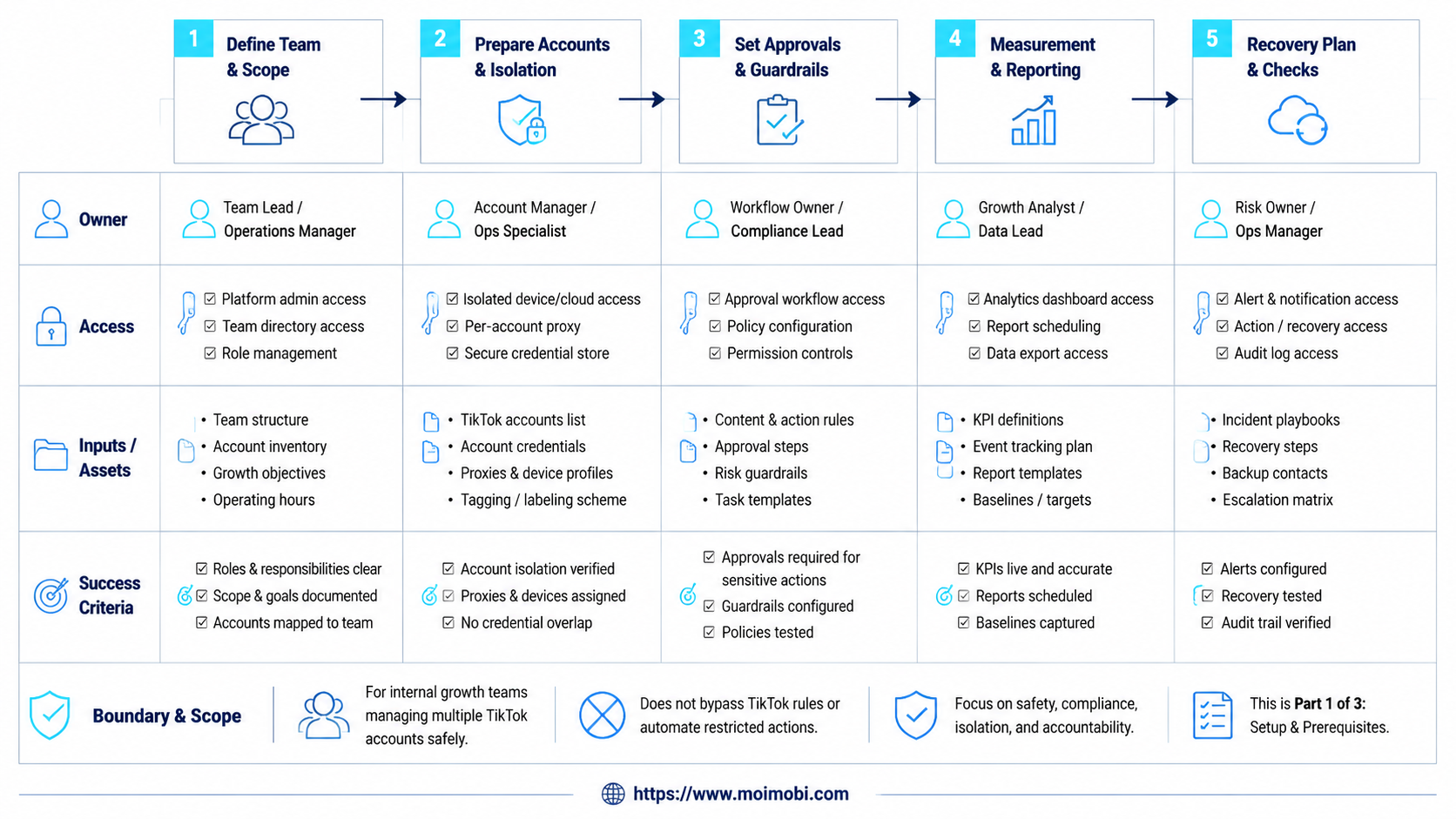
Start with account governance before selecting features. A team that cannot describe its current account structure will struggle to automate it safely.
| Preflight Area | What to Confirm | Why It Matters |
|---|---|---|
| Account ownership | Owner, operator, reviewer, and backup contact for each account | Prevents duplicate work and unclear responsibility |
| Environment mapping | Which browser profile, cloud phone, proxy, or mobile device belongs to each account | Reduces session mixing and operational conflicts |
| Permission model | Who can publish, reply, edit, approve, or pause a workflow | Matches team roles to actual account actions |
| Content workflow | Draft source, approval path, asset folder, caption version, and publishing status | Makes content reuse and review visible |
| Recovery plan | Pause rule, failed task owner, rollback notes, and weekly review process | Stops small execution errors from scaling across accounts |
TikTok Business Center documentation is a useful reference for the permission mindset. TikTok explains that Business Center roles match member access to job functions, and account or asset permissions control what members can manage. A TikTok automation tool for an operations team should follow the same principle: access should reflect the work someone is responsible for.
How to Get Started with a TikTok Automation Tool
Do not begin with the highest-volume workflow. Begin with the workflow that has the clearest owner, content source, and review rule. A small pilot gives the team cleaner evidence than a broad rollout.
- Map accounts to environments. Assign each TikTok account to a defined browser profile, cloud phone, or Android device. Use multi-account management logic to keep owners, environments, and permissions visible.
- Pick one workflow. Start with one repeatable task, such as content publishing preparation, comment triage, or lead follow-up routing.
- Define approval gates. Decide which actions need human review. First-time replies, sensitive comments, creator outreach, and campaign launches often need a reviewer.
- Create a task template. Include account, content asset, caption, owner, due time, environment, approval status, and result field.
- Run a controlled pilot. Test with a small set of accounts. Do not expand until logs, failures, and handoffs are clear.
- Review results. Compare task completion, failed steps, account issues, response quality, and team time saved.
- Expand slowly. Add more accounts only after the workflow is stable and owners know the stop rules.
Moimobi's TikTok operations page is the closest next step for teams evaluating TikTok-specific account workflows. It connects the platform use case with isolated execution environments, rather than treating TikTok as only a content scheduling problem.
Key Benefits and Use Cases
The strongest use cases sit around repeatable work that still needs judgment. Content publishing is one example. A tool can prepare tasks, attach assets, route approval, open the right account environment, and record the result. A human can still review the caption, timing, and brand fit.
Comment and inbox workflows are another fit. A TikTok automation tool can collect items, classify priority, suggest reply drafts, and assign the conversation to a teammate. The actual reply policy should stay under team control, especially for sales, support, or sensitive comments.
Growth research can also become more structured. Teams can monitor competitor content themes, collect examples, and turn observations into briefs. That fits Moimobi's broader social media marketing workflow, where publishing, engagement, monitoring, and reporting are connected.
Useful use cases include:
- Post preparation and publishing handoff.
- Comment triage and reply assignment.
- TikTok account workspace management.
- Campaign task checklists.
- Competitor monitoring notes.
- Lead follow-up routing.
- Weekly reporting across account groups.
The weaker use cases are easier to spot. If the plan depends on mass identical actions, fake engagement, or hidden account behavior, the workflow is not a good fit. TikTok's guidance on deceptive behavior and fake engagement makes that boundary important.
Who It Fits and When It Is a Strong Match
A TikTok automation tool fits teams that already have repeatable account work. It is especially relevant when a team manages several TikTok accounts for brands, regions, stores, creators, or client portfolios.
Strong Fit
- Teams with clear account owners and review roles.
- Agencies managing TikTok workflows for multiple clients.
- E-commerce teams coordinating content, comments, and leads.
- Operators that need mobile app execution, not only desktop scheduling.
Weak Fit
- Teams without a defined content approval process.
- Accounts that rely on copied posts and repeated generic replies.
- Teams looking for fake engagement or bulk platform manipulation.
- Solo creators who only need a simple calendar.
The team shape matters. A creator may need ideation and scheduling. A growth team needs account control, environment separation, owner assignment, and recovery steps. Those needs are different.
A strong match usually has three signals: multiple accounts, repeated tasks, and a need for auditability. If any one of those is missing, a lighter tool may be enough.
Pilot Rollout, Measurement, and Recovery Checks
Run the pilot like an operations test, not a marketing experiment. The first goal is to prove that the team can execute the workflow cleanly. Growth metrics come after the execution loop is reliable.
Track five numbers during the pilot:
- Tasks completed as planned.
- Tasks paused or rejected by reviewers.
- Failed executions by account or environment.
- Average handoff time between owner and reviewer.
- Comment or lead items that reached the right teammate.
Add a recovery check after each failed task. Record the account, environment, owner, failure type, and next action. A failed upload, missing asset, login issue, or unclear approval rule should lead to a process fix.
Platform status should also be reviewed. TikTok Support notes that content violations and bans may involve automated and human review. That means teams should keep records of what was published, who approved it, and why a workflow was paused. Logs are not only for debugging. They support responsible operations.
Moimobi's proxy network and account environment features should be evaluated as part of this rollout only when routing and region consistency matter to the workflow. Do not add infrastructure complexity before the account process is clear.
Common Mistakes to Avoid
The first mistake is automating before assigning ownership. A task without an owner becomes harder to audit when it runs across many accounts. Fix this with a simple rule: every automated task needs an account, owner, reviewer, and result field.
The second mistake is mixing environments. Teams sometimes log into several accounts from the same browser or device without tracking the session history. That creates confusion when a task fails or an account needs review. Separate workspaces make troubleshooting easier.
Another mistake is measuring only output volume. More posts, comments, or actions do not prove the workflow is working. Measure approval speed, failed task rate, reply quality, and account-specific issues.
Finally, avoid tool selection based only on a feature list. A tool may offer scheduling, scraping, inbox handling, or bulk actions. The better question is whether it supports the controls your team needs: permissions, environments, logs, pause rules, and recovery.
Frequently Asked Questions
What is a TikTok automation tool?
A TikTok automation tool helps teams manage repeatable TikTok workflows such as planning, publishing handoff, comment triage, monitoring, and reporting. For multi-account teams, it should also support account mapping and review controls.
Is TikTok automation safe for every workflow?
No. Safety depends on the workflow, the account behavior, and the platform rules. Avoid spam, fake engagement, deceptive account behavior, and bulk actions that conflict with TikTok guidance.
Can a TikTok automation tool replace a social media manager?
It should not replace judgment. It can reduce repetitive preparation, routing, logging, and reporting work. Humans still need to decide brand fit, sensitive replies, campaign timing, and escalation.
What should multi-account teams check first?
Start with account ownership, environment mapping, permissions, content approval, and failure handling. Tool features matter less if the operating model is unclear.
Do teams need cloud phones for TikTok workflows?
Some teams do, especially when workflows depend on mobile app behavior. A cloud phone is most useful when each account needs a separated mobile execution environment.
How many accounts should be included in the first pilot?
Use a small account group first. The exact number depends on team capacity, but the pilot should be small enough for every failed task to be reviewed.
What metrics matter most?
Track task completion, approval delays, failed executions, account issues, reply quality, and follow-up outcomes. Volume alone is not enough.
How does Moimobi fit this workflow?
Moimobi provides execution environments, account separation, mobile automation, and workflow infrastructure for teams that manage browser and mobile account operations at scale.
Conclusion
Choose a TikTok automation tool by control quality first and feature volume second. The priority order is simple: account ownership, isolated environments, approval rules, task logs, pilot metrics, and recovery checks.
For a multi-account growth team, the strongest setup is not the one that runs the most actions on day one. It is the one that lets the team understand every account, every task, every reviewer, and every failed step. Start with one workflow, prove the operating loop, then expand only after the process is visible.



