
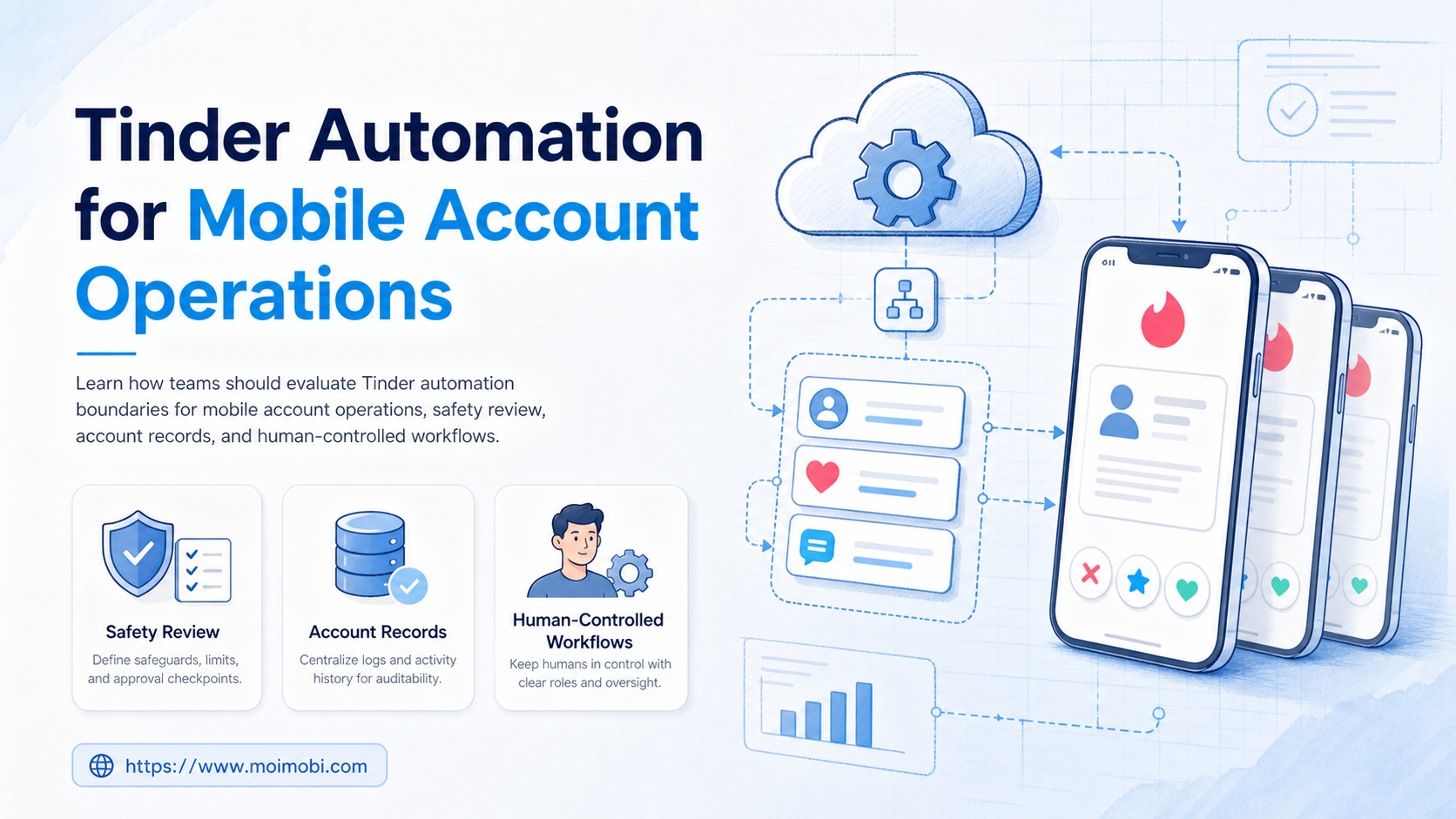
Tinder automation is a high-risk topic, so teams should define it as workflow support around mobile account operations, not as automated swiping, mass messaging, fake profiles, or commercial outreach.
The safe operating question is narrow: can a team manage test devices, app-side checks, safety review steps, account records, and human-approved tasks without turning Tinder into a bot system? For most business teams, the answer should start with strict boundaries.
Tinder's Community Guidelines say the app is for personal connections, not business promotion. They also say users should be themselves and should not create fake accounts or pretend to be someone else. Those rules shape any discussion of Tinder account management automation. See Tinder's Community Guidelines.
Key Takeaways
- Tinder automation should not mean botting matches, swipes, or messages.
- Mobile account operations should focus on controlled devices, test records, safety review, and human approval.
- Tinder message automation is risky when it imitates a person or sends unsolicited outreach.
- Teams should define stop rules before touching any logged-in dating account.
- A pilot should measure review quality, account ownership, and recovery records, not output volume.
The Core Idea Behind Tinder Automation Boundaries
The core idea is boundary design. A team may need mobile access for app testing, safety documentation, support review, or account-status checks. That is different from automating user interaction.
Tinder's Terms of Use apply to anyone accessing or using its service, including the website, mobile app, and related services. The terms also incorporate the Community Guidelines and Safety Tips. That means a workflow cannot be judged only by whether a script works. It must also be judged against the service rules. See Tinder's Terms of Use.
Use this three-layer model:
| Layer | Acceptable focus | Do not turn it into |
|---|---|---|
| Device layer | Mobile access, app state, test environment records | Bulk account creation or account cycling |
| Workflow layer | Checklists, review queues, screenshots, logs | Unapproved swiping or matching automation |
| Human layer | Manual decisions, review, safety escalation | Scripts that imitate personal conversations |
This distinction matters for Moimobi users. Mobile automation can support repeatable operational checks, but it should not remove the person from sensitive dating interactions.
Why Teams Search for This Topic
Teams search for Tinder automation when they have mobile workflows they cannot manage cleanly. They may operate device labs, test app behavior, document safety flows, or manage a small number of approved accounts for internal review.
Searchers also include people looking for mass swiping or message bots. That is not a responsible operating model. Match Group has publicly discussed its work against spam and bot accounts, including automated tools to detect and remove fraudsters across its portfolio. See Match Group's trust and safety article on spam and bot account prevention.
The better use case is operational control:
- one account owner,
- one mobile environment per approved account,
- no fake identity,
- no mass outreach,
- no unattended personal messaging,
- clear logs for each review task.
Teams that need persistent mobile environments can evaluate cloud phone execution environments. The environment layer is only one part of the system. The workflow still needs rules, owners, and stop conditions.
Who Benefits Most and In What Situations
The strongest fit is not growth hacking. It is controlled mobile account work where the team needs to observe, document, or recover a workflow.
Examples may include:
- QA teams checking app flows on mobile devices,
- trust and safety teams documenting user-report paths,
- support teams reviewing account state with permission,
- product teams testing localization or device behavior,
- operations teams keeping device and account records.
The weak fit is clear. Tinder multi-account management is not appropriate when the goal is fake identity, mass matching, spam outreach, scraping profiles, or commercial promotion inside a dating app.
Strong fit
- Human-approved testing.
- Documented support workflows.
- Device and account ownership records.
- Safety review and escalation logs.
Weak fit
- Automated swiping.
- Unsolicited message campaigns.
- Fake profiles or impersonation.
- Commercial lead generation inside Tinder.
For broader account workflows, multi-account management should mean ownership, isolation, and traceability. It should not mean unmanaged account multiplication.
How to Evaluate or Start Using Tinder Automation Safely
Start by writing a stop list. The stop list should define what the team will not automate.
Use this step sequence:
- Define the allowed workflow. Limit the use case to testing, review, documentation, or support.
- Assign account ownership. Every logged-in account needs an owner, purpose, and access record.
- Map the mobile environment. Record the cloud phone, physical device, or browser profile used for each task.
- Require human approval. Do not allow unattended actions that affect another user.
- Log each task. Save time, operator, device, account, result, and failure reason.
- Pause on policy uncertainty. If the action touches matching, messaging, identity, or promotion, stop and review.
Tinder's Safety Center is designed to provide users with safety features, resources, tools, and reading material inside the app. That reinforces the need to handle safety and account workflows with care. See Tinder's Safety Center.
When the task requires a mobile environment, device isolation helps keep account records and sessions separate. Isolation supports traceability. It does not create permission to automate sensitive user interactions.
Safety and Scam Exposure Checks
Dating apps carry a different safety burden from ordinary social media tools. People share identity, location, personal preferences, photos, and private messages. Automation that touches those areas can create real harm if it is used without consent or review.
The FBI warns that romance scammers can use dating sites and social media to build trust, then ask for money or financial help. Its guidance tells people to be careful with public information, go slowly, ask questions, and watch for attempts to move communication away from the original platform. See the FBI page on romance scams.
The FTC also warns that romance scammers create fake profiles on dating sites and apps, then build a relationship before asking for money. This makes fake identity and scripted messaging especially sensitive. See the FTC consumer advice page on romance scams.
Use this safety checklist before any Tinder account workflow:
- Is the account real and owned by the person or organization using it?
- Is the task only for testing, support, review, or safety documentation?
- Does the workflow avoid swiping, matching, and unsolicited messages?
- Can an operator stop the task before another person is affected?
- Is there a written reason for the task?
- Are screenshots or logs handled with privacy controls?
- Is escalation required for reports, warnings, or sensitive content?
If a task cannot pass this checklist, it should not be automated. The team should either keep it manual, redesign it as an internal review task, or drop it.
App, Device, and Impersonation Controls
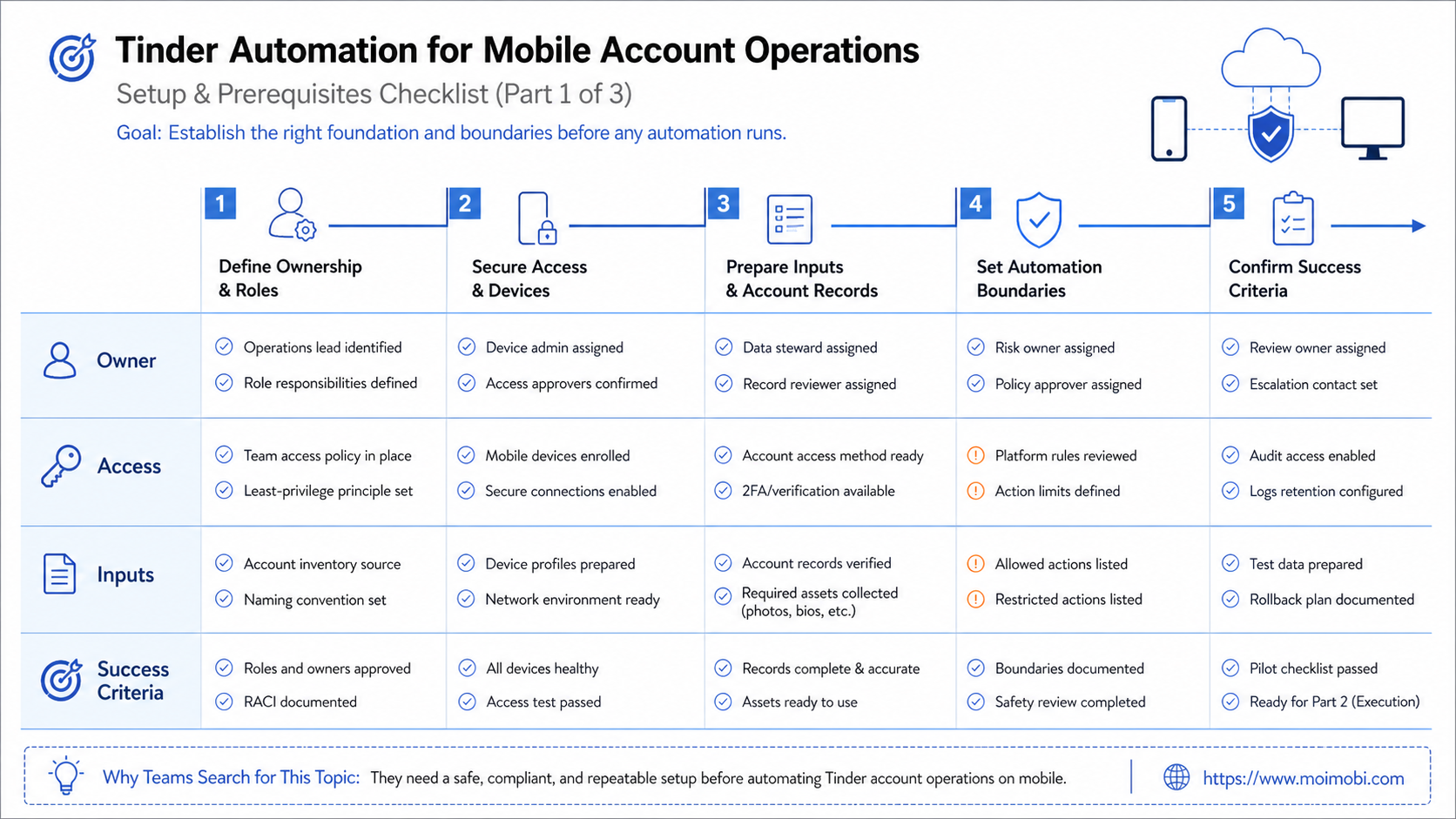
Mobile account operations also need device and app governance. Teams should know which phone, cloud phone, browser profile, or test device handled a task. They should also know whether a workflow uses an official app, an approved internal testing path, or an unsupported tool.
Google Play's policy center prohibits apps that mislead users by impersonating someone else or another app. It also has deception policies for apps that mislead users or enable users to deceive others. These are not Tinder rules, but they show a broader mobile-app principle: identity and user trust matter. See Google Play's Developer Policy Center and Deceptive Behavior policy.
For Tinder cloud phone automation, this means the environment must be transparent inside the team. A manager should be able to answer:
- which device was used,
- which account was opened,
- which operator performed the task,
- what the approved purpose was,
- whether another user was affected,
- whether any sensitive data was captured.
The operating standard should be conservative. If the workflow would be unacceptable when explained plainly to a compliance reviewer, it should not run.
Mistakes That Reduce Results
The biggest mistake is using the word automation too broadly. A system that records tasks is not the same as a bot that acts like a person.
Another mistake is treating Tinder message automation as a normal customer-support tool. Dating conversations involve consent, personal identity, safety, and platform rules. A team should not automate personal conversation flows or use them for business outreach.
Common failure modes include:
- no account owner,
- no device-to-account map,
- no stop rule for messaging,
- fake or unclear account purpose,
- activity that looks like commercial promotion,
- no review before interacting with another user,
- no record of why a task was performed.
Tinder's Community Guidelines explicitly frame Tinder as a place for personal connections, not business promotion. That makes commercial lead generation a poor fit for the platform and a poor fit for responsible automation.
Pilot Rollout, Measurement, and Recovery Checks
The pilot should test control, not volume. A useful pilot may involve one device, one approved account, one review workflow, and one manager.
Measure these fields:
- account owner,
- task purpose,
- device or cloud phone ID,
- reviewer,
- action type,
- policy check status,
- result,
- recovery step.
The recovery path should be written before the pilot starts. If an operator is unsure whether a task is allowed, the task pauses. If an account shows a warning or access issue, the operator records it and escalates. If a task affects another user, the team should require a human review step.
This is where cloud phone execution and mobile device records can help. They give the team a controlled environment for app-side work. The hard part is still governance: deciding what the team should not do.
Tinder Automation Team SOP
A team SOP should be short enough for operators to follow during real work. It should not be a long legal document that nobody opens.
Use a one-page SOP with these fields:
- approved workflow name,
- account owner,
- device or cloud phone ID,
- task purpose,
- allowed actions,
- prohibited actions,
- reviewer,
- escalation contact,
- retention period for screenshots or logs.
The SOP should also include a hard stop rule. If a task involves swiping, matching, direct messaging, profile scraping, identity changes, or business promotion, the operator pauses and asks for review. This keeps the system from drifting from operational support into user-facing automation.
Approval records matter more than output count. A manager should be able to open a task history and see why the account was accessed, who reviewed the action, what device was used, and whether the task affected another person.
For sensitive workflows, separate preparation from execution. A support lead can prepare a checklist. A reviewer can approve the purpose. An operator can perform the mobile check. A manager can inspect the record later. This separation reduces mistakes and keeps the workflow explainable.
Before launch, run one tabletop review. Walk through a fake task, a warning, and an escalation. If the team cannot explain each step, the workflow is not ready. Keep evidence simple.
Frequently Asked Questions
1. What is Tinder automation?
It is a risky term. In a responsible operations context, it should mean workflow support for testing, logging, review, and account records, not botting user interactions.
2. Can teams automate Tinder messages?
Teams should be very cautious. Tinder message automation can imitate personal communication and may create safety, consent, and policy problems.
3. Is Tinder cloud phone automation safe?
A cloud phone can provide a mobile execution environment, but it does not make every action acceptable. Rules, ownership, and human review still matter.
4. What should never be automated?
Do not automate fake profiles, swiping, matching, unsolicited messages, scraping, impersonation, or commercial outreach inside a dating environment.
5. What is a better use case?
Better use cases include app testing, safety-flow documentation, account-state review, and support workflows with explicit permission and clear records.
6. How should teams handle multiple accounts?
Each account needs a purpose, owner, environment, access record, and review path. Avoid account multiplication without a clear, legitimate reason.
7. What should a pilot measure?
Measure review quality, task purpose, ownership, policy checks, failure reasons, and recovery time. Do not measure success by action volume.
8. Where does MoiMobi fit?
MoiMobi helps teams manage mobile environments, device isolation, account records, and workflow handoff. It should be used with clear platform boundaries.
Conclusion
Tinder automation should be treated as a boundary problem before it is treated as a tool problem. The responsible path is to support mobile account operations, testing, safety review, and task records while keeping personal interactions human-controlled.
Before any pilot, write a stop list. Exclude swiping, fake identity, commercial outreach, unsolicited messages, and unattended personal conversations. Then test one approved workflow with one account owner, one environment, and one recovery path.
References:



