
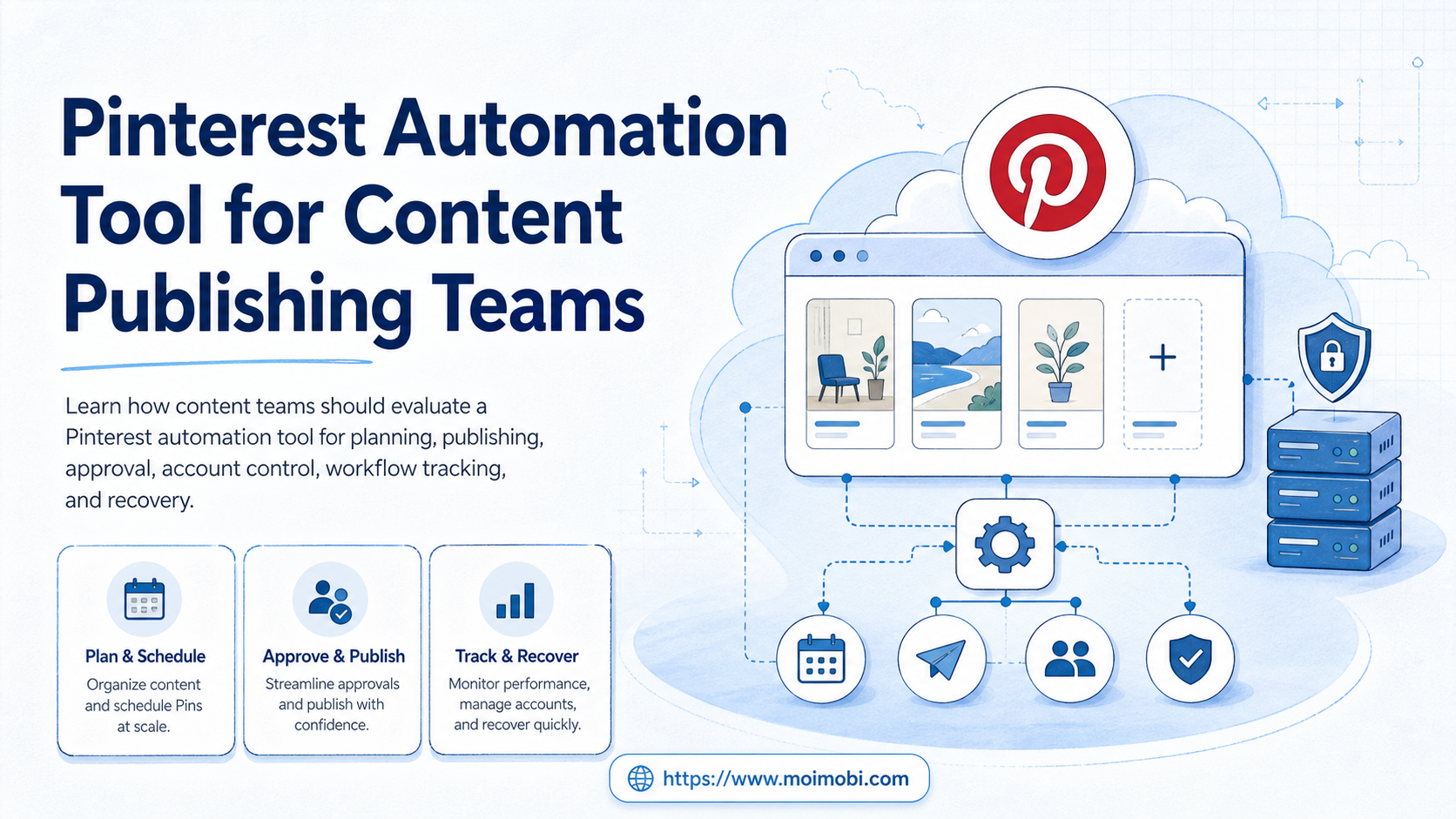
A Pinterest automation tool is software that helps teams plan, prepare, approve, publish, and track Pinterest content workflows with less manual coordination.
For content publishing teams, the useful question is not "can we automate Pinterest?" The better question is which parts of the workflow should be automated, which parts need approval, and how the team can keep account ownership, content quality, and platform rules visible.
Pinterest supports developer workflows through its API, including creating and managing Pins and boards for authenticated users when the required scopes are granted. Pinterest also warns against spam and unauthorized automation in its Community Guidelines. A serious publishing workflow must respect both facts: automation can help operations, but uncontrolled automation can create quality, policy, and account risk.
Key Takeaways
- A Pinterest automation tool should support planning, content preparation, approvals, publishing, and reporting, not only scheduled posting.
- Teams should separate creative work, account ownership, execution, and recovery records before scaling.
- Pinterest API workflows require app connection, access tokens, and appropriate scopes for boards and Pins.
- Unauthorized automation and spammy behavior are explicit risk areas in Pinterest policy.
- The first pilot should measure workflow completion, review quality, and recovery time, not only the number of Pins published.
What Is a Pinterest Automation Tool for Content Publishing Teams?
For a team, the tool is a workflow layer around Pinterest publishing. It helps turn repeated content tasks into a controlled process: collect assets, write Pin titles and descriptions, choose boards, review links, schedule or publish, then record what happened.
That is different from a simple personal scheduler. A solo creator may only need a calendar. A publishing team needs roles, approval, account mapping, asset versioning, and a record of which operator changed what.
Pinterest's own developer documentation says apps can create and manage boards and Pins on behalf of an authenticated user, with scopes such as boards:read, boards:write, pins:read, and pins:write. That makes authorization and ownership part of the workflow, not an afterthought. See Pinterest Developers on creating boards and Pins.
For a team, the tool should answer four questions:
- Who owns the Pinterest account?
- Which content asset is approved?
- Which board and destination link should be used?
- What happened after the task was published or blocked?
If the software cannot answer those questions, it may still be useful for scheduling. It is not enough for managed content operations.
Why Pinterest Automation Tool Selection Matters
The wrong tool can make publishing faster while making the operation harder to control. Speed is only useful when the team can see ownership, review state, link quality, and task results.
Pinterest is a discovery platform where content quality and destination relevance matter. Repeating weak assets, broken links, or unclear descriptions across many boards can create operational waste. It can also make review and recovery harder when a campaign underperforms.
Pinterest's Community Guidelines include a clear spam section. The policy says users should not use automation that has not been explicitly approved by Pinterest, including unauthorized services that automatically perform actions on a user's behalf. It also warns against operating accounts inauthentically or at scale for guideline violations. See Pinterest's Community Guidelines.
Use this simple evaluation frame:
| Decision area | What the tool should show | Why it matters |
|---|---|---|
| Account control | Owner, connected user, permissions, board access | Teams need traceable publishing authority. |
| Content quality | Asset version, description, link, campaign context | Publishing speed should not hide weak inputs. |
| Approval | Draft, review, approved, rejected, revised | Teams need a stop point before public posting. |
| Execution | Scheduled, sent, failed, paused, retried | Operators need recovery records. |
| Reporting | Output count, errors, active boards, task history | Managers need evidence, not only activity. |
Key Benefits and Use Cases
Operational consistency is the main benefit. The tool can help a team publish planned content without rebuilding the same checklist for every Pin, board, or campaign.
The strongest use cases usually involve repeatable content systems. Examples include product launches, seasonal catalogs, blog promotion, visual inspiration boards, creator campaign assets, and e-commerce content libraries.
For teams that manage Pinterest alongside other social channels, the work becomes broader than one platform. The team may need a social media marketing workflow that connects asset preparation, publishing review, reply handling, and reporting across accounts.
Common team benefits include:
- fewer missed publishing steps,
- clearer approval handoff,
- better reuse of image and description assets,
- cleaner board and campaign mapping,
- faster recovery when a post fails,
- easier reporting for managers or clients.
There is also a boundary. A tool cannot fix poor content strategy. If the team has no audience research, no creative standard, and no destination link review, automation will only move weak content faster.
Team Operating Model Before Automation
Content publishing works better when the team defines roles before it connects tools. Pinterest operations usually involve more than one person: a strategist plans boards, a designer prepares images, a writer drafts descriptions, a reviewer checks claims and links, and an operator handles scheduling or publishing.
Without role clarity, a small error becomes hard to trace. A wrong destination URL may come from the brief. A weak image may come from the asset folder. A failed task may come from missing access. The system should make these handoffs visible.
Use this operating model before adding more accounts:
- Planner: owns campaigns, board themes, and publishing priorities.
- Creator: prepares image assets, titles, descriptions, and destination links.
- Reviewer: approves accuracy, brand fit, and link quality.
- Operator: schedules or publishes through the approved workflow.
- Manager: reviews output, failures, and campaign reports.
This model also keeps automation from becoming a shared shortcut. Every task should have a status and an owner. Draft content should not jump straight to publishing because one person is in a hurry.
For teams with multiple brands or clients, the same rule applies at the account level. Keep each account group tied to a clear owner, content library, board strategy, and review path. That makes Pinterest easier to run alongside other channels, and it gives managers a practical way to check whether the workflow is controlled.
One simple test is useful before launch: ask who can stop a scheduled Pin when a link, image, or board choice is wrong. If no one can answer quickly, the workflow is not ready.
How to Get Started with a Pinterest Automation Tool
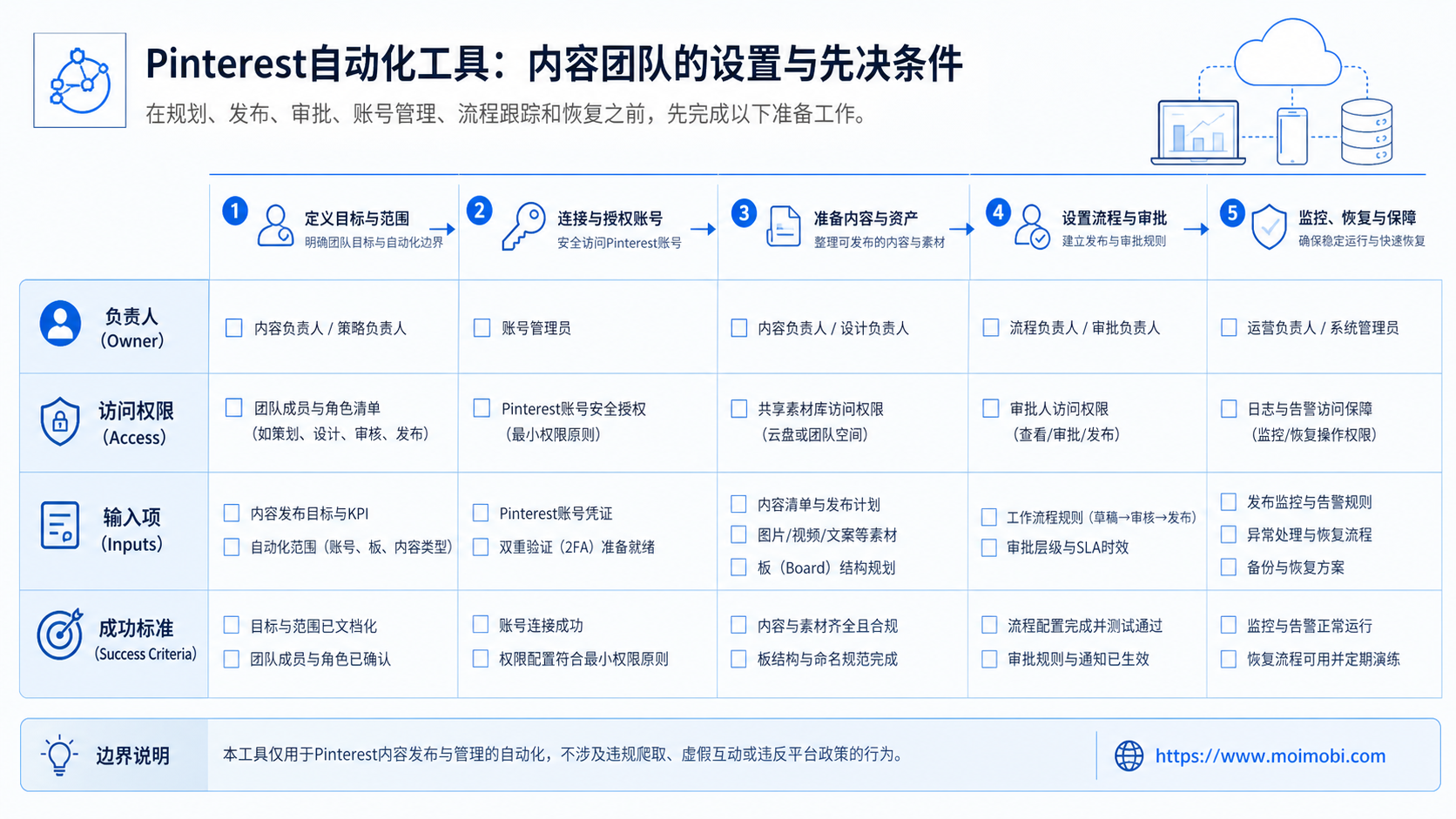
Start with a small workflow before connecting every account. The first goal is control, not volume.
Use this setup sequence:
- Map the accounts. List each Pinterest account, owner, connected email, board group, and campaign purpose.
- Define content inputs. Decide which fields are required before a Pin can move to review: image, title, description, destination URL, board, campaign, and owner.
- Create review states. Use draft, approved, scheduled, published, failed, paused, and revised as basic states.
- Connect only needed permissions. Use the smallest practical permission set for the workflow. Pinterest API workflows require connected apps and access tokens for scoped access.
- Run one board group first. Test one account or board group before expanding to every campaign.
- Record every result. Track published items, errors, retries, approval delays, and link issues.
The preflight checklist should be strict:
- Account owner is known.
- Board purpose is documented.
- Content asset is final.
- Destination URL works.
- Review owner has approved it.
- Publishing method is authorized.
- Failed tasks have a recovery owner.
When a workflow includes mobile-side account checks or app-based execution, keep that work separate from ordinary content scheduling. Teams that need persistent mobile environments can evaluate cloud phone execution environments, but the Pinterest content workflow should still keep approvals and account ownership visible.
Common Mistakes to Avoid
The most common mistake is treating automation as a replacement for content judgment. A publishing workflow still needs audience fit, board relevance, link review, and visual quality checks.
A second mistake is using one account as a shared black box. If three people can change content, schedule posts, and update boards without records, the team cannot investigate errors.
A third mistake is ignoring authorization boundaries. Pinterest Developer Guidelines require developers to follow Pinterest terms, policies, and community standards. They also govern how applications and services use Pinterest materials. See Pinterest's Developer Guidelines and Developer and API Terms.
Avoid these operating patterns:
- publishing without a clear account owner,
- reusing the same description across unrelated boards,
- skipping destination link checks,
- automating actions without approved access,
- expanding before failed-run reasons are understood,
- reporting only "published count" without quality or recovery data.
A safer model is slower at first. It uses review gates, smaller pilots, and task logs. Once the workflow is stable, the team can expand with better evidence.
Who It Fits and When It Is a Strong Match
Teams with an existing content pipeline get the clearest value. They know what they want to publish, who approves it, and which boards or campaigns matter.
Repeated visual content is the strongest fit. E-commerce catalogs, seasonal content calendars, blog distribution, creator assets, and brand inspiration boards all benefit from reusable workflow structure.
Pure output volume is a weak match when the team has no review model. That is especially true when no one owns account permissions, content quality, or link maintenance.
Strong fit
- Multiple contributors prepare assets.
- Campaigns need approval before publishing.
- Boards have defined topics and owners.
- Managers need reporting and error records.
Weak fit
- No content calendar exists.
- Account ownership is unclear.
- The team wants volume without review.
- Destination links are not checked.
For larger teams, Pinterest may be one part of a broader multi-account management problem. The same content team may also manage Instagram, TikTok, YouTube Shorts, or marketplace social channels. In that case, the Pinterest workflow should fit the wider account and approval model.
Pilot Rollout, Measurement, and Recovery Checks
Run a two-week pilot before scaling. The pilot should use one account, one board group, and one clear publishing goal.
Measure more than output. A good pilot report shows how many items were drafted, approved, published, rejected, retried, or paused. It also shows why failures happened.
Use these pilot metrics:
- draft-to-approval time,
- approval rejection rate,
- published item count,
- failed task count,
- retry count,
- broken destination links,
- board mapping errors,
- recovery time after a failure.
The recovery process should be written before the pilot begins:
- Identify the failed Pin or task.
- Check account, board, asset, description, and destination URL.
- Classify the issue as content, permission, platform, link, or operator error.
- Decide whether to retry, revise, or pause.
- Record the final result.
Teams that want to connect Pinterest with broader mobile automation workflows should keep the same recovery model. Automation is easier to scale when failures are visible and repeatable fixes are documented.
Frequently Asked Questions
1. What is a Pinterest automation tool?
This kind of software helps teams manage repeated Pinterest publishing work, including planning, approvals, scheduling, publishing, and reporting.
2. Can Pinterest publishing be automated through an API?
Pinterest provides API documentation for creating and managing Pins and boards on behalf of authenticated users when the required app setup and scopes are in place.
3. Is every Pinterest automation service allowed?
No. Pinterest's Community Guidelines warn against unauthorized automation and spammy behavior. Teams should check whether the workflow uses approved access and follows platform rules.
4. What should a content team automate first?
Automate the preparation layer first: asset collection, field validation, review state, board mapping, and publishing records. Do not start with maximum posting volume.
5. How many accounts should a pilot include?
Start with one account or one small account group. Expand only after the team can explain failures, approvals, and recovery time.
6. Does a Pinterest automation tool replace a content strategist?
No. The tool can support repeatable work, but the team still needs audience judgment, creative quality, board strategy, and link review.
7. What is the biggest operational risk?
The biggest risk is uncontrolled execution. If no one knows who approved content, which account published it, or why a task failed, the workflow is not ready to scale.
8. How does MoiMobi fit this workflow?
MoiMobi is useful when Pinterest is part of broader social operations that require account workspaces, mobile execution, team handoff, and task records across channels.
Conclusion
The tool is valuable when it makes content publishing more controlled. It should help a team prepare assets, approve posts, publish through authorized paths, and recover from failures with clean records.
Before choosing a tool, check three things. First, confirm account ownership and permissions. Second, define the review workflow. Third, run a small pilot with measurable task results. If those checks are clear, the team can scale with more confidence and fewer hidden operating gaps.
References:



