
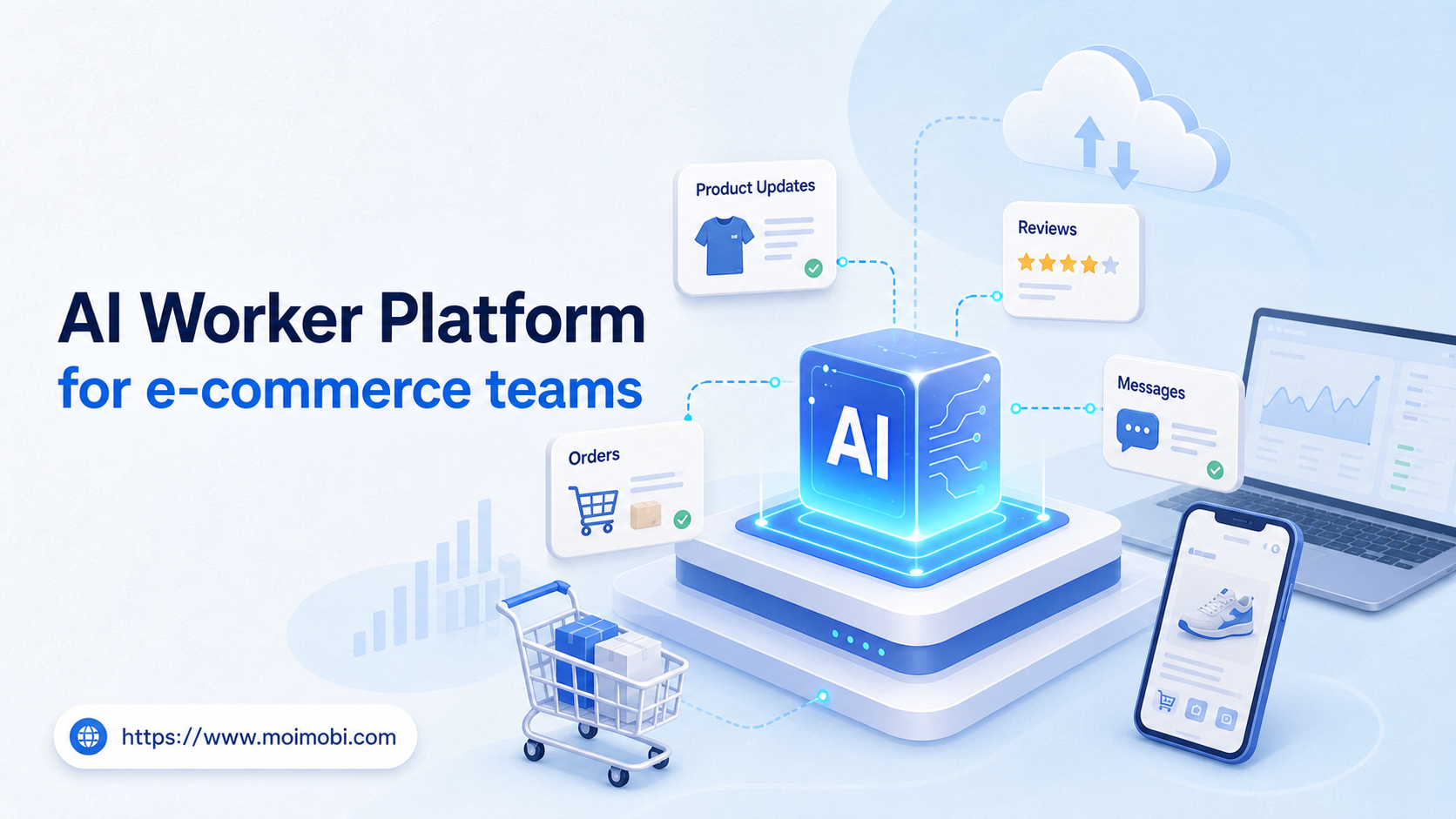
An AI worker platform is software that lets e-commerce teams assign repeatable store operations to AI workers and run them inside controlled browser or mobile environments. The main value is not only faster writing. It is the ability to connect product updates, customer messages, review checks, marketplace tasks, and reporting into repeatable workflows.
E-commerce work is operationally messy. One seller may manage a Shopify store, a marketplace dashboard, social commerce accounts, customer inboxes, and mobile apps. A simple AI chat tool can draft text, but it does not know which account should act, which environment should open, or which result needs review.
MoiMobi treats this problem as execution infrastructure. Its AI execution platform connects AI-assisted task preparation with browser profiles, cloud phones, Android devices, and account workspaces. That structure helps teams keep work traceable when multiple people and accounts touch the same store operation.
Key takeaways
- E-commerce AI workers work best when assigned to specific store tasks, not broad "run the business" goals.
- Product updates, review monitoring, customer message triage, and report collection are practical first workflows.
- Browser profiles fit web dashboards, while mobile environments fit app-only marketplace or social commerce tasks.
- Every workflow needs a human review rule, account boundary, and result record before scale.
The Core Idea Behind AI Worker Platform for e-commerce teams
The core idea is controlled delegation. Instead of asking one assistant to handle every store task, the team defines narrow workers with clear inputs, environments, and stop rules.
One worker might compare product listing fields against a master sheet. Another might collect customer review themes each morning. A third might prepare reply drafts for support messages. None of those workers should act without a record of the account, source, task status, and reviewer.
The platform becomes useful when it connects three things. First, it gives AI a task brief. Second, it opens the right execution environment. Third, it records what happened. Without that chain, AI output remains detached from the store operation.
Browser execution matters because many e-commerce tasks happen inside web dashboards. The W3C WebDriver specification describes remote browser control as a structured protocol, not a loose screen trick. Modern automation tools such as Playwright also document actionability checks before actions like clicks or form input, which shows why execution state matters in real workflows.
Mobile execution matters for app-first commerce tasks. Some seller tools, social commerce apps, messaging apps, and account checks happen on Android devices. When a team needs a remote mobile workspace, a cloud phone execution environment can provide the app layer instead of depending on personal employee phones.
Why E-commerce Teams Search for This Topic
Teams search for AI worker software when routine store work starts competing with growth work. Product listings need maintenance. Orders need status checks. Customer questions need triage. Review trends need monitoring. Campaign tasks need follow-up across channels.
The pain becomes sharper when the team operates across multiple accounts. A marketplace account, a brand store, and a social commerce profile may each have different login state, device expectations, and review rules. A shared browser or personal phone does not scale cleanly.
A browser execution platform can reduce some of that friction by turning web tasks into assigned workflows. For example, a worker can open a seller dashboard, check product fields, compare missing data, and prepare an update list. A human can then approve the changes before anything public is modified.
Mobile workflows create a second reason for search demand. Customer engagement often happens inside messaging apps or social commerce apps. Teams that need mobile automation should define which tasks belong on mobile and which should stay in web dashboards.
Scenario Map for E-commerce Operations
The clearest way to evaluate the category is to map real store work. The table below shows how e-commerce tasks can be assigned without giving one worker unlimited scope.
| Store workflow | AI worker role | Execution environment | Human review point | Metric to track |
|---|---|---|---|---|
| Product listing maintenance | Check titles, descriptions, images, missing fields, and variant notes | Browser profile for store admin dashboards | Approval before public listing changes | Accepted updates and rework rate |
| Customer message triage | Classify messages, draft replies, and flag refund or complaint cases | Browser or mobile inbox workspace | Human approval for sensitive replies | First response time and escalation accuracy |
| Review monitoring | Collect review themes, product issues, and repeat complaints | Marketplace dashboard or mobile app | Weekly product and support review | Issues found and resolved |
| Campaign follow-up | Track coupon pages, social posts, landing pages, and customer questions | Mixed browser and mobile environments | Campaign owner review | Completed checks and missed exceptions |
This scenario map also prevents over-automation. A worker that only collects review themes is easier to improve than a worker that edits listings, replies to customers, and updates reports in one run.
Who Benefits Most and In What Situations
Marketplace sellers benefit when they manage many repetitive dashboard tasks. Product data, order checks, review monitoring, and message triage all require steady attention. These jobs fit AI workers when the rules are explicit and the human review point is clear.
Cross-border e-commerce teams benefit when account environments need separation. Different stores, markets, and operators should not all share one unclear device or browser context. MoiMobi's device isolation is relevant because it keeps account workspaces separated by environment.
Agencies benefit when they manage client storefronts or social commerce accounts. Each client needs its own account boundary, reporting rhythm, and approval path. AI workers should be assigned by client, platform, or workflow rather than thrown into one shared queue.
Small teams benefit if they begin with preparation work. A first worker might collect missing product fields, summarize review issues, or prepare customer reply drafts. Those tasks reduce manual time without handing over high-risk decisions.
Teams using social commerce also need multi-account management. A product launch may touch a store dashboard, TikTok account, Instagram inbox, WhatsApp support line, and marketplace app. Clear account assignment keeps that workflow understandable.
How to Evaluate or Start Using AI Worker Platform for e-commerce teams
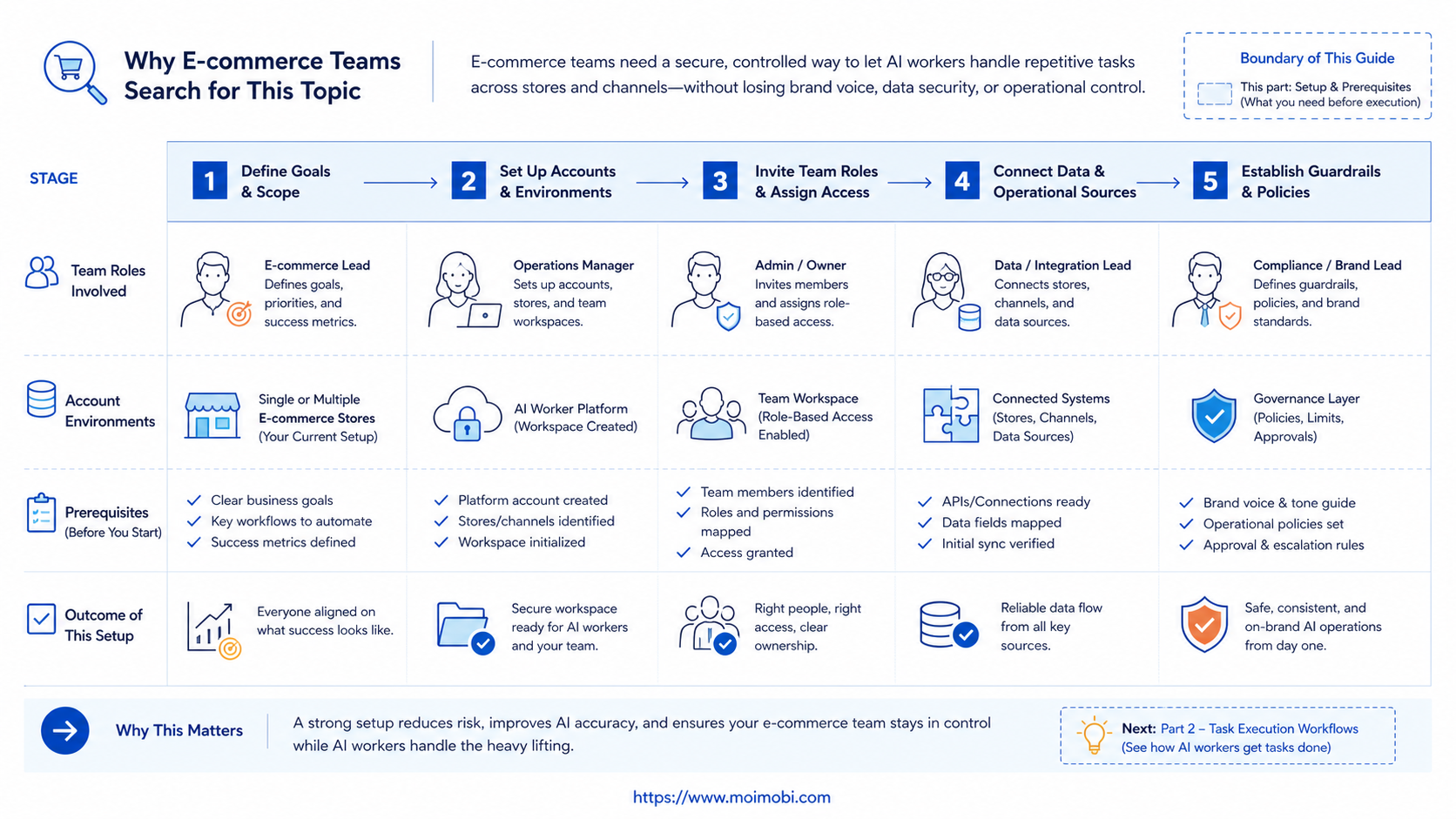
The common failure is starting with automation volume. E-commerce teams should start with task control. More runs do not help when product changes are wrong, customer replies are unreviewed, or account ownership is unclear.
-
Pick one repeated store task. Start with listing checks, review monitoring, inbox triage, or report collection.
-
Define the account boundary. Decide which store, marketplace account, or social commerce account the worker may access.
-
Choose the right environment. Use a browser profile for web dashboards. Use Android devices or cloud phones for mobile app workflows.
-
Write the stop rules. Pause when login fails, a refund appears, a customer is angry, a product claim is uncertain, or a public change is required.
-
Set the approval rule. Drafting and collection can be automated earlier. Public replies, listing changes, and sensitive cases need review.
-
Record every run. Save task type, account, source URL or app context, worker, status, reviewer, and next action.
-
Review results weekly. Look at rework, failed steps, customer escalations, and the tasks that still need human judgment.
Reliable logs make the pilot easier to fix. OWASP's Logging Cheat Sheet frames logging as a foundation for troubleshooting and accountability. E-commerce AI workers need the same discipline because store operations affect customers, products, and revenue workflows.
Fit Boundaries for Store Operations
Good fit usually means the task has a known source, expected output, and reviewer. Listing field checks fit because the worker can compare structured data. Review monitoring fits because the worker can collect examples and summarize themes. Report collection fits because the output is a record, not a public action.
Poor fit usually means the task requires judgment under uncertainty. Refund disputes, angry customer conversations, pricing changes, compliance-sensitive product claims, and account recovery should stay human-led. AI can prepare context, but the final decision needs an accountable operator.
Good pilot tasks
- Product field completeness checks
- Review theme summaries
- Customer message classification
- Campaign page monitoring
Delay or keep manual
- Refund decisions
- Public product claim changes
- Unreviewed customer replies
- Account recovery or security actions
Privacy and permission boundaries matter here. The NIST Privacy Framework treats privacy as a risk management issue across systems and processes. For store operations, that means each worker should access only the data needed for its defined task.
Mistakes That Reduce Results
The first mistake is mixing store accounts inside one unclear workspace. A team may think it saves time, but it weakens traceability. When a task fails, the operator may not know which account, device, or session created the issue.
The second mistake is letting AI rewrite product claims without review. Descriptions, ingredient notes, shipping promises, warranty language, and marketplace rules can be sensitive. AI can prepare drafts, but a human should approve public claims.
The third mistake is measuring only speed. A fast worker that creates rework is not helping. Track accepted updates, manual corrections, escalations, and customer-impacting errors.
The fourth mistake is skipping environment design. Browser dashboards and mobile apps behave differently. A social media marketing workflow may need both, especially when customer engagement starts from a post and ends in an inbox.
The fifth mistake is expanding before the review loop is working. A pilot with one store and one task is enough. Scale after the team can explain failures and improve the workflow.
Success Metrics and Review Loop
An e-commerce team should judge the platform by operational quality. Count tasks completed, but also count which results were accepted without major edits.
Track these metrics during the first month:
- Accepted task output: listing checks, reply drafts, or summaries that operators can use.
- Manual correction rate: how often a human rewrites or rejects the result.
- Escalation accuracy: whether the worker flags refunds, complaints, and sensitive cases.
- Environment failures: login issues, app state issues, and session problems.
- Customer-impact checks: whether workflows reduce missed messages or unresolved issues.
The review loop should create changes, not only reports. Update the task brief when the worker misses required fields. Tighten stop rules when edge cases appear. Move the workflow to a better account environment when failures come from session or device behavior.
Before adding more stores, run a short readiness review. The reviewer should be able to answer five questions: which account did the worker use, what data did it read, what action did it prepare, what evidence supports the result, and what still needs human judgment?
This review is especially useful for catalog and support work. Product teams need source fields, old values, new values, and approval notes. Support teams need customer context, proposed reply intent, escalation status, and the reason a case was not sent automatically.
Keep one owner for each workflow during the pilot. Shared ownership sounds flexible, but it makes missed tasks harder to diagnose. A named owner can adjust the prompt, account environment, and review rule after each weekly review.
Frequently Asked Questions
What is an AI worker platform for e-commerce teams?
It is a system that assigns repeatable store operations to AI workers and runs them in controlled browser or mobile environments.
How is it different from AI employees software?
AI employees software often describes digital worker roles. An AI worker platform focuses more on execution, account context, logs, and review.
Which e-commerce tasks should start first?
Start with listing checks, review monitoring, customer message classification, or report collection. These tasks are easier to review.
Can AI workers update product listings?
They can prepare and check updates. Public listing changes should usually require human approval, especially for claims or pricing.
Do e-commerce teams need cloud phones?
They may need them when work happens inside mobile apps, social commerce apps, or remote Android account environments.
How many workers should a small store create?
One or two is enough for a pilot. Each worker should have one task, one account scope, and one reviewer.
What should teams avoid automating first?
Avoid refund decisions, sensitive customer replies, account recovery, and unreviewed public product changes.
How should success be measured?
Measure accepted outputs, rework, escalation accuracy, failed runs, and whether the workflow improves store follow-up.
Conclusion
For e-commerce teams, the platform works best when it is treated as operational infrastructure. It should connect AI preparation with account environments, task ownership, review gates, and result records.
Start with one store workflow that is repetitive and easy to judge. Map the account, environment, reviewer, stop rule, and success metric. If the pilot improves quality without hiding failures, expand to the next account or workflow.
The right evaluation question is simple: can the team explain who did what, in which environment, with which result? If the answer is yes, AI workers can become part of the store operations system instead of another disconnected tool.



