
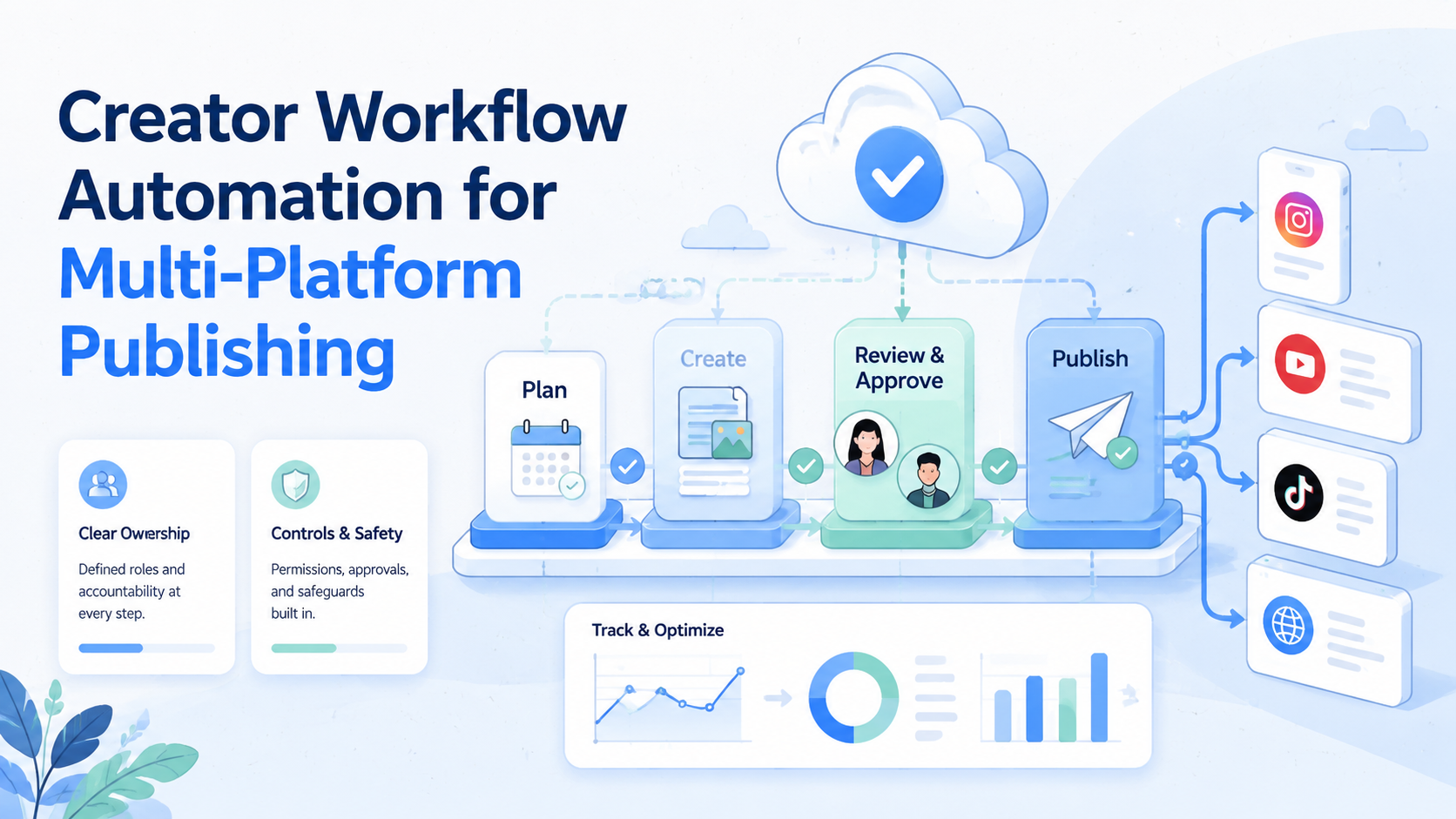
Creator workflow automation means using a repeatable system to plan, approve, publish, track, and recover creator tasks across multiple platforms. It covers asset preparation, account assignment, execution, replies, reporting, and recovery when something fails.
The goal is not to remove every human decision. The goal is to stop creator teams from managing TikTok, Instagram, YouTube, Facebook, and other channels through scattered chats, shared passwords, and last-minute manual handoffs.
For a small solo creator, a simple calendar may be enough. For a team running several accounts, regions, formats, and customer touchpoints, the workflow needs stronger structure: account ownership, permission boundaries, execution environments, and a reliable record of what happened.
Key Takeaways
- Creator workflow automation should start with ownership, not tools.
- Multi-platform publishing needs account mapping, approval rules, and recovery checks.
- Native scheduling tools help, but teams still need cross-platform coordination.
- Isolated browser and mobile environments matter when accounts, roles, and app-based workflows multiply.
- The best pilot is small: one content type, a few accounts, clear metrics, and a rollback path.
The Core Idea Behind Creator Workflow Automation for Multi-Platform Publishing
The core workflow connects the steps around content, not only the final publish button. A practical workflow includes the idea, script, asset, caption, platform version, account, schedule, approval, publish result, and follow-up task.
The multi-platform problem is simple. Each channel has its own interface, permission model, media format, and operational rhythm. Meta Business Suite, for example, lets teams create and schedule posts for Facebook and Instagram. TikTok Business Center focuses on business assets, members, accounts, and permission allocation. These tools are useful, but they do not automatically solve the whole creator operations layer across every platform.
That is where workflow design matters. A team may write one campaign idea, but it still needs different versions for TikTok, Instagram, Shorts, Facebook, and messaging follow-up. The execution layer must know which account should publish, who approved the content, which environment will execute the task, and what happens if publishing fails.
MoiMobi approaches this as an AI execution platform problem. AI can help prepare captions, scripts, replies, and task plans. The execution side still needs browser sessions, mobile devices, account environments, routing, and tracking.
Why Teams Search for This Topic
The usual mistake is treating creator workflow automation as a better content calendar. A calendar helps with dates, but it does not prove that the right account published the right content from the right environment.
Teams search for this topic when manual publishing starts to break. The first warning sign is missed posts. The second is duplicated work. The third is account confusion, where one person posts from the wrong profile or uses the wrong creative version.
Another trigger is team growth. One creator can remember the whole process. A small team cannot rely on memory once writers, editors, operators, customer support, and paid media roles all touch the same campaign.
| Workflow layer | What must be tracked | Common failure |
|---|---|---|
| Content | Asset, caption, format, version | Wrong creative or old copy |
| Account | Platform, profile, owner, role | Post goes to the wrong account |
| Approval | Reviewer, status, sensitive fields | Unapproved content goes live |
| Execution | Browser, mobile device, task result | No proof of what happened |
| Follow-up | Replies, leads, comments, alerts | Engagement is not handled |
Native platform tools still matter. Use them where they fit. But a team that publishes across many accounts usually needs a layer above native tools to coordinate tasks, environments, and results.
Who Benefits Most and In What Situations
The strongest fit is a team that already publishes consistently but loses time in coordination. Agencies, creator teams, e-commerce operators, and cross-border marketing teams often feel this first.
Campaigns that need different execution environments benefit most. Web dashboard work may happen in browser profiles. Mobile-first apps may need persistent Android environments. In those cases, a cloud phone can become part of the execution stack rather than only a rented device.
It is not a good fit when the content process is still unclear. If the team cannot define the campaign goal, approval owner, publish account, or follow-up action, automation will make the confusion faster.
Teams with repeated campaigns, multiple accounts, clear roles, and measurable follow-up work.
Teams with no content standard, no approval flow, and no owner for failed tasks.
How to Evaluate or Start Using Creator Workflow Automation for Multi-Platform Publishing
Begin with a narrow workflow. Do not automate every channel at once. Pick one campaign type, one content format, and three to five accounts.
Use this preflight checklist before starting:
- Account map: Which accounts will publish, and who owns each one?
- Content versioning: Which caption, asset, thumbnail, and format belong to each platform?
- Approval rule: Which posts require human review before execution?
- Execution environment: Which tasks need a browser profile, mobile app, or Android device?
- Failure record: Where will the team record skipped, failed, or manually completed tasks?
- Follow-up owner: Who handles comments, replies, DMs, or lead handoff after publishing?
Several social accounts usually need a multi-account management layer. Publishing, replying, and monitoring across social channels should also connect to social media marketing workflows.
The first implementation should feel boring. A boring pilot is easier to measure. A flashy setup with too many platforms usually hides failures until the campaign is already live.
The Operating Model: Fields, Roles, and Environments
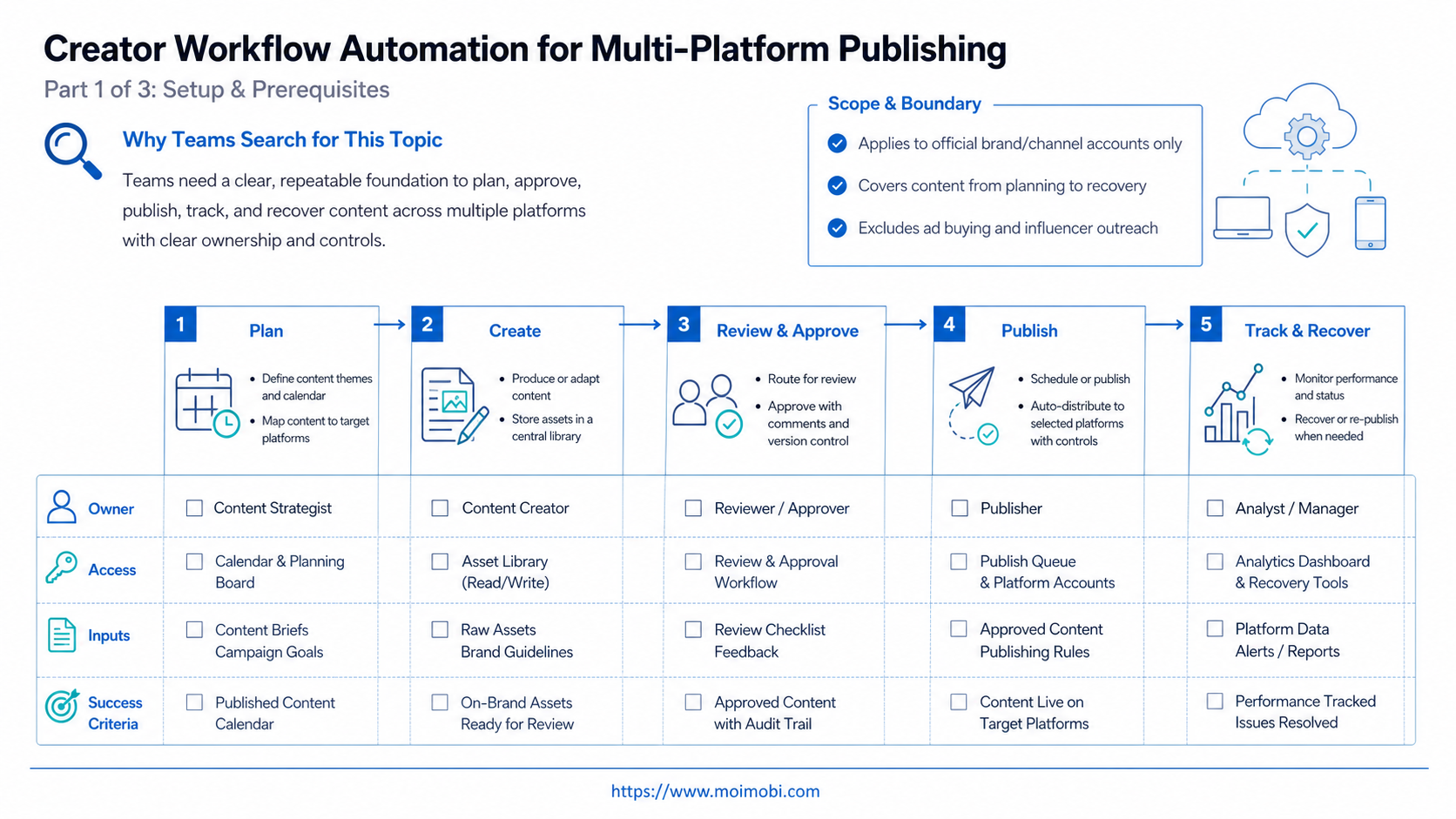
The operating model is where creator workflow automation becomes useful. Without it, the team only has a queue of content ideas. With it, each task has enough structure to move from planning to execution without relying on memory.
Fields are the first building block. Every publishing task should have a platform, account, asset, caption, reviewer, owner, scheduled time, execution environment, result, and follow-up status. These fields do not need to live in a complex system on day one. They do need to exist somewhere that the team can inspect.
Roles come next. A content owner should not automatically become the account operator. A reviewer should not automatically hold every login. A support teammate may need reply visibility but not publishing authority. Separating these roles reduces mistakes when campaigns span more than one account or market.
The environment field is often missing. Teams may know what to publish, but not where the task should run. A dashboard task may fit a browser profile. A mobile-first task may need a persistent Android environment. A reply workflow may require handoff from publishing to support. When that field is missing, operators improvise, and improvisation becomes hard to audit.
Use this minimum task record:
| Field | Why it matters | Failure it prevents |
|---|---|---|
| Platform and account | Defines where the task runs | Wrong-account publishing |
| Asset version | Locks the approved creative | Old caption or wrong media |
| Reviewer | Separates approval from execution | Unreviewed posts going live |
| Execution environment | Maps the task to browser or mobile capacity | Unclear login state or session conflict |
| Result and follow-up | Shows what happened next | No recovery path after failure |
This structure also helps AI work more safely. AI can draft a caption or suggest a reply, but the execution system still needs account context, approval status, and a place to record the result.
Mistakes That Reduce Results
The first mistake is automating before ownership is clear. A task without an owner becomes a failed task with better tooling.
The second mistake is mixing all accounts into one shared workspace. That creates confusion around login state, permissions, and responsibility. Teams should separate account workspaces and execution environments where possible.
The third mistake is ignoring mobile workflows. Some platform actions still happen more naturally in mobile apps. A browser-only process may handle dashboards and approvals, but mobile execution may need mobile automation or persistent Android capacity.
The fourth mistake is treating approvals as a delay. Approvals are a control surface. They decide which tasks can run automatically and which ones require a human check.
TikTok Business Center documentation is a useful reminder here. It separates members, assets, account access, and permissions. That same principle applies to creator workflow design: the person who writes the caption does not always need the same permissions as the person who manages the account.
Another common failure is ignoring post-publish work. Multi-platform publishing rarely ends when the post goes live. Comments, DMs, customer questions, product links, lead tags, and support handoff may all matter. If those actions are not part of the workflow, the team improves output volume while losing the engagement that made publishing useful.
Do not measure only speed. A fast workflow that publishes the wrong asset, skips approval, or loses replies is not mature. It is only faster at creating cleanup work.
Pilot Rollout, Measurement, and Recovery Checks
A good pilot should answer three questions: did the content publish, did it publish from the right account, and did the team know what to do next?
Run the first pilot for one or two weeks. Use a small account group. Track task status, publish time, approval delays, failed tasks, and follow-up completion.
Use a simple measurement model:
- Execution completion: planned posts versus completed posts.
- Error rate: wrong account, wrong asset, missed post, duplicate post.
- Recovery time: how long it takes to detect and fix a failed task.
- Follow-up coverage: comments, replies, or leads handled after publishing.
- Workflow clarity: whether every task has an owner and a visible result.
Recovery checks are important. A workflow is not stable because every step succeeds once. It is stable when the team can see failures, pause a task, correct it, and continue without losing the whole campaign.
For teams that use separate browser and mobile environments, device isolation should be part of the review. The question is not only whether a task finished. The question is whether it finished in the right account environment.
Add a weekly recovery review before expanding the pilot. Review the failed tasks first, not the best-performing content. Failed tasks reveal whether the workflow has enough visibility.
Ask four practical questions:
- Was the failure caused by content, approval, account access, environment setup, or platform limits?
- Did the operator know where to report the issue?
- Could another teammate understand the failure record without asking for context?
- Did the team change the workflow after the failure, or only fix that one task?
Expansion should wait until these checks are boring. Once the team can diagnose failures quickly, adding more accounts becomes less risky. Without that discipline, adding more platforms usually multiplies confusion.
What a Scalable Multi-Platform Publishing Workflow Looks Like
A scalable workflow has a clear path from content idea to post-publish action. It does not need to be complicated, but each stage needs an owner and a result.
- Plan: choose the campaign, target platform, account, and content format.
- Prepare: adapt the asset, caption, thumbnail, hashtags, and link for each channel.
- Review: approve sensitive claims, brand language, account selection, and timing.
- Assign: choose the operator and execution environment.
- Execute: publish or schedule the task with a visible result.
- Track: record success, failure, skipped tasks, and manual overrides.
- Follow up: assign replies, comments, leads, or customer questions.
- Review: update the workflow based on failures and repeated manual work.
This is where platform-native tools and execution infrastructure fit together. Native tools may handle a platform-specific publishing action. An execution layer helps the team coordinate accounts, environments, and workflow memory across platforms.
The workflow becomes stronger when repeated work can be learned. If the same approval rule, caption adaptation, or follow-up pattern appears every week, it can become a reusable workflow. That does not remove human control. It gives the team a better starting point for the next campaign.
Frequently Asked Questions
1. What is creator workflow automation?
It is a system for turning repeated content planning, approval, publishing, and follow-up tasks into trackable workflows.
2. Is this the same as social media scheduling?
No. Scheduling is one part. Workflow automation also covers account ownership, approvals, execution environments, result tracking, and recovery.
3. Should small creators use it?
Solo creators may only need a calendar and native scheduling. Teams usually need more structure once roles and accounts multiply.
4. Does AI replace the creator team?
No. AI can help with captions, scripts, task plans, and reply drafts. Human review still matters for brand voice, sensitive claims, and campaign judgment.
5. When do teams need mobile execution?
Mobile execution becomes relevant when tasks depend on app-based workflows, persistent Android sessions, or mobile-first account operations.
6. How many accounts should a pilot include?
Use three to five accounts first. The goal is to test the workflow, not to prove maximum volume.
7. What should teams measure first?
Measure completion rate, wrong-account errors, failed tasks, recovery time, and follow-up coverage before optimizing for speed.
Conclusion
The system works best when the team treats publishing as an operational chain, not a single button. The priority order is clear: map accounts, define ownership, approve content, choose the right execution environment, track results, and recover failures quickly.
Choose one campaign type and a small account group for the first rollout. A pilot that shows fewer missed posts, clearer ownership, and better follow-up visibility is ready to expand into more platforms and roles.
For teams evaluating infrastructure, MoiMobi is worth reviewing when creator workflows need browser and mobile execution, separated account environments, and repeatable task tracking in one operating layer.
References:



