
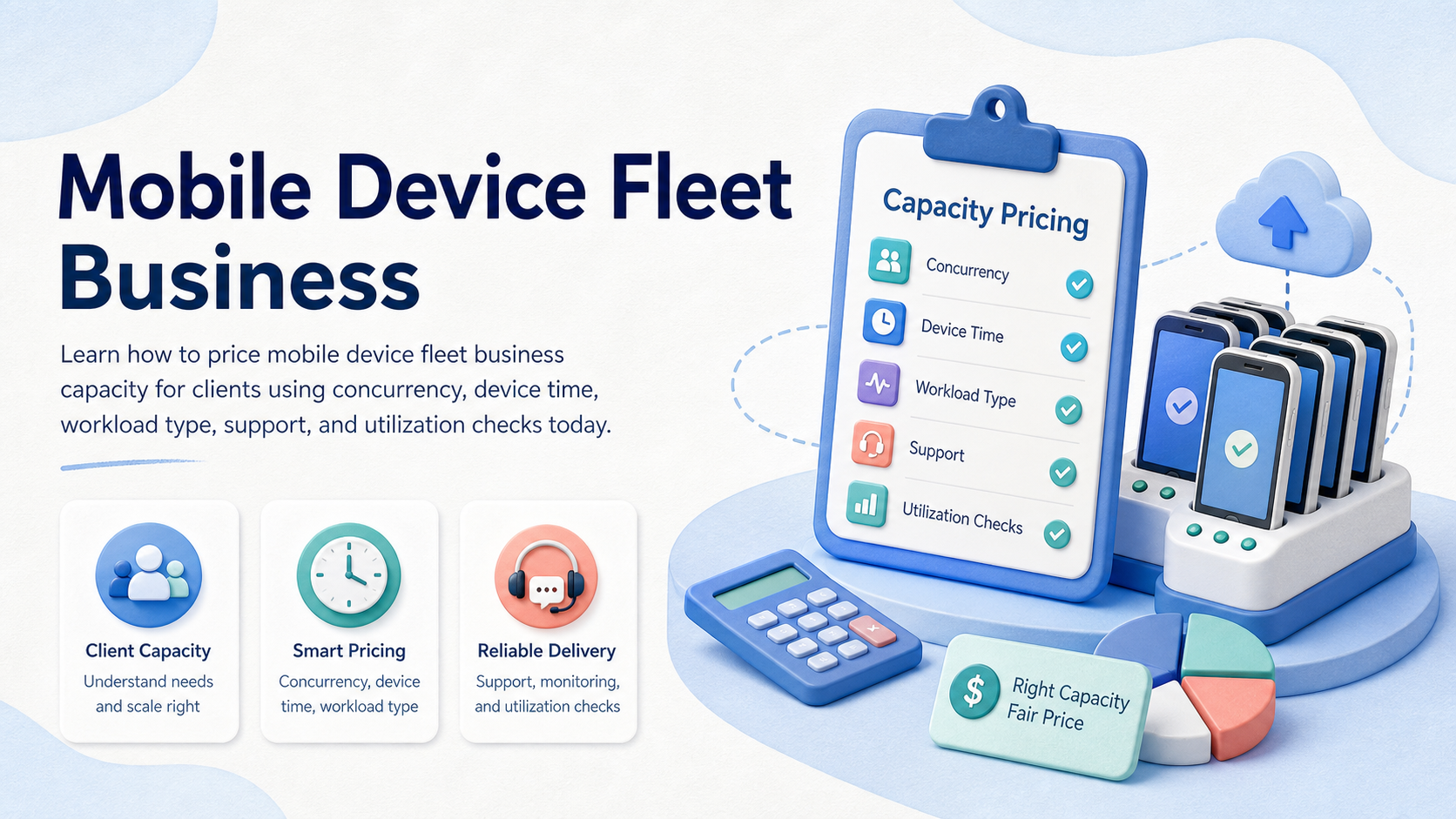
Mobile device fleet business pricing is the process of turning device capacity, session time, concurrency, support, and client workload risk into a billable service model. The right price should cover devices, infrastructure, routing, labor, monitoring, and recovery, not only raw phone count.
For agencies and operations teams, the hard part is capacity planning. One client may need twenty devices for short daily publishing windows. Another may need five persistent mobile environments for all-day account checks. Those two clients should not be priced the same way.
The practical answer is to price by committed capacity plus variable usage. Use a base fee for reserved devices or concurrency, then add workload-specific fees for automation setup, account workspace management, support, and review loops.
Key Takeaways
- Price a mobile device fleet business by reserved capacity, active hours, concurrency, support, and workflow complexity.
- Phone count alone is a weak pricing unit because utilization and task type vary widely.
- Device-minute, device-slot, and concurrency models from testing clouds are useful pricing references, but operations workflows need extra support and account context.
- A pilot should measure utilization, failed sessions, operator time, and recovery effort before committing to a client price.
- Do not sell unlimited execution unless the team has defined capacity caps, scheduling rules, and overage terms.
Pre-Setup Requirements and mobile device fleet business Checks
The common mistake is pricing devices like simple rentals. A client rarely buys just a device. They buy access to a mobile execution environment, team support, task continuity, and operational visibility.
Start with five required inputs:
| Input | What to ask | Pricing effect |
|---|---|---|
| Reserved capacity | How many devices or sessions must be available? | Sets the base monthly commitment |
| Concurrency | How many tasks run at the same time? | Defines peak infrastructure load |
| Active window | When does the client need execution? | Changes scheduling and support cost |
| Workflow type | Publishing, app checks, replies, QA, monitoring, outreach? | Controls setup and review effort |
| Recovery level | Who handles failed runs, login issues, and handoff? | Adds operational labor and SLA cost |
Cloud testing vendors show why this capacity framing matters. AWS Device Farm pricing is based on device minutes for metered use, and AWS also describes device slots as concurrency for unmetered billing. See AWS Device Farm's pricing FAQ and device slot documentation.
For operations teams, a cloud phone execution environment has a different use case from short app testing. It may need persistent sessions, account separation, app state, file handling, and review logs.
The Core Workflow for How to Price Mobile Device Fleet Capacity for Clients
Use checkpoints, not guesswork. Pricing should move from workload shape to capacity model.
- Define the client workload. Separate app QA, social publishing, customer replies, monitoring, and content upload tasks.
- Estimate active device time. Record expected minutes or hours per device, per day, and per client.
- Set peak concurrency. Count how many devices must run at the same moment.
- Choose the pricing base. Use reserved device, reserved concurrency, or usage-based pricing.
- Add support layers. Price setup, routing, monitoring, manual takeover, and reporting separately.
- Write overage rules. Define what happens when the client exceeds reserved sessions or time windows.
A simple formula is:
Monthly price = reserved capacity + variable usage + workflow setup + support and recovery + reporting.
Reserved capacity protects your infrastructure plan. Variable usage keeps heavy users from consuming the same resources as light users. Support fees stop invisible labor from disappearing inside the device price.
Pricing Model Examples for Client Capacity
A pricing model should match the way the client consumes capacity. The same fleet can support several commercial models, but each model needs limits.
| Model | Best fit | Watch closely |
|---|---|---|
| Reserved device package | Clients that need persistent mobile environments | Idle time and unused monthly capacity |
| Concurrency package | Clients with short peak execution windows | Peak conflicts across clients |
| Usage-based add-on | Clients with unpredictable monthly demand | Overage reporting and client approval |
| Managed workflow package | Clients buying execution, monitoring, and recovery | Operator time and support boundaries |
For a small client, a reserved package may include a fixed number of devices, one workflow, and a monthly reporting cadence. For a larger client, the quote may combine reserved devices, peak concurrency, setup fees, and recovery support. This keeps the device cost separate from the service work.
Avoid hiding all work inside one "per phone" number. That number may look simple during sales, but it becomes hard to defend when a client asks for extra accounts, longer active windows, or urgent recovery. A better quote shows capacity, workflow scope, support limits, and overage rules in separate lines.
Add contract fields for reserved devices, peak concurrency, included support hours, reporting cadence, and overage approval. These fields make later account reviews easier and reduce pricing disputes during renewal or scope changes for each client account.
How to Verify the Setup Is Working
Do not judge the pricing model after one smooth day. A useful model survives normal variance: peak days, failed sessions, app updates, operator absence, and client scope changes.
Verify with four checks:
- Utilization check: devices are not idle most of the month, and they are not overbooked during peak windows.
- Concurrency check: client tasks can run at the promised parallel capacity.
- Support check: operator time is visible, especially failed sessions and manual recovery.
- Margin check: the client price covers device cost, infrastructure, support, and management overhead.
Sauce Labs documentation describes concurrency as the number of tests a subscription can run at the same time, across supported cloud types and regions. That is useful because it separates peak capacity from total monthly activity. See Sauce Labs on managing concurrency.
BrowserStack also documents multi-device testing as a way to run multiple sessions simultaneously on real devices. The lesson for client pricing is not the exact testing feature. It is the principle: parallel work has its own capacity cost. See BrowserStack's multi-device testing documentation.
Where Teams Usually Get Stuck and mobile device fleet business Pricing Fails
The first trap is selling too much "unlimited" capacity. Unlimited sounds simple, but it creates conflict when several clients need the same device pool at the same time.
The second trap is ignoring support time. A device may be available, but the workflow still needs setup, account handoff, app updates, routing checks, result review, and failure recovery.
The third trap is mixing client environments. A shared device pool may work for low-risk testing. It is less suitable when clients need separated app sessions, account workspaces, or persistent mobile state.
The fourth trap is using one flat price for every workflow. A content publishing task, a QA session, and a customer reply workflow may consume different support and review effort.
MoiMobi frames this as phone farm infrastructure, not only phone rental. Capacity should be priced as an execution system with scheduling, isolation, and operating records.
Next Steps After the First Pass
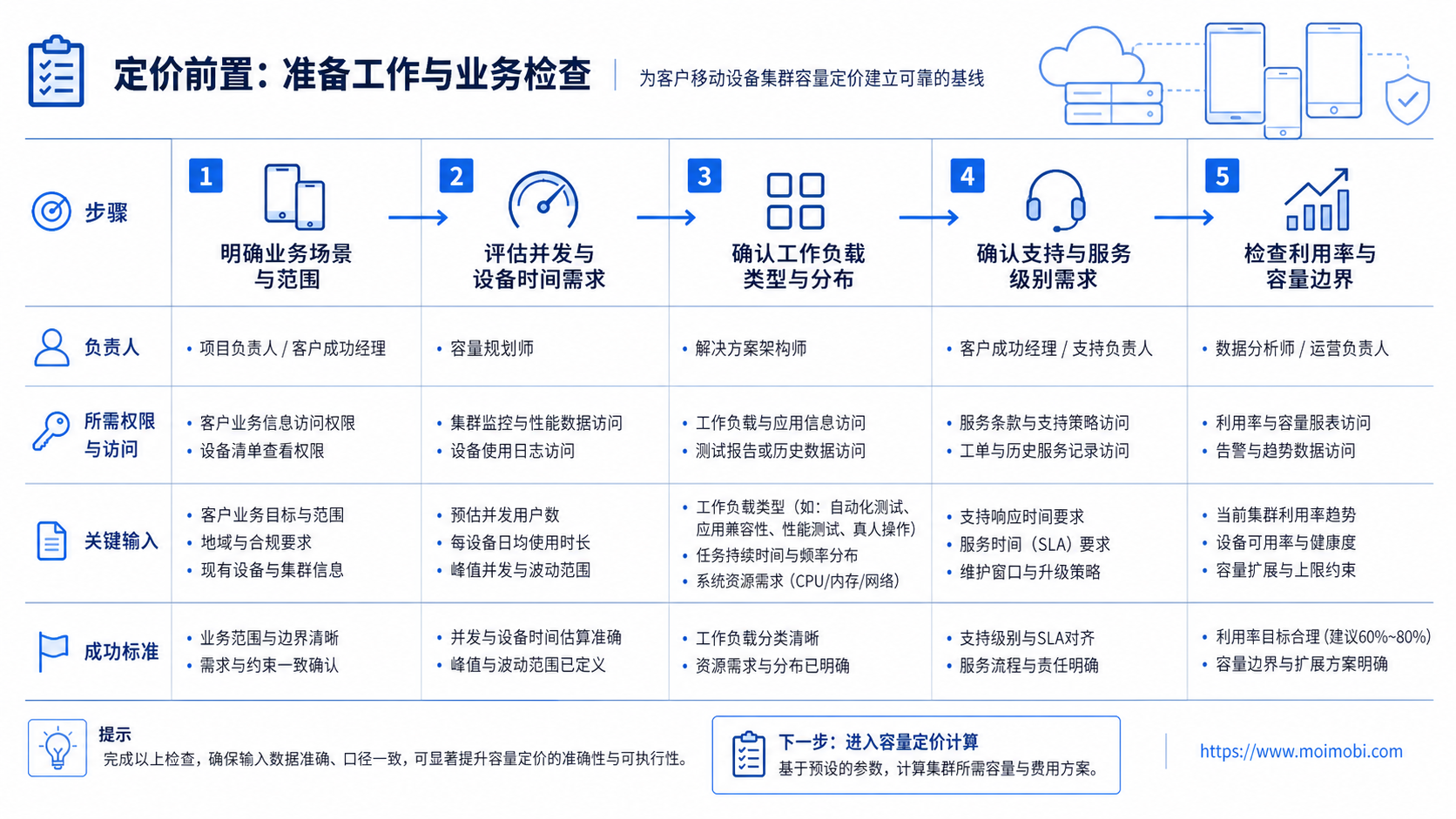
Build the first client quote as a controlled estimate, then test the assumptions.
- Create a capacity sheet with devices, concurrency, active windows, and expected monthly hours.
- Mark each workflow as low, medium, or high support.
- Add one-time setup fees for environment preparation and workflow configuration.
- Add recurring support fees for monitoring, reporting, and recovery.
- Define overage rules before the client starts using the fleet.
- Review the first two weeks against actual utilization.
This process avoids two pricing errors. You do not undercharge heavy users. You also do not overcharge light clients who only need scheduled capacity.
When the client needs persistent mobile environments, cloud phone capacity is easier to discuss as reserved execution space. When the client needs many coordinated workflows, mobile automation should be priced as a managed operating layer.
Who It Fits and When It Is a Strong Match
This model fits teams selling managed mobile execution to clients. Examples include agencies, QA vendors, cross-border commerce teams, social operations providers, and internal platform teams that charge business units.
It is a strong match when clients need:
- reserved mobile capacity,
- persistent Android sessions,
- multiple account workspaces,
- scheduled execution windows,
- support and recovery,
- reporting by client, account, or task.
It is weaker when the client only needs occasional manual access to one device. In that case, a simple per-device rental or ad hoc usage model may be easier.
Android Enterprise documentation also shows why management context matters for business devices. Android supports device and app management policies through Android Management API and Android Device Policy. That is not a pricing model, but it reinforces the operational idea that business device fleets need management controls. See Android Enterprise overview.
Pilot Rollout, Measurement, and Recovery Checks
Start with a pilot price before signing a long contract. The pilot should include limited devices, limited concurrency, one or two workflow types, and clear review dates.
Measure these fields during the pilot:
- Reserved devices
- Peak concurrent sessions
- Average active hours
- Idle time
- Setup hours
- Failed sessions
- Manual recovery events
- Reporting time
Recovery rules should be part of the quote. If a client exceeds capacity, the team needs a known response: queue the task, charge overage, add reserved sessions, or move the workload to another time window.
For multi-client fleets, device isolation should be priced as an operational requirement when accounts, apps, or client data need separated environments.
Frequently Asked Questions
1. What is the best pricing unit for a mobile device fleet business?
Use reserved capacity plus variable usage. Device count alone is too rough because active hours and concurrency change the real cost.
2. Should I price per device or per client?
Use per-client pricing when support, reporting, and workflow setup differ by client. Use per-device pricing only for simpler access models.
3. How does concurrency affect price?
Concurrency affects peak capacity. Ten devices used one after another are different from ten devices running at the same time.
4. Should setup be included in the monthly fee?
Usually separate it. Setup work often includes environment preparation, routing, workflow configuration, and client onboarding.
5. How do I handle overages?
Define overage terms before launch. Use extra device time, extra sessions, added concurrency, or a queueing rule.
6. Is a phone farm the same as a managed mobile fleet?
Not exactly. A phone farm focuses on devices. A managed fleet also includes scheduling, isolation, support, monitoring, and reporting.
7. What should I measure in the first pilot?
Measure active hours, concurrency, failures, support time, idle time, and recovery events.
8. Where does MoiMobi fit?
MoiMobi fits when teams need cloud phones, device isolation, and mobile execution capacity for repeatable client workflows.
Conclusion
Pricing mobile device fleet capacity starts with workload reality. Count the devices, but do not stop there. Add concurrency, active time, setup effort, support, reporting, and recovery.
The safest first move is a pilot quote with clear limits. Set reserved capacity, track actual usage, and review support time before locking a long-term price. If the pilot proves the capacity model, convert it into a monthly package with overage rules and documented recovery paths.



