
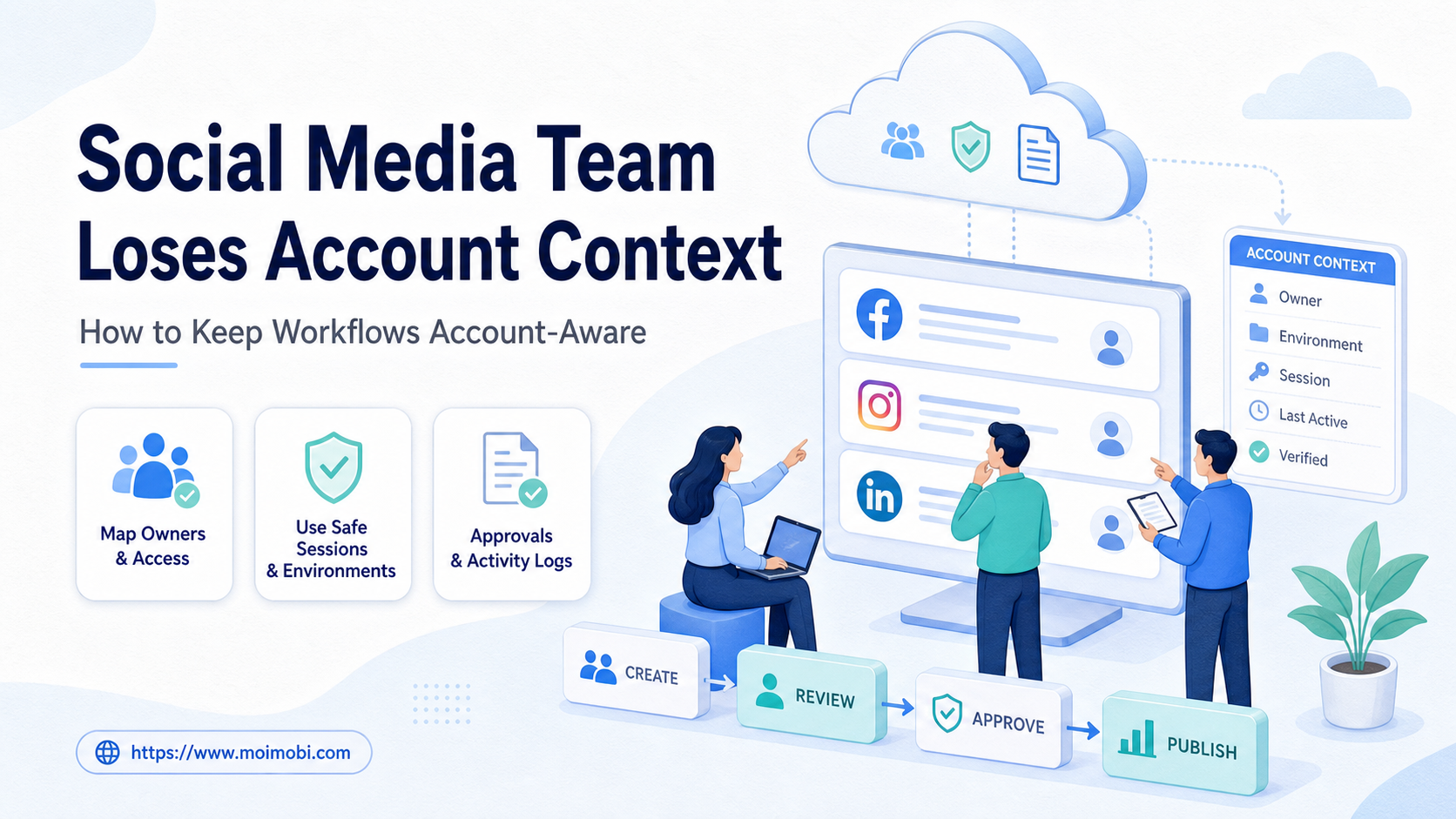
When a social media team loses account context, tasks stop carrying the account, owner, channel, environment, approval rule, and result together. Account-aware social media workflows fix that by keeping every action tied to the right operating record.
This matters most when account work moves across people, tools, and devices.
The practical problem is not only tool sprawl. It is context drift. A creator post, customer reply, DM follow-up, paid collaboration, and account health check may each need a different account role. They may also need a different browser profile, mobile app session, reviewer, or disclosure rule.
The fix is a workflow design problem. The team should map account ownership first, then connect each task to a controlled execution environment, review gate, and log trail.
Key Takeaways
- Account context should include the account, owner, platform, role, environment, workflow state, and reviewer.
- Shared spreadsheets and chat messages often fail once several people handle the same account pool.
- Browser profiles, cloud phones, and mobile devices should be assigned by account role, not by convenience.
- AI can help draft, classify, and route work, but public actions need review rules.
- The best pilot starts with one workflow, one account group, clear pass/fail checks, and recovery ownership.
Pre-Setup Checks When a social media team loses account context
Start before choosing automation. The team needs a small operating model that explains who owns each account and where each task runs.
Meta's own business tools show why this matters. Meta Business Help Center documentation describes assigning people to a business portfolio and assigning assets or permissions. That does not solve every workflow issue, but it confirms the basic operating principle: accounts, assets, and people should not be treated as one loose pool. See Meta's guidance on adding people and assigning business assets.
Use this preflight before building any AI or automation workflow:
| Field | What to record | Why it matters |
|---|---|---|
| Account | Platform, handle, region, client, campaign, status | Prevents tasks from drifting across similar accounts |
| Owner | Primary operator, backup owner, reviewer | Makes handoff and escalation visible |
| Environment | Browser profile, cloud phone, Android device, proxy route | Keeps the execution surface tied to the account |
| Workflow | Publishing, reply, inbox, monitoring, reporting, outreach | Separates low-risk preparation from public actions |
| Evidence | Task result, screenshot, timestamp, edited output, failure reason | Helps managers review what actually happened |
A team using multi-account management should keep this map outside the memory of one operator. It should survive shift changes, client changes, and account handoffs.
The Account Context Model Teams Should Use
Account context should be treated as a small data model, not as a note in a chat thread. A usable model has five fields: who owns the account, where the task runs, what the task is allowed to do, who reviews it, and what evidence proves the result.
The owner field should name both responsibility and fallback. A primary operator handles normal work. A backup owner handles absence, urgent review, and escalation. This keeps tasks from waiting on a person who is not available.
The environment field should name the real execution surface. That can be a browser profile, mobile app session, cloud phone, Android device, or approved team workstation. The field should not say only "use the social tool" because that hides where the task actually runs.
The permission field should separate preparation from action. Drafting captions, classifying comments, and summarizing inboxes may be preparation tasks. Publishing, replying, changing profile settings, and contacting customers are action tasks. A team can review those categories differently.
The evidence field should keep enough detail for a later review. Store the task owner, final output, edited AI text, approval status, environment, timestamp, and failure reason. This gives managers a practical audit trail without turning every workflow into a heavy compliance project.
The Core Workflow for Social Media Teams Lose Account Context: How to Keep Workflows Account-Aware
The main failure is letting work start before the account identity is clear. Fix that by making the account record the first object in the workflow.
- Create the account record. Add platform, account role, owner, region, client, and current status.
- Attach the execution surface. Link the account to a browser profile, mobile environment, or cloud phone as needed.
- Define allowed tasks. Mark which tasks are draft-only, review-required, or operator-approved.
- Route AI output to review. Keep captions, replies, and summaries visible before public use.
- Log final action. Record who approved, what changed, where it ran, and whether it succeeded.
- Close or escalate. Move completed work to done, and send unclear work to the owner.
This flow is simple, but it prevents a common mistake. A team may create a strong AI prompt and still run it through the wrong account session. Account-aware design keeps the task attached to the correct owner and environment from the start.
For work that crosses browser dashboards and mobile apps, the account record should name both surfaces. A web dashboard may handle analytics and scheduling. A cloud phone execution environment may handle app-side checks, media files, and mobile account state.
How to Verify the Setup Is Working
Verification should test whether the workflow is traceable, not whether the dashboard looks tidy. A good setup lets a manager answer the same questions after the task is finished.
Use this pass/fail checklist:
- Each task shows one account and one owner.
- Review-required actions cannot skip approval silently.
- The environment is visible before execution starts.
- Final content and edited AI output are both recorded.
- Failed tasks show the reason and recovery owner.
- Operators ask which account a task belongs to.
- Replies are copied from chat without account notes.
- Mobile and browser sessions are shared casually.
- Logs show success but not reviewer or environment.
- Exceptions live only in private messages.
The NIST AI Risk Management Framework is useful here because it treats AI risk management as a lifecycle activity, not a one-time checklist. Its core functions include govern, map, measure, and manage. Social media teams can use that logic at a smaller scale: map accounts, govern public actions, measure failures, and manage recovery. See the official NIST AI RMF Core.
Where Teams Usually Get Stuck and social media team loses account context
Account context usually disappears in handoff points. The first handoff is between content and execution. A writer may prepare a caption without knowing which account tone, region, disclosure rule, or media file applies.
The second handoff is between browser and mobile work. A team may review a post in a web dashboard, then finish the action inside an app. Without an account-aware task record, the mobile step can lose the reason behind the original instruction.
The third handoff is between AI output and operator judgment. AI may draft a reply, classify a message, or summarize comments. The operator still needs to know which account is speaking, what relationship exists with the user, and whether the response needs approval.
The fourth handoff is between success and reporting. Many teams log only the finished task. That hides the edits, rejected drafts, failed attempts, and platform warnings that matter during review.
MoiMobi should be evaluated as an AI browser and cloud phone platform when teams need the execution layer to stay connected with account context, rather than only using AI for text output.
Next Steps After the First Pass
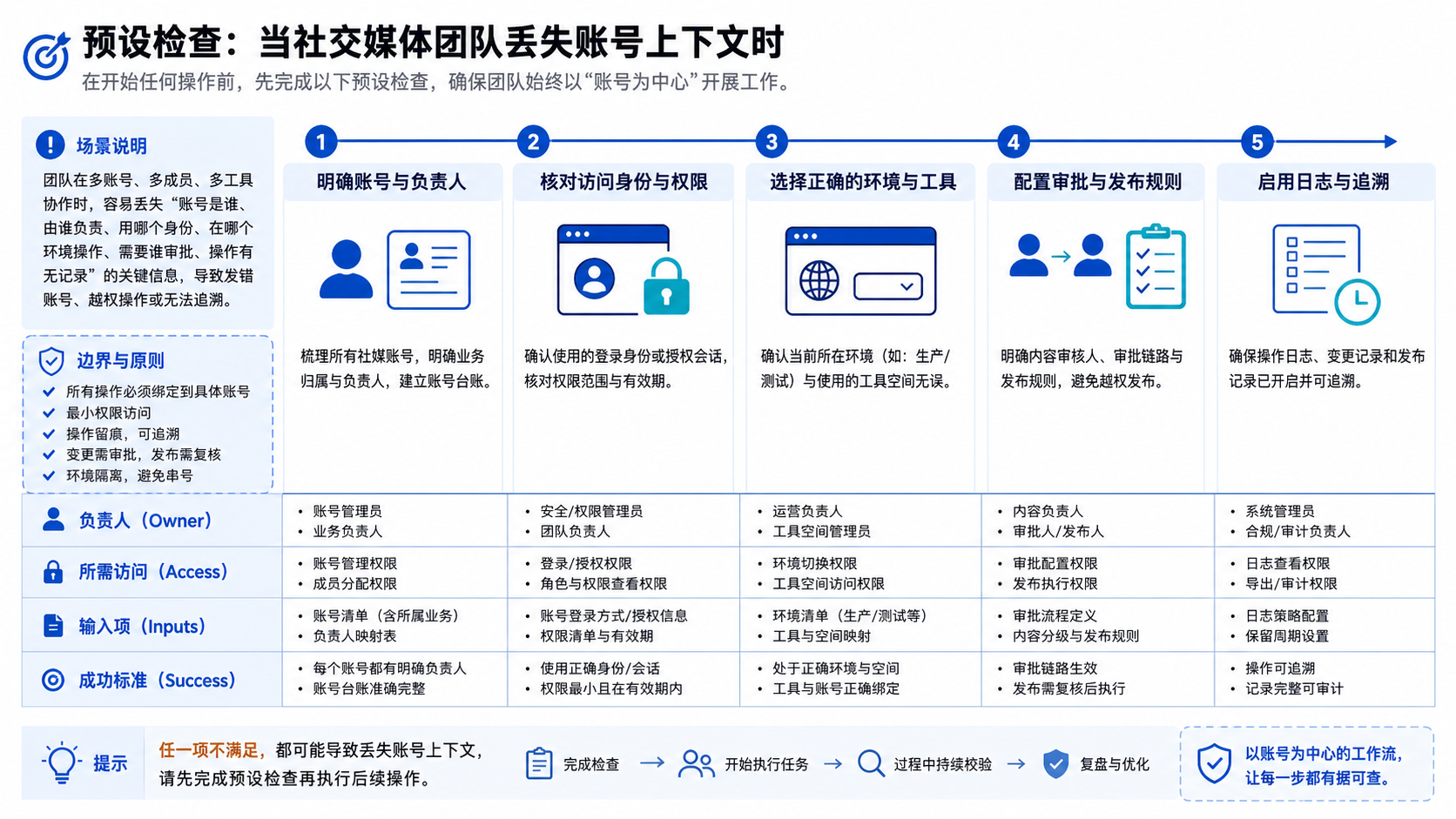
Do not scale the workflow immediately after the first map. Run one controlled pass and look for missing fields.
- Pick one account group, such as Instagram support accounts or TikTok publishing accounts.
- Select one repeatable workflow, such as comment reply preparation or scheduled content checks.
- Assign every account to one owner and one backup owner.
- Connect the correct browser profile, mobile session, or device environment.
- Add review rules for public posts, paid content, complaint replies, and unclear AI outputs.
- Review every failed run at the end of the week.
The first pass should produce a better operating map. It may also show that a task is not ready for automation. That is a good result if the team catches the issue before public execution.
For workflows that depend on app-side state or Android actions, evaluate mobile automation with narrow permissions and review logs. Mixed-session risk is a reason to include device isolation in the account design.
Who It Fits and When It Is a Strong Match
The myth is that account-aware workflow design is only for large agencies. Smaller teams need it too when several people touch the same social account or when AI output moves close to public actions.
This model fits best when:
- A team manages multiple brand, client, creator, or regional accounts.
- Social work includes publishing, replies, DMs, moderation, monitoring, or reporting.
- Operators use both web dashboards and mobile app environments.
- AI drafts or routes work that later reaches customers or followers.
- Managers need a record of who approved what and where it ran.
It is weaker for a solo creator who manually reviews every post from one device. It is also weak when the team has not defined owners, permissions, or response rules. In those cases, build the account map first and postpone automation.
For broader social media marketing operations, account-aware workflows also protect quality. They help keep brand voice, campaign context, and approval paths attached to the account instead of floating in disconnected chats.
Pilot Rollout, Measurement, and Recovery Checks
A good pilot should be narrow enough to review. Start with a workflow that produces clear evidence, such as draft replies for comments, weekly competitor monitoring, or post-publish checks.
Measure the pilot with operational metrics, not vanity metrics. Track task completion, edited AI outputs, approval skips, environment mismatches, failed runs, and recovery time. These metrics show whether the workflow is becoming clearer.
Sponsored content needs a separate review path. FTC staff guidance for social media influencers explains that material relationships with brands should be disclosed clearly. A team using AI to prepare creator captions or affiliate posts should keep disclosure review inside the workflow, not as a final memory check. See the FTC's Disclosures 101 for Social Media Influencers.
Platform integrity also matters. Meta's policy on inauthentic behavior describes deceptive activity involving assets, identity, origin, popularity, or content purpose. Account-aware workflow design should avoid hidden ownership, unmanaged account networks, and repetitive activity that no one reviews. See Meta's Inauthentic Behavior policy.
Use one recovery rule from the start: unclear work stops. Missing account, owner, environment, approval status, or user intent should pause the task and route it to a named operator.
Frequently Asked Questions
1. What does it mean when a social media team loses account context?
It means a task is no longer clearly tied to the right account, owner, platform, environment, approval rule, or result.
2. Is this only a problem for large teams?
No. It can happen in any team where more than one person handles the same accounts or where work crosses tools.
3. Can AI fix account context by itself?
Not by itself. AI can draft, classify, and route work, but the team still needs account records, permissions, review gates, and logs.
4. What should be mapped first?
Map accounts first. Then add owners, environments, workflows, approval rules, and evidence fields.
5. When should a cloud phone be part of the workflow?
Use one when the workflow depends on mobile apps, persistent Android state, app files, or mobile account checks.
6. How many internal owners should each account have?
One primary owner and one backup owner is a practical starting point. More owners can work if roles are clearly separated.
7. What is the biggest mistake?
The biggest mistake is connecting AI output to public actions before defining account ownership and approval rules.
8. Where does MoiMobi fit?
MoiMobi fits when teams need browser and mobile execution environments connected to multi-account workflows, task records, and review paths.
Conclusion
The answer is not another isolated dashboard. The stronger fix is an account-aware workflow that keeps identity, ownership, execution surface, approval, and evidence together.
Before scaling, check three things. Can every task name the account? Can every public action name the reviewer? Can every failure name the recovery owner?
If any answer is no, pause automation and repair the workflow map. If all three answers are yes, start with one account group, run a narrow pilot, and scale only after the records prove the process is traceable.



