
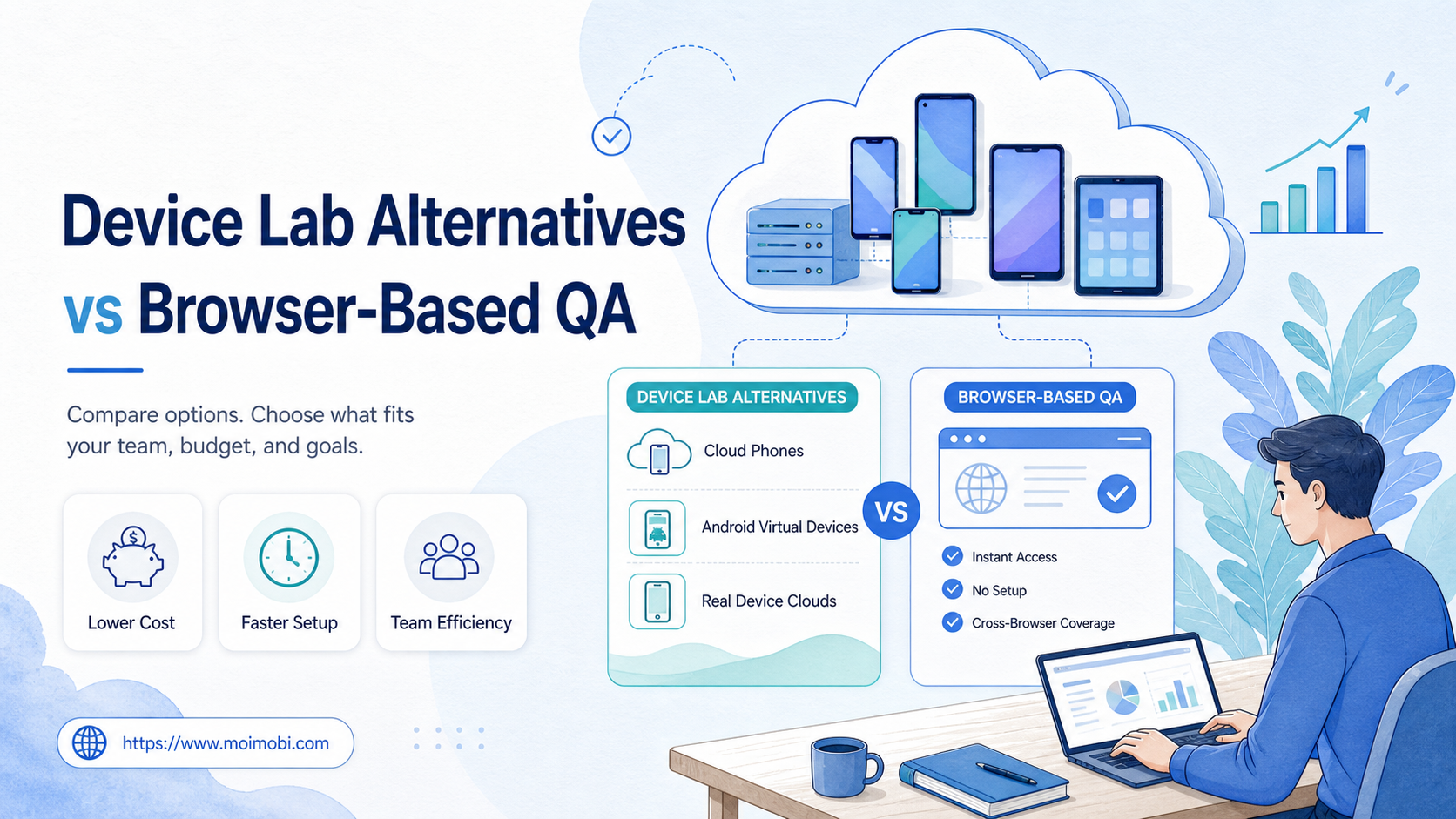
Device Lab Alternatives vs Browser-Based QA is a decision between testing mobile environments and testing browser behavior. Choose browser-based QA when the workflow stays in the web layer. Choose a device lab alternative when the workflow depends on installed apps, Android state, files, permissions, or persistent account sessions.
A device lab alternative means a way to test mobile or web workflows without owning and maintaining every physical device in-house. The right choice depends on what you need to prove: browser compatibility, app behavior, device-specific failures, or ongoing mobile operations.
For web-only QA, browser-based automation is usually the lighter starting point. For native apps, login-heavy mobile workflows, camera and file flows, or repeated Android account operations, a device lab alternative such as a real device cloud, Android emulator, or cloud phone environment may be a better fit.
The simple selection rule is this: use browser-based QA for web pages and responsive behavior; use device-side QA when the workflow depends on Android, an installed app, persistent mobile state, or physical-device behavior.
Key Takeaways
- Browser-based QA is efficient for web apps, cross-browser checks, and CI-friendly regression suites.
- A device lab alternative is better when teams need Android app testing, remote mobile sessions, or persistent mobile environments.
- Real device clouds, Android emulators, and cloud phones solve different parts of the device lab problem.
- The buying decision should compare setup effort, coverage, persistence, account isolation, and team handoff.
- MoiMobi is most relevant when QA overlaps with mobile execution, multi-account operations, and repeatable Android workflows.
What to Compare Before Choosing a Device Lab Alternative
Start with the failure you are trying to catch. A QA manager checking a checkout page in Chrome, Firefox, and Safari has a different problem from an operations team testing a TikTok or WhatsApp mobile workflow across accounts.
For web behavior, browser automation is the natural baseline. Playwright's official documentation says it can run tests on Chromium, WebKit, and Firefox, including branded browsers and emulated mobile devices. That makes it a strong fit for browser regression testing and responsive web checks. See Playwright's browser documentation.
Device-side options focus on mobile environments. AWS Device Farm describes itself as a service for testing and interacting with Android, iOS, and web apps on real physical phones and tablets hosted by AWS. That points to a different use case: real mobile device behavior without managing every phone internally. See AWS Device Farm documentation.
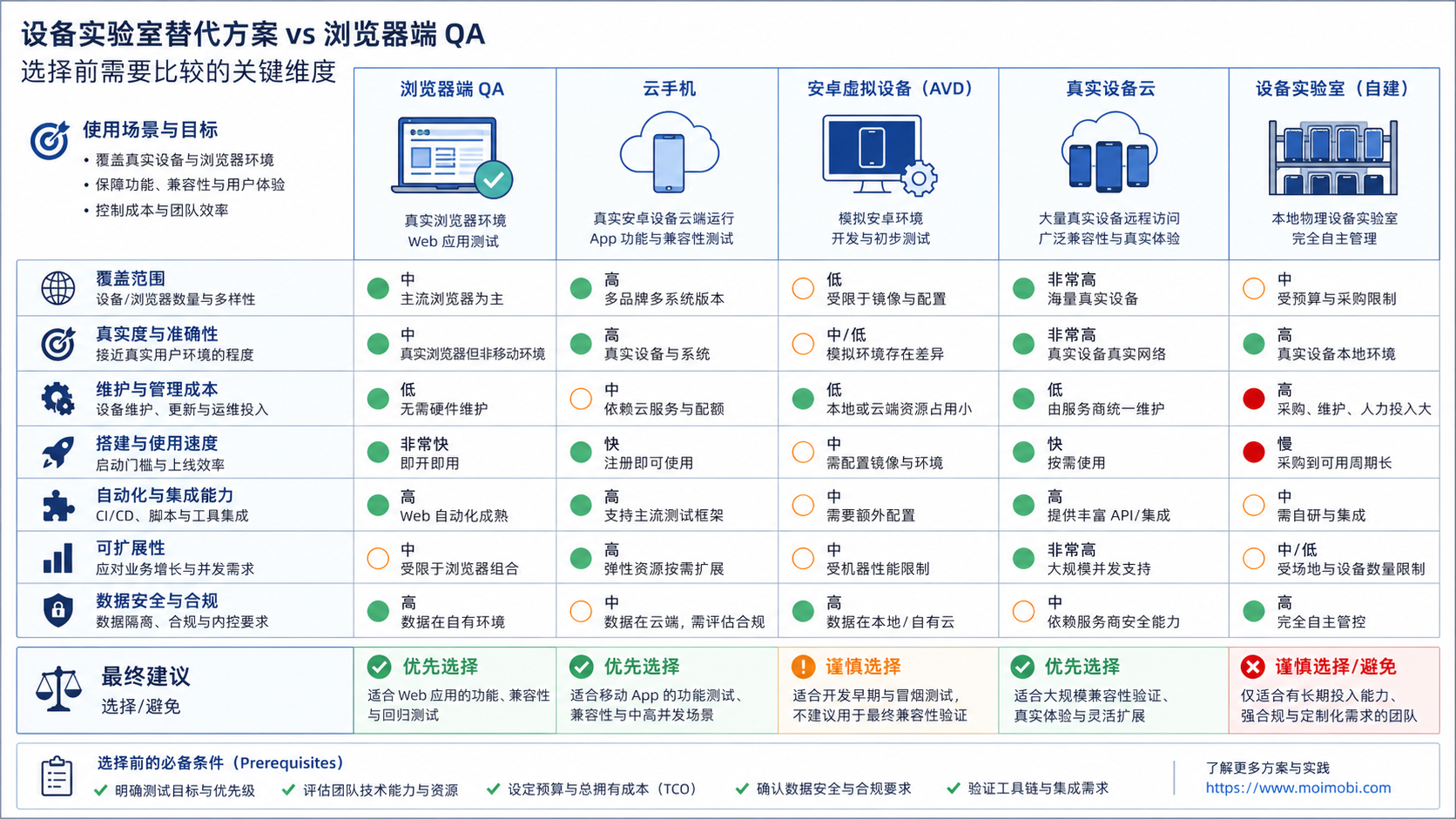
Use these axes before choosing a device lab alternative.
| Decision axis | Browser-based QA | Device lab alternative |
|---|---|---|
| Best target | Web apps, landing pages, dashboards, browser flows | Native apps, Android tasks, installed app workflows |
| Setup model | Test runner, browser grid, CI integration | Real devices, emulators, cloud phones, or remote Android sessions |
| State persistence | Usually test-session oriented | Can support longer-lived account or device environments, depending on platform |
| Operational fit | Engineering QA and release regression | Mobile QA, app operations, account workflows, and team handoff |
When cloud phones are part of the evaluation, use the term precisely. A cloud phone execution environment is not the same thing as a browser emulator or a desktop browser grid. It is a remote mobile environment used when the workflow itself needs Android-side execution.
Key Differences Between Device Lab Alternatives vs Browser-Based QA
The main difference is where the workflow actually runs. Browser QA runs in browser engines. Device alternatives run in mobile environments, whether those are physical devices, emulators, or cloud Android sessions.
Scenario 1: Web dashboard testing. A SaaS dashboard with forms, filters, and checkout screens belongs in browser-based QA first. Browser automation can run fast, integrate with CI, and cover multiple browser engines. Device-side testing may still help for mobile browser checks, but it should not replace a clean browser test suite.
Scenario 2: Native Android app testing. A native Android app needs a mobile environment. Android Developers describes the Android Emulator as a way to test apps on many virtual devices, using Android Virtual Devices from Android Studio. That makes an android virtual device useful for development and compatibility checks.
Scenario 3: Real-device behavior. A virtual Android device cannot fully represent every real device condition. Real device clouds such as AWS Device Farm or BrowserStack are designed for testing on real phones and tablets. BrowserStack's documentation and product pages describe support for real Android and iOS devices for app testing. See BrowserStack docs.
Scenario 4: Ongoing mobile operations. A QA run may last minutes. An operations workflow may repeat daily across accounts, apps, or regions. That is where a device lab alternative begins to overlap with mobile automation. The question becomes less "Can this test run?" and more "Can this environment support repeatable work with clear ownership?"
Features, Workflow, and Trade-Offs
A physical device lab gives teams maximum control, but it creates maintenance work. Someone must buy devices, update them, label them, charge them, repair them, reset them, and track who used them. That cost is not only hardware cost.
A real device cloud reduces that burden. The team can access remote devices without owning every model. This is useful when the main question is app compatibility, device behavior, or release confidence across a wider set of phones.
An emulator or virtual device is lighter. It works well for early development, API-level checks, and repeatable local testing. It may be less convincing when the issue depends on real sensors, real network conditions, device vendor differences, or long-lived app state.
A cloud phone environment sits closer to operational execution. For teams that need mobile app workflows with persistent accounts, routing control, and repeatable task execution, a cloud phone can be evaluated as infrastructure, not just a test device.
The trade-off is scope. Browser-based QA is often simpler for web apps. Real devices are stronger for app reality. Cloud phones become relevant when testing and operations start to merge.
Pricing and Operational Considerations
The common misunderstanding is that the cheapest option is the one with the lowest device price. The real cost includes setup time, maintenance, staff handoff, debugging time, and repeatability.
Web-focused browser testing can be cost-efficient when tests are deterministic. Teams pay mostly in test engineering effort and runtime capacity. A device lab alternative adds device selection, app installation, session management, and sometimes file transfer or account state.
AWS Device Farm's public pricing page separates real mobile device testing and desktop browser testing, which is a reminder that mobile and browser capacity are different cost centers. See AWS Device Farm pricing.
For operations teams, cost also includes accountability. If several people use the same device or account without records, the team may save money on infrastructure and lose time during failures.
Use this review checklist before buying:
- Define the workflow. Is it a web test, native app test, account operation, or mobile execution task?
- Define the environment. Does it require a browser, emulator, real device, or persistent Android workspace?
- Define the owner. Who can start, stop, reset, or review the session?
- Define the evidence. What logs, screenshots, results, or task records must be kept?
- Run a pilot. Test one workflow before moving all QA or operations into the new setup.
If the workflow involves account state, consider device isolation. Separate environments make ownership and troubleshooting clearer.
Pilot Checklist Before Replacing a Device Lab
Do not migrate every QA path at once. Start with one workflow where the current device lab is visibly slow, expensive, or hard to coordinate. A good pilot has a clear owner, a fixed success condition, and a short review window.
Pick one of these pilot shapes:
- Browser regression pilot. Move a web dashboard, checkout, or signup flow into browser-based QA. Measure run time, failure clarity, browser coverage, and CI reliability.
- Virtual Android pilot. Move a development-stage app flow into an Android virtual device. Measure setup time, repeatability, and which failures still need a real device.
- Real device cloud pilot. Move a release candidate or device-specific app issue into a real device cloud. Measure device coverage, debugging time, and report quality.
- Cloud phone pilot. Move a repeated mobile operations workflow into a persistent Android workspace. Measure handoff clarity, account state, task logs, and recovery time.
Review the pilot with two questions. First, did the new setup catch the problem the old device lab was supposed to catch? Second, did it reduce operational friction without hiding evidence?
A failed pilot is still useful if it narrows the boundary. For example, browser QA may handle web regression while mobile app uploads stay on real devices. A cloud phone workflow may handle repeatable account checks while final app release testing remains in a real device cloud. The goal is not to force one tool into every lane. The goal is to make each lane explicit.
Which Option Fits Different Teams
The best option depends on who owns the workflow. A web engineering team, mobile QA team, and growth operations team should not choose from the same checklist.
- The product is mainly a web app.
- Most failures happen in forms, UI states, browser rendering, or JavaScript behavior.
- The team needs CI-friendly browser regression testing.
- Mobile coverage is mostly responsive browser behavior.
- The workflow depends on installed Android or iOS apps.
- The team needs real or virtual device sessions.
- Account state, app permissions, uploads, or device files matter.
- QA overlaps with repeated mobile operations.
Physical device labs still make sense for regulated, hardware-sensitive, or deeply device-specific testing. Real device clouds make sense when coverage matters but ownership overhead is too high.
Cloud phones fit a different operations lane. They are useful when teams need remote Android environments for repeatable mobile workflows, not only one-time test runs. For a deeper comparison, review cloud phone vs emulator before replacing an emulator setup.
MoiMobi is not a replacement for every browser test runner. It is more relevant when the QA problem connects to mobile execution, Android workspaces, multi-account operations, and repeatable task handoff.
Frequently Asked Questions
1. What is a device lab alternative?
A device lab alternative is a remote, virtual, or cloud-based way to test mobile workflows without managing every physical device in-house.
2. Is browser-based QA enough for mobile app testing?
No, not for native app behavior. Browser-based QA can test web views and responsive pages, but installed app workflows need mobile environments.
3. When should teams use an Android virtual device?
Use an Android virtual device for development checks, API-level testing, and repeatable emulator workflows. Add real-device testing when hardware behavior matters.
4. Are cloud phones the same as Android emulators?
No. Emulators virtualize Android for testing and development. Cloud phones are remote mobile environments that may support longer-running mobile workflows and account operations.
5. Which option is better for CI pipelines?
For web apps, browser-based QA is usually easier to integrate into CI. Mobile CI may need emulators, device clouds, or app-testing services.
6. What should a team compare first?
Compare workflow type first. Then compare environment persistence, device coverage, ownership, logging, and operational handoff.
7. Can a team use both approaches?
Yes. Many teams use browser QA for web regression and device-side environments for native apps, account workflows, or mobile operations.
8. Where does MoiMobi fit?
MoiMobi fits when testing overlaps with mobile execution, account workspace management, cloud phones, and repeated Android workflows.
Conclusion
Choose by workflow, not by tool category. Browser-based QA should usually handle web regression, cross-browser checks, and fast CI feedback. A device lab alternative should handle mobile app behavior, real or virtual Android sessions, persistent account environments, and mobile execution tasks.
Rank the next decision in this order: web or app, temporary test or persistent environment, single user or team handoff, emulator or real device, test result or operational record.
If the workflow depends on mobile state and repeated execution, evaluate cloud phones, device isolation, and mobile automation as part of the same decision. That is where device lab alternatives move from QA tooling into execution infrastructure.



