If you are looking to run Android applications on your computer, you have likely encountered two primary solutions: Android emulators and cloud phones. On the surface, they seem to do the exact same thing—display a mobile interface on your desktop screen. However, under the hood, they represent two completely different technological approaches to mobile virtualization.
In this comprehensive guide, we will break down the fundamental differences between cloud phones and Android emulators. We will analyze their architecture, resource consumption, security features, and overall cost-effectiveness so you can make an informed decision for your business or personal needs.
1. What Is an Android Emulator?
An Android emulator is a piece of software you download and install locally on your computer (Windows or Mac). Popular examples include BlueStacks, NoxPlayer, MEmu, and LDPlayer. Their primary function is to create a virtual environment on your local hard drive that mimics the Android operating system.
How Emulators Work (The x86 Translation Problem)
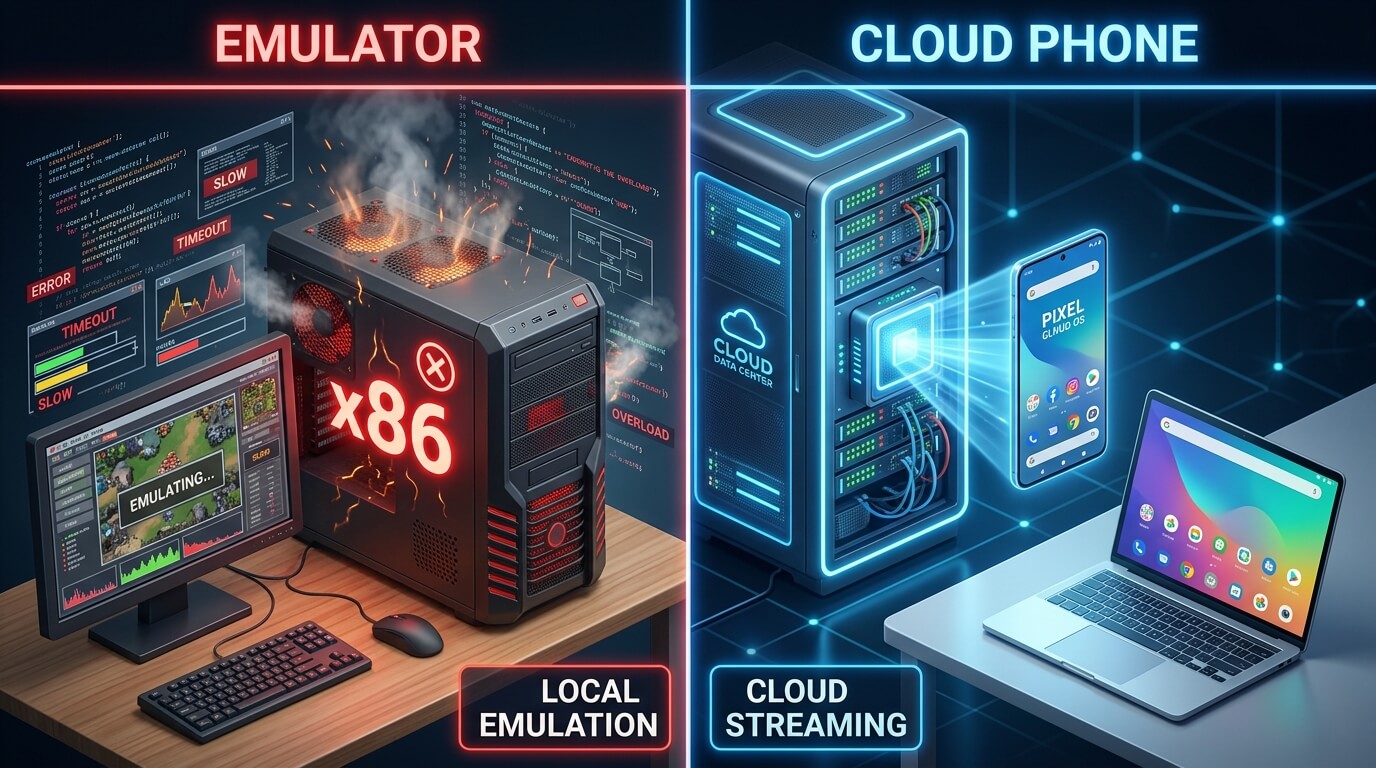
The vast majority of desktop computers run on an architecture called x86 (powered by Intel or AMD processors). Conversely, nearly all mobile applications are coded to run on ARM architecture (the microchips inside physical smartphones). Because these two environments speak different digital languages, an emulator must act as a real-time translator.
Every time an app tells the phone to render a graphic or process a click, the emulator must translate that ARM command into an x86 command so your PC's CPU can understand it. This real-time translation process is incredibly resource-intensive. It demands massive amounts of your computer's RAM, CPU power, and graphical processing unit (GPU) capacity.
Pros of Emulators
- Free to Use: Most commercial emulators are free to download (supported by in-app ads).
- Local Processing: They rely on your local hardware, meaning you don't need a high-speed internet connection to avoid input lag.
- Customizable Keymapping: Excellent for mapping keyboard and mouse controls to touchscreen buttons for competitive mobile gaming.
Cons of Emulators
- Resource Hogs: Running even a single instance can slow down older PCs. Running 10 instances requires a highly expensive, custom-built server rig.
- High Ban Rates for Business: Platforms like TikTok, Instagram, and WhatsApp easily detect the virtualization signatures of emulators, leading to immediate account bans.
- No 24/7 Stability: If your computer goes to sleep, restarts for an update, or loses power, your emulator shuts down.
2. What Is a Cloud Phone?
A cloud phone, on the other hand, does not rely on your computer's hardware to run the Android operating system. Instead, the Android OS runs remotely on enterprise-grade servers housed in secure data centers. You access the phone interface via a web browser or a lightweight desktop client.
How Cloud Phones Work (Native ARM Execution)
Unlike your home PC, premium cloud phone providers utilize massive racks of servers built specifically with ARM architecture. Because the server architecture perfectly matches what the mobile apps expect, there is zero need for translation. The mobile apps run natively in the cloud.
What you see on your desktop screen is simply an interactive video stream. When you click your mouse, that command is sent over the internet to the cloud server, executed instantly, and the updated video frame is streamed back to you. This is the exact same technology used by cloud gaming platforms like GeForce Now or Xbox Cloud Gaming, but applied to the entire Android OS.
Pros of Cloud Phones
- Zero Local Hardware Strain: Because the cloud server does all the heavy lifting, you can run 100 cloud phones simultaneously on an old, low-spec laptop.
- 24/7 Uninterrupted Uptime: Cloud phones never sleep. They continue running your apps, games, and automation scripts even when your physical PC is turned off.
- Account Safety and Anti-Detect: Professional cloud phones spoof real hardware device fingerprints, drastically reducing ban rates for marketers.
Cons of Cloud Phones
- Subscription Cost: Unlike free emulators, cloud phones require a monthly or annual subscription fee.
- Requires Stable Internet: Because you are streaming the interface, a slow or unstable internet connection will result in a laggy visual experience (though the app running on the server will not be affected).
3. Cloud Phone vs Emulator: Head-to-Head Comparison
To give you a clearer picture, let's compare these two technologies across the factors that matter most. For a more exhaustive technical breakdown, you can also review our dedicated comparison on cloud phone vs android emulator architectures.
4. The Ban Risk: Why Emulators Fail for Business Operations
If your goal is to manage multiple business accounts on social media or e-commerce platforms, the distinction between these two technologies becomes critical. The era of running 20 Instagram or WhatsApp accounts on BlueStacks is over.
Modern apps employ sophisticated risk-control systems. When an app is launched on an emulator, it scans the environment. It detects the x86 architecture, it identifies generic hardware IDs, and it notices the lack of real battery or sensor data. The app immediately flags the instance as a "virtual machine." While they might let you play a game, if you try to use that environment for marketing or outreach, your accounts will be shadowbanned or permanently suspended almost instantly.
Cloud phones are designed to bypass this issue through strict device isolation. High-end providers modify the Android kernel to ensure the environment passes safety nets. They allow you to inject residential proxies directly into the network layer and assign unique IMEI, MAC addresses, and Android IDs to every single instance. To TikTok, Facebook, or WhatsApp, a premium cloud phone looks completely indistinguishable from a real user holding a Samsung Galaxy in another city.
5. Scalability: From One Instance to One Hundred
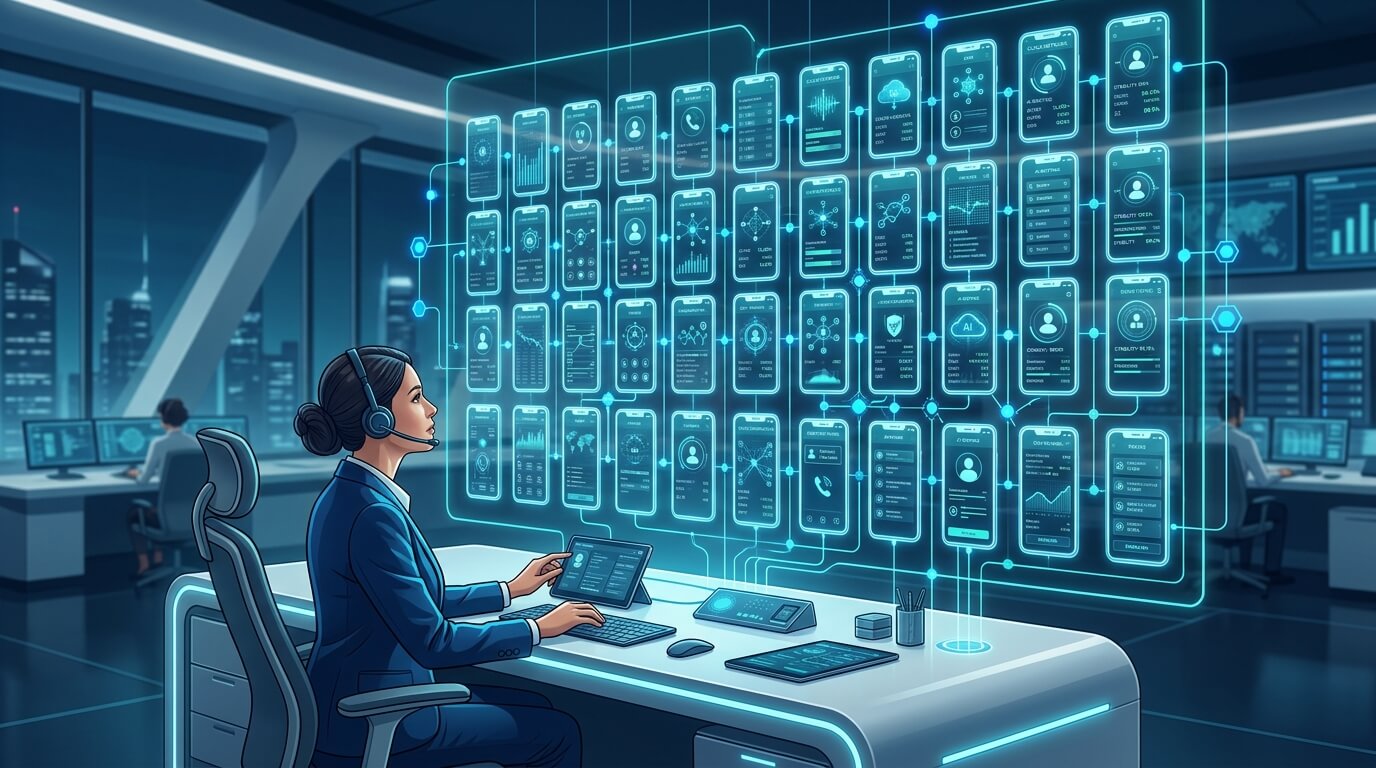
Scalability is where the cloud phone truly shines. Let's imagine you need to scale up to 50 active mobile instances for a campaign.
If you use an emulator, you would need to purchase multiple high-end desktop computers, configure massive amounts of RAM, deal with overheating, manage complex local networking for proxy routing, and manually monitor multiple physical monitors. If a computer crashes, all instances on it die.
With a cloud phone infrastructure, scaling is a matter of clicking a button. You can provision 50 new devices in under a minute. More importantly, this infrastructure is crucial for effective multi-account management. A single operator can monitor all 50 instances from one web dashboard on a standard laptop. If one cloud instance encounters an error, it is isolated and does not affect the other 49.
6. The Role of AI and Automation
The future of mobile operations is moving past simple macro scripts. Today, teams are leveraging AI to read screens and execute complex Standard Operating Procedures (SOPs). Emulators struggle with advanced automation because of screen tearing, lag spikes caused by local CPU throttling, and inconsistent resolution scaling.
Cloud phones provide a standardized, perfectly stable environment. Because the cloud provider controls the hardware, the resolution, and the network, AI agents can reliably interpret the UI elements. Furthermore, advanced platforms offer Android antidetect capabilities that ensure your automated actions aren't flagged as bot behavior by the platforms you are interacting with.
7. Frequently Asked Questions (FAQ)
Can I use an emulator for multi-account management?
While technically possible, it is highly discouraged for business use. Emulators lack sophisticated device fingerprinting. Social media algorithms easily detect that multiple accounts are running on a virtualized x86 environment and will likely ban your entire account matrix simultaneously.
Is a cloud phone faster than an emulator?
For app execution and stability, yes, because cloud phones run natively on ARM architecture servers. However, the visual responsiveness (how fast the screen reacts to your mouse click) depends on your internet connection. Emulators will have lower visual latency since they run locally, but cloud phones have higher processing stability.
Do I need a powerful computer to run a cloud phone?
Not at all. Since the cloud server is doing all the processing, RAM allocation, and rendering, you only need a device capable of playing a YouTube video smoothly. You can manage dozens of cloud phones from a basic Chromebook or a five-year-old laptop.
Which is cheaper in the long run?
If you only need 1 or 2 instances for gaming, a free emulator is cheaper (assuming you already own a decent PC). However, if you need to scale to 10+ instances for business, a cloud phone is vastly cheaper. Building a custom server PC to run 20 emulators can cost thousands of dollars in hardware and electricity, whereas cloud phones operate on a low, predictable monthly subscription without any hardware depreciation.
Conclusion: Making Your Decision
The battle between the cloud phone and the emulator comes down to your ultimate goal.
If you are an individual gamer who wants to play a mobile RPG on a large monitor with keyboard controls, and you already own a powerful gaming PC, a local Android emulator is a fantastic, free tool.
However, if you are running a business, managing a digital marketing agency, overseeing e-commerce operations, or building AI-driven mobile automation, local emulators are a liability. They consume too many resources, crash too often, and put your valuable digital assets at extreme risk of getting banned.
By shifting to a cloud phone platform, you gain unparalleled stability, ironclad account security, and the ability to scale your operations infinitely without ever worrying about hardware limitations. In the professional arena, the cloud phone isn't just a better alternative to an emulator—it is the required evolution.