
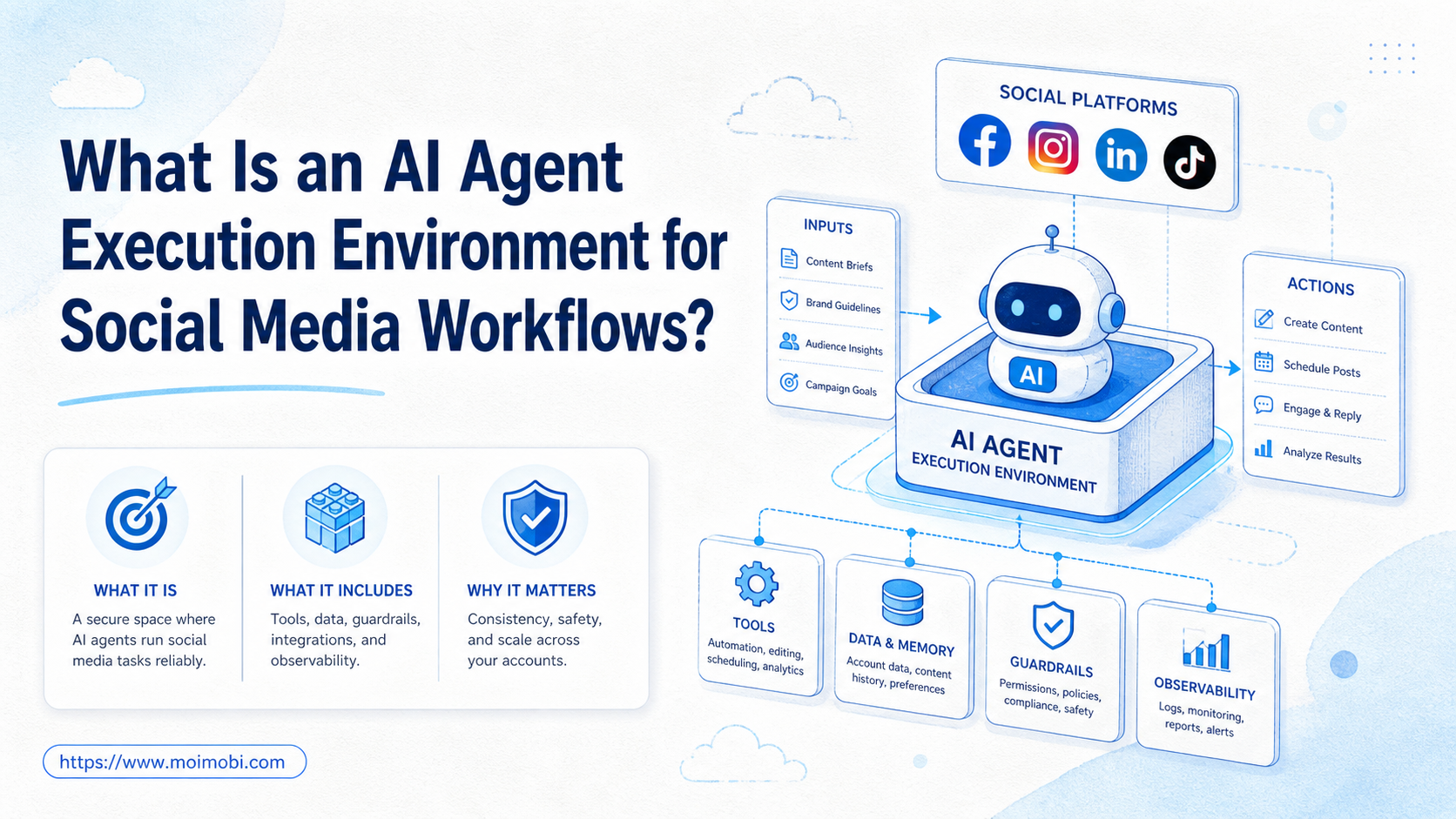
For social media teams, an AI agent execution environment is the controlled browser or mobile workspace where an AI-assisted task can run, pause, be reviewed, and leave records. It is not just the AI model. It is the place where account sessions, device context, approvals, logs, and workflow actions come together.
Social media teams need this layer when AI moves beyond drafting captions. Once an agent helps with publishing, monitoring, replying, inbox triage, creator checks, or account operations, the team needs a traceable run path. The record should show the account, session, reviewer, action, and result.
The direct answer is simple: an execution environment turns AI from a suggestion tool into an auditable work system. Without that environment, teams may have prompts and scripts, but they do not have controlled execution.
Key Takeaways
- An AI agent execution environment for social media combines accounts, browser or mobile sessions, permissions, task state, approvals, and logs.
- It matters most when AI touches real social accounts, not only content drafts.
- Browser profiles, cloud phones, device isolation, and workflow logs solve different parts of the environment problem.
- Human review remains important for public replies, sponsored content, customer issues, and unclear outputs.
- A pilot should measure task completion, failed steps, review quality, and recovery time before scaling.
What an AI Agent Execution Environment for Social Media Includes
A workable environment has more than a login page. It needs enough structure to let an AI-assisted workflow run without hiding ownership.
Think of it as five parts.
| Layer | What it controls | Why it matters |
|---|---|---|
| Account workspace | Account, role, session, owner, and platform | Prevents loose work queues with unclear account ownership |
| Execution surface | Browser profile, cloud phone, or Android device | Gives the agent a real place to operate |
| Workflow controls | Allowed tasks, approval gates, stop rules | Separates suggestions from public actions |
| Observation and logs | Task result, reviewer, timestamp, failure reason | Makes execution reviewable after the task ends |
| Recovery path | Pause, retry, human takeover, escalation | Keeps unclear results from becoming silent failures |
Browser automation is one part of this stack. Playwright describes itself as enabling browser automation for tests, scripts, and agent workflows across major browser engines. That helps explain why browser control is useful, but it does not solve account ownership by itself. See the official Playwright overview.
For mobile-first social work, the execution surface may also need a persistent Android environment. A cloud phone execution environment is relevant when the workflow depends on installed apps, mobile sessions, files, and repeatable device-side work.
Browser, Mobile, and Account Environment Types
Different social workflows need different execution surfaces. A single environment type will not cover every task without creating blind spots.
Browser profile environments fit web dashboards. They are useful for publishing consoles, analytics pages, ad managers, customer support panels, and profile settings. The main value is session continuity and account separation for browser-based work.
Mobile execution environments fit app-native tasks. Some workflows depend on installed apps, push prompts, file selection, mobile inboxes, or Android-side state. In those cases, the team should evaluate a mobile environment rather than trying to force every task through a desktop browser.
Account workspaces sit above the device or browser. They define account owner, platform, role, workflow permissions, logs, and handoff rules. This layer matters because social operations are rarely only technical. A task may run correctly and still be operationally unclear if no one owns the account or reviews the outcome.
The best setup often combines these layers. A social team may use browser profiles for web dashboards, cloud phones for app workflows, and an account workspace to connect both to owners and review rules. This keeps the environment tied to the workflow instead of turning it into disconnected sessions.
Use one simple test before choosing. If the task only needs web control, start with a browser profile. If the task needs Android app behavior or persistent mobile state, evaluate a mobile environment. If several people touch the same account, define the account workspace first.
Why Teams Search for This Topic
Teams search for this topic when the old split stops working. Content teams use AI to draft posts. Support teams use AI to classify comments. Growth teams use automation to monitor accounts. Operators still have to publish, reply, check errors, and record outcomes.
The gap appears when those activities touch real accounts. A caption idea is low risk until it becomes a scheduled post. A reply suggestion is low risk until it reaches a customer. A monitoring summary is low risk until the team acts on it without checking the source.
NIST's AI Risk Management Framework is useful context because it frames AI risk management around trustworthiness across design, use, evaluation, and management. Social teams do not need enterprise bureaucracy for every task. They do need a practical way to govern AI-assisted actions. See NIST's AI Risk Management Framework.
Platform rules also matter. Meta's Community Standards describe what is and is not allowed across Facebook, Instagram, Messenger, and Threads. Its inauthentic behavior policy discusses deceptive activity using networks of inauthentic assets. A social media execution environment should avoid workflows that create repetitive, unmanaged, or deceptive behavior. See Meta's Community Standards and Inauthentic Behavior policy.
Who Benefits Most and In What Situations
The main misunderstanding is that every team needs a full AI execution stack on day one. A solo creator using AI for caption ideas may only need a writing tool and manual review. A team running many accounts across apps needs more structure.
The fit becomes strongest when several conditions appear together:
- Multiple people work on the same account pool.
- AI drafts, summarizes, classifies, or routes public-facing work.
- Tasks happen across browser dashboards and mobile apps.
- Account state, login sessions, files, or device context matter.
- Managers need to review what happened after execution.
For agencies and cross-border teams, multi-account management is usually part of the same problem. The team is not only asking "Can AI do this task?" It is asking which account, environment, permission, and reviewer should be attached to that task.
The fit is weaker when social work is still unstructured. If no one owns accounts, if approval rules are missing, or if support replies are handled ad hoc, fix the operating model first. Automation will not rescue a workflow that no one can describe.
How to Evaluate an AI Agent Execution Environment for Social Media
Bad evaluation starts with features. Better evaluation starts with failure modes. Ask what could go wrong if an AI-assisted task runs in the wrong account, wrong app, wrong browser profile, or without review.
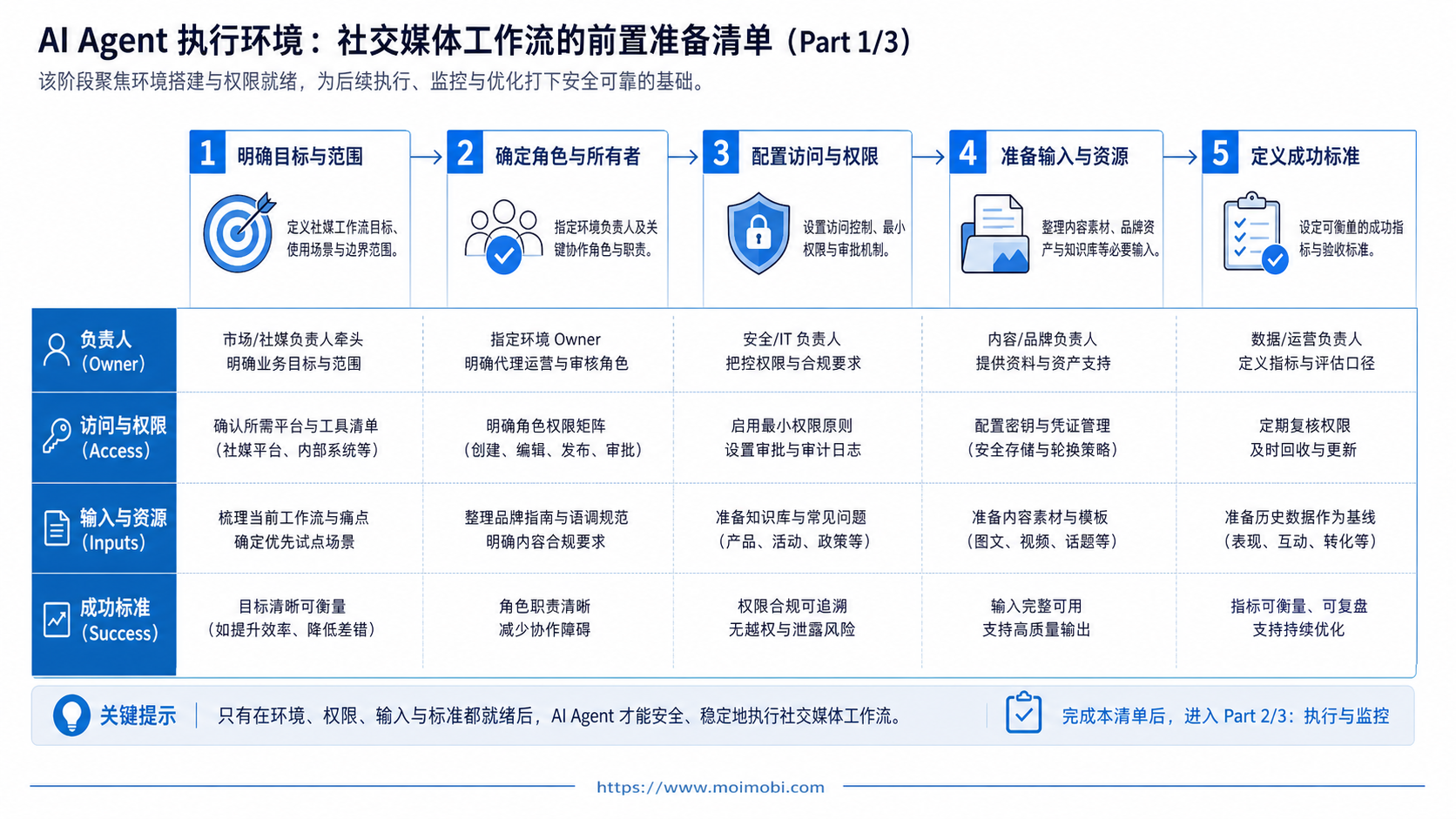
Use this preflight checklist before adopting a system:
- Map accounts. List account owners, platforms, regions, roles, and login environments.
- Separate workflow types. Split drafting, publishing, replies, monitoring, inbox triage, and reporting.
- Define review gates. Mark which actions require human approval before public execution.
- Choose the surface. Use browser profiles for web dashboards and mobile environments for app workflows.
- Set stop rules. Pause tasks when login state, content risk, platform warnings, or unclear results appear.
- Record evidence. Keep account, task, reviewer, result, timestamp, and failure reason.
If the task involves mobile apps, mobile automation should be evaluated with execution logs and human takeover rules. If the task involves different account groups, device isolation helps keep workspaces easier to audit.
Sponsored content deserves extra care. The FTC's influencer resources explain that material connections should be disclosed clearly in social media endorsements. Any AI workflow that drafts creator captions, affiliate posts, or paid collaborations should include disclosure review before publishing. See the FTC's Endorsements, Influencers, and Reviews.
What Not to Automate First
The first workflow should not be the highest-risk public action. Do not begin with fully automated cold outreach, complaint replies, crisis responses, creator payment discussions, or account recovery tasks. These workflows involve judgment, user trust, and platform policy exposure.
Better starting points are internal or reviewable tasks. Examples include collecting post ideas, summarizing comment themes, preparing draft replies, grouping inbox messages by intent, checking whether scheduled posts match a campaign brief, and routing account issues to the right person. These tasks still save time, but they leave the final public action with a human reviewer.
This order matters because execution environments are easier to improve when the team can see the failure pattern. If the pilot starts with reviewable work, logs show whether the AI misunderstood context, chose the wrong account, skipped a required field, or needed a different approval rule. The team can then tighten prompts, permissions, and workflow boundaries before scaling into higher-risk actions.
Mistakes That Reduce Results
The first mistake is treating the AI model as the whole product. A model can generate a caption, classify a message, or propose a reply. It cannot, by itself, define account ownership, session isolation, approval gates, or recovery paths.
The second mistake is connecting agents to live accounts before defining boundaries. Public replies, customer complaints, creator disclosures, and platform warnings need review. A safe starting point is AI suggestion plus human approval, not immediate action on every output.
The third mistake is using one shared environment for everything. A brand publishing account, support account, and creator outreach account should not sit in the same loose workspace. Separate workspaces make it easier to know what changed and who changed it.
The fourth mistake is logging only success. Failed steps are often more valuable for improvement. Teams should review timeouts, edited AI outputs, skipped approvals, login failures, and tasks that needed human takeover.
The fifth mistake is using the same workflow for browser and mobile tasks. Browser dashboards and mobile apps expose different controls, files, states, and failure modes. A social media marketing workflow should account for both surfaces when the team operates across platforms.
Pilot Rollout, Measurement, and Recovery Checks
Start with one workflow, not the whole account system. Good pilots have a narrow task, a named owner, and a review habit.
A simple pilot could be "AI drafts first replies for Instagram comments, human approves, system records final action." Another could be "AI monitors competitor posts, groups themes, and routes examples to a reviewer." Both are useful because the output can be reviewed before it affects customers or accounts.
Measure the pilot with a short scorecard.
- Every task has an account and owner.
- Review gates trigger before public actions.
- Logs show AI output and final action.
- Failures route to a named recovery owner.
- Operators bypass approvals to save time.
- Multiple accounts share one unclear session.
- Logs record success but not failed attempts.
- No one reviews edited AI outputs.
Run the review weekly during the pilot. Look at completion rate, edited outputs, manual takeovers, missing logs, and repeated failures. Scale only after the workflow is clear, reviewable, and recoverable.
MoiMobi fits this operating model as an AI browser and cloud phone platform for teams that need AI-assisted work to run in browser and mobile environments, not only in chat.
Frequently Asked Questions
1. What is an AI agent execution environment for social media?
It is a controlled browser or mobile workspace where AI-assisted social tasks can run with account context, approvals, logs, and recovery paths.
2. Is it the same as an AI chatbot?
No. A chatbot answers or drafts. An execution environment connects the task to accounts, sessions, devices, review gates, and records.
3. When does a team need one?
Teams need one when AI moves from content ideas into publishing, replies, monitoring, customer messages, or account operations.
4. Should AI agents reply to customers automatically?
Most teams should start with AI suggestions and human approval for sensitive, first-contact, complaint, refund, or public-facing replies.
5. Does this require cloud phones?
Not always. Browser-only workflows may use browser profiles. Mobile-first app workflows may need cloud phones or Android devices.
6. What should be logged?
Log account, workspace, AI output, reviewer, action, result, timestamp, failure reason, and recovery owner.
7. How do teams reduce risk during a pilot?
Choose one workflow, require approval for public actions, define stop rules, and review failed tasks weekly.
8. Where does MoiMobi fit?
MoiMobi fits when teams need AI-assisted workflows to run across isolated browser and mobile environments with multi-account context.
Conclusion
This execution layer is the missing bridge between AI output and real account work. It gives the team a controlled place to run tasks, review results, keep records, and recover from unclear outcomes.
Before scaling, check four things: account ownership, execution surface, review gates, and logs. If those are unclear, start with a small pilot. If they are clear, the team can evaluate browser profiles, cloud phones, mobile automation, and device isolation as one operating stack.
The next step is not to automate every social task. Pick one repeatable workflow, define where it runs, decide who approves it, and measure whether the environment makes the work clearer.



