
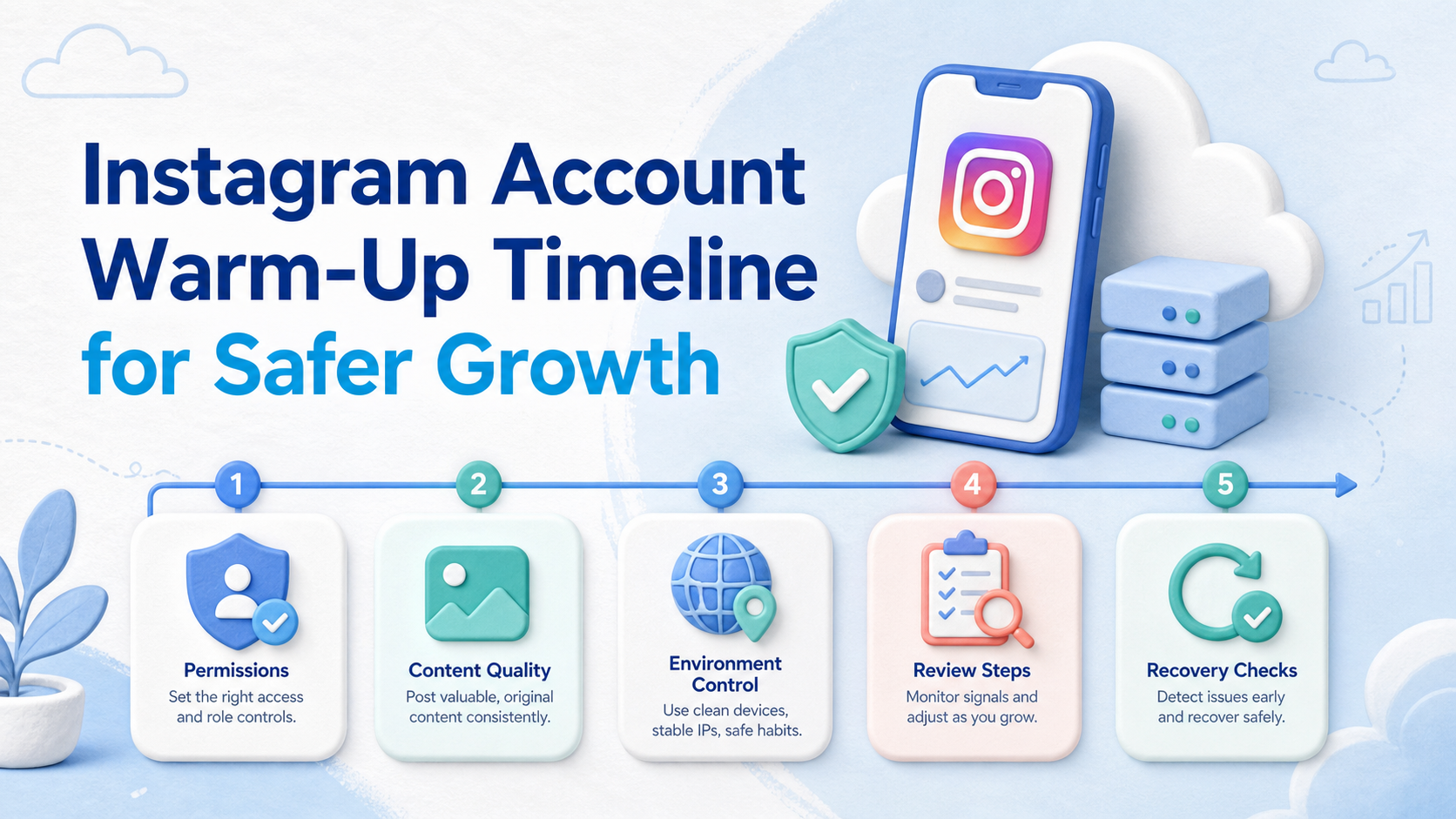
An Instagram account warm-up timeline is a staged operating plan for preparing an account, team, content process, and execution environment before growth work scales. No timeline should be treated as a promise that an account becomes safe after a fixed number of days.
For multi-account teams, the timeline should focus on readiness signals: complete profiles, clear permissions, normal content cadence, human review, separated environments, and clean recovery notes. Instagram's Terms of Use prohibit creating accounts or collecting information in automated ways without express permission, so any growth workflow should avoid bulk automation, scraping, spam, or fake engagement.
Key Takeaways
- Treat warm-up as operational readiness, not a loophole.
- Start with identity, permissions, content quality, and account ownership.
- Use separated browser or mobile workspaces when several teammates handle accounts.
- Pilot slowly, review failures, and pause when behavior looks unclear.
- Do not use bots, fake engagement, scraping, or mass repetitive actions.
What Is an Instagram Account Warm-Up Timeline?
The myth is that account warm-up is a fixed technical recipe. That framing is risky. A healthier model is a checklist-based timeline that helps a team introduce activity in a controlled, human-reviewed way.
The timeline should begin before the first campaign. Confirm the account purpose, profile information, brand assets, team access, content categories, and escalation owner. Then test simple workflows, such as posting approved content, replying to real comments, and recording account activity.
For teams using browser and mobile workflows, environment control matters. Moimobi's AI browser and cloud phone platform helps teams think in separated execution spaces rather than shared logins. A browser profile may support account settings and dashboards, while a cloud phone can support mobile-first app workflows.
The goal is not to disguise activity. The goal is to reduce operational mistakes. When the account owner, device environment, content queue, and approval path are visible, the team can spot problems earlier.
A Practical Instagram Account Warm-Up Timeline
Use a timeline that expands only after each checkpoint is clean. The exact pace depends on account history, team capacity, and campaign risk.
| Stage | Focus | Pass Check |
|---|---|---|
| Days 1-3 | Profile, ownership, permissions, workspace setup | Account owner, reviewer, and environment are documented |
| Days 4-7 | Content baseline and manual checks | Approved posts, captions, assets, and comment policy exist |
| Week 2 | Light workflow execution | Tasks run with human review and logs |
| Week 3+ | Measured expansion | Failures, replies, and account issues are reviewed weekly |
This is not a universal formula. Treat it as a cautious planning rhythm. The team should slow down if approvals are unclear, comments are mishandled, login states are messy, or task records are missing.
The first stage is about identity and governance. The account should have a clear purpose, complete profile fields, approved visual assets, and one accountable owner. If several teammates can access the account, each person should know whether they are allowed to publish, reply, review, or only monitor.
The second stage is about content proof. A team should prepare a small queue of posts that match the account purpose. Captions, visuals, hashtags, and response rules should be reviewed before activity expands. This prevents the account from looking inconsistent because different teammates are improvising.
The third stage is about execution evidence. Each action should leave a record: who did it, which environment was used, what changed, and what result followed. A timeline without logs is hard to audit. A timeline with logs becomes a training system for the next account group.
Why the Timeline Matters for Multi-Account Teams
Multi-account growth teams often fail from coordination problems before strategy problems. One person may edit the bio. Another may publish from the wrong account. A third may respond without seeing previous customer context.
A timeline makes the ramp visible. It defines who owns each account, which environment belongs to it, what content can be posted, and how a failed task is reviewed. This fits teams using multi-account management across social channels.
Meta's business help documentation separates people, business assets, and permissions. That principle is useful even when a team is not running ads. Access should match the job. Full control should not be given when partial access is enough.
A multi-account team also needs a handoff model. Content, customer replies, creator outreach, and campaign reviews are different jobs. If everyone shares the same password or device, the team loses a clean record of responsibility.
Environment history is another reason the timeline matters. When each account has a known browser profile, device, or mobile workspace, the operator can troubleshoot login issues more quickly. Moimobi's Android antidetect and device separation ideas are useful for thinking about this layer, though they should be used for cleaner operations rather than risky behavior.
The decision framework is simple:
- Can we identify the owner? Each account needs one person accountable for state and escalation.
- Can we identify the environment? Each account needs a known workspace, not random shared access.
- Can we identify the action? Each post, reply, or setting change needs a task record.
- Can we identify the stop rule? The team needs to know when to pause and review.
How to Get Started Without Turning Warm-Up Into Botting
Start with a short preflight checklist. Do not begin by increasing actions.
- Assign ownership. Name the account owner, backup, reviewer, and escalation contact.
- Separate environments. Map each account to a browser profile, cloud phone, or mobile device.
- Complete the profile. Confirm bio, image, link, category, and brand claims.
- Prepare content. Build a small approved queue before outreach or engagement work.
- Define allowed actions. Separate publishing, replying, monitoring, and lead handoff.
- Log every task. Record account, owner, action, result, and issue.
- Pause on unclear signals. Review login issues, warnings, failed posts, or abnormal engagement.
Moimobi's device isolation and mobile automation pages are relevant when the team needs separated execution environments. They should support control and review, not reckless scaling.
Preflight fields to record
Create one row per account before the first pilot. Keep it simple enough that operators will update it.
- Account handle and business purpose.
- Owner, backup owner, and reviewer.
- Browser profile, cloud phone, or mobile device assignment.
- Proxy or routing note, if routing is part of the operating model.
- Content categories and blocked content themes.
- First-week publishing plan.
- Comment and DM escalation rule.
- Last review date and next review date.
These fields turn warm-up from a vague idea into an operating record. They also make it easier to compare accounts without guessing from memory.
Pass and fail checks
A pass does not mean the account is immune to issues. It means the team has enough evidence to continue the next stage. A fail means the workflow needs review before the team expands activity.
Pass checks include clean ownership, approved content, clear permissions, and no unresolved warnings. Fail checks include unknown access, missing task logs, repeated failed logins, unclear content ownership, and unsupported automation plans.
Instagram Account Warm-Up Timeline for Team Roles
Different roles should not use the same account in the same way. A content strategist may prepare topics. An operator may execute approved tasks. A reviewer may approve replies or pause a workflow. A manager may only need reporting access.
This role split matters because Instagram account work often happens across browser dashboards, mobile apps, shared folders, and messaging tools. Without role boundaries, the team may over-permit access. Meta's permissions model is a useful reminder: access should be granted to the people who need it for a specific business function.
| Role | Typical Responsibility | Should Avoid |
|---|---|---|
| Owner | Account state, escalation, final approval | Delegating access without records |
| Operator | Publishing prepared content and recording task results | Changing strategy or profile details alone |
| Reviewer | Approving sensitive replies, outreach, and campaign changes | Approving without context or logs |
| Analyst | Reviewing task results, content performance, and issue patterns | Changing account settings during analysis |
Role clarity also helps training. If a new operator joins, they can follow the timeline and task fields. They do not need to reverse-engineer account history from chats or screenshots.
Content Cadence Inside an Instagram Account Warm-Up Timeline
Content cadence should be boring before it becomes ambitious. The first goal is consistency. Each post should match the account purpose, use approved assets, and avoid rushed claims.
A simple early cadence may include profile completion, a small content queue, manual review, and light response handling. The timeline should not start with high-volume outreach or repeated comments. That pattern is more likely to create poor user signals and team confusion.
Content quality should be reviewed as a team process. Ask whether the post has a clear audience, whether the image matches the brand, whether the caption is specific, and whether the call to action is appropriate for the account stage.
When a team uses social media marketing workflows, cadence should connect to task ownership. A content calendar alone is not enough. Operators need to know which account, which environment, which asset, which caption, and which reviewer belong to each task.
Environment Setup for Browser and Mobile Workflows
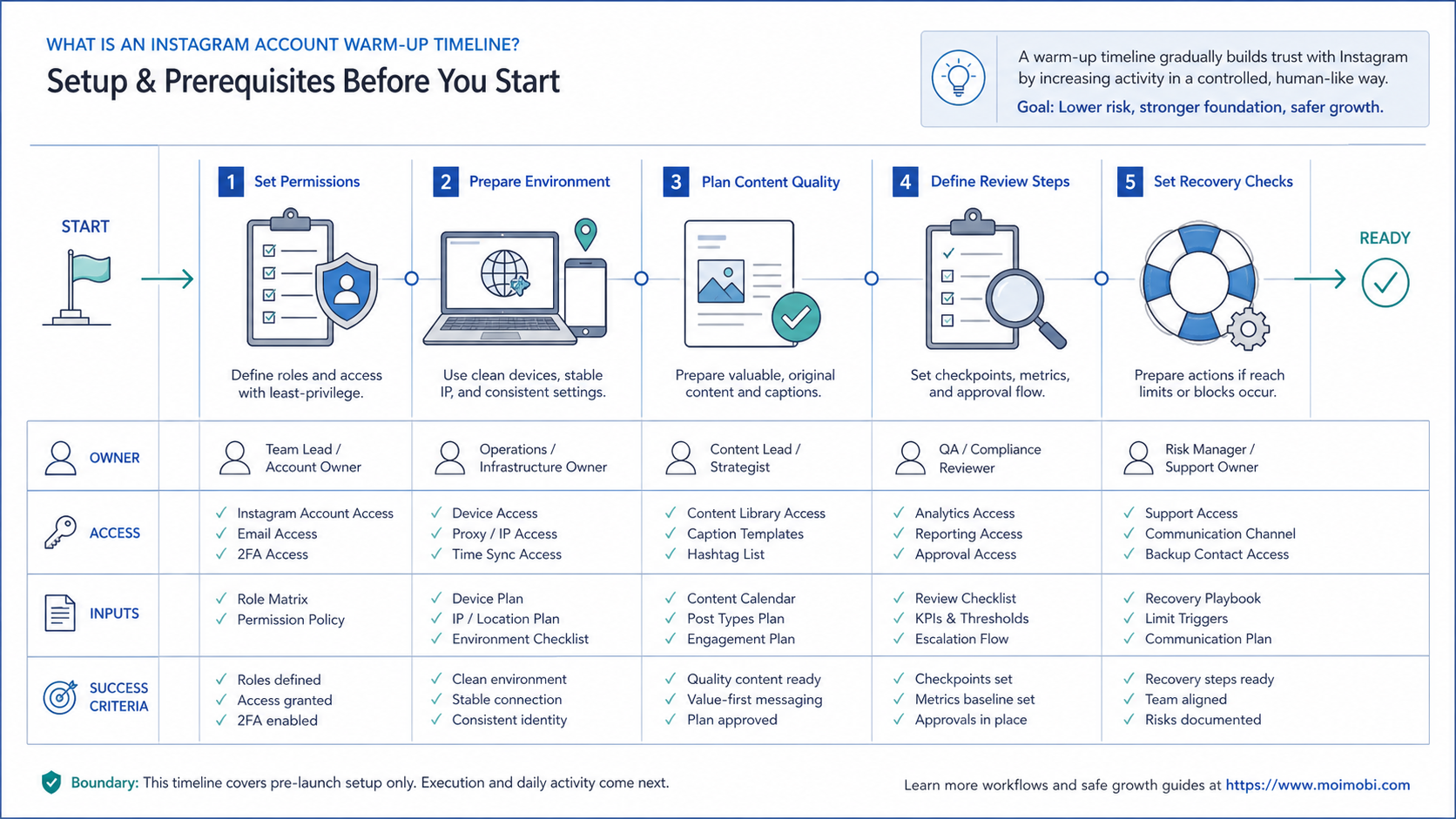
Instagram work may involve both desktop and mobile paths. A browser may be used for account management, content planning, reporting, or business tools. A mobile environment may be needed for app-native review and publishing checks.
The safer setup is to map each account to a stable workspace. That workspace might be a browser profile, cloud phone, or assigned Android device. The purpose is traceability. If an issue appears, the team can inspect the account history and environment history together.
Avoid letting operators choose random devices. Random access makes failures harder to reproduce. It also makes it harder to explain which teammate performed a task.
A simple environment checklist works well:
- One account has one primary workspace.
- The workspace owner is documented.
- Login state is checked before task execution.
- Failed logins are recorded, not ignored.
- Device or profile changes require approval.
- Each workflow has a pause rule.
This is where infrastructure helps. Moimobi can connect browser and mobile execution spaces, but the team still needs operating rules. Infrastructure without ownership only moves confusion faster.
Common Mistakes to Avoid
The first mistake is using warm-up as a synonym for bot activity. Instagram's help pages warn against unauthorized automated access and data scraping. A workflow that depends on fake follows, repeated generic comments, or mass DMs is not a warm-up plan.
The second mistake is sharing one environment across many accounts. Shared sessions make it harder to know who did what. They also make recovery harder when one account needs review.
Another mistake is measuring only output. More posts or replies do not prove readiness. Better checks include approved content rate, failed task rate, response quality, account warnings, and whether every action has an owner.
Teams also overuse copied playbooks. A warm-up timeline from another market, brand, or platform may not fit the current account. Instagram accounts differ by history, audience, content category, and team process.
Another failure mode is ignoring early warning signs. If a workflow produces repeated login issues, failed posts, or low-quality replies, do not keep expanding it. Pause, review the evidence, and reduce the workflow to the last known clean step.
The last mistake is confusing policy language with operational certainty. Reading platform rules does not remove risk. It helps the team set boundaries. The team still needs judgment, task records, and clear escalation.
Pilot, Measurement, and Recovery Checks
Run the first two weeks as a pilot. Pick a small account group. Use one content workflow and one response workflow. Keep the review path simple.
Measure four signals:
- Were posts published from the right account and environment?
- Did reviewers approve or reject tasks on time?
- Were comments and messages handled with context?
- Did any account show warnings, login issues, or unexpected restrictions?
Recovery notes should be specific. Record the account, task, environment, teammate, issue, and next action. A vague note like "account problem" is not useful. A useful note says what failed and who owns the fix.
Add a weekly review for the first month. Review content quality, account warnings, failed tasks, reply examples, and environment changes. Then decide whether the account stays in the same stage or moves forward.
Use a conservative scoring model:
- Green: ownership, content, environment, and logs are clean.
- Yellow: one area has uncertainty, but the owner is identified.
- Red: access, environment, policy, or task history is unclear.
Only green accounts should move to expanded workflows. Yellow accounts need a fix plan. Red accounts should pause until the team can explain what happened.
Recovery is not only about account status. The larger value is team learning. Each failure should update the checklist, the role assignment, or the content review process. Repeated issues usually mean the workflow design needs repair.
Fit and Not-Fit Guidance
This planning model fits teams with repeatable account work. Agencies, e-commerce teams, regional brands, and creator networks usually need this structure because multiple people touch the same operating system.
Solo creators who post manually may not need this level of structure. A simple content calendar may be enough there. The timeline becomes valuable when several accounts, people, and environments are involved.
Good fit signs:
- More than one Instagram account is active.
- More than one teammate touches account work.
- Publishing, replies, and reporting need handoff.
- Mobile and browser workflows both matter.
- Account history needs to be auditable.
Poor fit signs include vague ownership, no content review, unclear permissions, and a goal focused on bulk automated activity. Fix those problems before adding more tools.
Frequently Asked Questions
How long should an Instagram account warm-up timeline be?
There is no official fixed timeline. Use staged checkpoints and expand only when ownership, content, permissions, and task logs are clean.
Can automation be part of Instagram warm-up?
Automation can support preparation, routing, reminders, and logging. It should not be used for spam, fake engagement, unauthorized scraping, or bulk account actions.
Is a new account different from an old account?
Yes. A new account usually needs more basic setup and manual review. An older account may need a permission audit and content quality review.
What should teams prepare first?
Prepare account ownership, permissions, profile details, content categories, review rules, and environment mapping before increasing activity.
Do cloud phones help with Instagram account work?
They can help when the workflow depends on mobile app execution and separated account environments. They do not replace good operating rules.
What is a good first pilot?
Use one small account group, one publishing workflow, and one response workflow. Review every failed task before expanding.
How should teams handle account warnings?
Pause the related workflow, record what happened, review platform guidance, and avoid repeating unclear actions until the cause is understood.
Should the same person own every account?
Usually no. A single owner may work for a small pilot, but larger teams need account grouping, backups, and reviewer coverage.
Can an Instagram account warm-up timeline include DMs?
The timeline can include response rules and handoff steps. It should not encourage mass unsolicited messages or repeated generic outreach.
Conclusion
Use the Instagram account warm-up timeline as a readiness plan. Start with account ownership, permissions, content quality, and separated environments. Then test small workflows with human review.
The next step is simple: audit one account group before scaling. If owners, environments, approvals, and logs are unclear, fix those first. Growth work should come after the operating system is visible.



