
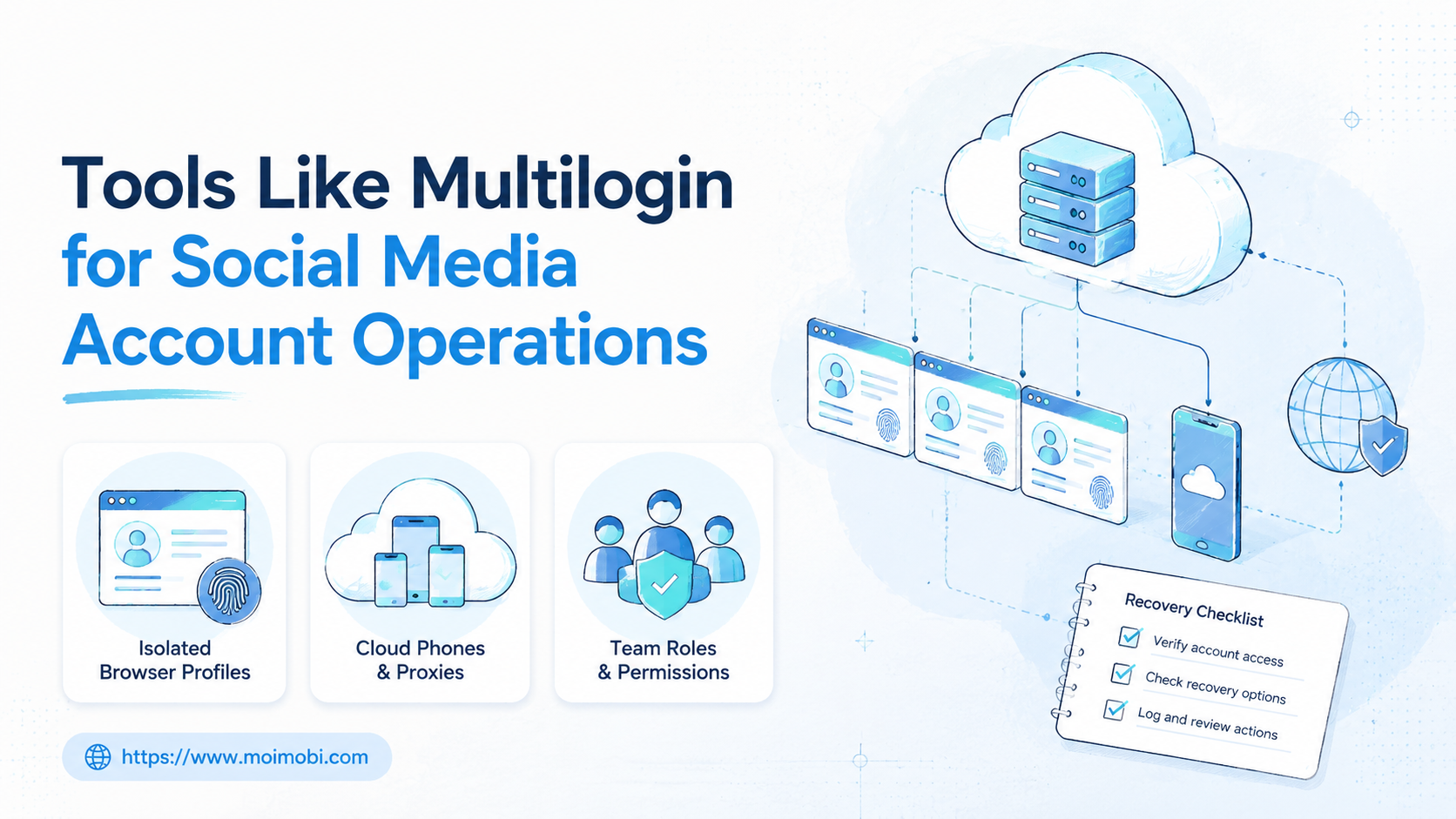
Tools like Multilogin for social media accounts are platforms that help teams separate account workspaces, browser profiles, mobile environments, proxies, permissions, and task records. The useful question is not which tool looks most advanced. The useful question is which execution environment fits the way your team publishes, replies, monitors, and hands off work.
Multilogin is a known multi-account browser category player, and its own site now presents browser profiles, cloud phones, proxy configuration, automation integration, and team workspace controls as part of the product scope. That matters because the market has moved beyond a single desktop profile manager. Teams now compare browser isolation, mobile app execution, API automation, account ownership, and recovery logging together.
For social media teams, the decision should start with the work. A team that only needs web login separation has different needs from a team running TikTok, Instagram, WhatsApp, Telegram, and client accounts across mobile apps. The wrong choice creates hidden labor: manual device switching, unclear ownership, proxy mistakes, unreviewed replies, and missing task history.
Key Takeaways
- Compare tools by execution environment first: browser profile, cloud phone, mobile device, API, or a mix.
- Social media operations need account ownership, team roles, proxy records, and task logs, not only separated browser sessions.
- Browser automation tools can help web workflows, but they do not replace mobile app environments.
- Cloud phones become important when the work depends on mobile-first apps or device-level checks.
- Run a pilot with a small account group before moving client or revenue accounts into a new system.
What Are Tools Like Multilogin for Social Media Accounts?
The common misunderstanding is that these tools are only about hiding a browser fingerprint. For serious account operations, that view is too narrow.
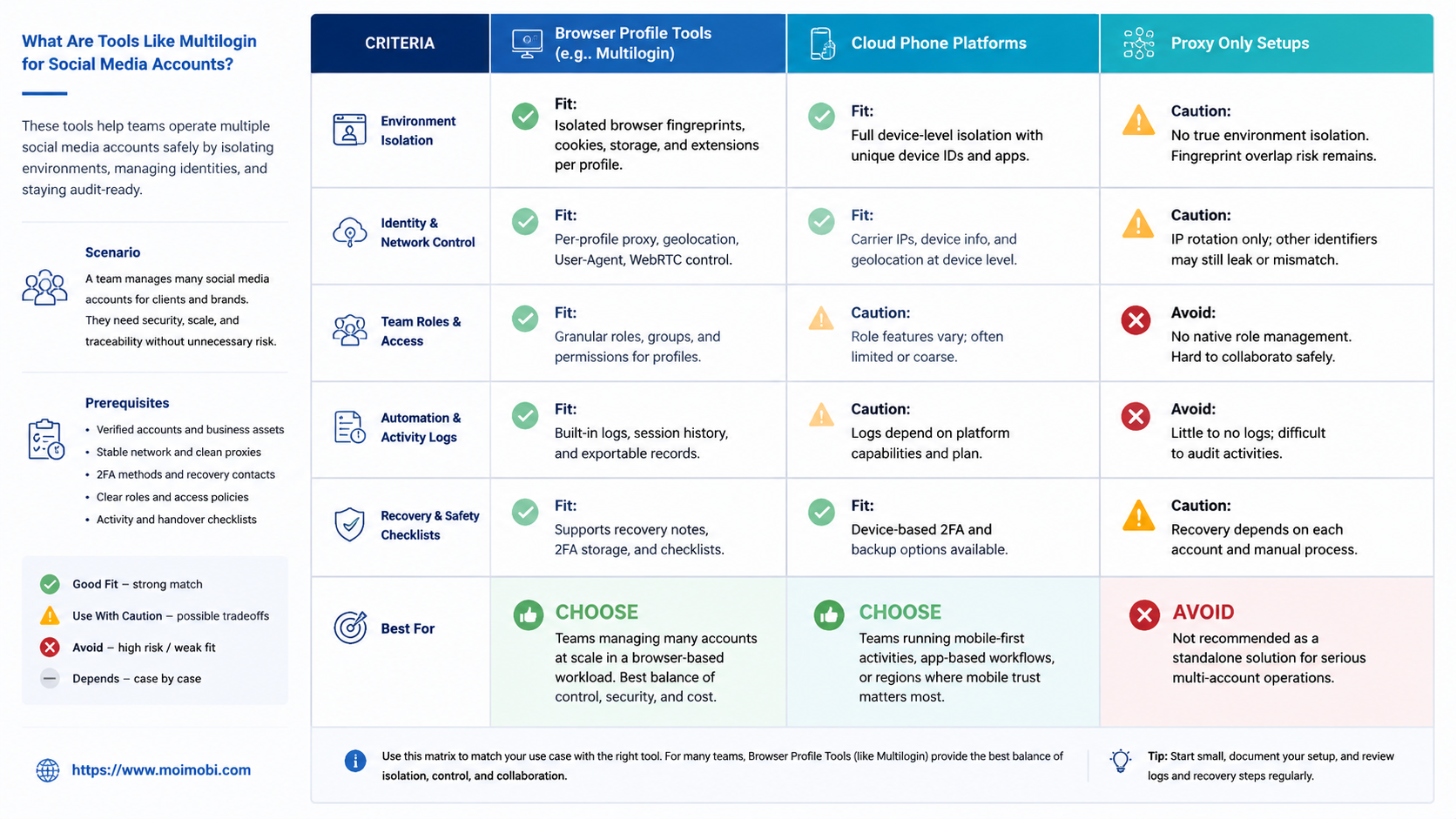
Tools like Multilogin for social media accounts usually sit in one of four categories:
| Tool category | Best fit | Main limitation |
|---|---|---|
| Fingerprint browser | Web logins, browser profiles, client account separation | Does not cover every mobile app workflow |
| Cloud phone platform | Mobile apps, Android sessions, app-side social workflows | Needs device capacity and routing discipline |
| Browser automation cloud | Scripted website tasks and testing-style browser runs | May not include account workspace operations |
| Execution platform | Browser plus mobile tasks, account groups, team review | Requires clearer workflow design up front |
Multilogin's public product messaging describes a multi-account platform with Android cloud devices and isolated browser profiles. Playwright's browser-context documentation also shows why session isolation matters in automation: separate browser contexts can operate independent sessions. These are different product layers, but they point to the same operational problem: account work needs controlled separation.
For MoiMobi, the relevant layer is broader. A social media team may need an AdsPower alternative for browser profile workflows, but it may also need mobile execution, account assignment, and recovery records.
Why Tools Like Multilogin for Social Media Accounts Matter
Social media account work creates operational risk when every account shares the same computer, browser, device, or owner. Teams may lose track of who posted, which session was used, which proxy was assigned, or why a reply was changed.
Meta's inauthentic behavior policy explains that platforms care about misleading activity and coordinated behavior. X also states that activity attempting to manipulate the platform through inauthentic accounts, behavior, or content is not allowed. These policies do not mean every team account workflow is prohibited. They do mean account operations should be documented, role-based, and aligned with platform rules.
The value of account tools is therefore not a promise of platform outcomes. The value is operational control:
- one account has one workspace,
- one workspace has an owner,
- one task has a review path,
- one execution path has a log,
- one failure has a recovery owner.
For teams managing social publishing, replies, and monitoring, multi-account management is the actual business need. Fingerprint browsers and cloud phones are execution layers inside that need.
Decision Matrix: What to Compare First
Start with your operating model before comparing brands. A feature checklist is weak if it does not match the team's daily task flow.
| Decision factor | Ask this first | Why it changes the tool choice |
|---|---|---|
| Platform mix | Are tasks mostly web, mobile app, or both? | Mobile-heavy work may need cloud phones, not only browser profiles. |
| Account volume | How many accounts need separate workspaces? | Higher volume needs role control, naming rules, and batch visibility. |
| Team structure | Who drafts, reviews, publishes, and replies? | Permissions matter when several operators touch the same brand. |
| Routing | Do proxies, region, and device identity need tracking? | Routing mistakes can break account handoff and auditability. |
| Automation depth | Is the team preparing tasks or executing public actions? | Public replies and posts need stronger review gates. |
This matrix also separates browser automation from social media operations. Browserless-style infrastructure can be useful for browser sessions. Skyvern-style browser agents can be useful for web tasks. A social media operations stack needs those ideas connected to account ownership, mobile app context, and human review.
How Tools Like Multilogin for Social Media Accounts Affect Cost
Cost is not only the monthly license. The real cost includes seats, browser profiles, cloud phone capacity, proxy routing, storage, review time, and recovery work.
A low-price browser tool may become expensive if operators still switch phones manually. A mobile device fleet may also become expensive if it has no team permissions or account records. The best comparison is cost per controlled workflow, not cost per profile.
Build a simple cost model before buying:
- accounts per operator,
- profiles or devices per account group,
- review time per public action,
- failed runs per week,
- recovery time per failure,
- extra tooling needed outside the main platform.
This model prevents a common mistake. Teams compare subscription prices, then discover that the missing workflow layer is where the real labor sits.
Key Benefits and Use Cases
The first benefit is workspace separation. Each account or account group can have its own profile, proxy assignment, team owner, and task history. This reduces confusion during handoff.
The second benefit is execution matching. Web dashboards can run in browser profiles. Mobile-first workflows can run on Android devices or cloud phone execution environments. A team should not force every workflow into one environment just because the tool supports it.
The third benefit is review control. Social posts, comments, DMs, and sponsored content all create different review needs. The FTC's influencer disclosure guidance is a useful reminder that brand relationships and paid endorsements need clear disclosure handling. A workflow tool should help route those checks instead of hiding them.
Common use cases include:
- managing client social accounts for an agency,
- separating brand accounts by region or campaign,
- reviewing replies before public posting,
- preparing content queues across platforms,
- monitoring account activity and failed runs,
- assigning operators to account groups,
- connecting browser profiles with mobile app checks.
For teams focused on publishing and engagement, social media marketing should be planned as an account workflow, not only a posting calendar.
How to Get Started with Tools Like Multilogin for Social Media Account Operations
Begin with a small pilot. Do not migrate every account in the first week.
- Map account groups. List brands, regions, client owners, login method, and current device or [browser use](https://www.moimobi.com/).
- Separate task types. Split publishing, reply review, monitoring, customer handoff, and reporting.
- Choose execution paths. Assign browser profiles to web tasks and cloud phones to mobile app tasks.
- Define routing rules. Record proxy, region, device, and profile ownership before moving active accounts.
- Add permission boundaries. Decide who can open, edit, publish, reply, export, or approve.
- Log every run. Track account, operator, task, environment, result, failure, and recovery action.
- Review after one cycle. Expand only if ownership, logs, and recovery are clear.
The highest-risk step is execution path selection. A browser-only stack may work for web dashboards, but it may not cover mobile app checks. A phone-only stack may work for mobile execution, but it may not cover browser login workflows or web-based client dashboards.
MoiMobi is designed around this mixed model. Browser profiles, mobile environments, device isolation, and task records should work together.
Common Mistakes to Avoid
The first mistake is buying a tool before defining account ownership. If two operators can open the same account without clear responsibility, the tool will not fix the process.
The second mistake is treating proxies as a separate spreadsheet. Proxy, profile, device, country, owner, and account should be visible together. A routing change without a record becomes hard to investigate.
The third mistake is comparing tools only by profile count. More profiles do not help if the team cannot find failed runs, skipped approvals, or account handoff history.
The fourth mistake is using automation for public actions before review rules exist. A draft suggestion is different from a public reply. A scheduled post is different from a verified post. The workflow should show that difference.
The fifth mistake is ignoring mobile work. Many social platforms are mobile-first in daily operations. If the workflow needs app-side checks, device state, notifications, or mobile inboxes, a browser-only option may create manual work outside the system.
Who It Fits and When It Is a Strong Match
This category fits teams with repeated account work, not one-time browsing. It is strongest when accounts belong to clients, regions, campaigns, or separate operators.
- Agencies managing client social accounts.
- Teams using both web dashboards and mobile apps.
- Operations that need owner, proxy, and task records.
- Teams that review posts, replies, or customer conversations.
- Solo users with one or two low-volume accounts.
- Teams with no defined account owner.
- Groups looking for unmanaged mass actions.
- Teams unwilling to log failures or review public content.
The best fit is a team that wants controlled execution, not hidden shortcuts. Platform policies and disclosure rules make that distinction important. A tool should help keep workflows organized, not encourage vague or misleading account behavior.
Pilot Rollout, Measurement, and Recovery Checks
Run the pilot with one account group and one workflow. A good test is content publishing preparation, reply triage, or weekly monitoring.
Measure the workflow with these fields:
- number of tasks created,
- tasks completed without manual rescue,
- tasks edited before approval,
- accounts opened by the wrong operator,
- proxy or environment changes,
- failed runs by reason,
- time from failure to recovery.
Stop the pilot if the team cannot answer three questions: which account ran, who approved the action, and what happened when the task failed.
Expand only after the team has a repeatable recovery path. A practical path includes an owner, a failure category, a retry decision, and a record of what changed. This is where a proxy network and environment records should be treated as operational data, not hidden settings.
Frequently Asked Questions
1. What are tools like Multilogin for social media accounts?
They are account operation tools that separate profiles, sessions, proxies, devices, permissions, and task records.
2. Is a fingerprint browser enough for social media operations?
It can be enough for web-based account work. It may be incomplete for mobile app workflows.
3. When do teams need cloud phones?
Teams need cloud phones when tasks depend on Android apps, mobile sessions, notifications, or device-specific checks.
4. Are browser automation tools the same as multi-account tools?
No. Browser automation tools execute browser tasks. Multi-account tools manage account workspaces, identity separation, ownership, and sometimes team roles.
5. What should agencies compare first?
Agencies should compare account ownership, permission control, environment records, proxy assignment, and recovery logs before profile count.
6. How should teams handle sponsored content?
Teams should keep disclosure review in the workflow. FTC guidance makes disclosure a visible operating step.
7. Where does MoiMobi fit in this category?
MoiMobi fits teams that need browser and mobile execution together, with account groups, isolated environments, and task records.
8. Should every account have a separate environment?
For repeated operational work, separate account workspaces are easier to audit. The exact setup depends on platform, task, and team policy.
Conclusion
Tools like Multilogin for social media account operations should be judged by workflow fit. Browser profiles matter, but they are only one part of the operating system.
Before choosing a tool, write down the account groups, task types, review rules, execution environments, proxy records, and recovery process. If the tool cannot show those details clearly, the team may still depend on manual spreadsheets and private operator memory.
The best next step is a narrow pilot. Choose one account group, one workflow, and one review rule. Then test whether the system improves ownership, task visibility, and recovery before expanding to more accounts.



