
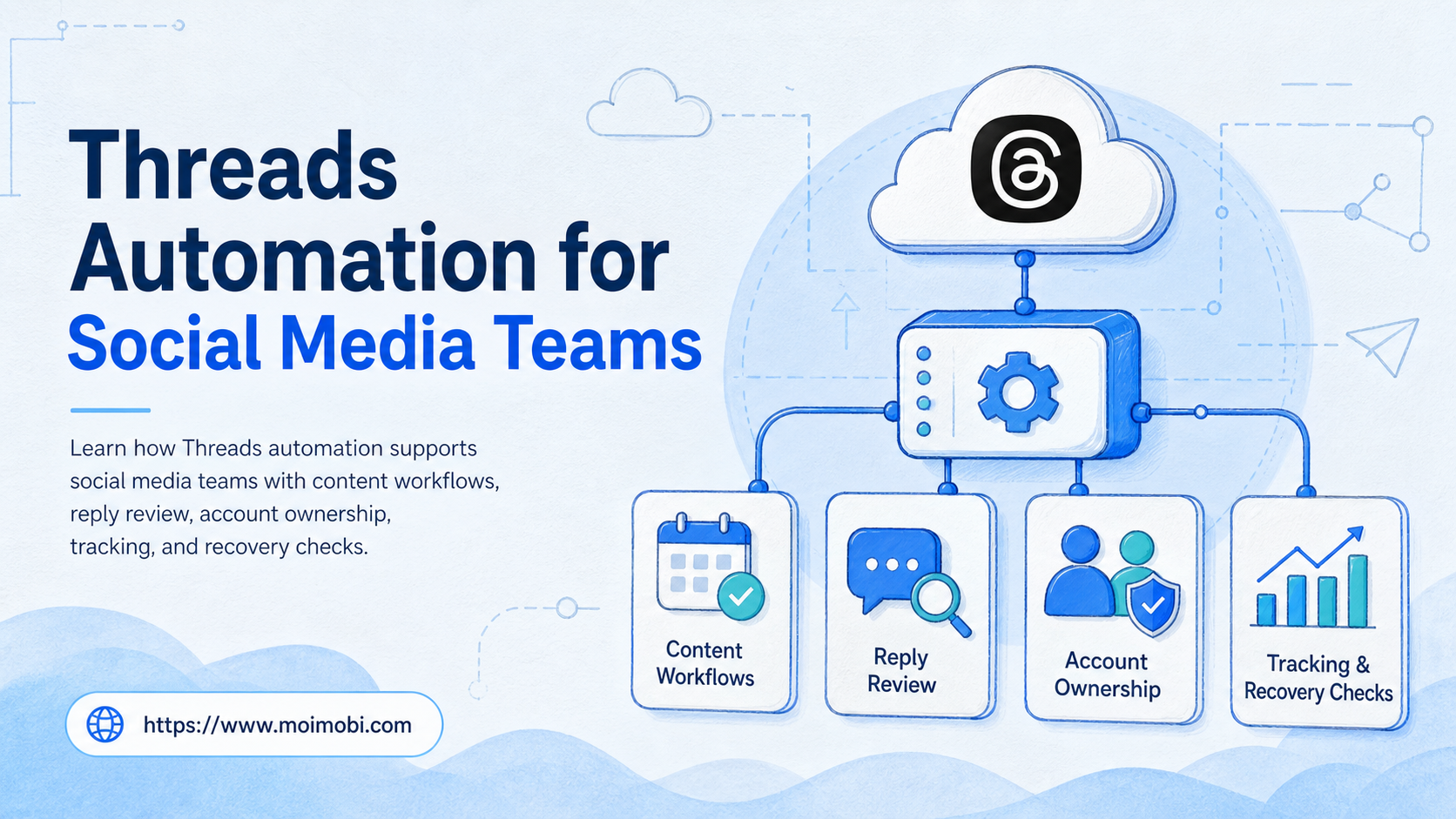
Threads automation is the use of approved workflows, APIs, review steps, and task records to help teams manage Threads content and replies. It should support account work, not replace judgment for public communication.
Social media teams search for this topic when Threads becomes part of daily operations. A team may need to draft posts, schedule content, monitor replies, route questions, review sponsored content, and report account activity across several brands.
The practical decision is not "Can everything be automated?" The better question is which steps are safe to prepare automatically, which steps need approval, and where the task should run.
Key Takeaways
- Threads automation works best when it supports drafting, routing, review, publishing preparation, and reporting.
- Public posts, replies, sponsored content, and sensitive customer issues need review rules.
- Teams should separate API-supported workflows from browser or mobile execution workflows.
- Account ownership, environment, reviewer, and recovery path should be recorded for every task.
- A pilot should measure completion, edits, approval skips, failed runs, and recovery time.
The Core Idea Behind Threads Automation for Social Media Teams
The core idea is controlled execution. A team defines which Threads tasks can be prepared by AI or automation, then routes those tasks through account context and review.
Meta's Threads API documentation says the API helps creators and brands manage their Threads presence and share content. Meta's Postman collection also describes API requests to create, manage, and publish Threads content programmatically. These official sources support automation for approved integration workflows, not unmanaged activity. See Meta's Threads API documentation and official Threads API Postman collection.
For teams, this means Threads automation should be designed as a workflow system:
| Workflow layer | What automation can prepare | What needs control |
|---|---|---|
| Content planning | Drafts, variants, campaign notes | Brand voice and approval |
| Publishing | Post preparation and queue state | Final review and platform rules |
| Replies | Classification and suggested responses | Customer context and sensitive issues |
| Reporting | Task results and activity summaries | Data accuracy and owner review |
For broader social media marketing, Threads should be one account channel inside a larger operating system.
Why Teams Search for This Topic
Teams search for Threads automation when manual work starts to fragment. A content lead may manage campaign ideas. A support operator may answer replies. A manager may need proof that posts and responses followed the right review path.
Three pressures usually create the need:
- More brand or regional accounts join Threads.
- Replies need faster triage without losing review.
- Content teams need repeatable publishing and reporting workflows.
Threads also sits inside Meta's broader policy environment. Meta's Community Standards explain what is allowed across Facebook, Instagram, Messenger, and Threads. A workflow should include those boundaries before automation touches public content. See Meta's Community Standards.
The risk is not only technical. A team can build a working automation and still fail operationally if ownership is unclear. The task record should show account, campaign, reviewer, environment, final action, and result.
Who Benefits Most and In What Situations
The myth is that only large teams need structure. Small teams also need structure when one person writes, another approves, and a third replies from the account.
Threads automation fits teams that:
- manage several brand or client accounts,
- publish content in planned cycles,
- handle replies or comment triage,
- use AI to draft content or responses,
- need approval records,
- operate across browser and mobile environments.
It is weaker for a solo creator who manually reviews everything before posting. It is also weak when the team has not defined brand voice, account owner, or response rules.
For multi-brand operations, multi-account management should come before automation. The team needs to know which account a task belongs to before deciding whether AI or automation should help.
How to Evaluate or Start Using Threads Automation for Social Media Teams
Start with one workflow, not the whole channel. A good first workflow is easy to review and easy to stop.
- Map the account. Add owner, backup owner, brand voice, platform role, and approval rule.
- Choose a task type. Start with drafts, reply triage, post-publish checks, or weekly reporting.
- Separate preparation from action. Let automation prepare, but keep public actions under review.
- Attach the environment. Use the correct browser profile, mobile session, or workflow workspace.
- Record the result. Log reviewer, final text, timestamp, errors, and recovery owner.
- Review weekly. Look for skipped approvals, edited outputs, failed posts, and unclear ownership.
If the workflow depends on mobile sessions or app-side checks, the team may need a cloud phone execution environment. For repeated execution across devices, mobile automation should include review gates and logs.
Threads Automation Approval Rules for Public Actions
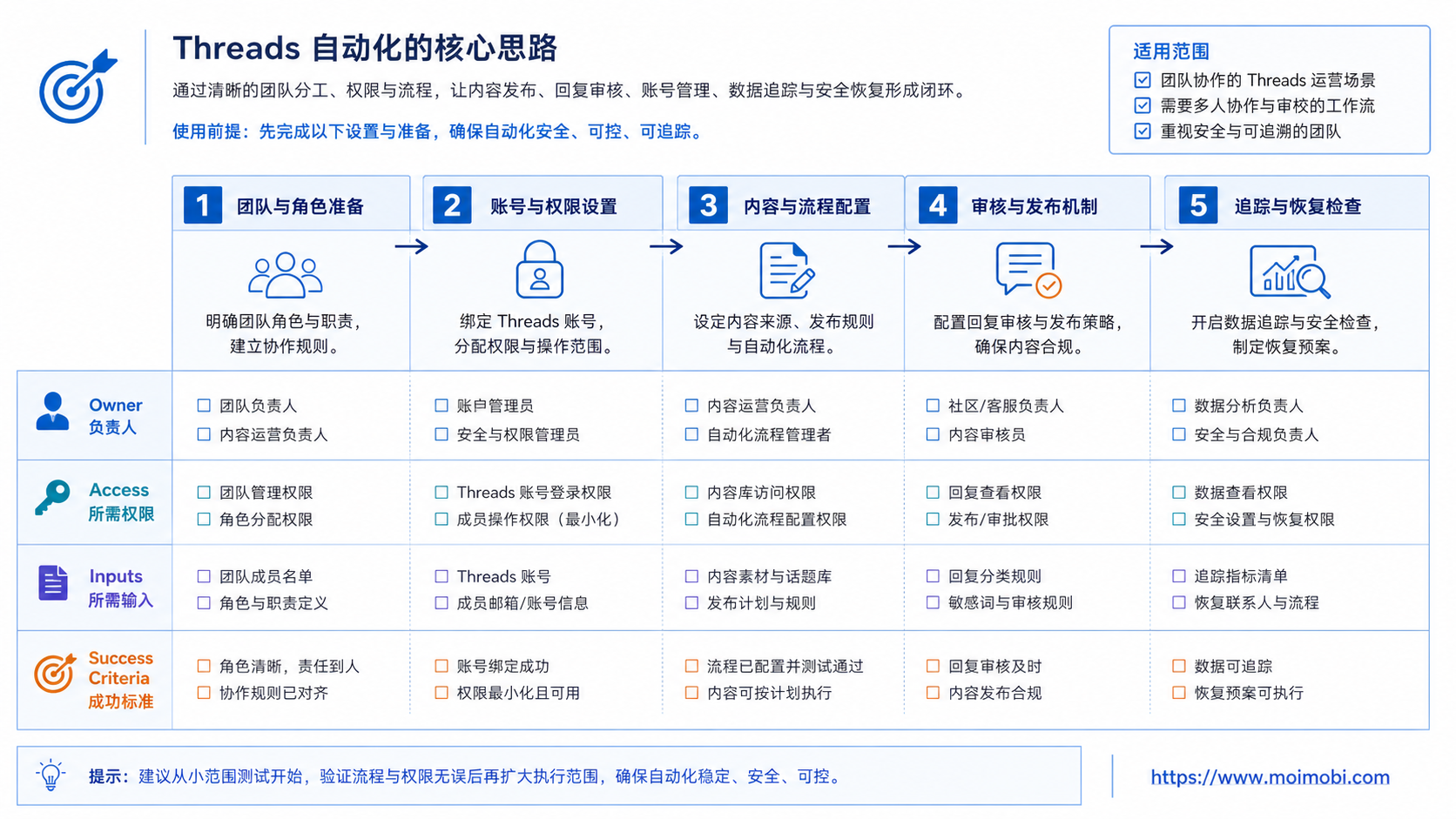
Approval rules should be written before the first automated run. A Threads workflow touches public brand communication, so the team needs clear rules for when automation may prepare work and when a person must approve it.
Use a simple approval matrix. Low-risk drafts can move to a content reviewer. Questions about refunds, health, finance, legal claims, complaints, or sponsored relationships should move to a named owner before any public reply. Paid partnership posts should also include disclosure review because FTC guidance treats clear disclosure as part of responsible social media endorsement work.
The review rule should include the account, task type, risk level, reviewer role, and allowed final action. A useful rule does not say "human review required" in a vague way. It names who reviews, what they check, and what happens when they reject the draft.
| Task | Automation role | Approval rule |
|---|---|---|
| Campaign post draft | Create first draft and variants | Content lead approves final copy |
| Standard reply triage | Classify intent and suggest response | Operator approves before posting |
| Complaint or sensitive issue | Flag and summarize context | Escalate to support owner |
| Sponsored content | Prepare copy and disclosure reminder | Marketing owner checks disclosure |
This is where an execution platform matters. The workflow should not only generate text. It should preserve who approved the task, which account was used, which environment executed it, and which record proves the final state.
What Not to Automate First
The wrong first workflow is usually the most public one. Fully automated replies may look efficient, but they expose the team to brand, customer, and policy mistakes before the process has enough feedback.
Avoid these first-run use cases:
- replying to complaints without a support owner,
- posting paid partnership content without disclosure review,
- changing account settings or profile details,
- handling crisis messages or legal claims,
- sending the same reply pattern across several accounts,
- letting AI choose the final brand position.
A safer first workflow is internal preparation. Let AI draft post options, summarize reply queues, mark items that need review, or prepare weekly task reports. These steps reduce workload while keeping public decisions under human control.
Teams should also avoid using Threads automation as a standalone side project. If Threads tasks do not connect with the wider account system, operators will lose context. A reply record without account owner, campaign source, and reviewer is hard to audit later.
Mistakes That Reduce Results
The first mistake is automating replies before defining response boundaries. A reply to a customer complaint, refund question, legal issue, or sensitive topic should not move directly from AI draft to public post.
The second mistake is using one workflow for every brand. Different brands may have different tone, legal review, disclosure requirements, and support escalation paths.
The third mistake is ignoring sponsored content. FTC guidance says influencers and endorsers need clear disclosures when they have a material relationship with a brand. Teams using Threads for paid partnerships should keep disclosure review in the workflow. See FTC Disclosures 101 for Social Media Influencers.
The fourth mistake is logging only successful posts. Failed publishing attempts, edited AI drafts, reply rejections, and manual recovery events are useful operating data.
The fifth mistake is treating API access as the whole workflow. The API may handle supported programmatic actions, but team operations still need ownership, review, and recovery.
Account Workspace and Environment Design
Threads automation should be attached to an account workspace. The workspace is the place where account identity, environment, content source, and task state come together.
Use this model:
- Account layer: brand, handle, region, campaign, owner.
- Content layer: draft, approved post, media, disclosure note.
- Execution layer: API workflow, browser profile, cloud phone, or mobile session.
- Review layer: reviewer, approval state, blocked reason.
- Recovery layer: failure reason, retry owner, next action.
This structure keeps AI and automation from becoming disconnected helpers. A draft is only useful when the team knows which account it belongs to. A scheduled post is only safe to publish when the right review state is attached.
For teams that operate several platforms, device isolation can help keep account workspaces separate. The point is not to promise platform outcomes. The point is to make operational ownership easier to audit.
Data Fields Every Threads Automation Workflow Should Track
Tracking should be designed before the pilot. Without consistent fields, the team may know that work happened, but not why it succeeded or failed.
At minimum, record these fields:
- account handle and brand group,
- task type and campaign source,
- input source, such as draft idea or reply thread,
- AI output version and human edit state,
- reviewer name or role,
- approval decision and reason,
- execution environment,
- final action timestamp,
- failure reason,
- recovery owner and next step.
These fields make weekly reviews useful. The team can see whether AI drafts require heavy edits, whether one account gets more failed runs, or whether approval rules are too vague. The goal is not to produce a long compliance file. The goal is to make future tasks easier to run and easier to recover.
This also helps separate volume from quality. A workflow that creates more posts but hides failures is not improving operations. A workflow that reduces repeated preparation work and exposes exceptions is usually more valuable.
Pilot Rollout, Measurement, and Recovery Checks
A pilot should be narrow. Choose one Threads account group, one task type, and one review rule.
Good pilot options include:
- AI drafts posts, human reviews, operator publishes.
- Automation groups replies by intent, reviewer approves responses.
- System checks whether scheduled posts have approval and media.
- Weekly report summarizes tasks, failures, and manual takeovers.
Measure operational quality, not only output volume.
- Every task has an owner and account.
- Review gates stop sensitive actions.
- Edited AI outputs are visible.
- Failures route to a recovery owner.
- Posts publish without clear approval.
- Replies use the wrong brand context.
- Operators cannot find the task record.
- Failed runs disappear from reports.
NIST's AI Risk Management Framework is useful for this operating model because it links governance, mapping, measuring, and managing. Teams can apply that pattern to Threads workflows by mapping account context, governing public actions, measuring failure, and managing recovery. See the NIST AI RMF Core.
After the first week, review exceptions before expanding volume. Look at the tasks that required manual edits, the replies that were escalated, and the runs that failed because of account or environment issues.
Expansion should follow proof, not enthusiasm. Add one new account group or one new task type only after the existing workflow has stable ownership, clear approval records, and visible recovery data.
How Threads Automation Fits Browser and Mobile Execution
Threads work may use different execution paths. Some tasks can use an approved API workflow. Other tasks may need browser review, mobile checks, or account-specific workspaces because the team is coordinating several platforms.
Do not treat these paths as interchangeable. API workflows are useful when the platform supports the exact action and the team has the right permissions. Browser and mobile execution are useful when operators need to inspect account state, review content in context, or coordinate across channels.
The clean model is to bind each task to its execution path. A post draft may live in a content workflow. A reply triage task may move through review. A mobile check may run inside a controlled device workspace. A report should connect those steps instead of showing them as separate activities.
This is the reason MoiMobi frames automation as execution infrastructure. Threads is one channel. The durable value is the account-aware workflow that connects content, review, environment, and records across channels.
Frequently Asked Questions
1. What is Threads automation?
It is a controlled workflow for preparing, reviewing, publishing, routing, or reporting Threads account tasks.
2. Can Threads automation publish posts?
Official Threads API documentation supports programmatic content workflows. Teams still need account permissions, review rules, and policy checks.
3. Should AI reply automatically on Threads?
Most teams should begin with AI reply suggestions and human approval, especially for customer issues or sensitive topics.
4. What should teams automate first?
Start with drafts, content checks, reply triage, weekly reporting, or approval reminders.
5. What should not be automated first?
Avoid starting with complaints, crisis replies, paid partnership posts, account settings, or unclear customer conversations.
6. How do teams measure success?
Measure approved tasks, edited drafts, failed runs, approval skips, manual takeovers, and recovery time.
7. Where does MoiMobi fit?
MoiMobi fits when teams need Threads workflows connected to browser and mobile environments, account groups, and review logs.
8. Is Threads automation only for large teams?
No. Smaller teams may need it when several people share writing, approval, reply handling, and reporting work.
9. How should teams handle sponsored Threads posts?
Keep disclosure checks in the approval rule. FTC guidance makes disclosure a workflow issue, not only a copywriting issue.
Conclusion
Threads automation for social media teams should start with workflow control. The right sequence is account map, task type, approval rule, execution environment, log, and recovery path.
Do not start with full automation. Start with a reviewable workflow, such as draft preparation or reply triage. If the pilot shows clear ownership, visible approvals, and recoverable failures, expand to publishing preparation or reporting.
The useful question is not how much work can be automated. It is whether each Threads task still carries account context, brand judgment, and a clear record.



