
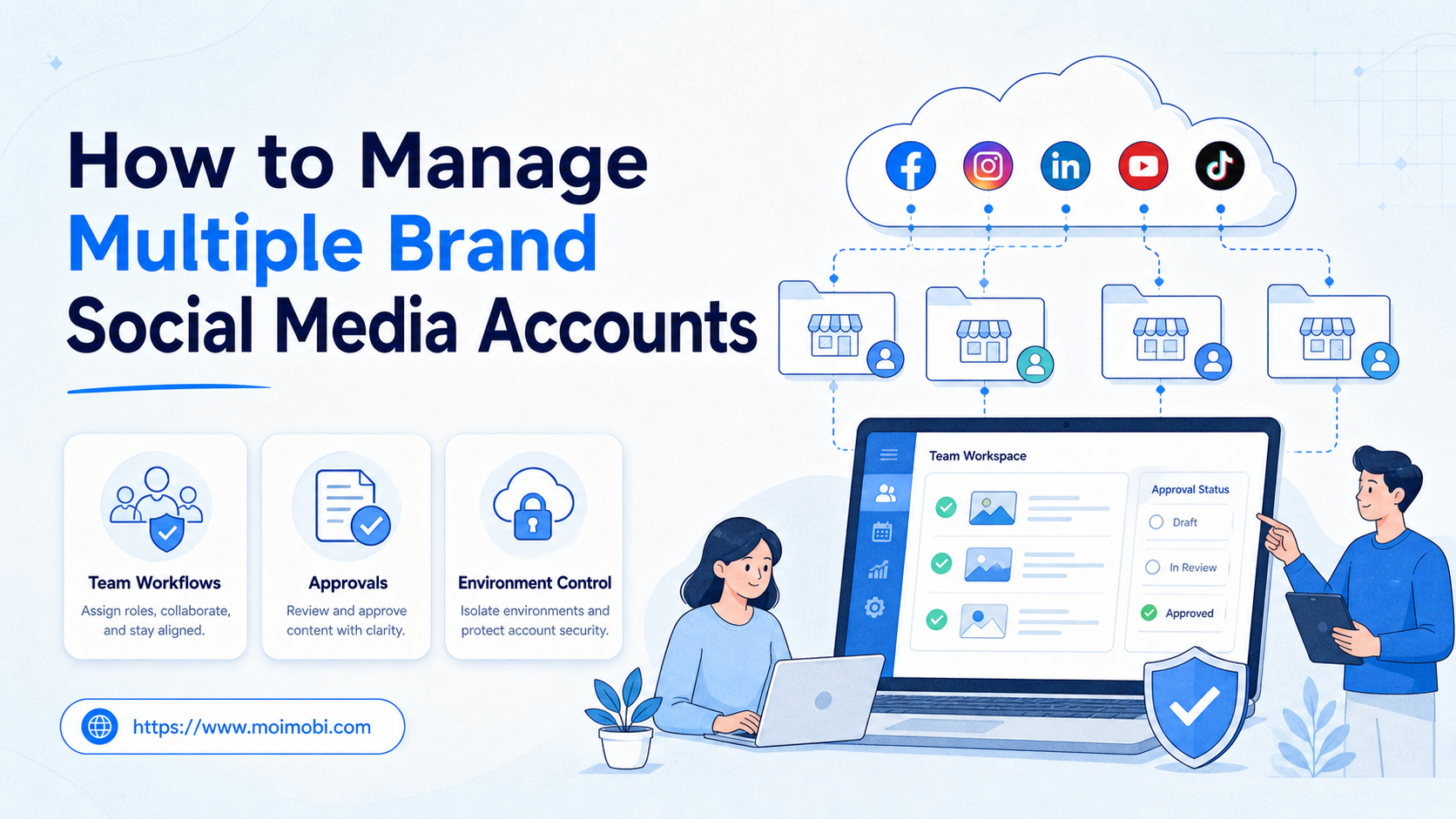
Managing multiple brand social media accounts means giving each account a clear owner, workspace, approval path, content flow, and recovery rule. The workflow should show who can act, where the task runs, what needs review, and what happened after the task ended.
The common failure is treating all brand accounts as one shared queue. That works for a small team until a post goes out from the wrong account, a reply misses brand context, or a client asks who approved a change.
The better model is account-first. Build the workflow around account groups, not around generic tasks. Then connect each group to roles, environments, content records, approvals, and reporting.
Key Takeaways
- Multi-brand social operations need account ownership before automation.
- Each account should have a role, owner, workspace, review rule, and recovery owner.
- Team workflows should separate drafting, approval, publishing, replying, monitoring, and reporting.
- Browser and mobile environments should match the account group, not the operator's convenience.
- A pilot should measure task accuracy, approval skips, failed posts, and recovery time before scale.
What You Need Before You Start and how to manage multiple brand social media accounts
The myth is that a better scheduler solves multi-brand work. Scheduling helps, but it does not define ownership, approval, environment, or customer response rules.
Begin with an account inventory. Each brand account needs platform, region, client, owner, backup owner, content type, workflow scope, and publishing permissions. Add notes for special cases, such as paid partnerships, customer support, regional campaigns, or legal review.
Meta's business tools reinforce the importance of people, assets, and permissions. Meta Business Help Center documentation describes adding people to a business portfolio and assigning assets or permissions. That model does not replace an internal SOP, but it shows why account access should be tied to named roles. See Meta's guide to adding people and assigning business assets.
Use this account setup table before assigning tasks:
| Field | What to define | Why it matters |
|---|---|---|
| Account owner | Primary operator and backup owner | Prevents abandoned tasks |
| Brand context | Voice, region, offer, audience, campaign | Keeps content and replies aligned |
| Execution environment | Browser profile, cloud phone, or mobile device | Connects work to the right session |
| Approval rule | Who reviews posts, replies, and edits | Reduces public mistakes |
| Evidence | Task result, screenshot, reviewer, timestamp | Supports reporting and recovery |
For teams operating across brands and platforms, multi-account management should be the organizing layer before automation.
Build the Role and Permission Model
A strong account workflow needs more than a list of handles. It needs a role model that shows who can draft, review, publish, reply, monitor, and recover failed tasks.
Use four practical roles:
- Account owner: owns the brand account, campaign context, and escalation path.
- Content operator: prepares captions, media, hashtags, and scheduling notes.
- Reviewer: checks brand voice, disclosures, customer risk, and final approval.
- Recovery owner: handles failed publishes, environment mismatches, and urgent handoff.
The same person can hold more than one role in a small team, but the role should still be named. Otherwise, the workflow depends on memory. That creates problems when someone is absent or when a client asks why a task changed.
Permissions should match task risk. Drafting and monitoring can use lower-risk access. Publishing, replying, account settings, and customer messages need tighter review. A team should not give every operator the same access just because it is faster during setup.
Keep permissions visible in the task record. The record should show the account, operator, reviewer, environment, task type, and final state. This makes the workflow easier to audit and easier to repair.
Map Accounts to Workspaces and Environments
Brand accounts should not float across random browsers, devices, or mobile sessions. Each account group needs a known workspace.
A workspace can include a browser profile, cloud phone, mobile app session, proxy route, media folder, and approval queue. The exact components depend on the workflow. A web-only reporting account may need a browser profile. A mobile-first social account may need a persistent Android environment.
Use this workspace map:
| Workspace layer | What to define | Check before running |
|---|---|---|
| Account group | Brand, client, platform, region | Does the task match this group? |
| Execution surface | Browser profile, cloud phone, or device | Is the correct session active? |
| Content source | Caption, media, approval note, campaign brief | Is the latest approved version attached? |
| Review state | Draft, waiting, approved, blocked, recovered | Can public action proceed? |
This map also helps AI-assisted work. AI can draft a reply or summarize comments, but the workspace tells the operator which brand account, tone, and approval path apply.
How to Get Started with How to Manage Multiple Brand Social Media Accounts with Team Workflows
Choose a narrow workflow first. Do not move every brand account into automation at the same time.
- Group accounts. Group by brand, client, region, platform, or campaign.
- Assign owners. Give each group one primary owner and one backup owner.
- Separate task types. Split content drafts, approvals, publishing, replies, monitoring, and reporting.
- Attach environments. Map accounts to browser profiles, cloud phones, or Android devices.
- Set review gates. Require approval for sponsored posts, customer complaints, pricing claims, and sensitive replies.
- Record outcomes. Store final content, reviewer, result, failure reason, and next action.
The workflow should stop when context is missing. If the account, brand voice, reviewer, or environment is unclear, the task should route to a human owner before public action.
Best Practices During Setup
Use separate workflows for separate jobs. Drafting content and replying to customers should not follow the same approval path.
For content publishing, prepare the post, attach the brand context, review assets, then publish or schedule. Sponsored content needs extra review. FTC guidance for social media influencers explains that material connections should be disclosed clearly. See FTC Disclosures 101 for Social Media Influencers.
For customer replies, keep the first response under review when the issue involves complaints, refunds, legal claims, pricing, or personal data. AI can draft options, but the brand owner should approve sensitive replies.
For monitoring, separate raw collection from action. A report about competitor posts or brand mentions should not automatically trigger public engagement without review.
For mobile workflows, the execution environment matters. Some account tasks happen inside mobile apps, not only web dashboards. A cloud phone execution environment can help teams keep mobile sessions tied to account workspaces.
Common Mistakes to Avoid
The first mistake is using one shared login routine for every brand. Shared routines make handoff easy at first, but they hide ownership and review history.
The second mistake is letting chat become the system of record. Chat is useful for discussion. It is weak for final account ownership, approvals, and evidence.
The third mistake is skipping review for "small" replies. A short public reply can still create brand, legal, or customer support risk.
The fourth mistake is mixing brand voice files. Every brand account needs its own style notes, audience, and offer context.
The fifth mistake is letting automation continue after a mismatch. If the wrong account, wrong environment, or wrong reviewer appears, pause the workflow and repair the record.
Platform integrity should stay visible in the SOP. Meta's inauthentic behavior policy covers deceptive behavior involving assets, identity, origin, popularity, or content purpose. Multi-brand operations should avoid hidden ownership patterns and unmanaged account networks. See Meta's Inauthentic Behavior policy.
What to Do Next
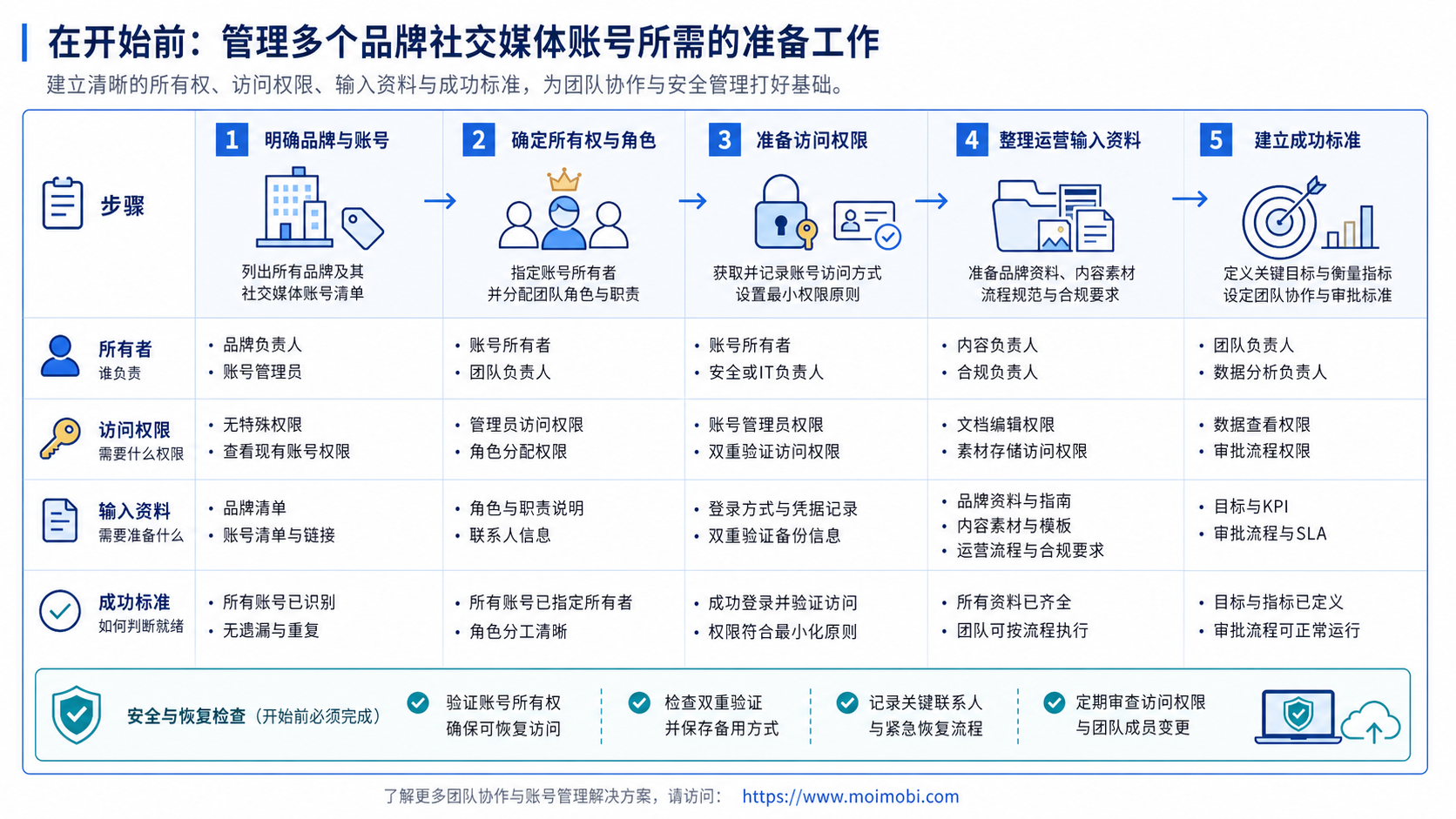
After the first account map, build a weekly operating rhythm.
- Review every account group and owner.
- Check pending approvals by brand.
- Review failed publishing or reply tasks.
- Check environment mismatches.
- Update brand voice notes after campaign changes.
- Confirm recovery owners for unresolved tasks.
This rhythm keeps the system current. Without it, the workflow map becomes stale and operators return to memory-based work.
For teams using both web dashboards and apps, device isolation helps keep workspaces easier to audit. For repeated mobile tasks, mobile automation should be attached to explicit review rules and logs.
Who It Fits and When It Is a Strong Match
This model fits agencies, cross-border teams, franchise operators, creator management teams, and internal brand teams with multiple social handles.
It is strongest when:
- several people touch the same account pool,
- brand voice differs by account,
- approvals matter before publishing,
- mobile app sessions are part of the workflow,
- clients or managers ask for activity records,
- AI drafts or routes work before human review.
It is weaker for a solo operator with one brand and one manual workflow. That operator may only need a simple content calendar and manual publishing checklist.
The model is also weak when the team has not defined roles. Tools cannot fix unclear ownership. Set the account map first.
Reporting and Handoff Fields
Reporting should not wait until the end of the month. Multi-brand teams need task records that help the next operator understand what changed.
Each completed task should record:
- brand account,
- platform,
- workflow type,
- assigned owner,
- reviewer,
- execution environment,
- final action,
- failure reason if any,
- next owner if follow-up is needed.
This record is especially useful when shifts change. A support operator can see which replies were approved. A content lead can see which posts were held. A manager can see which account group keeps creating recovery work.
Keep handoff notes short. The goal is not to write long reports. The goal is to preserve the minimum context needed for the next person to continue without guessing.
For teams using AI drafts, store the final approved version, not only the original suggestion. This helps reviewers understand what changed between AI output and public action.
Pilot Rollout, Measurement, and Recovery Checks
A pilot should test one brand group and one repeatable workflow. Good first pilots include content approval, post-publish checks, comment triage, or weekly monitoring.
Use a simple measurement grid:
- Every task has a brand account and owner.
- Approval-required posts stop before publishing.
- Mobile and browser environments match the account group.
- Failed tasks have a recovery owner.
- Operators ask which account should act.
- Approvals happen only in chat.
- Different brands share unclear sessions.
- Reports show success but not reviewer or environment.
NIST's AI Risk Management Framework is useful for AI-assisted social workflows because it frames governance, mapping, measurement, and management as connected functions. Teams can apply that logic at the workflow level: map account context, govern public actions, measure failures, and manage recovery. See the NIST AI RMF Core.
Frequently Asked Questions
1. How do I manage multiple brand social media accounts without losing context?
Use account groups, owners, brand notes, environments, approval rules, and task logs.
2. Should one person own every account?
No. Each account should have one primary owner and one backup owner. Larger teams can split content, support, and reporting roles.
3. Can AI handle publishing and replies?
AI can draft and route work. Public publishing and sensitive replies should usually keep human review.
4. What should be logged?
Log account, task, environment, AI output if used, reviewer, final action, timestamp, and failure reason.
5. When do cloud phones matter?
They matter when the workflow depends on mobile app sessions, mobile files, push prompts, or app-side checks.
6. What is the biggest risk?
The biggest risk is acting from the wrong account or with missing brand context.
7. How often should teams review the workflow?
Review weekly during pilots. After the system is stable, keep a regular review tied to campaign and account changes.
8. Where does MoiMobi fit?
MoiMobi fits when teams need browser and mobile execution environments connected to account groups, roles, logs, and review flows.
Conclusion
The priority order is simple: account map first, owner second, environment third, approval fourth, automation fifth.
Do not automate every brand account first. Use one account group, one workflow, and one review habit. If the pilot shows clear ownership, correct environments, and recoverable failures, expand to the next brand group.
The best system is not the one with the most tasks. It is the one where every task still knows which brand account it belongs to.
For teams asking how to manage multiple brand social media accounts, the working answer is simple: keep ownership, environment, approval, and evidence attached to every workflow before scaling.



