
Key Takeaways
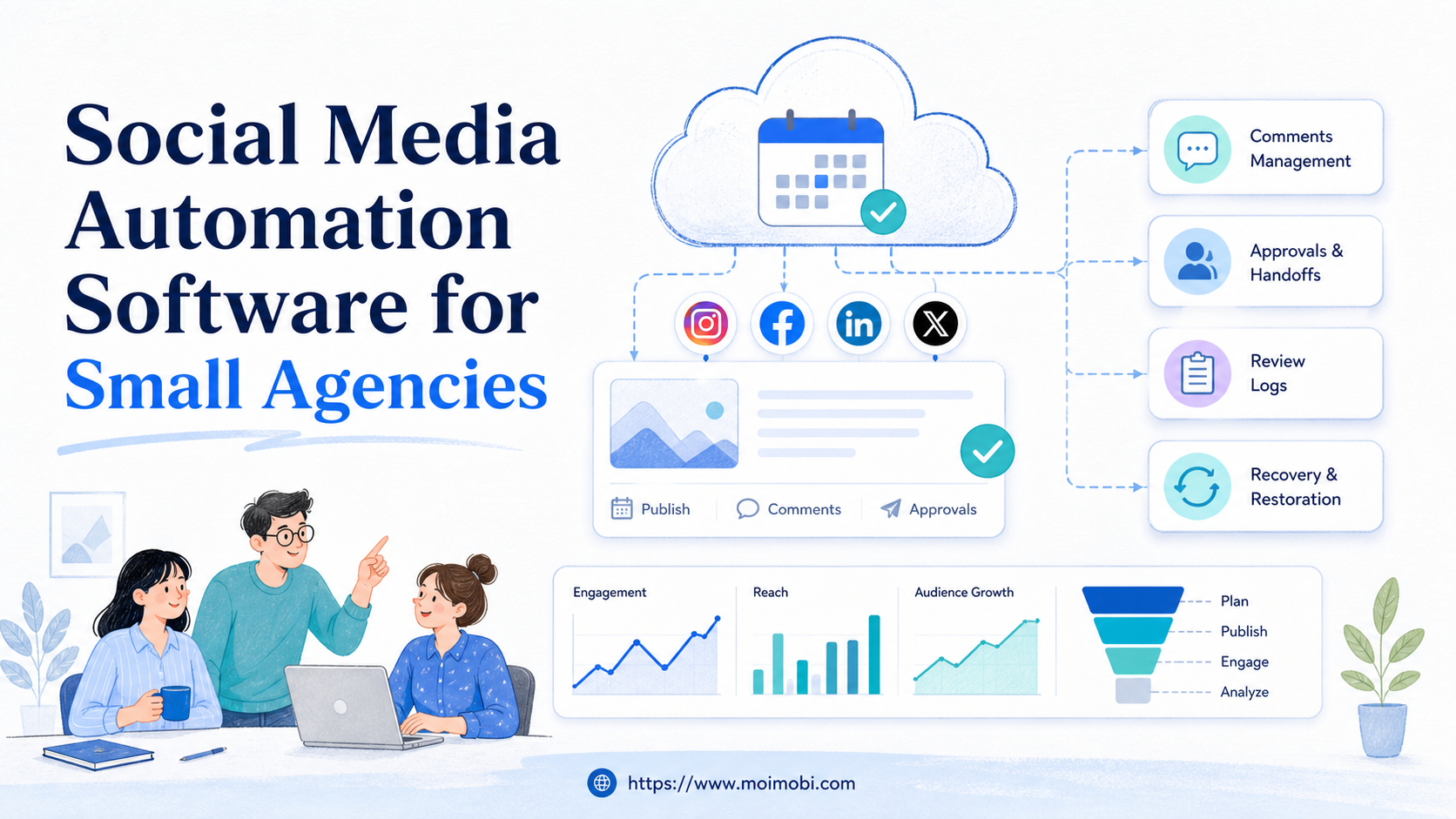
- Social media automation software for small agencies should manage workflows, accounts, approvals, and recovery, not only post scheduling.
- Small agencies need clear ownership because client accounts, devices, sessions, and replies can get mixed quickly.
- The best starting point is a narrow pilot with publishing, review, inbox triage, and audit logs.
- Mobile-first work may need cloud phones, while dashboard work may need browser profiles and account isolation.
- Platform rules still matter. Automation should support authorized workflows, review gates, and human control.
Social media automation software for small agencies is a system for planning, assigning, executing, reviewing, and tracking repeated social media work across client accounts.
For a small agency, the decision is not only about scheduling posts. The harder question is whether the team can manage client work without mixing accounts, losing approvals, or creating unclear handoffs.
The right software should help a small agency answer five operational questions: who owns the account, where the task runs, what needs review, what happened last time, and what should happen if the workflow fails.
The Core Idea Behind Social Media Automation Software for Small Agencies
The common misunderstanding is that automation means removing people from social media operations. That model breaks down fast inside an agency. Client posts, comments, inboxes, creative approvals, and escalation rules still need human judgment.
A better model is execution control. The software should remove repeated preparation work, keep accounts separated, queue tasks, record results, and route exceptions back to the right person.
Small agencies also need to separate three layers. Content planning is where captions, assets, calendars, and approvals live. Execution is where publishing, checking, replying, monitoring, and reporting happen. Governance is where permissions, logs, recovery rules, and client boundaries are handled.
That separation matters because different tasks need different environments. A dashboard workflow may run well in a browser profile. A mobile-only app workflow may need a remote Android environment. A broad AI execution platform can connect those environments, but the agency still needs a clear operating model.
Official platform rules also shape the boundary. Meta's Platform Terms require developers and businesses to follow platform requirements when accessing platform data and features. Instagram's developer documentation describes supported API capabilities and permission models. TikTok's developer terms also define access and use boundaries. These sources do not tell agencies how to run every workflow, but they are enough to show why blind automation is the wrong starting point.
Why Small Agencies Search for This Topic
Small agencies search for this topic when manual coordination starts to fail. One person may manage publishing. Another handles comments. A third prepares client reports. The same Instagram or TikTok account may pass through several hands in one week.
The visible pain is time. The deeper pain is control. When a team uses shared spreadsheets, shared passwords, personal devices, and scattered browser sessions, small errors become client-facing mistakes.
Here is the usual agency pattern:
- A client adds two new social accounts.
- The team copies last month's workflow.
- A freelancer joins the posting queue.
- Replies start coming from different devices or sessions.
- No one knows which task was reviewed, paused, or completed.
A practical agency stack should reduce that confusion. It should not push the team toward more volume before account ownership, review rules, and execution environments are clear.
Preflight Checklist Before Choosing a Platform
Small agencies should run a preflight check before comparing feature lists. This prevents buying software that looks strong in demos but does not match daily operations.
| Preflight Area | What To Confirm | Why It Matters |
|---|---|---|
| Client ownership | Which person, team, or client owns each account | Prevents duplicate work and unclear approvals |
| Execution environment | Whether tasks run in browser profiles, mobile devices, or both | Keeps the workflow matched to the platform surface |
| Permissions | Who can draft, approve, publish, reply, and recover tasks | Reduces accidental account changes |
| Review rules | Which outputs require client or manager approval | Stops automation from bypassing judgment |
| Audit trail | What gets logged after each task | Helps with reporting, troubleshooting, and handoff |
This check also clarifies whether the agency needs simple scheduling or a fuller execution stack. If all work happens through approved platform APIs and a content calendar, a scheduler may be enough. If the team needs multi-account execution across web dashboards and mobile apps, the requirements are broader.
Who Benefits Most and When It Is Not Fit
Small agencies benefit most when social work has become repeatable. Examples include weekly publishing, comment review, inbox triage, competitor monitoring, content repurposing, and client reporting.
The strongest fit is an agency that manages multiple client accounts and needs separation between workspaces. In that situation, multi-account management becomes more important than another calendar view.
Good Fit
- The agency manages several client accounts across TikTok, Instagram, Facebook, LinkedIn, or other platforms.
- Work is split across strategists, operators, reviewers, and account managers.
- The same task pattern repeats every day or every week.
- The team needs browser and mobile execution environments, not only planning.
- Client reporting needs task records, completion status, and recovery notes.
Not Fit
- One person manages one account with a simple posting schedule.
- The agency has not defined approval rules or client boundaries.
- Most work is custom creative judgment with no repeated workflow.
- The team wants bulk actions before account ownership and review gates are clear.
- The platform is expected to replace all human communication decisions.
Fit boundaries protect the agency from overbuying. A tool that is excellent for account operations may be too heavy for a solo creator. A lightweight scheduler may be too weak for a team managing daily client operations.
How to Evaluate Social Media Automation Software for Small Agencies
Start with the workflow, then evaluate the software. A feature list is only useful after the agency names the job it needs to run.
- List client workflows. Separate publishing, comment review, inbox triage, monitoring, reporting, and recovery.
- Map each workflow to an owner. Assign one accountable person for setup, review, and exception handling.
- Choose the execution surface. Decide whether the task needs a browser profile, a mobile device, a [cloud phone](https://www.moimobi.com/), or a human-only step.
- Define approval gates. Mark which actions require manager or client review before execution.
- Check audit records. Confirm the software can record task status, operator, account, result, and failure reason.
- Run a limited pilot. Test one client, one workflow, and one reporting period before expanding.
For mobile-first work, agencies should understand what a cloud phone is before treating mobile execution as a simple device rental. A cloud phone can be one execution lane, but the workflow still needs ownership, review, and recovery.
For browser-heavy tasks, device isolation and browser profile separation help keep sessions from blending across clients. For app-heavy tasks, mobile automation becomes a closer evaluation path.
What Social Media Automation Software for Small Agencies Should Include
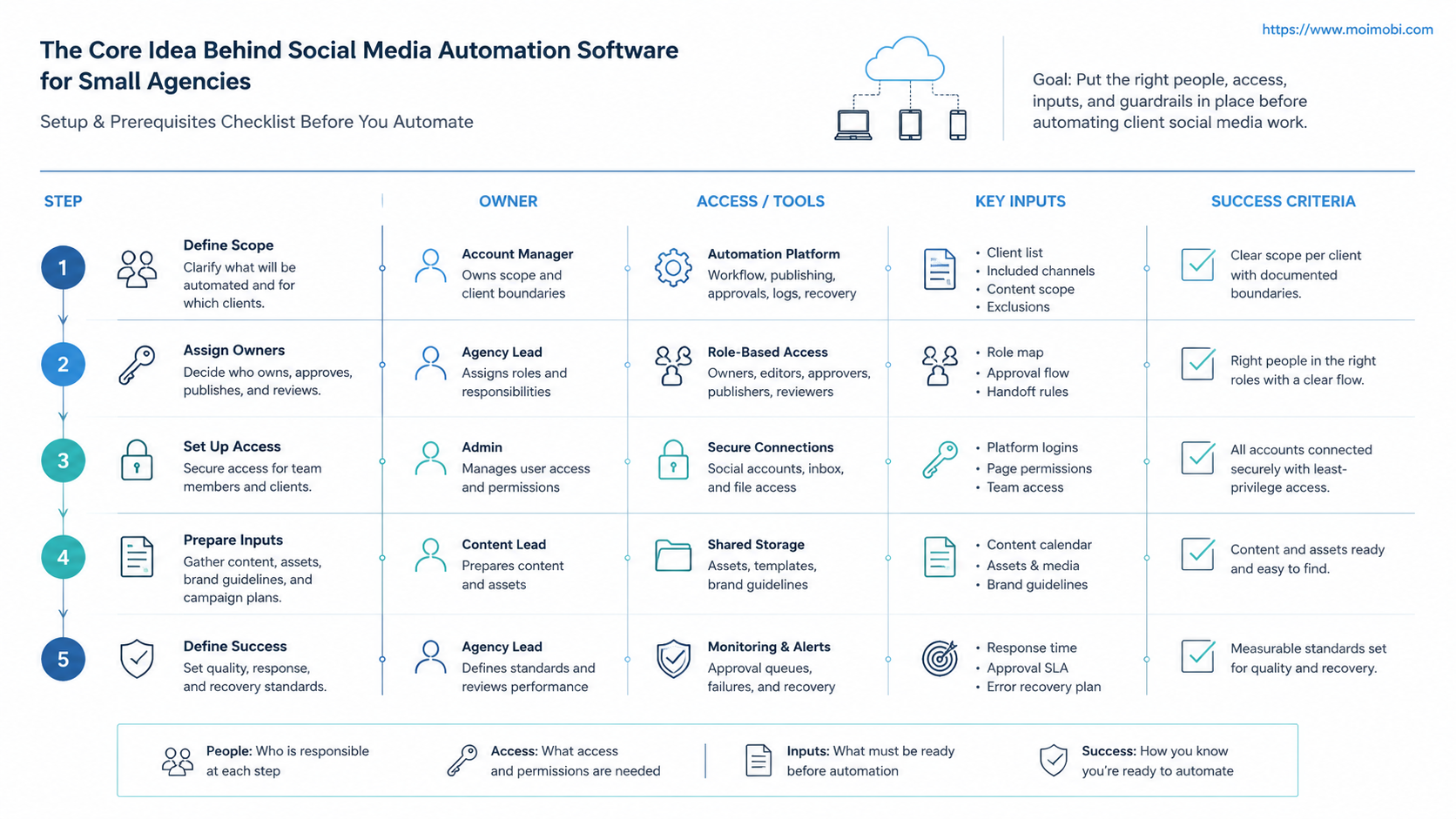
Agency software should cover the whole operating loop. A posting queue is only one part of that loop. The team also needs account context, content assets, review decisions, execution status, and recovery notes.
The first module is a client account workspace. Each client account should have owners, allowed platforms, linked assets, access notes, and current task status. This keeps agency work from becoming a shared pile of tabs and passwords.
The second module is a workflow queue. A useful queue shows what is ready, what needs approval, what is running, what failed, and what should be reviewed later. Status labels should be plain enough for a manager to read without opening a technical log.
The third module is an execution environment map. Small agencies should know whether a workflow belongs in a browser profile, a mobile device, a cloud phone, or a manual review step. This map is where many agency tools become too vague. They show a task, but not where the task actually runs.
The fourth module is a recovery record. Failed social media tasks are normal in real operations. A login prompt, missing asset, permission mismatch, client change request, or platform UI change can interrupt the workflow. The software should preserve enough context for the next operator to fix the issue without asking the whole team what happened.
Use this short module checklist before buying:
- Does each client account have a visible owner?
- Can the agency separate content planning from execution?
- Can reviewers approve or reject work before it goes public?
- Can operators see which environment a task uses?
- Are failures saved with a reason and next action?
- Can reports show completed work and exceptions, not only post counts?
This checklist is more useful than counting integrations alone. Integrations matter, but operational clarity decides whether the tool can support client work every week.
Mistakes That Reduce Results
The first mistake is buying for volume before control. More scheduled posts, more queued replies, and more account lanes do not help if the team cannot trace who approved each action.
The second mistake is treating every platform the same. Instagram, TikTok, LinkedIn, and Facebook have different surfaces, permissions, and supported workflows. Official developer documentation should shape what is automated and what remains manual.
The third mistake is putting all clients into one shared operating space. Client work needs separation by account, platform, asset library, and responsible operator. Without separation, the agency may save time in the short term while creating review and reporting problems later.
The fourth mistake is ignoring failed tasks. A failed publish, missed reply, login prompt, permission issue, or content mismatch should create a recovery event. If failure only appears as a vague error message, the team cannot improve the workflow.
Pilot Rollout, Measurement, and Recovery Checks
Run the first pilot on a small workflow with clear success criteria. A good pilot might cover one client, two accounts, one publishing queue, one comment review process, and one weekly report.
Measure more than output count. Track completed tasks, reviewed tasks, paused tasks, corrected tasks, failed runs, recovery time, and handoff quality. These metrics show whether automation is improving the agency system or only moving work into another tool.
Use a simple recovery checklist:
- Did every task have an owner?
- Did every public action have the required review?
- Did the platform record account, environment, operator, and result?
- Did failed tasks show a usable reason?
- Did the team know when to pause the workflow?
- Did the client receive cleaner reporting?
If the pilot passes, expand by one variable at a time. Add another account, then another workflow, then another team member. Expanding all three at once makes it harder to see what caused problems.
How MoiMobi Fits This Workflow
MoiMobi is most relevant when a small agency needs execution environments as part of automation. It can support workflows where browser profiles, cloud phones, Android devices, and account workspaces need to stay separated.
That matters for agencies because social media operations are not only content planning. Teams may need to publish, check, reply, monitor, hand off, and recover tasks across several client accounts.
In this model, social media marketing workflows become more structured. The agency can connect account workspaces, execution environments, and task records instead of relying on shared tabs and informal notes.
MoiMobi should not be treated as a magic replacement for client strategy or platform rules. Its role is to make repeated execution more controlled, visible, and easier to review.
Frequently Asked Questions
1. What is social media automation software for small agencies?
It is software that helps a small agency plan, assign, execute, review, and track repeated social media tasks across client accounts.
2. Is a scheduler enough for a small agency?
A scheduler may be enough for simple content calendars. Agencies usually need more when workflows include multiple accounts, comments, inboxes, approvals, and recovery steps.
3. Should agencies automate replies?
They should be careful. Automation can help draft, sort, and assign replies, but customer-facing messages often need human review and platform-aware judgment.
4. What should be measured in the first pilot?
Track task completion, review status, correction time, failure reasons, owner handoff, and client reporting quality. Output volume alone is not enough.
5. When do cloud phones matter?
Cloud phones matter when the workflow depends on mobile app execution, persistent Android environments, or account-specific mobile lanes.
6. How many internal roles should be defined?
Start with four roles: strategist, operator, reviewer, and account owner. Smaller teams can combine roles, but the responsibilities should still be clear.
7. What is the biggest risk in choosing software?
The biggest risk is buying for features before mapping workflows. A tool cannot fix unclear ownership, missing approvals, or mixed account environments.
8. Does MoiMobi replace traditional social media management tools?
Not always. It fits best when the agency needs execution environments, account separation, and workflow records in addition to planning and scheduling.
Conclusion
Agency automation should be judged by workflow control. A small agency needs more than a posting calendar when client accounts, approvals, inboxes, browser sessions, and mobile app tasks all enter the same operation.
Before choosing a platform, write down one client workflow from start to finish. Name the account owner, execution environment, review gate, success metric, and recovery rule. If the software makes those five items clearer, it is moving the agency toward a stronger operating system.



