
Key Takeaways
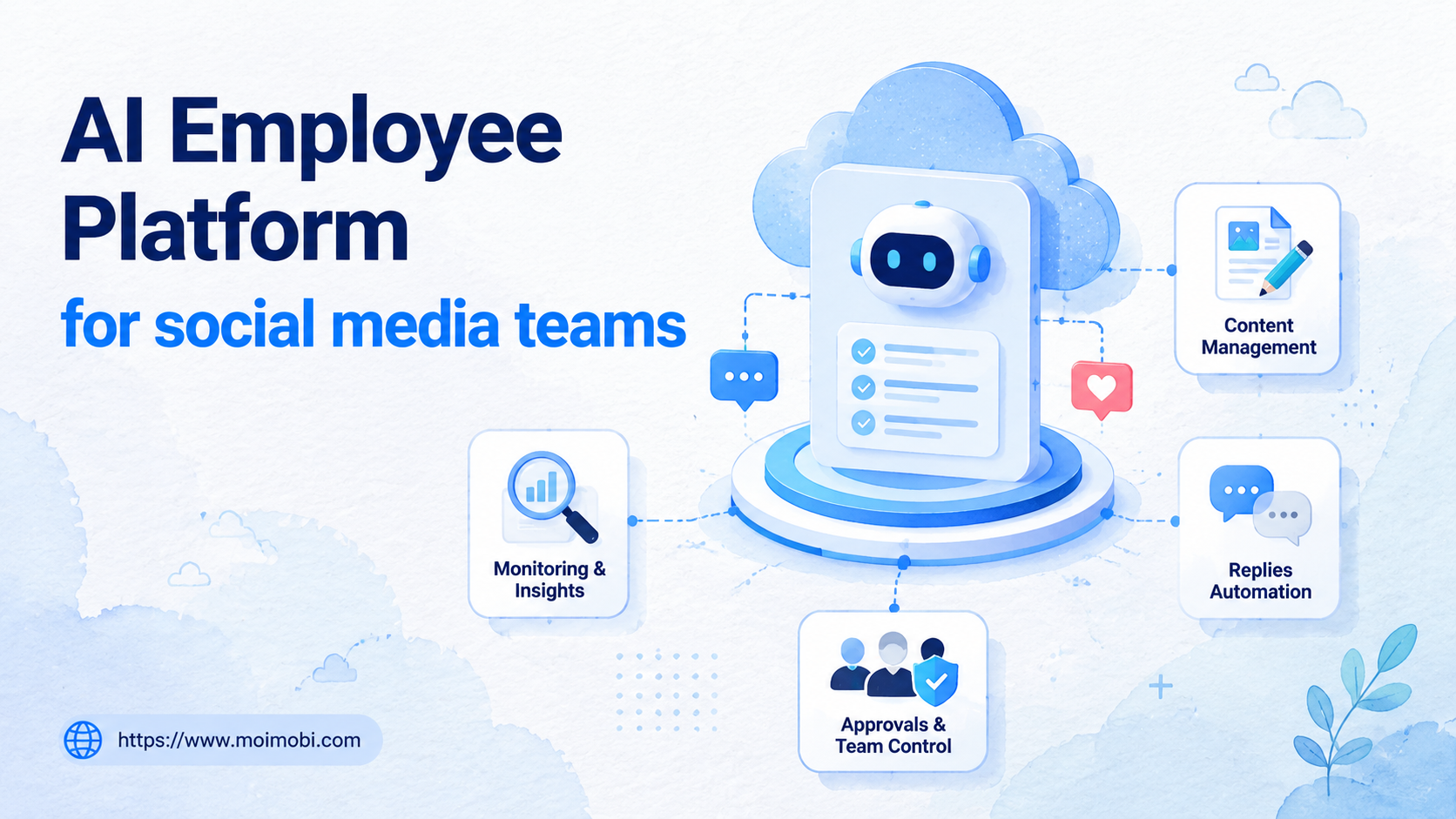
- An AI employee platform gives social media teams role-based AI workers for publishing, replies, monitoring, and reporting.
- The strongest use cases are repeatable workflows with clear triggers, account boundaries, approval rules, and logs.
- Browser and mobile execution matter because social media work often happens across web dashboards and app-only environments.
- A good pilot should measure completed tasks, review load, response time, exceptions, and account-environment accuracy.
An AI employee platform is a system that lets AI workers handle repeated social media tasks inside controlled browser, mobile, and account environments. Social teams need more than faster writing. They need a way to turn publishing, reply triage, inbox review, competitor monitoring, and reporting into repeatable workflows.
The need appears when a team manages more accounts than one person can cleanly coordinate. Content calendars, comments, DMs, platform checks, approvals, and weekly reports start to split across people and regions. Without a controlled execution layer, AI output remains separate from the actual work queue.
Moimobi approaches this as an AI execution platform rather than a simple content assistant. AI helps with planning and drafting, while browser profiles, cloud phones, Android devices, and workflow logs provide the execution lanes needed for daily social media operations.
The Core Idea Behind an AI Employee Platform for Social Media Teams
The core idea is role separation. Social media work is not one task. A team may need one worker to prepare captions, another to triage comments, another to monitor competitors, and another to collect weekly account activity.
Each worker should have a narrow scope. The content worker drafts and formats posts. The reply worker classifies messages and prepares suggested replies. The monitoring worker watches account activity and competitor changes. The reporting worker gathers task outcomes and flags missing records.
This setup is different from asking one chatbot to "run social media." A chatbot can draft text. It does not automatically know which account should post, which mobile app environment should be used, which reply needs approval, or which exception should stop the task.
The operating system should connect four things:
- Role: what the worker is allowed to do.
- Environment: where the worker operates.
- Workflow: what steps the worker follows.
- Review: when a human must approve, pause, or take over.
That operating model is especially important for teams with multi-account activity. A social media manager may own brand voice. A support lead may approve sensitive replies. A growth operator may monitor competitor posts. The platform should make those boundaries visible instead of hiding them behind one "automation" button.
Why Social Media Teams Search for This Topic
Social media teams search for this topic when the workload stops being only creative. The daily work becomes operational: publish the right asset, from the right account, at the right time, then respond and report without losing context.
Three workflow pressures usually create the search demand:
- More channels: TikTok, Instagram, Facebook, YouTube, LinkedIn, WhatsApp, and Telegram may all have different workflows.
- More accounts: regions, brands, clients, campaigns, and test accounts need different roles and permissions.
- More response loops: comments, DMs, support messages, and lead follow-ups need routing and review.
Traditional social media management tools often focus on scheduling, inboxes, calendars, and analytics. Those features still matter. The missing piece for some teams is execution inside separated browser and mobile environments, especially when account-specific workflows cannot be handled by a single API or calendar.
Moimobi's social media marketing use case fits this gap. The goal is not to replace strategy or creative direction. The goal is to give repeated account work a clear execution lane, a review rule, and a record trail.
Scenario Map: Roles, Tasks, and Metrics
A social media AI worker system should begin with operating roles, not features. That keeps the team from mixing creative decisions, account actions, customer communication, and analytics in one unclear workflow.
| AI Worker Role | Primary Task | Execution Environment | Metric to Review |
|---|---|---|---|
| Content preparation worker | Draft captions, format variants, prepare posting notes | Content library and browser workspace | Approval rate and edit load |
| Publishing assistant | Prepare account-specific publishing steps and checklist items | Browser profile or mobile account environment | Completed publishing tasks and exceptions |
| Reply triage worker | Classify comments, DMs, and customer messages | Inbox dashboard or app environment | Escalation rate and response time |
| Monitoring worker | Track competitor posts, mentions, and account activity | Browser dashboards and saved views | Useful findings and missed checks |
| Reporting worker | Collect task results, anomalies, and weekly status notes | Dashboards, spreadsheets, and workflow logs | Record completeness and review speed |
The table also shows why AI employees software needs more than text generation. Each worker must know its lane, input source, account environment, allowed actions, and review point. Otherwise, the system may produce content without improving operations.
Account Environments for Social Media Work
Account environment design decides whether social media automation remains inspectable. If multiple workers operate through shared sessions, the team may struggle to explain who acted, which account was used, and why a task failed.
Use a simple account rule: one account group should map to a defined workspace. That workspace may be a browser profile, a cloud phone, an Android device, or another controlled environment. The choice depends on whether the workflow is web-based, app-based, or mixed.
Browser profiles are useful for dashboards, web publishing tools, inboxes, forms, analytics, and moderation views. Mobile execution matters when a task depends on app-only screens, mobile account state, or Android-based workflows. For the broad concept behind mobile execution lanes, Moimobi's guide to what is a cloud phone explains how remote Android environments work.
Teams that manage many accounts should also review multi-account management. The key question is not only "can the system open many accounts?" The better question is whether accounts, environments, permissions, and task records remain easy to inspect.
How to Evaluate an AI Employee Platform
Start with the mistakes that break social media workflows. Do not evaluate a platform only by how well it writes captions. Writing quality matters, but execution quality decides whether the team can use it every day.
Use this checklist before a pilot:
-
Pick one workflow lane
- Good: comment triage for one brand account.
- Weak: "manage all social media" as one broad task. -
Define the account workspace
- Good: each test account has a browser profile or mobile environment.
- Weak: workers reuse whichever session is already open. -
Set approval boundaries
- Good: public replies, complaints, refunds, pricing, and sensitive issues have review rules.
- Weak: every suggested reply is treated as ready to send. -
Record task outcomes
- Good: completed, failed, escalated, and paused tasks are visible.
- Weak: the team only sees that an AI worker ran. -
Review results weekly
- Good: the team checks response time, edit rate, exception rate, and useful findings.
- Weak: success is judged only by output volume.
For browser-heavy operations, an AI browser execution platform can connect workers to web tools and account sessions. For app-heavy work, Moimobi's mobile automation product area is more relevant because the worker needs a mobile execution lane.
Workflow Steps for a Social Media AI Worker Pilot
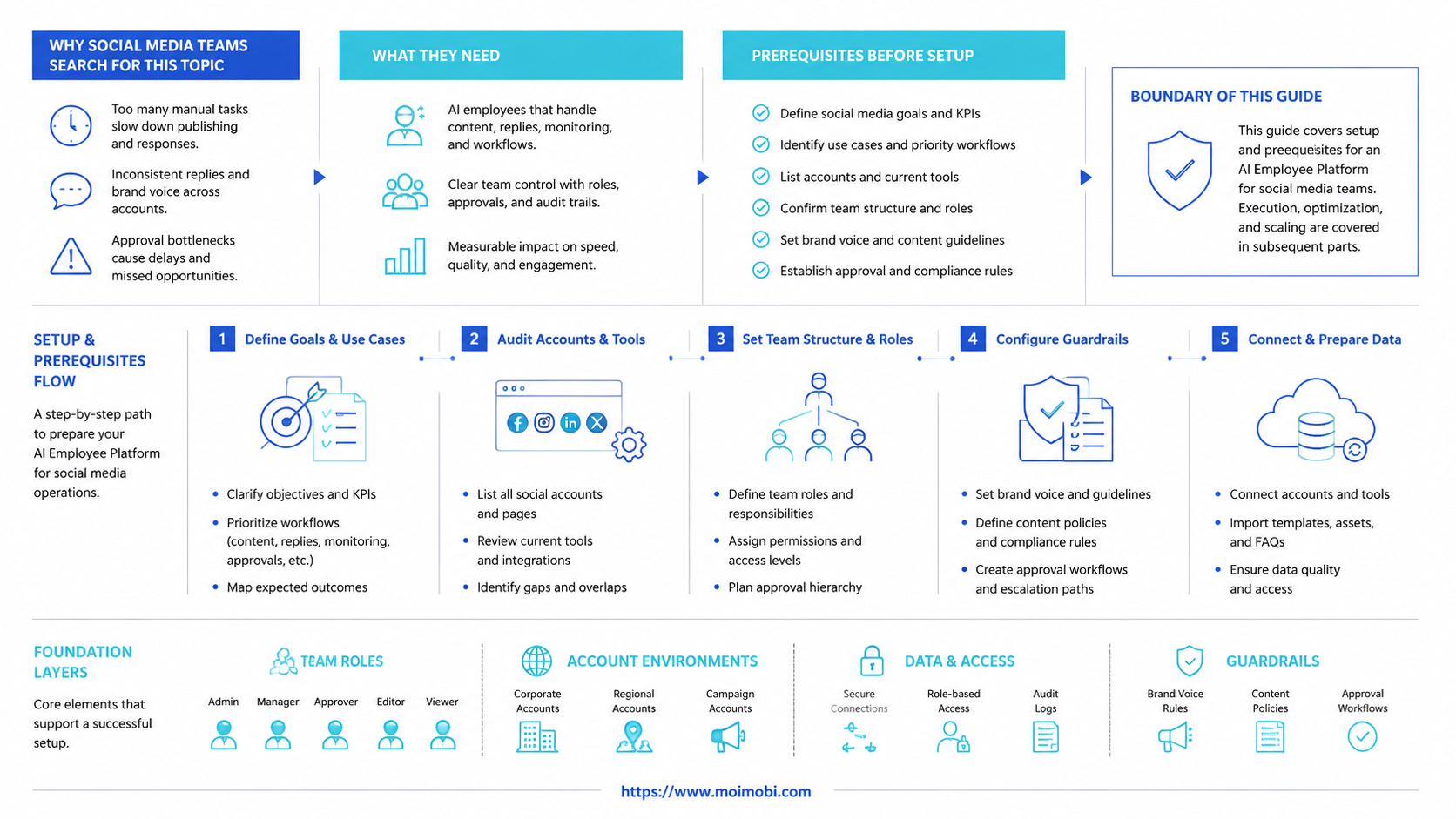
A good pilot should feel boring and reviewable. Choose one repeated task that already has a human SOP. Then let the AI worker prepare or execute bounded steps while humans keep approval rights.
- Select one account group. Use one brand, region, client, or campaign group.
- Choose one worker role. Start with reply triage, content preparation, or monitoring.
- Connect one environment. Assign a browser profile, mobile workspace, or cloud phone lane.
- Write the task protocol. Define trigger, input, action, output, approval rule, and stop condition.
- Run in review mode. Let the worker draft, classify, prepare, or execute only low-risk steps.
- Log every exception. Track unclear cases, platform issues, account mismatches, and failed actions.
- Expand by lane. Add another account group only after the first workflow is easy to inspect.
The same workflow creates a better handoff between social, support, and growth teams. Content staff can approve brand voice. Support staff can handle customer risk. Growth operators can review competitor findings. The AI worker keeps the repeated work moving without taking over every decision.
Success Metrics and Review Loop
Social media automation should be measured by control, not only by volume. A system that creates more posts but more corrections may not save time. A system that reduces missed replies, clarifies handoffs, and makes exceptions visible is usually more valuable.
Track these metrics during the pilot:
- Task completion rate: how many assigned workflows finish correctly.
- Edit load: how much human correction each output needs.
- Escalation rate: how often the worker needs human review.
- Response time: how quickly eligible comments or messages are handled.
- Account-environment accuracy: whether tasks run in the intended account workspace.
- Monitoring value: how many findings are useful enough for action.
- Record completeness: whether the log explains what happened.
Use the weekly review to decide what to keep, pause, or redesign. If edit load stays high, the prompt or source data may be weak. If exceptions repeat, the workflow may need a stop rule. If account mismatches appear, environment assignment should be fixed before expanding.
Keep one owner for this review. Shared ownership usually weakens the feedback loop.
Common Mistakes That Reduce Results
The most common mistake is treating an AI employee as a social media manager. Strategy, positioning, campaign planning, and sensitive customer communication still need human ownership. The AI worker should handle repeatable lanes, not own the whole function.
Another mistake is ignoring platform rules. Social media platforms maintain rules for spam, platform access, automation, and messaging behavior. Meta's Platform Terms and Instagram help pages describe limits and expectations around platform access and unwanted messages. Teams should design workflows around legitimate account operations, review, and user context.
Sources:
Tooling standards matter for a second reason. Browser automation should be structured and auditable, not a pile of hidden clicks. W3C WebDriver and Playwright both show the value of defined browser control methods, even though a production social workflow still needs business rules, account boundaries, and human review.
Fit and Not-Fit Boundaries
This category fits social media teams with repeated operating work. Good fits include caption preparation, comment classification, DM routing, account checks, competitor monitoring, publishing preparation, and reporting.
Fully strategic, emotionally sensitive, legally risky, or constantly changing work is a weaker fit. In those cases, AI can assist with drafts or summaries, but humans should remain the decision owner.
Use a simple boundary: automate preparation and repeatable execution before automating public decisions. That keeps the system useful without making it reckless.
Frequently Asked Questions
What is an AI employee platform for social media teams?
It assigns AI workers to repeated social media workflows such as publishing preparation, reply triage, monitoring, and reporting. The platform should connect those workers to accounts, environments, approval rules, and logs.
Is this the same as a social media scheduler?
No. A scheduler mainly plans and publishes content on a calendar. An AI employee platform is broader when it includes task execution, account environments, workflow records, and human review.
Do social media teams need mobile execution?
Some teams do. Web dashboards may be enough for many tasks. Mobile execution matters when a workflow depends on app-only screens, Android environments, or mobile account operations.
Can AI workers reply to customers automatically?
They can help draft and classify replies, but sensitive replies need review. Complaints, refunds, pricing, legal questions, and public conflict should usually remain human-reviewed.
How many accounts should a pilot include?
Start with one account group. Add more only after the workflow has clear logs, low correction load, and manageable exceptions.
What should the first workflow be?
Choose a workflow that happens daily and has a clear review path. Reply triage, content preparation, and competitor monitoring are common starting points.
What makes Moimobi relevant to this category?
Moimobi combines AI-assisted workflows with browser and mobile execution environments. That makes it relevant for teams that need account separation, workflow records, and repeated social media operations.
What is the biggest rollout risk?
The biggest risk is unclear ownership. If the team does not define role, account, environment, approval rule, and stop condition, automation may create more work to review.
Conclusion
Prioritize the rollout in this order: role, account environment, workflow, approval rule, and measurement. That sequence keeps social media AI workers tied to real operations instead of isolated content generation.
The next practical step is to choose one workflow lane. Pick one account group, one repeated task, one execution environment, and one review owner. If the pilot produces cleaner handoffs and fewer missed steps, the team has a stronger base for expanding AI worker operations.



