
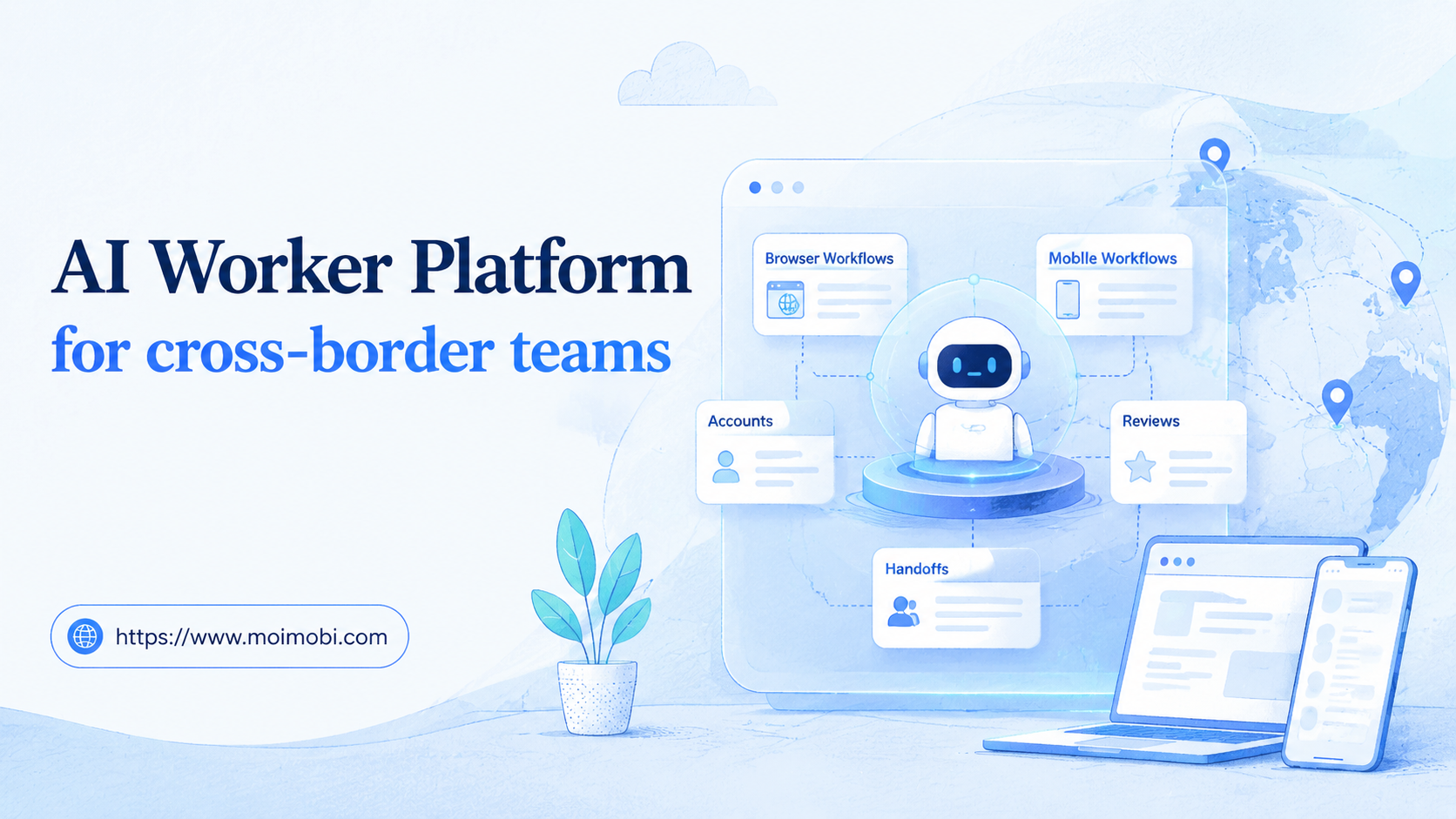
An AI worker platform is software that lets cross-border teams assign repeatable online tasks to AI workers and execute them inside controlled browser or mobile environments. The value is not only automation. It is a way to coordinate account work across regions, languages, time zones, and platforms without losing traceability.
Cross-border teams often work across more accounts than a single local team. One group may manage regional social accounts, marketplace stores, messaging apps, creator outreach, support inboxes, and campaign dashboards. A basic AI assistant can write or summarize, but it does not solve execution context, account handoff, or environment separation.
MoiMobi is built around this execution layer. Its AI execution platform connects AI-assisted task preparation with fingerprint browsers, cloud phones, Android devices, and team account workspaces. The result is a workflow where operators can see who owns a task, where it runs, and what happened.
Key takeaways
- Cross-border teams need AI workers only after account ownership and region rules are clear.
- Browser profiles fit web dashboards, while mobile environments fit app-based regional workflows.
- Account isolation matters when teams share platforms across markets or clients.
- Review rules should reflect language, region, channel, and customer sensitivity.
- Success should be measured by usable output, clean handoffs, and recoverable failures.
The Core Idea Behind AI Worker Platform for cross-border teams
The common misunderstanding is that cross-border automation is mostly about translation or scheduling. Those tasks matter, but the harder problem is execution control. Different markets may require different accounts, app sessions, device environments, routing, and approval owners.
A better model is account-based delegation. One worker handles marketplace monitoring for Region A. Another prepares social reply drafts for Region B. A third checks campaign pages and broken links for a regional launch. Each worker has a workspace, owner, and stop rule.
This is where a browser execution platform becomes more than a writing tool. Browser automation has formal execution concerns. The W3C WebDriver specification defines browser control through a protocol, and Playwright documents actionability checks before actions such as clicks or form inputs in its actionability guide.
Mobile work creates another layer. Many cross-border operations depend on mobile apps, messaging channels, or app-only account views. A cloud phone execution environment gives teams a remote Android workspace for those app-based workflows.
Why Teams Search for This Topic
Teams search for AI worker software when regional work becomes hard to coordinate. A content team may prepare posts in one timezone. A local operator may review them later. A support person may handle replies inside a mobile app. An operations lead may need a record the next morning.
Manual coordination breaks down when every account has a different login, owner, language, device, and task queue. Spreadsheets can list tasks, but they do not execute work or preserve environment context. Chat tools can discuss work, but they do not prove what happened.
A shared worker platform creates a common operating model. The worker receives a task, enters the right account environment, prepares or executes the allowed action, and leaves a result record. A human reviewer still owns judgment, approvals, and sensitive customer decisions.
This is closely tied to multi-account management. Cross-border teams need to know which worker belongs to which account, which market, which channel, and which reviewer. Without that map, automation becomes hard to audit.
Scenario Map for Cross-Border Operations
The table below shows how a cross-border team can assign AI workers without turning one shared assistant into a risky catch-all.
| Workflow | AI worker role | Execution environment | Human control point | Metric to review |
|---|---|---|---|---|
| Regional content prep | Adapt captions, collect assets, and prepare posting notes | Browser profile plus mobile app workspace | Local market approval | Approved drafts and edit rate |
| Marketplace monitoring | Check listings, competitor pages, reviews, and campaign pages | Browser profile for marketplace dashboards | Ops lead reviews exceptions | Useful findings per market |
| Messaging and support triage | Classify messages, draft replies, and flag sensitive issues | Cloud phone or Android device for app channels | Human review before replies | Escalation accuracy |
| Regional reporting | Collect task results, links, screenshots, and next actions | Browser dashboards and shared reporting tools | Manager signs off weekly | Complete records and failed-run causes |
This scenario map keeps work narrow. A worker that monitors one region is easier to improve than a worker that touches every country, account, app, and campaign.
Who Benefits Most and In What Situations
Cross-border sellers benefit when they operate multiple storefronts, social channels, and messaging apps. A worker can collect listing issues, summarize comments, prepare reply drafts, or check campaign landing pages. The team then reviews the output by region.
Agencies benefit when they manage clients in different markets. Each client may need its own account environment, approval path, and reporting rhythm. MoiMobi's device isolation is relevant because it separates browser and mobile workspaces.
Distributed support teams benefit when conversations happen across app channels. Teams using mobile automation can assign mobile workflows to controlled Android environments instead of depending on personal devices.
The best fit is not only about team size. It is about repeatable regional work. If the team can define the account, task, reviewer, stop rule, and success metric, an AI worker platform can make the workflow easier to manage.
Regional Account Assignment Details
Cross-border teams need more than a list of accounts. They need an account assignment record that explains where each worker can operate and who reviews the result. A simple record can prevent many handoff failures.
Use fields such as region, language, platform, account name, browser profile, mobile device, proxy or routing note, reviewer, backup reviewer, and escalation owner. Add a field for "allowed action" so the worker does not move from monitoring to public replies without approval.
For example, a Southeast Asia social worker might collect comments, prepare reply drafts, and flag urgent messages. It should not publish replies without the local reviewer. A Europe marketplace worker might check listing fields, price display, review themes, and broken links. It should not change product claims without a manager.
This structure also helps with time-zone handoffs. A worker can leave a record that says: account checked, issue found, source link attached, draft prepared, reviewer needed, next owner assigned. The next team does not need to reconstruct the task from chat history.
| Assignment field | Example value | Why it matters |
|---|---|---|
| Region and language | SEA / English and Thai | Controls review ownership and local tone checks |
| Environment | Browser profile plus Android cloud phone | Shows where the task runs and where failures happen |
| Allowed action | Collect, classify, draft, and flag only | Prevents workers from taking public actions too early |
| Stop rule | Pause on complaints, refunds, policy issues, or login errors | Creates a clear recovery path |
Fit Boundaries and Review Rules
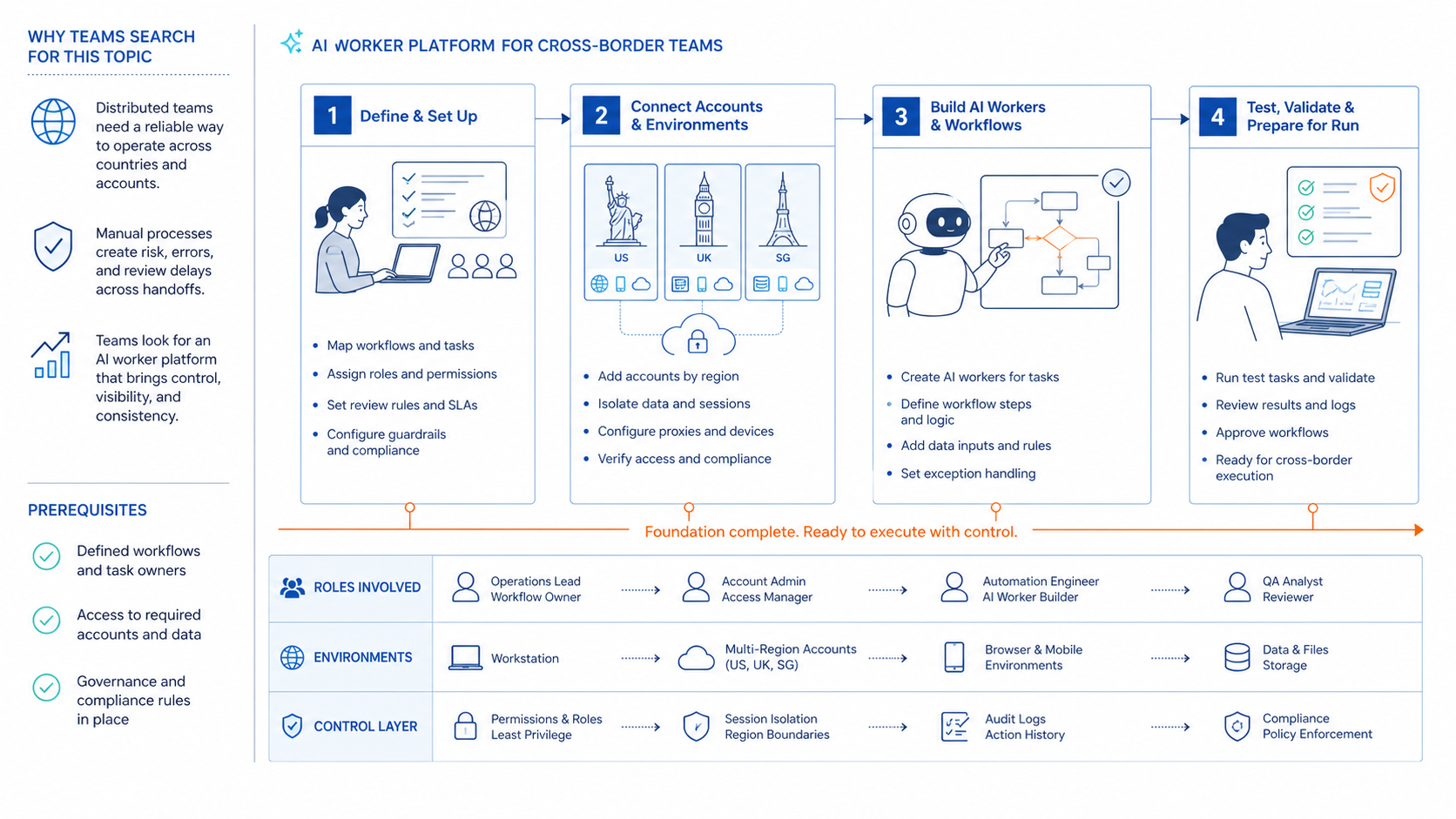
Good fit usually means the task has a regional owner and a repeatable output. Examples include campaign monitoring, social comment triage, app inbox classification, product listing checks, competitor snapshots, and weekly task reports.
Poor fit usually means the task requires local judgment under pressure. Examples include angry customer replies, public conflict, payment disputes, legal questions, account recovery, and region-specific policy exceptions. AI can collect context, but the local operator should decide.
Review rules should match the channel. Social drafts need tone and brand review. Marketplace checks need product and compliance review. Messaging replies need customer support review. Technical failures need an operations owner.
These boundaries make the workflow more specific. They also make it easier to score the pilot. A useful worker is not just active; it produces outputs that the right regional reviewer can approve or correct.
How to Evaluate or Start Using AI Worker Platform for cross-border teams
Use checkpoints before adding more accounts. Each checkpoint should answer one operational question.
- Market checkpoint: which region, language, store, or social account does this worker support?
- Environment checkpoint: does the task run in a browser profile, cloud phone, Android device, or mixed workflow?
- Owner checkpoint: who reviews output, handles exceptions, and updates the worker instructions?
- Permission checkpoint: which data fields, accounts, and actions are allowed?
- Stop-rule checkpoint: when should the worker pause for a human?
- Logging checkpoint: does every run record the account, source, status, and next owner?
Start with one market and one task. For example, run competitor monitoring for one region, reply draft preparation for one app inbox, or listing checks for one marketplace. Expand only after the team understands failures.
Logging is part of the operating system. OWASP's Logging Cheat Sheet connects logs with troubleshooting and accountability. Cross-border teams need those records because work moves across time zones and owners.
Mistakes That Reduce Results
The first mistake is using one generic worker for every market. Regional context matters. Language, offer details, customer expectations, and platform workflows can differ.
The second mistake is mixing account environments. A browser profile for one market should not quietly become the workspace for another market. Shared sessions make failures and handoffs difficult to trace.
The third mistake is skipping local review. AI can prepare translations, summaries, and reply drafts. A local operator should review public messaging, sensitive replies, and region-specific claims.
The fourth mistake is collecting too much data. The NIST Privacy Framework treats privacy as a risk management issue. Cross-border workflows should limit worker access to fields needed for the defined task.
The fifth mistake is scaling before recovery checks are clear. A failed run should have a next owner. If no one owns the recovery path, adding more regions only creates more hidden work.
Pilot Rollout and Review Loop
A cross-border pilot should be narrow enough to inspect. Choose one region, one channel, one account group, and one workflow. The pilot should produce records that another teammate can understand without asking the original operator.
Review five metrics weekly:
- Accepted outputs by region.
- Manual edits and rejection reasons.
- Failed runs by environment.
- Escalations that were correctly paused.
- Handoffs completed without missing context.
The review loop should produce changes. Tighten the prompt when output is vague. Adjust the account environment when mobile sessions fail. Update stop rules when sensitive messages appear. Pause the workflow when local reviewers cannot trust the output.
Recovery notes should be visible across time zones. A team in one region should know what failed overnight, who owns it, and what needs to happen next. That is the difference between automation and an operational system.
Use a handoff checklist at the end of each regional shift. The checklist should include account checked, task completed, exception found, source link, screenshot or record ID, reviewer needed, and next owner. Keep the field names consistent across markets.
This checklist is most useful when work moves from Asia to Europe or from Europe to North America. The next team should not need to ask which browser profile, mobile device, account, or campaign was used. The record should show it clearly.
When the handoff is unclear, pause expansion. A workflow that cannot survive one timezone handoff is not ready for more markets. Fix that gap first.
Frequently Asked Questions
What is an AI worker platform for cross-border teams?
It is a system for assigning repeatable regional tasks to AI workers and running them in controlled browser or mobile environments.
How is it different from AI employee software?
AI employee software often describes digital worker roles. An AI worker platform focuses on execution, account context, logs, and review.
Which tasks should cross-border teams start with?
Start with monitoring, draft preparation, listing checks, message classification, or reporting. These are easier to review.
Do cross-border teams need cloud phones?
They may need them when work happens inside mobile apps, messaging apps, or remote Android account environments.
How should regional accounts be assigned?
Assign workers by market, account group, channel, and reviewer. Do not let one worker own every region.
Can AI workers handle translation?
They can prepare localized drafts, but local review should catch tone, offer details, and market-specific issues.
What should not be automated first?
Avoid unreviewed public replies, sensitive customer cases, pricing decisions, and account recovery tasks.
How should success be measured?
Measure accepted outputs, failed runs, handoff quality, manual takeover rate, and whether local teams trust the results.
Conclusion
For cross-border teams, the platform works when it turns regional work into controlled execution. The system should connect account environments, local reviewers, stop rules, and result logs.
Start with one market and one workflow. Define the account, environment, owner, stop rule, and success metric. Keep the handoff record visible. If the team can explain every output and failed run, expand to the next region or channel. Then retest.



