
Self Improving AI Agents are useful only when they can turn a goal into a controlled workflow, check their own output, and execute the next step inside the right environment. A draft, reply, report, or publishing plan is not finished just because an AI model produced text. It becomes useful when the system can verify quality, route failures, ask for approval when needed, and run the approved work in a browser, cloud phone, or mobile app workspace.
The source article for this derivative piece argues that AI agents should behave more like a production line than a one-shot chatbot. That idea is directionally right. But for operational teams, the bigger point is this: the quality gate is only one layer. Real work also needs persistent sessions, account environments, permissions, task logs, and execution feedback.
That is where an AI execution platform becomes different from a prompt library. The platform does not only help the AI think. It gives the AI a place to work.
Key Takeaways
- Self Improving AI Agents need a definition of done before they start work.
- Quality checks should happen before publishing, replying, deploying, or changing account state.
- Browser and mobile execution environments make agent output actionable.
- Different agent roles should have different permissions.
- Human approval is still needed for sensitive workflows.
- Feedback from failed tasks should improve the next run.
Why Self Improving AI Agents Need More Than A Prompt
A normal chatbot stops after giving an answer. A self-improving workflow does not. It creates a draft, checks the draft, sends weak work back to the right step, and only moves forward when the output meets the standard.
That sounds simple, but the operational difference is large. If an AI agent writes a social post, a weak result may waste one content slot. If the same agent publishes across several accounts, replies to customers, changes product listings, or updates a live page, weak output becomes an execution risk.
This is why teams should treat Self Improving AI Agents as workflow systems, not as smarter autocomplete. The model needs a goal, constraints, review criteria, environment access, and a clear stop rule. Without those pieces, “autonomy” often means the system simply produces more unchecked work.
NIST’s AI Risk Management Framework emphasizes governance, measurement, and risk management for AI systems rather than blind automation. The same logic applies here: self-improvement should mean better controlled execution, not unlimited action.
Source Context: A Quality-Gated AI Production Line
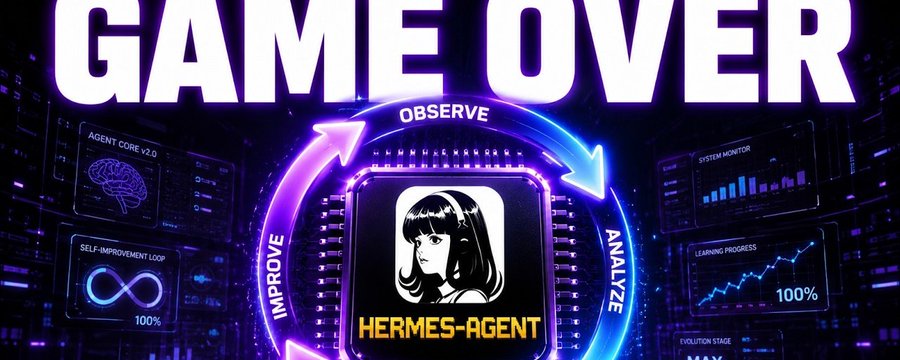
The original X Article frames Self Improving AI Agents as a production line: one profile researches, another plans, another writes, another judges, and failed work returns to the correct step. It also discusses roles such as builders, judges, memory systems, browser execution, and publishing tools.
For Moimobi, the most useful lesson is not the specific SEO workflow. The useful lesson is the structure:
- separate creation from approval
- define what “done” means
- send failures back to the right worker
- use browser execution to inspect the final result
- keep risky actions behind stronger approval rules
- store what worked so the next task starts with better context
The source also includes two media assets. They are preserved below as source context for this derivative article.

The Five Checks Before An AI Agent Executes Real Work
Quality checks should not be generic. They should match the workflow type. A content workflow, customer reply workflow, account management workflow, and mobile app workflow all need different gates.
For teams using AI workers in browser and mobile environments, five checks are a practical starting point.
| Check | What It Verifies | Why It Matters |
|---|---|---|
| Goal fit | The output matches the assigned task, audience, and account role. | Prevents polished but irrelevant work. |
| Policy fit | The action respects platform rules, team SOPs, and approval boundaries. | Reduces risky publishing and outreach behavior. |
| Environment fit | The task is assigned to the right browser profile, cloud phone, or device. | Avoids mixed sessions and account confusion. |
| Execution readiness | Assets, login state, links, forms, and task inputs are available. | Prevents agents from failing halfway through a task. |
| Result verification | The final page, post, reply, or report is checked after execution. | Catches errors that only appear in the live environment. |
The fifth check is often missed. Many systems review the draft, but not the executed result. Browser automation standards such as W3C WebDriver exist because real browser state matters. Playwright also treats actionability and assertions as part of reliable browser testing. The same principle should carry into AI agent execution: verify what happened in the environment, not only what the model intended.
Browser Execution Turns Agent Output Into Observable Work
An AI agent can write a plan, but the browser is where many business tasks actually happen. Teams still work inside dashboards, web apps, inboxes, content tools, ecommerce back offices, CRM systems, and social platforms.
That is why agent workflows need browser sessions. A persistent browser profile can hold login state, cookies, account-specific settings, and a stable workspace. The AI agent can prepare content, but the execution environment gives the task a real place to run.
For multi-account teams, the browser profile is also a boundary. One account should not casually share the same session, device signals, or operational history with another account. A multi-account management workflow needs separated environments, role-based task assignment, and a record of what happened under each account.
Browser execution also makes quality checks more concrete. Instead of asking, “Does this draft look good?”, the system can ask:
- Did the page load?
- Did the account log in successfully?
- Did the post preview render correctly?
- Are links visible and working?
- Did the workflow stop before a sensitive action?
- Did the result match the expected state?
This is where Self Improving AI Agents become operational. They can learn from observable failures, not only from language feedback.
Mobile Execution Adds Another Layer Of Reality
Many workflows do not live only in a desktop browser. Social media, messaging, creator operations, and customer engagement often happen inside mobile apps.
For these workflows, a browser-only agent is incomplete. The agent may prepare content in a web dashboard, but the task may still need to open a mobile app, check a message thread, publish through an Android interface, or verify how the content appears on the device.
A cloud phone execution environment gives teams a persistent Android workspace that can be used for mobile-first tasks. This matters for AI workers because mobile execution has its own state: app login, device profile, app cache, notification state, account context, and media files.
For product evaluation, teams may also compare this with a dedicated mobile automation layer. The question is not only whether an AI model can create a message. The question is whether the team can safely run that message through the right app, account, and approval path.
Separate Agent Roles Reduce Workflow Risk
The source article’s builder-and-judge framing is useful because it mirrors how reliable teams already work. The person who creates a draft is not always the person who approves it. The same separation should exist in AI worker systems.
A practical setup may include:
- Research worker: collects context and examples.
- Planning worker: turns research into task structure.
- Writing worker: creates the draft, script, reply, or update.
- Review worker: checks quality, accuracy, fit, and risk.
- Execution worker: runs the approved action in the environment.
- Monitoring worker: checks the result and records feedback.
These roles do not all need the same permissions. OWASP’s agentic AI guidance and the 2026 Five Eyes guidance on careful adoption of agentic AI both stress that agents with tools and external access create new risk surfaces. In practice, that means the research worker may only need read access. The review worker may not need publishing access. The execution worker may need a narrow browser or mobile environment, not every account in the company.
The safest AI employee design is not “one agent can do everything.” It is “each worker can do the smallest job needed to complete the workflow.”
A Definition Of Done Keeps Agents From Shipping Weak Work
Self Improving AI Agents need a definition of done. Without it, the review loop becomes subjective. One run may care about clarity. Another may care about SEO. Another may care about conversion. The result becomes inconsistent.
For a Moimobi-style execution workflow, the definition of done should cover both content quality and execution quality.
| Workflow Type | Definition Of Done Should Include | Approval Level |
|---|---|---|
| Content publishing | Correct platform, formatted post, assets attached, preview checked. | Human approval for brand-sensitive posts. |
| Customer replies | Relevant answer, no private-data leak, tone matches account role. | Human approval for complaints, pricing, or disputes. |
| Lead research | Source recorded, contact fields checked, duplicate handling. | Automated for low-risk enrichment. |
| Mobile app workflow | Device ready, app logged in, assets available, final state verified. | Human approval before external messages or account changes. |
| Web dashboard task | Correct account, correct form fields, result page confirmed. | Human approval before irreversible changes. |
This standard makes improvement possible. When a task fails, the system can identify the failure category. Bad research returns to the research worker. A weak draft returns to the writer. A broken browser state returns to the execution environment. A failed mobile upload returns to the device preparation step.
Memory Helps Agents Improve, But Execution Logs Matter More
Agent memory is useful when it stores decisions, task outcomes, approved patterns, and known failure modes. But memory should not become a vague pile of notes. For operational workflows, the most useful memory comes from execution logs.
A useful task memory record may include:
- what account was used
- what browser profile or cloud phone executed the task
- what assets were attached
- what approval gate passed
- what failed and why
- whether a human intervened
- what result was observed after execution
This kind of memory helps teams avoid repeating the same mistakes. It also makes AI worker scheduling more reliable because future tasks can be assigned based on actual environment history.
For mobile-first teams, the execution record should connect the AI instruction to the real device or app environment. A cloud phone platform is useful only if the workflow can track which task ran where, not simply because a remote Android screen exists.
Human Approval Is A Feature, Not A Weakness
The source article is right to separate routine automation from sensitive actions. That distinction is essential for teams.
Low-risk steps can often be automated:
- collecting research
- preparing a draft
- formatting a post
- checking links
- monitoring dashboards
- generating reply suggestions
Higher-risk actions should usually pause:
- publishing to a live brand account
- sending external messages
- changing account settings
- deleting files
- updating customer records
- deploying live pages
- making payment or subscription changes
This is not anti-automation. It is how automation becomes usable in a real business. The more an agent can affect external systems, the more the workflow needs permission boundaries, logs, and final approval.
For social media teams, the same rule applies. AI can help generate captions, replies, schedules, and task plans. The team still needs account roles, approval paths, and social media marketing workflows that separate preparation from execution.
How To Build A Self-Improving Agent Workflow
Start with one narrow workflow. Do not begin with “let AI run all operations.” Pick a repeatable task that has clear inputs, a clear result, and manageable risk.
Use this sequence:
- Define the task outcome.
- List the required environment: browser profile, cloud phone, app, account, files, proxy, or dashboard.
- Split the work into roles: research, draft, review, execute, monitor.
- Write a definition of done for each role.
- Decide which actions require human approval.
- Run a small batch.
- Review failures and route each failure to the right step.
- Store the result as workflow memory.
- Expand only after the task is stable.
The goal is controlled speed. A reliable AI worker system does not remove all human decisions. It removes avoidable manual handoffs, repeat prompts, and blind execution.
Common Mistakes
The first mistake is treating a judge score as proof that execution is safe. A draft may pass a writing check and still fail in the browser or mobile app.
The second mistake is giving every agent broad access. Different roles need different environments and permissions.
The third mistake is skipping post-execution verification. The live result is what matters.
The fourth mistake is building memory from model summaries only. Task logs, environment state, and observed outcomes are more valuable.
The fifth mistake is scaling before the failure categories are clear. If the team cannot explain why a task failed, it is too early to run it across many accounts.
Frequently Asked Questions
What are Self Improving AI Agents?
Self Improving AI Agents are agent workflows that create output, review it against a standard, send weak work back for repair, and use feedback from completed tasks to improve future runs.
Are Self Improving AI Agents the same as browser automation?
No. Browser automation is one execution layer. Self Improving AI Agents include planning, role separation, review gates, execution, monitoring, and memory.
Why do AI agents need browser and mobile environments?
Many real tasks happen inside web apps and mobile apps. A browser or cloud phone gives the agent a persistent workspace where approved actions can be executed and verified.
Should AI agents publish automatically?
Only for low-risk workflows after the system has proven reliable. Sensitive publishing, customer messages, account changes, and irreversible actions should require stronger approval.
What is the best first workflow to automate?
Choose a repeatable, low-risk task with clear inputs and a clear result. Examples include research collection, draft preparation, link checking, report collection, or monitored content scheduling.
How does Moimobi fit into this workflow?
Moimobi provides browser and mobile execution environments, account separation, cloud phones, and multi-account workflow infrastructure that can turn AI output into controlled operational tasks.
What makes an agent workflow self-improving?
It improves when failures are classified, routed to the right worker, recorded in memory, and used to adjust future workflow runs. Improvement should come from observable task results, not only from better prompts.
Conclusion
Self Improving AI Agents should not be measured by how many prompts they run. They should be measured by whether they can complete useful work through a controlled process.
For teams, the strongest architecture is a production line: clear task definitions, specialist roles, review gates, browser and mobile execution environments, least-privilege access, human approval for sensitive actions, and feedback from real outcomes.
Moimobi’s role in that stack is practical. It gives AI workers the isolated browser and mobile environments they need to execute real workflows without turning every task into an uncontrolled agent experiment.
References:



