
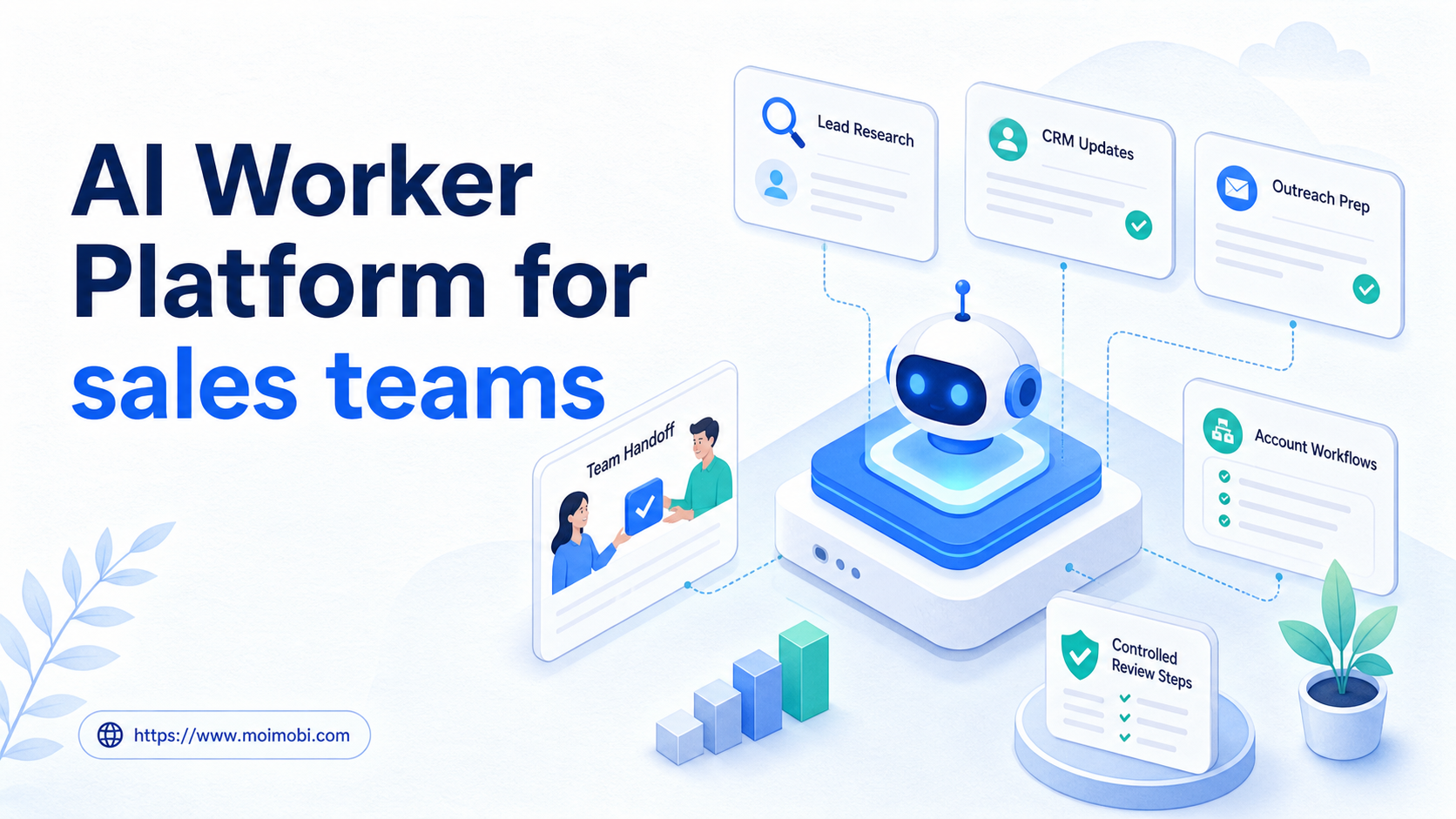
An AI worker platform is software that lets sales teams assign repeatable research, CRM, outreach preparation, and follow-up tasks to AI workers inside controlled browser or mobile environments. The goal is not to replace sales judgment. The goal is to remove repetitive preparation work while keeping account access, review, and records under control.
Sales teams already use many tools. A rep may research a prospect in a browser, check LinkedIn, update a CRM, prepare a note, review a company site, and schedule a follow-up. AI can help with parts of that work, but the team still needs a controlled way to execute tasks across accounts and dashboards.
MoiMobi treats this as an AI execution platform problem. AI prepares the research or action. Browser profiles, cloud phones, and Android devices provide the execution environments. Sales operators approve what should be sent, updated, escalated, or retried.
Key takeaways
- Sales AI workers fit research, CRM cleanup, follow-up prep, and account-based workflow checks.
- Browser profiles are useful for web research and CRM dashboards.
- Mobile environments matter when sales conversations or social workflows happen inside apps.
- Outreach messages, pricing claims, and sensitive customer notes need human review.
- A pilot should track data quality, accepted drafts, failed runs, and manual takeover rate.
What Is AI Worker Platform for sales teams?
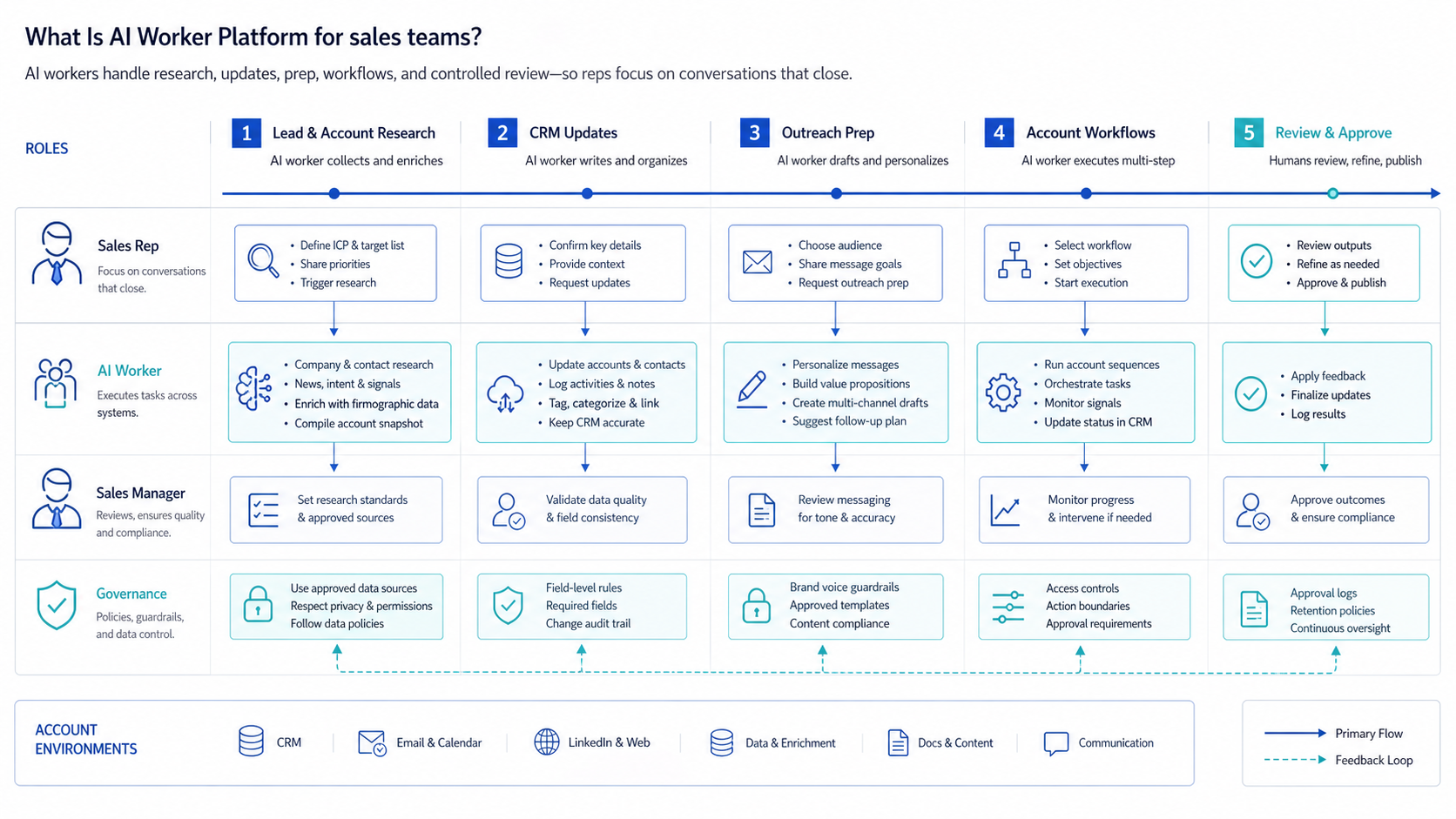
The practical definition is controlled task delegation. A sales team gives a worker one narrow job, a data source, an account environment, a stop rule, and a review path.
One worker may collect prospect facts from public websites. Another may enrich CRM records from approved sources. A third may prepare follow-up notes after a demo. The platform matters because these jobs need a place to run and a record of what happened.
A browser execution platform is especially relevant for sales operations because much of the work happens in web tools. Browser automation is not just a screen shortcut. The W3C WebDriver specification defines a formal protocol for browser control, and Playwright documents actionability checks before actions like clicks and input in its actionability guide.
Mobile execution can also matter. Some sales teams use mobile-first messaging channels, social apps, or account workflows. When a team needs a remote Android workspace, a cloud phone execution environment can support app-based work without relying on personal phones.
Why AI Worker Platform for sales teams Matters
Sales execution often fails at the handoff points. A lead is researched but not added to the CRM. A follow-up note is drafted but not reviewed. A prospect account is assigned to two people. A message is sent without enough context.
The platform helps by giving repeated sales tasks a defined path. The worker does not simply produce text. It can collect inputs, prepare an output, request review, and record the result.
This structure is useful for account-based sales. Each account can have its own owner, status, source notes, next action, and allowed workflow. That is why sales teams with multiple reps, regions, or campaign accounts should think in terms of multi-account management, not only prompt quality.
The same logic applies to social selling. A sales team may research prospects on a web page, check a social profile, prepare a message, and wait for human approval. That sequence needs account context and traceability.
Scenario Map for Sales Operations
Sales teams should map AI workers to specific tasks before adding automation volume. The table below shows a safer operating model.
| Sales workflow | AI worker role | Execution environment | Human control point | Success metric |
|---|---|---|---|---|
| Lead research | Collect company facts, role data, source URLs, and notes | Browser profile for web research | Rep checks fit before outreach | Qualified records accepted |
| CRM cleanup | Find missing fields, duplicate notes, and stale next steps | CRM dashboard in a controlled browser profile | Ops lead approves updates | Records corrected without rework |
| Outreach preparation | Draft message options from approved positioning and source notes | Browser or mobile account workspace | Human approval before sending | Accepted drafts and edit rate |
| Follow-up tracking | Check open tasks, missed replies, and pending account actions | CRM plus inbox workspace | Rep chooses next action | Missed follow-ups reduced |
The point is not to make one worker do everything. Narrow roles make reviews easier and failures easier to diagnose.
Key Benefits and Use Cases
The strongest use cases are preparation-heavy. Lead research, account summaries, CRM hygiene, meeting prep, and follow-up reminders all have repeatable patterns. They also leave evidence that a manager can review.
Outreach should be handled carefully. AI can prepare drafts, but the person responsible for the relationship should approve final messages. This is especially important for pricing, claims, objections, and sensitive accounts.
Sales operations teams benefit when they need consistent records. A worker can check whether source links, account stage, owner, last contact, and next step are present. A human can then approve bulk cleanup rules or fix edge cases.
Social and mobile sales teams may also need mobile automation. If conversations happen inside mobile apps, the execution environment should match the real workflow. A browser-only setup may miss app-specific context.
How to Get Started with AI Worker Platform for sales teams
Start with one task that creates measurable cleanup. Do not begin with full outreach automation. Begin where evidence and review are simple.
-
Pick a narrow workflow. Good starts include lead research, CRM field checks, meeting prep, or follow-up reminders.
-
Define the data source. Decide whether the worker can use a website, CRM field, social profile, support note, or internal sheet.
-
Choose the environment. Use a browser profile for web dashboards. Use a mobile workspace when the work happens in an app.
-
Write stop rules. Pause when the source is unclear, pricing is involved, private data is missing, or a message would be sent externally.
-
Add human approval. Sales messages, account changes, and sensitive notes should go through a responsible owner.
-
Record the outcome. Save source links, account ID, worker task, owner, status, and next action.
-
Review weekly. Compare accepted outputs, rejected outputs, failed runs, and manual takeover reasons.
Logs should be specific enough to support troubleshooting. OWASP's Logging Cheat Sheet explains why logging supports accountability and debugging. Sales workflows need that same discipline when records affect pipeline decisions.
Common Mistakes to Avoid
The first mistake is treating AI workers as message senders before they are reliable researchers. Sales teams should prove data collection and review quality first. Public outreach can wait.
The second mistake is mixing accounts and owners. A rep, SDR, agency operator, or regional team should not all work through one unclear account environment. MoiMobi's device isolation helps when account workspaces need to stay separated.
The third mistake is allowing unsupported claims. AI drafts may sound confident even when source data is weak. Require source links for account research and require approval for messages that mention pricing, performance, timing, or customer commitments.
The fourth mistake is measuring only task volume. A high number of generated leads means little if reps reject the records. Track accepted records, useful notes, outreach approvals, and CRM corrections.
Who It Fits and When It Is a Strong Match
Sales teams are a strong fit when they have repeated workflows that can be reviewed. SDR teams, account-based sales teams, agencies, and founder-led teams can all benefit if the first workflow is narrow.
The best fit is a team with clear sales stages and known source rules. A worker can collect company context, add a source URL, prepare a short note, and ask for review. The rep still decides whether the account is worth contacting.
The weaker fit is a team with no sales process. If the team has no rules for lead quality, CRM fields, review, or follow-up, AI workers will only add more noise. The process should come before automation.
Teams using social prospecting should also align the workflow with social media marketing operations. Sales and marketing accounts often overlap, so account ownership should be explicit.
Account Assignment and Review Boundaries
Sales workers should be assigned by account owner, territory, or campaign. A worker for outbound research should not silently update every CRM record. A worker for follow-up checks should not send messages from a shared account without a named reviewer.
Use one assignment record for each worker. The record should include the account group, CRM stage, approved data sources, allowed fields, stop rules, and reviewer. This looks simple, but it prevents confusion when several reps work the same market.
Account assignment also protects handoffs. If a worker finds a new lead, the record should show which source was used, which rep owns the account, and what action is pending. If the lead is rejected, the rejection reason should return to the workflow.
Review boundaries should be stricter for customer-facing actions. A worker can prepare a message, but it should not decide pricing, discounts, service promises, or timing commitments. The salesperson or manager owns that judgment.
Use this boundary checklist before expanding:
- The account owner is visible.
- The worker uses approved data sources.
- Every draft has source notes.
- External messages require approval.
- Failed runs create a next owner.
- CRM changes are reversible or reviewed.
This model keeps the sales team from treating AI as an invisible operator. It makes the worker part of the sales process, not a separate black box.
Pilot Rollout, Measurement, and Recovery Checks
A practical pilot uses one account group, one workflow, and one reviewer. For example, a team might run lead research for 50 accounts, CRM cleanup for one pipeline stage, or follow-up checks for one campaign.
Measure quality before expanding. Track accepted records, rejected records, missing source links, manual edits, failed runs, and owner feedback. Those numbers show whether the worker is improving the sales process.
Recovery checks prevent silent drift. A failed run should record the account, environment, data source, failure reason, and next owner. If a failure repeats, fix the prompt, source rule, environment, or review path before adding more accounts.
Privacy boundaries also matter. The NIST Privacy Framework frames privacy as risk management across systems. For sales teams, each worker should access only the fields needed for its task.
Use the pilot review to make one decision: keep, narrow, pause, or expand. That is more useful than a broad scorecard with no action.
Add one quality review before any scale-up. The sales manager should sample accepted records, rejected records, and draft messages. The goal is to see whether the worker improves rep preparation or only creates more review work.
Review source quality separately from writing quality. A message may sound polished while the account research is weak. Sales teams should check source URLs, account fit, role relevance, and whether the proposed next action matches the current stage.
Keep a separate list of repeat failures. Examples include missing source links, stale CRM stages, unclear account ownership, mobile app session errors, and drafts that overstate the offer. Each repeated failure should become a tighter rule before the workflow expands. Review these failures with reps before changing the next campaign.
This review gives managers a practical gate. If reps trust the records and reviewers can explain failures, the workflow can move to the next campaign. If not, narrow the task and improve the source rules first.
Frequently Asked Questions
What is an AI worker platform for sales teams?
It is a system for assigning repeatable sales tasks to AI workers and running them in controlled execution environments.
How is it different from AI sales software?
AI sales software may focus on writing or scoring. A worker platform focuses on task execution, account context, logs, and review.
What should sales teams automate first?
Start with lead research, CRM cleanup, meeting prep, or follow-up tracking. These are easier to review.
Can AI workers send outbound messages?
They can prepare drafts, but a responsible human should approve messages before sending.
Do sales teams need cloud phones?
They may need them when prospecting or follow-up happens inside mobile apps or Android account environments.
How should quality be measured?
Measure accepted records, useful notes, rewrite rate, failed runs, and whether reps trust the output.
What should not be automated first?
Avoid unreviewed outreach, pricing commitments, sensitive account notes, and customer-specific promises.
Is AI employee software the same thing?
The terms overlap. AI employee software emphasizes role identity, while an AI worker platform emphasizes workflow control.
Conclusion
For sales teams, the platform is useful when it gives sales work a controlled execution path. The team should know which account was used, which source was checked, which output was prepared, and who approved the next action.
Start with research or CRM cleanup, not unreviewed outreach. Define the source, account environment, stop rule, reviewer, and success metric. Keep notes from every rejected output. If the pilot produces records that reps trust, expand to the next workflow.



