
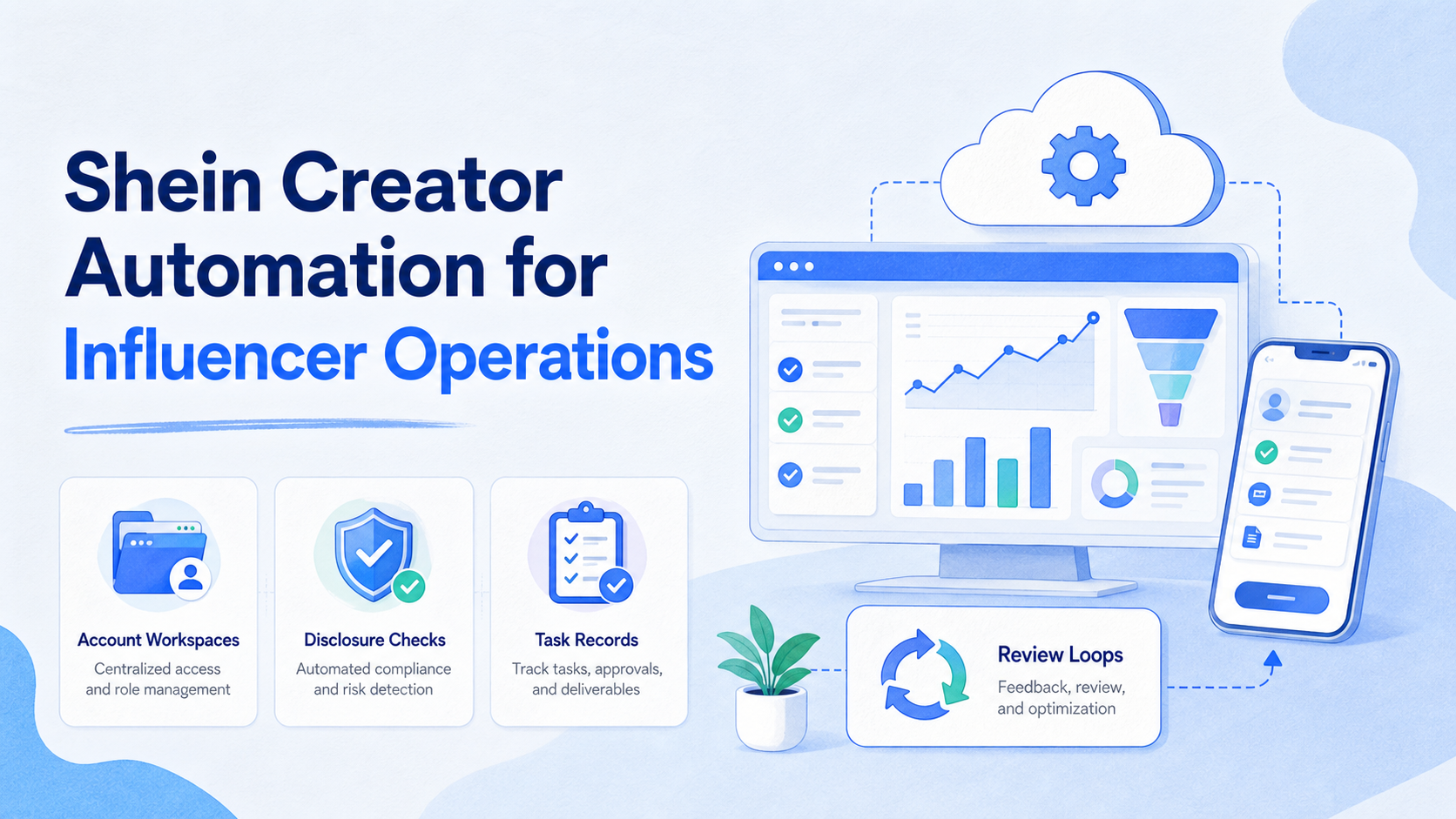
Shein creator automation is the structured use of workflows, account environments, task records, and review steps to manage creator operations around SHEIN campaigns or affiliate-style content. It should not mean blind mass posting or unmanaged creator outreach.
The practical use case is coordination. A team may need to brief creators, prepare product links, review captions, check disclosure language, collect performance notes, and follow up across several mobile apps. Automation helps when it reduces repeated admin work and keeps every account, creator, asset, and approval step traceable.
This matters because influencer work combines content, commerce, platform rules, and relationship management. Teams need speed, but they also need clear ownership and review. A workflow that publishes faster but loses disclosure records or account context creates a new risk instead of solving the old one.
Key Takeaways
- Shein creator automation should organize creator work, not replace human judgment.
- The workflow needs account ownership, mobile environments, disclosure checks, and review records.
- Creator campaigns need different controls from ordinary product listing tasks.
- A small pilot should measure reply quality, approval speed, missing assets, and recovery time.
- Multi-account operations work better when every account has a defined workspace and owner.
The Core Idea Behind Shein Creator Automation
The core idea is to turn creator operations into a controlled workflow. A team should know which creator is assigned, which product or collection they are promoting, which account manages the conversation, what content is approved, and what follow-up is pending.
SHEIN's own help-center search results reference a Creator Center intended to support influencer operations. That is a useful signal for teams: creator work is not only a social posting task. It is a process involving product selection, creator communication, campaign assets, and performance review. Use SHEIN's official Help Center as the first place to verify current program details because availability and rules can vary by region.
For operations teams, the automation layer should sit around the process:
- Brief preparation
- Creator list organization
- Product link and asset collection
- Caption and disclosure review
- Mobile account assignment
- Comment, message, and status tracking
- Weekly campaign review
The safest pattern is human-in-the-loop automation. AI can draft a caption, summarize a creator profile, or suggest a follow-up. The operator should still approve claims, disclosures, product details, and sensitive replies.
Why Teams Search for Shein Creator Automation
Teams usually search for this topic after manual creator work becomes hard to track. One person may be able to manage a few creators in a spreadsheet. A team handling many creators, accounts, and regional campaigns needs cleaner structure.
The problem is rarely one missing tool. It is usually four smaller problems happening together.
| Problem | What breaks manually | Better automation boundary |
|---|---|---|
| Creator communication | Replies, approvals, and follow-ups get lost. | Use task queues and owner fields. |
| Content review | Captions, claims, and disclosure wording are inconsistent. | Use review checklists before publishing. |
| Account operations | Several operators touch the same accounts without clear context. | Use separated account workspaces. |
| Mobile execution | App-based checks depend on one local phone. | Use persistent mobile environments when needed. |
FTC guidance is also relevant. The FTC tells influencers to disclose material relationships with brands and says disclosures should be hard to miss. See the FTC's Disclosures 101 for Social Media Influencers. Any workflow that touches creator content should treat disclosure review as a normal task, not an afterthought.
Who Benefits Most and In What Situations
This workflow is a good fit for teams that already run creator campaigns or affiliate-style content across several accounts. It is less useful for a solo creator who only needs a simple calendar and manual reminders.
Good-fit teams usually have these traits:
- Several creators or affiliates to coordinate
- Repeated product seeding or collection promotion tasks
- More than one operator handling creator messages
- Mobile app work that must happen in logged-in environments
- A need to record approvals, replies, and campaign outcomes
Poor-fit teams have a different profile. They have no clear creator policy, no disclosure standard, no owner for campaign records, and no approval path for product claims. Automation will not fix that. It will only make a weak process move faster.
For teams already managing multiple profiles, multi-account management becomes the operating base. Each campaign account should have a known owner, account status, environment, and task history.
How to Evaluate or Start Using Shein Creator Automation
Do not begin with bulk actions. Start with workflow design. The first version should be small enough to audit by hand.
Preflight checklist
- Account map: list creator, brand, support, and campaign accounts.
- Environment map: decide which accounts need browser work and which need mobile app access.
- Permission map: define who can message creators, approve posts, change links, and publish.
- Disclosure rule: write a plain-language check for sponsored, gifted, affiliate, or paid content.
- Asset record: store product URLs, screenshots, captions, briefs, and approval notes.
- Stop rule: define when a task must pause for human review.
Then run the first workflow.
- Choose one campaign lane, such as creator briefing or content approval.
- Assign each account to a workspace and owner.
- Prepare the product link, brief, caption draft, and required disclosure note.
- Route mobile checks through a defined environment.
- Ask a reviewer to approve before the final creator-facing message or post.
- Record result, follow-up date, blocker, and next owner.
- Review the run before adding more creators or accounts.
This is where cloud phones can help. If creator work requires mobile app sessions, a cloud phone gives teams a persistent remote Android environment. A dedicated cloud phone product layer can then support repeatable app-based checks without tying every task to one physical handset.
Account Workspace Design for Creator Operations
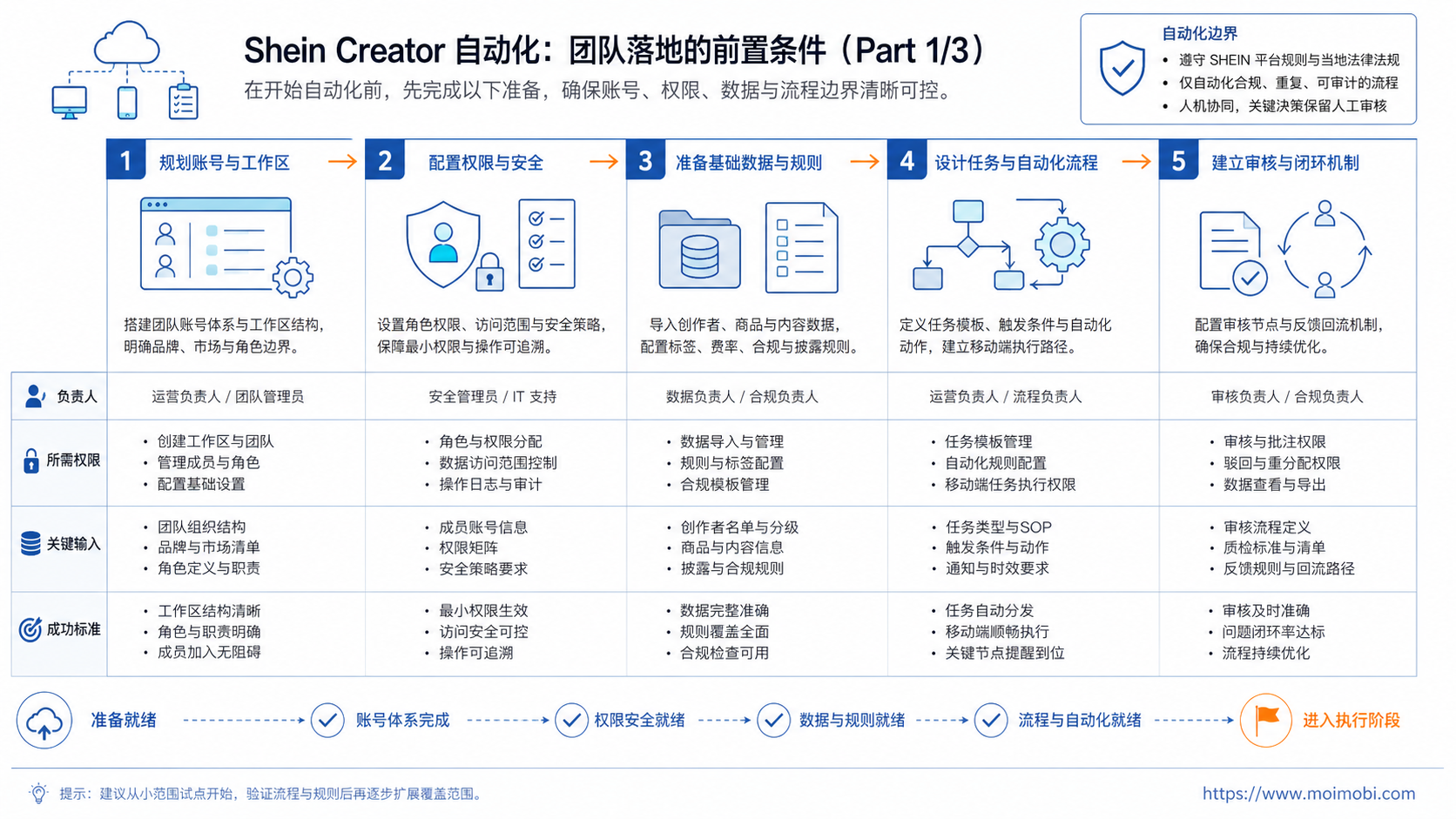
Creator operations need a different workspace design from ordinary store admin work. A store admin workflow often tracks products, inventory, and orders. A creator workflow tracks people, content, claims, disclosures, and follow-up timing.
Use one workspace record per campaign account or account group. The record should include:
- Account name and platform
- Owner and backup owner
- Creator list or campaign segment
- Product collection or affiliate link set
- Approved caption rules
- Disclosure requirements
- Mobile environment or browser profile
- Last review date
- Current blockers
Teams should also separate browser and mobile work. A browser profile may work well for dashboards, spreadsheets, and link management. A cloud phone or Android environment may fit app-based creator messages, mobile previews, and platform-native checks.
MoiMobi treats this as an execution environment problem. The goal is not only to write better captions. The goal is to connect content, account context, mobile execution, and review records in one controlled system.
Team Roles and Task Fields to Define First
Creator operations become easier to automate when the team separates roles before assigning tools. A creator manager, content reviewer, mobile operator, and campaign owner should not share one vague task queue.
Use a simple role model.
Campaign owner. This person decides campaign scope, product focus, creator segment, and final success criteria. They also decide when a workflow should pause.
Creator manager. This person handles creator communication, follow-up timing, and relationship notes. They should not need to guess which product link or disclosure rule applies.
Content reviewer. This person checks captions, product claims, disclosure wording, and brand tone. They should review before a creator-facing message or approved post template moves forward.
Mobile operator. This person handles app-based checks inside the assigned mobile environment. Their job is execution evidence, not campaign strategy.
Each task should also carry a few fixed fields. At minimum, record the creator name or ID, campaign account, product link, channel, owner, reviewer, status, disclosure check, due date, and evidence link. For mobile work, add the cloud phone or device workspace used for the action.
This field list matters because creator work is easy to misunderstand after the fact. A message may look complete, but the disclosure may be missing. A caption may look approved, but the product link may be wrong. A creator may reply, but the next owner may not know whether to send a brief, ask for content, or escalate a claim.
For teams running creator activity across social channels, social media marketing should be connected to account workspace planning. The campaign is not only a content calendar. It is also a set of account, creator, review, and mobile execution records.
Mistakes That Reduce Results
The first mistake is using automation to push more messages before the campaign has a real approval process. That creates noise. It also makes it harder to know which creator received which brief.
The second mistake is ignoring platform disclosure tools. Meta's business help explains that branded content on Instagram must use the paid partnership label when required. Teams should confirm the current rule before a campaign goes live. See Meta's official guidance on branded content on Instagram.
The third mistake is mixing personal creator notes with account execution records. Creator notes belong in the campaign record. Login state, environment, and task history belong in the account workspace.
The fourth mistake is skipping mobile environment control. If several people use one phone to check different creator accounts, handoff becomes unclear. Device isolation helps teams separate account workspaces and reduce context mixing.
The fifth mistake is treating disclosure as a final caption detail. The FTC's Endorsement Guides explain that material connections may need clear disclosure when audiences would not expect them. Cornell's e-CFR copy of 16 CFR Section 255.5 is a useful legal reference for the disclosure principle.
Pilot Rollout, Measurement, and Recovery Checks
Run the first pilot on a narrow campaign. Pick one region, one product group, one creator segment, and one account group. Avoid starting with all creator accounts at once.
Measure four operational signals:
- Approval speed: how long it takes to approve a brief, caption, or follow-up.
- Missing data rate: how often the operator lacks product, link, creator, or disclosure details.
- Recovery time: how long it takes to fix login, account, app, or content issues.
- Review quality: how often a reviewer changes claims, disclosure language, or message tone.
Add one recovery checklist to the workflow.
- Pause the task when product details, creator status, or disclosure wording is unclear.
- Assign one owner to investigate the missing field.
- Record whether the issue came from account access, campaign data, content review, or app execution.
- Update the SOP before the next campaign batch.
For mobile-heavy workflows, mobile automation should enter after the team proves the manual workflow. The automation should repeat an approved process, not invent one during execution.
TikTok's advertising help also shows why disclosure settings belong in the workflow. It explains how to turn on a commercial content disclosure setting and select branded content where applicable. Use TikTok's official commercial content disclosure help when a campaign touches TikTok workflows.
One extra check helps before expansion: compare planned work with actual evidence. If the team cannot match each creator task to a product, account, owner, disclosure note, and result, the workflow is not ready for a larger batch.
Frequently Asked Questions
1. What is Shein creator automation?
It is a workflow system for organizing SHEIN-related creator operations, such as briefs, links, captions, approvals, messages, and review records.
2. Is Shein creator automation only for posting content?
No. Posting is only one step. The broader workflow includes creator assignment, asset preparation, disclosure checks, follow-up, and reporting.
3. Can AI write creator captions?
AI can draft options, but operators should review product claims, brand tone, disclosure wording, and platform fit before anything goes live.
4. When do teams need cloud phones for creator operations?
Cloud phones help when the workflow requires persistent mobile app sessions, remote access, or repeated app-based checks across account workspaces.
5. Does automation remove the need for disclosure review?
No. Disclosure review should stay explicit. FTC and platform guidance make transparency a core part of sponsored or compensated content.
6. How should multi-account creator management start?
Start with account ownership. Map each account to an owner, environment, task type, and review rule before scaling outreach or publishing.
7. What should a pilot measure?
Measure approval speed, missing data, recovery time, review changes, and task completion. These signals show whether the workflow is ready to scale.
8. What should teams avoid first?
Avoid bulk messaging, unclear account sharing, unsupported product claims, and missing disclosure records. Those issues become harder to fix later.
Conclusion
The strongest setup treats creator automation as an operations system. It should help teams prepare content, assign accounts, review disclosures, manage mobile workflows, and keep campaign records clear.
Before expanding, check three things. Does every creator task have an owner? Does every account have a workspace? Does every sponsored or affiliate-style message have a review path? If those answers are clear, automation can support the workflow without hiding the controls that keep it accountable.



