
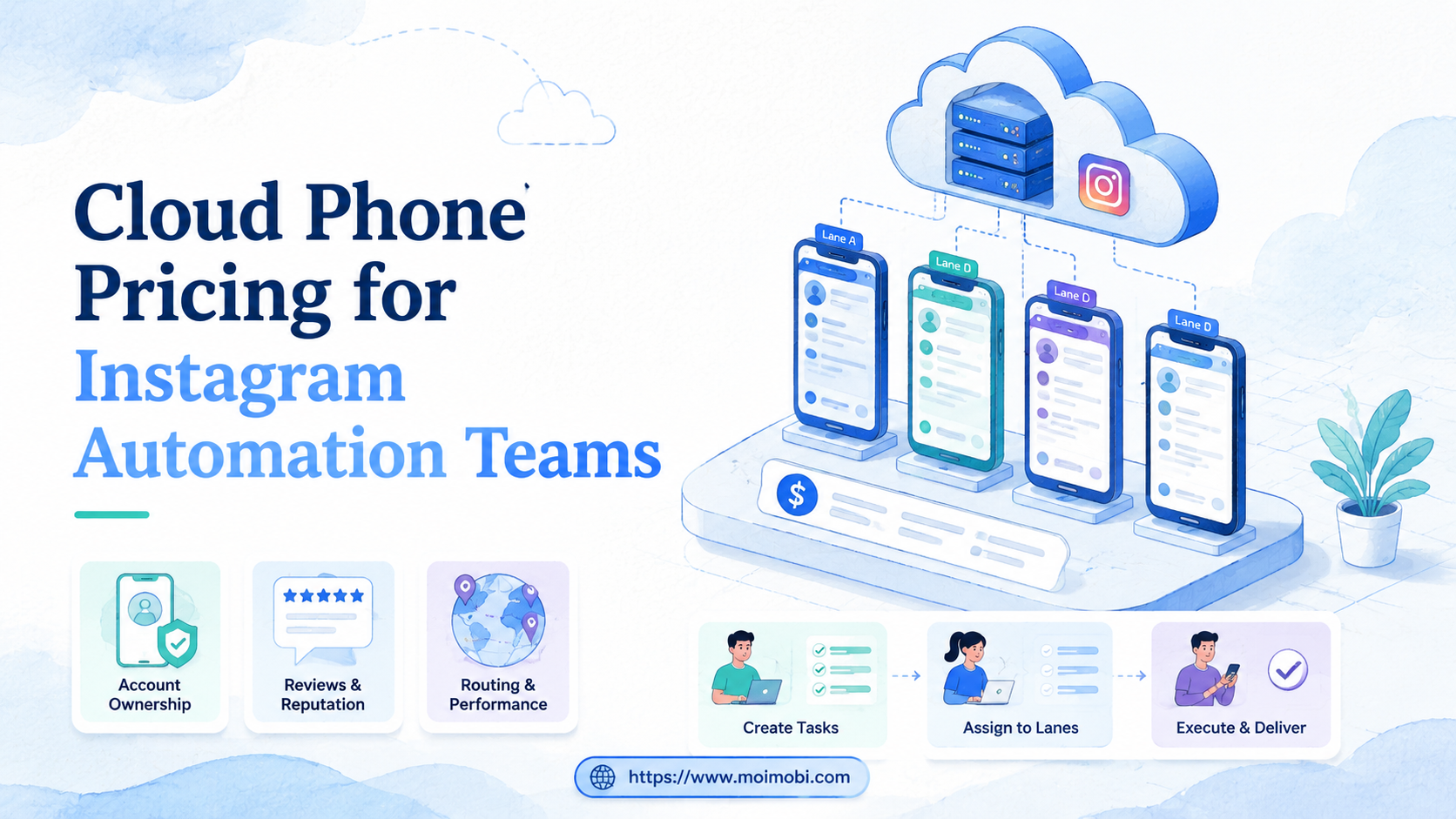
Key Takeaways
- Cloud phone pricing for Instagram automation should be judged by workflow capacity, not only by device count.
- The useful cost model includes cloud phones, account lanes, routing, content preparation, review time, support, and failure recovery.
- Instagram teams should compare mobile app execution, browser profile work, and human review as separate cost centers.
- A lower device price can become expensive when account assignment, approval, logs, and recovery are weak.
- The best pricing decision starts with a small pilot that measures completed tasks, accepted outputs, correction time, and failure reasons.
Cloud phone pricing for Instagram automation is the total cost of running Instagram account workflows inside remote mobile environments, including devices, routing, operators, approvals, support, and recovery time.
For Instagram teams, the pricing question should not start with "How many phones can we rent?" It should start with "How many account workflows can we run cleanly, review properly, and recover when something fails?"
Instagram operations are rarely one single action. A team may prepare Reels, check comments, review inboxes, monitor account status, move content through approval, and coordinate several people. Cloud phones are one layer in that system, not the whole budget.
The Core Idea Behind Cloud Phone Pricing for Instagram Automation
The pricing model looks simple when it is presented as a device price. That view is incomplete. Instagram automation teams are usually buying mobile execution capacity, account separation, review control, and a workflow record.
A cloud phone is a remote Android environment that can run app-based workflows without relying on a local physical phone for every account lane. The cost becomes clearer when the team treats each cloud phone as an execution lane with a purpose.
Three questions shape the real budget:
- Which Instagram tasks truly need mobile app execution?
- Which tasks can run in a browser profile, spreadsheet, or approval queue?
- Which tasks need human review before anything public happens?
The answer changes the pricing model. A team that only schedules content may not need many mobile lanes. A team that handles app-based replies, content checks, and account-specific workflows may need persistent cloud phones, clear owner assignment, and stronger monitoring.
What Pricing Really Includes
The first cost line is the visible device fee. It may be monthly, usage-based, package-based, or tied to device capacity. That line matters, but it is only one part of the decision.
The hidden cost lines often decide whether a plan works. Teams should include operator time, approval time, failed task recovery, content preparation, routing setup, logs, and support response.
| Cost Area | What To Check | Why It Changes the Budget |
|---|---|---|
| Cloud phone capacity | Number of device lanes, app requirements, concurrent tasks | More accounts do not always mean one device per account, but every active lane needs capacity. |
| Account assignment | Which account belongs to which device, owner, and workflow | Poor matching creates manual cleanup and repeated checks. |
| Routing and access | Proxy, region notes, access control, login handling | Environment setup work can exceed the visible device fee. |
| Review workflow | Approval rules for publishing, replies, and account changes | Teams still pay for judgment even when execution is automated. |
| Recovery | Failure reason, retry process, owner, task logs | Untracked failures turn cheap automation into expensive rework. |
This is why a cloud phone pricing page should be read like an operations estimate. The listed device price is the starting point. The workflow cost is the part that decides whether the setup scales.
Why Instagram Teams Search for This Topic
Search demand usually appears when the current process stops scaling. One operator may be able to handle a few accounts manually. A team running many accounts needs account lanes, approval rules, and task records.
Common triggers include:
- More Instagram accounts than one person can manage cleanly.
- Reels or post preparation that needs mobile app checks.
- Comment and DM workflows that require review before response.
- Client accounts that need separated workspaces and ownership.
- A shift from manual phones to cloud phones or mixed browser-mobile execution.
The search also reflects a comparison problem. A team may be weighing cloud phone vs physical phone farm, GeeLark vs cloud phone, MoreLogin vs cloud phone, or BitBrowser vs cloud phone. These are not identical categories.
Browser profile tools are often stronger for web dashboards and session separation. Remote mobile lanes are stronger when the task depends on Android app execution. Physical phone farms may fit teams that need local hardware control. The right pricing comparison starts by separating those jobs.
Meta's developer documentation and Platform Terms are useful reminders that platform access and automated actions must be handled carefully. Teams should design workflows around authorized access, review, and controlled task execution, not around blind volume.
Decision Matrix: What to Compare First
Do not compare providers only by monthly device cost. Compare the operating model first. A low monthly number can be misleading if the team needs many extra tools or manual recovery steps.
| Decision Factor | Low-Cost Plan May Work If | Teams Should Budget More If |
|---|---|---|
| Workflow complexity | Tasks are simple checks or light app access. | Tasks include publishing, inbox review, approvals, and recovery. |
| Account count | Accounts are few and handled by one operator. | Accounts are grouped by client, market, campaign, or operator. |
| Review needs | Outputs stay internal and low impact. | Replies, posts, or account changes need approval. |
| Browser vs mobile split | Most work happens in web dashboards. | App-based tasks require persistent Android environments. |
| Recovery depth | Failures are rare and easy to inspect manually. | Teams need logs, failed task reasons, and owner handoff. |
This matrix helps teams avoid a common mistake. A cloud phone plan can look expensive when compared only with browser software. It can look more reasonable when compared with physical device handling, operator time, and repeated mobile execution.
Who Benefits Most and In What Situations
This pricing question matters most for teams that run Instagram as an operation. That includes agencies, e-commerce teams, customer engagement teams, and cross-border marketing groups.
It is a strong fit when:
- Instagram accounts need separated mobile environments.
- Operators must hand off account work cleanly.
- The team needs app-based checks or mobile-specific workflows.
- Content approval, comment review, or inbox review happens repeatedly.
- Failures need to be logged and assigned to an owner.
It is a weaker fit when the team has one or two accounts, no repeated mobile workflow, or only needs content planning. In those cases, a social scheduler, browser profile, or simple approval process may be enough.
Teams using social media marketing workflows should also separate content planning from execution. Planning can happen in a content calendar. Execution may need browser profiles, cloud phones, or both.
Fit / Not Fit Guidance for Cloud Phone Pricing for Instagram Automation
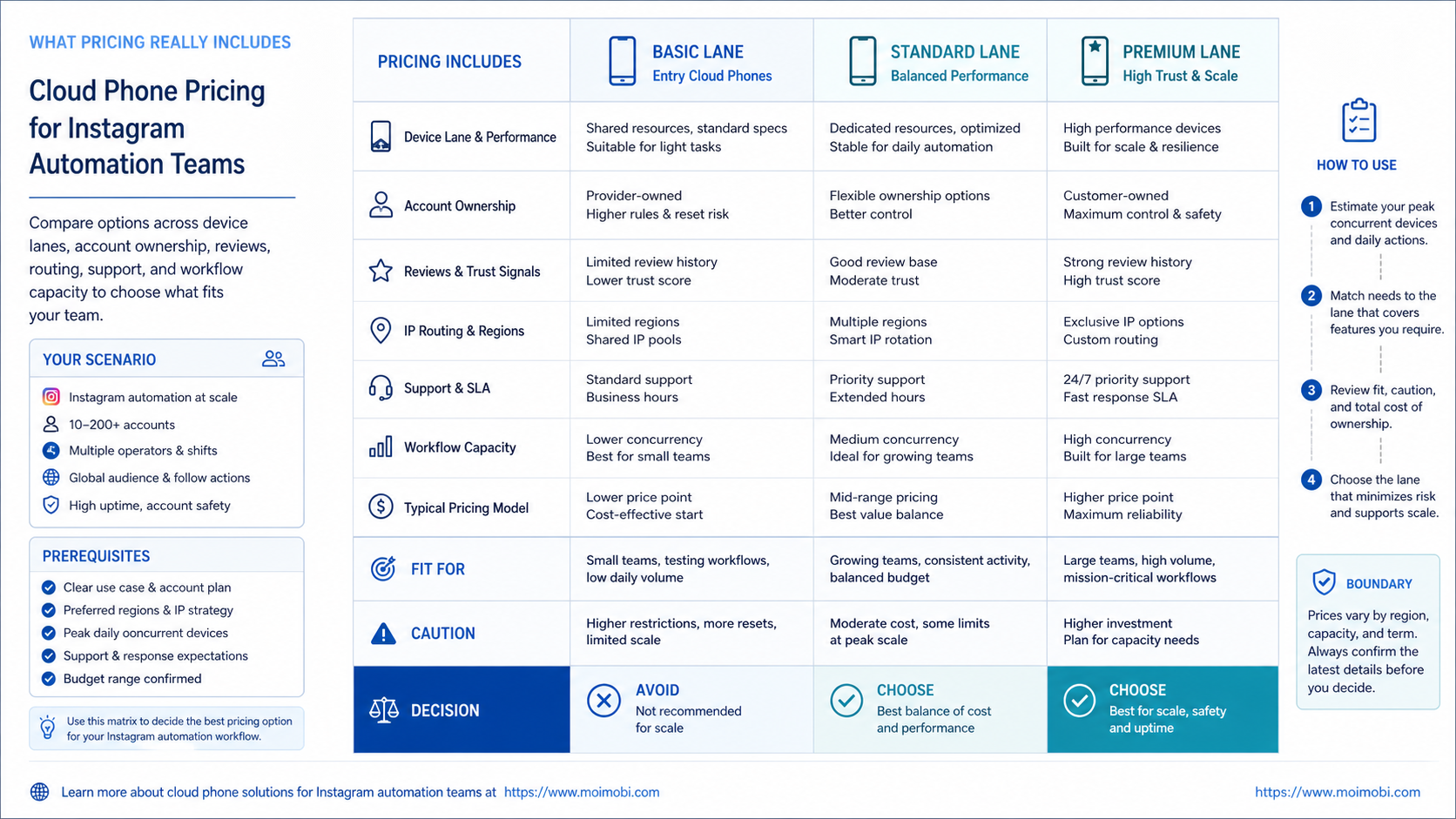
Pricing makes sense only after the team names the job. The same monthly device count can be reasonable for one team and wasteful for another.
Who Should Use It
- Instagram work depends on mobile app screens, account-specific app sessions, or mobile review steps.
- The team manages several accounts across clients, markets, support roles, or campaign groups.
- Operators need visible ownership, review gates, and recovery records.
- Managers want to measure accepted tasks, not only attempted automation runs.
When It Is Not Fit
- The team only needs planning, calendar approval, or basic scheduling.
- Most work happens inside web dashboards and does not require Android app execution.
- There is no repeated workflow yet, so every task still needs custom judgment.
- No one is assigned to review outputs or recover failed account lanes.
The boundary is important for budget control. Cloud phones are usually easier to justify when mobile execution is tied to a clear account lane. They are harder to justify when the team is only trying to replace a content calendar or a browser-based workflow.
How to Evaluate Cloud Phone Pricing for Instagram Automation
Start with the workflow, then price the environment. That order prevents overbuying devices before the team knows what each device lane does.
- List Instagram workflows. Separate publishing preparation, inbox review, comment review, monitoring, reporting, and account checks.
- Mark mobile-required tasks. Identify tasks that truly need the Instagram app or an Android environment.
- Assign account lanes. Map accounts to device lanes, browser profiles, owners, and backup owners.
- Add review gates. Define where humans approve posts, replies, account changes, and failed task recovery.
- Estimate total cost. Include device fees, operator time, routing setup, support, review time, and recovery time.
- Run a pilot. Test a small account group before committing to a larger plan.
This sequence also helps compare cloud phone pricing page claims with real needs. If a provider prices by device, ask how many workflows one device can realistically support. If a provider prices by usage, ask how task duration and failed runs are counted.
For teams that also run web tasks, mobile automation should be evaluated beside browser automation. A mixed Instagram operation often needs both: browser work for dashboards and mobile work for app-specific operations.
Mistakes That Make Pricing Look Wrong
The first mistake is pricing devices without pricing review. Teams still need people to approve sensitive content, review replies, and decide how to handle exceptions.
The second mistake is treating every account equally. A main brand account, a support account, a testing account, and a client campaign account may need different device capacity and different review rules.
The third mistake is ignoring failure cost. A failed login, stuck app update, missing file, wrong account lane, or rejected reply takes time. If those failures are not tracked, the pricing model looks cheaper than the real operation.
Avoid these pricing shortcuts:
- Counting cloud phones but not account lanes.
- Comparing cloud phone vs physical phone farm without operator time.
- Comparing BitBrowser vs cloud phone without separating browser and mobile tasks.
- Buying capacity before defining review gates.
- Measuring only tasks completed, not tasks accepted after review.
Better pricing starts with task evidence. If the workflow is unclear, any pricing page will be hard to evaluate.
Pilot Rollout, Measurement, and Recovery Checks
A pricing pilot should be small enough to inspect. Choose one Instagram account group, one task type, and a limited set of cloud phones.
For example, a team might test comment review for five accounts or content approval for a small campaign group. The pilot should record which device ran the task, who reviewed the result, and why any task failed.
Track these metrics:
- Cost per accepted task: not only cost per attempted task.
- Review time: how long humans spend approving or correcting outputs.
- Device utilization: whether cloud phones sit idle or become bottlenecks.
- Failure reason count: login issue, app update, wrong account, missing content, reviewer rejection, or task timeout.
- Recovery time: how long it takes to return a paused lane to normal work.
The pilot should answer one question: does the chosen setup reduce operational load after review and recovery are counted? If not, the pricing problem may be workflow design, not provider cost.
This is where multi-account management becomes part of the pricing conversation. A team should not pay only for devices. It should pay for clearer account lanes, task ownership, and repeatable execution.
Frequently Asked Questions
1. What does cloud phone pricing for Instagram automation include?
It includes device capacity, app execution, routing setup, account assignment, review time, support, logs, and recovery work.
2. Should every Instagram account have its own cloud phone?
Not always. High-priority or high-volume accounts may need dedicated lanes. Lower-volume accounts may share capacity if ownership and task timing are clear.
3. Is a cloud phone cheaper than a physical phone farm?
It depends on workflow, hardware handling, operator time, remote access needs, and support. Compare total operating cost, not only device fees.
4. How is BitBrowser vs cloud phone different?
BitBrowser-style tools focus on browser profile workflows. Cloud phones focus on mobile app execution. Instagram operations may need one or both.
5. When is MoreLogin vs cloud phone the wrong comparison?
It is the wrong comparison when the workflow is app-first. A browser profile tool may not replace mobile execution for tasks that depend on Android apps.
6. What should a pricing pilot measure?
Measure accepted tasks, review time, recovery time, device utilization, failure reasons, and account-lane clarity.
7. Can cloud phones replace social media scheduling tools?
Usually not directly. Scheduling tools help plan content. Remote mobile environments support mobile execution and account-specific app workflows.
8. What is the first budget line to check?
Start with the number of active workflows, not the number of accounts. Active workflows reveal how many execution lanes the team really needs.
Conclusion
Pricing for Instagram automation is a workflow decision before it is a device decision. Teams should price execution lanes, not just remote phones.
Before choosing a plan, map three things: which Instagram tasks need mobile execution, which accounts need separate lanes, and where human review is required. Then run a small pilot that measures accepted tasks, review time, failure reasons, and recovery time.
If the pilot shows clear account lanes and lower manual cleanup, the pricing model is easier to justify. If the pilot creates more review work, fix the workflow before adding more cloud phones.



