
Key Takeaways
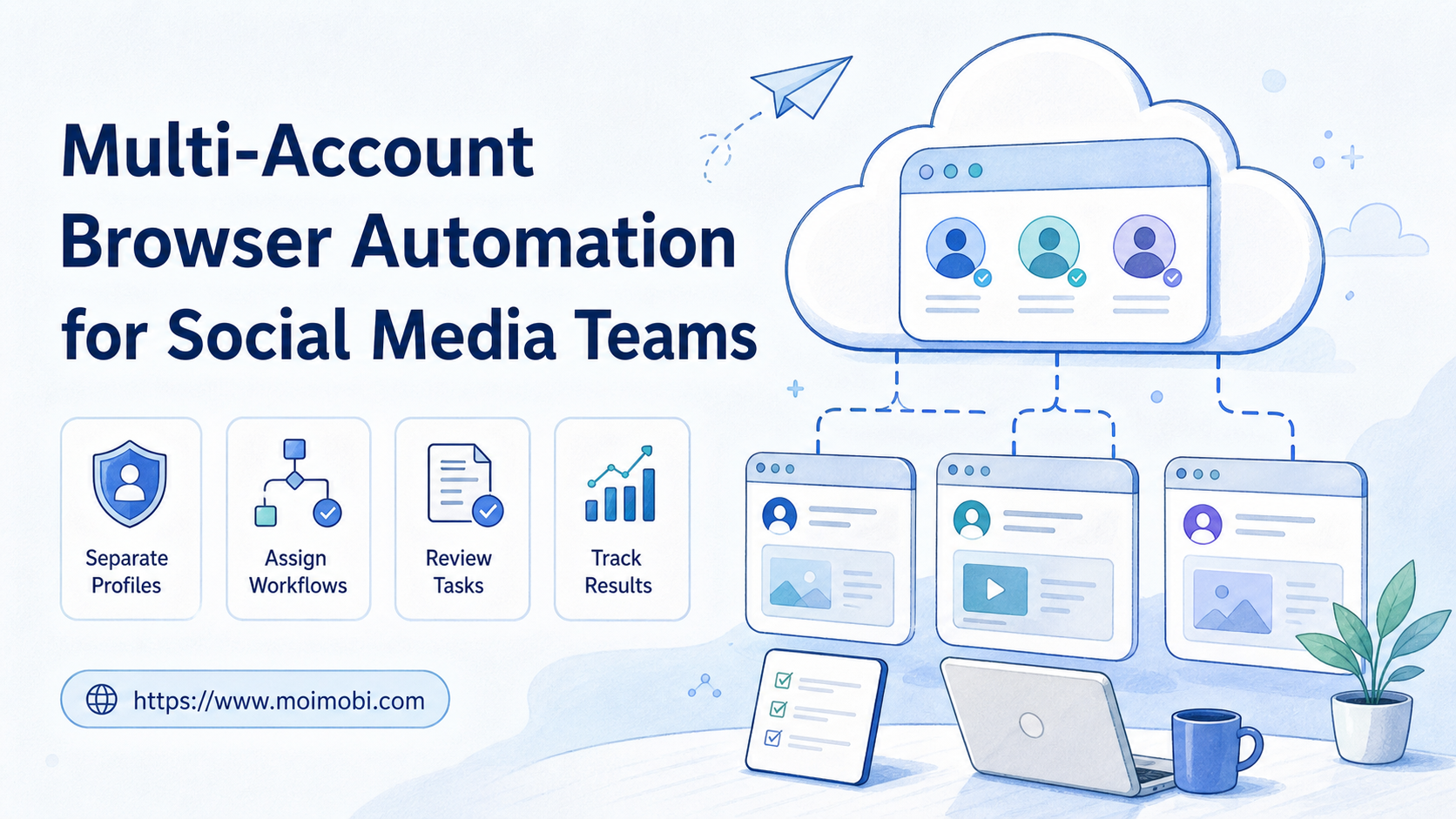
- Multi-account browser automation is a workflow system for operating many social accounts through separated browser profiles.
- The goal is not unlimited posting. The goal is controlled execution, account separation, ownership, and review.
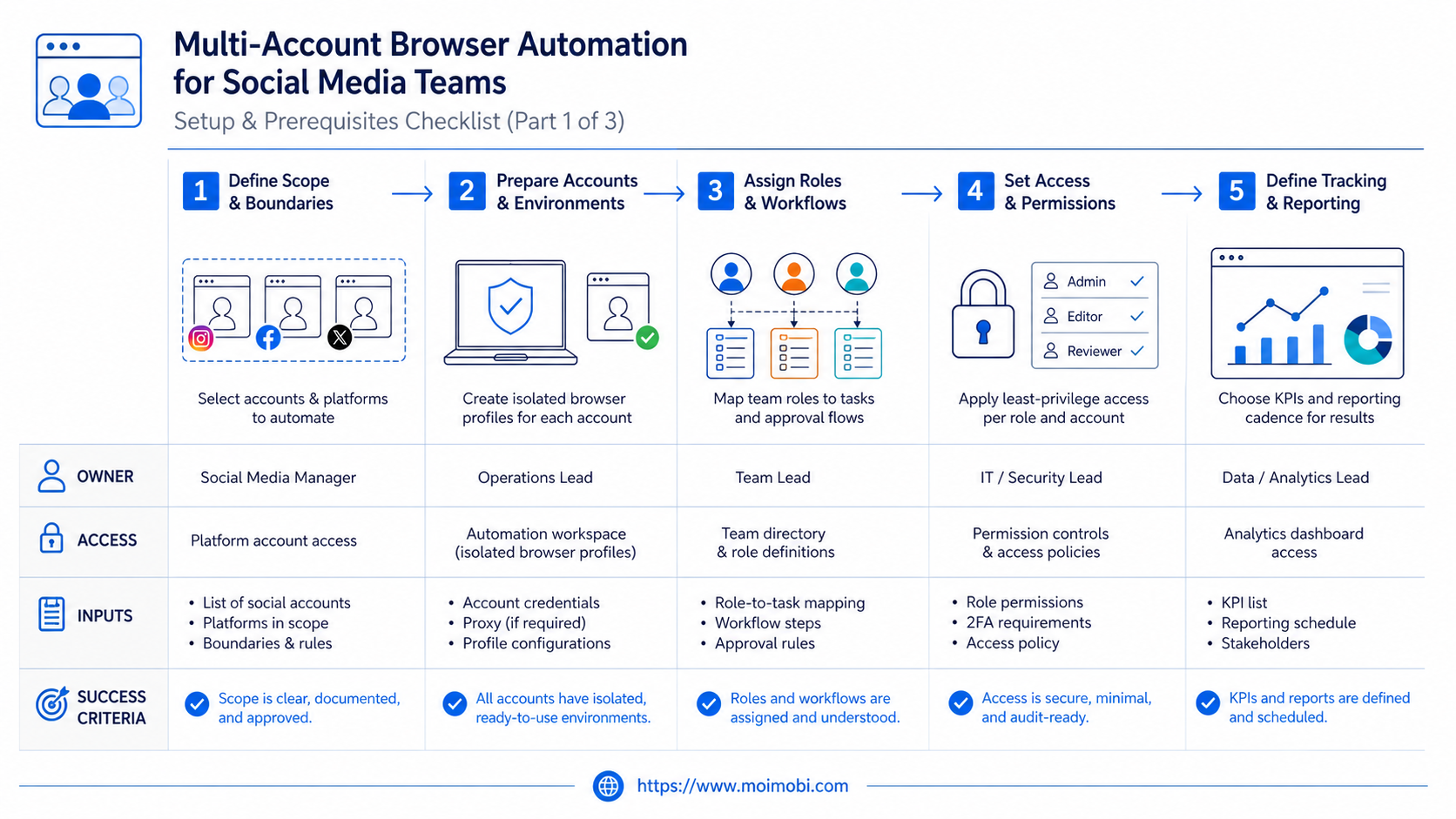
- Social teams should map each account to a profile, owner, task queue, approval rule, and recovery path.
- Browser automation works best for web dashboards, account checks, content preparation, monitoring, and structured replies.
- Mobile-first tasks may still need cloud phones or Android environments, especially when the work depends on app-only behavior.
Multi-account browser automation means using separated browser profiles and controlled workflows to operate multiple social media accounts without mixing sessions, owners, or task records.
For social media teams, the main decision is not whether a browser can open many tabs. The real decision is whether the team can keep accounts, permissions, content tasks, replies, and review history organized as volume grows.
Below is a practical setup model for profile separation, task assignment, human review, and measurable execution. The weak version is easy to spot: one shared browser, one shared login habit, and no record of who did what.
What Is Multi-Account Browser Automation for Social Media Teams?
Opening many browser windows is not a system. A window is only a surface. A working setup needs separated profiles, account ownership, repeatable tasks, and a review loop.
The profile is the core unit. It holds the session, cookies, extension state, and workspace context for one account or account group. Google Chrome's profile documentation describes profiles as a way to keep Chrome information separate. That matches the operational logic teams need when accounts should not share the same workspace.
Workflow actions then run inside that workspace. A team may use them to check account status, prepare posts, review comments, collect mentions, update content calendars, or draft replies. The safer starting point is usually preparation and review, not direct high-volume publishing.
Browser automation standards also matter. W3C WebDriver defines a remote control interface for browser automation, while Playwright documents browser contexts as isolated browser sessions. These concepts explain why multi-account work should be designed around session boundaries, not only around task speed.
For teams comparing a BitBrowser alternative, Ghost Browser alternative, or broader AI browser and cloud phone platform, the main question is practical: can the system keep social account work separated while still giving the team one place to assign and inspect tasks?
Why Multi-Account Browser Automation Matters
Social operations become messy when accounts multiply. A single content manager can remember a few passwords, tasks, and posting rules. A team managing dozens of accounts needs structure before automation.
The problem usually appears in four areas:
- Mixed sessions: operators forget which browser profile or account they are using.
- Unclear ownership: several people touch the same account without a clean record.
- Content drift: drafts, replies, and posting schedules lose account-specific context.
- Weak recovery: failed logins, changed pages, or rejected replies are handled manually without learning.
The reason it matters is operational control. Each account can have a profile, a task list, a person responsible for review, and a known environment.
At that point, multi-account management becomes more than a dashboard idea. The team needs account separation, workflow routing, review, and a record of completed work. Without that foundation, automation may simply move confusion faster.
Preflight Checklist Before You Automate
Do not begin with scripts. Begin with the operating model. If the team cannot explain account ownership and task boundaries, automation will expose that gap.
| Preflight Area | What To Define | Ready Signal |
|---|---|---|
| Accounts | Account role, platform, owner, backup owner, and profile name | Every account maps to one browser profile or profile group. |
| Permissions | Who can draft, approve, publish, reply, pause, and recover | No sensitive action depends on an unknown operator. |
| Environment | Browser profile, proxy path, device lane, and login method | Operators know where each account should run. |
| Task Types | Publishing, monitoring, reply preparation, account checks, reporting | Each task has a clear start, stop, and review rule. |
| Records | Status, failure reason, reviewer, edits, and final result | The team can inspect what happened after the task finishes. |
The checklist prevents a common failure. Teams often automate first and document later. That order creates hidden risk because nobody knows which part of the workflow created a problem.
Key Benefits and Use Cases
The strongest use cases are repeatable and account-specific. They do not require the AI or automation system to make sensitive decisions alone.
Content Preparation
Content teams can use browser automation to open the right account workspace, collect draft material, check the scheduled calendar, and prepare publishing fields. A human can still approve the final message and timing.
The pattern works well when each account has a different audience or offer. Profile context stays visible, while the workflow keeps steps consistent.
Comment and Inbox Review
Social teams can collect comments, sort messages, prepare reply drafts, and flag items that need human review. The workflow should separate routine replies from sensitive conversations.
Meta's Platform Terms and Instagram terms both show why teams should be careful with automation around platform access and user interactions. The practical takeaway is simple: design review gates and avoid turning account operations into blind mass actions.
Monitoring and Reporting
Monitoring workflows can check dashboards, collect visible account signals, and create task summaries for the team. Managers can review activity without asking every operator for manual updates.
The value is not only faster collection. It is a cleaner review process. A task record shows which account was checked, what was found, and which follow-up is needed.
Account Workspace Management
Browser profiles can become operating lanes. One lane may handle content review. Another may handle monitoring. Another may handle customer reply preparation.
App-based work needs a separate decision. If the task depends on a mobile app, the workflow may need a cloud phone execution environment or Android device lane.
How to Get Started with Multi-Account Browser Automation
Start with one workflow and one account group. A small pilot gives better evidence than a large launch that nobody can inspect.
- Create account groups. Group accounts by platform, client, market, or workflow. Do not mix unrelated accounts inside one profile pool.
- Assign profile ownership. Give each profile a name, account owner, backup owner, and allowed task types.
- Define workflow stages. Use simple states such as pending, running, review, approved, completed, failed, and paused.
- Start with preparation tasks. Begin with draft preparation, monitoring, data collection, or checklist review before direct publishing.
- Add approval gates. Require human approval before publishing, sending first-touch messages, or changing account settings.
- Record failures. Track page changed, login issue, missing content, rejected draft, permission mismatch, and timeout.
- Review weekly. Keep what improves output quality. Remove steps that only create extra checking work.
The sequence builds control before volume. A team can scale only after the profile model, review flow, and task records behave predictably.
MoiMobi fits this model as an execution platform. Teams can connect browser profiles, mobile execution, and account workflows instead of relying on one local browser setup. For web-first teams, social media marketing workflows can start with browser profile operations and expand only where the workflow proves repeatable.
Common Mistakes to Avoid
The first mistake is using one profile for many unrelated accounts. That may look convenient, but it weakens ownership and makes investigation harder when something breaks.
The second mistake is treating automation as a replacement for social judgment. Content tone, customer context, campaign timing, and sensitive replies still need accountable people.
The third mistake is measuring only completed tasks. Completion can hide low-quality output. A stronger review includes accepted drafts, edits required, failures by reason, and time spent recovering.
Avoid these patterns:
- Multiple operators using the same account workspace without handoff notes.
- Automation that publishes or replies without a review rule.
- Browser profiles named vaguely, such as "account 1" or "test profile."
- No difference between content, monitoring, and support tasks.
- No stop rule when a page changes or a login fails.
- No owner for cleanup after rejected outputs.
These mistakes usually come from skipping the system design. The browser can execute steps, but the team still needs role design, environment boundaries, and review discipline.
Who It Fits and When It Is a Strong Match
This setup fits teams that already run social accounts as an operation, not as casual posting. The team should have clear account roles, a repeatable task list, and a reason to keep account environments separate.
A strong match usually includes:
- Agencies managing client social accounts.
- E-commerce teams running marketplace and social promotion accounts.
- Customer engagement teams handling comments and social inboxes.
- Creator operations teams coordinating multiple brand or channel accounts.
- Cross-border teams that need account-specific workflows and handoff records.
The fit is weaker when the team has only one or two accounts, no repeated workflow, or no one available to review outputs. In those cases, a content calendar and simple browser profile discipline may be enough.
Tool comparisons should also include mobile requirements. A BitBrowser alternative or Ghost Browser alternative may solve web-session separation, but app-heavy work can require cloud phones, Android device environments, or a combined workflow.
Pilot Rollout, Measurement, and Recovery Checks
A good pilot proves whether the workflow is controllable. The pilot should not try to automate every social task at once.
Use a 10-workflow sample before expanding. For example, test comment collection for five accounts and draft preparation for five accounts. Review every run and log every edit.
Measure these results:
| Metric | What It Shows | What To Do Next |
|---|---|---|
| Task completion rate | Whether the workflow can finish without manual rescue | Fix environment issues before increasing volume. |
| Review acceptance | Whether outputs are useful after human review | Improve prompts, account context, or content rules. |
| Correction time | Whether automation saves work or shifts work to cleanup | Remove steps that create more review burden. |
| Failure reasons | Where the workflow breaks | Separate login, page, content, permission, and tool failures. |
Recovery checks should be explicit. If a profile cannot log in, pause that account. If a page changes, stop the task and record the selector or workflow issue. If a reply draft is rejected, improve the account-specific instruction instead of asking the system to run more volume.
That keeps automation operational. The team learns which workflows are ready and which ones need better account context.
Frequently Asked Questions
1. What is multi-account browser automation?
It uses separated browser profiles and controlled automation to operate many accounts without mixing sessions or task ownership.
2. Is this only for social media agencies?
No. Agencies are a common fit, but e-commerce teams, support teams, creator teams, and growth teams may also need profile-based social workflows.
3. Can it replace a social media manager?
It should not replace the manager's judgment. It is better for preparation, monitoring, structured checks, and task routing.
4. When should a team use cloud phones instead?
Use cloud phones when the workflow depends on mobile apps, app-only features, Android environments, or mobile-first account operations.
5. Is MoiMobi a BitBrowser alternative?
MoiMobi can support browser-profile workflows, but its broader value is execution across browser and mobile environments. That matters when social work is not only web-based.
6. Is MoiMobi a Ghost Browser alternative?
For teams that need account workspaces, workflow records, and mobile execution options, MoiMobi may cover a broader operational need than a local multi-session browser.
7. What should teams automate first?
Start with monitoring, draft preparation, account checks, or reporting. Delay direct publishing and sensitive replies until the review workflow is proven.
8. How do you know the workflow is working?
Check completion rate, accepted outputs, correction time, failure reasons, and reviewer feedback. Do not judge success by speed alone.
Conclusion
A strong browser automation system works like an operating model for account work. The profile separates the workspace. The workflow assigns tasks. The review loop decides whether the result is ready.
Before scaling, check three things. First, each account should have a clear environment and owner. Second, every automated task should have a review or stop rule. Third, the team should be able to inspect task history after completion or failure.
When those pieces are in place, social teams can move from scattered manual account work to repeatable execution across browser profiles, cloud phones, and shared operational records.



