
Key Takeaways
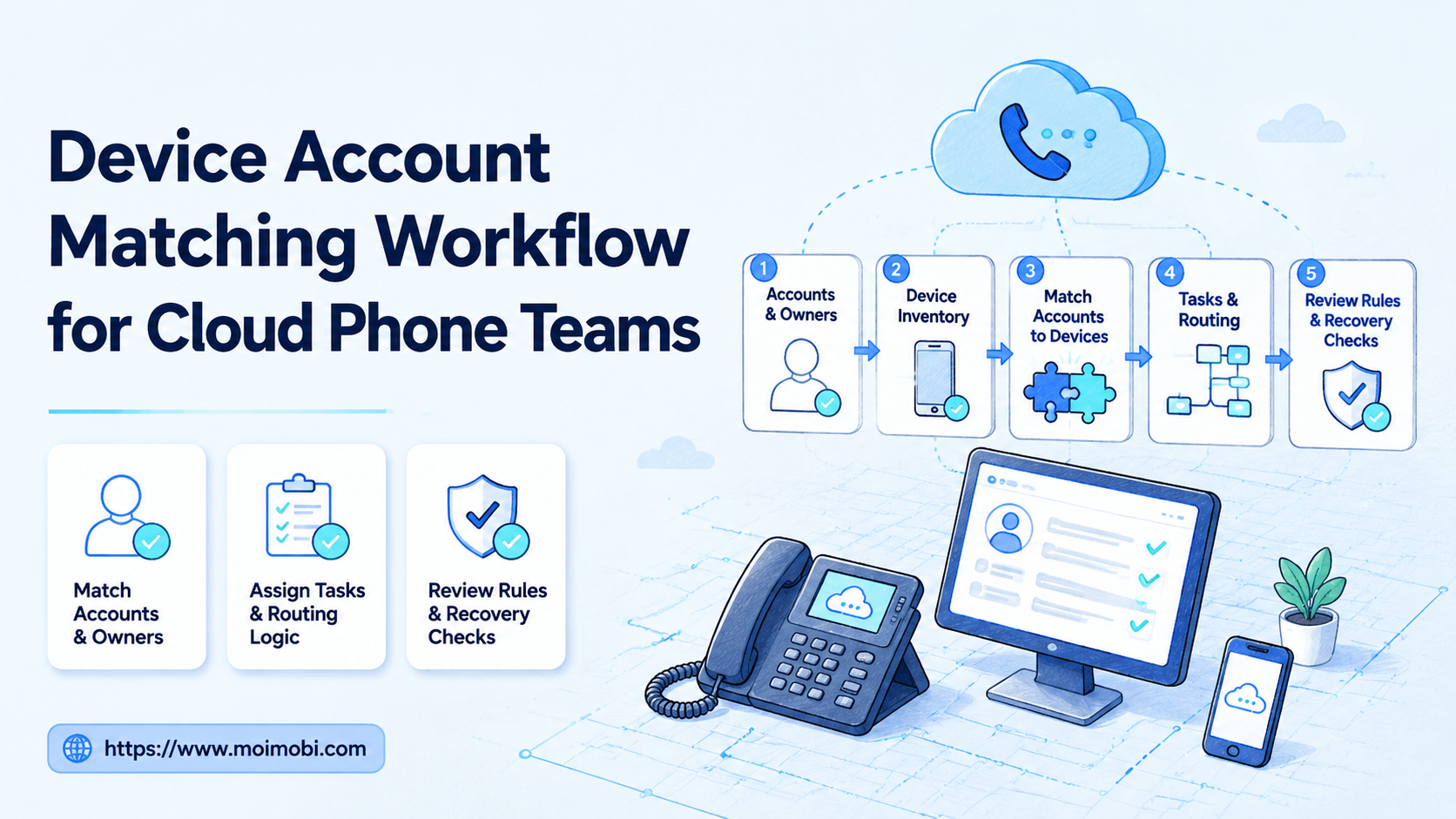
- A device account matching workflow maps each account to the right cloud phone, operator, task type, routing rule, and recovery path.
- The goal is not simply to add more devices. The goal is to make account work traceable and repeatable.
- Cloud phone teams should define ownership, device state, app requirements, review gates, and failure reasons before increasing volume.
- Browser profiles and cloud phones solve different parts of the same operations problem. Teams should decide which environment owns each task.
- A small pilot with clear metrics is safer than a broad rollout that nobody can audit.
A device account matching workflow is a repeatable process for assigning each account to a specific cloud phone, environment owner, task queue, and review path.
For cloud phone teams, this workflow matters because the device is not the only unit of work. The account, app session, operator, proxy route, content task, and recovery record all need to line up. If those pieces drift apart, teams may still have many devices, but they do not have a controlled operating system.
The practical question is simple: when a task starts, does the team know which account runs on which device, who owns that lane, what the task may do, and what happens when it fails? If the answer is unclear, adding more cloud phones will likely create more cleanup.
What Is a Device Account Matching Workflow?
A device account matching workflow connects five items: account, device, environment, task, and owner. It makes the relationship explicit before the team runs social, e-commerce, support, or content workflows.
This is different from keeping a spreadsheet of phones. A spreadsheet may list devices and accounts, but it usually does not define task permissions, app state, review rules, or recovery handling. A workflow turns that list into an operating model.
In a cloud phone setup, one account may need a persistent Android environment for app-based work. Another account may only need a browser profile for dashboard review. A third account may need both. The matching workflow decides which environment owns the account lane and which tasks belong there.
For teams still defining the category, a cloud phone execution environment is more than a remote screen. The environment acts as a persistent mobile workspace for app sessions, account-specific routines, and repeated mobile work.
Why Device Account Matching Workflow Matters
This workflow matters because multi-account operations fail in small ways first. A task runs on the wrong device. A content draft goes to the wrong account. A support reply is prepared in the wrong workspace. A failed login has no owner.
Those failures are hard to diagnose when the team only tracks device count. They become easier to inspect when each device-account pair has a known role and status.
| Matching Layer | What To Define | Why It Matters |
|---|---|---|
| Account | Platform, role, region, owner, backup owner | Prevents unclear responsibility when the account needs review. |
| Device | Cloud phone ID, Android version, app set, session status | Keeps app-based work tied to the right execution lane. |
| Routing | Network path, proxy rule, market group, access notes | Reduces accidental environment changes during handoff. |
| Task | Publishing, reply review, monitoring, lead follow-up, order checks | Stops one account lane from becoming a catch-all workspace. |
| Recovery | Failure reason, pause rule, owner, next action | Makes failed runs inspectable instead of invisible. |
Device matching is also the bridge between cloud phone vs physical phone farm decisions. A physical phone farm gives teams devices they can hold. A cloud phone platform gives teams remote mobile lanes that can be organized, assigned, and reviewed from a central system. The better choice depends on team workflow, access model, review needs, and cost structure.
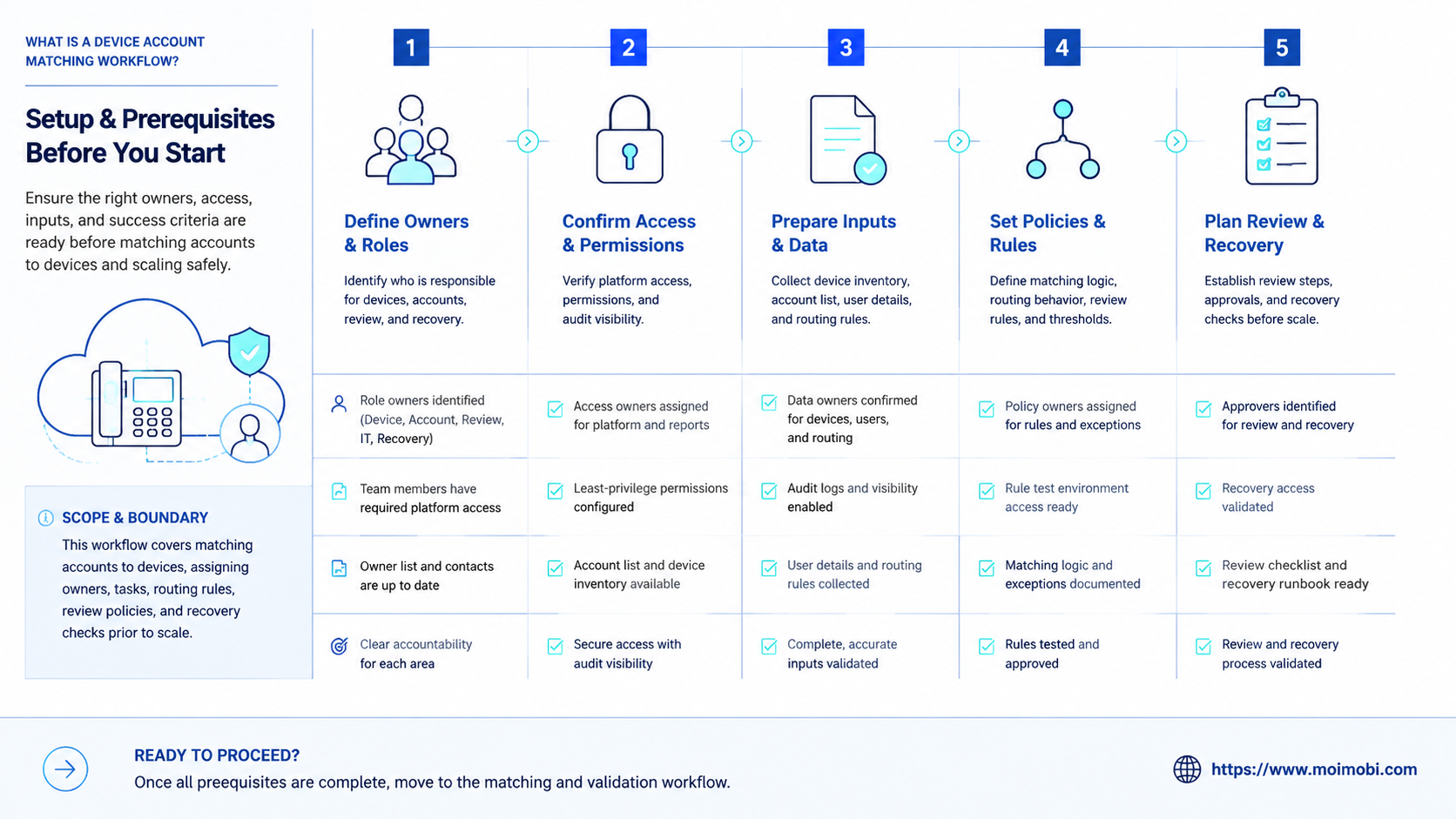
Preflight Checklist Before Matching Accounts to Devices
Do not start by assigning accounts at random. Start by defining the rules that make an assignment valid.
Use this preflight checklist:
- Account purpose: Is this account for publishing, support, research, monitoring, marketplace work, or testing?
- Platform requirement: Does the workflow require a mobile app, a web dashboard, or both?
- Owner: Who is responsible for the account lane and who handles backup review?
- Device state: Is the cloud phone active, cleanly labeled, and configured for the right app set?
- Environment notes: Does the team know the region, routing rule, login state, and access boundary?
- Task permission: Can this lane publish, draft, reply, monitor, or only collect information?
- Recovery rule: What happens after login failure, app update, missing file, rejected draft, or unclear result?
This checklist should be completed before automation runs. Preventing mismatched lanes is easier than auditing a large queue after tasks have already crossed accounts.
Official device-management documentation points in the same direction. Android Enterprise documents managed devices, app controls, and work profiles as separate management concepts. AWS Device Farm and Firebase Test Lab also show that cloud or hosted device workflows need explicit device state, app state, and test execution records. The operational lesson is not that marketing teams are testing apps; it is that device workflows need identifiable environments and run records.
How to Build the Device Account Matching Workflow
The safest workflow starts narrow. Match one account group, one device group, and one task type before expanding to more platforms.
- Create account groups. Group accounts by platform, market, brand, client, or operational role. Avoid broad labels such as "all social accounts."
- Create device groups. Label cloud phones by platform use, app set, market lane, and owner. A name like "ig-support-us-03" is easier to audit than "phone-03."
- Map account to device. Assign one primary device lane to each account. Add a backup lane only when the team has a clear handoff rule.
- Define allowed tasks. Decide whether the lane can publish, draft, reply, monitor, collect leads, or only run checks.
- Attach review gates. Keep human approval before sensitive actions such as first-touch replies, account setting changes, or public posting.
- Record task state. Use pending, running, review, completed, failed, paused, and reassigned states.
- Review failures weekly. Separate device issues from account issues, content issues, network issues, and unclear instructions.
The key is to make assignment stable but not rigid. A device-account pair should stay consistent during normal work. It should also have a controlled reassignment path when the device needs maintenance or the account changes role.
Key Benefits and Use Cases
The biggest benefit is not raw speed. The real gain is less confusion when the same team runs many accounts across social platforms, messaging apps, and commerce workflows.
Social Publishing and Review
Publishing workflows need clear content ownership. A device lane may receive the prepared media, caption, tags, and platform-specific notes. The reviewer should know which account the task belongs to before approval.
This connects directly to social media marketing workflows. Social teams need more than a queue. They need account-specific environments, visible review stages, and a way to pause work when context is missing.
Customer Reply Workflows
Support teams may use device-account matching to separate inboxes, comment streams, or app-based messaging. A routine reply may be drafted automatically, while sensitive replies stay in review.
This is where multi-account management becomes practical. A manager should see which account lane has open replies, which device is running, and which task needs human action.
Marketplace and E-Commerce Checks
Marketplace sellers may need device lanes for app-based order checks, notifications, product reviews, or account-specific status monitoring. Browser profiles may still handle web dashboards, but app-only tasks need mobile execution.
This does not mean every account needs a dedicated phone forever. It means every workflow needs a clear environment owner while it runs.
Cloud Phone vs Physical Phone Farm vs Browser Profiles
Cloud phone vs physical phone farm is not a simple winner-takes-all decision. A physical phone farm may be familiar for teams that need local hardware control. A cloud phone setup can be easier to assign, observe, and scale as remote mobile execution lanes.
Browser profiles solve another problem. They are strong for web dashboards, browser sessions, account admin pages, and research workflows. They are weaker when the task must happen inside a mobile app.
Use this simple split:
| Environment | Better Fit | Watch Out For |
|---|---|---|
| Cloud phone | Mobile apps, Android workflows, app-based accounts, remote device lanes | Needs clear account matching and device health tracking. |
| Physical phone farm | Local device control, hands-on testing, hardware-specific procedures | Operational overhead grows with device count and location. |
| Browser profile | Web dashboards, logged-in browser tasks, account admin, reporting | Does not replace mobile app execution when app behavior matters. |
Competitor searches such as GeeLark vs cloud phone, MoreLogin vs cloud phone, or BitBrowser vs cloud phone usually come from this environment-choice problem. The right answer depends on whether the team needs app execution, browser profile separation, or both.
Common Mistakes to Avoid
The first mistake is assigning one device to too many unrelated accounts. That creates confusion when tasks fail, because the team cannot tell whether the issue belongs to the account, device, app, route, or operator.
The second mistake is matching by availability only. The next free device is not always the right device. Match by account role, platform, app set, and task permission.
The third mistake is skipping recovery fields. A failed task should not only say "failed." It should say why. Useful failure reasons include login issue, app update needed, missing asset, wrong account, reviewer rejection, device unavailable, or unclear instruction.
Do not treat reassignment as a casual change. If an account moves to another device, record the reason, owner, time, and expected duration. This gives the team a clean audit trail without turning every handoff into a meeting.
Who It Fits and When It Is a Strong Match
This workflow fits teams that already manage more accounts than one operator can remember cleanly. The strongest fit appears when the team has mobile-first tasks, app-based customer interactions, social publishing, or marketplace checks.
A strong match usually includes:
- Social media agencies running multiple client accounts.
- Cross-border sellers using app-based commerce and messaging workflows.
- Customer support teams handling replies across social and messaging apps.
- Growth teams that need account-specific content lanes.
- Operations teams comparing cloud phone vs physical phone farm setups.
The fit is weak when the team has only one account, no repeated task, or no defined owner. In that case, simple documentation may be enough.
Platform-shift evaluations are another fit. If a browser-only tool handles web tasks but the team keeps returning to mobile app work, device matching becomes a core planning step.
Pilot Rollout, Measurement, and Recovery Checks
A pilot should test whether the matching logic holds under real work. It should not start with every account.
Pick 5 to 10 accounts from one platform or workflow type. Match each account to one cloud phone lane. Run one task category, such as content approval, comment review, or marketplace monitoring.
Track these metrics:
- Assignment accuracy: how often the right account runs on the right device.
- Task completion rate: how many tasks finish without manual rescue.
- Review acceptance: how many outputs pass review with minor edits.
- Failure reasons: which issues repeat across devices or accounts.
- Recovery time: how long it takes to return a paused lane to work.
Recovery checks decide whether to scale. If most failures come from unclear ownership, fix the account map. If failures come from app updates or device state, improve device maintenance. If reviewers reject outputs, improve task instructions before adding more accounts.
Frequently Asked Questions
1. What is a device account matching workflow?
It assigns each account to a known device, owner, task type, and recovery path before work starts.
2. Why do cloud phone teams need it?
They need it because device count alone does not create control. Teams need account ownership, environment state, and task records.
3. Is one cloud phone per account required?
Not always. Some teams use one-to-one matching for important accounts and grouped matching for lower-volume tasks. The key is clear ownership.
4. When should a team use browser profiles instead?
Use browser profiles when the work is web-first, such as dashboards, admin pages, reporting, or browser-based content review.
5. How does this relate to cloud phone vs physical phone farm?
The comparison is about operating model. Physical phones may fit local hardware control. Cloud phones can fit remote, assigned, and reviewable mobile workflows.
6. What should be tracked for each device-account pair?
Track account role, device ID, owner, app state, routing notes, allowed tasks, current status, and last failure reason.
7. Can automation run without human review?
Routine checks may need less review, but sensitive actions should keep approval gates. The operating rule should define where review is required.
8. What is the first workflow to pilot?
Start with a low-risk repeated task such as status checks, comment collection, draft preparation, or marketplace monitoring.
Conclusion
Device matching is the control layer behind cloud phone operations. First match each account to a device lane. Then define task permissions, owner, review rule, and recovery path. Only after that should the team increase task volume.
The strongest next step is a small pilot. Choose one account group, one task type, and a limited set of cloud phones. Measure assignment accuracy, task completion, review acceptance, failure reasons, and recovery time.
If the pilot stays clear under real work, the team can scale with more confidence. If it becomes confusing, the issue is not the number of devices. The missing piece is the workflow around them.



