
Key Takeaways
- Mobile automation vs browser automation is a choice about execution surface, not a generic tool preference.
- Browser automation usually fits dashboard work, form workflows, web inboxes, browser profiles, and reporting tasks.
- Mobile automation fits app-only steps, Android workflows, mobile account checks, and tasks that need a phone environment.
- Multi-account teams often need both, with clear account ownership, review gates, and recovery logs.
- The best decision starts with a small pilot that measures completed tasks, correction time, and failure reasons.
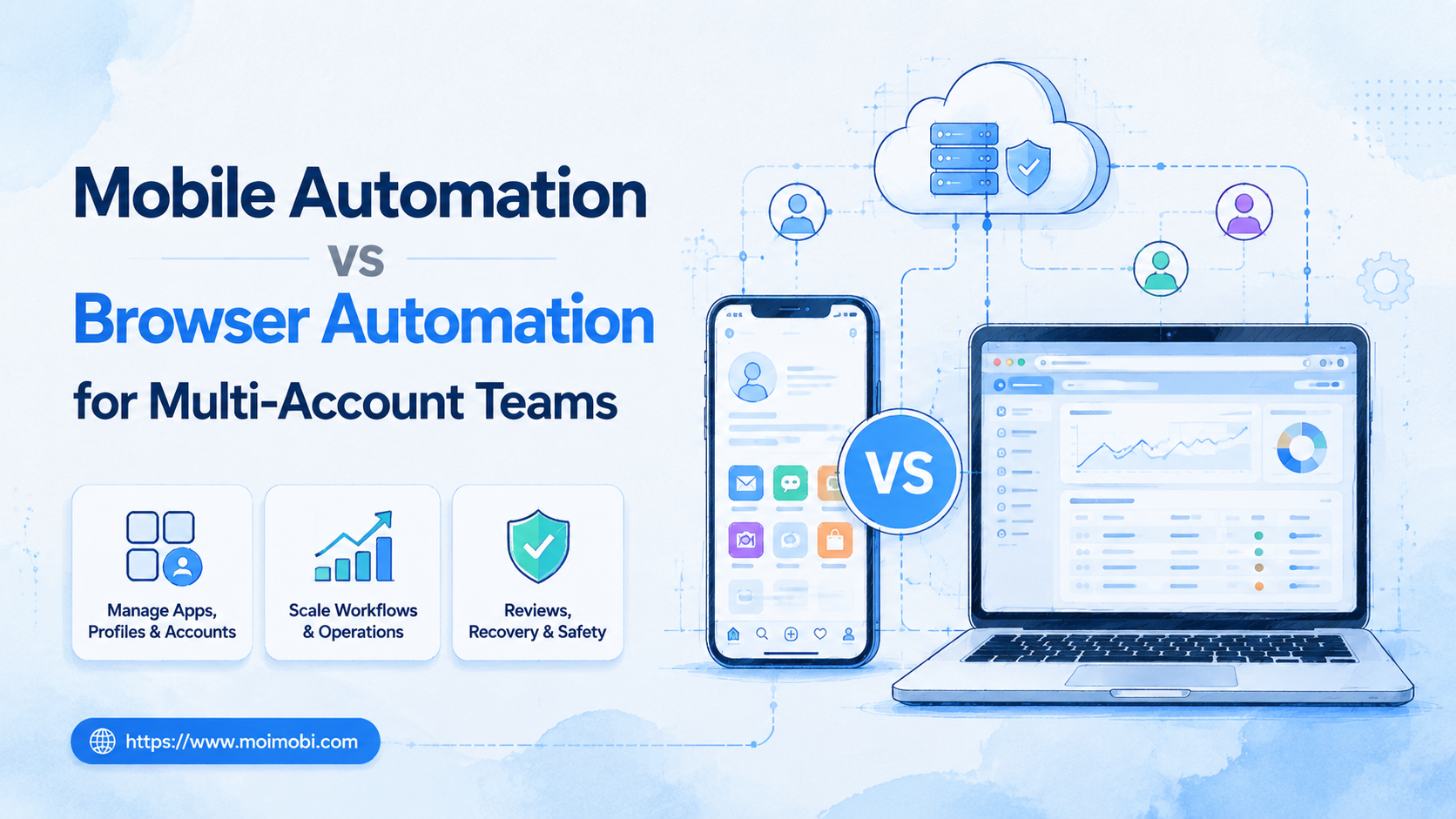
Mobile automation vs browser automation is the decision between running workflows inside mobile device environments or inside browser sessions.
For multi-account teams, the practical rule is simple: use browser automation when the work lives in web dashboards, and use mobile automation when the work depends on app screens, Android state, or mobile-only account flows.
The choice should not be framed as one tool replacing the other. A team running TikTok, Instagram, WhatsApp, e-commerce dashboards, and client reports may need both execution surfaces under one operating model.
A Practical Comparison Framework for Mobile Automation vs Browser Automation
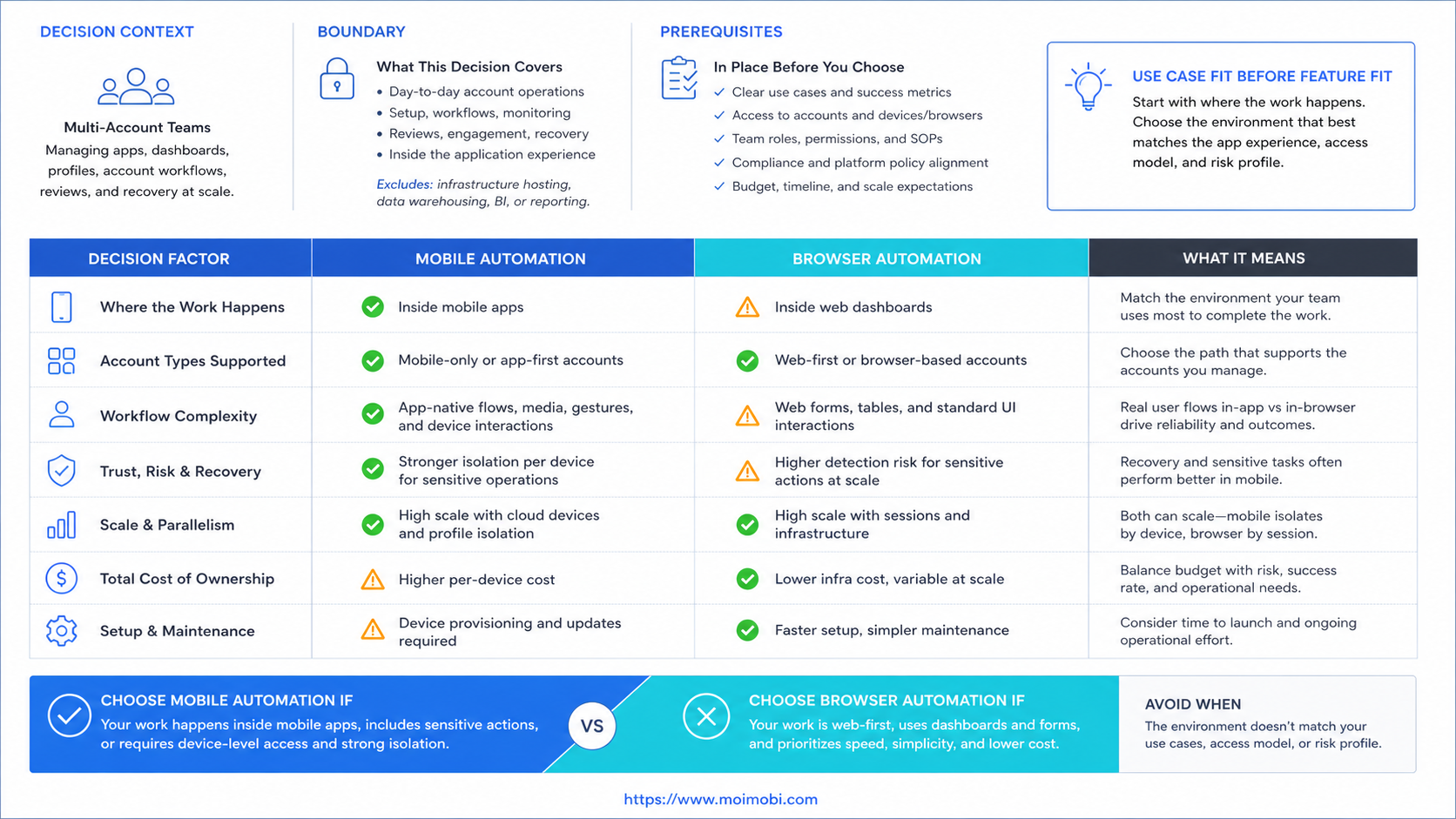
Start by naming the surface where the task actually happens. A web dashboard task, a platform admin panel, and a spreadsheet update belong closer to browser automation. A mobile app task, phone-based review step, or Android-only account check belongs closer to mobile automation.
The second question is account separation. Browser automation needs persistent profiles, cookies, permissions, and clean session ownership. Mobile automation needs device lanes, app state, routing, and a clear record of which account ran on which device.
| Decision Area | Browser Automation Fits Better | Mobile Automation Fits Better |
|---|---|---|
| Execution surface | Web dashboards, forms, admin panels, browser inboxes | Native app screens, Android tasks, mobile-only checks |
| Account state | Cookies, browser profiles, saved sessions, web permissions | Device state, app sessions, mobile routing, Android environment |
| Team workflow | Research, reporting, CRM updates, dashboard monitoring | App publishing, mobile inbox checks, account health review |
| Recovery evidence | URL, DOM state, selector, screenshot, browser logs | Screenshot, app state, device status, task event log |
| Typical risk | Mixed sessions, stale cookies, profile confusion | Device overload, app UI changes, unclear device ownership |
Browser automation has mature technical standards behind it. The W3C WebDriver specification defines a remote-control model for browser automation, and Playwright documents browser contexts as isolated browser sessions. Those references help explain why browser profiles and context boundaries matter for multi-account work.
Mobile automation has a different foundation. Android Enterprise documentation explains managed Android environments and device management concepts. AWS Device Farm shows how cloud-hosted real devices can be used for app testing workflows. These sources are not the same as social media operations, but they show why mobile execution depends on device state, app state, and remote device control.
Use Case Fit Before Feature Fit and Mobile Automation vs Browser Automation
Feature lists can mislead teams. A tool may advertise scheduling, browser control, mobile devices, proxies, AI replies, and reports. The real question is whether the task needs a browser profile, a phone environment, or a human review step.
For example, lead research across web pages fits browser automation. The operator needs search pages, forms, profiles, and dashboards. A browser session with account separation may be enough.
TikTok or Instagram app checks are different. If a team must inspect app-specific screens, review account status inside a mobile app, or use mobile-only paths, browser automation may not represent the real environment. In that case, a cloud phone can act as a remote Android execution lane.
Multi-account teams should map every workflow before buying software:
- Is the task web-only?
- Is the task mobile-only?
- Does the task require both web preparation and app execution?
- Who approves the output before it reaches a customer or public account?
- What gets logged if the task fails?
This map turns mobile automation vs browser automation from a feature debate into an operations decision.
Operational Trade-Offs and Team Workflow
The common mistake is treating automation as a single queue. A queue is useful, but it does not solve execution boundaries. A task queue still needs to know where a task runs, who owns it, and when to stop.
Browser automation usually gives teams faster setup for web workflows. It can handle dashboards, reports, web forms, browser-based inboxes, and repeated admin tasks. The trade-off is that profile ownership must be managed carefully. Shared cookies or unclear browser profiles can create session confusion.
Mobile automation gives teams a closer match for app workflows. It can support mobile app checks, Android task execution, and phone-like account lanes. The trade-off is operational overhead. Teams must manage device capacity, app state, routing, and failure recovery.
The best multi-account workflow often separates jobs:
- Browser automation prepares content, checks dashboards, gathers reports, and updates records.
- Mobile automation handles app-specific execution, mobile review, and account checks.
- Human reviewers approve sensitive outputs, client-facing replies, and unusual account changes.
- Managers review completion logs, failed tasks, and recovery time.
Moimobi fits this mixed model because it treats mobile automation, browser profiles, cloud phones, and account workspaces as execution environments inside a broader system.
Setup Cost, Ongoing Cost, and Management Overhead
The cheapest setup is not always the lower-cost operation. A browser-only tool may be cheaper to start, but it can become expensive if mobile app steps are constantly handled by people outside the workflow. A mobile-only setup may also become heavy if most work is web-based reporting and dashboard review.
Teams should separate setup cost from operating cost. Setup cost includes environments, routing, account assignment, permissions, templates, and training. Operating cost includes correction time, failed runs, recovery work, and manager review.
Use this cost lens:
- Browser automation cost rises when profiles are poorly named, sessions get mixed, or selectors break.
- Mobile automation cost rises when device lanes are overloaded, app state is unclear, or recovery logs are weak.
- Hybrid cost rises when handoff between browser and mobile work is not recorded.
- Human cost rises when automation creates more review work than it removes.
A multi-account team should price execution capacity, not only software seats. The question is not "How many automations can we run?" The better question is "How many account workflows can we run, review, and recover cleanly?"
Decision Scorecard for Mobile Automation vs Browser Automation
A scorecard helps teams avoid choosing by habit. Give each workflow a score from 1 to 5 across the areas below. The higher total should guide the first pilot, not the final long-term stack.
| Score Area | Higher Browser Score Means | Higher Mobile Score Means |
|---|---|---|
| Primary surface | Most work happens in web dashboards or browser sessions | Most work happens inside native mobile apps |
| Account state | Cookies, tabs, and browser profiles define the work context | Device identity, app session, and Android state define the context |
| Failure evidence | URL, DOM, page screenshot, and browser log explain the issue | App screen, device status, and task event history explain the issue |
| Operator handoff | Another operator can continue from a browser profile and task note | Another operator needs the same mobile lane or device snapshot |
This scorecard should be used per workflow, not per company. A TikTok operations team may use browser automation for content research and mobile automation for app checks. A support team may use browser automation for CRM updates and mobile automation for WhatsApp review.
The score also exposes missing prerequisites. If a workflow scores high for mobile but no one owns device lanes, the team is not ready to scale mobile execution. If a workflow scores high for browser but every operator shares one profile, the browser setup needs cleanup first.
Handoff Rules Between Browser and Mobile Work
Handoff is where many hybrid systems fail. A task may begin in a browser dashboard, move to a mobile app, return to a spreadsheet, and then wait for a manager. Without a shared record, the next operator cannot tell what happened.
Multi-account teams should define a small handoff record for every cross-surface task:
- Account name and platform.
- Browser profile or mobile environment used.
- Current task status.
- Last successful step.
- Pending review or stop condition.
- Screenshot or note for the next operator.
- Owner and backup owner.
This record does not need to be complicated. It needs to be consistent. The team should be able to answer, "Which environment ran this account task, and what should happen next?"
Handoff rules also make compliance reviews easier. Official platform documentation and API terms usually focus on allowed access patterns, permission boundaries, and developer responsibilities. A clear task record helps teams keep internal operations aligned with those boundaries instead of relying on memory.
Which Option Fits Different Teams Best
Best Fit for Browser Automation
Browser automation fits teams that run web dashboards, browser inboxes, account reporting, CRM updates, product listing checks, and research workflows. It is also a strong fit when account separation mainly depends on browser profiles and saved sessions.
This option is not fit when the critical step happens only inside a mobile app. In that case, browser automation may prepare the work, but it cannot fully represent the final execution surface.
Best Fit for Mobile Automation
Mobile automation fits teams that run app-based publishing, mobile account checks, WhatsApp workflows, TikTok or Instagram app review, and Android-specific operations. It is strongest when the workflow needs a persistent mobile environment.
This option is not fit when the team mostly handles web forms, dashboards, and reports. Using phone lanes for browser-native tasks can add cost without improving control.
Best Fit for a Hybrid Stack
A hybrid stack fits agencies, e-commerce teams, and social teams that manage several platforms and account types. Browser automation handles preparation and dashboard work. Mobile automation handles app execution. Multi-account management ties ownership, review, and records together.
Hybrid systems are not fit when the team has no repeatable workflow yet. If every task is custom judgment, define the SOP before adding more execution tools.
Pilot Rollout, Measurement, and Recovery Checks
Run a pilot before committing to a full automation stack. Pick one workflow, one account group, one browser environment type, and one mobile environment type. Keep the test small enough that failures are easy to inspect.
- Select one workflow. Choose publishing preparation, comment review, inbox triage, dashboard monitoring, or reporting.
- Split the execution surface. Mark each step as browser, mobile, human review, or handoff.
- Assign account ownership. Link each account to a profile, device lane, owner, and backup owner.
- Set stop rules. Pause when login prompts, permission mismatches, missing assets, or unexpected UI states appear.
- Measure outcomes. Track completed tasks, corrected tasks, failed runs, recovery time, and reviewer load.
The recovery check is the most useful part of the pilot. If a failed task leaves no account, environment, screenshot, owner, or reason, the workflow is not ready to scale.
Teams using social media marketing workflows should also review whether reporting improves. Better automation should produce clearer records, not just more activity.
Frequently Asked Questions
1. What is the main difference between mobile automation and browser automation?
Browser automation runs workflows in web sessions. Mobile automation runs workflows in mobile or Android environments. The difference is the execution surface.
2. Which option is better for TikTok workflows?
It depends on the step. Web research, reporting, and account planning may fit browser automation. App-specific checks or mobile posting workflows may need mobile automation.
3. Can one team use both?
Yes. Multi-account teams often use browser automation for preparation and mobile automation for app-specific execution.
4. Does mobile automation replace browser profiles?
No. Browser profiles still matter for web sessions, dashboard access, and browser-based account work.
5. When should a team avoid mobile automation?
Avoid it when the workflow is mostly web-based, light, or not repeatable. Mobile environments add overhead when the task does not need a phone surface.
6. What should teams measure during a pilot?
Measure completed tasks, failed tasks, recovery time, correction rate, reviewer load, and account handoff quality.
7. What is the biggest mistake in this decision?
The biggest mistake is choosing by tool category before mapping the workflow. The workflow should decide the execution surface.
8. How does Moimobi help with this comparison?
Moimobi helps teams run browser and mobile execution in separated account environments, with workflow records and multi-account control.
Conclusion
Mobile automation vs browser automation is not a winner-takes-all comparison. The better choice depends on where the work happens, how accounts are separated, and how the team reviews failed tasks.
Start with one account workflow. Mark each step as browser, mobile, human review, or handoff. If the task depends on app state, test a mobile lane. If it depends on dashboards and browser sessions, test browser automation first. If both surfaces matter, build a small hybrid pilot before scaling.



