
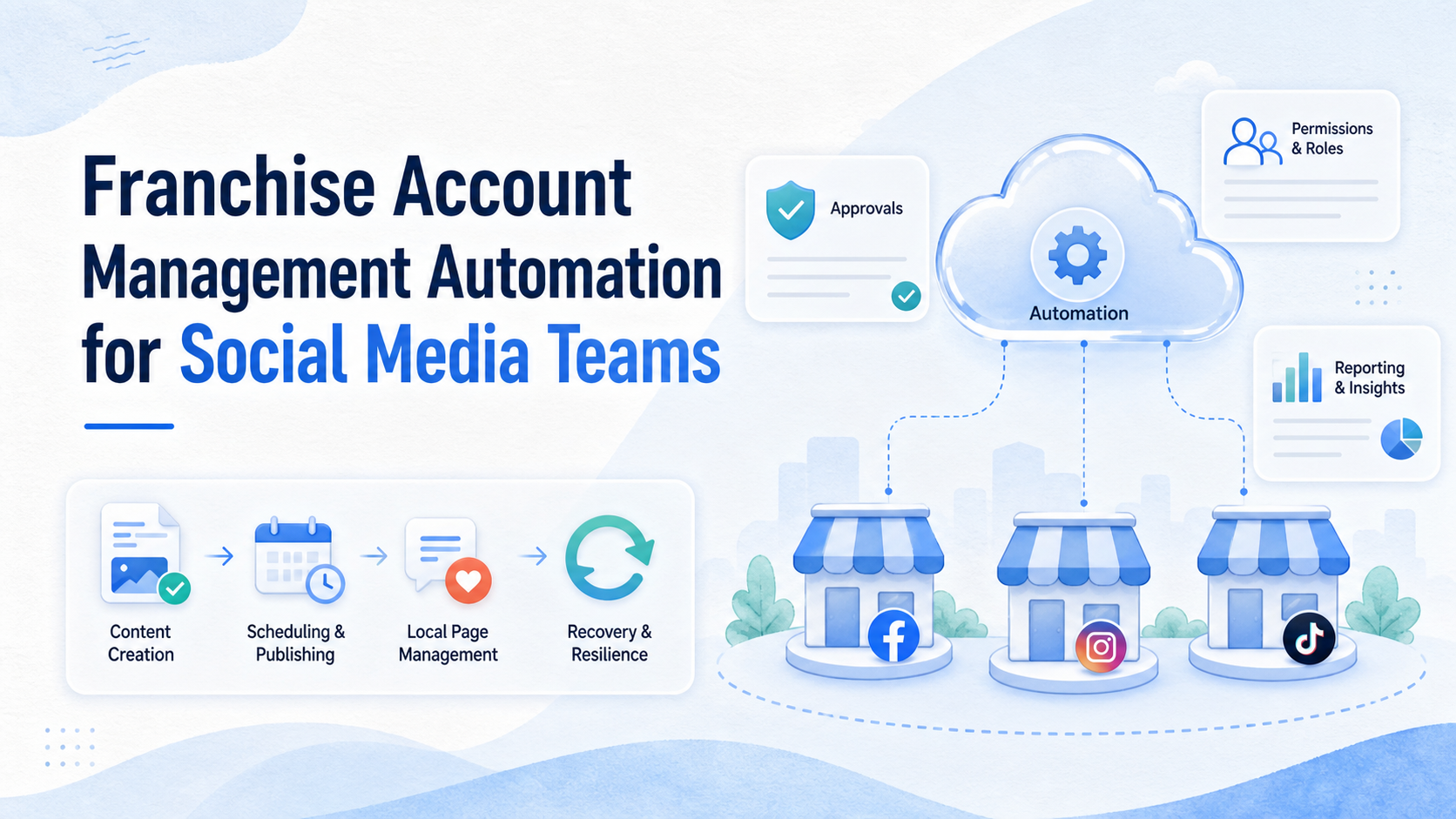
Franchise account management automation means using workflows, permissions, review gates, and reporting to manage social media accounts across many franchise locations.
For social media teams, the hard part is not only posting content. The hard part is coordinating headquarters, regional managers, franchisees, local staff, agencies, and customer replies without losing brand control or local context.
A strong system should show who owns each account, who can approve content, which location published what, and how failed tasks are recovered. It should help the team work faster without turning every location into an unmanaged account island.
Key Takeaways
- Franchise account management automation should connect permissions, content approvals, local publishing, response routing, and reporting.
- Headquarters needs brand control, but locations need enough local flexibility to stay relevant.
- Social teams should separate content creation, approval, execution, and recovery records.
- Permission design matters because page access and business assets can create real operational risk.
- A pilot should measure task completion, approval delay, brand compliance, and local response quality.
The Core Idea Behind Franchise Account Management Automation
The core idea is controlled delegation. A franchise brand may have dozens or hundreds of local pages, but one central team cannot manually approve every caption, image, reply, and profile change forever.
Automation helps by turning account work into repeatable paths. A local team can request a post. A brand reviewer can approve or reject it. A regional manager can see status. An operator can publish in the right account. The system records what happened.
Meta's Business Help Center explains that page access can be assigned through business tools and can involve full or partial control. That makes permission design part of the workflow, not a background setting. See Meta's guide to assigning Pages to people in a business portfolio.
Use this operating model:
| Role | Main responsibility | Automation should support |
|---|---|---|
| Headquarters | Brand rules and campaign calendar | Templates, approvals, global reporting |
| Regional manager | Market coordination | Location grouping and escalation |
| Franchisee | Local input and customer context | Request forms and review status |
| Agency or operator | Publishing and monitoring | Task queues, account access, logs |
The system should not erase responsibility. It should make responsibility easier to see.
Why Teams Search for This Topic
Teams search for franchise account management automation when local social media work becomes too fragmented. One location posts daily. Another location forgets campaigns. A third location replies late. A fourth location changes profile information without approval.
The problem grows when the brand adds platforms. Instagram, Facebook, TikTok, WhatsApp, YouTube, and review channels may all need different access rules and content timing.
This is why franchise teams need multi-account management, not only a content calendar. The work includes account mapping, permissions, device access, content review, local handoff, and recovery records.
Regulated or endorsement-heavy campaigns need more care. The FTC's Endorsement Guides explain that endorsements and testimonials in advertising relate to Section 5 of the FTC Act and aim to guide voluntary compliance. Social posts that include paid creators, local partners, or testimonials may need clear review. See 16 CFR Part 255 and the FTC's Endorsement Guides FAQ.
Who Benefits Most and In What Situations
The strongest fit is a franchise system with repeated local marketing work. Each location needs local relevance, but headquarters still needs a consistent operating model.
Strong-fit situations include:
- many local pages,
- shared campaign calendars,
- location-specific offers,
- local customer replies,
- agency support for multiple franchisees,
- regional approval paths,
- brand or legal review requirements.
Weak-fit situations are different. A small brand with two local pages may not need a full automation stack. A team with no brand guidelines should write those first. A team with unclear access ownership should fix permissions before adding workflow automation.
Strong fit
- Many franchise locations need coordinated content.
- Local teams need limited publishing access.
- Headquarters needs approval records.
- Agencies manage accounts for several locations.
Weak fit
- No brand rules exist yet.
- Account ownership is unknown.
- Locations do not have assigned contacts.
- The team wants posting volume without review.
For mobile-first channels, mobile automation can support app-side execution and monitoring. If locations use mobile apps heavily, the team may also need cloud phone execution environments for persistent access and device records.
How to Evaluate or Start Using Franchise Account Management Automation
Start with the account map. Do not begin with publishing features.
Use this checkpoint sequence:
- List every account. Include platform, location, owner, admin, agency, and current access method.
- Group locations. Use region, brand, market, language, or service line.
- Define approval rules. Decide which posts need headquarters, regional, legal, or local approval.
- Separate content types. Campaign posts, local offers, hiring posts, reviews, and crisis replies need different paths.
- Set access levels. Give each role the least access needed for its work.
- Record every action. Store request, approval, publish status, failure reason, and recovery action.
Meta's business documentation says page access can include full control or partial access. That is a practical reminder: franchise systems should avoid one shared admin login for every local page. See Meta's overview of Page access.
For social media teams, social media marketing workflows should connect planning, content, execution, replies, and reporting. A scheduler alone cannot manage franchise governance.
Permission, Device, and Account Workspace Design
Franchise operations need clean workspaces. A headquarters operator should not accidentally publish into the wrong location. A local manager should not gain unnecessary access to another franchisee's page.
Use separate account groups for each location or region. Then map each group to owners, devices, browser profiles, cloud phones, and approval rules. This makes it easier to find the source of a mistake.
A practical workspace should show:
- location name,
- platform account,
- assigned owner,
- current access level,
- device or browser environment,
- open tasks,
- approval state,
- last recovery event.
This is where device isolation helps. It supports separated account environments and clearer operating records. It should be paired with permissions and review rules, not used as a replacement for them.
Franchise Account Management Automation Scorecard
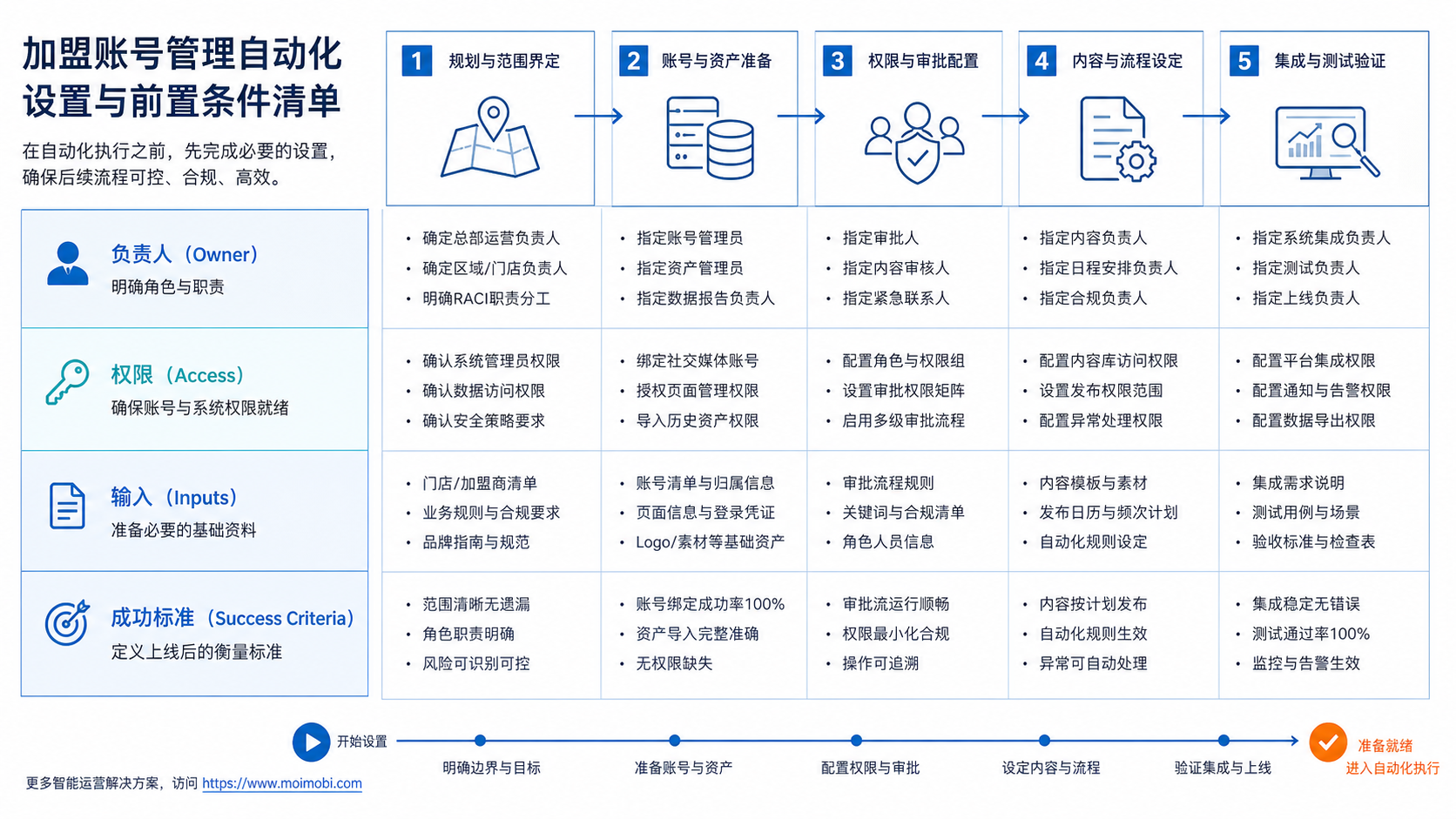
A scorecard helps headquarters compare locations without relying only on posting volume. Each location should be reviewed on control, quality, and recovery.
Rate each location from 1 to 5 on these fields:
- account ownership clarity,
- current access accuracy,
- approval turnaround,
- local content quality,
- response routing,
- campaign participation,
- failed-task recovery,
- reporting completeness.
Scores below 3 show where the workflow needs support. A low access score means permissions need cleanup. A low approval score means the review path is too slow or unclear. A low recovery score means the team does not know what happens after a publish failure, complaint, or account warning.
This scorecard also protects local flexibility. Franchisees can still create local content, but the brand can see whether the location follows the operating model. Headquarters should not use the scorecard only to punish locations. It should help identify training gaps, missing templates, and account access problems.
For agencies, the scorecard creates a clear client conversation. Instead of saying "some locations are behind," the agency can show which workflow field is weak and what needs to change before more accounts are added.
Mistakes That Reduce Results
The first mistake is letting every location post freely without brand rules. Local relevance matters, but franchise brands also need consistent claims, visuals, offers, and tone.
The second mistake is over-centralization. If headquarters must approve every low-risk local update, the workflow slows down and local teams bypass the system.
The third mistake is missing escalation rules. A local complaint, service issue, or reputation event should not sit in a generic inbox. It needs a named owner and response path.
Avoid these operating patterns:
- shared passwords across locations,
- no record of who approved a post,
- one campaign calendar for every market without local fields,
- untracked agency access,
- no removal process for former staff,
- no pause rule during crisis or legal review,
- reporting only on publish count.
The right model is tiered. Low-risk posts can use templates and local approval. Sensitive posts need headquarters review. High-risk replies need escalation.
Local Content Approval Matrix
Franchise social media teams need different approval paths for different content types. A holiday greeting is not the same as a discount claim, a hiring post, or a customer complaint reply.
Use a matrix like this:
- Brand campaign post: headquarters template plus local scheduling approval.
- Local event post: franchisee draft plus regional review.
- Discount or offer: headquarters or legal approval before publishing.
- Customer complaint reply: local owner plus escalation rule.
- Hiring post: HR or regional approval, depending on the brand structure.
- Influencer or endorsement content: marketing review plus disclosure check.
The goal is not to slow every post. The goal is to send each post through the right review lane. Low-risk content can move quickly. High-risk claims need a stronger review path.
This is where FTC endorsement guidance matters. If a post includes testimonials, paid creators, local partners, or material connections, the team should make disclosure review part of the workflow. Automation should route the task to the right reviewer instead of letting the location guess.
Pilot Rollout, Measurement, and Recovery Checks
Run the pilot with one region or one group of similar locations. Do not onboard every franchisee at once.
Measure these fields for 30 days:
- accounts mapped,
- access issues found,
- posts submitted,
- posts approved,
- posts rejected,
- approval delay,
- publish failures,
- customer replies routed,
- recovery time.
The recovery process should be visible. If a post fails, the system should show whether the issue came from access, content, platform, device, or reviewer delay.
Use a simple weekly review:
- Which locations followed the workflow?
- Which locations needed manual help?
- Which approval rules slowed work?
- Which content types caused rejections?
- Which account access problems repeated?
Only expand after the pilot produces clean answers. Scale without records usually creates more local confusion.
A good final check is simple: can the team explain who owns the account, who approved the content, where it was published, and what happened after publication? If not, the workflow needs more structure before it scales.
Governance Checks Before Scaling to More Locations
Before adding more franchise locations, review the workflow as an operating system, not as a posting tool. The team should be able to answer five questions without searching through chats or spreadsheets.
First, who owns each local account today? Ownership should include the franchise location, headquarters contact, agency contact, and backup owner. Second, who can change access? Access changes should require a named approver. Third, which posts require higher review? Offers, health claims, financial claims, hiring posts, and endorsement content should not follow the same path as routine local updates.
Fourth, what happens when a task fails? The team needs failure categories for access, content, reviewer delay, platform issue, device issue, and duplicate work. Fifth, how does headquarters learn from local activity? Reporting should show not only what was published, but also where approvals slowed down, where local teams needed support, and which locations repeatedly needed recovery.
These checks make the automation easier to trust. They also give regional managers a practical way to coach locations before small workflow problems turn into brand risk.
Frequently Asked Questions
1. What is franchise account management automation?
It is a workflow system for managing social accounts, access, approvals, publishing, replies, and reporting across franchise locations.
2. Is this the same as social media scheduling?
No. Scheduling is only one part. Franchise automation also needs permissions, local ownership, review paths, and recovery records.
3. Who should approve local posts?
It depends on risk. Routine local posts may use local approval. Brand claims, endorsements, offers, and crisis posts need higher review.
4. Can franchisees keep local flexibility?
Yes, if the system uses templates, local fields, and clear approval tiers. Flexibility should not remove accountability.
5. What should be automated first?
Start with account mapping, approval status, content requests, and publishing records. Do not start with broad auto-posting.
6. How should teams handle agency access?
Agencies should have named users, defined permissions, and task records. Avoid shared logins and unclear ownership.
7. What metrics matter most?
Track approval delay, rejected posts, failed publishes, response routing, access issues, and recovery time.
8. Where does MoiMobi fit?
MoiMobi fits teams that need account workspaces, browser and mobile execution environments, device isolation, and workflow records across many accounts.
Conclusion
Franchise account management automation works best when it starts with ownership. Map the accounts, define roles, set approval paths, and record every task before scaling local publishing.
The next priority is a small pilot. Choose one region, one content calendar, one access model, and one recovery process. If the team can explain who approved each post and how each failure was handled, the workflow is ready to expand.
References:



