
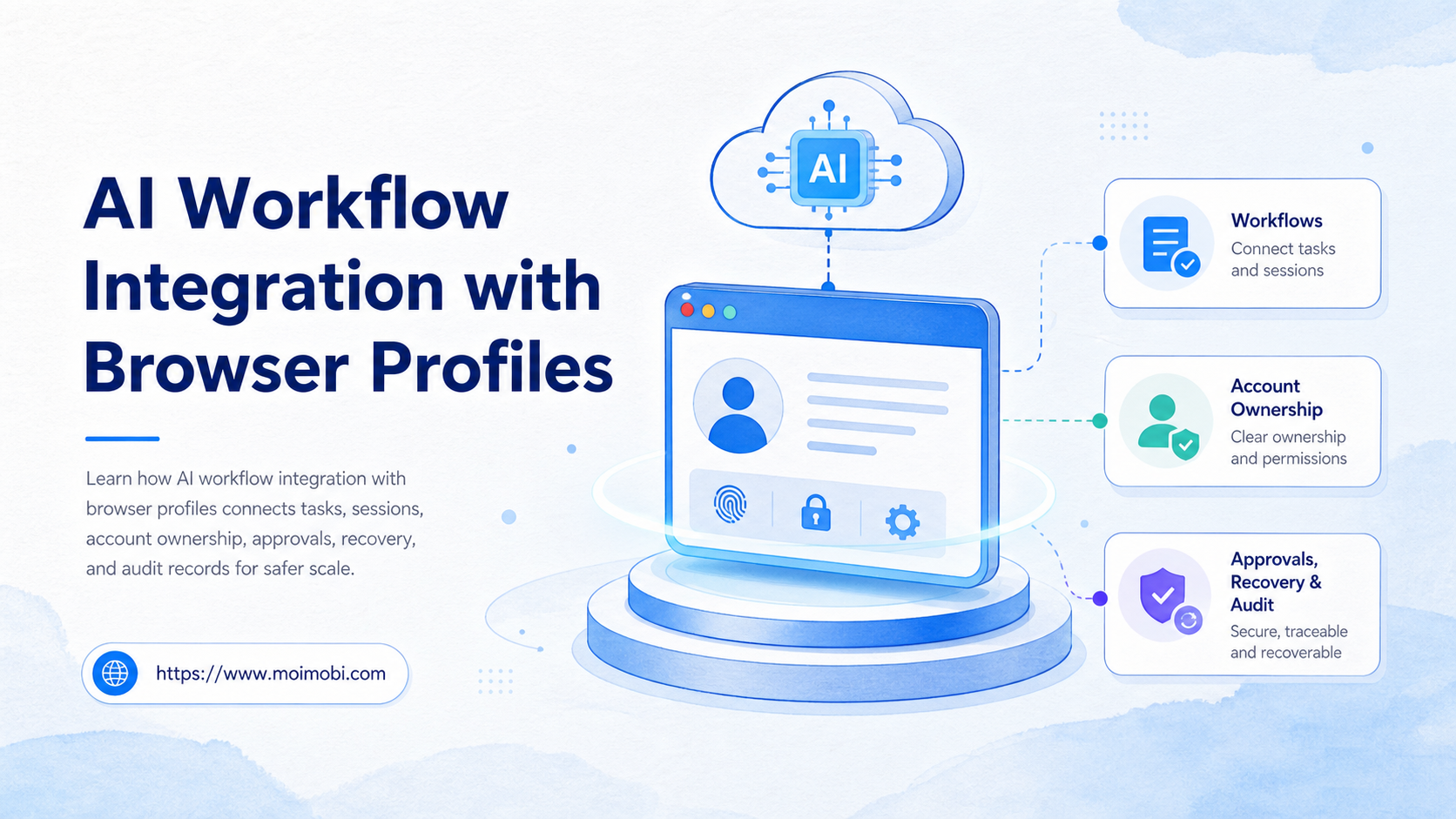
AI workflow integration with browser profiles is a setup that connects AI task logic to persistent browser environments, account ownership, permissions, and execution records.
The decision is not whether an AI agent can open a browser. The decision is whether the team can attach the right task to the right browser profile, run it with the right account context, and recover when something fails.
For operations teams, browser profiles become workspaces. Each profile may hold account sessions, cookies, settings, extensions, proxy rules, and team ownership. When AI workflows use those profiles carefully, the workflow can act inside the correct account environment instead of starting from an empty browser every time.
Key Takeaways
- Browser profiles help teams preserve account context for repeatable AI workflows.
- AI workflow integration with browser profiles needs ownership, permissions, task logs, and recovery rules.
- A profile should map to a real account, role, or workspace, not to a random task run.
- Teams should separate profile setup, task execution, review, and failure recovery.
- The best pilot starts with a small number of profiles and clear measurement fields.
The Core Idea Behind AI Workflow Integration with Browser Profiles
The core idea is simple: the browser profile is the execution workspace, and the AI workflow is the operator that follows a task path inside that workspace.
Chrome's own help documentation describes profiles as a way to keep browser information separate, such as bookmarks, history, passwords, and settings. It also warns that shared devices require trust because someone with device access may switch profiles and see profile information. That makes profile governance a real operations concern, not only a convenience feature. See Google Chrome Help on managing Chrome with multiple profiles.
In automation tooling, a similar concept appears as reusable signed-in state. Playwright's authentication documentation explains that teams can authenticate once, save authentication state, and reuse it for later runs when that is appropriate for the test design. It also notes that shared account state is not suitable when tests affect each other. See Playwright's guide to authentication and reusable state.
An AI workflow should treat these profile states as controlled assets. It should know which account the profile belongs to, which task types are allowed, who can approve actions, and where the result should be logged.
| Layer | What it stores | Workflow question |
|---|---|---|
| Browser profile | Session, settings, account context | Which account is active? |
| AI workflow | Task plan, skills, prompts, steps | What should happen next? |
| Team control | Owner, permissions, approvals | Who is responsible? |
| Recovery record | Status, error, retry path | What happened after failure? |
For teams evaluating an AI execution platform, the useful question is whether profiles, tasks, and records stay connected. If those pieces drift apart, the AI workflow becomes hard to audit.
Why Teams Search for This Topic
Teams search for this topic when browser automation starts creating account confusion. One task uses the wrong login. Another task opens a fresh browser and loses context. A third task runs in a shared profile, making it unclear who changed settings.
AI makes this more important. A script usually follows a narrow path. An AI agent may decide the next action from page context. That flexibility is useful only when the environment boundary is clear.
The W3C WebDriver standard describes WebDriver as a remote control interface for browsers. That framing is useful because it separates browser control from business ownership. A browser control protocol can drive a page, but the team still needs account mapping, permissions, and review rules. See the W3C WebDriver specification.
Common search triggers include:
- a team wants AI to work inside logged-in SaaS dashboards,
- support staff need repeatable browser tasks,
- social teams manage many web accounts,
- agencies need cleaner client workspaces,
- operations managers need task records,
- engineers want less brittle login handling,
- leaders want safer handoff between humans and AI workers.
This is why multi-account management matters. The profile is not only a saved browser state. It is part of the account operating model.
Who Benefits Most and In What Situations
The best fit is a team that already works through login-based web apps. Examples include social media dashboards, ecommerce back offices, support inboxes, CRM tools, research portals, and customer engagement platforms.
The workflow is strongest when the same task repeats across many accounts. It is also useful when the task needs context from a real account session, not only an API call.
Strong fit
- Each account needs a persistent browser workspace.
- Tasks repeat across clients, locations, or brands.
- Operators need review, pause, and retry controls.
- Managers need logs for what ran and why.
Weak fit
- The workflow is a one-time lookup.
- No account login is required.
- The team has no owner for each profile.
- Compliance requires manual-only operation.
For browser-heavy account work, teams may also compare browser profile and cloud phone workflows. The right choice depends on where the work happens. Web dashboards fit browser profiles. Mobile-only app work may need a cloud phone execution environment.
How to Evaluate AI Workflow Integration with Browser Profiles
Begin with a preflight checklist. Do not connect AI workflows to a profile pool until the pool has clean ownership.
- Map each profile. Record account, owner, platform, role, and workspace purpose.
- Define allowed tasks. Decide which workflows can run inside each profile.
- Set approval rules. Require review for publishing, customer replies, exports, or profile changes.
- Track session health. Record login status, last run, errors, and recovery needs.
- Separate human takeover. Let operators pause, inspect, and resume the task.
- Log outcomes. Store completion status, failed step, retry count, and final action.
A simple pass/fail rule helps. If a manager cannot tell which account, profile, workflow, and operator were involved in a run, the integration is not ready for scale.
The profile should also have a lifecycle. Create it, assign it, run tasks, review records, rotate ownership when staff changes, and retire it when the account is no longer active. This prevents forgotten profiles from becoming unmanaged assets.
Teams using device isolation should apply the same thinking to browser workspaces. Isolation is useful only when the team can identify the account boundary and the responsible owner.
AI Workflow Integration with Browser Profiles Design Checklist
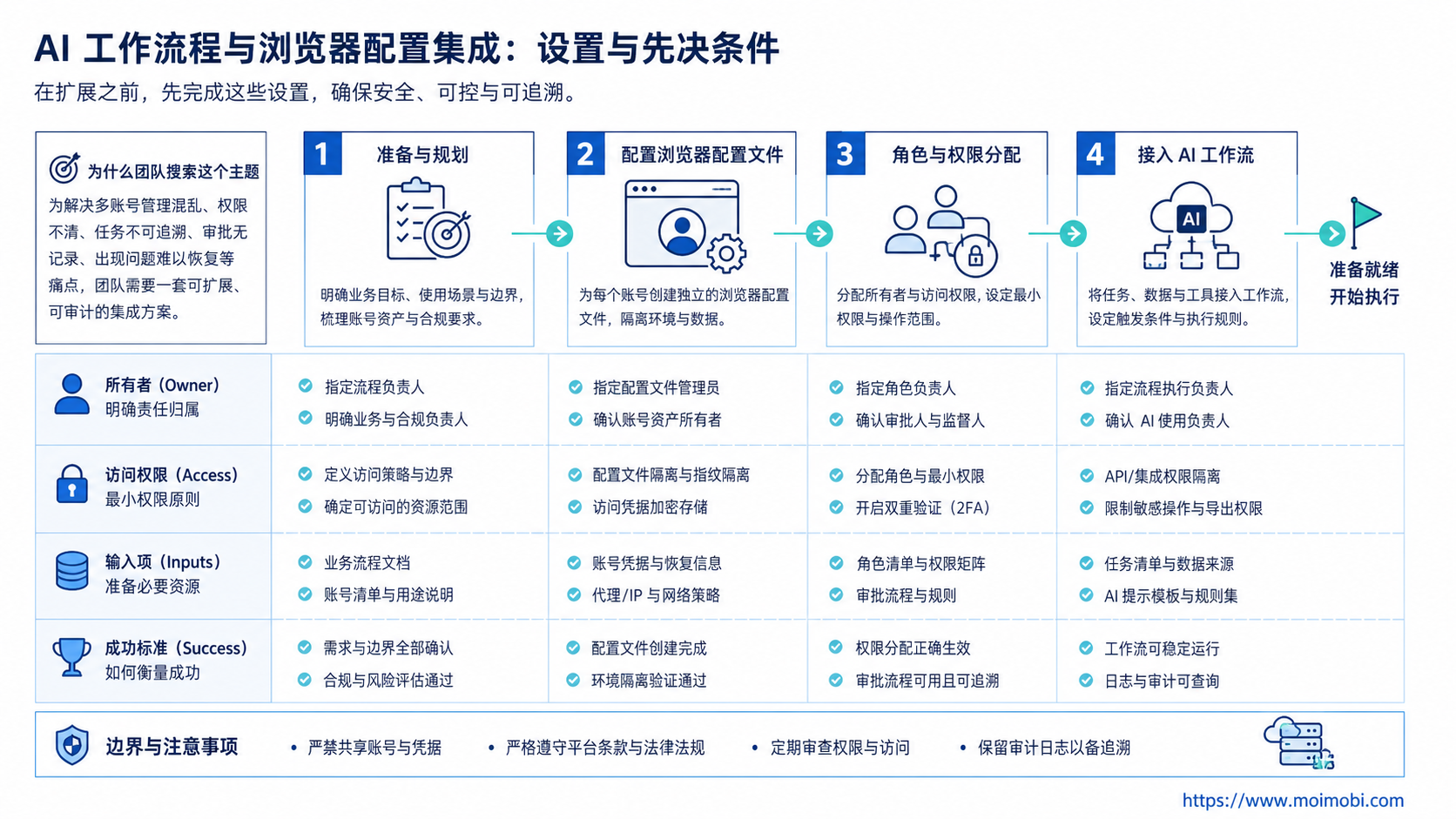
Good integration design starts with fields that humans can inspect. A profile should not be only a folder name or a browser icon. It should carry enough operating context for the team to understand why it exists.
Use this field set for each profile:
- profile name,
- account or workspace owner,
- platform or web app,
- allowed workflow types,
- blocked workflow types,
- approval owner,
- last successful run,
- last failed run,
- active proxy or network route when relevant,
- recovery note.
This structure keeps AI task execution tied to real responsibility. A profile named "client-17" is not enough. A profile named "brandstore-us-instagram-support-owner-maria" gives the operator a better clue before a task starts.
The design also needs a stop rule. Pause the workflow when the account logs out, the page flow changes, a permission error appears, or the task tries to move outside its allowed scope. A stop rule is not a failure of automation. It is a control point that keeps a small issue from becoming a larger operations problem.
Review access on a schedule. Monthly review is enough for some teams. Agencies with staff turnover, client changes, or short campaigns may need a tighter review cycle. The key is to remove profiles that no longer have a named owner.
Team Handoff Rules for Profile-Based AI Workflows
Profile-based work breaks down when a task moves between people without a handoff record. A support operator may pause a task, a reviewer may approve it later, and another teammate may resume it inside the same profile. Without a shared record, the second operator sees the page but not the decision history.
Use a handoff note for every paused or reviewed run. The note should include the reason for the pause, the current page or step, the decision needed, and the next allowed action. Keep it short enough for an operator to read in under a minute.
Teams should also define who can resume a task. A draft-collection workflow may resume automatically after a login refresh. A customer reply workflow should usually wait for a human reviewer. A profile settings change should require a named owner, because it affects future runs.
The same rule applies to client or location handoff. When an agency transfers a profile to another operator, the receiving person needs the account purpose, approval path, known limits, and recent failure history. The browser state alone is not enough.
Good handoff records make the system easier to scale. They reduce repeated questions, prevent duplicate actions, and give managers a clearer view of where work actually stopped.
Common Mistakes That Reduce Results
The biggest mistake is treating profile integration as a login shortcut. Saved sessions reduce repeated setup, but they do not replace permissions, review gates, or records.
Another mistake is using one browser profile for many unrelated accounts. That makes troubleshooting harder. It also makes it difficult to know which workflow changed a setting or created an unexpected result.
Avoid these patterns:
- one shared profile for many team members,
- profile names that do not match real accounts,
- AI tasks running without an allowed-action list,
- no record of who approved a sensitive action,
- no stop rule when login state changes,
- retries that repeat a failed action without inspection,
- storing profile credentials without ownership controls.
The better model is account-based. One profile maps to one account workspace or one clearly defined role. The AI workflow then runs inside that boundary and records each action.
This also supports social media marketing workflows where content, replies, monitoring, and reporting need different approval levels.
Pilot Rollout, Measurement, and Recovery Checks
Do not begin with every browser profile. Pick five to ten profiles that represent real work but limited risk.
Use one workflow first. For example, run a monitoring task, a data collection task, or a draft-preparation task before connecting workflows that publish content or reply to customers.
Measure these fields during the pilot:
- profile mapped correctly,
- task started in the right profile,
- login state valid,
- human approval needed,
- task completed,
- task paused,
- task failed,
- failure category,
- recovery action,
- operator review time.
Recovery matters more than a clean demo. A real workflow eventually hits expired sessions, changed page layouts, permission gaps, or missing approvals. The team should know whether the system pauses, retries, alerts, or routes the task to a human.
After two weeks, review the pilot. Keep profiles that have clear ownership and useful logs. Fix profiles with missing account data. Remove profiles that no longer have a valid business purpose.
For teams building broader browser and mobile operations, mobile automation may be added later. The browser-profile workflow should be stable before expanding into more execution environments.
Frequently Asked Questions
1. What is AI workflow integration with browser profiles?
It is the connection between AI task logic and persistent browser workspaces. The profile supplies account context. The AI workflow supplies the task path.
2. Is a browser profile the same as an AI agent?
No. A browser profile is an environment. An AI agent or workflow decides what task to run inside that environment.
3. Why not use a fresh browser every time?
Fresh browsers can lose login state and account context. Persistent profiles help when the same account needs repeatable work.
4. Can one profile handle many accounts?
It may work for simple manual browsing, but it is a weak operating model for team automation. One account or role per profile is easier to audit.
5. What should be automated first?
Use low-risk tasks such as monitoring, report collection, draft preparation, or status checks. Add higher-risk actions only after review controls work.
6. Where do approvals fit?
Approvals should sit between task planning and sensitive execution. Publishing, customer replies, exports, and account changes need stronger review.
7. How do teams know the workflow is working?
Check whether tasks start in the correct profile, finish with clear status, and produce records that a manager can inspect.
8. Where does MoiMobi fit?
MoiMobi fits teams that need account workspaces, browser environments, mobile execution environments, isolation, and operating records across many accounts.
Conclusion
Profile-based AI workflows are useful when teams need repeatable work inside real account environments. The value is not only login reuse. The value is connecting profiles, ownership, task rules, approvals, and recovery records.
Begin with a small profile pool. Map every profile to an account owner, assign one low-risk workflow, and measure whether the task runs in the right place with a usable record. If the team cannot audit the run, fix the workflow before adding more profiles.
References:



