
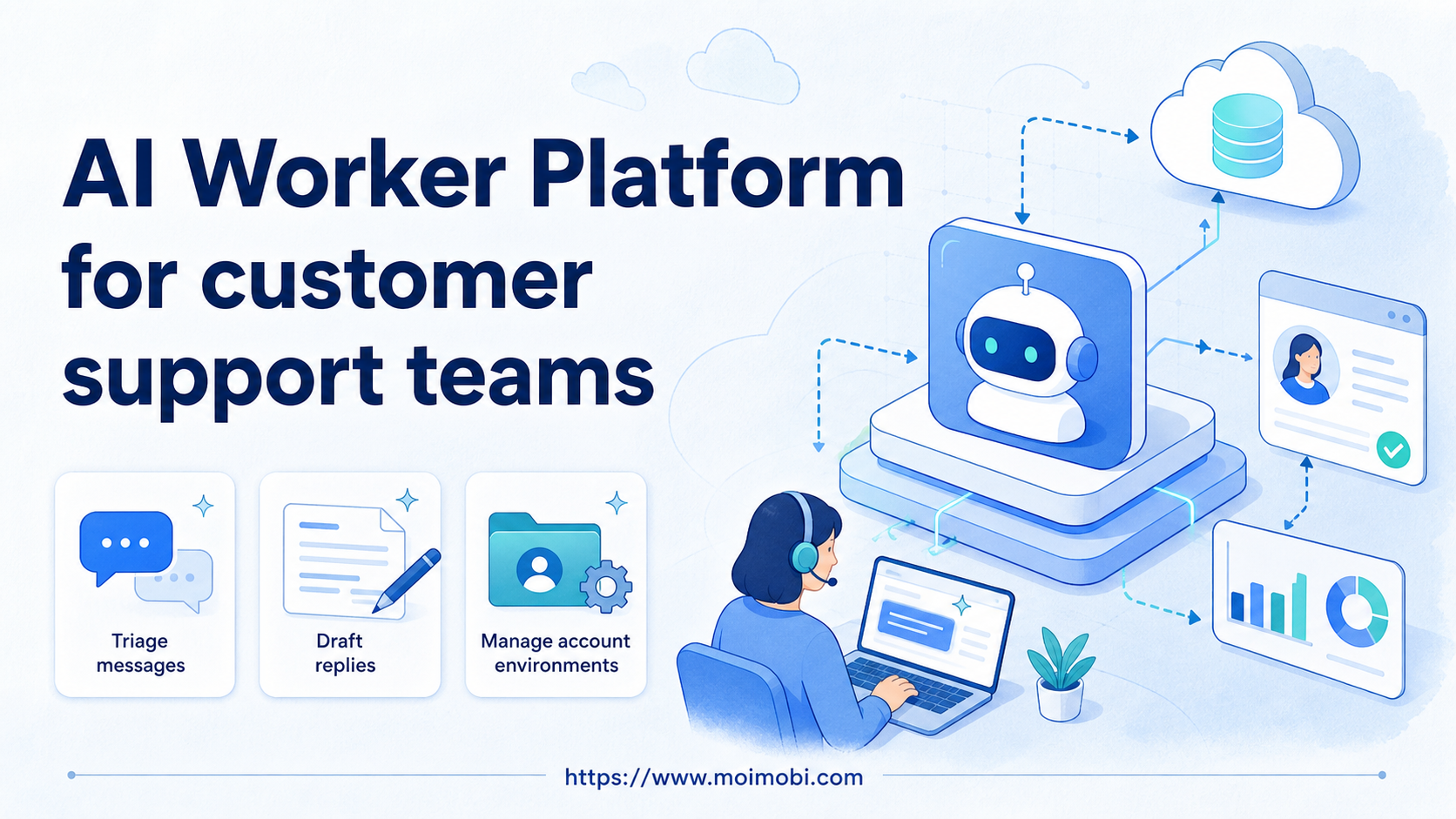
An AI worker platform is software that lets customer support teams assign repeatable inbox, triage, reply-draft, and follow-up tasks to AI workers inside controlled execution environments. The goal is not to remove human judgment from support. The goal is to make support workflows more traceable when messages, accounts, apps, and reviewers are spread across several systems.
Support teams usually deal with more than one inbox. Customer questions may arrive in social comments, DMs, WhatsApp, Telegram, web chat, marketplace messages, and internal ticket tools. A simple AI reply tool can draft text, but it does not solve account access, environment isolation, review gates, or task history.
MoiMobi approaches this as an AI execution platform for real browser and mobile work. AI prepares the task. Fingerprint browsers, cloud phones, and Android devices provide the execution environments. Operators decide which drafts are sent, escalated, paused, or revised.
Key takeaways
- Support teams should start with triage, classification, draft preparation, and follow-up reminders.
- Browser profiles fit web support dashboards, while mobile environments fit app-based inboxes.
- Sensitive replies, refunds, disputes, and policy issues need human review.
- The strongest pilot tracks response quality, escalation accuracy, failed runs, and manual takeover rate.
The Core Idea Behind AI Worker Platform for customer support teams
The common myth is that support automation means fully automated replies. That is a weak model for serious teams. Customer support depends on context, tone, policy, and escalation judgment.
A better model is worker-assisted operations. One worker classifies incoming messages. Another prepares draft replies from approved guidance. A third checks whether high-priority conversations were followed up. The human team still owns the final decision.
An AI worker platform becomes valuable when it connects the draft with the environment where support work happens. A browser worker may open a support dashboard, summarize a thread, and label the case. A mobile worker may inspect a messaging app inbox and prepare a reply for review.
Execution quality matters because support workflows touch live systems. Browser automation has standards and tool-level checks. The W3C WebDriver specification defines browser control as a protocol, while Playwright documents actionability checks before actions such as clicks or form input in its actionability guide.
Mobile inboxes add a different layer. When support happens inside mobile apps, teams need a remote Android environment rather than a teammate's personal phone. A cloud phone execution environment can give support teams a controlled app workspace for mobile-first channels.
Why Teams Search for This Topic
Support teams search for AI worker software when message volume is not the only problem. The real issue is usually coordination. One person sees a DM, another owns the order record, and a third has approval authority.
An AI browser execution platform helps when support work depends on logged-in dashboards. It can open the correct account workspace, collect context, draft a reply, and record the next action. The system should make the work easier to review, not harder to understand.
Customer support also becomes more complex when teams manage multiple social or commerce accounts. A brand may have separate accounts for regions, stores, creators, or marketplaces. Without multi-account management, support teams can lose track of which account handled which conversation.
Mobile channels create another reason for search demand. Social apps and messaging apps often work best in app environments. Teams that manage WhatsApp, Telegram, Instagram, TikTok, or marketplace app messages need clear account assignment and environment separation.
Scenario Map for Support Operations
The safest way to begin is to map roles, tasks, environments, and review gates. A support workflow should not give one worker unlimited control over every inbox.
| Support workflow | AI worker role | Execution environment | Human control point | Success metric |
|---|---|---|---|---|
| Inbox triage | Classify new messages by topic, urgency, and owner | Browser dashboard or mobile inbox | Review labels for edge cases | Correct routing rate |
| Reply preparation | Draft replies from approved guidance and conversation context | Support tool, social inbox, or messaging app | Human approval before sending | Accepted drafts and rewrite rate |
| Follow-up tracking | Check unresolved conversations and prepare reminders | Browser profile plus account workspace | Agent decides next step | Missed follow-ups reduced |
| Escalation review | Flag refunds, complaints, disputes, and sensitive language | Controlled account environment | Senior operator handles case | Escalation accuracy |
This map also defines what not to automate first. Drafting and classification are safer starting points than unreviewed public replies or refund decisions.
Who Benefits Most and In What Situations
Support teams benefit most when messages are repetitive but still need accountability. Common examples include shipping questions, product availability, account routing, appointment reminders, order status requests, and simple troubleshooting steps.
Social support teams benefit when customers contact the brand through comments and DMs. A social media marketing workflow often creates support load after campaigns, launches, or live events. AI workers can help sort those messages before agents respond.
Cross-border teams benefit when channels and languages are split by region. Each region may need a separate account, device environment, support owner, and escalation rule. MoiMobi's device isolation layer is useful when account environments should remain separated.
Small teams benefit when they start with triage. A first worker can label messages, collect order context, and draft reply options. The agent can then approve, edit, or escalate. This setup preserves human judgment while reducing manual preparation.
Fit and Not-Fit Boundaries
Good fit means the task has a repeatable pattern and a clear review rule. Message classification, draft reply preparation, unresolved case checks, FAQ routing, and campaign follow-up fit this model.
Poor fit means the task requires sensitive judgment. Refunds, legal threats, account disputes, angry complaints, payment issues, and medical or financial claims should not be handled as simple automated replies.
Good first workflows
- Classify messages by topic and urgency
- Prepare draft replies for agent review
- Find unresolved conversations
- Collect context from dashboards
Keep human-led
- Refund or chargeback decisions
- Public conflict replies
- Policy exceptions
- Legal, medical, or financial advice
The boundary should be written into the workflow. Workers need stop rules, not only task instructions. A stop rule might say: pause when a customer is angry, when a refund appears, when private data is missing, or when the message asks for a policy exception.
Account Environment and Team Assignment
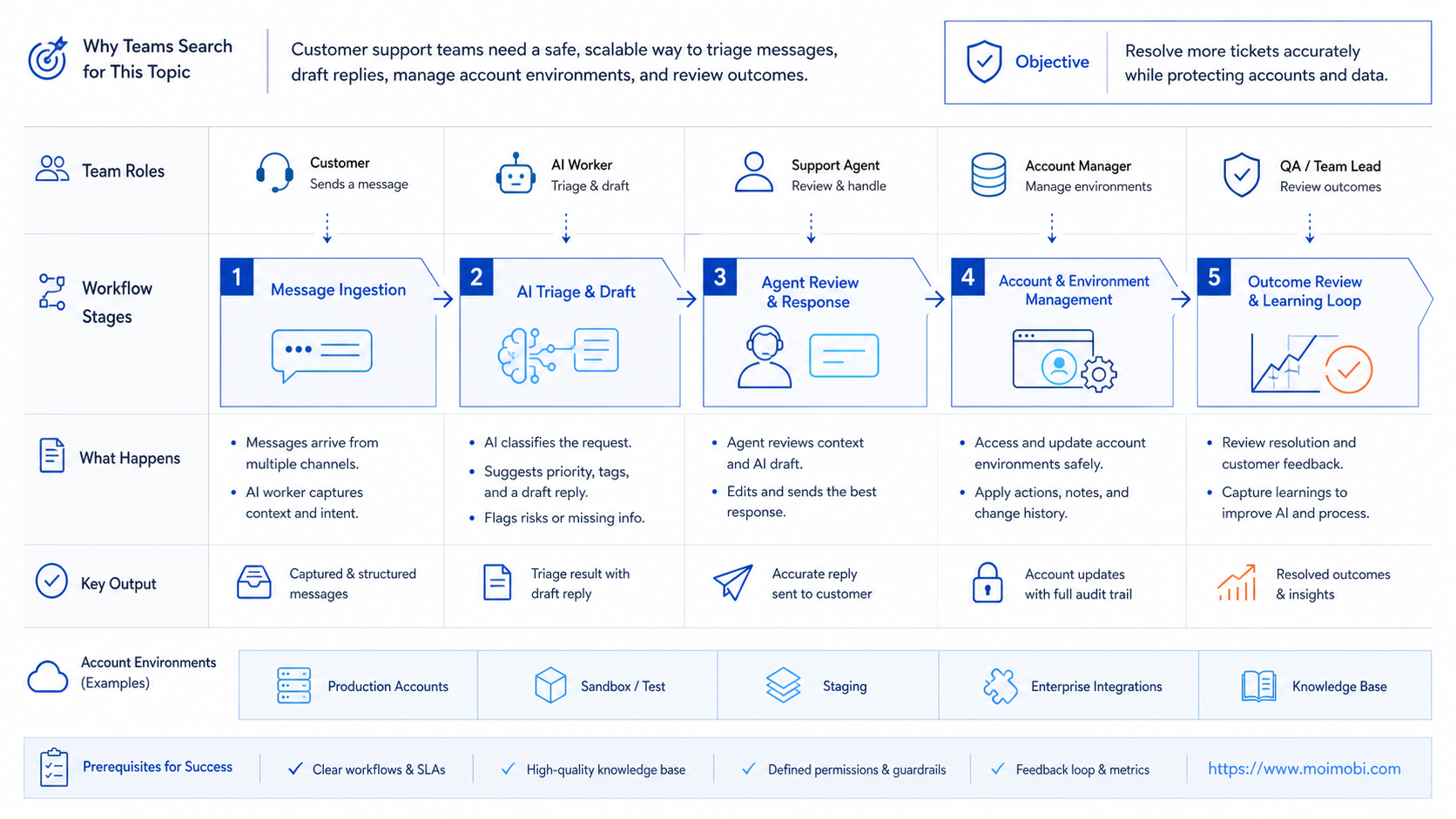
Support teams should assign workers by channel and account, not only by skill. One worker can handle web-chat triage for a store account. Another can prepare WhatsApp reply drafts for a regional support inbox. A third can review unresolved social messages after a campaign.
This assignment model keeps ownership visible. If a draft is wrong, the team can inspect the worker brief, account workspace, source message, and reviewer decision. If a run fails, the owner knows whether the issue came from login state, app state, missing context, or unclear policy guidance.
Channel assignment also protects customer context. A marketplace inbox may need order IDs and shipping references. A social DM may need campaign context and public-comment history. A mobile messaging app may need the exact account and device environment used by the support team.
Use a simple assignment sheet during the pilot:
- Account or channel name.
- Worker task and allowed data fields.
- Browser profile, cloud phone, or Android device.
- Reviewer and backup reviewer.
- Stop rules and escalation owner.
- Run log location and weekly review time.
This sheet does not need to be complex. Its job is to make the workflow explainable. When support work becomes explainable, the team can improve it without guessing where the failure happened.
How to Evaluate or Start Using AI Worker Platform for customer support teams
Start with checkpoints rather than a broad automation plan. Each checkpoint should prove that the workflow is controlled.
- Account checkpoint: the worker uses the correct account, profile, or mobile environment.
- Context checkpoint: the worker can collect the message thread, customer identifier, order reference, or source link.
- Draft checkpoint: the reply draft follows approved tone and does not invent details.
- Escalation checkpoint: sensitive cases are paused and routed to a human.
- Logging checkpoint: the task records who reviewed it, what changed, and what happened next.
For app-first channels, mobile automation should be evaluated as part of the support workflow. A browser-only setup may handle web chat, but it may not cover mobile inboxes that live inside Android apps.
Logging deserves special attention. OWASP's Logging Cheat Sheet explains how logs support troubleshooting and accountability. Support teams need the same habit because a bad reply can become a customer issue.
Mistakes That Reduce Results
The first mistake is measuring only reply speed. Fast replies are not enough when drafts are inaccurate, tone is wrong, or escalations are missed. Track accepted drafts, edits, and customer-impacting errors.
The second mistake is mixing accounts in one workspace. Support teams may handle several brand, regional, or client accounts. Shared sessions make it harder to prove which account handled a conversation.
The third mistake is giving AI workers access to more data than the task requires. The NIST Privacy Framework treats privacy as a risk management discipline. For support teams, that means limiting worker access to the fields needed for triage or draft preparation.
The fourth mistake is skipping recovery paths. A worker may fail because login expired, the app changed state, or the customer sent a sensitive message. The workflow needs a pause state and a human owner.
Pilot Rollout, Measurement, and Recovery Checks
A support pilot should run with one channel, one account group, and one task type. For example, start with Instagram DM classification, WhatsApp follow-up reminders, or web-chat draft preparation.
Measure the pilot weekly. Count how many drafts agents accepted, how many needed major edits, how many cases were escalated correctly, and how many runs failed because of environment issues.
Recovery checks should be simple. When a run fails, record the account, environment, task step, error type, and next owner. If the same failure repeats, fix the workflow before adding more accounts.
Use a short review loop:
- Review failed tasks and rejected drafts.
- Update stop rules and approved reply guidance.
- Adjust the account or mobile environment if needed.
- Expand only after the reviewer can explain the remaining risk.
This keeps the pilot focused on service quality. It also prevents AI workers from becoming a hidden queue that no one owns.
Recovery checks should be visible to the whole support team. A failed mobile inbox run should not disappear inside a private note. Record whether the issue was a login problem, an app state problem, a missing customer field, or a stop-rule decision.
The next owner should also be explicit. If the worker pauses on a refund request, the owner may be a senior support agent. If it pauses on a broken app session, the owner may be the operations lead. Clear ownership keeps the support queue from turning into an unresolved automation queue.
Use these recovery notes as training material. Each repeated failure should become a better prompt, stricter stop rule, cleaner account assignment, or clearer escalation path.
Frequently Asked Questions
What is an AI worker platform for customer support teams?
It is a system for assigning support tasks to AI workers and running them in controlled browser or mobile environments.
How is it different from a support chatbot?
A chatbot usually answers inside one channel. A worker platform adds account context, execution environments, logs, and review workflows.
Can AI workers send customer replies?
They can prepare replies, but sensitive or public replies should usually require human approval before sending.
Which task should support teams automate first?
Start with classification, draft preparation, unresolved case checks, or context collection. These are easier to review.
Do support teams need cloud phones?
They may need them when customer conversations happen inside mobile apps or Android-based account environments.
How should teams handle angry customers?
Use a stop rule. The worker should flag the case, collect context, and route it to a human.
What metrics matter most?
Track accepted drafts, rewrite rate, escalation accuracy, failed runs, manual takeover rate, and missed follow-ups.
Is AI employee software the same category?
The terms overlap. AI employee software emphasizes digital roles, while an AI worker platform emphasizes execution and control.
Conclusion
For customer support teams, the priority order is clear: define the inbox, define the account environment, define the stop rule, then measure the outcome. AI workers should prepare and route work before they are trusted with higher-impact actions.
The right first step is one small pilot. Choose one channel, one support task, one reviewer, and one recovery rule. Keep the scope narrow. If the team can explain every draft, escalation, and failed run, the platform is ready for the next workflow.



