Title: AI Execution Platform for Browser Profiles and Cloud Phones
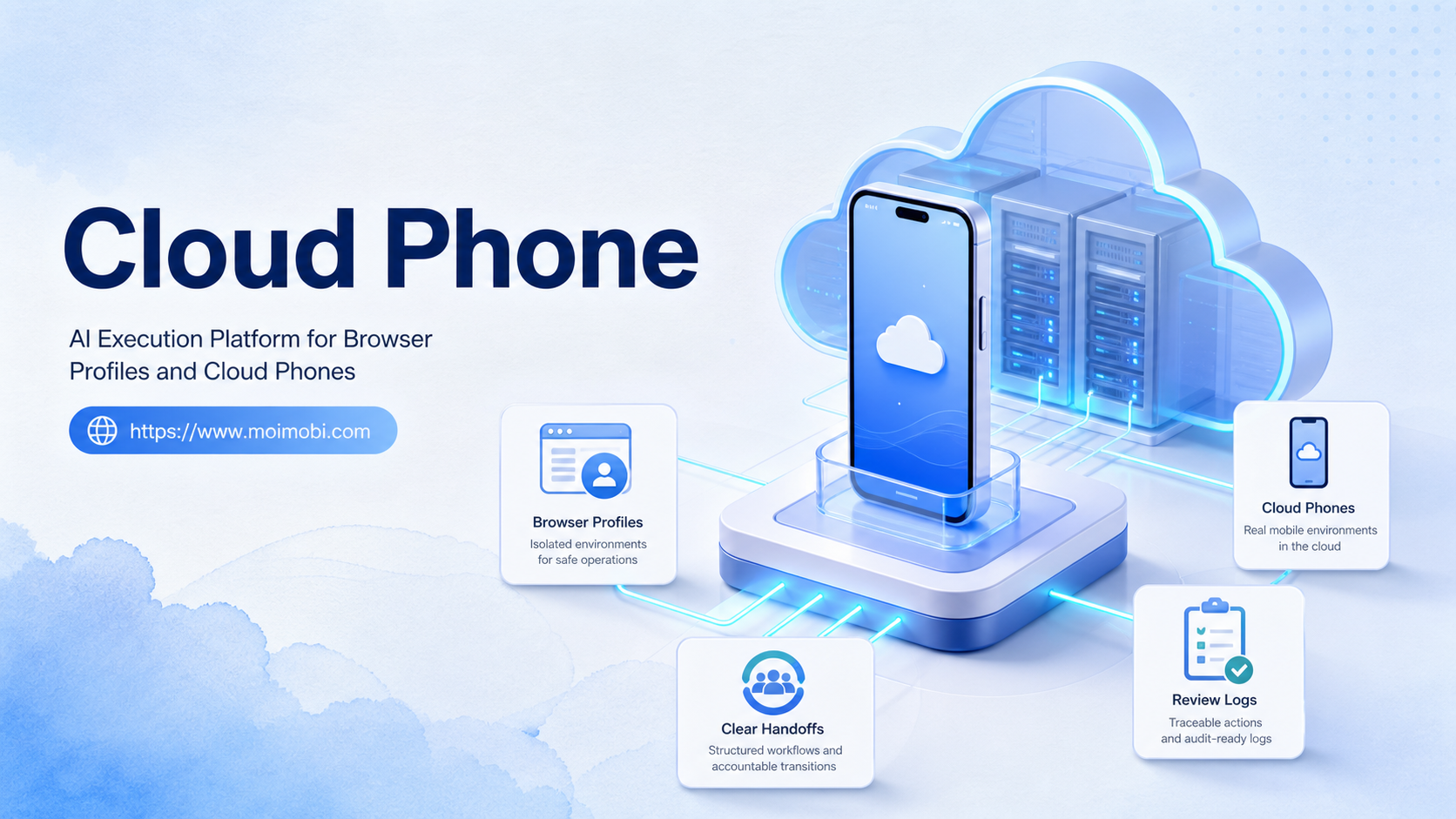
An AI execution platform for browser profiles and cloud phones is a system that lets AI workers run tasks across controlled web sessions and remote Android environments. A cloud phone matters when the task depends on a mobile app, while a browser profile matters when the task depends on logged-in web tools, dashboards, or account settings.
The decision is not whether browser profiles or cloud phones are better. The practical question is which environment fits each part of the workflow. A team may research leads in a browser, publish through a mobile app, reply from a messaging app, and record the result in a dashboard.
Moimobi treats those surfaces as execution environments inside one operating model. The platform connects AI-assisted planning with cloud phone and browser execution infrastructure, so teams can assign work by account, channel, role, and review rule.
Key Takeaways:
- Browser profiles and cloud phones solve different parts of account-based work.
- A cloud phone is best for mobile app tasks that need Android state and app sessions.
- Browser profiles fit web dashboards, account settings, research, and logged-in web workflows.
- AI workers should be assigned by role, account group, and execution environment.
- Teams should measure account accuracy, completion quality, failure reasons, and review speed.
The Core Idea Behind AI Execution Platform for Browser Profiles and Cloud Phones
The core idea is environment routing. An AI worker should not run every task in the same place. Web tasks belong in a browser profile, while app-based mobile work belongs on a cloud phone.
Browser profiles hold web sessions, cookies, dashboards, CRM tools, social media web views, and account settings. Cloud phones hold Android app sessions, mobile media libraries, notifications, mobile inboxes, and app-specific state. Both are execution environments, but they support different task surfaces.
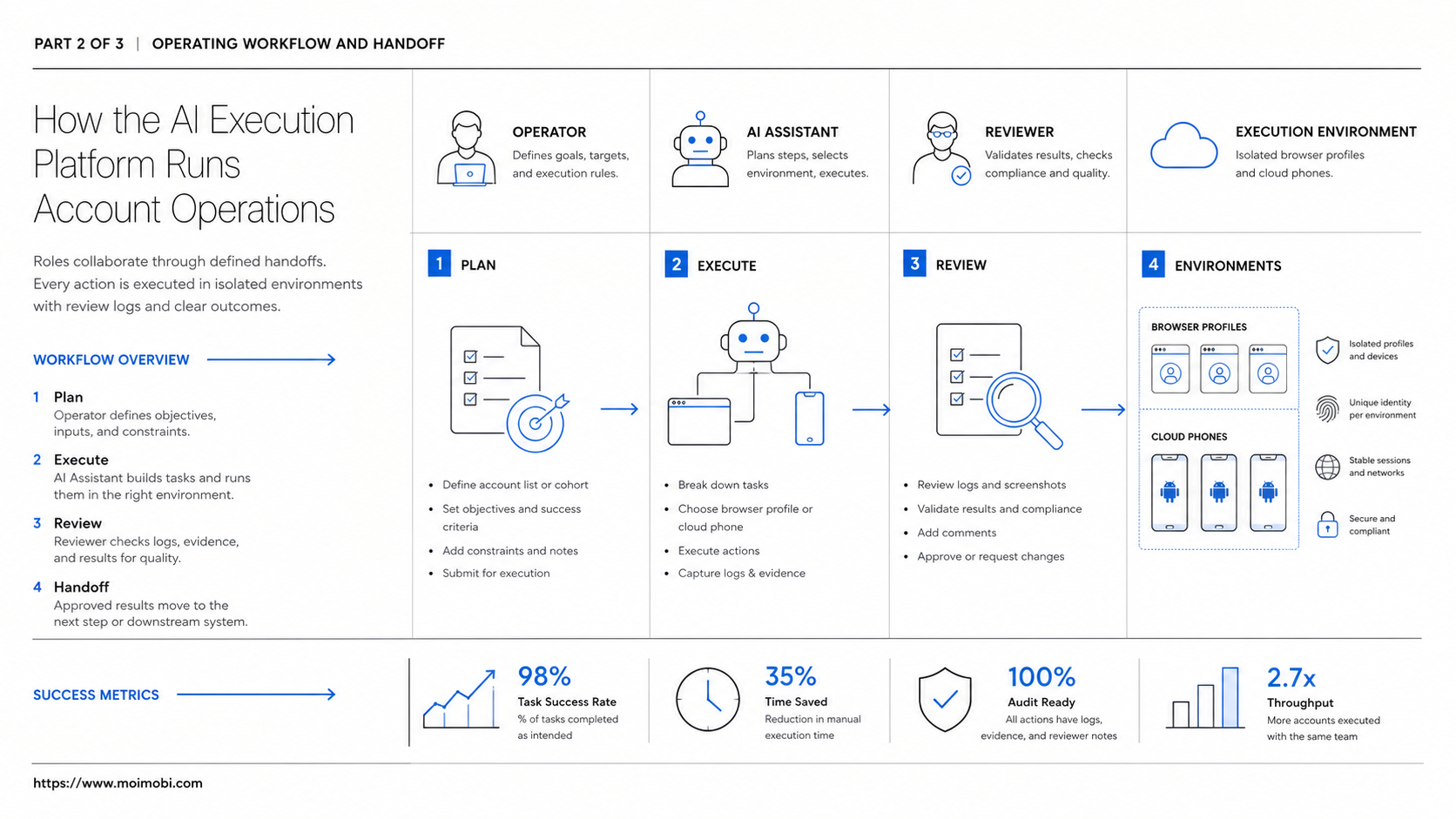
An AI execution platform gives the team a way to coordinate those environments. The AI layer can understand the task, pick a workflow, prepare content or instructions, and hand execution to the right workspace. The operations layer records what happened and shows who reviewed the result.
This matters because AI output alone does not complete the work. A model may draft a reply or summarize a customer message. The team still needs the right account, the right app or browser session, and a reliable task record. Without those details, the work becomes hard to inspect.
Official automation models support this boundary-based view. W3C WebDriver defines browser automation around sessions, commands, and elements. Playwright uses browser contexts, pages, and locators to keep web execution observable. Android documentation and device-testing platforms such as Firebase Test Lab and AWS Device Farm frame mobile work around device state and repeatable runs. These sources point to the same operating principle: execution depends on controlled state.
| Workflow part | Best environment | AI worker role | Review signal |
|---|---|---|---|
| Web dashboard research | Browser profile | Collect source data, summarize findings, prepare next action | Source links and account-specific notes |
| Mobile app publishing | Cloud phone | Prepare caption, verify asset, guide app workflow | Correct account, correct media, approved publish log |
| Customer reply preparation | Browser profile plus cloud phone | Classify message, draft reply, route sensitive cases | Edit rate, escalation accuracy, completion status |
| Multi-account monitoring | Both environments by account lane | Check alerts, collect changes, record failure reasons | Account accuracy and usable monitoring notes |
Why Teams Search for This Topic
Teams search for browser profile and cloud phone execution when their online work crosses too many surfaces. Social, e-commerce, customer support, and growth teams often move between web dashboards and mobile apps during the same task.
A browser-only setup can miss mobile-first workflows. A phone-only setup can make web research, admin, reporting, and account settings clumsy. A combined platform gives each workflow a clearer execution path.
The search usually comes from three pressures:
- Too many accounts are being handled through shared or unclear sessions.
- Mobile app work is still manual even when planning is AI-assisted.
- Teams cannot see why a task failed or who should review it.
This is where a cloud phone becomes more than a device rental concept. It becomes a persistent Android workspace that can be assigned to an account group, app workflow, and task owner.
Browser profiles still matter. They hold account sessions, web tools, analytics dashboards, and admin panels that mobile apps may not expose well. The platform should connect both sides instead of forcing all work into one environment.
Who Benefits Most and In What Situations
The strongest fit is a team with both web and mobile execution needs. A social media team may plan content in a web dashboard, publish through a mobile app, check comments on mobile, and report results in a browser. One environment cannot cover that loop cleanly.
Agencies also benefit because they manage multiple clients and accounts. Each client may need separate browser profiles, separate cloud phones, separate assets, and separate review rules. Without clear account mapping, mistakes become difficult to trace.
E-commerce and marketplace teams can use the same model. Product updates, order dashboards, customer messages, app alerts, and review monitoring may live across different interfaces. AI workers can prepare the task, while environments keep execution separated.
Customer engagement teams benefit when replies require both context and app access. A worker may gather order information in a browser profile, then prepare a mobile messaging reply. The final message can stay under human review.
Moimobi's device isolation layer fits this operating model because the team needs separated spaces for accounts, apps, and task records. Isolation should be described as workspace clarity, not as a promise that platform rules can be ignored.
How to Evaluate or Start Using AI Execution Platform for Browser Profiles and Cloud Phones
Start with environment mapping. Before assigning AI workers, decide which tasks belong in browser profiles and which tasks need cloud phones.
- Checkpoint 1: List the workflow. Write each step from input to final review.
- Checkpoint 2: Assign the surface. Mark each step as browser, cloud phone, or human review.
- Checkpoint 3: Map accounts. Tie each account group to its profile, device, owner, and reviewer.
- Checkpoint 4: Define permissions. Separate drafting, inspection, clicking, sending, publishing, and deletion.
- Checkpoint 5: Run a small pilot. Use one account group and inspect every output.
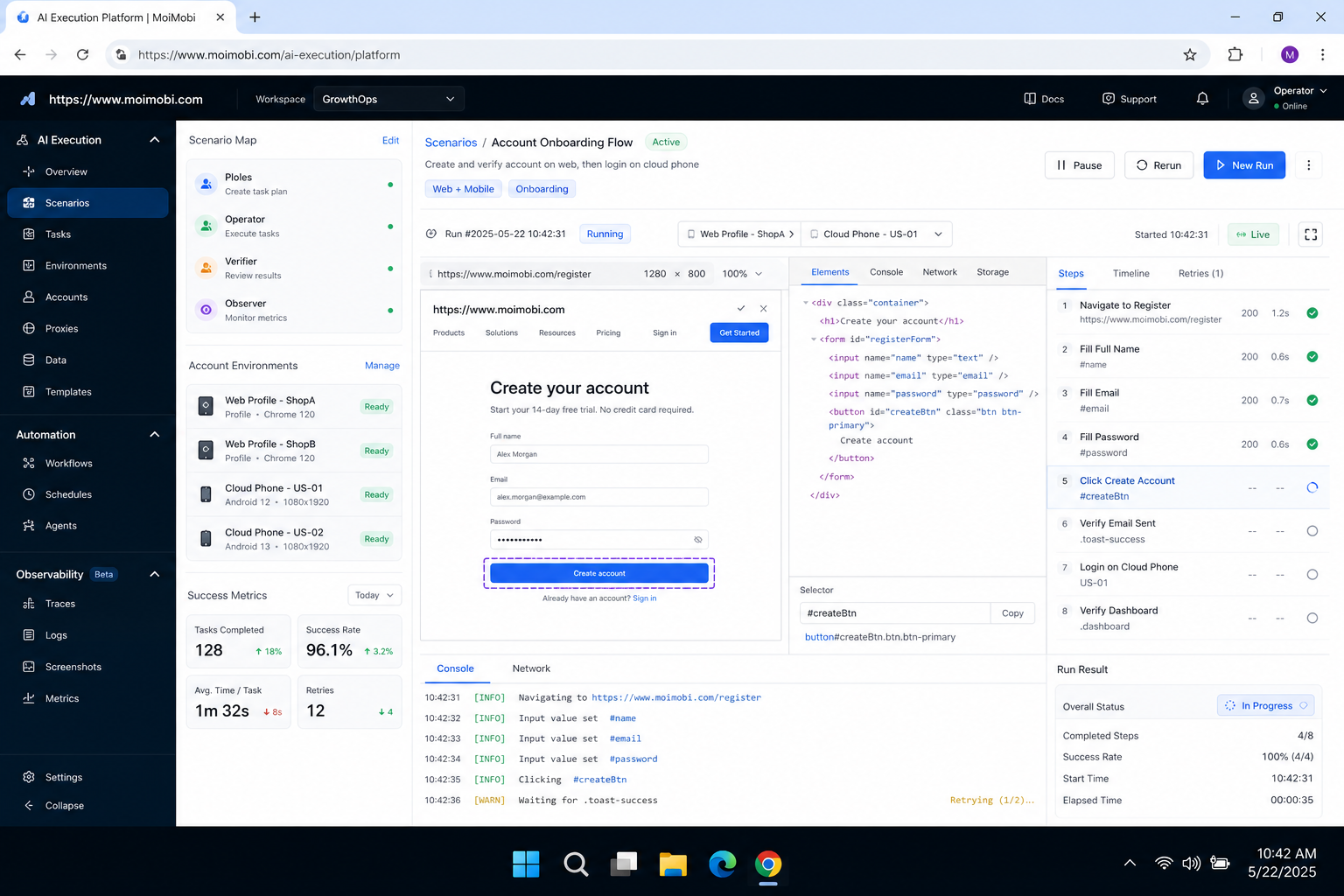
- Checkpoint 6: Record evidence. Capture status, source, account, environment, reviewer, and failure reason.
The first pilot should not test every account. Its job is to prove that one repeated workflow can move across the correct surfaces. For example, collect content ideas in a browser profile, prepare a caption, send the asset to a cloud phone, and require review before publishing.
Teams that already manage many accounts should also review multi-account management. Account structure should come before automation scale. More environments will not fix unclear ownership.
The environment assignment should be written as a small contract. The contract should name the account group, browser profile, cloud phone, task owner, reviewer, allowed actions, source asset, and stop rule. This record keeps the workflow understandable when the team adds more workers.
A handoff record is also useful. It should show what the browser step produced, what the mobile step consumed, which person approved the transition, and what final action was taken. This prevents browser work and mobile work from becoming two separate histories.
One useful pilot is a social content loop. The browser profile gathers source material and prepares the post record. The cloud phone handles the mobile app step. A human reviewer checks the final public action. The log ties all three parts together.
The same contract should include limits. Define which actions the worker can prepare, which actions require approval, and which actions are never automated. This helps teams keep the platform useful without turning every environment into an unrestricted operator. For example, draft preparation may be automated, but publishing, account setting changes, refunds, and customer escalations can stay behind a reviewer.
Mistakes That Reduce Results
The first mistake is treating cloud phones and browser profiles as interchangeable. They are not. A browser profile is strong for web state. A cloud phone is strong for mobile app state. Mixing those roles creates unnecessary friction.
The second mistake is assigning one AI worker to every environment. A broad worker is harder to audit. A better setup assigns workers by task lane, account group, and review requirement.
Another mistake is skipping failure categories. A failed task may come from a login prompt, app permission, missing media file, stale browser session, wrong profile, or unclear instruction. The system should name the failure so the team can fix the correct layer.
Shared environments create a final risk. A shared profile or shared phone may look efficient, but it weakens task evidence. When something goes wrong, the team needs to know which account, device, and worker were involved.
Fit boundaries are important:
Strong fit
- Workflows that move between web dashboards and mobile apps.
- Teams managing several accounts, brands, regions, or clients.
- Tasks that need records, review, and failure recovery.
- Operations where account workspace clarity matters.
Weak first fit
- One-off tasks with no repeatable process.
- High-risk actions without a human review path.
- Account fleets with no naming or assignment rules.
- Workflows where the team cannot inspect task logs.
Pilot Metrics and Review Loop
A pilot should prove that the platform can route work to the right environment. The same pilot also needs to show whether the team can recover when the route fails.
Track five metrics:
- Environment accuracy: did the task use the correct browser profile or cloud phone?
- Account accuracy: did the correct account group receive the task?
- Completion quality: did the output reach a reviewed outcome?
- Failure category: was the issue browser, mobile, account, asset, network, or workflow?
- Review speed: how quickly did a human approve, edit, stop, or escalate?
The review loop should inspect successful and failed runs. Successful runs show whether the process is repeatable. Failed runs show whether the task record contains enough evidence for recovery.
For mobile-heavy teams, mobile automation is the next product layer to evaluate. For platform-specific workflows, Moimobi's TikTok operations page can help when the use case involves TikTok account workflows.
Teams should not treat partial success as full success. A task may gather the right source data but fail during mobile publishing. Another task may open the correct phone but use the wrong media asset. Separate scoring for web, mobile, and review steps makes the weak point easier to find.
Recovery also needs an owner. Browser failures may belong to the profile owner. Mobile app failures may belong to the cloud phone operator. Approval delays may belong to the reviewer. Naming the owner reduces repeated diagnosis work.
Frequently Asked Questions
What is an AI execution platform for browser profiles and cloud phones?
It is a system that routes AI-assisted tasks across controlled web sessions and remote Android environments, then records outcomes for review.
When should a team use a cloud phone?
Use a cloud phone when the task depends on mobile apps, Android sessions, media libraries, notifications, or app-specific account state.
When is a browser profile better?
A browser profile is better for web dashboards, logged-in web tools, analytics, account settings, research, and admin workflows.
Can one AI worker use both environments?
Yes, but the workflow should define which step uses which environment. Do not let one worker act broadly without boundaries.
How does this help multi-account teams?
It maps each account group to clear profiles, cloud phones, owners, review rules, and task records.
What should stay under human review?
Public publishing, customer replies, account settings, deletion, payments, refunds, and sensitive escalations should usually stay reviewed.
Is a cloud phone for AI agents only for social media?
No. It can support messaging, marketplace, support, e-commerce, and other app-based workflows when mobile execution is required.
What should a first pilot measure?
Measure environment accuracy, account accuracy, completion quality, failure categories, and review speed.
Conclusion
The priority is not choosing browser profiles or cloud phones as a single winner. The priority is routing each task to the environment where it can be executed and reviewed clearly.
Start with one workflow that crosses web and mobile surfaces. Map each step to a browser profile, cloud phone, or human reviewer. Then run a small pilot and inspect the records before adding more accounts.
For Moimobi users, the next practical check is simple: which tasks need browser state, which need Android app state, and which require human approval? That map turns AI execution into a manageable team system.
References