
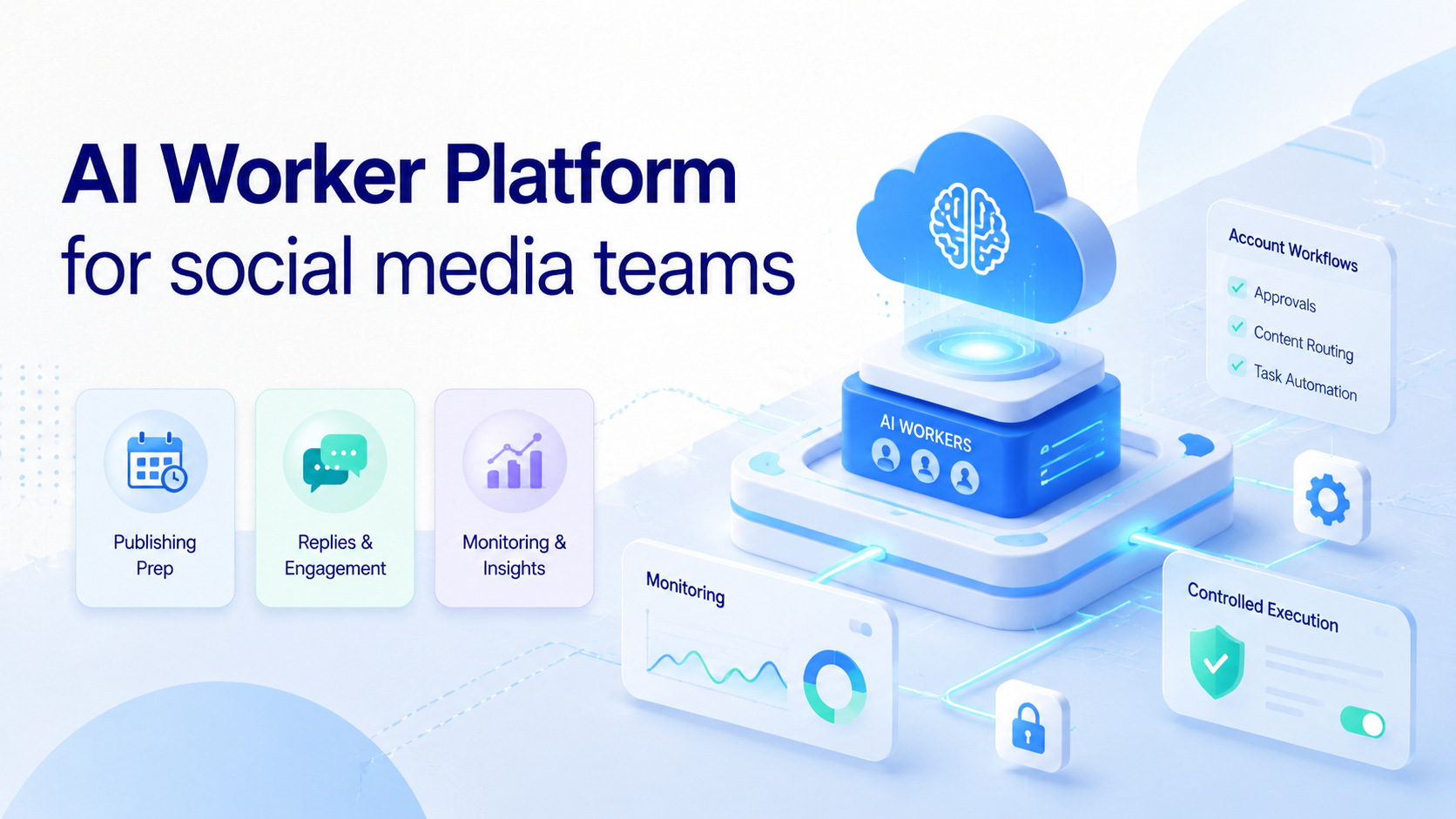
An AI worker platform is software that lets social media teams assign repeatable publishing, monitoring, reply-prep, and account operations to AI workers inside controlled browser or mobile environments. The value is not only faster content. The real benefit is giving social workflows an account, environment, reviewer, and result record.
Social media work rarely happens in one tool. A team may plan captions in one system, check comments in mobile apps, review analytics in browser dashboards, and manage several account owners. AI can help prepare the work, but execution still needs control.
MoiMobi treats this as an AI execution platform problem. AI prepares captions, reply drafts, summaries, and task plans. Fingerprint browsers, cloud phones, and Android devices provide the execution environments where account work happens.
Key takeaways
- Social media AI workers fit publishing preparation, comment triage, DM draft prep, monitoring, and reporting.
- Browser profiles fit dashboards and web tools, while mobile environments fit app-first platforms.
- Public replies, sensitive messages, and account changes need review rules.
- Multi-account teams need account assignment before they add automation.
- Success should be judged by accepted output, clean logs, and fewer missed follow-ups.
The Core Idea Behind AI Worker Platform for social media teams
The core idea is account-based execution. A worker should not be a generic assistant that touches every social account. It should have a role, account scope, environment, and stop rule.
One worker may prepare TikTok caption options from approved campaign notes. Another may classify Instagram comments. A third may monitor competitor posts and collect examples. Each worker should leave enough context for a human to approve, edit, pause, or escalate.
A browser execution platform matters because social teams use web dashboards, schedulers, analytics tools, and account portals. Browser execution has technical state. The W3C WebDriver specification defines browser control through a protocol, and Playwright explains actionability checks before clicks and inputs in its actionability guide.
Mobile execution matters because many social workflows are app-first. A cloud phone execution environment gives teams a remote Android workspace for app-based accounts, inboxes, and mobile checks.
Why Teams Search for This Topic
Social teams search for AI worker software when content volume, account count, and engagement tasks grow faster than manual operations. The problem is not only writing posts. It is coordinating who prepares, reviews, publishes, replies, monitors, and reports.
A scheduler can help with planned posts, but many workflows happen after content goes live. Comments need triage. DMs need classification. Mentions need monitoring. Competitor moves need review. Campaign pages need checks.
The platform turns those repeated actions into assigned workflows. The worker prepares or checks the task, then records the result. A human still decides what should be posted, sent, or escalated.
This is why social teams often need multi-account management. A brand, agency, or cross-border seller may run many accounts. The system should show which worker belongs to which account and who reviews the output.
Scenario Map for Social Media Operations
Use a scenario map before building automations. It keeps each worker narrow and makes reviews easier.
| Workflow | AI worker role | Execution environment | Review point | Metric |
|---|---|---|---|---|
| Publishing prep | Draft captions, hashtags, platform notes, and asset checks | Browser dashboard plus mobile app workspace | Content owner approves | Accepted drafts and edit rate |
| Comment triage | Classify comments by topic, urgency, and response need | Mobile app or social inbox | Human reviews sensitive comments | Correct routing rate |
| DM support | Prepare reply drafts and flag customer issues | Cloud phone or browser inbox | Support owner approves | Manual takeover rate |
| Competitor monitoring | Collect post examples, hooks, comments, and campaign changes | Browser profile or mobile app | Weekly strategy review | Useful findings per week |
This map also protects account ownership. A worker for one brand should not silently use another account's browser profile, app session, or content library.
Account Assignment for Social Media Teams
Social teams should assign workers by brand, platform, region, and task type. A TikTok worker may prepare caption variants and collect comment themes. An Instagram worker may classify DMs and prepare reply drafts. A WhatsApp worker may identify customer questions that need support review.
Use an account assignment sheet before running the workflow. Include account name, platform, owner, reviewer, environment, allowed action, content source, stop rule, and log location. This sheet turns a vague automation idea into an operating system.
For example, a TikTok campaign worker might have these rules: use the brand account only, collect top comments, prepare three reply drafts, flag complaints, and stop before posting. An Instagram DM worker might classify messages as product question, shipping question, collaboration request, complaint, or urgent escalation.
The worker output should include fields a reviewer can inspect:
- Account and platform.
- Source post, comment, or message link.
- Task type and campaign name.
- Draft content or classification label.
- Reason for escalation.
- Reviewer needed.
- Next action and deadline.
These fields make the workflow more specific. They also help the team compare accounts. If one account has more escalations, the team can inspect content, audience, campaign, or account environment instead of guessing.
Daily Execution Record
Social teams should keep a daily execution record for each worker. This does not need to be a complex dashboard. It needs enough fields for a manager to understand the task without reopening every account.
| Record field | Example | Decision it supports |
|---|---|---|
| Account and platform | brand_us_tiktok / TikTok | Confirms the worker used the correct account |
| Source item | Post URL, comment ID, DM thread, or campaign name | Lets the reviewer trace the work |
| Worker output | Caption draft, comment label, reply draft, or trend note | Shows what the worker actually produced |
| Review state | Approved, edited, rejected, escalated, or paused | Turns output into a managed queue |
| Failure reason | Login expired, app state changed, source missing, tone issue | Guides recovery and next workflow changes |
This record is also useful for weekly campaign learning. If reply drafts are rejected because tone is too formal, update examples. If comments are escalated because product details are unclear, update the campaign brief. If app sessions fail, check the mobile environment before adding more accounts.
Here is a concrete pilot pattern. The team chooses brand_us_tiktok and runs one worker every weekday after the first post window. The worker opens the assigned mobile environment, reviews the latest campaign post, classifies the first batch of new comments, saves five recurring questions, drafts three safe reply options, and flags any refund, delivery, or complaint message for a human.
The output record should be short but complete: post URL, account name, comment theme, draft reply, escalation reason, reviewer, and next action. If the worker cannot open the app, sees a login issue, or finds a customer complaint, it stops and marks the run as paused. This gives the operator a clear recovery path instead of a vague "automation failed" note.
Run the same pilot for one Instagram account only after the TikTok workflow is stable. That second pilot can use different labels, such as product question, creator inquiry, collaboration request, support issue, spam report, and urgent complaint. Different labels keep each platform workflow grounded in real team behavior.
Platform-Specific Workflow Examples
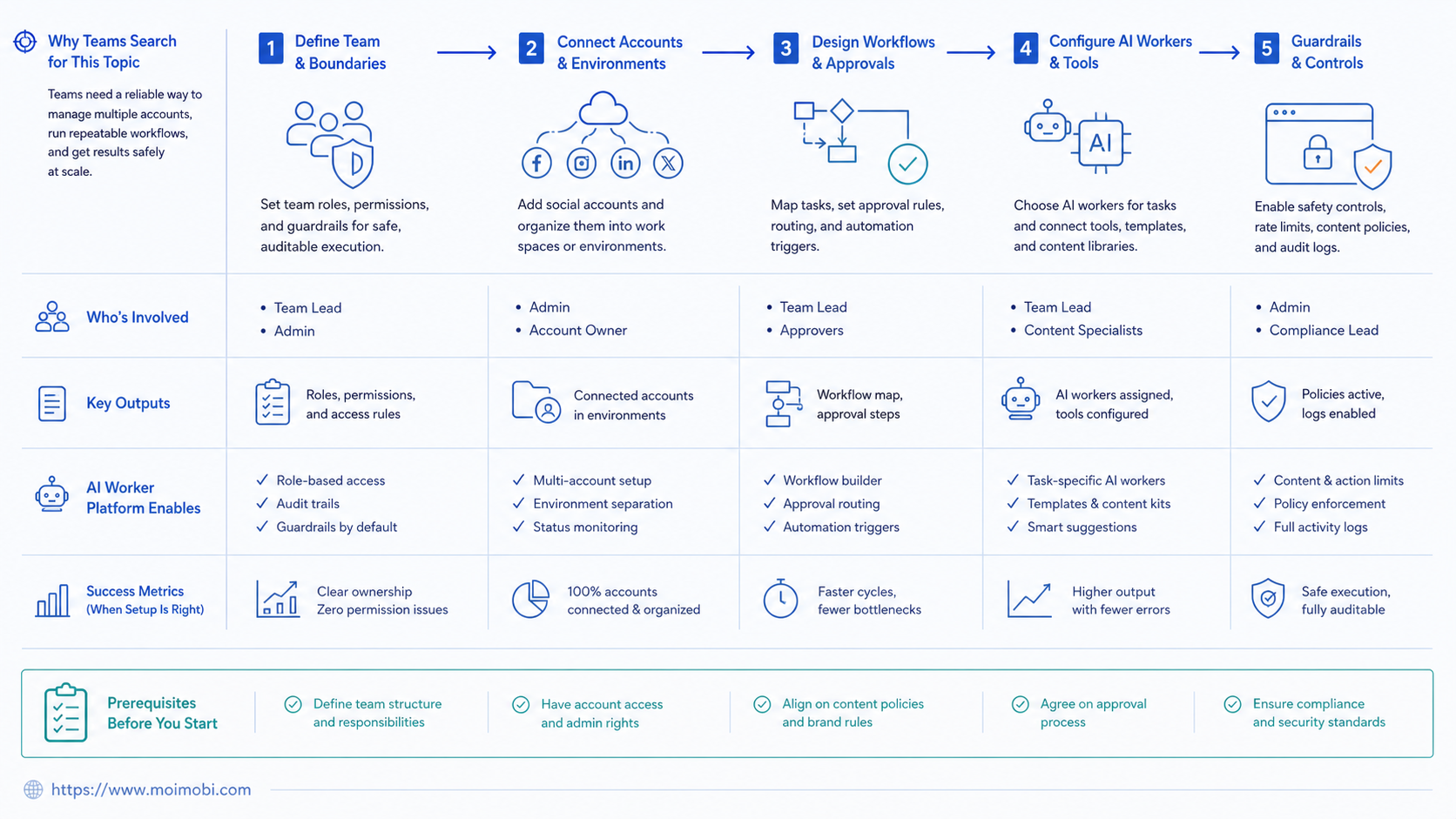
Social media work changes by platform. One workflow should not pretend that TikTok, Instagram, WhatsApp, and Telegram behave the same.
For TikTok, a worker can prepare content notes, collect comment themes, monitor competitor hooks, and flag posts that need human review. The app environment matters when the team checks mobile-only views, inbox state, or creator account activity.
For Instagram, a worker can classify comments, draft DM replies, summarize competitor posts, and prepare story response notes. Sensitive DMs should pause for review because tone and context matter.
For WhatsApp or Telegram, a worker can triage inbound messages, mark urgent support cases, and prepare short replies from approved guidance. It should not send sensitive answers without a human owner.
For Facebook pages or groups, a worker can monitor mentions, classify comments, and prepare moderation notes. Public conflict, personal data, and customer complaints should go to a human.
This platform split helps the team choose execution environments. Browser dashboards may work for analytics and scheduling. Mobile app work may require Android devices or cloud phones.
Who Benefits Most and In What Situations
Agencies benefit when they manage client social accounts. Each client needs separate assets, tone rules, account environments, approvals, and reporting. One shared assistant creates confusion; account-scoped workers are easier to manage.
Growth teams benefit when publishing and engagement happen across several platforms. A social media marketing team may need content prep in a browser and comment review inside mobile apps.
Cross-border sellers benefit when social media connects to ecommerce, support, and messaging apps. A TikTok comment may become a WhatsApp question. A product post may create DMs in another region. Controlled mobile automation helps when those steps happen inside app environments.
Small teams benefit when they start with monitoring and draft preparation. Those tasks reduce manual work without handing over sensitive public actions.
How to Evaluate or Start Using AI Worker Platform for social media teams
Evaluate checkpoints before volume. A social workflow that cannot be reviewed should not be scaled.
- Account checkpoint: the worker is tied to a specific brand, client, region, or platform account.
- Environment checkpoint: the team knows whether the task runs in a browser profile, cloud phone, Android device, or mixed flow.
- Content checkpoint: the worker uses approved campaign notes, tone rules, and asset references.
- Review checkpoint: public replies, DMs, and posts have a named reviewer.
- Stop-rule checkpoint: the worker pauses for complaints, policy-sensitive topics, pricing questions, or login failures.
- Log checkpoint: each run records account, task, source, status, reviewer, and next action.
Start with one account group and one workflow. For example, run comment triage for one Instagram account, competitor monitoring for one region, or caption prep for one campaign. Expand after the review loop is working.
Mistakes That Reduce Results
The first mistake is chasing posting volume before workflow quality. More drafted posts do not help if reviewers reject them or accounts become hard to manage.
The second mistake is mixing sessions across accounts. MoiMobi's device isolation matters because social accounts often need separated browser and mobile workspaces.
The third mistake is letting AI answer sensitive comments without review. Complaints, refund questions, platform-policy issues, personal data, and customer conflicts need human judgment.
The fourth mistake is ignoring logs. OWASP's Logging Cheat Sheet explains that logs support troubleshooting and accountability. Social teams need the same habit because mistakes can become public quickly.
The fifth mistake is collecting more data than the workflow needs. The NIST Privacy Framework frames privacy as risk management. Social workers should use only the account data needed for their task.
Pilot Rollout and Review Loop
A good pilot has one account group, one platform, one worker role, and one reviewer. It should run long enough to show repeated failures and repeated wins.
Track these metrics:
- Drafts accepted without major edits.
- Comments routed correctly.
- DMs escalated to the right owner.
- Failed runs by account or environment.
- Missed follow-ups found by the worker.
- Manual takeover rate.
Review failures weekly. If comment triage is noisy, tighten labels. If mobile app sessions fail, inspect the account environment. If reply drafts are weak, update tone rules and examples before adding accounts.
Keep a change log for every worker. Record what changed, who approved it, and what metric should improve. That keeps the system from drifting as campaigns change.
Add recovery checks for account and environment failures. A failed run should record whether the issue came from login state, app state, missing asset, unclear task instructions, or a platform page change. The next owner should be visible.
Review rejected outputs as a group. If captions feel off-brand, update examples. If comment labels are noisy, reduce label choices. If DMs trigger too many escalations, review the campaign promise and support guidance.
Do not expand while recovery notes are vague. If the team cannot explain a failed run, adding more accounts will only create a larger queue of unclear work.
Frequently Asked Questions
What is an AI worker platform for social media teams?
It is a system for assigning social workflows to AI workers and running them in controlled browser or mobile environments.
How is it different from a social media scheduler?
A scheduler plans posts. A worker platform handles broader task execution, account context, review, logs, and mobile workflows.
What should social teams automate first?
Start with caption prep, comment triage, competitor monitoring, reporting, or DM draft preparation.
Can AI workers reply to comments?
They can prepare replies, but sensitive or public replies should go through human review.
Do social media teams need cloud phones?
They may need them when workflows happen inside mobile apps or Android account environments.
How should accounts be assigned?
Assign workers by brand, client, region, platform, and reviewer. Avoid one worker owning every account.
What should not be automated first?
Avoid unreviewed public replies, conflict handling, account recovery, and policy-sensitive actions.
How should success be measured?
Measure accepted drafts, correct routing, escalations, failed runs, missed follow-ups, and reviewer trust.
Conclusion
For social media teams, the platform works when it makes social operations more controlled. The system should define the account, environment, worker role, reviewer, stop rule, and result record.
Start with one account group and one workflow. If the team can review outputs, understand failures, and improve the worker after each cycle, expand to the next platform or account group.



