
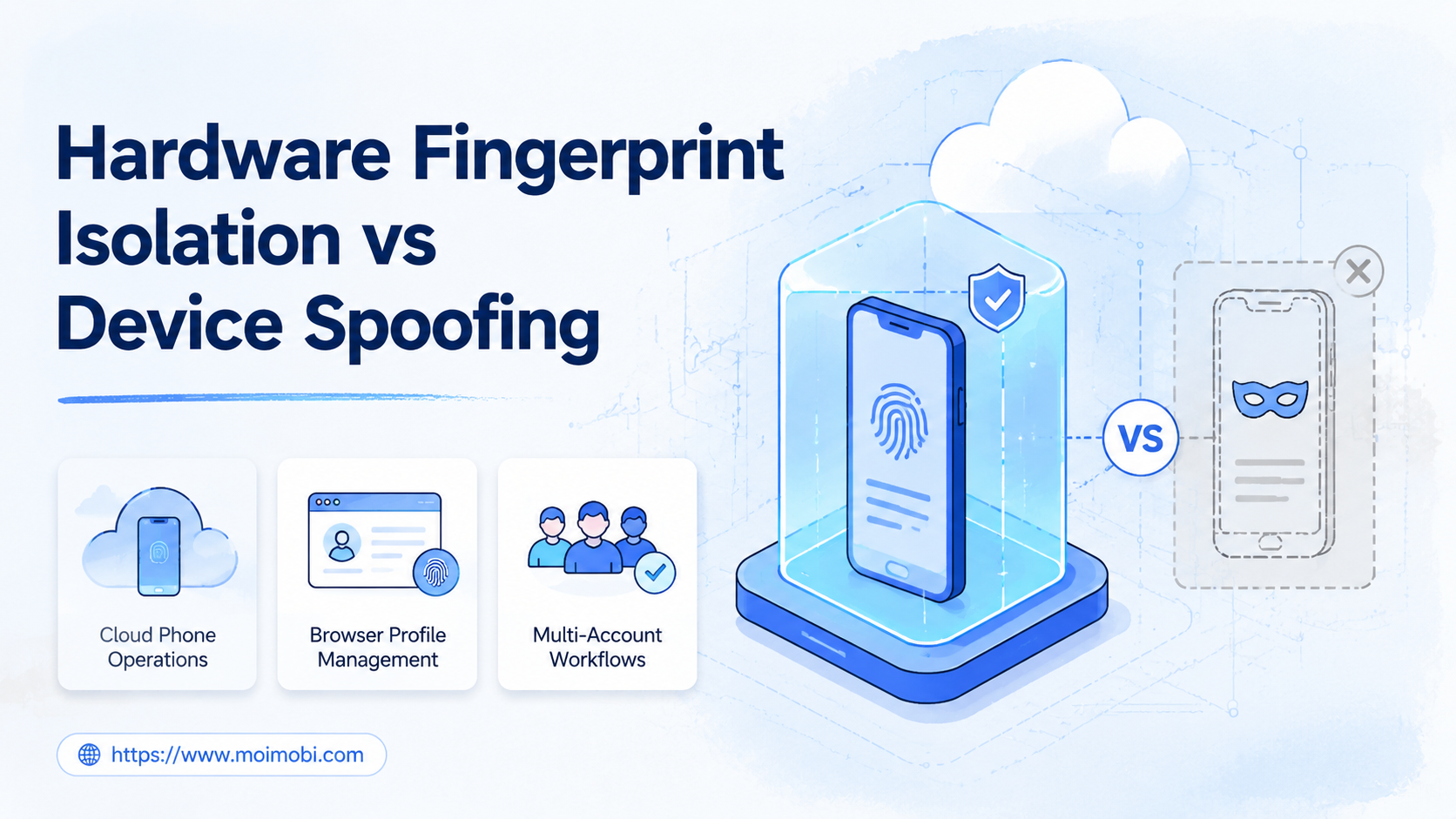
Hardware fingerprint isolation means separating account work into dedicated device or browser environments instead of editing one environment to look like many devices.
The practical verdict is clear: operations teams should evaluate hardware fingerprint isolation first when they need repeatable account work, clean handoff, and clear environment ownership. Device spoofing may describe technical changes to visible signals, but it does not solve team ownership, task logs, account mapping, or recovery.
This comparison matters for teams using cloud phones, browser profiles, Android environments, or multi-account workflows. The question is not only "which signals can change?" The better operating question is "which model helps the team run work without mixing accounts, sessions, operators, and evidence?"
Key takeaways
- Hardware fingerprint isolation is an operating model, not only a technical setting.
- Device spoofing focuses on changing visible signals and can create mismatch risk.
- Dedicated browser or mobile environments are easier to assign, review, and pause.
- Teams should compare ownership, repeatability, auditability, and recovery before features.
- MoiMobi fits teams that need isolated browser and mobile execution at account scale.
A Practical Comparison Framework for Hardware Fingerprint Isolation
Browser and device fingerprinting are broad topics. W3C describes browser fingerprinting as identifying or re-identifying a user agent or device through observable configuration settings or characteristics. MDN also explains that websites may use Web APIs to collect browser or device configuration data for fingerprinting.
For operations teams, the technical definition leads to a workflow question. Should the team isolate each account into a stable environment, or should it change device signals inside a shared environment? The first path is hardware fingerprint isolation. The second path is commonly described as device spoofing.
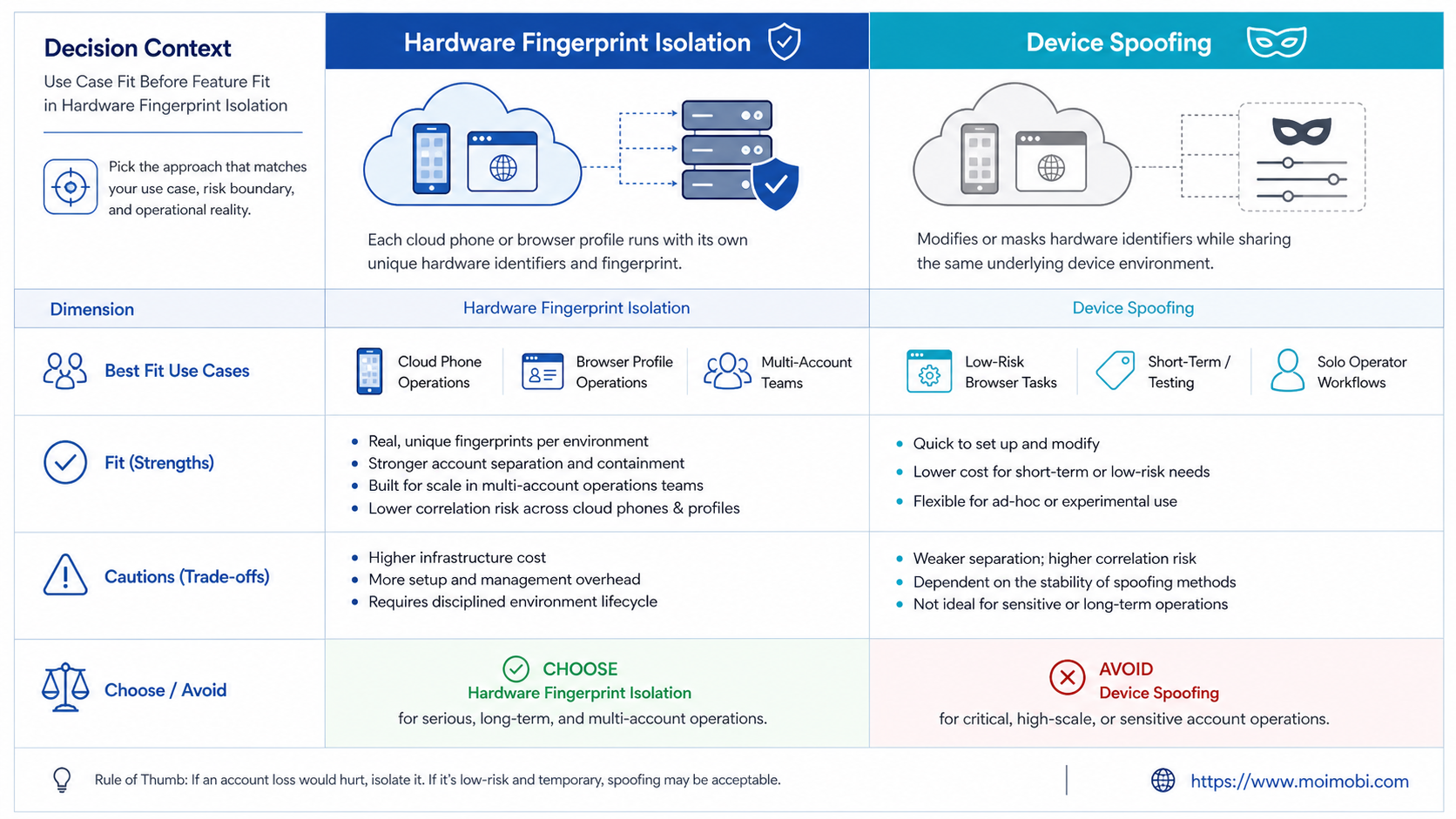
| Criteria | Hardware fingerprint isolation | Device spoofing |
|---|---|---|
| Main idea | Separate environments by account, role, or workflow | Change selected device or browser signals |
| Best question | Which account owns this environment? | Which signal should be changed? |
| Team handoff | Cleaner because each workspace is assigned | Harder if changes are not documented |
| Recovery | Pause or review one environment | Trace issues across signal changes |
| Operational fit | Multi-account teams and account workspaces | Testing or narrow technical experiments |
An account-based device isolation model is usually easier to explain to a support lead or operations manager. One account uses one assigned environment. One operator owns the task. One review log shows what happened.
Spoofing is narrower. It may change a user agent, device label, or other exposed attributes. MITRE documents browser fingerprint masquerading as a technique where browser-like attributes may be spoofed. That framing is useful for understanding risk, but it is not a workflow design.
Use Case Fit Before Feature Fit in Hardware Fingerprint Isolation
Feature lists can distract teams. A long list of fingerprint settings does not prove that a setup will work for daily operations. Fit starts with the account workflow.
Choose hardware fingerprint isolation when the same account needs repeated actions from the same environment. Examples include social media account operations, customer message checks, content publishing review, marketplace app checks, and account-specific monitoring.
Choose a spoofing experiment only when the task is limited and technical. A QA team may need to test how a site responds to different user agent strings. A privacy team may inspect how fingerprint surfaces behave. Those are different from running account operations every day.
Decision matrix
- Use isolation when account ownership must be clear.
- Use isolation when tasks repeat over days or weeks.
- Use isolation when operators need a shared handoff model.
- Avoid signal-only changes when the team cannot explain what changed.
- Avoid scaling any setup that lacks logs, pause rules, and review owners.
Android's guidance on unique identifiers is also relevant here. Android Developers recommends choosing identifiers based on use case and privacy expectations. The lesson for operations teams is simple: identity signals should be treated as design inputs, not random switches.
MoiMobi uses this account-workspace view across browser and mobile execution. A team can map accounts to browser profiles, cloud phones, Android environments, and task owners instead of relying on one generic machine.
Operational Trade-Offs and Hardware Fingerprint Isolation Workflow
The common misunderstanding is that technical flexibility equals operational safety. It does not. A team can have many configurable signals and still lose track of which account, operator, device, and task belong together.
Hardware fingerprint isolation works well when the team needs role clarity. The workspace has a name, assigned account, owner, proxy route, task history, and review status. If something looks wrong, the team can pause that workspace without disrupting every other account.
Device spoofing creates a different trade-off. It may be faster to change a signal than to create a proper workspace. That speed can be useful for controlled testing. It becomes fragile when many team members repeat the changes without a shared record.
Best fit for isolation
- Agencies managing account groups
- Cross-border teams running mobile workflows
- Support teams with account handoff
- Content teams using browser and app environments
Not a good fit
- One-time browser compatibility checks
- Unlogged signal experiments
- Teams without account ownership rules
- Workflows that need only a public web test
For mobile workflows, device isolation on cloud phones gives each account a more persistent Android workspace. For web-heavy workflows, a fingerprint browser or Android antidetect setup may handle the browser side. The cleaner model often combines both.
Google's Android Management API documentation is useful as a reference pattern for managed Android fleets. It shows that device administration becomes clearer when devices, apps, and controls are represented as managed resources. Marketplace, social, and agency teams do not need to copy enterprise mobile management. They can still borrow the same operating lesson: separate the environment, define the allowed work, and keep the management record readable.
Setup Cost, Ongoing Cost, and Management Overhead
Cost is not only subscription price. It includes setup time, operator training, task recovery, account mapping, and the time spent investigating confusing activity.
Hardware fingerprint isolation has a higher planning cost at the start. The team must decide which accounts need separate environments, which routes belong to which accounts, and who can operate each workspace. That setup creates a clearer operating map.
Device spoofing may look cheaper at the start. The team changes a setting and moves on. The hidden cost appears later when no one knows which signal changed, why it changed, or whether the change affected later tasks.
Management overhead checklist
- List every account that needs a dedicated environment.
- Record the browser or mobile workspace assigned to each account.
- Define who may operate, review, and pause the workspace.
- Track routing, proxy, and app setup details where relevant.
- Keep task logs separate from casual chat messages.
- Review failed tasks before adding more environments.
This is where a multi-account management system becomes more useful than raw configuration. The team needs visibility across accounts, not only more toggles.
Which Option Fits Different Teams?
Small teams with one or two accounts can start with simple separation. They may not need a large cloud phone fleet. They do need a rule that prevents personal devices, shared sessions, and unclear handoffs from mixing with business accounts.
Agencies should prefer isolation by client, account group, and platform. Client A's browser profile, cloud phone, files, and task logs should stay separate from Client B. This is easier to explain during reporting and easier to pause during review.
Social media teams often need both browser and mobile environments. A browser profile may handle dashboards and content libraries. A secure cloud phone can handle app checks, mobile replies, app screenshots, and mobile-first workflows.
Technical QA teams may still use spoofing for narrow tests. For example, they may inspect how a web page responds to a different user agent. That does not make spoofing a stronger model for account operations. It just means the test is technical, short-lived, and documented.
Marketplace or e-commerce teams should focus on traceability. Account work often involves listings, messages, order alerts, and app notifications. A clean environment map reduces confusion when multiple operators touch the same account.
Pilot and Review Checklist for Hardware Fingerprint Isolation
Run a small pilot before committing to a full environment model. Select five to ten accounts or one account group. Assign each account to one browser or mobile workspace. Do not mix test accounts and live operating accounts in the same workspace.
Use the pilot to test people and process, not only device settings. The operator should know which workspace to open. The reviewer should know where to find evidence. The account owner should know when a task needs approval. These checks reveal whether isolation is actually helping the team.
During the pilot, track four outcomes:
- The operator can identify the correct environment without asking.
- The account owner can review the latest task record.
- Failed tasks show a clear reason and next owner.
- The team can pause one account without stopping all work.
Review the pilot after one week. Keep the setup if tasks are easier to assign and recover. Simplify it if operators keep choosing the wrong environment. Stop expansion if the team cannot maintain logs.
A second review should look at exceptions. If a task needed a different route, app, browser profile, or operator, document the reason. Valid exceptions can become SOP updates. Invalid exceptions should lead to a simpler workspace map.
MoiMobi should be evaluated through this pilot lens. The value is not only that it offers cloud phones or browser execution. The value is whether the AI browser and cloud phone platform helps the team keep account work separated, visible, and repeatable.
Frequently Asked Questions
What is hardware fingerprint isolation?
Hardware fingerprint isolation is the practice of separating account work into dedicated environments. The goal is clearer ownership, not a promise of invisible activity.
What is device spoofing?
Device spoofing means changing visible device or browser attributes. It is a technical action, not a complete operating model for teams.
Which option fits multi-account operations?
Hardware fingerprint isolation usually fits multi-account operations because it maps accounts to workspaces. Teams still need logs and review rules.
Is device spoofing useful for testing?
Yes, it can be useful for narrow QA or compatibility tests. Keep those tests documented and separate from live account operations.
Does isolation remove all account risk?
No. Isolation improves organization and reduces mixed-workspace confusion. It does not replace platform rules, account ownership, or operator judgment.
Do cloud phones provide hardware fingerprint isolation?
Cloud phones can support mobile-side isolation when each account uses a dedicated Android environment. The quality depends on setup, routing, permissions, and logs.
How should agencies structure environments?
Agencies should separate by client, platform, account group, and role. That makes reporting, handoff, and review easier.
Should browser profiles and cloud phones be combined?
Combine them when workflows cross web dashboards and mobile apps. Use browser profiles for web tasks and cloud phones for Android app execution.
Conclusion
Hardware fingerprint isolation vs device spoofing is not a feature-count debate. Isolation is the clearer starting point for teams that need account workspaces, repeatable execution, and clean review. Spoofing is narrower and works as a controlled technical test.
Before choosing a setup, check four things: account ownership, environment mapping, task logging, and pause rules. If those basics are missing, adding more signals or devices will not fix the workflow.
For teams running browser and mobile account operations, MoiMobi can provide the execution layer across isolated browser profiles, cloud phones, Android environments, and multi-account workflows. Test it first with a small account group, then expand only when the review process stays clear.



