
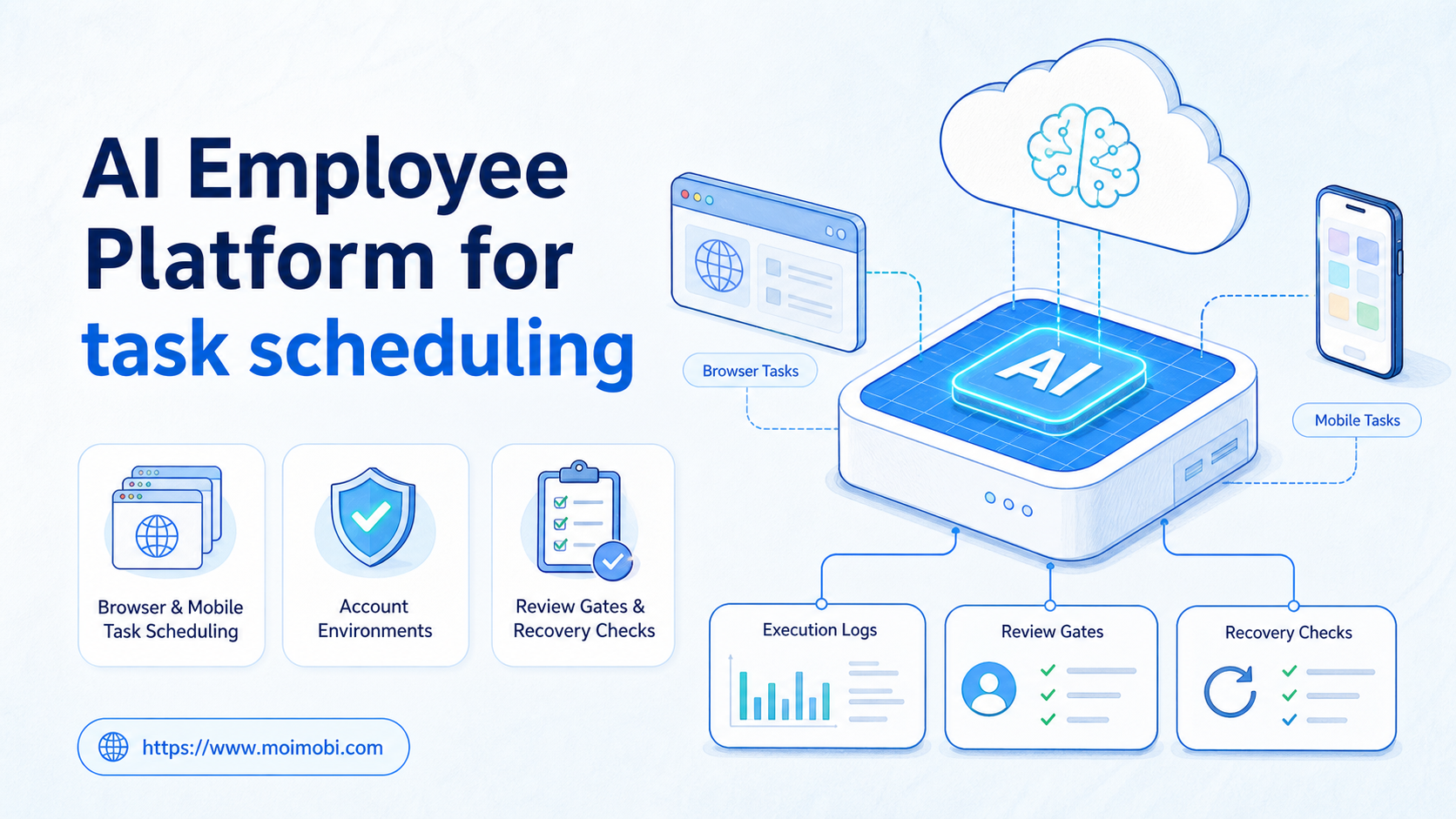
An AI employee platform is a system that lets teams schedule, assign, execute, and review repeated digital work across real environments. For task scheduling, the point is not only placing work on a calendar. A stronger model connects the scheduled task to an account, a browser or mobile environment, a workflow, and a result log.
Operations teams already schedule work every day. A social team plans publishing windows. A support team rotates inbox checks. A sales team reviews leads each morning. An e-commerce team checks listings, messages, and dashboard alerts. The hard part is making sure the scheduled task is actually executable when the time arrives.
Moimobi frames this as an AI execution platform problem. AI can understand the task and help prepare the plan, but the platform still needs execution environments, status tracking, human approval, and failure records.
Key Takeaways
- Task scheduling for AI employees should connect time, account, workflow, execution environment, and review rules.
- A scheduled task is not complete when it is added to a queue. It still needs execution, confirmation, and a result record.
- Browser tasks and mobile tasks may share one schedule view, but they need different execution environments.
- Mobile-first scheduled work may require a cloud phone execution environment instead of a browser profile.
- The best pilot starts with one repeated task, one account group, one owner, and clear missed-run handling.
The Core Idea Behind AI Employee Platform for task scheduling
The common misunderstanding is simple: task scheduling is treated as a reminder. A reminder tells someone to act. A scheduled AI employee workflow must trigger a controlled execution path and then record what happened.
For browser-based work, the scheduled task may need a logged-in session, an account role, a stable page state, and approval before a final action. For mobile work, it may need an Android device session, app availability, and a file or content asset prepared in advance. These are execution requirements, not calendar fields.
This is why AI employee task scheduling should be modeled as a chain:
schedule intent -> task queue -> account environment -> workflow execution -> review gate -> result log
The AI layer can interpret the instruction and choose a workflow. The scheduler decides when the job should run. The execution layer handles the browser or mobile environment. The review loop decides whether the result can be trusted, retried, or escalated.
Official automation systems use similar separation. Celery's periodic task documentation treats scheduled triggering separately from the worker that performs the job. Browser automation standards also separate commands from browser state. The W3C WebDriver specification defines remote browser control, while Playwright documents actionability checks before actions such as clicks and fills. Those ideas matter because a scheduled task still has to meet execution conditions at runtime.
Why Teams Search for This Topic
Teams search for AI employee scheduling when manual task queues stop scaling. The issue is rarely one missed reminder. It is usually a pattern of repeated work spread across accounts, platforms, time zones, and owners.
A marketing team may need content prepared at 9:00, replies reviewed at 11:00, competitor checks at 15:00, and report snapshots at the end of the day. A support team may need inbox scans every hour. A growth team may need account-specific research before outreach. If these tasks sit in a spreadsheet, the team still has to assign, execute, verify, and record each run.
| Scheduling problem | What a simple reminder misses | What an AI employee platform should add |
|---|---|---|
| Repeated account checks | Which account and browser profile should run | Account assignment and environment binding |
| Publishing preparation | Whether content is approved and ready | Review gate before final execution |
| Inbox triage | Which messages need human judgment | Routing rules and escalation status |
| Mobile app workflows | Whether a browser can perform the task | Cloud phone or Android execution environment |
| Daily reporting | Whether the task actually ran | Run log, error reason, and next action |
This framing changes the buying question. Buyers are not only asking for AI employees software. They are asking for a way to keep scheduled work connected to real accounts, environments, and evidence.
Scenario: A Weekly Operations Schedule for AI Workers
Consider a small cross-border e-commerce team. It manages multiple social accounts, mobile messaging channels, and web dashboards. AI workers can handle repeated work, but not every task should run freely.
The operating lead creates four scheduled lanes. Each lane has a different owner, environment, and review rule. The schedule becomes an operating plan, not just a list of times.
| AI worker lane | Scheduled task | Environment | Review rule | Success metric |
|---|---|---|---|---|
| Monitoring worker | Check dashboards every morning | Browser profile | Human review only for anomalies | Reports completed with source links |
| Publishing assistant | Prepare posts before scheduled windows | Social account workspace | Approval before publish | Approved drafts ready on time |
| Reply triage worker | Scan comments and inboxes twice daily | Browser or mobile environment | Escalate sensitive messages | Messages labeled and routed |
| Mobile app worker | Run app-first checks in the evening | Cloud phone | Stop on app state mismatch | Run status logged per account |
This schedule gives managers a practical control surface. They can see what should run, where it should run, who owns it, and how the result is judged.
For teams that operate many accounts, the schedule should connect to multi-account management. Account assignment is not a side note. It decides which environment, data, permissions, and logs belong to each run.
Who Benefits Most and In What Situations
Task scheduling fits teams with repeated workflows and clear execution windows. It is strongest when work must happen across multiple accounts, but the team still needs control over timing, approvals, and exceptions.
Social media teams benefit when scheduled work includes publishing preparation, comment review, message triage, and monitoring. E-commerce teams benefit when scheduled checks involve listings, orders, reviews, and customer messages. Support teams benefit when inbox scans and routing rules are repeated throughout the day.
The model is weaker when tasks require fresh strategy every time. A scheduling system cannot fix an undefined workflow. If the task owner cannot describe the input, output, stop rule, and escalation path, the scheduled AI worker will have the same uncertainty.
Good fit
- Repeated checks with clear timing
- Account-specific browser workflows
- Mobile app tasks with known steps
- Publishing preparation with approval
- Monitoring tasks with source records
Weak fit
- Tasks with unclear ownership
- One-off research with changing goals
- High-risk actions without review
- Bulk outreach without consent or context
- Workflows with no useful result log
Moimobi's value is strongest when schedule, environment, account isolation, and execution feedback stay connected. A plain scheduler can tell someone when to act. An execution platform can help the team understand whether the scheduled work was ready, performed, reviewed, or blocked.
How to Evaluate or Start Using AI Employee Platform for task scheduling
The first guardrail is to avoid scheduling vague instructions. "Check all accounts" is not enough. A scheduled task needs a scope, environment, expected result, and failure path.
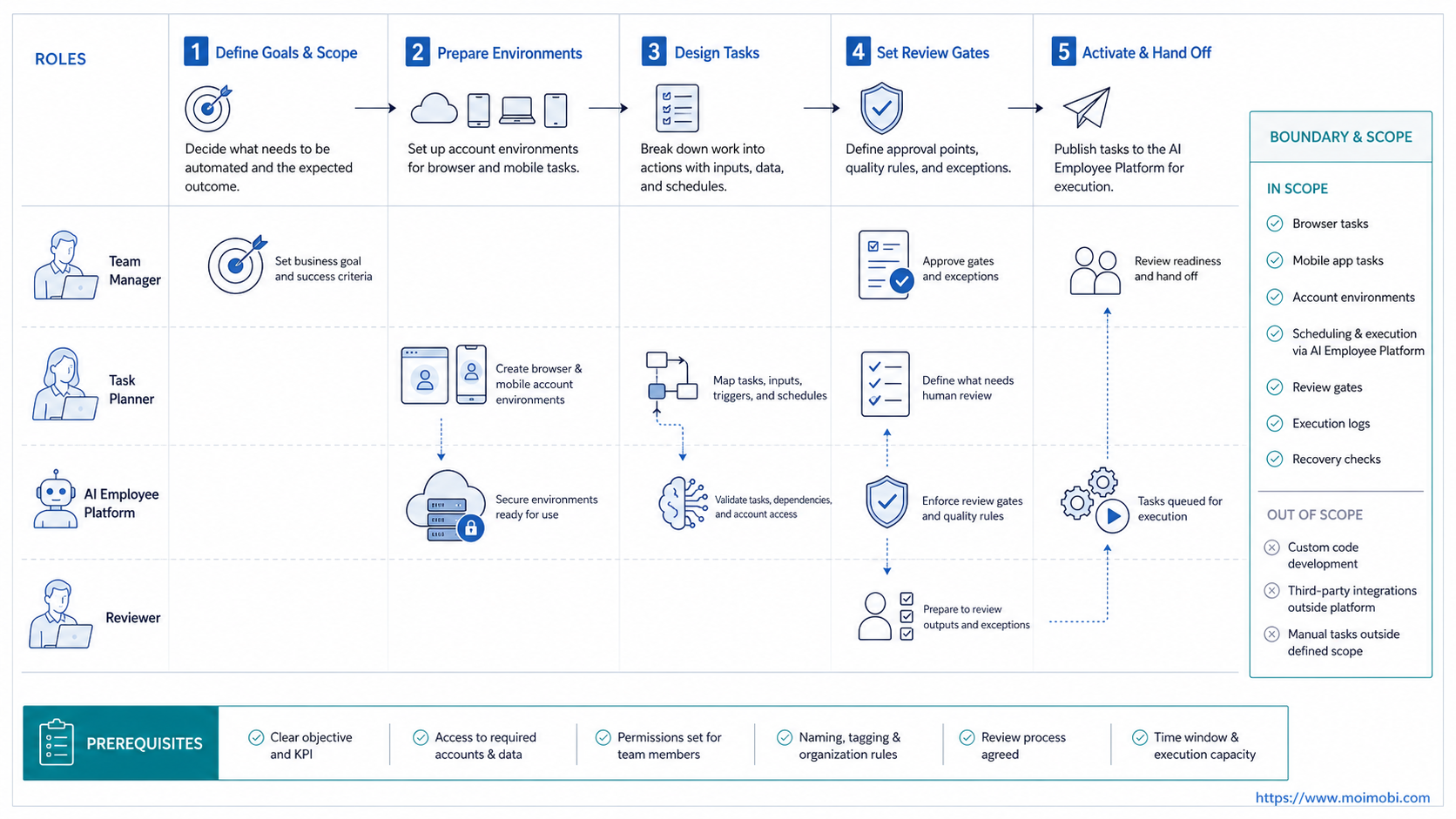
Use a small pilot before expanding the schedule:
- Choose one repeated task. Pick a task that already happens daily or weekly.
- Define the execution environment. Decide whether the task needs a browser profile, mobile automation, or another environment.
- Assign account ownership. Map each run to an account group, workspace, and responsible operator.
- Set the review gate. Decide which actions can complete automatically and which must pause.
- Define missed-run handling. Choose whether late tasks should run, skip, or wait for confirmation.
- Record every run. Store start time, end time, account, workflow, result, error reason, and next action.
- Review after one week. Expand only after failures are understandable and repeatable.
Execution readiness matters more than the schedule itself. A task may be scheduled correctly but still fail if the account is logged out, the page changed, the device is offline, or the required content is not prepared.
This is where environment planning matters. Browser tasks may need separated browser profiles. App-first tasks may need mobile automation or cloud phones. Account-sensitive workflows may also need device isolation so each scheduled run has a clear workspace.
Mistakes That Reduce Results
The biggest mistake is measuring schedule creation instead of task completion. A dashboard full of scheduled tasks looks organized, but it does not prove execution. Managers need run records and failure reasons.
Another mistake is scheduling too many tasks before the first workflow is stable. Start with one lane. Confirm that the task triggers, executes, pauses when needed, and logs the result. Only then add more accounts or more time windows.
Avoid mixing browser and mobile work under one generic label. A browser workflow may depend on DOM state and logged-in web sessions. A mobile workflow may depend on app screens, Android device state, and mobile content assets. Both can be scheduled, but their execution paths are not identical.
Logging should also be designed early. OWASP's logging guidance highlights the value of accountability, event reconstruction, and anomaly detection. In scheduled AI work, logs should show who configured the task, when it triggered, which environment ran it, and why it failed or paused.
Operational Limits for an AI Employee Platform Schedule
A schedule inside an AI employee platform should have limits before it has volume. Every recurring task needs a maximum run window, a clear owner, and a stop rule. Without those limits, the schedule becomes another place where unclear work accumulates.
Missed runs need special handling. A task that was supposed to run at 09:00 may not still be useful at 14:00. Some teams should skip it, while others should run it late and mark the delay. The right rule depends on the workflow, but the rule must be visible before the first production run.
Account capacity also matters. One account environment should not receive every scheduled task just because it is available. Queue design should consider account role, platform, review load, and the environment type. This is especially important when browser profiles and mobile devices serve different workflows.
Approval capacity is another constraint. If ten scheduled tasks all pause for review at the same time, the human team becomes the bottleneck. A practical schedule staggers review-heavy tasks and separates low-risk monitoring from actions that affect customers, content, or account settings.
Success Metrics and Review Loop
A scheduled AI worker program should be judged by reliable execution, not by the number of scheduled jobs. Count the tasks that finished with usable output. Then compare them with tasks that needed takeover, retry, or cancellation.
Track these metrics during the pilot:
- Scheduled runs created.
- Runs triggered on time.
- Runs skipped because the app or browser was unavailable.
- Runs paused for approval.
- Failed runs by reason.
- Tasks completed with usable output.
- Rework rate after human review.
- Accounts affected by repeated failures.
The review loop should separate scheduling errors from execution errors. A timezone problem is not the same as an account login problem. A browser profile mismatch is not the same as a vague instruction. Clear categories help the team fix the right layer.
After the first week, update the schedule rules, not only the prompt. Adjust task windows, ownership, approval points, and retry behavior. Keep the schedule small until the run history proves that operators can understand and correct failures.
Frequently Asked Questions
What does task scheduling mean in an AI employee platform?
It means assigning work to run at a future time or repeated interval, then connecting that schedule to an execution environment, workflow, and result log.
Is AI task scheduling the same as reminders?
No. A reminder tells a person to act. AI task scheduling should trigger or prepare a workflow and then record whether the task ran.
Can one AI worker handle all scheduled tasks?
That is usually a poor starting model. Separate workers by task type, account group, environment, and review rules so failures are easier to diagnose.
When does task scheduling need a browser profile?
Use a browser profile when the task depends on a logged-in web app, account workspace, dashboard, or browser session history.
When does task scheduling need a cloud phone?
Use a cloud phone when the scheduled workflow depends on a mobile app, Android device state, or app-first account operation.
What should happen if the client device is offline?
The run should be marked clearly, such as skipped or waiting for the app to come online. It should not be counted as a successful execution.
How should teams prevent unsafe scheduled actions?
Use review gates. Publishing, customer replies, account settings, payments, and sensitive data changes should pause for human confirmation when needed.
What is the first task to schedule?
Choose a task that already works manually, repeats often, has a clear owner, and produces a result that can be checked.
Conclusion
For task scheduling, an AI employee platform should connect time-based work to real execution. The schedule is only the start. The full system needs account assignment, environment readiness, workflow execution, review gates, and a result record.
Start with one repeated task and one account group. Define the environment, the owner, the approval point, and the missed-run rule. If the first week produces clean logs and understandable failures, the team can expand scheduling across more browser and mobile workflows.



