
Key Takeaways
- An AI employee platform is strongest when reply workflows have clear triggers, owners, review gates, and account environments.
- Reply automation should support triage, drafting, routing, and logging before it handles sensitive customer responses.
- Browser and mobile execution environments matter when replies happen inside logged-in dashboards or mobile apps.
- Teams should measure response quality, review load, escalation rate, and recovery clarity, not only reply volume.
- Platform rules and customer trust should shape the workflow boundary before scale.
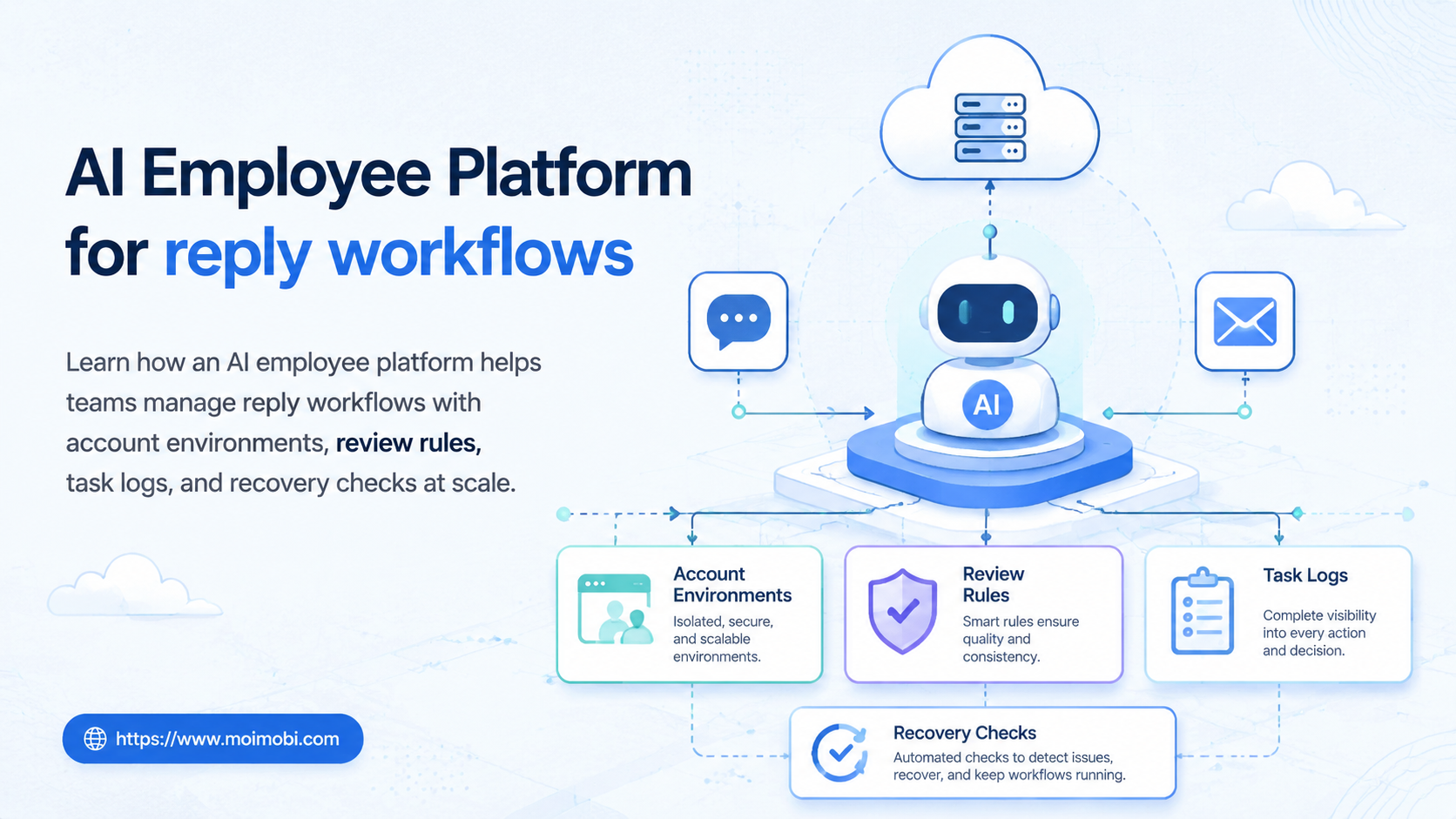
An AI employee platform is a system that connects AI planning with controlled task execution, so reply workflows can move from message intake to reviewed action. Customer-facing teams should not optimize for reply count alone. The better target is repeatable reply work with visible context, ownership, and review.
Reply workflows fail when teams treat AI as a free-form inbox writer. A generated answer is not the same as a completed support action. Teams still need account assignment, platform context, escalation rules, customer history, and task records. That is why an AI execution platform is a better frame than a simple chatbot for account-based reply operations.
The Core Idea Behind AI Employee Platform for reply workflows
For reply workflows, the platform turns incoming comments, messages, and inbox items into structured tasks. The system can classify intent, draft a response, route the task to the right owner, wait for approval, and record the outcome.
The platform should not hide judgment. A pricing complaint, refund request, legal claim, or platform-policy question needs human review. Routine tasks, such as tagging a message, preparing a first draft, checking account ownership, or collecting context, are better candidates for AI worker software.
Three layers decide whether the workflow is practical:
- Message context: What did the customer ask, where did it come from, and what account owns the conversation?
- Execution environment: Does the reply happen in a browser dashboard, a mobile app, or both?
- Review control: Which replies can be prepared automatically, and which require approval?
Browser automation has mature standards for remote control. The W3C WebDriver specification defines a model for browser automation through a remote end and local end. That matters for reply workflows because web inboxes depend on logged-in sessions, page state, and interaction controls. Mobile-first replies may require a persistent Android environment or cloud phone lane when the inbox lives inside an app.
The workflow also needs a source of truth. A reply task should know which message it came from, which account owns it, what draft was suggested, who approved it, and what happened after sending. Without those fields, teams cannot improve the process later.
Why Teams Search for This Topic
Teams usually search for this topic when reply work becomes too large for manual handling but too sensitive for blind automation. Social media managers face comments and DMs. Support teams handle repetitive questions. Growth teams follow up with leads. E-commerce teams answer product and shipping questions.
The problem is not only speed. It is the loss of control when many people and accounts share the same workflow. A reply may be drafted by one person, approved by another, and sent from a third account environment. Without a visible task trail, the team cannot explain what happened.
This search intent is often practical. Teams want to know whether AI employees software can reduce inbox pressure without creating spam, policy, or support-quality problems. The answer depends on how narrow the workflow is and how clearly the team defines the stop rules.
| Reply lane | Common task | AI worker role | Human review point | Metric to watch |
|---|---|---|---|---|
| Social comments | Sort questions, praise, complaints, and spam | Classify and draft safe responses | Complaints or sensitive claims | Escalation accuracy |
| DM inbox | Respond to simple product or service questions | Prepare answer and collect context | Price, refund, or account-specific issues | First-response time |
| Community replies | Monitor recurring questions and route issues | Group messages by topic | Public conflict or policy-sensitive topics | Resolution handoff rate |
| Lead follow-up | Follow up after a form, comment, or campaign action | Draft next-step message | High-value or unclear lead intent | Qualified reply rate |
Meta's developer and platform policies are a useful reminder that automated access and messaging behavior must follow platform boundaries. TikTok's community rules also describe spam and artificial engagement as behaviors platforms try to limit. Those policies do not design your workflow, but they make one principle clear: reply systems should prioritize relevance, permission, and review.
That principle is operational, not theoretical. If a reply cannot be tied to a real trigger, customer context, or account owner, it should not be automated. The safer path is to prepare a draft, route it for review, and log the decision.
Who Benefits Most and In What Situations
The best fit is a team with repeated reply patterns and clear escalation rules. A small team answering the same twenty product questions can benefit. A support team sorting public comments into billing, product, shipping, and technical buckets can also benefit.
The fit is weaker when every message requires deep judgment. A dispute, negotiation, legal issue, or sensitive complaint should not be pushed through a low-review automation lane. The workflow should pause and hand the task to a human owner.
Strong fit
- Repeated questions with approved answer patterns
- Multiple social or support accounts
- Clear owner for each account or inbox
- Need for logs, review, and escalation history
Weak fit
- No approved reply library
- No account ownership map
- High-conflict or sensitive messages dominate
- No one reviews failed or escalated tasks
Moimobi's position is account-based execution. Teams can connect browser profiles, mobile environments, and account workspaces instead of treating replies as isolated text snippets. That becomes more useful when a team also needs multi-account management across social media, e-commerce, or customer engagement workflows.
Agencies may use the same structure for client accounts. A client workspace can hold approved answers, escalation rules, and review owners. Operators can then handle routine triage without mixing one client's inbox rules with another client's account environment.
Account Environments for Reply Workflows
Reply workflows should begin with account mapping. The map defines which account, browser profile, cloud phone, role, and reviewer owns each reply lane. Without this map, automation can draft good text but still route it to the wrong place.
Browser-based inboxes usually need isolated browser sessions. App-based inboxes may need persistent Android devices or mobile automation lanes. Mixed workflows need both.
A practical account environment record should include:
- Account name and platform.
- Assigned browser profile or mobile device.
- Responsible operator or team.
- Allowed reply categories.
- Escalation categories.
- Review owner.
- Last task result and failure reason.
This record turns the workflow into an operation rather than a pile of messages. It also makes recovery easier when a session expires, a mobile app changes, or a reply needs manual review.
The account map should stay small at first. One account group, one message category, and one owner are enough for a pilot. Expanding too early makes it harder to tell whether a failure came from the AI draft, the account environment, or the review rule.
Team Roles and Review Boundaries
Reply workflows work better when each role has a narrow responsibility. The AI worker prepares and routes. The operator checks account state. The reviewer approves sensitive replies. The manager reviews outcomes and recurring failure patterns.
Clear boundaries also prevent over-automation. A draft can be prepared automatically, but the send action may remain gated. A message can be categorized automatically, but a complaint may still need manual handling. A lead can be routed automatically, but the offer or price discussion may require a human owner.
Use this simple boundary rule: automate preparation first, then automate sending only where the team can explain the trigger, message category, approved response pattern, and recovery path. This keeps the workflow useful without treating every customer message as the same task.
How to Evaluate or Start Using AI Employee Platform for reply workflows
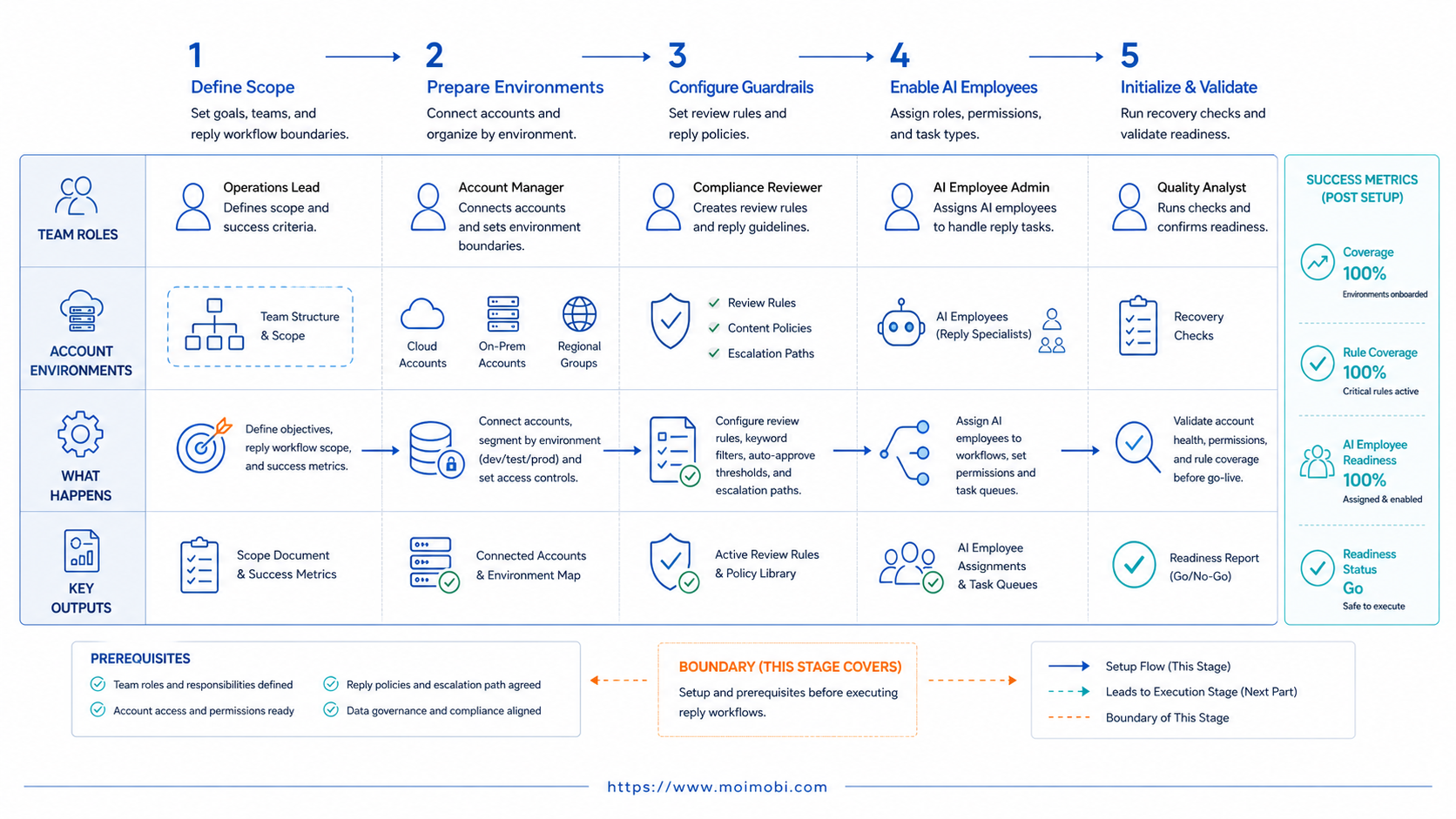
Do not begin with full auto-reply. Begin with triage, drafts, and task records. These steps create value without removing judgment from customer conversations.
- Choose one inbox lane. Start with one platform, account group, or message type.
- Define message categories. Separate routine questions, sales leads, complaints, spam, and sensitive issues.
- Create approved reply patterns. Keep the library short and review it regularly.
- Assign account environments. Map each account to a browser or mobile lane.
- Set approval rules. Decide what can be drafted, what can be suggested, and what must pause.
- Log every outcome. Record sent, reviewed, escalated, failed, and ignored states.
- Review weekly. Compare quality, speed, handoff load, and failure reasons.
An AI browser execution platform is useful when the reply action happens inside web dashboards. For mobile inboxes, a controlled Android lane is clearer than forcing every task through a desktop browser. The right setup depends on where the team actually replies.
Mistakes That Reduce Results
The biggest mistake is measuring only reply volume. A team can send more replies and still create more support debt. Better metrics include first-response time, review accuracy, escalation quality, and customer follow-through.
Another mistake is using one shared account session. Shared sessions blur ownership and make it hard to trace who approved a response. Separate browser or mobile environments keep account context cleaner.
Teams also fail when they skip stop rules. A task should pause when the message is sensitive, the account state is unclear, the app is unavailable, or the answer needs customer-specific data. A paused task with a reason is better than a wrong reply.
Avoid these failure patterns:
- Same reply template sent across many unrelated messages.
- No record of which account handled the conversation.
- AI drafts sent without checking policy, pricing, or customer context.
- Escalations buried in chat instead of tracked as tasks.
- No review of failed, ignored, or corrected replies.
Reply workflows are customer-facing. Operational discipline matters more than novelty.
One more mistake is hiding corrections. When a human edits an AI draft, that edit should be treated as feedback. The system should not learn blindly from every edit, but the team should review repeated corrections. Repeated edits often reveal a missing answer pattern, a poor category, or a weak escalation rule.
Pilot Rollout, Measurement, and Recovery Checks
A reply workflow pilot should prove control before scale. Pick one account group, one message category, and one approval owner. Keep the first version narrow enough to review every outcome.
Useful pilot metrics include:
- Number of messages classified.
- Draft acceptance rate.
- Manual edit rate.
- Escalation rate.
- Failed task count.
- Average first-response time.
- Customer follow-up rate after the reply.
Recovery checks show whether the system can be trusted during exceptions. A good record includes the message source, account environment, last completed step, reviewer, failure category, and next action. This is especially important when the team uses social media marketing workflows where replies connect to content, leads, and community management.
If the team cannot explain why ten tasks failed, it should not scale to one hundred. Improve the categories, stop rules, and ownership map first.
The review loop should end with a decision. Keep the workflow unchanged, narrow the scope, update the reply library, or expand to one more account group. Without that decision, pilot metrics become a report instead of an operating tool.
Policy and Source Checks for Reply Automation
Reply workflows sit close to platform rules and customer expectations. Official sources should guide the boundaries. Meta Platform Terms restrict unauthorized automated access and misuse of platform data. Instagram Messaging API documentation defines how approved business messaging can be implemented. TikTok community rules describe spam and deceptive engagement as unwanted behavior.
These sources do not say that every AI-assisted reply is wrong. They show why teams should avoid blind mass replies, unclear permissions, and unmanaged automation. A safer workflow starts with triage and review, then expands only where the team can explain the rule, owner, and result.
The same principle applies to browser execution. Use official automation references, such as W3C WebDriver, to understand remote browser control concepts. Then apply those ideas through controlled account environments and task logs, not through improvised scripts.
Frequently Asked Questions
1. Is an AI employee platform the same as a chatbot?
No. A chatbot usually handles conversation at the text layer. An AI employee platform also manages account environments, tasks, review, execution, and logs.
2. What should a reply workflow automate first?
Start with classification, drafts, routing, and task logging. These areas reduce manual work without removing human judgment from sensitive replies.
3. Can AI workers send replies automatically?
They can in tightly controlled cases, but teams should begin with review gates. Sensitive, account-specific, or high-value messages should pause for a human owner.
4. When does a reply workflow need a cloud phone?
Use a cloud phone when replies happen inside mobile apps or persistent Android environments. Browser-only dashboards may only need isolated profiles.
5. How do teams avoid duplicate replies?
Use account assignment, task states, and message IDs. Each conversation should have one owner and one visible status.
6. What metrics matter most?
Track draft acceptance, edit rate, escalation rate, first-response time, recovery clarity, and customer follow-up. Volume alone is not enough.
7. Is this suitable for support teams?
Yes, when support has repeated question types and clear escalation rules. It is weaker for complex disputes or highly personalized cases.
8. How should teams evaluate AI employees software?
Look for execution environments, account isolation, approval rules, task logs, and recovery records. Text generation quality is only one part.
9. Does this reduce support cost?
It can reduce repeated handling work, but only after the team defines categories, review rules, and escalation paths. Poor workflow design can increase rework.
10. Where does Moimobi fit?
Moimobi fits teams that need browser and mobile execution for multi-account replies, monitoring, publishing, and customer engagement workflows.
Conclusion
The right priority order is clear: map reply lanes, define account environments, add review gates, and measure recovery before scaling. An AI employee platform becomes valuable when it makes reply work more controlled, not just faster.
For a first rollout, choose one inbox category and one account group. Then confirm that every reply task has an owner, status, environment, review rule, and outcome record before adding more accounts.



