
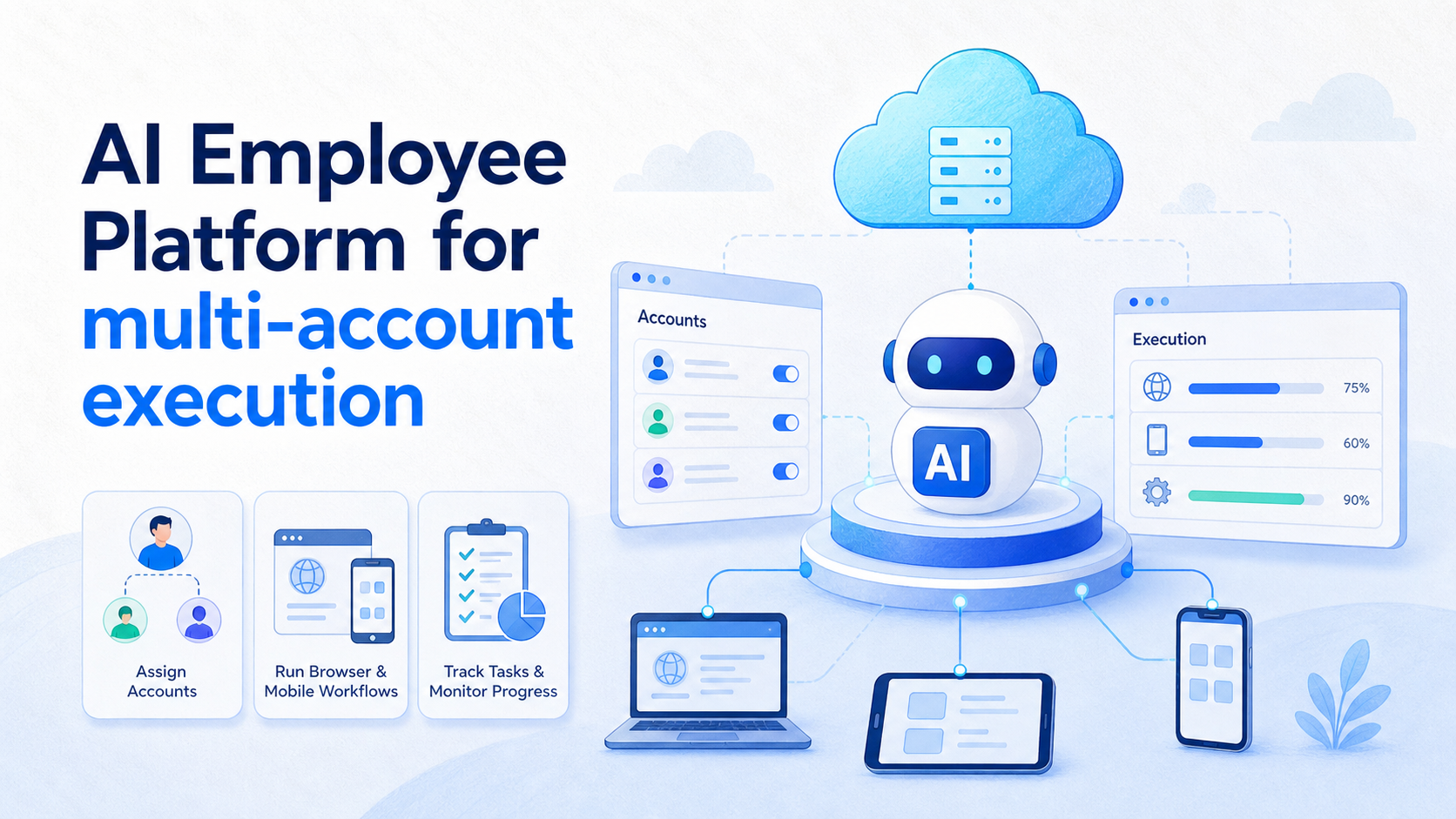
An AI employee platform is a system that assigns AI workers to real account environments, then tracks the tasks those workers execute. For multi-account execution, the core job is not simply generating content or clicking buttons. The core job is keeping each account, device, browser profile, workflow, approval rule, and result visible to the team.
Multi-account work becomes messy when teams run many social, marketplace, or customer channels at once. A single operator may know which account did what. A growing team usually does not. Without a controlled execution model, accounts share sessions, tasks overlap, approvals disappear, and failures become hard to trace.
MoiMobi approaches this as execution infrastructure. AI helps prepare tasks, browsers and mobile environments carry out work, and managers review outputs through logs and assignment rules. A practical setup gives each account a clear workspace before adding automation.
Key Takeaways
- Multi-account execution needs assignment, isolation, scheduling, approval, and logs.
- One AI worker should have a clear account environment, task scope, and stop rule.
- Browser profiles and cloud phones serve different execution needs.
- A pilot should measure task completion, exceptions, recovery time, and account workload.
- Broad mobile execution topics should reinforce a clear cloud phone execution environment before linking to narrower product pages.
The core idea behind AI Employee Platform for multi-account execution
Multi-account execution works best when the team treats accounts as operating units. Each account needs an owner, environment, task list, allowed actions, and activity history. The AI employee platform coordinates those parts so work does not collapse into one shared queue.
This model is different from a chatbot or a macro tool. A chatbot may answer questions. A macro may repeat steps. Multi-account execution needs a higher-level control layer: who owns each account, which task should run, which environment should be used, and what happens when the task fails.
Consider a team managing 40 social accounts across three regions. Some accounts publish content. Some reply to comments. Some monitor competitors. Others only collect leads. A platform-level model lets the team assign one AI worker to one account workspace, or one worker group to one region, without mixing every task into the same browser session.
The execution layer also needs evidence. W3C WebDriver describes browser automation through defined commands and remote endpoints, which is a useful reminder that execution should be structured. Playwright's actionability checks show the same principle from another angle: reliable automation depends on clear element state, not just intent. Multi-account AI work needs similar discipline at the account and workflow level.
| Execution object | What it owns | Why it matters | Review metric |
|---|---|---|---|
| Account | Login, profile, channel role, owner | Prevents unclear responsibility | Account activity record |
| Environment | Browser profile, cloud phone, or mobile device | Keeps execution context separated | Environment-to-account match |
| AI worker | Task scope, skills, workflow limits | Defines what the worker may do | Task completion quality |
| Review queue | Approvals, exceptions, failed tasks | Stops silent mistakes from spreading | Recovery time |
Why teams search for this topic
The common myth is that multi-account execution is mainly a volume problem. More accounts means more tasks, so the team looks for faster automation. The workable view is more specific: more accounts means more state to manage.
Every account has context. It has a login state, posting history, message tone, platform rules, assigned operator, and sometimes a mobile-only workflow. If those details are not separated, the team may run the wrong task in the wrong place.
Teams also search for this topic when scripts become hard to maintain. A script may handle one repeated action. It rarely explains who approved the task, why an account was skipped, or which result needs a human review. An AI browser execution platform should connect execution with assignment, not only action replay.
Operational search intent often appears in these questions:
- Which account should this AI worker use?
- Should this task run in a browser profile or a mobile app?
- Who approves content before it goes live?
- What happens when a login, upload, reply, or data collection task fails?
- How do managers compare account workload across the team?
The answer is rarely a single tool. Teams need a process that links account environments, task queues, workers, logs, and recovery checks. AI can help prepare and execute work, but the control model decides whether the process stays understandable.
Another driver is handoff. A founder-led team may remember which account is warming up, which account is publishing, and which account needs a customer reply. A larger team needs that memory written into the system. Account status, assigned worker, task queue, last action, next approval, and failure history should be visible without asking one operator to explain everything from memory.
Who benefits most and in what situations
Multi-account execution is a good fit when repeated work spans many accounts and platforms. Social media agencies, cross-border sellers, customer support teams, and marketplace operators often face this pattern. They need to publish, reply, monitor, collect leads, and report results across separate account workspaces.
The fit is weaker when a team only manages one or two accounts with low activity. A simple manual checklist may be enough. The platform becomes more useful when account count, task frequency, and handoff complexity increase together.
Account isolation is the key boundary. For web dashboards, separated browser profiles may be enough. For app-first tasks, teams may need cloud phones or Android mobile environments. For larger programs, multi-account management connects both sides into a controlled operating system.
The team shape also matters. Agencies need client boundaries. E-commerce teams need product, support, and order workflows. Social media teams need publishing, replies, monitoring, and lead follow-up. A single AI worker model will not fit every role. The platform should make worker scope explicit, so a publishing worker does not accidentally handle refund messages or private customer support tasks.
Good fit
- Many accounts need repeatable publishing, replying, or monitoring.
- Tasks move between browser dashboards and mobile apps.
- Several operators need clean handoff and review queues.
- Managers need account-level activity and exception reports.
Not a good fit yet
- The team has no account ownership map.
- Workflows change every day and have no common steps.
- Human review rules are not defined.
- The only goal is unattended volume without quality checks.
How to evaluate or start using AI Employee Platform for multi-account execution
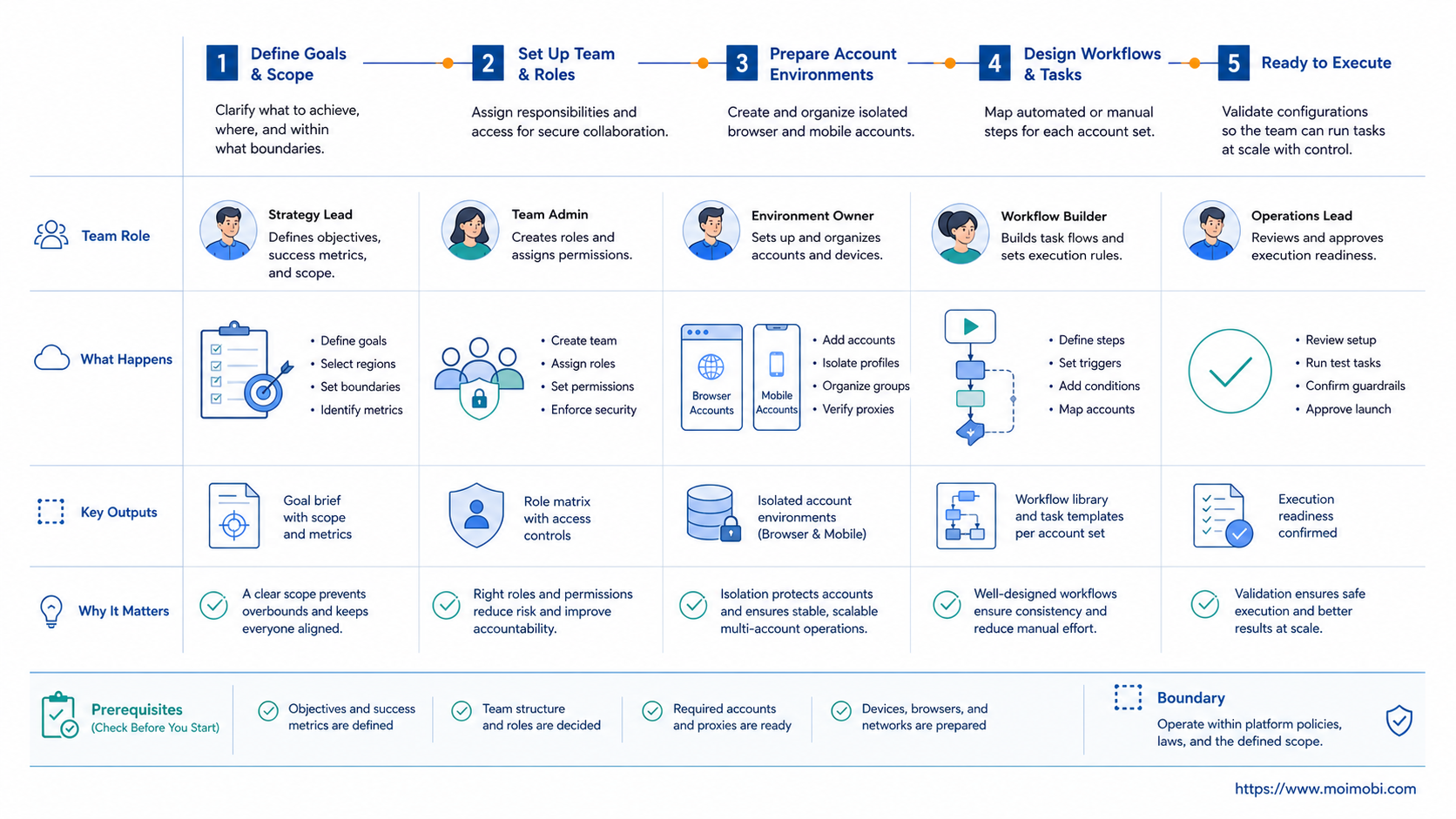
Start with account design before automation design. A clear account map reduces confusion before AI workers enter the process.
- List the account pool. Record account name, platform, region, owner, purpose, and current environment.
- Define account roles. Separate publishing accounts, reply accounts, monitoring accounts, sales accounts, and test accounts.
- Map environments. Assign each account to a browser profile, cloud phone, or mobile device environment.
- Create worker scopes. Decide which AI worker may publish, reply, collect leads, monitor dashboards, or only draft content.
- Add approval gates. Require review for sensitive replies, first-time workflows, pricing claims, complaints, or account changes.
- Track execution events. Log task start, account used, environment used, result, failure reason, and reviewer action.
- Review before scaling. Expand only after completion quality and recovery handling are visible.
This sequence also keeps the system auditable. OWASP's logging guidance frames logs as a way to support security and operational review. Multi-account execution needs the same mindset. A finished task is not enough; the team needs a record of the environment, account, action, and result.
When mobile apps are involved, do not treat every device as interchangeable. A device isolation plan helps define which account belongs to which environment. That makes daily operations easier to review and easier to recover when a workflow fails.
Scheduling should be treated as part of the account model. Some accounts may run only publishing tasks. Others may run monitoring tasks during specific windows. A few may stay in review-only mode until the team trusts the workflow. This keeps the rollout gradual and gives managers a way to compare account load before adding more automation.
Mistakes that reduce results
The first mistake is starting with automation speed. Faster execution only helps after account ownership is clear. If one account belongs to sales, another to support, and another to monitoring, each account needs a different task policy.
The second mistake is mixing browser and mobile work in one mental model. Browser dashboards and mobile apps have different interfaces, session behavior, and recovery steps. A workflow that works in a browser profile may not work in an app-first environment.
The third mistake is missing stop rules. AI workers should not decide every edge case alone. Sensitive conversations, account setting changes, payment issues, unusual login states, or repeated failures should move into review.
Use this pass/fail check before expanding:
- Pass: each account has a defined owner and environment.
- Pass: each AI worker has a named task scope.
- Pass: exceptions move to a human review queue.
- Fail: several accounts share the same vague workflow.
- Fail: no one can explain why a task failed.
- Fail: the team counts completed actions but ignores unresolved exceptions.
NIST's Privacy Framework is useful for one more reason. It treats privacy as an ongoing risk-management process. For multi-account teams, that means customer data, account permissions, and message handling rules should be reviewed as workflows change.
One more failure mode is over-combining tasks. A worker that publishes content, replies to comments, updates account settings, collects leads, and exports reports has too many responsibilities. Split the work by task family. Publishing, replying, monitoring, and reporting should each have their own limits, approval rules, and recovery steps.
Account assignment model for an AI employee platform
Account assignment should be boring and explicit. Each account needs a stable record that says where it runs, who owns it, what it may do, and which AI worker can touch it. Without that record, multi-account execution depends on memory and chat messages.
A useful assignment model has six fields:
- Account ID: the account or channel being operated.
- Environment ID: the browser profile, cloud phone, or mobile device used for execution.
- Worker role: publishing, reply, monitoring, lead collection, or reporting.
- Allowed tasks: the actions this worker may run.
- Approval rule: what requires human review before completion.
- Recovery owner: the person or queue responsible when the task fails.
This model also helps separate AI employees software from generic task automation. The system is not only running actions. It is making account-level operations inspectable. When a task fails, the manager can inspect the account, environment, worker, workflow, and last known state instead of reading a vague failure message.
Pilot rollout, metrics, and recovery loop
A practical pilot should start with a small account group. Pick 5 to 10 accounts with similar tasks. For example, choose a content publishing group or a comment reply group. Do not mix every platform and task type in the first run.
The pilot should measure work quality, not only task volume. Track completed tasks, skipped tasks, failed tasks, human edits, approval wait time, and recovery time. A high completion count can hide weak execution if exceptions are ignored.
| Metric | What it shows | Review action |
|---|---|---|
| Task completion rate | Whether the workflow runs end to end | Inspect failed steps before adding more accounts |
| Human edit rate | Whether AI outputs match the operating standard | Update prompts, templates, or approval rules |
| Environment mismatch count | Whether accounts are assigned correctly | Fix account-to-environment mapping |
| Recovery time | How fast the team resolves exceptions | Add clearer stop rules and ownership |
| Account workload balance | Whether some accounts are overloaded | Redistribute workers or schedule windows |
Review the pilot weekly. Remove tasks that are too ambiguous. Promote tasks that are repeatable. Split workflows that contain too many decisions. This is how AI employees software becomes operational infrastructure instead of another disconnected automation tool.
Keep one recovery lane open during the pilot. Failed tasks should not disappear into a backlog. They should enter a queue with failure reason, account ID, environment ID, last action, and next owner. This is the difference between scaling execution and simply hiding operational debt.
FAQ
What is an AI employee platform for multi-account execution?
It is a system that assigns AI workers to account environments and tracks their work. It connects tasks, accounts, approvals, and execution logs.
Is this only for social media accounts?
No. Social media is a common use case, but the same model can support marketplaces, customer support channels, web dashboards, and app-based workflows.
Why does one account need one environment?
Separate environments make ownership clearer. They also help teams review which account, browser profile, device, or cloud phone handled a task.
Can AI workers replace operators?
They should not be framed as full replacements. They reduce repeated preparation and execution work, while humans handle judgment, approval, and recovery.
What should the first pilot include?
Use a small group of similar accounts. Pick one task type, one review rule, and one success metric before expanding.
How do browser profiles and cloud phones differ?
Browser profiles fit web dashboards and browser-based workflows. Cloud phones fit mobile app workflows that need a persistent Android environment.
What is the biggest rollout mistake?
The biggest mistake is scaling before ownership and logs are clear. More accounts will multiply confusion if the base workflow is weak.
Which reports should managers review?
Review account activity, task completion, failed steps, approval delays, human edits, and environment mismatches. These reports show whether execution is controlled.
Conclusion
Priority one is account ownership. Priority two is environment assignment. Priority three is worker scope. Priority four is task logging and recovery. That order keeps multi-account execution understandable before it becomes larger.
An AI employee platform for multi-account execution should not hide complexity behind automation. It should make complexity visible, assignable, and reviewable. Start with a small account pool, define the execution model, and expand only when the team can explain both successful tasks and failed ones.



