
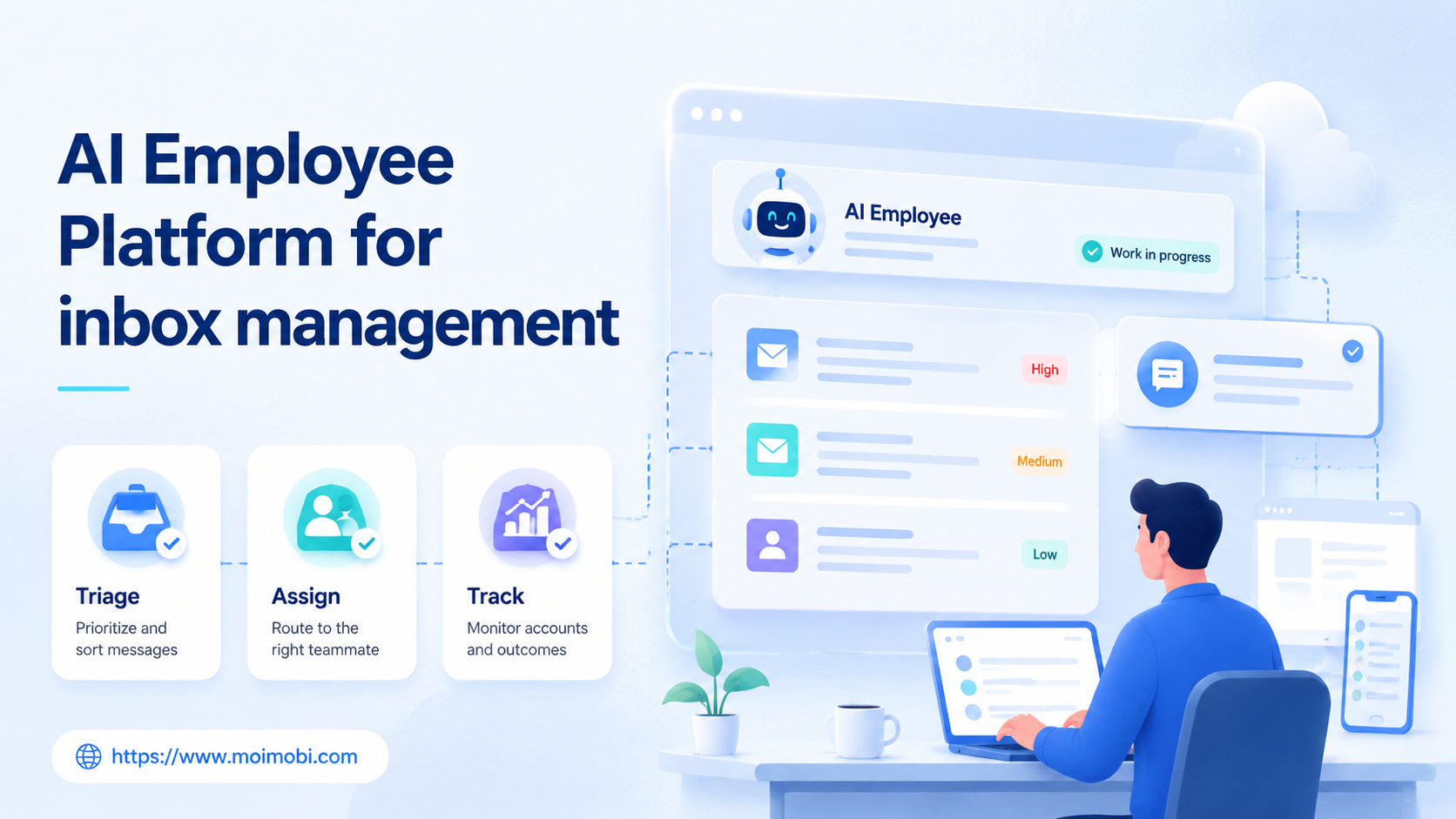
An AI employee platform is a system that lets teams turn repeated inbox work into assigned, tracked, and reviewable execution workflows. For inbox management, the value is not just faster replies. The value is cleaner triage, better handoff, fewer missed conversations, and a visible record of what each account or channel did.
Inbox work becomes difficult when one team handles Instagram DMs, WhatsApp conversations, Facebook page messages, web forms, support inboxes, and marketplace messages at the same time. A normal chatbot answers only inside one channel. A human-only process depends on people remembering where each thread lives. An AI employee platform sits between those two extremes: it helps classify conversations, prepare replies, route tasks, and execute repeatable actions inside controlled browser and mobile environments.
For teams using MoiMobi as an execution layer, inbox management also connects to account environments. A reply task may belong to a browser profile, a mobile app, a cloud phone, or a human reviewer. The operating question is simple: which worker owns the conversation, what action is allowed, and how is the result checked?
Key Takeaways
- Inbox management needs triage, assignment, review, execution, and logs, not only generated replies.
- AI employees should handle repeatable preparation work before sensitive customer conversations.
- Browser and mobile inboxes need separate account environments when teams manage many accounts.
- A pilot should measure missed threads, first response time, escalation quality, and recovery actions.
- Broad mobile inbox workflows should reinforce a clear cloud phone execution environment instead of treating every phone as a shared device.
The Core Idea Behind AI Employee Platform for inbox management
Inbox operations work better when each message becomes a queue item. A message enters the queue, gets classified, receives a suggested next action, and moves to the right worker. That worker may be a human support agent, an AI employee, a browser profile, or a mobile account environment.
This is different from adding one generic AI reply box. Generic reply tools focus on the text. Inbox operations need ownership. A team must know whether a message is sales, support, complaint, spam, partner inquiry, refund request, or low-priority engagement. The next step depends on that classification.
Execution boundaries make the platform useful in real team work. Some replies can be drafted by AI and approved by a person. Some updates can be logged automatically. Some mobile app actions need to happen inside a dedicated device environment. Other conversations should stop immediately and escalate to a senior human.
For example, a small e-commerce team may receive Instagram product questions, WhatsApp order updates, and Facebook page comments. AI can draft product answers, group conversations by intent, and remind the right person. The final send action may still require approval for refunds, complaints, or private customer data.
| Inbox scenario | AI employee task | Human control point | Metric to watch |
|---|---|---|---|
| Product questions | Draft short answers from approved notes | Approve new claims or discounts | Reply acceptance rate |
| Order status messages | Classify and assign to the right account owner | Confirm private account data handling | Escalation accuracy |
| Comment-to-DM follow-up | Prepare context and next-step suggestions | Review first outreach message | Valid response rate |
| Complaint or refund request | Summarize the issue and create a task | Human handles final response | Resolution time |
Why teams search for this topic
Teams search for AI employee platform because inbox work is no longer contained in one tool. Customer conversations may happen in social apps, messaging apps, marketplaces, and dashboards. Each place has different login states, permissions, message rules, and response expectations.
Official messaging channels also have rules. Meta describes responsiveness rules for Messenger automation, and the WhatsApp Business Platform uses webhooks and API events for business messaging workflows. Those docs matter because inbox automation is not just a writing problem. It is also a routing, permission, and event-handling problem.
Four pressure points usually create the search:
- Volume: too many messages arrive during campaigns or product launches.
- Fragmentation: each account has its own inbox and login environment.
- Quality: replies vary by operator, shift, and language.
- Visibility: managers cannot see what was answered, escalated, or ignored.
An AI browser execution platform is useful when the inbox lives behind a web dashboard or app-like workflow. The system needs to open the right account, keep the right session, collect context, and record the result. That is different from sending a disconnected text suggestion into a spreadsheet.
Reply quality is only one part of the decision. The harder question is whether the team can run inbox work as a controlled workflow. If the process has no assignment, no review rule, and no recovery path, AI only adds more untracked activity.
Who benefits most and in what situations
Teams with repeated inbox patterns and clear service boundaries usually get the cleanest fit. They already know common questions, allowed answers, escalation rules, and account ownership. AI employees can then reduce preparation time without taking over judgment.
Social media teams are a common fit. They may manage many Instagram, TikTok, Facebook, WhatsApp, or Telegram accounts. Some accounts answer comments, some handle sales leads, and some only monitor mentions. A multi-account management layer helps keep these roles separated.
Support and e-commerce teams can also benefit. They often handle order questions, product questions, delivery updates, and refund requests. AI can classify the message, suggest the next action, and route the case to the right person. Sensitive replies should remain under human approval.
Agencies benefit when they manage client inboxes. The agency needs a record of who replied, which account was used, what was escalated, and whether the client needs to approve a response. Without that record, inbox work becomes hard to audit.
Good fit
- Repeated questions with approved answer patterns.
- Multiple social or customer channels.
- Clear account roles and channel owners.
- Managers need logs, review queues, and escalation visibility.
Not a good fit yet
- No documented reply rules.
- One low-volume inbox handled by one person.
- Unclear permissions for private customer data.
- Leadership expects fully unattended replies from day one.
How to evaluate or start using AI Employee Platform for inbox management
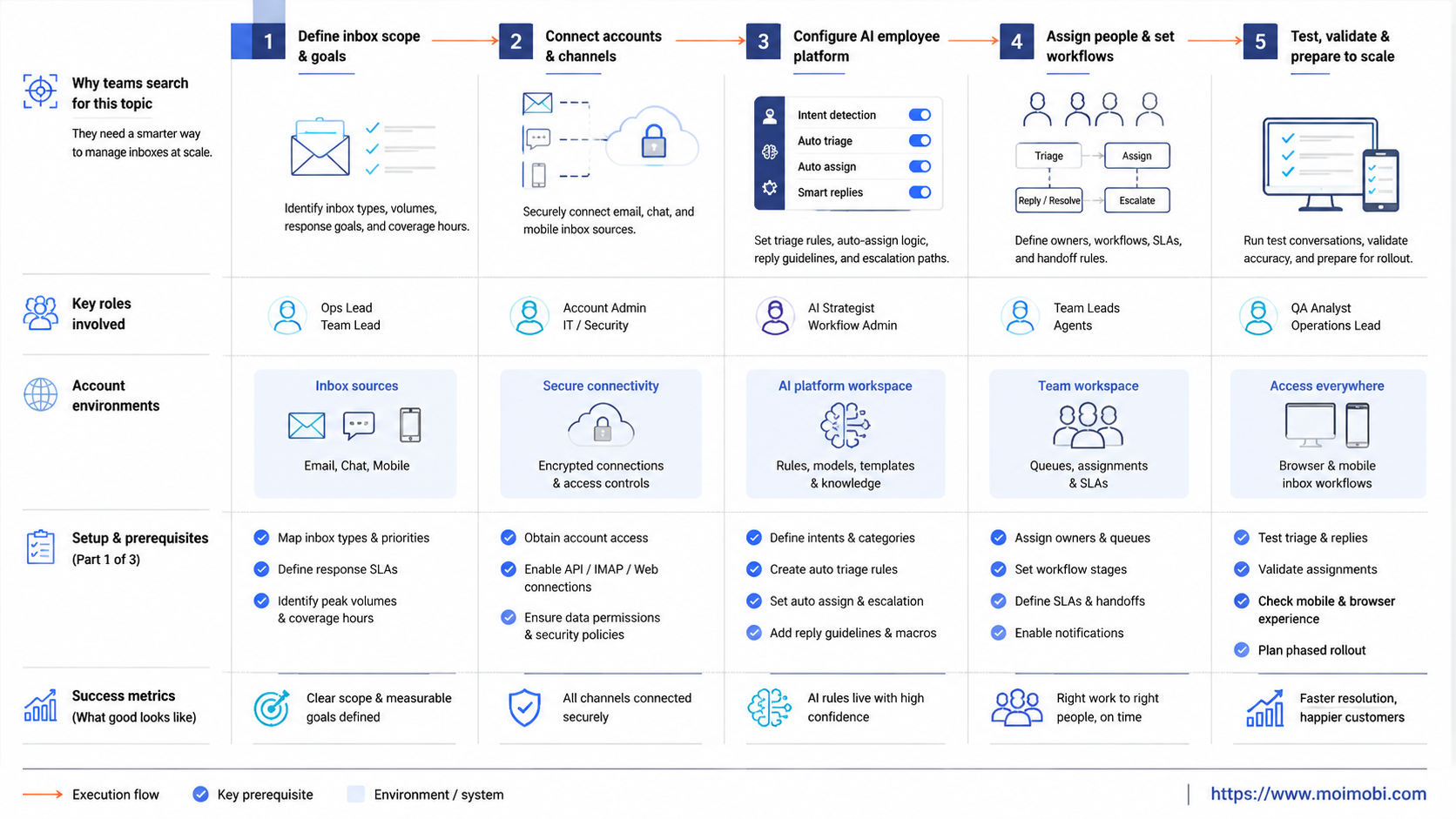
Start with the workflow, not the model. A stronger setup defines message classes, account environments, allowed actions, and review gates before asking AI to write replies.
- Map the inbox sources. List every channel: social DMs, comments, WhatsApp, web chat, support email, CRM tasks, and marketplace messages.
- Define message classes. Separate sales, support, complaint, refund, spam, partner, and internal handoff messages.
- Assign account environments. Decide which browser profile, cloud phone, or mobile app environment owns each account.
- Write approval rules. Mark which replies can be drafted, which need approval, and which must stay human-only.
- Create a task log. Track source, account, owner, status, suggested reply, final action, and escalation reason.
- Run a short pilot. Use a small account group before connecting more channels or teams.
Do not skip the account environment step. Inbox automation often touches logged-in accounts, customer context, and platform-specific interfaces. A team using browser profiles or cloud phones should know which environment is responsible for each inbox.
For mobile-first inboxes, a cloud phone can keep mobile app execution separate from shared desktop work. That does not remove the need for platform rules or human review. It gives the team a more controlled place to run app-based inbox tasks.
Mistakes that reduce results
Mistake one is treating inbox automation as bulk messaging. Inbox management is response work, not a license to contact everyone. The platform should help teams respond to real conversations, not create spam-like outreach.
Mistake two is skipping logs. OWASP's logging guidance treats event logging as a security and operations control, not a decorative feature. Inbox workflows need the same discipline. A team should know who handled a thread, what action was taken, what failed, and what needs review.
Mistake three is mixing account environments. When several people use the same login, device, or browser session, ownership becomes unclear. The issue is not only technical. It affects accountability. If a customer receives a poor reply, the team needs to know which workflow and account produced it.
Another common mistake is letting AI answer private or sensitive issues without a stop rule. NIST's Privacy Framework is useful here because it frames privacy as a repeatable risk-management process. For inbox work, that means defining when customer data, payment issues, refunds, complaints, or identity questions must move to a human.
Use this short stop list:
- Stop automatic sending when the message includes payment, refund, legal, medical, or identity details.
- Stop when the thread contains anger, threats, harassment, or repeated dissatisfaction.
- Stop when the suggested reply uses an unapproved product claim.
- Stop when the account environment or login state looks wrong.
- Stop when the message belongs to another team or client.
Pilot rollout, measurement, and recovery checks
Start the pilot with one team, one channel cluster, and a small account group. For example, choose five social accounts that receive repeated product questions. Let the AI employee classify messages, draft replies, and assign tasks. Keep the send action under human review for the first stage.
Measurement should cover more than speed. First response time matters, but it is not enough. Track missed threads, wrong classifications, manual edits, escalation quality, and recovery actions. If AI drafts many replies that humans rewrite, the reply library or classification rules need work.
Review the logs weekly. The review should answer four questions:
- Which message classes were handled well?
- Which replies needed heavy edits?
- Which accounts created the most exceptions?
- Which workflow step caused delay or confusion?
After review, update the operating rules. Add approved answers for repeated questions. Tighten the stop list for sensitive cases. Move unclear cases into a human queue. A practical device isolation setup also helps teams keep browser and mobile account work separated during the pilot.
Recovery checks matter because inbox work is public-facing. A failed draft, wrong account, or missed complaint can affect trust. The system should show failed tasks, pending approvals, account-level activity, and unresolved escalations. Otherwise, managers only see the successful replies and miss the operational gaps.
What to track in the first 30 days
During the first month, look for proof that the process is easier to manage. Do not judge the platform only by how many replies it produces. Judge whether the team can see the queue, assign work, review sensitive cases, and recover from failures.
Useful first-month metrics include:
| Metric | What it tells you | Warning sign |
|---|---|---|
| First response time | Whether triage is faster | Speed improves but quality drops |
| Classification accuracy | Whether messages enter the right queue | Sales, support, and complaints mix together |
| Human edit rate | Whether drafts match approved language | Most replies require full rewrites |
| Escalation rate | Whether stop rules are working | Sensitive cases stay in AI-only flow |
| Missed thread count | Whether the inbox queue is complete | High-value messages remain unseen |
| Account-level activity | Which accounts are active or overloaded | One account handles unrelated workflows |
These metrics also help compare AI employees software options. A tool that writes fluent replies but cannot show assignments, approvals, or logs may not solve team inbox operations.
FAQ
What is an AI employee platform for inbox management?
It is a workflow system that helps teams classify, assign, draft, review, and track inbox work. It should connect AI output with account environments and operational logs.
Is this the same as a chatbot?
No. A chatbot usually answers inside one channel. An AI employee platform can coordinate tasks across browser profiles, mobile environments, accounts, and human reviewers.
Can AI send every reply automatically?
That is not a good starting point. Teams should begin with drafting, classification, assignment, and review. Automatic sending should stay limited to low-risk, approved cases.
Which inboxes fit this model?
Social DMs, comments, WhatsApp messages, marketplace messages, support queues, and CRM follow-ups can fit. The key is whether the team has repeatable rules.
Why do browser and mobile environments matter?
Many inboxes live inside logged-in web dashboards or mobile apps. A separated browser or mobile environment helps keep account work traceable and easier to assign.
How should a team start?
Start with one channel cluster and one message type. For example, test product-question triage for a small set of social accounts before adding complaints or refunds.
What should managers review weekly?
Review missed messages, wrong classifications, edited replies, unresolved escalations, and account-level workload. These show whether the workflow is improving.
Does this replace support staff?
It should not be framed that way. It reduces repeated preparation work and improves visibility, while humans still handle judgment-heavy conversations.
Conclusion
Inbox management improves when scattered messages become a controlled operating queue. The system should classify messages, assign owners, prepare replies, protect account environments, and show what happened after each task.
Your next step is to map one inbox workflow end to end. Pick the source, message classes, account owner, approval rule, execution environment, and review metric. If that map is clear, AI employees can support the process without turning inbox work into uncontrolled automation.



