
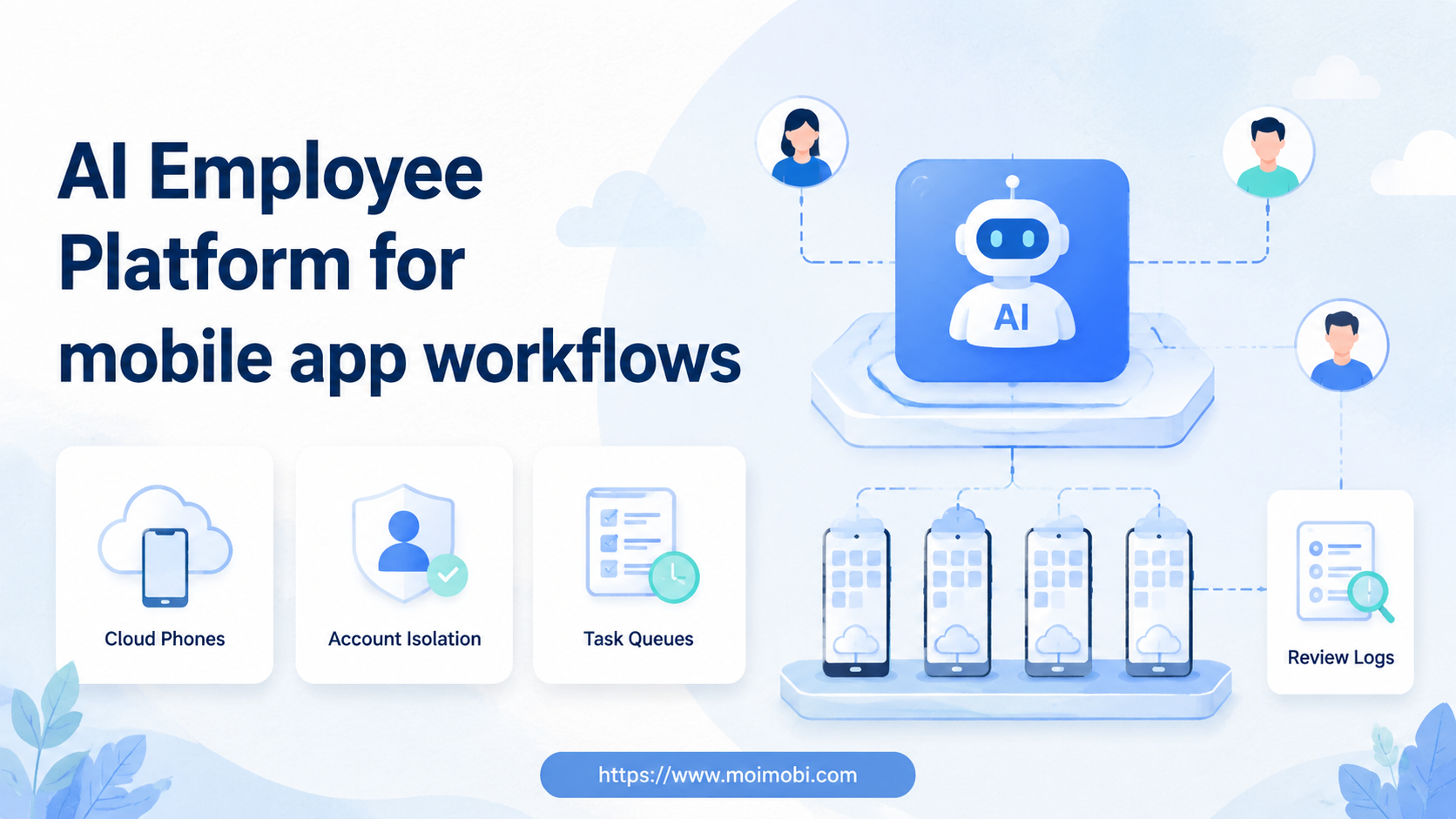
An AI employee platform is a system that connects AI workers to real execution environments, including mobile app environments, so teams can run repeatable tasks with assignment, review, and logs. For mobile app workflows, the important question is not whether AI can write a task plan. The question is where that task runs, which account owns it, and how the team checks the result.
Mobile app work is different from web-only automation. A team may need to open TikTok, Instagram, WhatsApp, Telegram, marketplace apps, or support apps inside persistent Android environments. The app state, login state, device environment, and account owner all matter.
MoiMobi positions this as execution infrastructure. AI helps prepare and guide tasks. Cloud phones, Android devices, and browser profiles provide the places where tasks run. Managers need a system that turns app actions into accountable workflows, not a pile of disconnected phone sessions.
Key Takeaways
- Mobile app workflows need execution environments, not only AI-generated instructions.
- A cloud phone for AI agents is useful when tasks must run inside Android apps.
- Each account should map to a specific environment, worker role, and approval rule.
- The first pilot should measure task completion, failed steps, human edits, and recovery time.
- For broad mobile execution planning, link mobile workflows back to a clear cloud phone execution environment before choosing narrower tools.
The core idea behind AI Employee Platform for mobile app workflows
Mobile app workflows need three layers: AI planning, mobile execution, and operational review. AI can decide the next step or prepare a reply. The mobile environment runs the actual app task. The review layer records what happened and decides whether a human needs to intervene.
This structure matters because mobile apps have state. The same button may appear differently by account, region, app version, language, or login status. A workflow that is clear in a web dashboard can become fragile inside a mobile app if the environment is not controlled.
Before execution, the platform should answer five questions:
- Which app and account are involved?
- Which environment should run the task?
- What is the worker allowed to do?
- What must be reviewed by a human?
- How is the result recorded?
Android's own ecosystem reinforces the need to define environment boundaries. Android Developers documents emulator and device tooling for app work, while AWS Device Farm and Firebase Test Lab both frame mobile execution as device-based testing and automation. Those sources are not the same as business automation, but they support the broader point: mobile workflows depend on real or simulated device environments, not text output alone.
Scenario: mobile app workflows across accounts and roles
Imagine a growth team running 24 social accounts across TikTok, Instagram, WhatsApp, and Telegram. The content team prepares assets. The support team answers inbound messages. A manager reviews exceptions. Several accounts need mobile app actions because the workflow is not available in a clean web dashboard.
In that scenario, the AI employee platform should not become one shared robot account. It should operate as a role-based system. One AI worker drafts replies. Another prepares publishing checklists. A monitoring worker collects status and flags exceptions. Each worker maps back to the account and environment it touched.
The operating record matters as much as the action. A manager should be able to see that account ig-region-03 ran a reply workflow inside Android environment phone-17, produced three draft replies, and sent two items to human review. Without that record, the team only knows that "automation ran" and cannot improve the process.
| Mobile workflow | AI employee role | Execution environment | Review metric |
|---|---|---|---|
| Social reply queue | Classify messages and draft responses | Cloud phone or app account workspace | Human edit rate |
| Content publishing | Prepare caption, asset, and checklist | Android app environment | Successful publish count |
| Lead follow-up | Summarize context and assign next step | Mobile messaging app | Valid response rate |
| Monitoring task | Collect status and flag exceptions | Browser profile or cloud phone | Exception recovery time |
Why teams search for this topic
The common misunderstanding is that mobile app workflows only need a phone farm. A phone farm gives device capacity. It does not automatically provide AI task planning, worker assignment, approval rules, or account-level reporting.
Teams search for this topic when mobile work becomes too scattered. One operator uses a physical phone. Another uses an emulator. A third uses a cloud device. Each person remembers local details, but the team lacks a shared task record.
The search also appears when browser automation is not enough. Some workflows must happen in mobile apps because the platform experience, inbox, content tools, or customer messages live there. In that case, cloud phone infrastructure becomes part of the execution stack.
The real need is a controlled path:
- AI understands or prepares the task.
- The task is assigned to a worker and account.
- The correct Android or browser environment opens.
- The action runs with review boundaries.
- The result returns to a log or reporting view.
This is why an AI browser execution platform and a mobile execution layer should not be treated as separate worlds. Teams need a shared operating model across web dashboards and mobile apps.
Another reason is recovery. Mobile app tasks can fail in ordinary ways: an app loads a new screen, a permission prompt appears, a media upload takes too long, or the account is not in the expected state. The platform should capture these moments and route them to review. Silent failure is worse than a visible exception because managers cannot fix what they cannot see.
Who benefits most and in what situations
Mobile app workflows fit teams that manage many app-based accounts or customer interactions. Social media operators, cross-border sellers, creators, agencies, and support teams often face this pattern. They need to publish, reply, monitor, and follow up without losing account context.
The model is less useful for a single low-volume app account. A person with one phone and one checklist may not need this kind of platform. The need grows when account count, task frequency, and handoff complexity increase together.
The strongest fit appears when work crosses roles. A content specialist prepares assets. An AI worker drafts captions or replies. A mobile environment executes the task. A manager reviews exceptions and results. That chain needs shared state.
Good fit
- Mobile app accounts need repeated publishing, replying, or monitoring.
- Several people share responsibility for the same account pool.
- Tasks need review before sensitive actions.
- Managers need account-level logs and failure reports.
Not a good fit yet
- The team has no repeatable mobile workflow.
- Only one person runs one low-volume account.
- Account ownership is unclear.
- The goal is unattended volume without review or recovery.
For teams already using Android environments, device isolation becomes part of the decision. It helps define which account belongs to which device context, especially when several app workflows run in parallel.
How to evaluate or start using AI Employee Platform for mobile app workflows
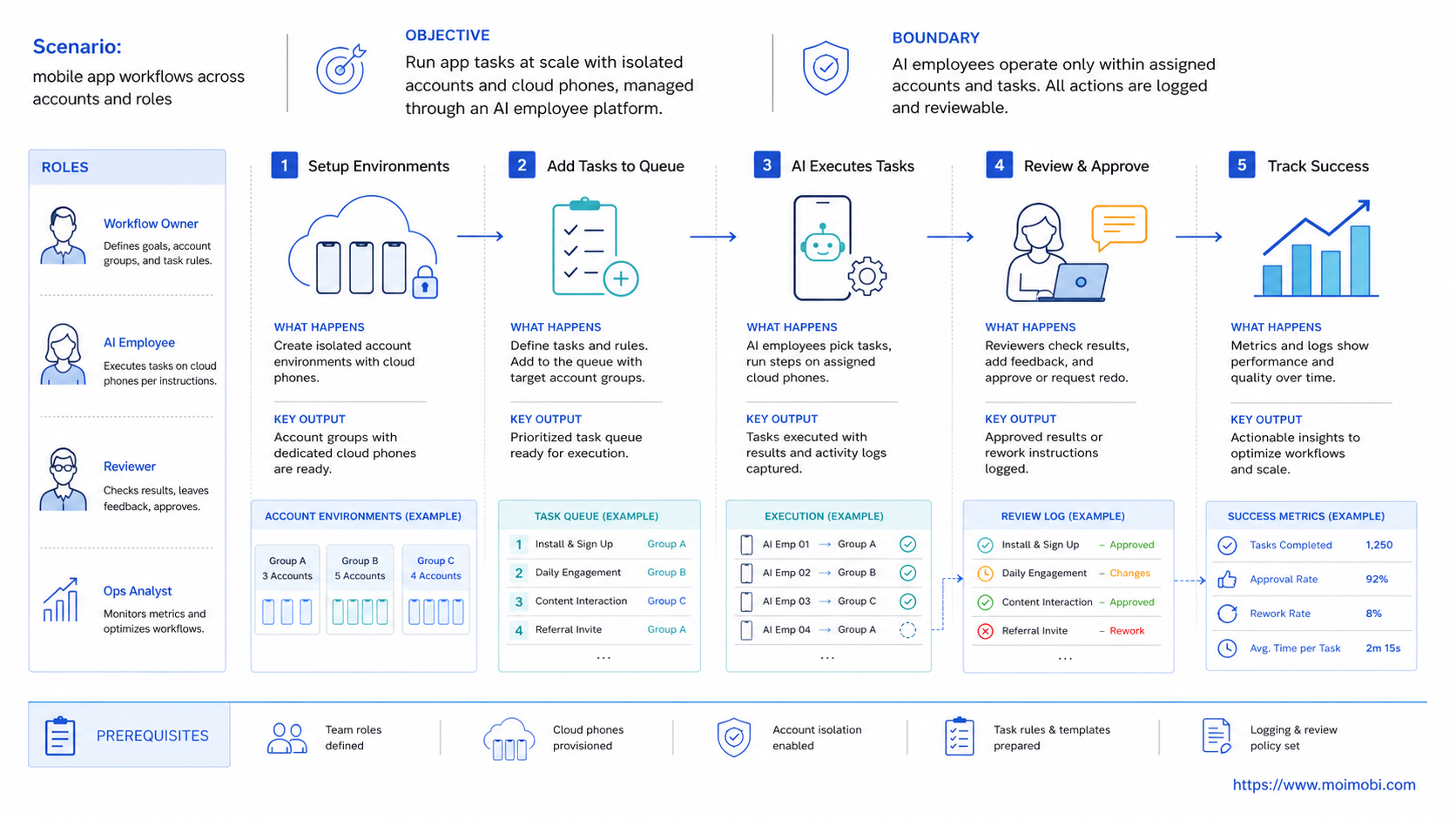
Start by mapping the mobile workflow from trigger to result. Do not start by connecting every app account at once. A small, visible workflow is easier to improve.
- Pick one app workflow. Choose one repeated task, such as comment replies, content publishing, or lead follow-up.
- Map the account environment. Connect each account to a cloud phone, Android device, or browser profile.
- Define the worker role. Decide whether the AI employee drafts, monitors, assigns, or executes.
- Add review boundaries. Require human review for pricing, complaints, sensitive data, or account-setting changes.
- Log every task state. Track pending, running, completed, failed, reviewed, and skipped states.
- Run a short pilot. Test with a small account set before expanding to more apps or teams.
This process makes a cloud Android for AI agents easier to evaluate. The question is not only whether the environment opens the app. The question is whether the team can assign work, detect failure, and review results.
Human takeover should be part of any practical AI agent cloud phone setup. Mobile tasks can fail because an app changes, a login expires, a screen loads slowly, or a message requires judgment. The workflow should expose those exceptions instead of hiding them.
Account assignment should be documented before the first pilot. A simple record is enough at first: account ID, app, environment ID, worker role, allowed tasks, approval rule, and recovery owner. This record keeps teams from confusing device capacity with operational control.
Mistakes that reduce results
The first mistake is treating mobile execution like web execution. Mobile apps have different screens, permissions, notifications, and interaction patterns. A browser-first workflow may not translate cleanly into a mobile app.
The second mistake is sharing one mobile environment across unrelated accounts. That may make early setup easier, but it weakens ownership and review. A team should know which account, worker, and environment produced each result.
The third mistake is measuring only completed actions. A mobile app workflow can appear productive while failed tasks pile up. Track skipped tasks, review delays, repeated failures, and human corrections.
Use these stop rules before scaling:
- Stop when the mobile app shows an unexpected screen or permission prompt.
- Stop when the account is logged out or the wrong account appears.
- Stop when the task includes customer data, payment details, or complaints.
- Stop when the AI output includes an unapproved claim.
- Stop when the workflow fails twice in the same step.
OWASP's logging guidance is useful here because it treats event logs as part of operational control. For mobile app workflows, logs should show the account, environment, step, result, failure reason, and reviewer action.
Avoid building one worker that does everything. A worker that publishes content, replies to customers, updates account settings, collects leads, and exports reports has too many responsibilities. Split workers by task family so each role has clear limits and a more useful review trail.
Pilot rollout, measurement, and recovery checks
A useful pilot starts with one app, one task family, and a small account group. For example, a team may test comment reply triage on five Instagram accounts or lead follow-up on three WhatsApp accounts. The goal is to prove the workflow, not to maximize volume.
The pilot should track both speed and control. Task completion rate shows whether the workflow runs. Human edit rate shows whether AI output matches team standards. Recovery time shows whether failures are visible enough to fix.
| Metric | What it shows | Action if weak |
|---|---|---|
| Task completion | Whether the app workflow runs end to end | Inspect failed screens and task steps |
| Human edit rate | Whether AI output matches approved language | Improve templates and review rules |
| Environment mismatch | Whether the wrong account or device was used | Fix account-to-environment mapping |
| Recovery time | How fast exceptions are resolved | Add clearer stop rules and owner fields |
Review the pilot weekly. Promote tasks that are repeatable. Remove tasks that require too much judgment. Split workflows that mix publishing, replying, monitoring, and reporting into one unclear worker role.
This review loop is where AI employees software becomes operational. The team should see where AI helps, where mobile execution fails, and where human review remains necessary.
The review should also decide what not to scale. If a task fails because the app flow changes often, keep it in assisted mode. If a task produces drafts that humans rewrite every time, fix the instructions before expanding. If a task creates sensitive customer decisions, keep it inside a human review queue even when AI prepares the context.
FAQ
What is an AI employee platform for mobile app workflows?
It is a system that connects AI workers to mobile environments, task queues, review rules, and logs. It helps teams run app-based work as a controlled workflow.
Why do AI agents need cloud phones?
Some tasks must run inside mobile apps. A cloud phone gives the AI workflow a persistent Android environment where app-based actions can be assigned and reviewed.
Is a cloud phone the same as an emulator?
No. The categories overlap in some use cases, but teams should evaluate environment persistence, app behavior, routing, account ownership, and review needs.
Which mobile workflows fit this model?
Publishing, comment replies, inbox triage, lead follow-up, monitoring, and reporting can fit when the steps are repeatable and review rules are clear.
Can mobile app workflows run without human review?
Some low-risk steps may become repeatable. Sensitive replies, account changes, complaints, pricing, and private data should keep human review.
How should a team start?
Pick one app, one task type, and a small account set. Track completion, failures, edits, and recovery time before adding more accounts.
What should managers watch first?
Watch wrong-account use, failed screens, repeated login issues, review delays, and human edit rate. These reveal whether the workflow is controlled.
Does this replace mobile operators?
It should not be framed that way. It reduces repeated preparation and execution work, while operators handle judgment, review, and exception recovery.
Conclusion
Mobile app workflows become easier to manage when the system connects AI planning to real mobile execution and clear operational review. The platform should define the app, account, environment, worker role, approval rule, and recovery path before scaling.
Before adding more accounts, check three things: whether each account has a mobile environment, whether each AI worker has a clear task scope, and whether failed tasks return to a human-readable review queue. If those pieces are clear, mobile app workflows can become repeatable without turning into hidden, hard-to-debug automation.



