
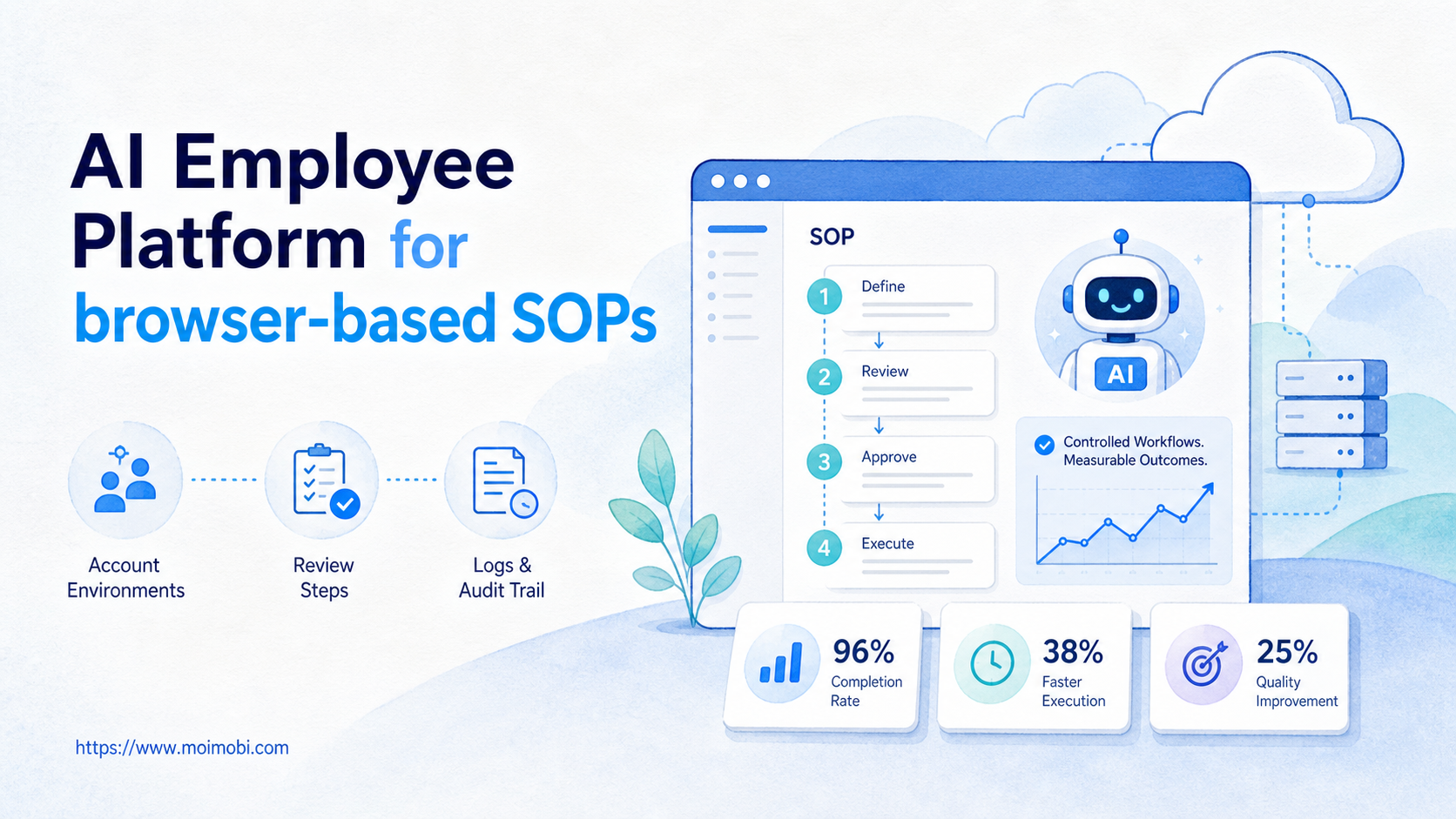
An AI employee platform is a system that lets teams turn repeatable browser-based SOPs into assigned, monitored, and reviewable digital work. This is not only a chatbot that writes instructions. The platform gives an AI worker a real browser session, an account context, a workflow, and a way to report what happened.
Browser-based SOPs are common in operations teams. A support team updates web dashboards. A marketing team publishes content through logged-in platforms. A sales team researches prospects, fills CRM fields, and checks inboxes. These tasks are structured enough to document, but they still need judgment, account separation, and error handling.
The decision is not whether AI can read a checklist. The better question is whether the team can give that checklist a controlled execution environment. Moimobi approaches this as an AI browser and cloud phone platform for teams that need execution, not only generation.
Key Takeaways
- Browser-based SOPs work best when the account, browser profile, task steps, and review rules are defined before automation starts.
- An AI employee platform should separate planning, execution, approval, logging, and recovery instead of hiding them inside one prompt.
- Browser SOPs need persistent sessions, but mobile steps may also need a cloud phone execution environment.
- The strongest pilot starts with one narrow SOP, one owner, one account group, and clear success metrics.
What Is an AI Employee Platform for browser-based SOPs?
For browser-based SOPs, an AI employee platform connects AI instructions to the web environments where daily work actually happens. The SOP may describe what to open, what to check, what to copy, when to ask for approval, and where to record the result. Those steps need a repeatable execution path, not a loose prompt.
The simplest example is a content operations SOP. A team member may open a content calendar, check approved copy, log into a platform account, publish a post, record the URL, and mark the task complete. A basic AI tool can draft the caption. A stronger execution platform can help manage the account environment, run the browser steps, request approval when needed, and store the result.
This is where the term "AI employee" becomes practical. The employee is not a person replacement. Think of it as an assigned digital operator with a role, scope, environment, and manager. That model is easier to govern than asking a general agent to "handle social media" without a boundary.
Browser execution also has technical constraints. Browser automation depends on observable page state, user actions, and reliable target selection. The W3C WebDriver specification defines browser automation around remote control of user agents, while Playwright documents actionability checks before actions such as clicking or filling fields. Those ideas matter because SOP execution should verify that a page is ready before taking the next step.
The team decision is practical: keep the SOP close to the way people already work, but remove repeated preparation, copying, checking, and recording. Avoid the most ambiguous workflow at the start. Choose the SOP that already has clear inputs, owners, pass conditions, and stop rules.
Why an AI Employee Platform Matters for Browser SOPs
The common mistake is treating browser SOP automation as "prompt plus browser." That is too loose for team operations. A real SOP has ownership, permissions, account state, data fields, review gates, and recovery rules.
For browser-based work, the platform matters because tasks usually happen inside logged-in accounts. A support dashboard may require one role. A social account may require another. A client workspace may have its own proxy, browser profile, content library, and approval path. Mixing these into one shared session creates confusion even before automation begins.
Moimobi's product model treats browsers and mobile devices as execution environments. A browser can handle DOM-driven web apps and dashboard tasks. A phone or cloud Android device can handle app-first tasks. The AI layer chooses and coordinates work, but the environment still needs its own identity, session state, logs, and handoff path.
| SOP layer | What the AI worker needs | What the team should review |
|---|---|---|
| Account environment | Browser profile, login state, role, and routing context | Whether the right account handled the task |
| Task steps | Ordered actions, required fields, and page checkpoints | Whether the workflow followed the documented SOP |
| Approval gate | Rules for when to pause and request human review | Whether sensitive actions were held for approval |
| Result logging | Status, URL, screenshot note, error reason, and next action | Whether the record is useful for audit and improvement |
This structure protects the workflow from becoming a black box. Managers also get better diagnostic questions. Which SOP failed? Which account group had more retries? Which step needs better instructions? Which task should still stay manual?
Scenario: Turning a Browser SOP into an AI Employee Workflow
Consider a growth operations team that manages web dashboards for several brands. The team has one SOP for competitor monitoring, one for content publishing, one for inbox triage, and one for CRM updates. Each SOP is simple on paper, but the daily workload becomes heavy across many accounts.
The team does not need one giant agent. It needs several scoped workers. One AI worker can handle monitoring. Another can prepare content publishing tasks. A third can update status fields after human review. Each worker should have a defined account environment and a task queue.
| Role | Browser SOP | Environment | Success signal |
|---|---|---|---|
| Monitoring worker | Open dashboards, collect changes, flag anomalies | Read-only browser profile | Clean report with source links |
| Publishing assistant | Load approved copy, prepare post, pause before publish | Brand account browser profile | Draft prepared and approved |
| Support triage worker | Sort inbox items, label topics, route cases | Support workspace profile | Cases tagged and assigned |
| CRM updater | Check lead page, update fields, record status | Sales browser profile | Fields updated with notes |
This mapping is more useful than a broad automation promise. It shows what the AI worker can touch, what it must not touch, and how the team decides if the run was successful.
For multi-account teams, the same idea extends into account operations. A multi-account management workflow should not only list accounts. It should define which worker handles which account, what each worker can do, and when a human takes over.
Key Benefits and Use Cases
The first benefit is repeatability. Browser SOPs often fail because steps are remembered differently by different operators. A platform turns those steps into a shared execution pattern. Run records stay close to the task instead of getting scattered across chat messages.
The second benefit is account separation. Browser-based work often depends on persistent logins, browser state, permissions, and workspace history. A browser profile and cloud phone workflow can help teams separate account workspaces instead of forcing every task through one shared browser.
The third benefit is review control. Some steps should not run fully unattended. Publishing, customer replies, payment changes, and account settings often need approval. A useful AI employee workflow pauses at those points and records who approved the next action.
Common use cases include:
- Web dashboard monitoring for operations teams.
- Content publishing preparation for social media teams.
- Inbox triage and reply drafting for support teams.
- CRM data updates for sales teams.
- Competitor research across logged-in dashboards.
- E-commerce listing checks and status updates.
These use cases share one pattern. They are not pure data extraction tasks. They involve accounts, policies, roles, and outcomes. That is why workflow design matters as much as model quality.
How to Get Started with an AI Employee Platform for browser-based SOPs
Start with a narrow SOP that already works manually. The first workflow should be boring, frequent, and measurable. Avoid a workflow where even a human operator still needs constant interpretation.
- Choose one SOP. Pick a workflow with fixed inputs, stable pages, and a clear finish state.
- Assign one account environment. Link the SOP to a specific browser profile, role, and workspace.
- Mark approval points. Identify actions that require human review before execution continues.
- Define fields and logs. Record task ID, account, source URL, result, error reason, reviewer, and next action.
- Run a small pilot. Test with a limited account group before expanding to more teams or regions.
- Review failures weekly. Separate page-change errors, unclear SOP steps, account issues, and policy decisions.
The highest-risk step is usually not the AI response. State management creates more problems. The browser must be on the right page, the account must match the task, and the action must be valid for the visible state. Playwright's actionability model is a useful reminder: a click should happen only when the target is visible, stable, enabled, and able to receive events.
Teams should also decide which browser tasks belong in a browser and which belong on mobile. App-first work may need a mobile automation setup or cloud phone instead. Browser SOPs should not be stretched into mobile workflows just because the first pilot started in a browser.
Fit Boundaries: When This Model Works and When It Does Not
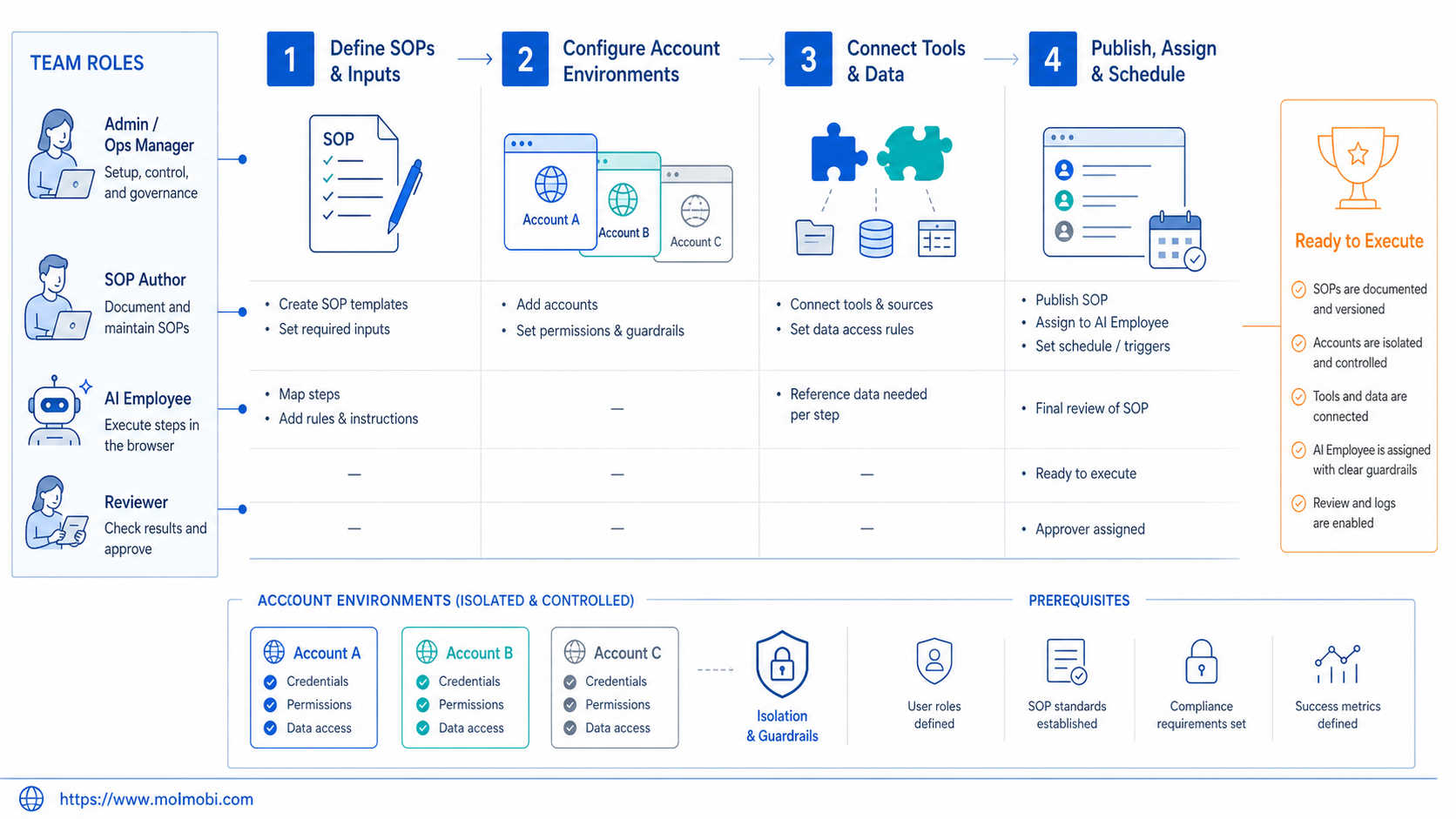
The fit is strongest when the SOP is repeated often and has a clear owner. It also improves when the task uses logged-in tools, account-specific workspaces, and reviewable outcomes. These conditions make automation easier to measure.
Rare or highly creative tasks are weaker candidates, especially when the judgment is not written down. High-volume outreach without consent, context, or review is also a poor fit. That creates platform, brand, and support risks.
Good fit
- Repeatable dashboard checks
- Account-specific publishing preparation
- Structured inbox triage
- CRM updates with fixed fields
- Monitoring workflows with source links
Weak fit
- Unwritten judgment-heavy work
- High-risk account settings changes
- Bulk messaging without clear consent
- Tasks with changing rules every run
- Workflows with no owner or review path
This boundary keeps the workflow useful. It prevents the platform from becoming a vague automation layer that nobody can manage.
Common Mistakes to Avoid
Clean the SOP before automation. An unclear human process becomes an unclear AI employee workflow. Write the task steps, inputs, stop rules, and review points first.
Keep workers out of the same shared browser environment. A browser profile should represent an account workspace, not a shared shortcut. For account-sensitive work, device isolation and browser environment separation help keep responsibilities visible.
Failures should stay visible. A failed run is useful when it shows the exact step, page state, account, and reason. OWASP's logging guidance emphasizes that logs should support accountability, event reconstruction, and anomaly detection. That principle applies to operational AI workflows as well.
Speed alone is the wrong metric. A faster workflow that creates more review burden is not a win. Track completion quality, exception volume, approval time, and how often a human must redo the work.
Success Metrics and Review Loop
The pilot should measure whether the SOP became more controlled, not whether it looked more automated. Use a small dashboard for the first month. Keep it simple enough for operators to review weekly.
Track these metrics:
- Completion rate by SOP and account group.
- Manual takeover rate by step.
- Approval wait time for sensitive actions.
- Rework rate after human review.
- Retry reason grouped by page change, account state, unclear instruction, or external tool issue.
- Time saved per completed task after rework is included.
The review loop should update the SOP, not only the prompt. Rewrite the SOP when the failure came from a vague rule. Update the workflow when the page changed. Fix role assignment when the account lacked permission. Keep human judgment explicit when the task needs it.
This is also where teams decide whether to expand. Add more accounts only after the pilot shows stable execution, useful logs, and a clear recovery process.
Frequently Asked Questions
What is an AI employee platform?
The platform connects AI instructions to real work environments. For browser SOPs, that usually means browser sessions, account workspaces, workflow steps, review gates, and result logs.
How is this different from AI employee software?
AI employee software may focus on chat, content, or task planning. A platform for browser-based SOPs also needs execution environments, account assignment, logging, and human takeover.
Can an AI worker execute every browser SOP?
No. It works best for repeatable workflows with clear inputs, stable pages, and defined outcomes. Judgment-heavy or sensitive tasks should keep stronger human review.
Do browser-based SOPs need persistent profiles?
Usually, yes. Logged-in workflows depend on account state, permissions, and session history. Persistent browser profiles make that state easier to control and audit.
When should a team use cloud phones instead?
Use cloud phones when the SOP depends on mobile apps or Android-only workflows. Browser tasks and mobile tasks should share reporting logic, but they may need different execution environments.
What should be reviewed before expanding from one SOP?
Review completion rate, failed steps, manual takeover rate, approval delay, and rework. Expansion should wait until the run record is clear enough to diagnose.
Is browser automation the same as an AI browser execution platform?
Not exactly. Browser automation can run actions. An AI browser execution platform adds AI planning, account context, workflow control, review states, and outcome tracking.
How should teams handle sensitive actions?
Pause before the action, request review, record the approver, and store the result. Publishing, customer replies, payments, and account settings usually deserve stricter gates.
Conclusion
For browser-based SOPs, an AI employee platform is useful when it turns a documented process into controlled execution. The important pieces are the account environment, the workflow, the review gate, the log, and the recovery loop.
Start with one SOP that already works manually. Assign one browser profile, one owner, and one success metric set. A pilot that produces clean results and useful failure records can then expand to more accounts, mobile workflows, and broader operations without losing control.



