
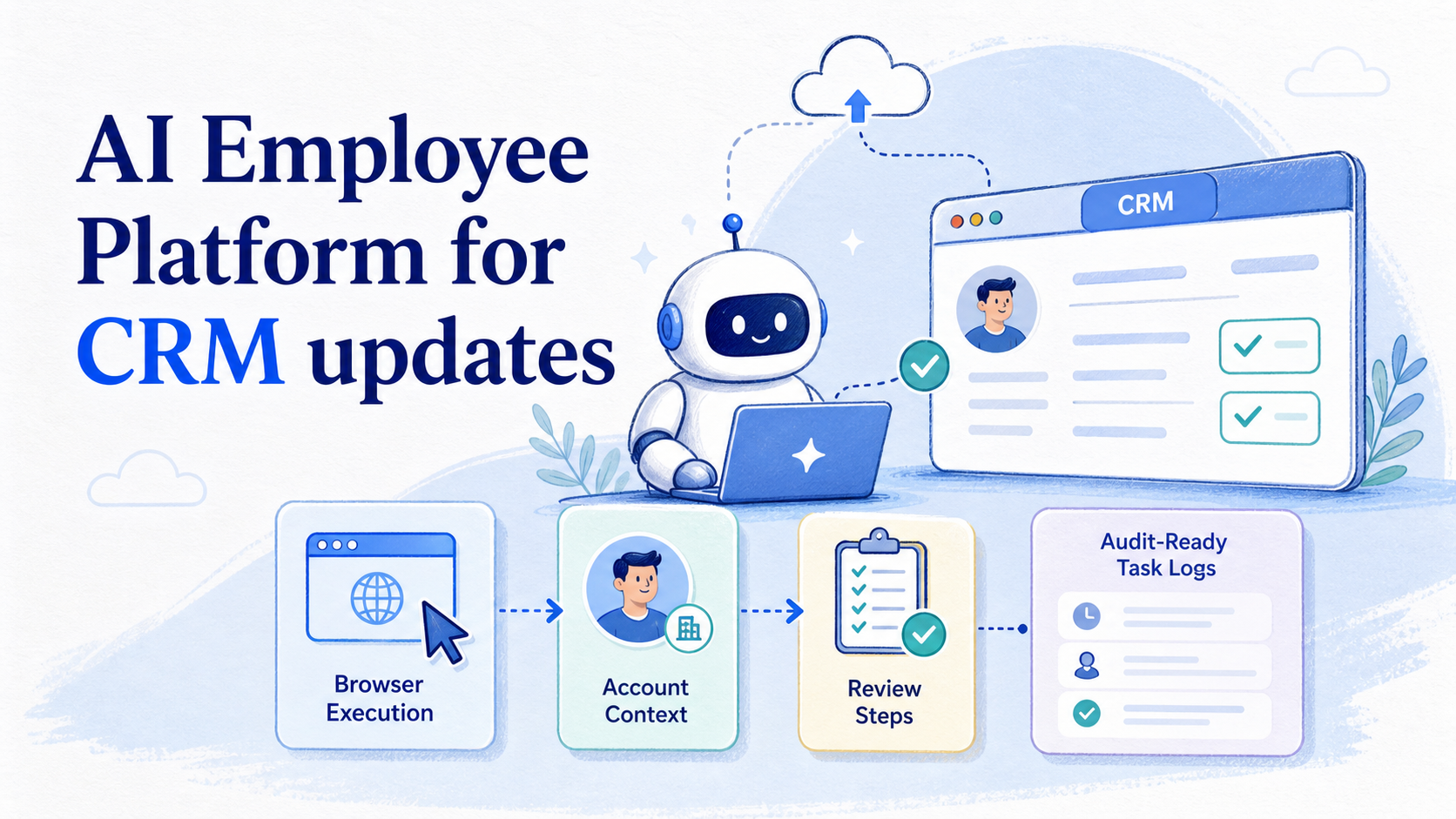
An AI employee platform is an execution system that lets AI workers update CRM records inside controlled browser, account, and workflow environments. For CRM updates, the value is not only writing better notes. The value is turning repetitive record maintenance into a traceable task flow.
CRM data gets messy when updates happen after calls, inbox replies, social conversations, or e-commerce support work. A salesperson may forget to log a follow-up. A support operator may leave a customer status unchanged. A growth team may collect leads from several platforms, then lose context during handoff.
A practical AI execution platform gives each update a job: read the source event, open the correct workspace, prepare the CRM change, record evidence, and stop when review is needed. That makes CRM updates easier to assign, check, and recover.
Key Takeaways
- CRM updates need execution control, account context, and reviewable logs.
- AI workers are best started on structured updates, not open-ended sales judgment.
- Browser profiles and mobile environments help connect CRM work with real customer channels.
- Human approval should stay in front of sensitive fields and customer-facing actions.
- Success is measured by update accuracy, handoff quality, exception handling, and recovery speed.
What Is an AI employee platform for CRM updates?
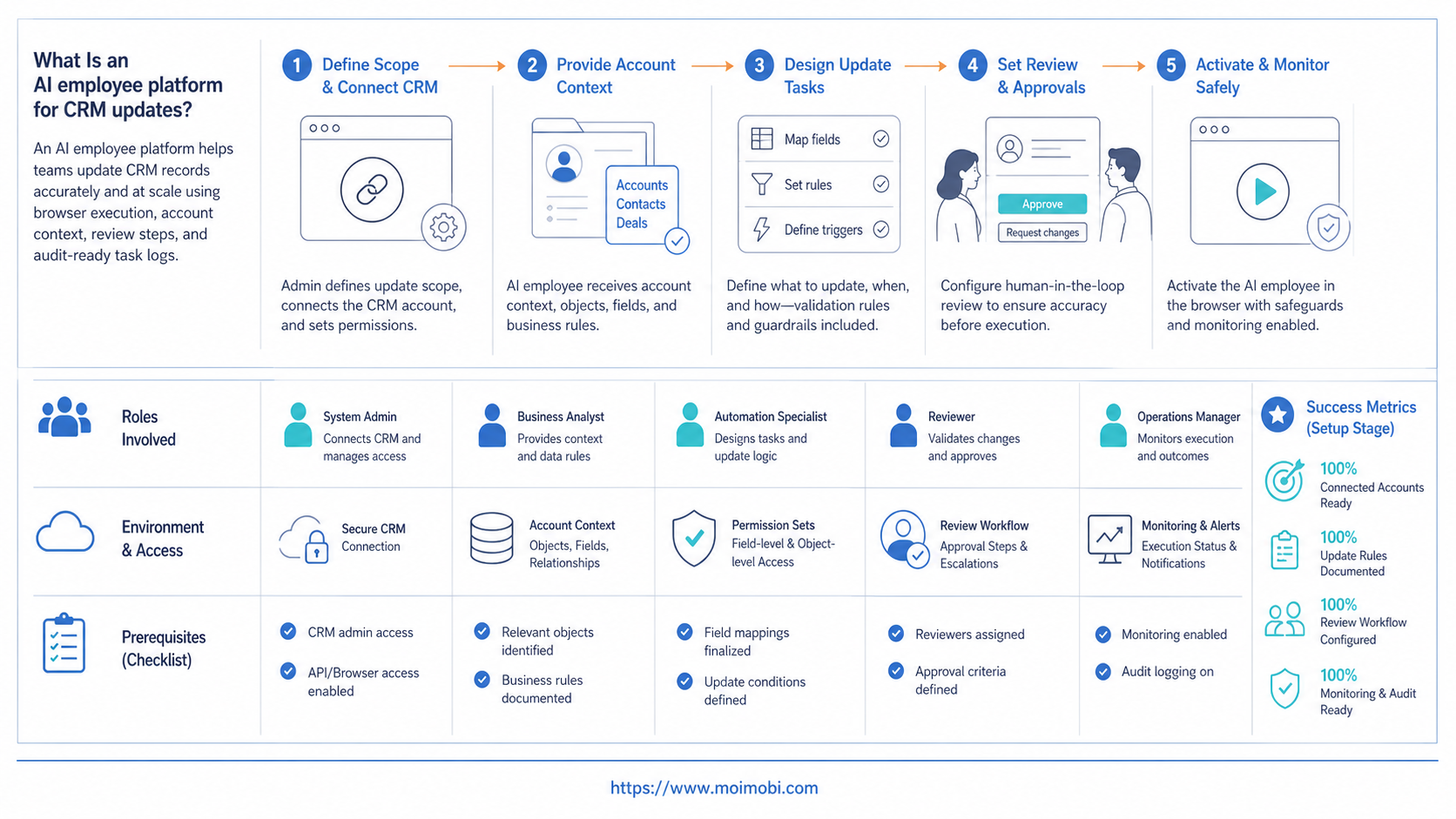
For CRM updates, an AI employee platform assigns AI workers to repeatable record tasks across CRM dashboards, inbox tools, social platforms, and internal workspaces. It combines task instructions, execution environments, account ownership, review gates, and task logs.
The system is different from a chatbot that suggests what to write. It is also different from a script that fills one fixed form. An AI employee needs context from a task, a controlled browser or mobile environment, and a defined rule for when to stop.
Use a simple three-layer model:
- Input context: call notes, form submissions, messages, order issues, social replies, or lead lists.
- Execution path: CRM dashboard, browser profile, mobile inbox, cloud phone, or approved integration.
- Review and evidence: changed fields, source event, timestamp, account, reviewer, and exception reason.
Browser execution has its own limits. The W3C WebDriver specification defines browser control through a remote protocol, while Playwright documents actionability checks before interactions. Those ideas matter because CRM screens depend on fields, modals, slow loading states, and role permissions.
Some CRM updates also begin outside the CRM. A lead may arrive from Instagram, WhatsApp, TikTok, or a mobile-first marketplace. When mobile apps are part of the source workflow, the team should understand the wider cloud phone execution environment before connecting mobile activity to CRM records.
Why AI employee platform for CRM updates matters
CRM quality depends on small actions done consistently. The problem is that teams rarely fail because one field is hard to update. They fail because the same small action has to happen across many accounts, channels, owners, and time windows.
An AI employee platform matters when CRM updates sit between systems. A sales rep may collect a lead in LinkedIn, a support team may answer in WhatsApp, and an operations manager may review order status in a web dashboard. The CRM record only becomes useful when those events are logged clearly.
Consider a sales operations team. The team wants every qualified reply to create or update a CRM record. A basic automation may push a form into the CRM. An AI worker workflow can also check the account workspace, summarize the source conversation, prepare the update, assign the owner, and flag uncertain cases.
This changes the decision from “can AI write CRM notes?” to “can the team keep CRM records current without losing account context?” The second question needs account environments, execution logs, and recovery checks.
CRM update scenario: roles, records, and review points
A useful CRM workflow starts with a concrete operating scenario. Imagine a team that manages outbound leads, customer support, and social conversations across several channels. The CRM is the shared record, but source activity happens in browsers and mobile apps.
The AI worker should not become the final sales manager. It handles repeatable record preparation and low-impact field updates under clear rules. Sensitive decisions, pricing commitments, and relationship judgment stay with humans.
| Team role | Source event | CRM update task | Review point | Success metric |
|---|---|---|---|---|
| Sales rep | Positive reply or booked call | Update lead status and next step | Confirm opportunity stage | Fewer stale leads |
| Support lead | Resolved customer issue | Add note and mark support status | Review sensitive cases | Cleaner handoff history |
| Growth operator | Social DM or comment lead | Create contact draft with source context | Approve qualification | More captured leads |
| Operations manager | Account ownership change | Update owner and follow-up queue | Confirm account assignment | Fewer duplicate touches |
This mapping keeps the workflow grounded. Each AI worker has a source event, a CRM action, a review point, and a metric. Without those four pieces, CRM automation becomes difficult to audit.
Key benefits and use cases
Good early use cases are structured, frequent, and easy to verify. The AI worker should start where the expected field change is clear and the source evidence is available.
CRM update use cases include:
- Lead status updates: move leads from new to contacted, qualified, follow-up, or disqualified after approved triggers.
- Conversation summaries: add short notes from messages, calls, support threads, or social replies.
- Owner assignment: route records to the right salesperson, support member, or account manager.
- Follow-up tasks: create next-action reminders after a reply, missed call, demo, or unresolved issue.
- Source tagging: attach campaign, channel, platform, or account source fields for later reporting.
- Exception routing: stop when the source is unclear, the account already exists, or the update changes a sensitive field.
The strongest operational benefit is consistency. CRM records become more useful when the team can see what changed, who reviewed it, and which source event caused it.
For teams managing many channels, multi-account management helps separate account context before the CRM update happens. For browser-heavy teams, an AI browser execution platform can keep CRM dashboard work connected to controlled execution.
How to get started with an AI employee platform for CRM updates
Do not start by letting an AI worker edit every CRM field. Start with one update lane that has clear inputs, clear outputs, and a human review step.
- Pick one record type. Start with leads, contacts, support cases, or account notes.
- Define the source event. Specify whether the update comes from a form, inbox, social message, dashboard, or mobile app.
- Choose allowed fields. Limit early runs to notes, tags, owner, status, or next follow-up.
- Assign the environment. Bind the task to a browser profile, CRM login, account workspace, or mobile environment.
- Add stop rules. Stop on duplicate records, missing account match, conflicting data, permission issues, or sensitive changes.
- Review the first batch. Compare AI-prepared updates with human review before expanding the scope.
The review process should be visible. OWASP's logging guidance explains that logs support accountability and investigation when they capture meaningful events. For CRM updates, useful log fields include source, record ID, changed field, previous value, proposed value, reviewer, and final status.
If the source task involves mobile messages or app-only workflows, use a mobile execution lane rather than pretending every input lives in a browser. MoiMobi treats cloud phones as one layer inside a broader execution system, not as a separate CRM product.
Common mistakes to avoid
The first mistake is treating CRM updates as pure text generation. A good note is useful, but CRM quality also depends on the right record, field, owner, and source link.
Avoid these failure modes:
- No duplicate check: the worker may update the wrong record or create a second contact.
- No field boundary: the worker may change fields that require manager review.
- No source evidence: reviewers cannot confirm why a status changed.
- No account separation: one browser session may mix client or brand context.
- No recovery path: failures become silent gaps instead of owned exceptions.
Another mistake is ignoring privacy and access boundaries. NIST's Privacy Framework emphasizes governance, control, communication, and protection around data-related activity. CRM workflows should follow the same operating pattern: limit access, record activity, and keep sensitive updates reviewable.
Fit matters too. An AI employee platform is a better match for repeated updates than for one-off strategic judgment. It can prepare a lead note. It should not decide a complex enterprise deal strategy without a human owner.
Fit boundaries, metrics, and recovery checks
Use fit boundaries before scaling. A CRM workflow is a good fit when the input is structured, the expected update is narrow, and the result can be checked. It is a weak fit when the task depends on private judgment, unclear identity matching, or high-stakes account decisions.
Good fit
- Lead source tagging
- Follow-up task creation
- Support case notes
- Owner routing after approved rules
- Daily stale-record cleanup lists
Weak fit
- Unclear identity matching
- Contract or pricing decisions
- Bulk edits without review
- Records with missing source evidence
- Workflows with no owner for exceptions
Measure the pilot with operational metrics. Track completed updates, rejected updates, duplicate conflicts, missing source cases, reviewer correction rate, average recovery time, and records that still go stale.
Recovery checks need to be explicit. When an update fails, the system should show whether the cause was login, permission, duplicate match, missing source, page change, field validation, or human review. Without those categories, teams may rerun the same broken workflow.
Teams that connect CRM updates with social inboxes may also need social media marketing workflows. Teams that separate browser and device workspaces should review device isolation before scaling account coverage.
Pilot rollout and field-control checklist
A CRM pilot should begin with a narrow field-control plan. The team should list which fields the AI worker may prepare, which fields it may update after review, and which fields remain human-only. This prevents a useful assistant from becoming an uncontrolled CRM operator.
Start with fields that are easy to verify. Examples include source tag, next follow-up date, owner, short note, last-touch channel, and internal task status. Keep revenue amount, contract stage, account priority, legal status, and customer-facing promises behind a human owner.
Use a small batch for the first pilot. Ten to twenty records can expose duplicate matching issues, missing source context, field validation problems, and reviewer corrections. The goal is not volume. The goal is to learn where the workflow stops, what evidence reviewers need, and which fields are safe to include in the next run.
| Field group | AI worker role | Human role | Review signal |
|---|---|---|---|
| Source and channel tags | Suggest or update from clear source data | Review campaign naming rules | Wrong or missing source |
| Notes and summaries | Draft concise internal notes | Approve sensitive wording | Unclear customer intent |
| Owner and follow-up | Assign by routing rule | Resolve conflicts | Duplicate owner or account |
| Pipeline or deal fields | Prepare recommendation only | Make final decision | Stage, value, or timing change |
Review the pilot at the record level and at the workflow level. At the record level, check whether the update was correct. At the workflow level, check whether the AI worker had enough context, used the right environment, and produced a useful log. This two-layer review keeps teams from approving a workflow only because a few records looked correct.
The next expansion should be based on error categories. If most errors come from duplicate matching, improve matching rules before adding more sources. If most errors come from missing source context, improve the handoff from browser or mobile workflows. If most errors come from reviewer disagreement, narrow the allowed fields.
Frequently Asked Questions
1. What does an AI employee do for CRM updates?
It prepares or performs structured CRM changes, such as notes, tags, owner fields, follow-up tasks, and status updates. Sensitive changes should stay reviewable.
2. Is an AI employee platform the same as CRM automation?
Not exactly. CRM automation often uses fixed rules. An AI employee platform adds account context, browser or mobile execution, review steps, and recovery logs.
3. Can AI workers create new CRM contacts?
Yes, when the source event and required fields are clear. Start with draft creation or review-before-save for lead sources that need matching.
4. Which CRM updates are easiest to start with?
Lead tags, follow-up tasks, owner assignment, and short notes are good starting points. They are easier to verify than contract, pricing, or pipeline decisions.
5. How do teams avoid duplicate CRM records?
Use matching rules before record creation. Check email, phone, company, social handle, or existing account fields before creating a new record.
6. Do CRM AI workers need browser profiles?
For logged-in CRM dashboards and multi-account work, separate browser profiles help preserve session ownership and reviewable account context.
7. What should trigger human review?
Human review can trigger on duplicate matches, missing required data, sensitive fields, conflicting source information, or customer-facing follow-up.
8. Can CRM updates use mobile app activity?
Yes, when the team has a controlled mobile execution environment. Mobile source events should still be linked back to CRM records with evidence.
9. How should teams compare AI worker software?
Compare execution environments, logging, account isolation, human review, CRM field control, recovery handling, and integration with existing workflows.
Conclusion
AI Employee Platform for CRM updates works best when the team treats CRM maintenance as an execution workflow, not a note-writing shortcut. The priority order is simple: define the source event, limit the allowed fields, assign the account environment, add review gates, and measure errors before scaling.
Start with one repeated update lane. Prove that records are cleaner, exceptions are visible, and handoffs are easier to review. Then expand to more channels, accounts, and CRM objects.



