
Key Takeaways
- An AI employee platform is not just a chatbot. It connects AI planning to real browser, mobile, account, and workflow execution.
- Cross-border teams need this most when time zones, accounts, platforms, and handoffs make manual operations hard to control.
- The strongest setup assigns one role, one account environment, and one review path to each AI worker.
- Good pilots measure task completion, exception rate, response time, handoff quality, and account-environment consistency.
An AI employee platform is software that lets AI workers plan, execute, record, and improve repeated digital tasks inside controlled work environments. Cross-border teams need that control because the real bottleneck is not only content or replies. The harder problem is keeping account work, customer follow-up, publishing, monitoring, and reporting coordinated across time zones.
The practical question is simple: can the platform turn a repeatable operating procedure into a controlled worker lane? If the answer is yes, a team can assign tasks to an AI worker, connect that worker to a browser or mobile environment, review exceptions, and keep a record of what happened.
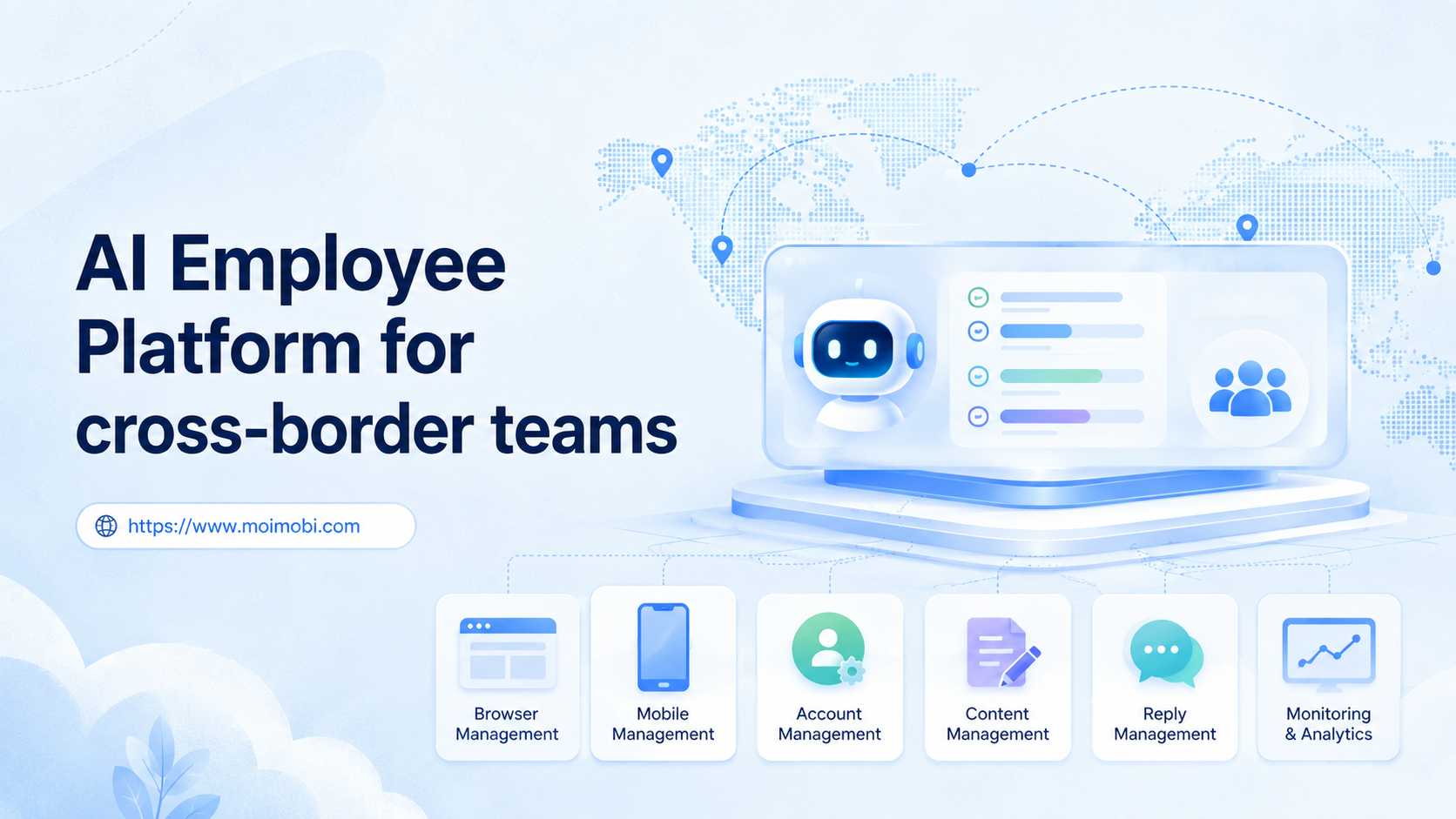
Moimobi fits this category as an AI execution platform for teams that need browser and mobile task execution. It combines AI-assisted planning with isolated browser and mobile environments, so cross-border operators can run workflows without reducing the system to a simple chat interface.
The Core Idea Behind an AI Employee Platform for Cross-Border Teams
Role-based execution is the core idea. A human team member does not only think about a task. They open the right account, use the right environment, follow the process, hand over unclear cases, and leave a record. The platform should make that operating pattern repeatable.
For cross-border teams, this matters because work rarely stays in one channel. A customer may start on Instagram, move to WhatsApp, ask for a product detail, then require a CRM update. A content workflow may begin with a trend check, move into caption drafting, then require posting from a mobile app account.
Generic AI tools help with isolated text tasks. They can draft replies, summarize notes, or suggest ideas. The missing layer is execution. The AI worker needs a place to work, an account to use, permissions, task memory, and a review process.
That is why browser and mobile environments matter. Browser tasks can use dashboards, web apps, inboxes, spreadsheets, and publishing tools. Mobile tasks may require app-based execution on Android environments. For broad mobile execution concepts, Moimobi's guide to what is a cloud phone explains how remote Android environments fit into this layer.
Decision rights also need separation. AI can draft, classify, suggest, and execute known steps. Human operators should still handle sensitive replies, pricing exceptions, policy questions, and account-risk decisions. That boundary keeps the platform useful without turning automation into uncontrolled bulk activity.
Why Cross-Border Teams Search for This Topic
Cross-border teams usually search for this topic when manual coordination becomes too fragile. The issue is not one slow task. The issue is a system where every account, market, region, and platform needs a different operating rhythm.
Three problems show up early:
- Time-zone delay: customers, creators, sellers, or partners send messages while the main team is offline.
- Account complexity: each market may need separate social, commerce, browser, or mobile account environments.
- Process drift: operators in different regions may reply, publish, tag, or report in slightly different ways.
This type of platform helps when the work can be described as a repeatable workflow. It is weaker when open-ended judgment is required every few minutes. A good candidate task has a clear trigger, a known source of data, a defined account environment, and a reviewable output.
The evaluation framework is therefore operational:
| Decision Area | What to Check | Why It Matters for Cross-Border Teams |
|---|---|---|
| Role fit | Can the worker be assigned a narrow job? | Prevents one AI worker from becoming an unclear all-purpose assistant. |
| Environment fit | Does the task need a browser, mobile app, or both? | Shows whether the platform needs browser profiles, cloud phones, or Android devices. |
| Account boundaries | Can each account run in a separated workspace? | Reduces mixed sessions, confused handoffs, and messy task records. |
| Review path | Which outputs need human approval? | Keeps sensitive customer, pricing, and policy decisions under control. |
| Measurement | Can results and exceptions be tracked? | Lets teams improve workflows instead of guessing what happened. |
This framework also protects the team from overbuying. If the only need is occasional content drafting, AI employees software may be too much. If the team must run accounts, workflows, replies, and records across regions, execution infrastructure becomes more relevant.
Scenario Map: Where AI Employees Fit
The cleanest way to design the system is to start with roles. Cross-border work usually has more than one operating lane. Each lane should have a purpose, environment, permissions, and stop rule.
| AI Worker Role | Typical Task | Execution Environment | Human Review Point |
|---|---|---|---|
| Content assistant | Draft captions, adapt scripts, prepare posting notes | Browser workspace and content library | Brand voice approval before publishing |
| Reply assistant | Classify comments, draft replies, tag follow-up cases | Browser inbox or mobile app environment | First contact, complaints, pricing, and refunds |
| Monitoring assistant | Track competitor activity, account status, and task outcomes | Browser dashboards and report views | Weekly review and anomaly checks |
| Account operations assistant | Prepare account-specific tasks and maintain handoff notes | Separated browser profile or mobile account workspace | Account changes and platform-sensitive actions |
This role map helps avoid a common mistake: asking one AI worker to do everything. A cross-border team should not assign the same worker to research trends, reply to customers, publish content, and update records without separation. The better pattern is one role per workflow lane.
Moimobi's multi-account management use case is relevant here because account work becomes difficult once teams operate across markets. The platform should make account ownership, environment choice, and task records visible.
How to Evaluate an AI Employee Platform
Start evaluation with task reality, not vendor claims. A platform may look advanced in a demo but still fail when a team needs repeatable account work across regions. The best test is a small workflow with real inputs, real accounts, and a clear review path.
Use these checkpoints before a pilot:
-
Define the worker role
- Pass: the role can be named in one sentence.
- Fail: the worker is expected to handle every task in the operation. -
Assign the environment
- Pass: the task has a defined browser profile, mobile environment, or account workspace.
- Fail: the worker uses whatever session is available. -
Set approval rules
- Pass: the team knows which actions can run automatically and which need review.
- Fail: the system treats every reply, post, or follow-up the same way. -
Track output and exceptions
- Pass: the platform records completed tasks, failed steps, handoffs, and review notes.
- Fail: success is judged only by whether the worker looked active. -
Measure the handoff
- Pass: humans can see why a task stopped and what should happen next.
- Fail: errors disappear into logs that operators cannot use.
This is where an AI browser execution platform differs from a pure text assistant. Browser execution connects the worker to web tools, dashboards, forms, and account sessions. Mobile execution connects the worker to app workflows that cannot be handled through a web dashboard alone.
Official automation standards and tooling also show why controlled execution matters. The W3C WebDriver specification defines a protocol for remote browser control, and Playwright documents browser automation as a structured way to operate pages and contexts. For mobile environments, Android Enterprise documentation explains managed Android concepts that matter when teams care about device administration and policy boundaries.
Sources:
Account Environments and Mobile Execution
Account environments are the operational backbone of AI employee software. Without a defined environment, a worker may draft correctly but execute in the wrong place. That breaks handoff, tracking, and accountability.
A workable setup usually separates four layers:
- Account identity: which account or market the worker serves.
- Execution environment: browser profile, cloud phone, or Android device.
- Task permissions: draft, publish, reply, monitor, update, or escalate.
- Record trail: run logs, approvals, failures, and operator notes.
For browser-heavy workflows, separated profiles help keep sessions and workspace records cleaner. For app-heavy workflows, cloud phones and Android devices can provide persistent mobile execution lanes. Teams evaluating mobile work can compare this with Moimobi's mobile automation product area.
The point is not to claim that every task needs a dedicated device. Some cross-border workflows can run in a browser. Others require a mobile app environment. A mature platform should help the team choose the right carrier instead of forcing every workflow into one tool.
Workflow Steps for a Cross-Border AI Employee Pilot
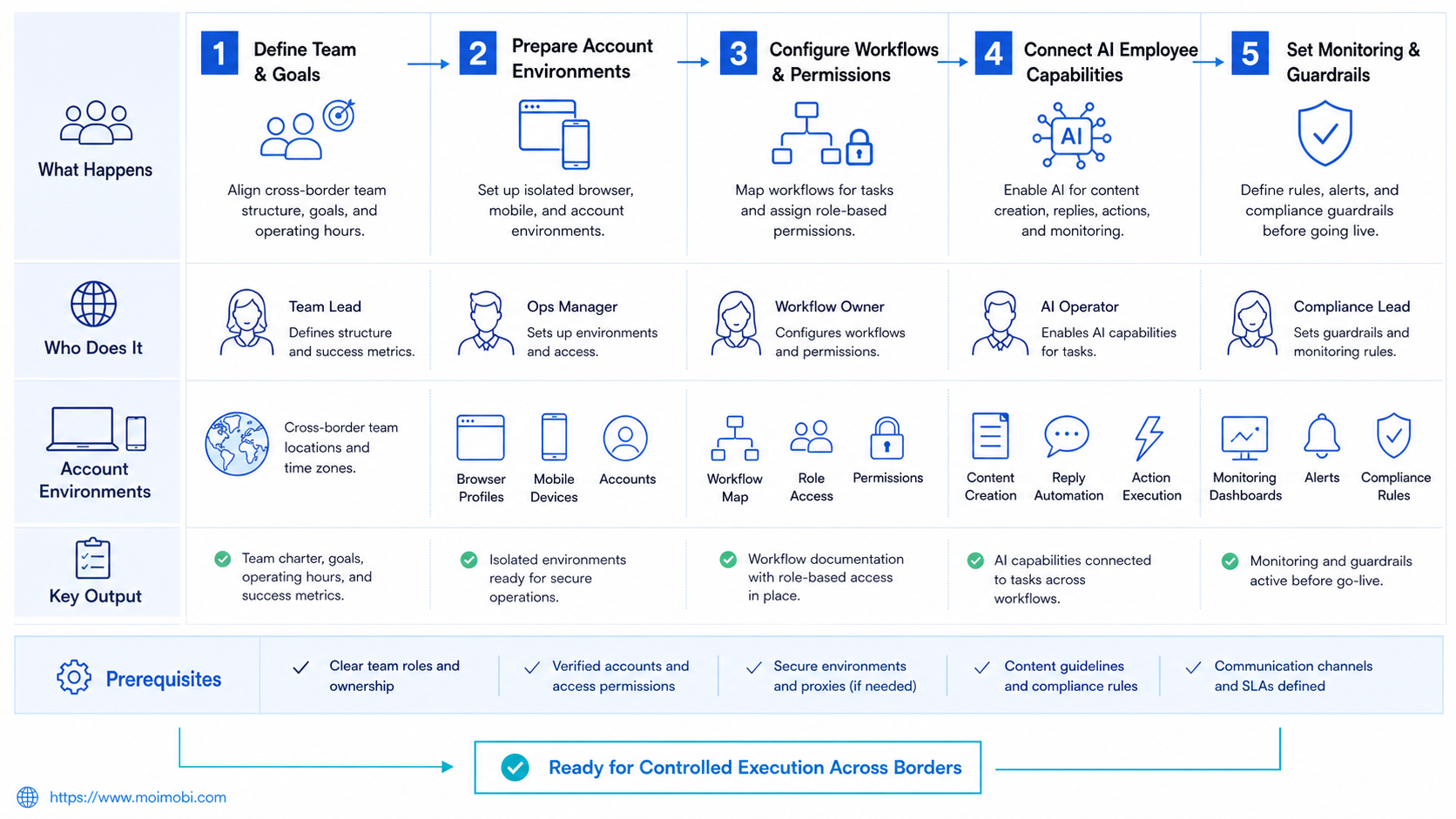
A pilot should be small enough to review but real enough to expose workflow issues. Do not start with every region and every platform. Pick one repeated task that already consumes team time.
- Choose one market lane. Start with one region, one language, or one account group.
- Select one worker role. Use a narrow role such as reply triage, content preparation, or competitor monitoring.
- Connect one execution environment. Assign a browser profile, cloud phone, or mobile account workspace.
- Create the task protocol. Define trigger, input, action, approval rule, output, and stop condition.
- Run with human review. Let the worker prepare or execute low-risk steps while humans approve sensitive actions.
- Review the logs. Check task completion, exceptions, response quality, and handoff clarity.
- Expand only after evidence. Add another account group or role after the first lane is stable.
This pilot design is intentionally conservative. Cross-border work already contains language, timing, platform, and account differences. Starting small makes it easier to discover whether the platform supports real operating conditions.
For teams that also run social channels, Moimobi's social media marketing use case is a logical next internal reference. It connects publishing, engagement, monitoring, and customer interaction to the same execution model.
Success Metrics and Review Loop
Success should not be measured only by task volume. More activity can still create more review work if the workflow is unclear. A cross-border team needs metrics that show control.
Track these numbers during the pilot:
- Task completion rate: how many assigned tasks reach a defined finish state.
- Exception rate: how often the worker stops, fails, or escalates.
- Human review load: how many outputs require correction.
- Response time: how quickly the workflow handles eligible triggers.
- Account-environment consistency: whether the worker used the correct account workspace.
- Record completeness: whether logs explain what happened and why.
Review these metrics weekly. A useful review is not only a dashboard. It should answer three questions: what should continue, what should be paused, and what should be redesigned.
The best signal is not perfect automation. A better signal is a workflow that becomes easier to inspect. When a manager can see the account, task, environment, decision, and exception path, the AI employee platform is serving the operation.
Mistakes That Reduce Results
The first mistake is treating an AI employee as an unlimited general worker. That creates unclear responsibility. A worker that handles every task usually has weak permissions, weak context, and weak measurement.
Environment design is another common failure point. Cross-border teams may operate different accounts for different markets. Shared browser sessions or mobile environments make records harder to trust.
Teams also fail when they skip human review. First-contact messages, customer complaints, pricing changes, account changes, and platform-sensitive actions deserve approval rules. Automation should reduce repetitive preparation, not remove judgment from sensitive decisions.
Fast expansion creates a different problem. A pilot that works for one account group may not work for five regions. The team should add scope only after the logs show stable completion, manageable exceptions, and clear handoff notes.
Fit and Not-Fit Boundaries
The best fit is a cross-border team that already has repeatable digital workflows. Good candidates include content preparation, reply triage, inbox routing, competitor monitoring, lead enrichment, report collection, and account-specific task preparation.
Strategic, highly sensitive, or constantly changing work is a weaker fit. A platform can support a human operator in those cases, but it should not be positioned as a full replacement for expert judgment.
Use this rule: automate the lane before automating the decision. If the lane is unclear, the worker will only make the confusion faster.
Frequently Asked Questions
What is an AI employee platform?
The platform connects AI workers to workflows, tools, accounts, and execution environments. It goes beyond chat by helping teams assign, run, review, and track repeated digital tasks.
How is it different from AI employees software?
The terms overlap in search. A platform usually implies broader execution infrastructure, role assignment, account environments, logs, and review paths. Software may refer to a narrower tool.
Do cross-border teams need browser and mobile execution?
Some do. Browser execution is useful for dashboards, web apps, and account portals. Mobile execution matters when the task depends on app-only workflows or Android account environments.
Can an AI employee platform replace a support team?
No. The better framing is support capacity, not replacement. It can help with triage, draft replies, routing, and records. Humans should still handle sensitive, emotional, pricing, legal, or high-value cases.
How should a team start?
Start with one market, one account group, and one narrow task. Measure completion, exception rate, review load, and handoff quality before expanding.
What internal links should teams evaluate next?
Teams with account complexity should review multi-account management first. Teams with mobile-heavy work should review mobile automation and cloud phone concepts before designing the pilot.
What is the biggest risk in rollout?
The biggest risk is unclear ownership. If no one defines the worker role, environment, approval rule, and stop condition, automation may add noise instead of control.
How does Moimobi fit this category?
Moimobi connects AI-assisted workflows with browser and mobile execution environments. It is designed for teams that need account separation, task execution, and reviewable operating records.
Conclusion
Judge an AI employee platform for cross-border teams by execution control, not only by AI output quality. The platform should help the team define roles, assign account environments, run repeatable workflows, review exceptions, and improve the system over time.
The next step is to choose one workflow lane. Pick a task that happens every day, assign one worker role, connect one execution environment, and define the review rule. If that pilot becomes easier to inspect and repeat, the team has a real foundation for broader AI worker operations.



