
Key Takeaways
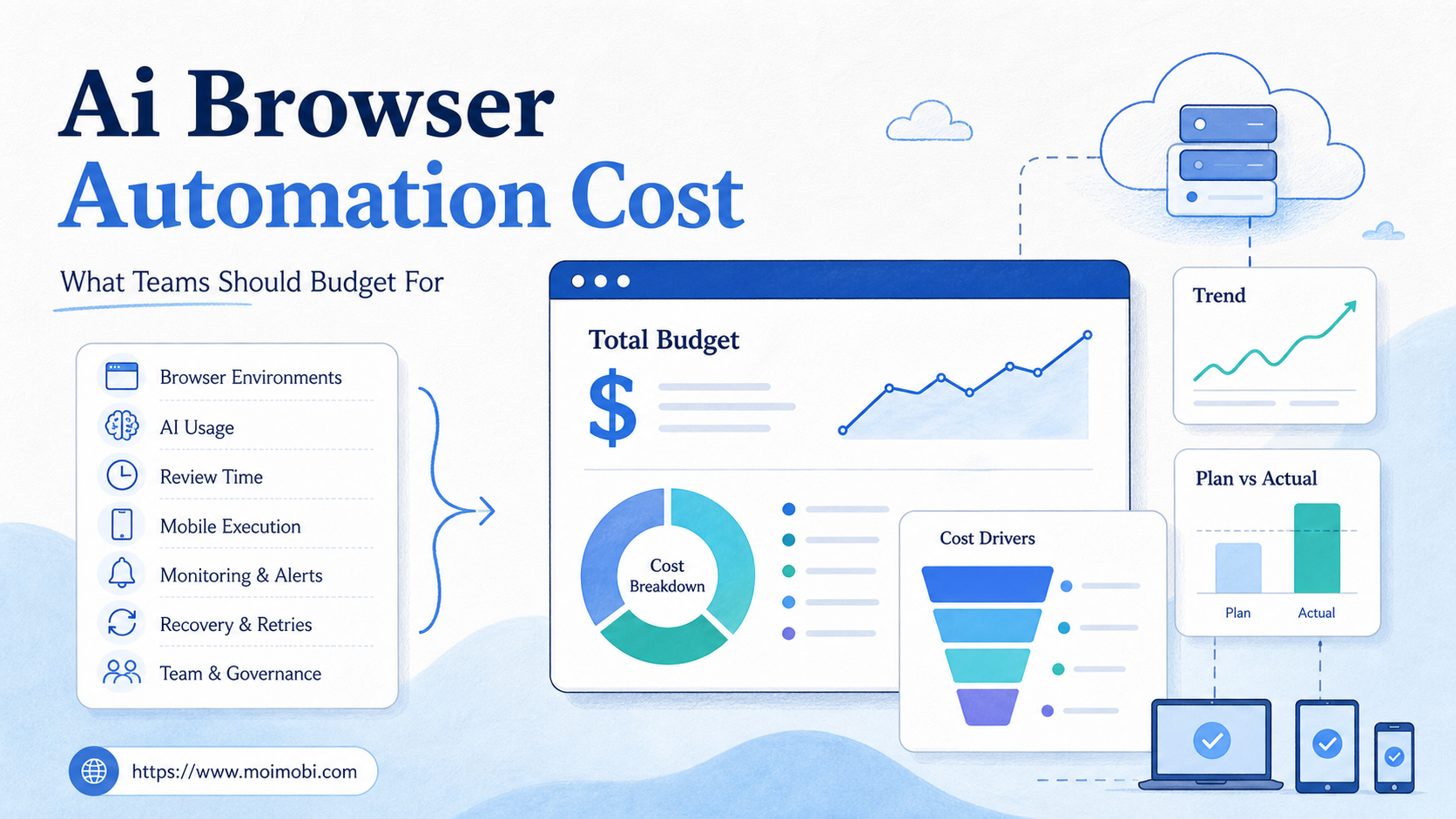
- AI browser automation cost is not one software fee. It is the combined cost of environments, AI usage, workflow setup, review, monitoring, and recovery.
- The cheapest plan can become expensive if teams ignore account ownership, failed tasks, and human approval time.
- Budgeting should start from workflows and account count, not from a generic bot price.
- Teams that run mobile app workflows may need cloud phones in addition to browser profiles.
- A small pilot is the best way to estimate real cost before scaling automation across accounts.
AI browser automation cost is the total budget needed to let AI-assisted workflows operate inside controlled browser environments. In plain terms, it is the cost of turning browser work into a supervised operating system, not just buying a bot subscription.
The direct subscription is only one line item. A team also pays for the operational system around it: accounts, environments, permissions, logs, approvals, and fixes when pages change. A practical budget separates those costs before comparing vendors.
The right question is not "What is the cheapest AI browser tool?" The better question is "What does it cost to run a repeatable workflow without losing control of accounts, review, and task history?"
The Core Idea Behind AI Browser Automation Cost
Cost starts with execution scope. A public information-gathering workflow has a different cost profile from a logged-in publishing workflow. A dashboard monitoring workflow has different risk and review needs from a customer reply workflow.
Browser automation itself is not new. Browserless describes managed browser infrastructure for running automated browser sessions in its Browserless documentation, and Browserbase documents hosted browser environments for agents in its Browserbase documentation. AI browser automation builds on the same broad idea of controlled browser execution, but it adds model decisions, task memory, human review, and account operations.
That extra layer changes budgeting. A script may only need a runner and a browser. An AI-assisted workflow may need persistent profiles, role controls, model calls, fallback paths, and review queues. Those costs are easy to miss if the team only compares monthly software prices.
For example, a team may start with one workflow: check a web dashboard, summarize changes, and draft a follow-up message. The visible cost is the automation platform. The hidden costs include deciding who owns the account, what data the AI may read, when a human approves the draft, and how failures are recorded.
Why Teams Search for AI Browser Automation Cost
Operations teams usually search for AI browser automation cost when manual browser work starts to block growth. The work is repetitive, but it still requires logged-in context, judgment, and account separation.
Common examples include lead list building, CRM updates, dashboard checks, social media review, ecommerce operations, and customer message triage. These tasks do not fit neatly into one API. They often happen across web apps, browser profiles, and sometimes mobile apps.
Cost questions also appear when teams move from a demo to production. A demo can run in one browser session with one person watching. Production needs scheduling, permissions, retry logic, logs, and review. The cost model expands because the task is now part of operations.
Use this budget map before requesting an AI browser automation pricing page:
| Budget Area | What It Covers | What To Check |
|---|---|---|
| Execution environments | Browser profiles, sessions, cloud browsers, or managed workspaces | How many accounts and workflows need separate environments? |
| AI usage | Model calls, reasoning steps, summaries, drafts, and retries | Are costs tied to tokens, tasks, seats, or bundled usage? |
| Human review | Approval, correction, escalation, and operating-rule checks | Which actions require a person before completion? |
| Operations support | Logs, monitoring, recovery, permissions, and account ownership | Can the team explain failed tasks without manual detective work? |
This table matters because two tools with similar monthly fees can have different operating costs. One may reduce review time with clear logs. Another may save subscription cost but create more manual supervision.
Who Benefits Most and In What Situations
The strongest fit is a team with repeated logged-in browser tasks. The team should already know which accounts, apps, and workflows consume the most manual time.
Good-fit teams often share three traits. They manage multiple accounts, they repeat the same browser workflow every week, and they need a record of what happened. Agencies, ecommerce teams, customer support teams, and growth operations teams often fall into this group.
Poor-fit teams usually have unclear tasks. Workflows that change every day make automation cost hard to estimate, especially when account ownership is vague or success is undefined. In that case, the first budget should go toward process mapping, not more tools.
There is also a browser-versus-mobile boundary. Browser profiles work well for web dashboards and logged-in web apps. Mobile-first workflows may need cloud phones or Android devices. Before comparing a cloud phone pricing page with an AI browser automation pricing page, decide where the task actually runs. A broad cloud phone execution environment is a better fit when the workflow depends on app screens, Android state, or mobile-only account behavior.
AI Browser Automation Cost Checklist Before You Buy
Start with a preflight checklist. It prevents the budget from becoming a vague tool comparison.
- Count workflows, not ideas. List the exact browser workflows you want to automate this quarter.
- Count account lanes. Decide how many accounts need separated browser profiles or workspaces.
- Classify action risk. Separate read-only tasks, draft tasks, approval tasks, and live account changes.
- Estimate AI usage. Identify where the model reads pages, drafts outputs, summarizes data, or retries.
- Add review time. Budget for human approval, corrections, and escalation.
- Add recovery time. Include page changes, login interruptions, failed tasks, and workflow updates.
Pass/fail checks make the budget more realistic:
- Pass: each workflow has an owner, target account, success condition, and stop rule.
- Fail: the team says "automate browser work" but cannot name the accounts or review steps.
- Pass: read-only tasks and live actions have different approval rules.
- Fail: the same AI worker is expected to collect leads, reply, publish, and change settings without boundaries.
Model costs also need a separate line. AI providers may charge by token, request, model tier, or bundled plan. Anthropic's pricing documentation is one example of model pricing varying by model and usage type. Avoid using any single provider's pricing as a universal estimate. Use it as a reminder that AI usage should be measured, not guessed.
Cost Drivers Teams Often Miss
The first missed cost is workflow setup. Someone has to define the task, clean up account ownership, create profile rules, and document the approval path. That work may be more valuable than the automation itself.
The second missed cost is failed execution. AI browser workflows operate in real websites. Pages change. Login states expire. Buttons move. A low-cost tool that does not record failure details can create a high support burden.
The third missed cost is review. AI can draft replies, summarize leads, or prepare a publishing task. Sensitive actions still need approval in many business workflows. A slow review queue can move the bottleneck instead of removing it.
The fourth missed cost is environment sprawl. Teams may create too many profiles, agents, or account lanes before proving one workflow. More environments create more permission questions, more logs, and more recovery paths.
The fifth missed cost is mobile execution. A workflow that starts in the browser may end in an app. Work touching TikTok, Instagram, WhatsApp, or app-only screens may need cloud phones, mobile automation, or device isolation. AWS Device Farm's developer guide is a useful reminder that real-device execution is a separate operating layer from browser-only automation.
MoiMobi is positioned around browser and mobile execution, so teams can evaluate AI browser workflows alongside mobile automation, device isolation, and multi-account management. The goal is not to buy every layer. The goal is to match each workflow to the right environment.
A Practical Budgeting Workflow
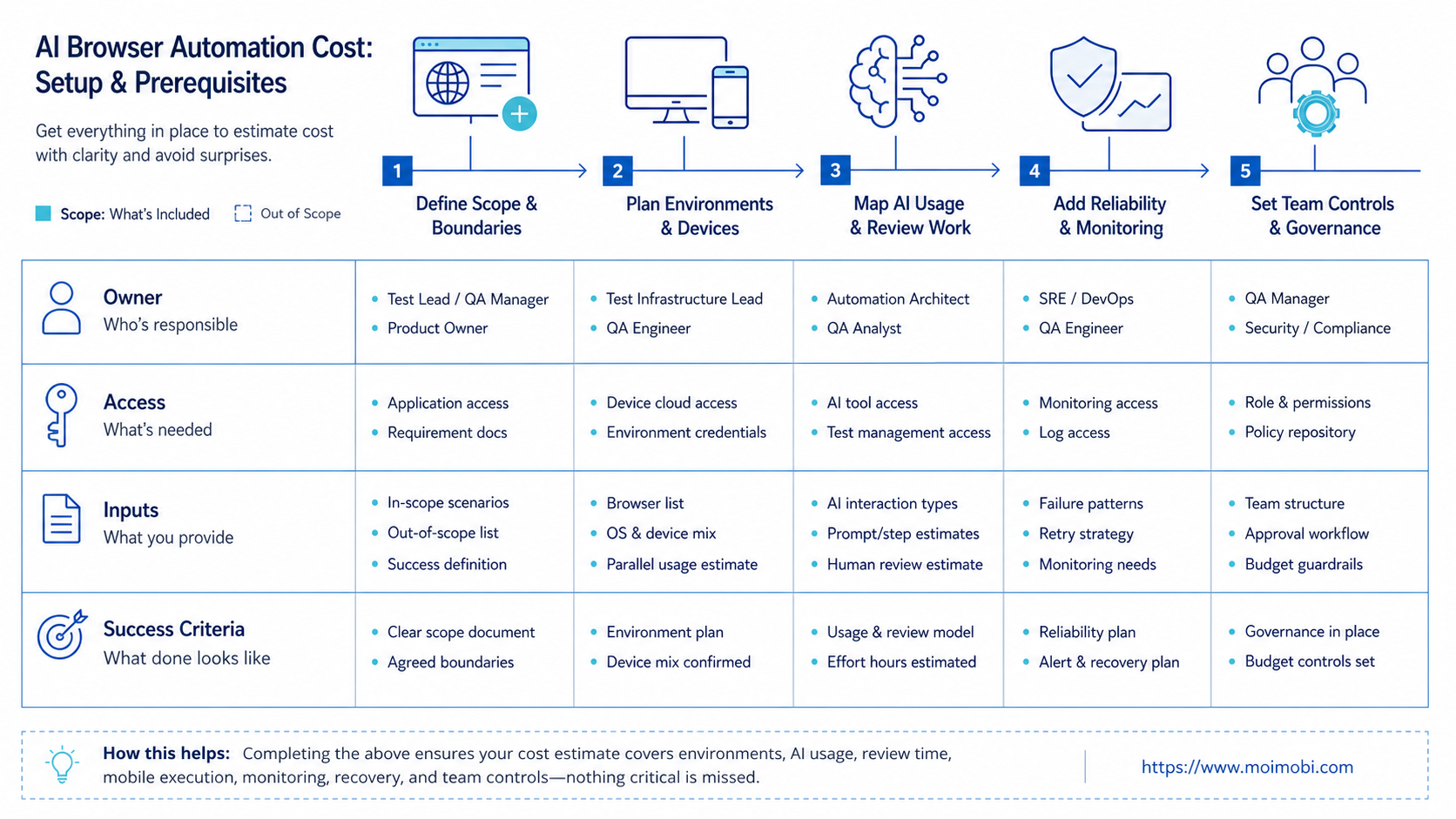
Use a small cost model before speaking with vendors. It does not need exact prices. It needs clear units.
- Define the workflow unit. Example: "Check five account dashboards and draft one summary."
- Define the environment unit. Example: "One browser profile per account."
- Define the AI unit. Example: "One page summary, one classification step, one draft."
- Define the review unit. Example: "One human approval before any live reply."
- Define the recovery unit. Example: "Log page errors, login issues, and rejected drafts."
- Run the pilot for one week. Measure task count, failed tasks, review time, and corrections.
- Scale only after review. Add more accounts after the first workflow has stable ownership and logs.
This method avoids a common trap: estimating cost from the number of accounts alone. Account count matters, but task depth matters more. Ten read-only monitoring workflows may be easier to run than two workflows that publish, reply, and change settings.
Teams should also compare pricing pages by what they include. An AI browser automation pricing page may charge by seat, task, browser session, profile, or usage. A cloud phone pricing page may charge by device, concurrency, duration, or resource tier. A TikTok automation pricing page may bundle platform workflow features. Put those units next to your workflow units before comparing totals.
Pilot Rollout, Measurement, and Recovery Checks
A budget is reliable only after a pilot. The pilot should use one workflow, a small account group, and a clear approval rule.
Track five numbers during the pilot:
- completed tasks
- failed tasks
- average review time
- corrections per output
- recovery time after failure
These numbers show whether the automation is reducing work or moving work elsewhere. A workflow that saves browser clicks but doubles review time may still be too expensive. A workflow that fails clearly and recovers fast may be worth expanding.
Add a weekly recovery review. Ask what caused each failure: account state, browser profile, website change, AI output, missing data, or approval rule. Then update the workflow. Do not solve every problem by buying more capacity.
For social operations, add platform-specific tracking. A TikTok automation pricing page is only useful if it maps to your actual TikTok workflow. The same is true for Instagram, WhatsApp, LinkedIn, and ecommerce dashboards. Pricing becomes meaningful when it is tied to account lanes and task outcomes.
Mistakes That Increase AI Browser Automation Cost
The most expensive mistake is automating an unclear workflow. Manual inconsistency usually becomes automation inconsistency unless the team fixes the process first.
Another mistake is treating human review as optional. Review is part of the cost model. Removing it too early can create account-control or customer-experience problems.
Teams also overpay when they buy for peak scale before proving daily use. A smaller pilot can reveal whether the workflow needs more browser profiles, more AI usage, mobile execution, or simply better instructions.
One more mistake is comparing tools by one headline price. Pricing pages rarely show the whole operating model. Ask what happens when a task fails, when a login expires, when a reviewer rejects an output, and when a workflow needs mobile app execution.
Frequently Asked Questions
What is AI browser automation cost?
It is the full cost of running AI-assisted workflows in browser environments. It includes software, AI usage, profiles, setup, review, monitoring, and recovery.
Is AI browser automation priced per seat?
Some tools use seat pricing. Others price by browser sessions, profiles, tasks, usage, or bundled capacity. Match the pricing unit to your workflow unit.
Should teams budget for human review?
Yes. Human review is part of most serious account workflows, especially for replies, publishing, customer messages, and account changes.
When does cloud phone cost matter?
Cloud phone cost matters when the workflow depends on mobile apps, Android state, mobile-only screens, or app-based account operations.
Can a cheap automation tool become expensive?
Yes. Low software cost can be offset by high setup time, poor logs, failed tasks, and manual recovery work.
How should a team estimate AI usage?
Count where the model reads, summarizes, classifies, drafts, retries, or reviews. Then map those steps to the provider's pricing model.
What should agencies check first?
Agencies should check account separation, client ownership, reviewer roles, task logs, and recovery paths before comparing tool prices.
How long should the first pilot run?
One to two weeks is often enough to learn the cost shape. The key is to measure task volume, review time, failures, and corrections.
Conclusion
AI browser automation cost is best estimated from the workflow outward. Start with the account lane, the browser environment, the AI steps, the review rule, and the recovery path.
Use this priority order: define one workflow, map account environments, estimate AI usage, add review time, include recovery, then compare pricing pages. That sequence gives a cleaner budget than choosing the lowest monthly plan first.
For teams running both browser and mobile operations, separate browser costs from cloud phone and mobile automation costs. The budget becomes more accurate when each task is assigned to the environment where it actually runs.



