
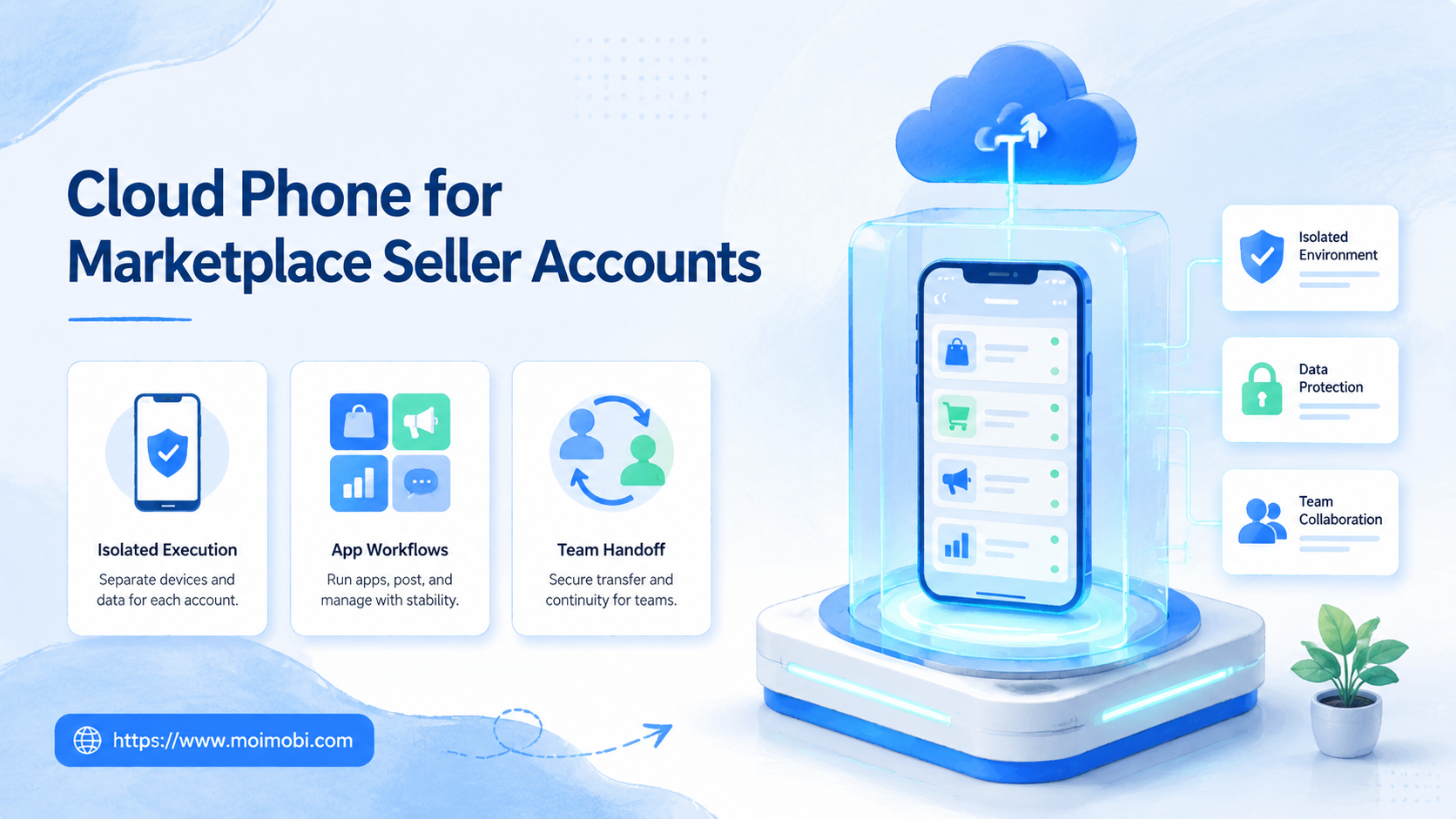
A cloud phone for marketplace seller accounts is a remote Android environment used to run mobile marketplace, messaging, and support workflows without passing one physical phone around the team.
Marketplace sellers usually do not need a cloud phone because it sounds modern. They need one when account work depends on mobile apps, team handoff, isolated environments, and repeatable execution. That includes checking seller apps, replying to buyers, reviewing order alerts, collecting screenshots, and keeping account-specific activity separated.
The practical decision is simple: use a cloud phone when mobile execution is part of the operating workflow. Use a browser profile when the work is mostly web dashboards. Use both when the seller team handles accounts across marketplace apps, browser portals, messaging tools, and content channels.
The boundary matters because marketplace accounts are business assets. A team may have catalog staff, customer support, fulfillment staff, ads operators, and agency partners touching the same seller operation. The environment design should make that work easier to assign and review. It should not turn into shared passwords, unclear ownership, or scattered phone screenshots.
Key takeaways
- Cloud phones are most useful when seller account work must happen inside Android apps.
- They should not replace official marketplace permissions, role controls, or audit discipline.
- One account should map to one controlled execution environment whenever possible.
- The first rollout should be small, measured, and easy to pause.
- MoiMobi is best evaluated as an execution layer, not just a device rental tool.
What Is Cloud Phone for Marketplace Seller Accounts?
A cloud phone is a hosted Android device that a team can access remotely. For marketplace sellers, the value is not the Android screen by itself. The value is a controlled place where account-specific mobile work can happen.
Amazon describes Seller Central user permissions as a way to let account owners grant access to other users without sharing the primary account login. eBay documents Team Access for delegating seller work, and Walmart Marketplace Learn explains that admin-level users can add or update Seller Center users. Those permission models matter because a cloud phone should support controlled operations, not replace platform access rules.
The same logic applies to mobile execution. A marketplace operator may need to check a seller app, capture a dispute screenshot, reply to a buyer, or test a mobile-only notification flow. A cloud phone gives that work a persistent Android environment instead of relying on one employee's device.
The phrase "cloud phone" can sound like a device choice. For seller teams, it is better viewed as a workspace decision. The workspace includes the account, the Android environment, the responsible operator, the allowed task list, the review owner, and the record of what happened. Without those parts, the team has remote phones but not an operating system for seller work.
| Work type | Best environment | Why it matters |
|---|---|---|
| Seller portal updates | Browser profile | Most dashboard work is faster on web |
| Seller app checks | Cloud phone | Alerts, screenshots, and app states stay in one place |
| Buyer messaging | Cloud phone or browser | Choose based on where the team actually replies |
| Multi-account operations | Browser plus mobile workspace | Separation and handoff become easier to audit |
Why Cloud Phone for Marketplace Seller Accounts Matters
The common mistake is treating cloud phones like a bigger physical phone farm. That usually creates the same operational problem with a different device shape. The team still needs account ownership, permissions, routing rules, task logs, and review habits.
The better model is execution infrastructure. A cloud phone becomes the mobile side of a seller account workspace. The browser side can handle listings, reports, and seller portal tasks. The mobile side can handle marketplace apps, customer follow-up, and app-specific alerts.
This is where multi-account management becomes more important than raw device count. Marketplace teams need to know which account used which environment, who operated it, what task ran, and what happened after the task.
Official marketplace access features still come first. Amazon's user permission model, eBay's team access model, and Walmart Seller Center account tools all point to the same operational principle: account access should be delegated intentionally. Cloud phones should fit that principle, not work around it.
This is also why a cloud phone setup should be separate from a general employee phone. A personal device may contain private apps, personal accounts, and unrelated notification history. A seller account environment should contain only the apps, files, routes, and evidence needed for that seller workflow.
Android's own enterprise management documentation uses a policy-driven model for managed devices and apps. That does not mean every marketplace seller needs full enterprise mobility management. It does show the operational pattern: devices, apps, and permissions are easier to manage when they are assigned through a clear policy model rather than improvised device sharing.
Cloud Phone vs Physical Phone Farm, Browser Profiles, and Seller Tools
A cloud phone for marketplace seller accounts is not the only possible setup. The right choice depends on where the work runs and who needs access.
Physical phones give direct hardware control. They may fit warehouse teams or operators who need local SIMs, cameras, or hands-on testing. The trade-off is operational friction. Devices need storage, charging, updates, physical access, and handoff rules.
Browser profiles fit web-heavy seller operations. Listing edits, reports, advertising dashboards, and catalog cleanup often happen faster in a browser. For portal-heavy accounts, a browser profile and cloud phone workflow may be more balanced than a mobile-only setup.
Cloud phones fit mobile-heavy execution. Seller apps, mobile alerts, mobile customer replies, app screenshots, and app-specific checks can stay inside the assigned Android environment. That makes them easier to review than scattered personal-device screenshots.
| Option | Works well for | Main limitation |
|---|---|---|
| Physical phone farm | Hardware-dependent testing and local device control | Harder remote handoff and higher device handling overhead |
| Browser profile | Seller dashboards, reports, listings, and admin work | Weak fit for mobile-only app flows |
| Cloud phone | Marketplace app checks, buyer replies, alerts, and screenshots | Still needs permissions, ownership, and review rules |
| Combined workspace | Teams that manage seller portals and mobile apps together | Requires a clear SOP before scaling |
Competitor comparisons should follow the same logic. "GeeLark vs cloud phone" is not a useful question unless the team knows which mobile workflows must run. "MoreLogin vs cloud phone" and "BitBrowser vs cloud phone" are usually browser-versus-mobile questions. Task location should come before vendor evaluation.
Workflow Design for Seller Account Teams
A seller account workspace needs four layers. The first layer is account ownership. The team should know who owns the account, who can operate it, and who approves sensitive actions.
The second layer is execution environment. A seller account may need a browser profile, a cloud phone, or both. That mapping should be written down. For accounts that use a mobile app for alerts, the cloud phone should be the assigned mobile checkpoint.
The third layer is task routing. A buyer message, listing exception, return issue, or app notification should have a clear owner. The operator should know whether to respond, escalate, capture evidence, or wait for approval.
The fourth layer is result tracking. Seller operations break down when results live only in chat messages or screenshots. Each task should record the account, environment, operator, action type, result, and next step.
Recommended workspace fields
- Account name or internal account ID.
- Assigned browser profile and assigned cloud phone.
- Marketplace and region.
- Operator role and reviewer role.
- Allowed task categories.
- Sensitive action list.
- Latest task result and next action.
- Screenshot or evidence location.
This structure is useful even before AI automation enters the workflow. It gives the team a cleaner base for later scheduling, task memory, or repeatable mobile automation. It also reduces the chance that a team expands device count before it has a stable operating model.
Fit Check: When a Cloud Phone Helps
Use a cloud phone when the account process has mobile-specific work. Examples include seller app monitoring, mobile customer messages, mobile verification steps, app-based content checks, or Android-only workflow testing.
Avoid using it when the whole workflow is already clean inside a browser dashboard. In that case, Android antidetect or browser profile management may be less relevant than clean web access, role permissions, and internal SOPs.
Preflight checklist
- Account owner is known and documented.
- Marketplace permissions are configured before team access starts.
- Each seller account has a named browser or mobile environment.
- Proxy and routing rules are defined where routing matters.
- Sensitive actions require human review.
- Task logs record account, operator, environment, and result.
Good fit also depends on team shape. A solo seller who checks one marketplace app once a day may not need a dedicated remote Android environment. A cross-border team with support staff, catalog staff, and contractors is different. That team benefits more from environment assignment and record keeping.
The same applies to agencies. If an agency manages seller accounts for clients, each client account should have its own workspace boundary. The boundary should cover account credentials, seller app access, browser profile, mobile environment, files, and reporting.
Pilot Plan for Cloud Phone for Marketplace Seller Accounts
Run the first pilot for seven to fourteen days. The goal is to test whether the cloud phone improves control, not whether the team can create many devices.
Pick one seller account group. Choose accounts that already create mobile work, such as buyer messages, app alerts, or marketplace app checks. Avoid starting with the most sensitive account unless the SOP is already mature.
Define three task categories for the pilot:
- Observation tasks. Check app alerts, order exceptions, message status, or account notifications.
- Evidence tasks. Capture screenshots, attach notes, and send the case to the right owner.
- Action tasks. Reply, update, or resolve only when the action is approved by the account owner.
Set a stop rule before the pilot starts. Stop or pause the workflow if operators cannot identify the account, if task logs are incomplete, if a sensitive action has no reviewer, or if the same account is touched from conflicting environments.
Track five numbers during the pilot: completed tasks, delayed tasks, failed handoffs, escalated tasks, and repeated account-environment mismatches. These numbers are enough to judge workflow health without pretending that device count equals productivity.
How to Get Started with Cloud Phone for Marketplace Seller Accounts
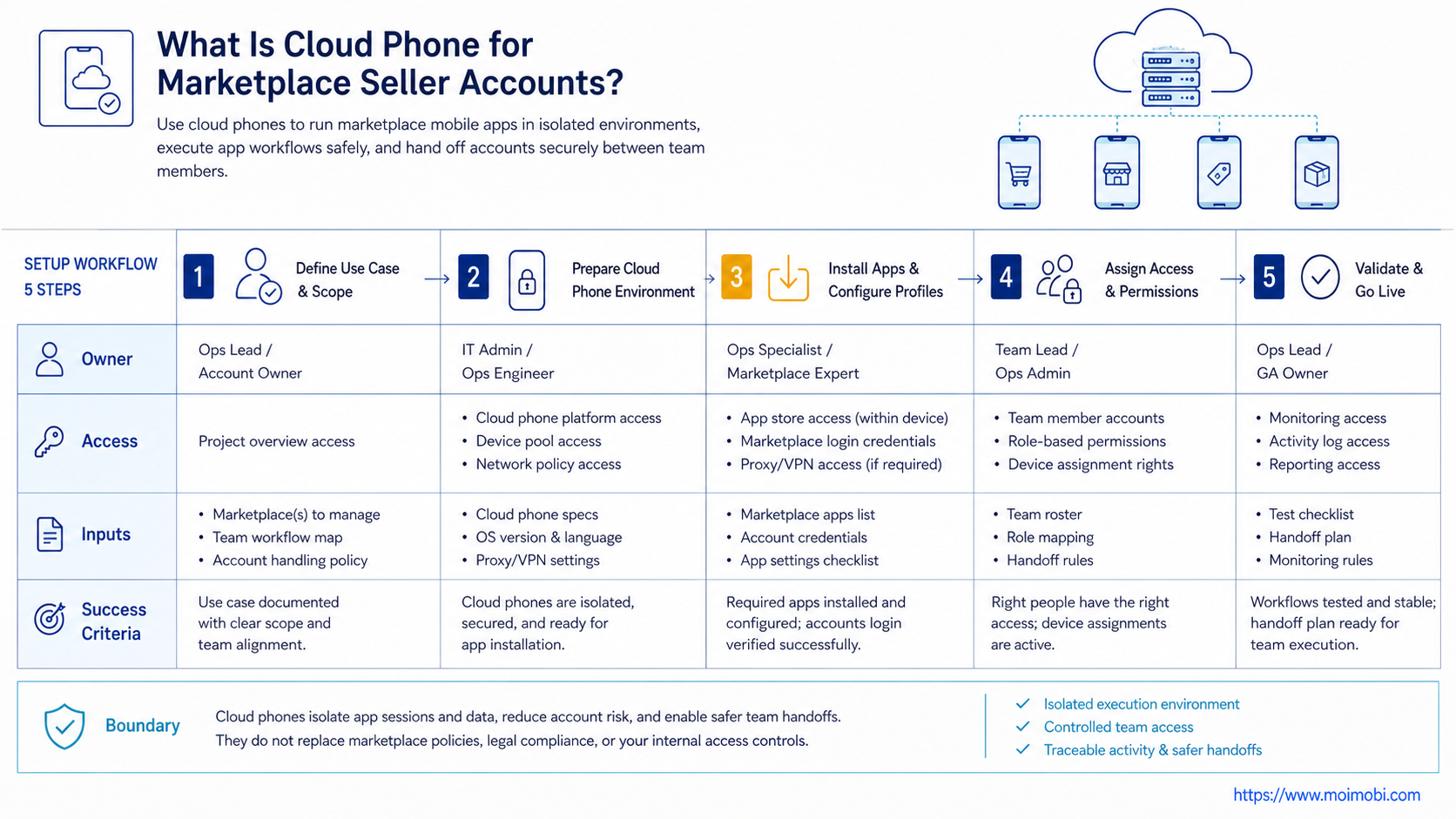
Begin with one account group, not the entire seller portfolio. A small rollout makes it easier to find gaps before the team scales the workflow.
- Map the account workflow. List the mobile tasks, browser tasks, approval points, and handoff moments.
- Assign environments. Connect each seller account to a browser workspace, a cloud phone, or both.
- Define allowed actions. Separate safe checks from sensitive actions such as account settings, refunds, or policy responses.
- Create a daily task template. Include login check, app alerts, messages, order exceptions, and evidence capture.
- Track outcomes. Record completed tasks, blocked tasks, account issues, and follow-up owners.
- Review after one week. Expand only if the process reduces confusion without creating new risk.
MoiMobi can support this model as an AI browser and cloud phone platform for teams that need browser and mobile execution in one operating system. The goal is not to automate every seller action. The goal is to make repeated mobile work visible, assigned, and recoverable.
After the first setup, create a weekly review. The review should compare task records against seller account outcomes. If buyer replies are faster but evidence is missing, the workflow still needs work. If app checks are consistent but operators keep using the wrong environment, the assignment model needs to be simplified.
Teams using mobile automation should be especially careful here. Automation should begin with low-risk repeatable checks, not complex seller decisions. A good first workflow is "open app, check alert category, capture evidence, assign owner." A poor first workflow is "resolve every issue automatically."
Common Mistakes to Avoid
Avoid one shared mobile environment for many seller accounts. Shared sessions make it harder to identify the source of mistakes. They also make team handoff harder because every operator inherits the same cluttered state.
Treat marketplace access controls as the first layer. If Amazon, eBay, Walmart, or another marketplace provides role-based access or team permissions, use those controls before assigning execution environments. The execution environment should support that governance layer.
Scaling before review creates hidden confusion. A seller team that cannot explain which account, device, route, and operator handled a task is not ready for more environments. Use device isolation and routing only after the workflow map is clear.
Another mistake is overloading one operator. When the same person owns account setup, daily checks, buyer replies, dispute review, and reporting, the cloud phone will not fix the bottleneck. Split work by role and keep the review owner separate from the routine operator where possible.
Poor naming also creates problems. Names like "phone 1" and "seller app phone" are too vague. Use names that identify platform, region, account group, and role. A clear name such as "US-Marketplace-StoreA-Support-01" is easier to review later.
Verification checklist
- Every seller account has one primary execution environment.
- The team can pause one account workflow without stopping all accounts.
- Operators can find the latest task result in under one minute.
- Sensitive actions have review notes.
- Failed tasks have a next owner and next step.
Measurement and Review Loop
A cloud phone rollout should end each week with a small review. The review does not need a complex dashboard. It needs enough evidence to decide whether to keep, pause, or expand the workflow.
First review workflow health. Count how many tasks were completed in the assigned environment. Count how many required extra clarification. Count how many were delayed because the operator could not find the right app, account, file, or owner.
Next, review account boundaries. Each seller account should have a current environment map. Record the reason when an account is accessed from an unexpected mobile environment. Valid exceptions should update the SOP. Invalid exceptions should simplify the assignment model.
Finally, review automation candidates. Tasks that are frequent, low judgment, and easy to verify can move toward repeatable workflows. Tasks that involve customer disputes, account settings, payment information, or platform notices should stay in a controlled human-review path.
Weekly review decision
- Keep the workflow if tasks are visible, assigned, and easy to audit.
- Pause the workflow if operators cannot follow the environment map.
- Expand the workflow only after the account owner accepts the review evidence.
Frequently Asked Questions
Is a cloud phone better than a physical phone farm?
It depends on the workflow. A cloud phone is easier to access remotely and assign to teams. A physical phone farm may still fit teams that need hardware they fully control.
Is this the same as GeeLark vs cloud phone?
No. GeeLark is a specific product comparison topic. A cloud phone decision should start with workflow needs, app support, isolation, logs, team access, and cost.
How is MoreLogin vs cloud phone different?
MoreLogin is usually evaluated around browser profile work. A cloud phone is evaluated around Android app execution. Many seller teams need both categories.
How is BitBrowser vs cloud phone different?
BitBrowser-style tools focus on browser profile management. Cloud phones focus on remote mobile environments. Choose based on where the task actually runs.
Can cloud phones manage marketplace seller accounts automatically?
They can support repeatable workflows, but sensitive seller actions still need controls. Approvals, logs, and ownership matter more than blind automation.
Should each seller account get its own cloud phone?
For operational clarity, one account per environment is usually easier to manage. Smaller teams can pilot with fewer environments before expanding.
What should teams measure first?
Measure task completion, response time, failed handoffs, repeated login problems, and account-specific exceptions. Do not measure only device count.
Where does MoiMobi fit?
MoiMobi fits when marketplace teams need mobile automation, account workspaces, cloud phones, and browser execution as one operating layer.
Can I use only a browser profile for seller accounts?
Yes, if the workflow is mostly web dashboard work. Add cloud phones only when mobile apps, alerts, screenshots, or app-based replies are part of the daily process.
What is the first task to automate?
Observation and evidence capture make the safest first automation target. App checks, alert collection, screenshot capture, and owner assignment are easier to verify than complex account actions.
Conclusion
Seller teams should test cloud phones when mobile app execution is part of daily operations. The setup is not a shortcut around marketplace rules, permissions, or team discipline.
Use this priority order: account ownership first, permissions second, environment mapping third, task logging fourth, and automation last. A pilot that makes work easier to assign, review, and recover can expand into more accounts and clearer workflows.
The strongest signal is not the number of cloud phones created. The strongest signal is whether the team can explain what happened inside each seller account, who handled the task, what evidence was captured, and what should happen next.
For teams that already run marketplace work across web portals and mobile apps, MoiMobi can provide the browser and mobile execution layer. Evaluate it by account clarity, workflow recovery, and review quality before evaluating raw device scale.



