
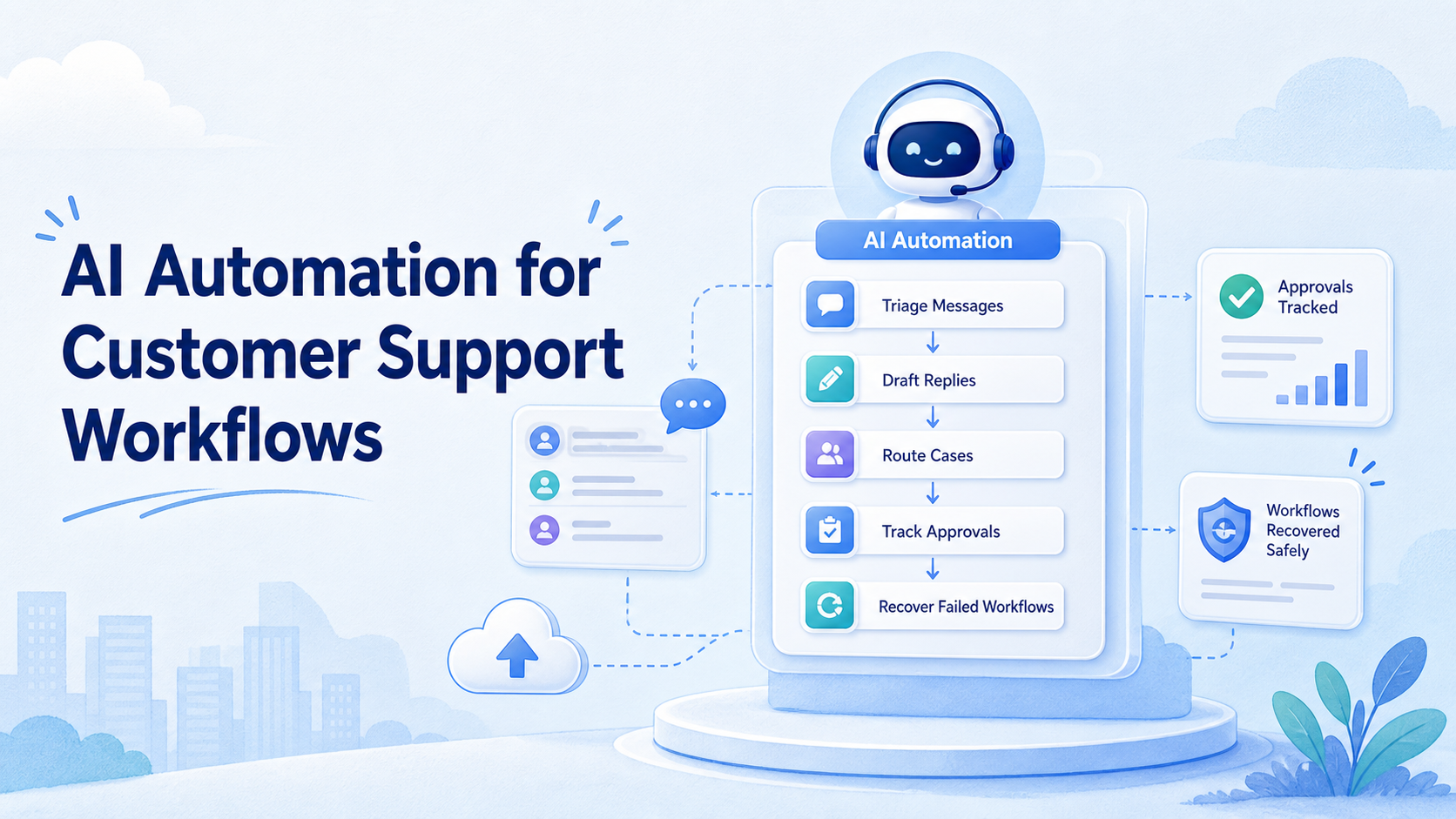
AI automation for customer support is a workflow model that uses AI to triage messages, draft replies, route tasks, summarize context, and track support outcomes.
The goal is not to remove every human decision. A safer operating model uses AI for repeatable preparation and uses people for judgment, exceptions, sensitive cases, and final accountability.
Support teams often work across social inboxes, chat tools, ecommerce messages, review channels, and internal dashboards. When those channels grow, response quality drops unless the team has clear routing, ownership, and recovery records.
Key Takeaways
- AI automation for customer support should start with triage, drafts, routing, summaries, and records.
- Human review still matters for complaints, refunds, policy issues, and unclear intent.
- The workflow should show who owns each message and what happened after AI assistance.
- Teams need guardrails for privacy, accuracy, customer claims, and escalation.
- A pilot should measure response quality, handoff time, failed cases, and recovery actions.
What Is AI Automation for Customer Support Workflows?
AI automation for customer support is not just a chatbot. It is a workflow layer that helps the team handle repeated support work with more structure.
The workflow may classify a message, suggest a reply, pull order context, assign a case, translate a short response, or summarize a long thread. In higher-risk cases, it should stop and route the task to a human.
Zendesk describes AI for service as covering agents, copilots, automation, knowledge, reporting, and workflows across channels. That framing is useful because support automation usually works best as a system, not as one reply generator. See Zendesk's overview of AI for customer service and support.
Use this basic model:
| Workflow step | AI can help with | Human should own |
|---|---|---|
| Intake | Classify topic and urgency | Channel policy and priority rules |
| Context | Summarize thread and account history | Confirm sensitive facts |
| Reply | Draft response options | Approve refunds, claims, disputes |
| Recovery | Flag failed or unresolved cases | Escalate and close the loop |
This keeps automation useful without pretending that every customer issue is simple.
Why AI Automation for Customer Support Matters
Customer support work is repetitive, but it is not always low-risk. A shipping question, a refund request, a public complaint, and a platform policy issue need different handling.
NIST's AI Risk Management Framework is intended to help organizations incorporate trustworthiness considerations into AI system design, development, use, and evaluation. For customer support, that means the workflow should include oversight, measurement, and recovery instead of only output speed. See the NIST AI Risk Management Framework.
The FTC has also warned that there is no special exemption for AI when companies use it in ways that are unfair, deceptive, or misleading. Support teams should avoid overstating what AI can resolve, especially when the customer needs a factual or contractual answer. See the FTC announcement on deceptive AI claims and schemes.
For operations leaders, the value is workflow consistency. AI can help the team respond faster, but the bigger gain is cleaner routing and better records.
Key Benefits and Use Cases
The strongest use cases sit between raw message volume and human judgment. AI prepares the work. The team decides where human control is needed.
Common support use cases include:
- tagging messages by topic,
- identifying urgent complaints,
- drafting first replies,
- summarizing long conversations,
- routing messages to the right owner,
- preparing refund or return context,
- translating short customer responses,
- logging outcomes for review.
For social support teams, social media marketing workflows should connect content, comments, direct messages, and follow-up. A post that generates questions needs a reply workflow, not only a publishing workflow.
For teams with many accounts, multi-account management becomes part of support quality. The team needs to know which account received the message, who owns the response, and whether the customer was already contacted elsewhere.
AI is most helpful when the question repeats. It is less suitable when the facts are missing, the customer is angry, or the answer creates legal, financial, or safety consequences.
How to Get Started with AI Automation for Customer Support
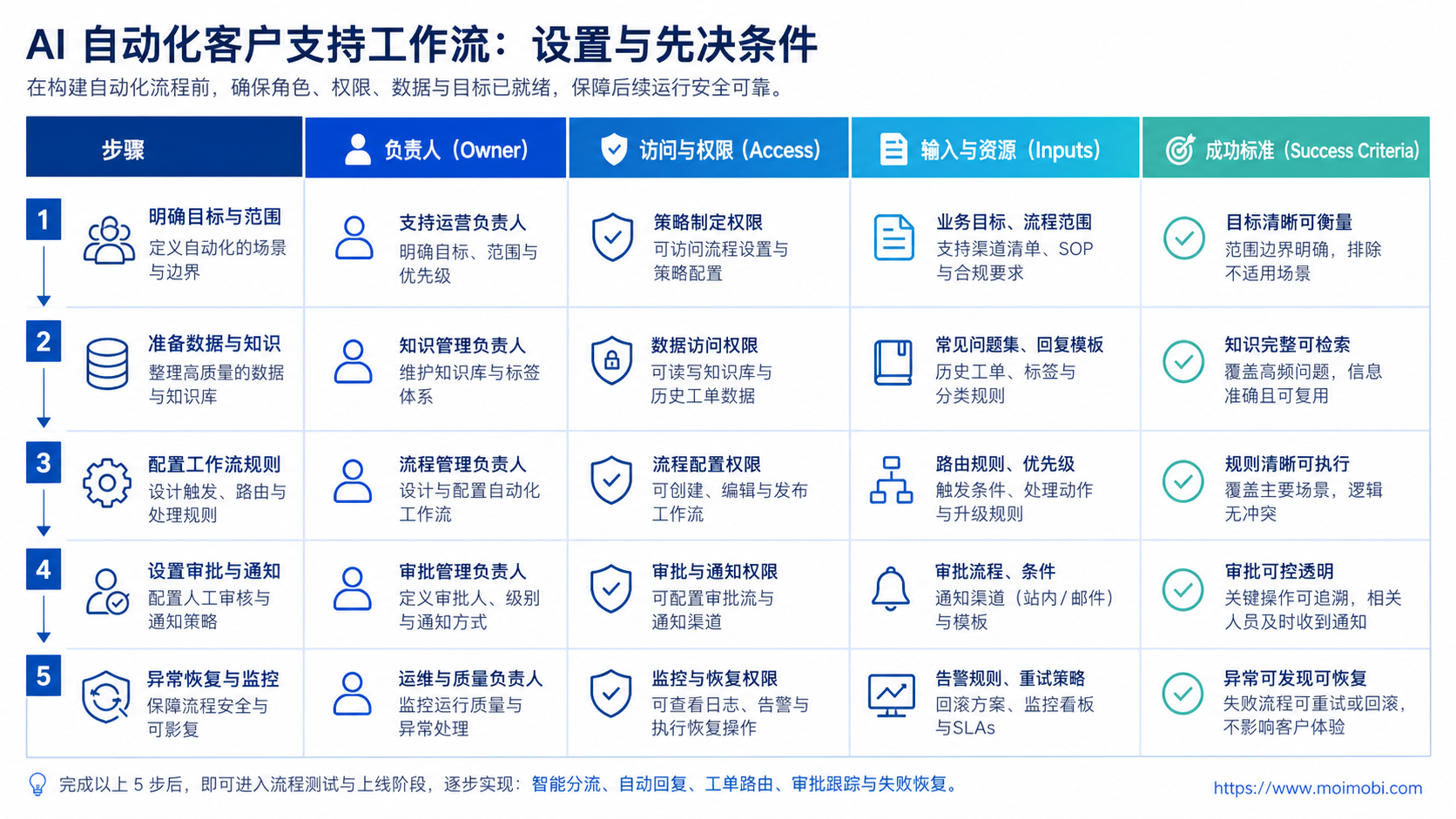
Start with workflow design before tool selection. The team should know what AI is allowed to do and where it must stop.
- Map support channels. List inboxes, social accounts, ecommerce messages, reviews, and internal dashboards.
- Define message categories. Separate order status, refunds, complaints, product questions, spam, and urgent cases.
- Set AI permissions. Decide whether AI can tag, draft, summarize, route, or send without review.
- Build reply templates. Create approved tone, refund boundaries, escalation lines, and handoff language.
- Add human review gates. Require approval for sensitive topics, public complaints, refunds, and account changes.
- Record outcomes. Track owner, status, reply time, customer response, and recovery action.
The first pilot should avoid full automation. Let AI draft, tag, and summarize. Keep final sending under human control until the team understands failure patterns.
If support work happens inside mobile apps, a cloud phone execution environment may help teams preserve mobile account access and task records. For broader app-side workflows, mobile automation can support repeated monitoring and response preparation.
Knowledge Base and Reply Boundary Design
AI support workflows need a clean answer source. If the knowledge base is weak, the draft quality will be weak too. The team should not expect AI to repair missing policy, missing order rules, or unclear escalation language.
Create three answer groups. The first group is approved answers, such as shipping windows, return steps, store hours, or product setup instructions. The second group is conditional answers, such as refund eligibility, damaged products, delayed delivery, or warranty questions. The third group is blocked answers, where AI should not respond without a human.
Blocked answers usually include legal threats, payment disputes, personal data requests, medical or safety claims, angry public complaints, and account suspension issues. These cases need a handoff path, not a clever draft.
The reply library should also store tone rules. A public comment may need a short, calm response. A private support thread may need more context. A marketplace message may need specific order fields. The AI workflow should know the channel before it drafts.
Review the knowledge base every week during the pilot. Add missing questions, remove outdated wording, and mark answers that caused agent edits. This turns agent corrections into better future drafts.
Common Mistakes to Avoid
The biggest mistake is letting AI send replies before the team has rules. A fast wrong reply can create more work than a slow reviewed reply.
Another mistake is treating all messages as equal. A product question can use a short approved answer. A refund dispute may need account context and human approval. A public complaint may need escalation.
Avoid these patterns:
- no approved reply library,
- no escalation path,
- no record of AI-generated drafts,
- no reviewer for sensitive cases,
- no customer history check,
- no stop rule for unclear intent,
- no review of failed or reopened cases.
Privacy is another boundary. The FTC has reminded AI companies to uphold privacy and confidentiality commitments. Support workflows often include customer names, order details, addresses, and complaint history. Those fields need access controls and retention rules. See the FTC guidance on privacy and confidentiality commitments.
Who It Fits and When It Is a Strong Match
AI automation fits teams with repeated message patterns and clear operating rules. It is especially useful when support volume spans many channels or accounts.
Strong fit
- Messages repeat across products, accounts, or campaigns.
- Support agents need faster drafts and summaries.
- Managers need routing and status records.
- Public comments and private messages need coordinated handling.
Weak fit
- Policies are unclear or change daily.
- No one owns final reply quality.
- Most cases require legal or financial judgment.
- The team wants to hide AI use from customers or reviewers.
Teams should also consider account isolation. A support operator should not accidentally reply from the wrong brand, region, or client account. Device isolation supports cleaner account boundaries when teams run many account workspaces.
Pilot Rollout, Measurement, and Recovery Checks
Run the first pilot with one channel and one message category. For example, start with product questions from one social inbox or order-status questions from one store.
Measure workflow quality, not only speed:
- messages classified correctly,
- drafts accepted by agents,
- drafts edited by agents,
- replies sent after review,
- cases escalated,
- cases reopened,
- failed automation reasons,
- customer follow-up needed,
- average handoff time.
Recovery checks are essential. If AI tags a message incorrectly, the system should let an agent correct the tag and record the reason. If a draft is unsafe or incomplete, the reviewer should be able to reject it and improve the template.
At the end of the pilot, review three groups. First, messages AI handled well. Second, messages that needed human edits. Third, messages that should never enter automation. The third group is the most important guardrail for scale.
Support Workflow Scorecard
A scorecard helps the team improve without arguing from anecdotes. Review the workflow once a week and rate each field from 1 to 5.
Use these fields:
- intake accuracy,
- draft usefulness,
- escalation clarity,
- reply consistency,
- customer context quality,
- account ownership clarity,
- failed-case recovery,
- manager visibility.
Low intake accuracy means the categories are unclear. Low draft usefulness means the knowledge base or templates need work. Low escalation clarity means agents do not know when to stop automation and ask for help.
This scorecard also protects the customer experience. The point is not to automate the highest possible share of replies. The point is to automate the parts that make support faster while keeping accountability clear.
Before expanding, review the worst cases from the pilot. Look at messages that were misrouted, drafts that agents rewrote, and cases customers reopened. These examples show where the workflow needs tighter categories, better source material, or stronger human review.
Expansion should follow evidence from the pilot. Add one new channel or message type at a time. Keep the same scorecard so the team can compare results instead of restarting measurement with every new workflow.
If quality drops after expansion, roll back to the last stable category and repair the source rules before adding volume.
Human Review Roles and Handoff Records
Human review works better when roles are explicit. A support lead should not need to guess who can approve refunds, who can reply publicly, or who can close a complaint.
Use role-based review:
- frontline agent reviews ordinary drafts,
- senior agent handles edge cases,
- manager approves compensation or refunds,
- brand owner reviews public complaints,
- policy owner handles rule-sensitive messages,
- technical owner checks product defects.
Each handoff should include a short note. The note should state the customer issue, what AI suggested, what the agent changed, and why the case moved to another owner. This helps the next person understand the decision without reading the full thread again.
Handoff records also help managers train the system. Repeated escalations for the same reason mean the workflow needs better rules. Repeated agent rewrites mean the reply library needs better examples. Repeated reopened cases mean the support team may be closing too early.
Frequently Asked Questions
1. What is AI automation for customer support?
It is the use of AI to classify, draft, summarize, route, and track support work across customer channels.
2. Can AI fully replace support agents?
Not for most serious workflows. AI can prepare and speed up work, but agents still need to handle exceptions and judgment-heavy cases.
3. What should be automated first?
Start with tagging, summaries, suggested replies, and routing. Keep final replies reviewed until the workflow is proven.
4. Which cases should stay manual?
Refund disputes, legal claims, policy exceptions, angry customers, and sensitive personal information should usually require human review.
5. How should teams measure success?
Track accepted drafts, edit rate, escalation rate, reopened cases, response time, and recovery reasons.
6. Does this work for social media support?
Yes, when the team maps accounts, owners, and reply rules. Social support needs extra care because replies may be public.
7. Where does MoiMobi fit?
MoiMobi fits teams that need browser and mobile execution environments, account isolation, multi-account operations, and support workflow records.
8. What is the biggest risk?
The biggest risk is letting AI answer outside its allowed scope. Clear stop rules and review gates reduce that risk.
Conclusion
The first priority is workflow control. Define message categories, AI permissions, review gates, and escalation rules before increasing automation.
The second priority is measurement. Track draft quality, handoff time, reopened cases, and failed-case recovery. The third priority is scale. Add more accounts and channels only after the pilot shows clean ownership and clear recovery paths.
References:



