
Key Takeaways
- An AI browser is a browser execution environment designed for AI agents, not just a normal browser with a chat panel.
- Automation teams should evaluate isolation, observability, recovery, and handoff before they scale agent browser work.
- A useful pilot starts with one workflow, clear success criteria, and a recovery path when the agent makes the wrong move.
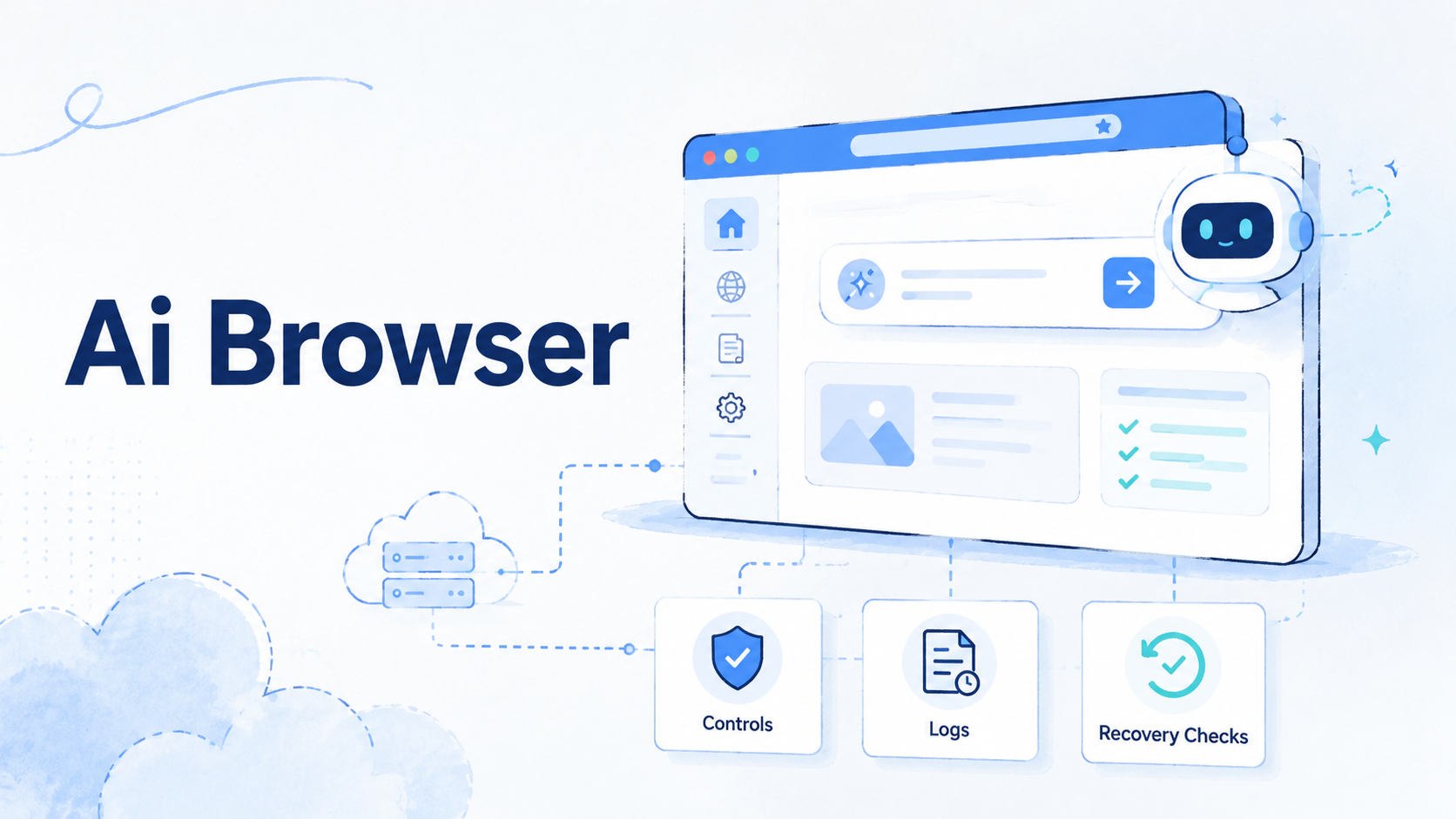
An AI browser is a controlled browser where an AI agent can read pages, operate web interfaces, and complete browser tasks under rules. The practical value is not that the browser becomes intelligent by itself. The value is that the team gets a place where agent actions can run, be observed, be limited, and be reviewed.
That matters because many automation workflows still depend on web interfaces. Teams use dashboards, creator tools, ad managers, inboxes, ecommerce portals, data panels, and internal admin tools that do not always expose clean APIs. A browser worker can operate those interfaces, but only if the run space gives the team enough control.
The right question is not "Can an agent click buttons?" A better question is sharper: can this team run browser-based agent work without losing visibility, account separation, or recovery control? That is where the managed browser layer becomes relevant for automation teams.
What Is an AI Browser?
A managed run space lets an AI system read page state, decide the next browser action, and complete that action inside a controlled session. It usually combines browser automation, page perception, session state, task instructions, logging, and guardrails.
Basic browser automation follows explicit scripts. A script may say: open this URL, click this selector, fill this field, then export a result. Agent-led browser automation is different because the agent may decide which element matters after seeing the page. Control gets harder.
A normal browser is built for a human operator. A managed agent browser is built for an agent plus a supervising team. The setup must answer work questions: what identity is the session using, what data can the worker access, what actions are allowed, and what happens when the task gets stuck?
This distinction matters for teams that already run mobile or web work at scale. If browser work is connected to account activity, campaign runs, research, QA, or content work, the browser cannot be treated as a throwaway tool. It becomes part of the work stack. That changes the review standard.
For teams that also run mobile-side work, a browser layer may sit next to a cloud phone, mobile session, or device pool. The browser may handle dashboards and web consoles while mobile systems handle app-side execution. The team goal is the same: keep work separated, observable, and repeatable.
Why an AI Browser Matters for Automation Teams
The common misunderstanding is that the tool is mainly a productivity shortcut. For an individual user, that may be true. For an automation team, the larger issue is execution governance.
AI agents can make reasonable decisions in changing interfaces. They can also click the wrong item, miss a warning, repeat a step, or stop halfway through a task. A browser execution environment gives the team a place to contain those failures before they affect a live workflow. Containment comes first.
This is why browser isolation matters. Playwright describes browser contexts as isolated sessions, which is useful framing for teams that need separated state during automation work. The same principle applies at the managed browser layer: sessions should not casually share cookies, credentials, or task state across unrelated workflows. See the official Playwright browser context documentation for the underlying automation concept.
Teams also need observability. A successful task record should show the instruction, target URL, session identity, action sequence, result, and failure point. Without that record, it is difficult to distinguish a weak prompt from a broken page, a permission problem, or an agent decision error.
The business case is not "replace every operator." It is usually narrower. A browser agent can reduce manual browser steps in repeatable workflows. It works best when the page changes too often for brittle selectors, but not so much that human judgment is required at every step.
Key Benefits and Use Cases
The strongest use cases have a clear browser task, a known boundary, and a reviewable output. Weak use cases ask the agent to roam across tools without a stop rule.
| Use case | Where agent browsing helps | What still needs team control |
|---|---|---|
| QA and interface checks | Testing flows that move across changing pages | Clear expected outcomes, screenshots, and defect labels |
| Research collection | Opening sources, extracting fields, and saving structured notes | Source rules, evidence review, and output ownership |
| Operations dashboards | Repeating checks across accounts, campaigns, or queues | Identity separation, action limits, and review logs |
| Back-office workflows | Moving data through admin panels without custom APIs | Approval gates for destructive or high-impact actions |
The benefit is highest when the browser task is expensive to script but still bounded. For example, a team may need to collect campaign status from several dashboards that change labels or layouts. A rigid selector script may break often. The browser worker may adapt, provided the team gives it a limited goal and a clear output format.
Agent browsers can also support cross-tool handoff. One workflow may start with a web console, continue in a mobile setting, and finish with a report. MoiMobi users often think about this as run infrastructure rather than a single tool choice. Browser work may connect to mobile automation when teams need both web-side control and mobile-side action.
Stay cautious. A managed browser worker can improve throughput in selected workflows. It does not remove the need for task design, account hygiene, data review, or recovery planning. Review still decides scale.
How to Get Started with AI Browser Automation
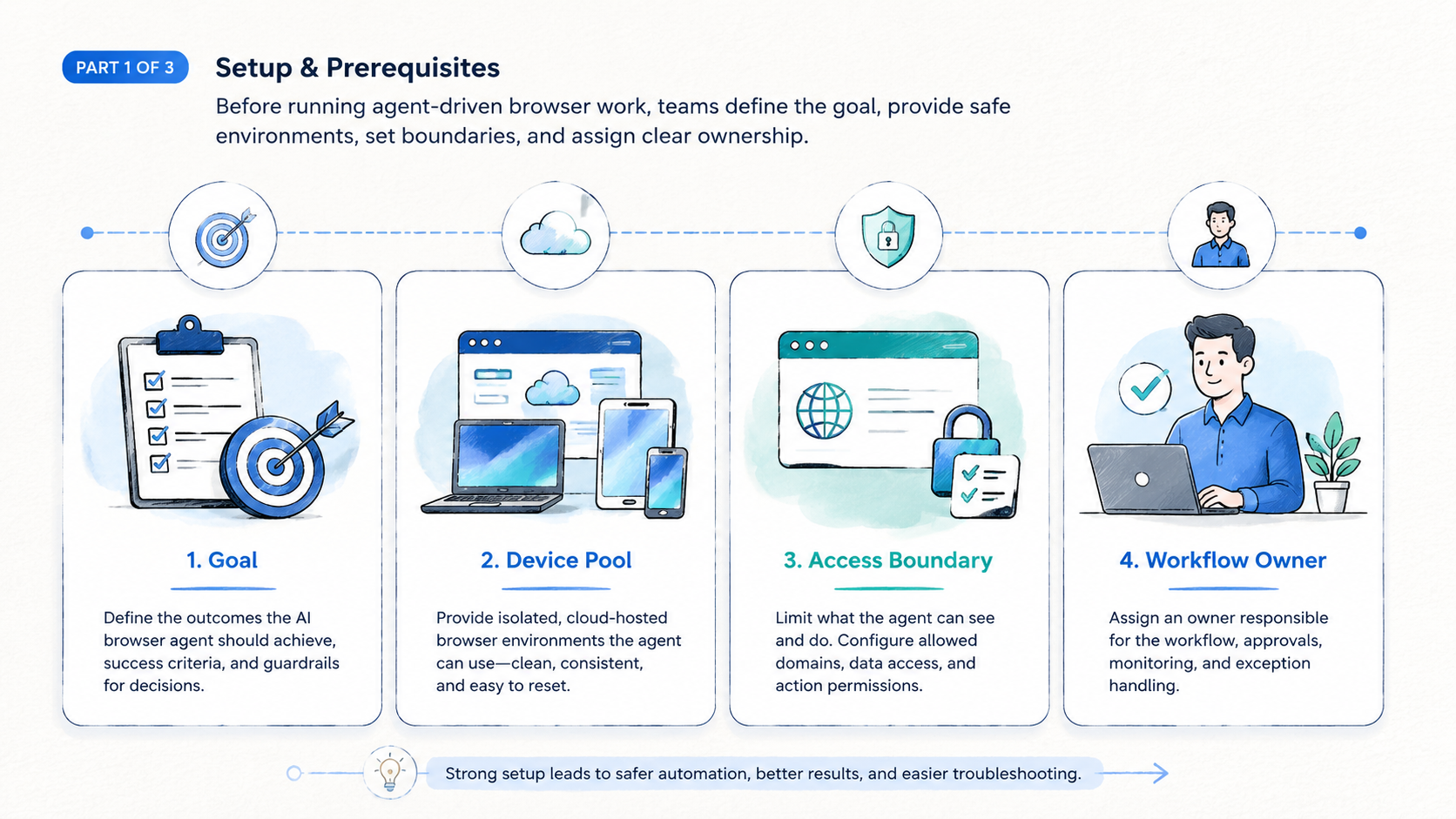
Start with the smallest workflow that still matters. A good first workflow has repeated steps, low downside, and a clear finish line.
- Choose one browser workflow: pick a task with known inputs and outputs, and avoid workflows that require broad judgment across many systems.
- Define the session boundary: set login, proxy, region, account, and data scope.
- Write an action policy: separate allowed actions from approval-required actions because reading a report is different from changing a campaign setting.
- Capture evidence: save screenshots, extracted fields, final URLs, and task logs, since the review record matters as much as the result.
- Run a short pilot: test the same task across enough examples to expose page variation, login friction, and failure modes.
- Review failures before scaling: categorize each failure as prompt issue, page issue, access issue, data issue, or recovery issue.
The technical foundation may vary. Some teams use browser automation frameworks, some use hosted browser systems, and some use agent platforms that manage both. Chrome DevTools Protocol is one example of a browser control surface used by tooling around Chrome. The official Chrome DevTools Protocol documentation is useful background for teams comparing control layers.
For teams that operate many identities or accounts, session design becomes a first-order issue. Match that model. If different operators, clients, or campaigns need separation, the browser setup should not blur those boundaries.
Common Mistakes to Avoid
The first mistake is treating the agent browser as a magic human replacement. Treat it as a worker inside a narrow operating lane. It needs instructions, permissions, state, and logs.
The second mistake is scaling before the team knows the failure pattern. A pilot that succeeds five times in one perfect scenario is not enough. The pilot should include expired sessions, missing elements, slow pages, popups, empty states, and ambiguous confirmation screens.
The third mistake is mixed identity state. If browser sessions share cookies, credentials, proxies, or account context without planning, teams lose the ability to inspect errors. This is similar to mobile work, where device isolation helps keep workflows clean and tied to the right owner.
Use this quick stop rule before expanding:
- Stop if the agent changes live settings without an approval gate.
- Stop if task logs cannot explain what happened.
- Stop if two workflows share identity state without a reason.
- Stop if operators cannot reproduce a failed run.
- Stop if success is measured only by "the agent finished" instead of output quality.
Those checks are not bureaucracy. They prevent a small automation win from becoming a review problem later.
Who It Fits and When It Is a Strong Match
A managed browser environment is a strong match when a team has repeated browser work, variable interfaces, and enough operating discipline to review outputs. It is weaker when the task is rare, high judgment, or tied to actions that are hard to undo.
| Strong fit | Weak fit |
|---|---|
| Repeated dashboard checks with clear expected output | One-off tasks with no repeat value |
| Research collection with source review | Tasks requiring sensitive judgment at every step |
| QA flows across changing interfaces | Workflows with no logging or recovery path |
| Operations tasks with clear approval gates | Live changes that lack operator approval |
Team shape matters. A solo operator may value speed. An agency or operations team usually needs handoff, accountability, and separation across accounts or clients. Prompt wording is secondary.
Agent browser workflows also need a place in the broader stack. If the team already manages many accounts, the browser environment should align with the account ownership model. A team running web dashboards and mobile execution together may also need multi-account management. That keeps work from collapsing into one shared, hard-to-audit lane.
The strongest match is a workflow that has enough repetition to justify automation and enough variation to make fixed scripts expensive. That is the middle ground where agent-led browsing can be practical.
Pilot Rollout, Measurement, and Recovery Checks
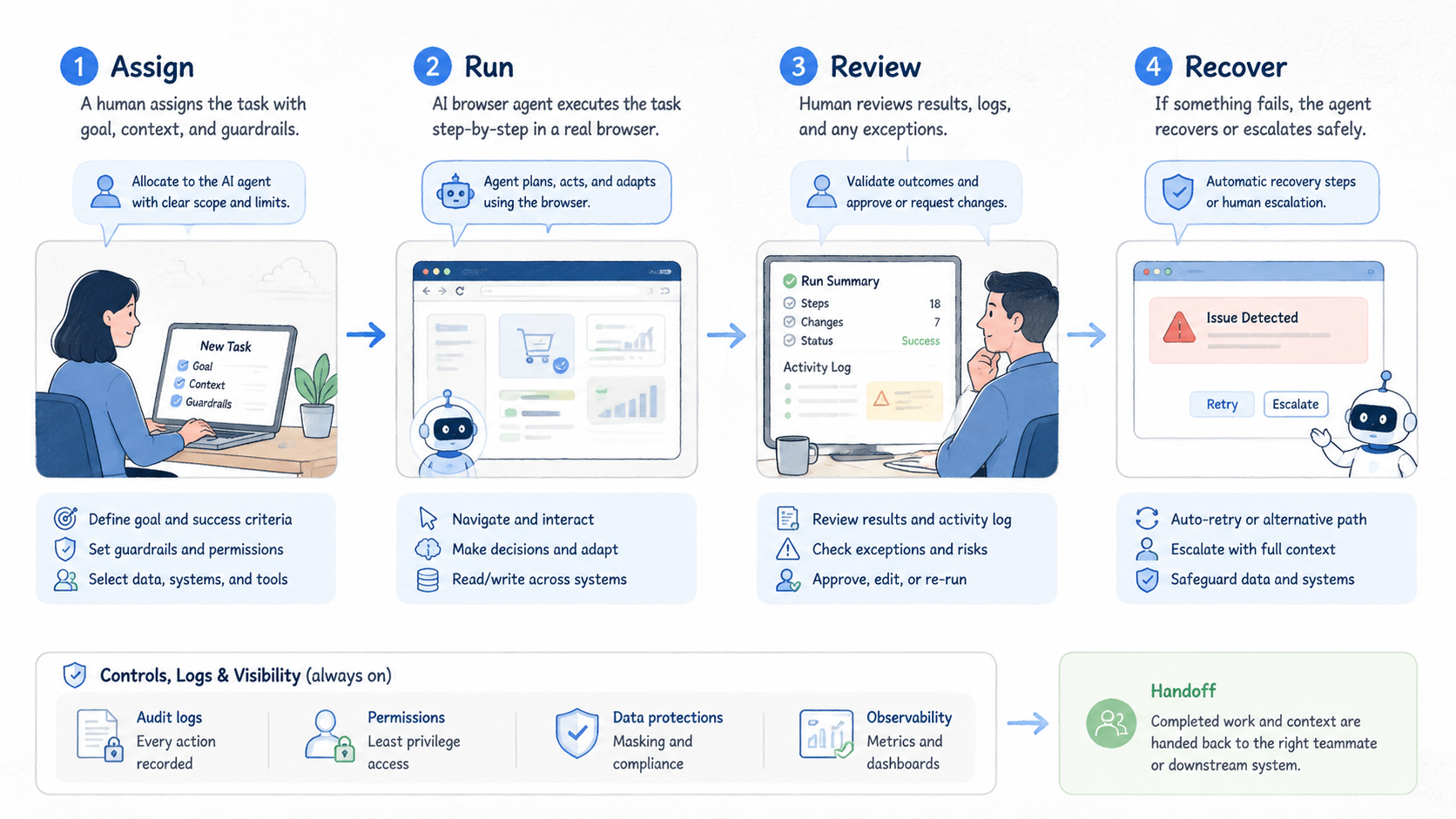
A pilot should measure more than completion rate. Completion can hide weak behavior. A run may finish while using the wrong account, skipping a warning, or saving a low-quality output.
Track four fields during the pilot:
- Task outcome: finished, failed, paused for approval, or abandoned.
- Evidence quality: screenshots, extracted fields, URLs, and logs are complete enough for a second operator to review the run without asking what happened.
- Intervention reason: login issue, page variation, unclear instruction, access boundary, or tool failure.
- Recovery path: rerun, human review, prompt change, session reset, or workflow redesign.
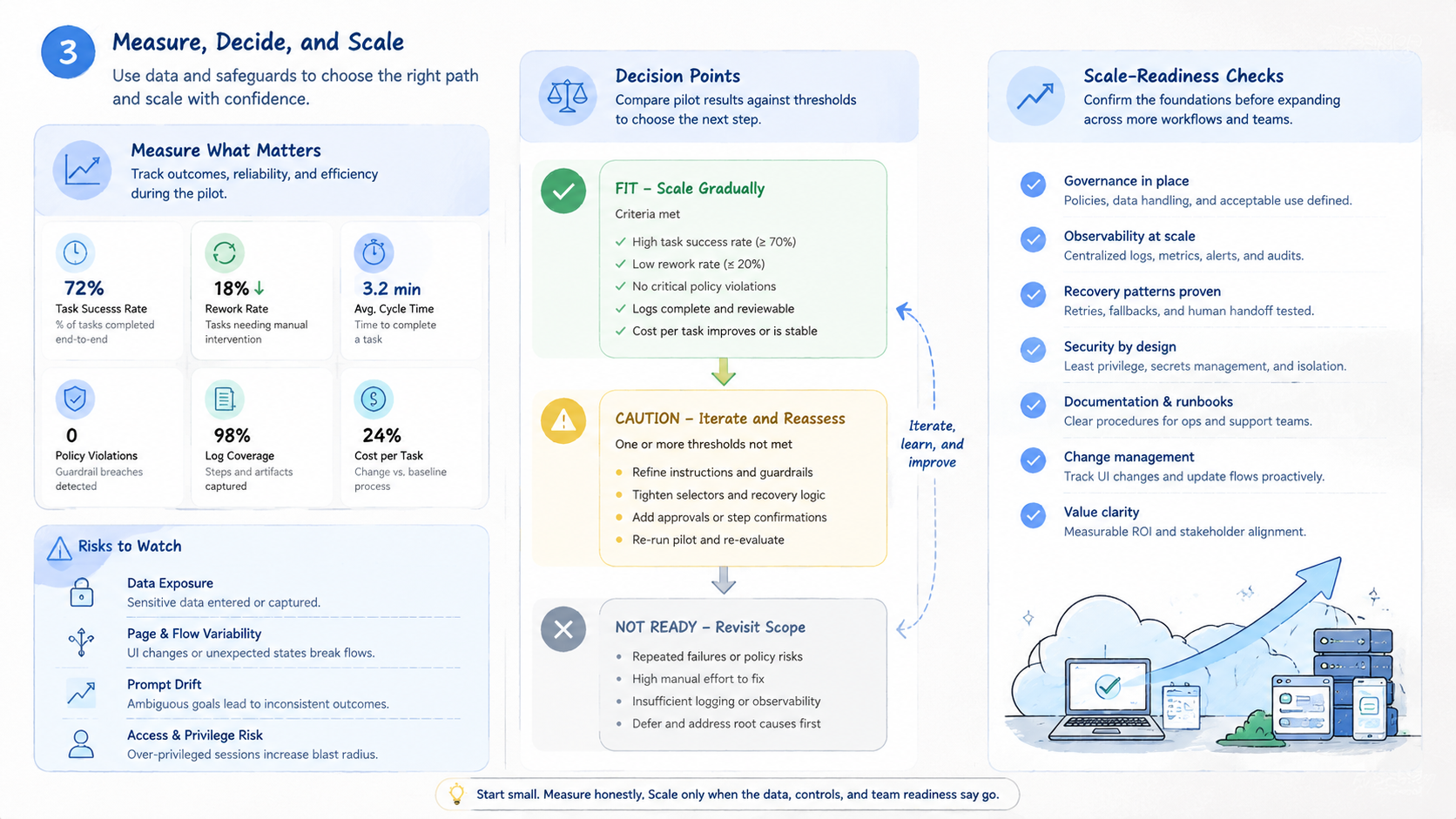
A practical pilot may run for one workflow across 20 to 50 task attempts, depending on risk and variation. The exact number should match the cost of failure. A low-impact research task can move faster. A workflow that changes account settings should move slowly.
Here is a concrete pilot card for a low-risk dashboard check:
- Task ID: AB-01 for one dashboard check.
- Goal: open 3 campaign dashboards and record status, spend, warnings, and final URL.
- Allowed actions: read pages, open filters, export screenshots, and copy fields.
- Blocked actions: allow 0 budget edits, 0 account setting changes, and 0 message sends.
- Evidence package: save 1 screenshot per dashboard, 1 final URL per dashboard, 1 run log, and 1 exception note if the worker pauses.
- Pass rule: require 18 of the first 20 attempts to produce complete evidence with no approval breach.
- Escalation rule: pause after 2 unclear warnings, 1 login mismatch, or any page that asks for payment, identity proof, or password reset.
Use recovery checks before expanding. Can an operator inspect a failed run in under five minutes? Can the team identify which session, account, proxy, and instruction were used?
Can the workflow be paused before a high-impact action? If the answer is no, the run space is not ready for larger volume.
| Pilot check | Pass signal | Hold signal |
|---|---|---|
| Session control | Each run has a named account and isolated state | Runs share cookies or credentials without a reason |
| Evidence record | Logs, screenshots, and extracted fields match the task | Operators must guess what the agent saw |
| Approval boundary | Sensitive actions pause for human review | The agent can change live settings without review |
| Recovery time | A failed run can be diagnosed quickly | Failures require manual reconstruction from memory |
Teams that connect browser work to mobile execution should also review routing and identity assumptions. A browser dashboard may control a mobile-side process. In that case, a proxy network or routing layer may need the same discipline as the agent environment.
AI Browser Security, Control, and Content Quality
Security and content quality share one principle: the system should be helpful, traceable, and built for the real user. Google's documentation on creating helpful, reliable, people-first content is written for search quality. The work lesson also applies to automation outputs. Do not accept output simply because an AI system produced it.
Useful controls include access scopes, isolated sessions, audit logs, screenshot capture, and approval steps. These controls make failures inspectable. They also make team handoff easier because another operator can understand what happened without guessing.
The review standard should be concrete. Confirm the account, target page, extracted fields, approval boundary, and evidence trail for each run. Use a checklist.
That standard keeps the team from confusing "agent autonomy" with "no supervision." The better goal is bounded autonomy. The agent can work inside a defined lane, while the team keeps control over identity, risk, and final decisions.
Frequently Asked Questions
What is an agent browser in simple terms?
It is a managed browser environment where an AI agent can inspect pages and take browser actions. It is different from a normal browser because it is designed for task execution, logging, and control.
How is it different from browser automation?
Traditional browser automation follows explicit scripted steps written before the run, so it can fail when labels, page order, or dialogs change. An agent browser can interpret page state and choose actions. That flexibility is useful, but it also requires stronger review and guardrails.
Is it the same as a cloud browser for AI agents?
They overlap. A cloud browser for AI agents usually means the browser runs in hosted infrastructure. The broader execution layer may also include agent instructions, task memory, logging, and policy controls.
When should a team use browser agent automation?
Use it when a browser workflow repeats often, changes enough to make fixed scripts brittle, and has a clear output. Avoid it for sensitive, rare, or irreversible actions until the approval model is strong.
What should teams measure first?
Measure task outcome, evidence quality, intervention reason, and recovery time. Completion rate alone is too shallow because it does not show whether the agent acted correctly.
Does this remove the need for human operators?
Usually no. It changes the operator role. People spend less time on repeated browser actions and more time designing workflows, reviewing exceptions, and approving high-impact steps.
What is the biggest risk in an agent browser pilot?
The biggest risk is scaling before the team understands failure behavior. Run a narrow pilot first, then expand only after logs, session separation, and recovery steps are working.
How does it fit with mobile automation?
Web agents can handle dashboards, admin panels, and reporting interfaces. Mobile automation handles app-side execution. Teams may need both when a workflow crosses web and mobile systems.
Conclusion
The AI browser category matters because browser work is still part of real operations. Dashboards, portals, internal tools, and web consoles remain important even when APIs exist elsewhere. Agent-led browsing can help with that work, but only when the environment gives the team enough control.
The priority order is practical: define the workflow boundary, isolate the session and identity state, log enough evidence to review every run, and measure failures before increasing volume.
Teams that follow that order can test browser agent automation without treating it as a black box. The next practical step is to choose one repeated browser workflow, define the allowed actions, and run a short pilot with clear evidence capture. If the team cannot explain what happened after each run, the workflow is not ready to scale.



