
Key Takeaways
- Cloud phone automation means running repeatable mobile tasks on managed remote Android devices.
- It works best when each account, device, task, route, and recovery owner is documented.
- Automation should support narrow workflows, not replace judgment or platform-aware operating rules.
- Multi-account teams need isolation, pause rules, audit trails, and human review before scale.
- Start with a small pilot and measure setup time, error rate, handoff friction, and recovery speed.
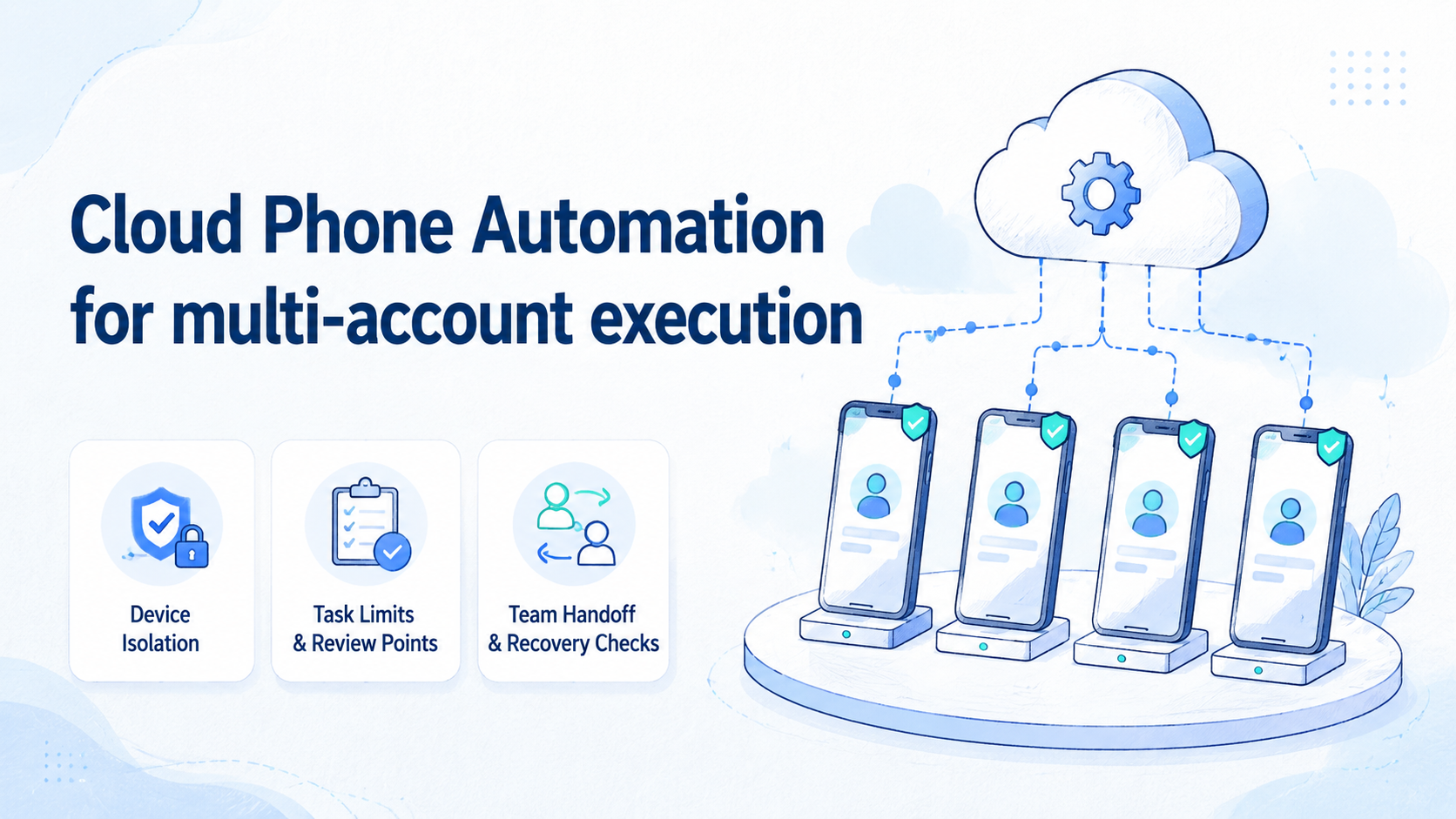
Cloud phone automation is a managed way to run repeatable mobile workflows on remote Android devices across account groups. It gives teams a way to combine persistent cloud phones, task scripts, access rules, and review points without passing physical devices between operators.
For multi-account execution, the goal is not to automate everything. The goal is to make known tasks more consistent. A team may automate status checks, app navigation, content QA steps, or routine mobile actions while keeping judgment, escalation, and policy-sensitive decisions under human control.
The best setup starts with operations, not scripts. Account-to-device ownership, task scope, and stop rules should be written before the first run.
Without those basics, automation only makes unclear work happen faster. A task that cannot be explained in one clean sentence should stay manual until the team understands the decision path.
Platform rules still matter. Google's Play Policy Center is a reminder that mobile ecosystems have official expectations. Teams should also check each platform's own policy center before automating any account workflow.
The Core Idea Behind Cloud Phone Automation
The common misunderstanding is that cloud phone automation is a shortcut to scale. It is not. It is a way to run defined mobile tasks on controlled cloud devices, with enough structure for teams to assign, review, and recover work.
A normal cloud phone gives remote Android access. Automation adds repeatable execution on top of that access. Keep those two layers separate during planning.
First, confirm that the phone environment is persistent, isolated, and easy to hand off. Then decide which task is safe enough to repeat, which result needs review, and which condition should stop the run.
MoiMobi's cloud phone page is the relevant starting point for the device layer. MoiMobi's mobile automation page is the closer fit when the team is ready to define repeatable task execution.
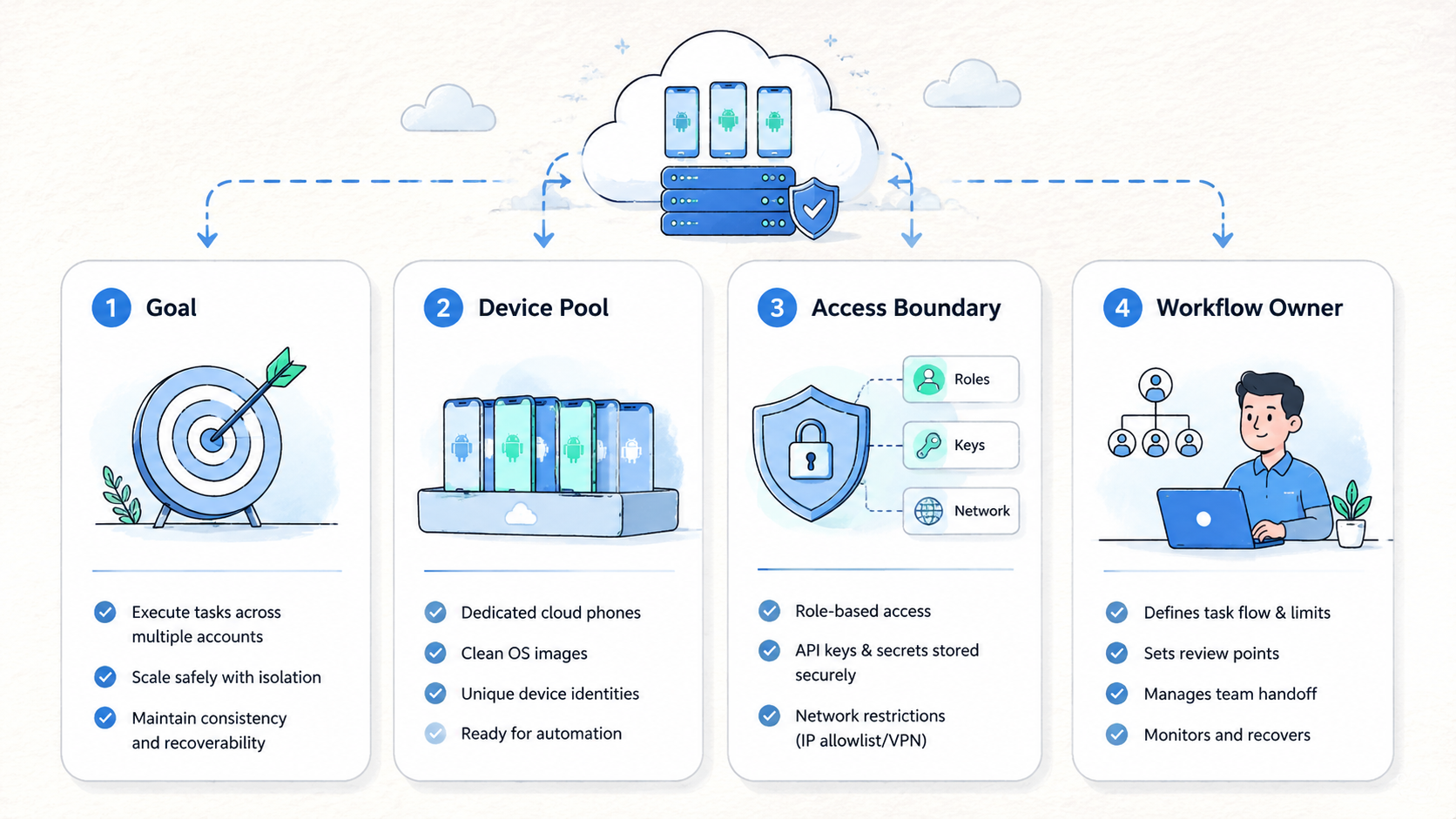
The basic operating model has five parts:
- Account group
- Cloud phone assignment
- Task definition
- Review point
- Recovery owner
That model is intentionally simple. It prevents teams from treating automation as a black box. When a task fails, the operator should know which account group was affected, which cloud phone ran the task, what the task was meant to do, and who decides the next step.
For example, a team may run a daily app-status check across a small account group. The script opens the app, checks the required screen, records a result, and stops. A human reviews exceptions before any next action. That is different from running broad automation with no limits.
Why Multi-Account Teams Search for Cloud Phone Automation
Teams search for cloud phone automation when manual mobile work becomes too slow or inconsistent. One operator may complete a task carefully, while another skips the note that explains account state.
A third person may use a different device because the assignment record is missing. The work still gets done, but the system becomes hard to audit when a manager has to reconstruct yesterday's actions from memory.
Multi-account teams face a specific problem: repetition plus variation. The task may look similar across accounts, but each account can have a different status, region, device history, owner, or review rule. Automation must respect those boundaries.
Use this framework before choosing a tool:
| Decision field | Why it matters | Bad signal |
|---|---|---|
| Daily repeated task | Automation needs a clear job | "Automate everything" |
| Included account group | Scope prevents accidental mixing | Account groups undefined |
| Assigned device | Device history affects review | Random device choice |
| Stop trigger | Stop rules reduce damage | Endless retries |
| Exception owner | Humans handle judgment | No owner after failure |
This is where a cloud phone differs from a simple emulator session. Teams need persistent device states, visible ownership, and a clean operating record. MoiMobi's device isolation page is relevant when account separation is part of the evaluation.
The useful test is practical: could another operator continue the work tomorrow without asking who used the device, why it paused, or which account group it belongs to?
Automation also affects team design. A manager needs status without asking every operator. A reviewer needs exceptions, not noise.
An operator needs clear instructions when a task pauses. That workflow is the product of process and tooling together, and it should be visible enough for a new teammate to follow during a shift change.
Who Benefits Most and In What Situations
The best fit is a team with repeated mobile tasks and enough account volume to justify structure. A solo operator with one phone may not need cloud phone automation. A team managing account pools, app-based workflows, or repeated QA checks may benefit much sooner.
Good use cases include social account operations, marketplace app checks, lead workflow verification, mobile content review, and account status monitoring. The task should be narrow enough to define in plain language. If the team cannot describe the task in one sentence, it is not ready for automation.
Good fit
- Repeated mobile tasks happen across account groups
- Each account can map to a persistent cloud phone
- Operators need clean handoff and status records
- Managers need exception review, not manual chasing
- Automation can pause before risky decisions
Not a fit yet
- The workflow changes every day
- Account ownership is unclear
- Operators still share passwords in private chat
- The task requires judgment at every step
- The team expects automation to avoid platform rules
AI agent cloud phone workflows need even stricter boundaries. An AI agent may navigate screens or trigger tasks, but it should not own policy-sensitive decisions without review. Google's guidance on creating helpful content applies as a general principle: user value and trust matter more than volume.
Do not blur that line.
Cloud Android for AI agents is strongest when the task is observable. The agent should produce a result that a person can inspect. If the team cannot audit what happened, the automation is not ready for production work.
Visibility is the control layer.
Use a small responsibility map before adding agents:
| Layer | Owned by | Output to inspect |
|---|---|---|
| Device pool | Operations lead | Assigned phone, account group, route note |
| Automation task | Workflow owner | Run log, result state, stop trigger |
| Exception review | Reviewer | Retry, pause, reassign, or retire decision |
| Account action | Human operator | Approved next step and visible record |
This map keeps the AI agent in a bounded role. It can execute or prepare work, but the team still owns account decisions and recovery choices.
How to Evaluate or Start Using Cloud Phone Automation for multi-account execution
Begin with guardrails. The mistake that breaks multi-account execution is running automation before the account map is clean. A script cannot fix a messy device pool.
Start there.
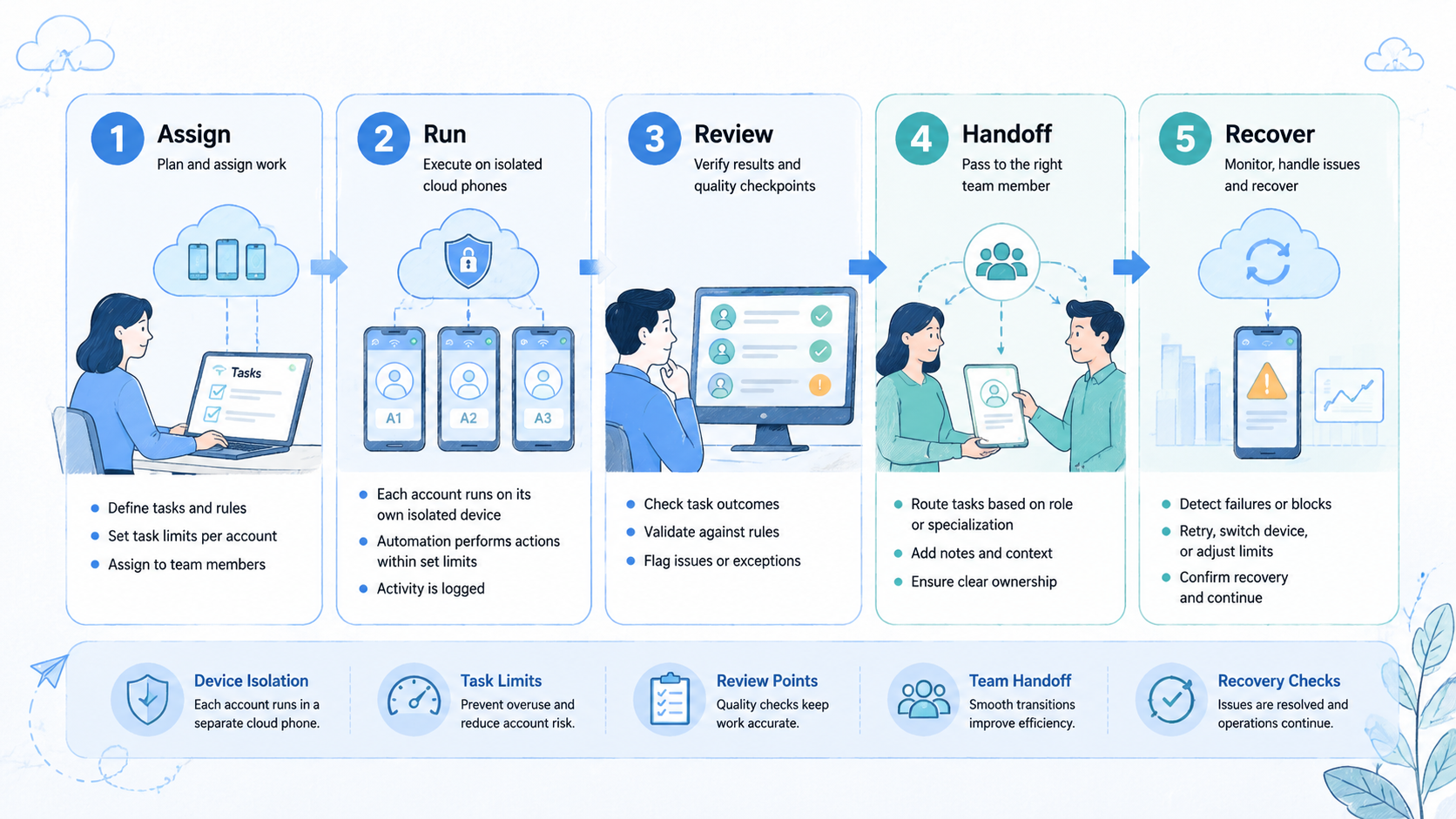
- Map accounts to devices
Create a record for each active account group. Include the assigned cloud phone, account owner, workflow purpose, route note, and recovery owner. Keep the fields short. A record that nobody updates is worse than a small one the team actually uses.
- Choose one repeatable task
Pick a task with a clear start, clear end, and visible output. Examples include status checks, screenshot capture for review, notification checks, or content QA steps. Avoid broad tasks that combine login, posting, messaging, and account changes in one run.
Keep it narrow.
- Set stop rules
A stop rule tells the system when to pause instead of retry. Useful triggers include unexpected login screens, missing app state, account warnings, repeated load failures, or routing mismatch. Stop before the task becomes guesswork.
- Add human review
Automation should send exceptions to a person. The reviewer decides whether to retry, reassign the device, update the route note, or pause the account group. That keeps judgment outside the script.
- Measure before scaling
Track setup time, task success rate, exception count, manual review time, and recovery speed. The goal is not a perfect first week. The goal is to learn whether the workflow becomes clearer.
Teams that already manage social or commerce accounts can also compare multi-account management use cases before choosing a rollout pattern.
That comparison should focus on ownership, not slogans. A workflow with fewer devices but clearer records will usually be easier to operate than a larger pool with unclear authority.
Mistakes That Reduce Results
The first mistake is automating an undefined workflow. A team may say it wants account automation, but the actual work may include five different jobs.
Login check, content review, message response, profile update, and reporting are not the same task. Each one has a different output, review rule, and failure mode.
Name the job first.
The second mistake is ignoring device history. Multi-account execution depends on knowing which cloud phone touched which account. Random device assignment may look flexible, but it creates audit problems when something fails.
Track the device.
The third mistake is treating retries as harmless. Repeated retries can hide a deeper issue such as a changed login flow, app update, missing permission, or account status change. A better pattern is pause, inspect, and decide.
Consider a small social team using cloud phone for AI agents. The agent checks app status each morning, then writes a short result beside each assigned device.
One account shows an unusual prompt. A weak setup keeps retrying. A stronger setup stops, records the prompt, and sends the device to a human reviewer.
Do not skip the recovery owner. The recovery owner is the person or role that decides what happens after an exception. Without that owner, operators create their own habits. Those habits become difficult to scale.
One owner is enough.
Add one more rule before scaling: separate production tasks from experiments. A test script should run on a test account group and a labeled device pool. Production account groups need stricter pause rules, fewer permissions, and clearer review ownership.
The separation does not need to be complex. One label can be enough: test, staging, or active. What matters is that operators know which environment they are touching before the run starts.
Labels prevent expensive confusion.
Pilot Rollout, Measurement, and Recovery Checks
A pilot should prove that cloud phone automation improves the workflow, not only that a script can run. Keep the first pilot small. Use one account group, one task, five cloud phones, two operators, and one reviewer for seven days.
Start each day with a device status check. Confirm the assigned account group, last task, route note, and expected action. This takes a few minutes, but it prevents confusion before automation starts.
End each day with a short exception review. Count the devices that stayed ready, the devices that paused, and the devices that needed human action. The review should take less time as the pilot improves.
Track the pilot with this scorecard:
| Signal | Target direction | What it tells you |
|---|---|---|
| Setup time | Down | Devices are easier to prepare |
| Exception count | Stable or down | The task is becoming predictable |
| Manual review time | Down | Review output is easier to inspect |
| Handoff messages | Down | Records are replacing private chat |
| Recovery speed | Up | Owners know the next step |
The first week should also include a recovery drill. Pick one paused device and walk through the recovery path. The team should know who reviews it, what record changes, and whether the device returns to work.
Use four status labels: ready, paused, needs review, retired. Avoid vague labels such as "maybe okay" or "check later." Vague status creates delay during shift changes.
Use plain labels.
After the pilot, expand only if the records worked. A task that runs successfully but leaves unclear notes is not ready. A task with a lower success rate but excellent exception visibility may be easier to improve.
Records decide scale.
Use a second-week expansion only after the first week has clean records. Add either more devices or one more account group, not both at once. That keeps the cause of new problems easy to identify.
Change one variable at a time. The lesson from a small failure is useful only when the team can see what changed.
Frequently Asked Questions
What is cloud phone automation?
Cloud phone automation is repeatable mobile task execution on managed remote Android devices. It combines cloud phones, task rules, access control, review points, and recovery records.
For a team, the practical meaning is simple: a known device runs a known task, records a known result, and stops when the result needs human judgment.
Keep it bounded.
Is cloud phone automation the same as an emulator script?
No. Emulator scripts usually focus on a local or virtual session. Cloud phone automation focuses on persistent remote devices, team access, device assignment, and operating records.
That difference matters when work must survive handoff, manager review, and recovery after an app state changes unexpectedly.
Can AI agents run on cloud phones?
They can support certain cloud phone for AI agents workflows when tasks are narrow and reviewable. The team still needs stop rules and human ownership for exceptions.
An agent should prepare or execute bounded work, while the team keeps control over account decisions, platform-sensitive actions, and recovery choices.
What tasks should be automated first?
Start with low-judgment tasks such as app status checks, screenshot capture, routine navigation, or content QA preparation. Avoid tasks that require policy-sensitive decisions.
The first task should be boring enough that a reviewer can tell quickly whether the result is correct.
How many accounts should a pilot include?
Use a small account group first. A pilot with five cloud phones and one task is easier to inspect than a broad rollout with unclear ownership.
Small pilots also make failure cheaper, because the team can pause the pool, inspect records, and adjust rules before the same mistake spreads.
Does automation reduce account risk?
It can reduce manual inconsistency when designed well. It does not remove platform policy risk, poor content decisions, or careless account handling.
Treat it as execution control, not risk removal. The team still owns the quality of the workflow and the behavior of each account.
Own the outcome.
What should stop an automation run?
Unexpected login screens, account warnings, missing app state, route mismatch, repeated failures, or unclear task output should pause the run for review.
The stop rule should be written before the run starts, so operators do not invent their own retry pattern during pressure.
Where does MoiMobi fit in this workflow?
MoiMobi provides execution infrastructure for mobile workflows at team scale. Teams can evaluate cloud phones, isolation, automation, and handoff patterns as one operating system.
The strongest fit is a team that wants repeatable mobile execution with visible ownership, not a team looking for unmanaged volume.
Conclusion
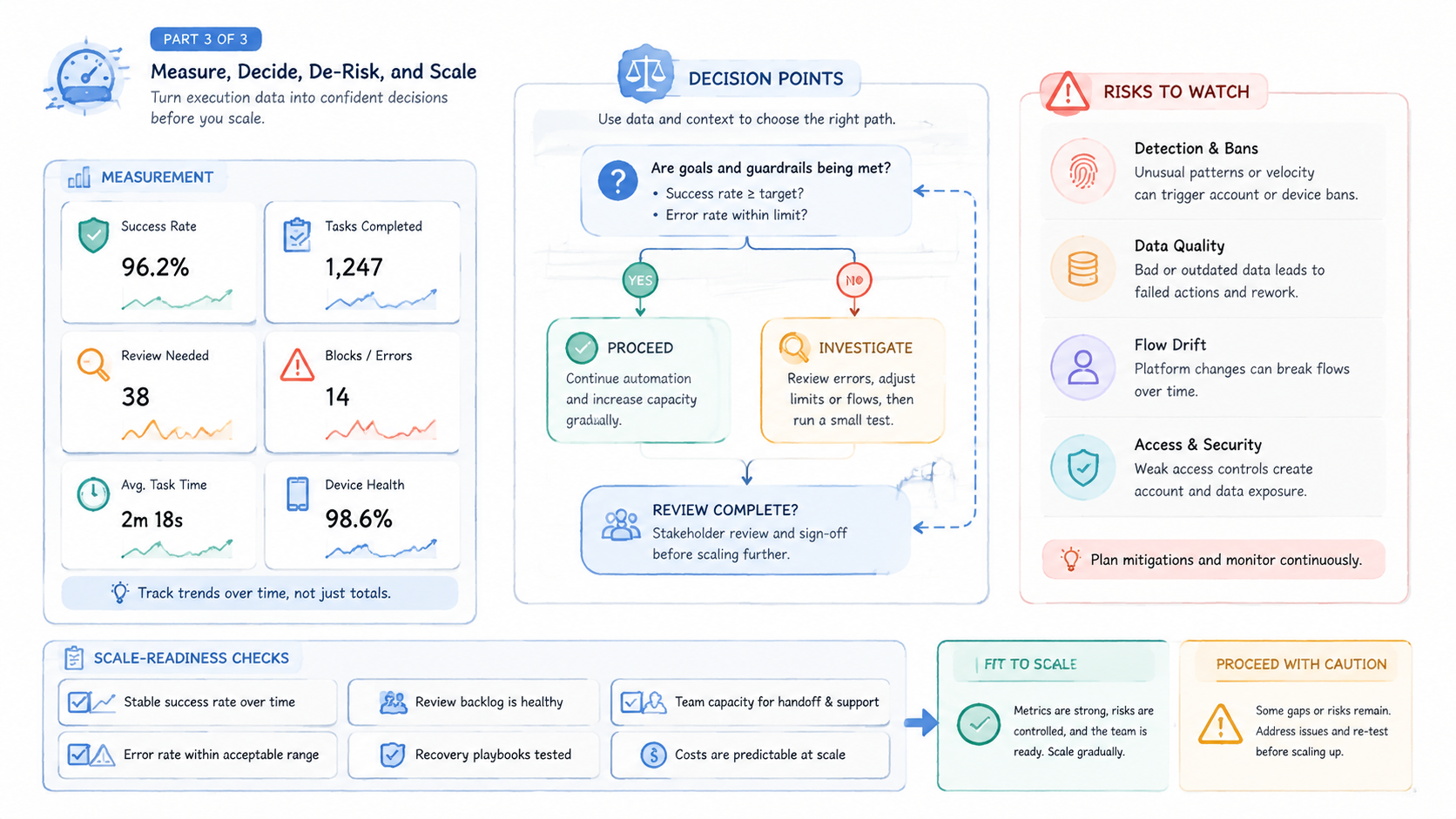
Cloud phone automation for multi-account execution works when the team treats automation as a controlled layer, not a shortcut. The device map comes first. The task definition comes second. Stop rules, review points, and recovery ownership decide whether the workflow can scale.
Order matters.
The safest next step is a narrow pilot. Choose one account group, one task, and one reviewer. Map each account to a cloud phone, run the task for seven days, and measure setup time, exceptions, handoff friction, and recovery speed.
Expand only when the records are clear. A good automation system should make the next operator's job easier, the manager's review faster, and the recovery path more visible. If it only adds more runs without clearer control, fix the workflow before adding more devices.



