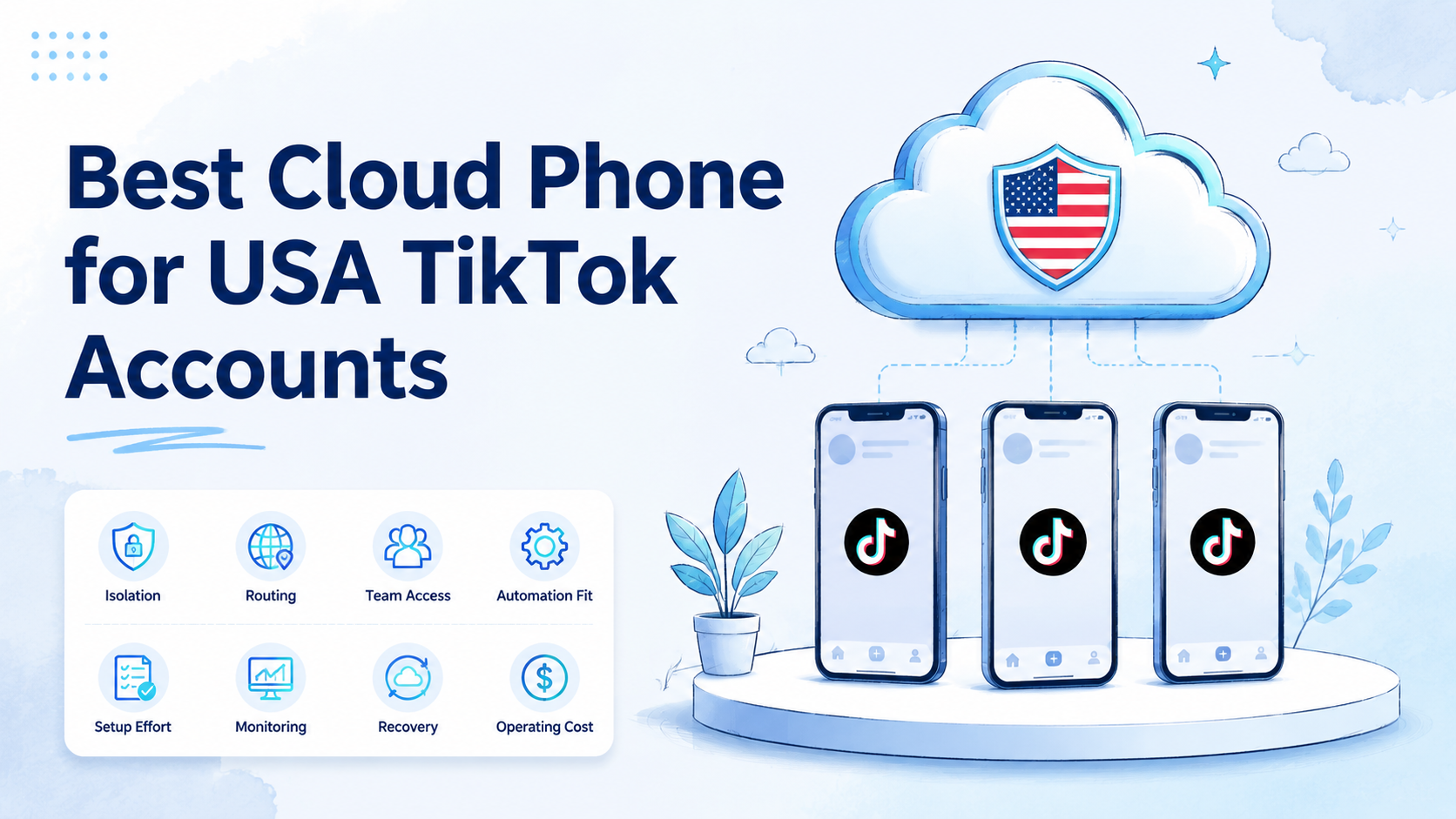
Key Takeaways
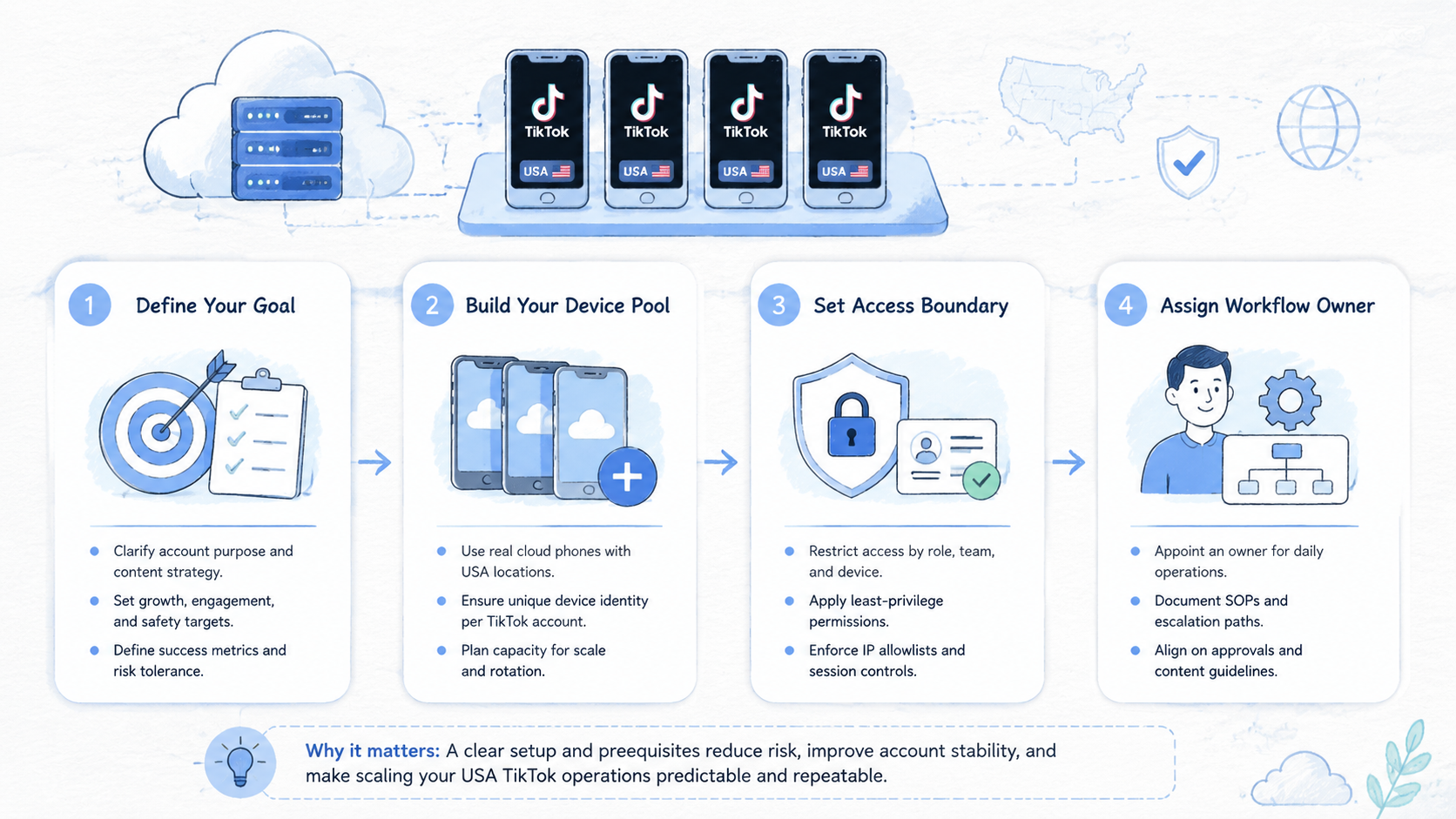
- A strong USA TikTok cloud phone setup gives stable Android access, clean separation, and manageable routing.
- Evaluate device isolation, proxy control, app compatibility, team handoff, monitoring, and recovery.
- A cloud phone does not remove account risk. It still needs platform-aware operating rules.
- Emulators can fit tests. Cloud phones usually fit persistent mobile workflows and distributed teams better.
- Start with a pilot before moving account work, content reviews, or automation tasks into a larger setup.
A best cloud phone for USA TikTok accounts is a remote Android environment for persistent mobile work. It gives teams controlled device access, routing options, and clearer handoff than a local phone or basic emulator. The right choice depends on how your team manages accounts, content, reviews, device identity, and recovery.
For TikTok teams targeting the United States, the decision is not only about running the app. It is about keeping daily work stable.
Account managers need consistent access. Content teams need repeatable posting and review steps. Operations leads need visibility into device, account, region, proxy, and workflow ownership.
That is the baseline, but the real buying decision happens when those teams try to keep Monday's login, Thursday's content review, and next week's recovery path under one operating record.
A cloud phone should support that operating model. It should not be used as a shortcut around TikTok rules or as a promise that scaling becomes safe by default. TikTok's own Community Guidelines and Business Help Center are better references for platform expectations. A cloud phone helps organize execution; it does not replace compliant behavior.
What to Look for in a best cloud phone for usa tiktok accounts
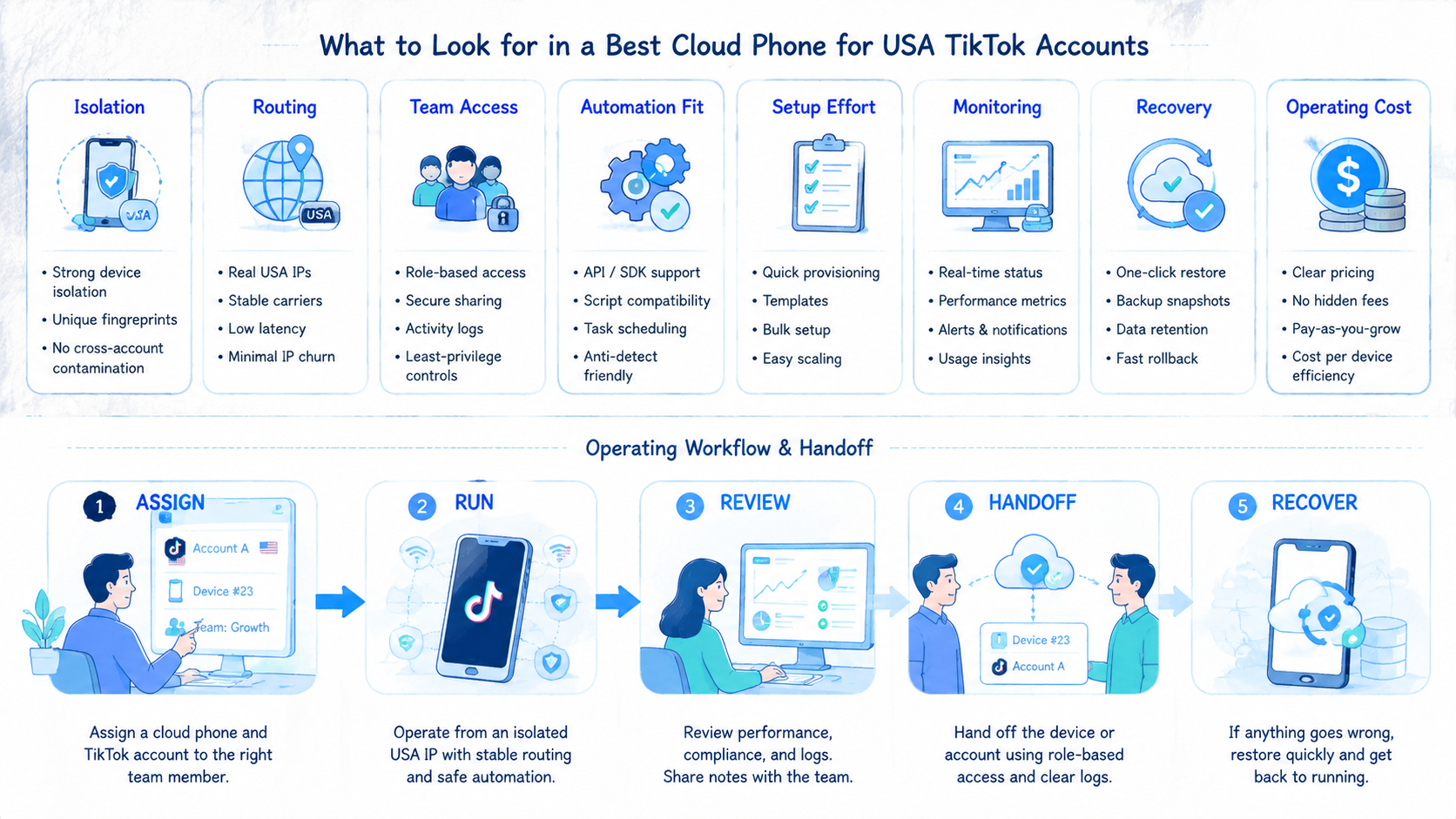
The first selection rule is simple: choose for workflow stability, not feature volume. A cloud phone for TikTok work must support the daily operating rhythm your team already needs.
Start with device persistence. Teams usually need each account to return to the same mobile environment, app state, and operating context. If a cloud phone resets often, loses app sessions, or makes device ownership unclear, the team will spend more time recovering than operating.
Next, check isolation. A useful setup should keep account environments separated. That includes device identity, app state, storage, access control, and routing choices. MoiMobi's device isolation page is a relevant next step if your team is comparing cloud phones for multi-account work.
Routing is another decision point. A cloud phone may need a region-aware proxy setup, but the proxy alone is not the system.
The team still needs clean assignment rules, stable credentials, and a review process for failed logins or unusual account behavior. If routing is handled separately, evaluate how easy it is to connect it with the phone environment. MoiMobi's proxy network is relevant when routing is part of the operating model.
Keep that record visible.
Use this checklist before comparing vendors:
- Account-to-device mapping
- Access control for each operator
- Device status visible without chat updates
- TikTok app version support for the required workflow
- Clear separation between test devices and production devices
- Written proxy, account, and workflow ownership
- Manager control for pause, reassignment, and recovery
The best cloud phone for USA TikTok accounts should make those answers clear. If the tool creates more manual tracking, it is not a good operational fit.
Clarity wins here.
Core Capabilities That Matter Most and best cloud phone for usa tiktok accounts
The most important capability is controlled mobile access. A cloud phone should behave like a managed remote Android device that the team can reach from different locations, not like a disposable session.
Second, look for team management. Solo operators can tolerate manual notes. Teams cannot. A manager should know which device belongs to which account group, who last used it, and whether the workflow is in setup, posting, review, or recovery.
Third, evaluate compatibility with your execution plan. Some teams only need manual posting and engagement review. Others need scheduled checks, content QA, or assisted automation.
If automation is part of your plan, the cloud phone must fit the workflow instead of forcing risky shortcuts. MoiMobi's mobile automation page is a closer match for teams evaluating repeatable task execution.
Do not rush this layer.
| Capability | Why it matters | What to check |
|---|---|---|
| Persistent devices | Reduces repeated setup work | App state, account mapping, recovery path |
| Device isolation | Keeps account work separated | Storage, identity, access, routing rules |
| Team access | Supports handoff and review | Roles, logs, device assignment |
| Routing control | Aligns device and market workflow | Proxy setup, region policy, ownership |
| Automation fit | Avoids brittle manual scaling | Task limits, review points, pause rules |
Avoid tools that sell cloud phones as a magic account safety layer. A cloud phone can support cleaner operations. It cannot remove the need for reasonable content, platform compliance, and human review.
No tool replaces judgment.
Pricing, Setup, and Team Fit for the best cloud phone for usa tiktok accounts
Pricing only matters after the setup fits the workflow. A cheaper cloud phone can become expensive if operators spend hours reassigning devices, fixing sessions, or rebuilding account environments.
Measure cost by total operating load. Count setup time, training time, device recovery time, proxy coordination, account handoff, and manager review. If a platform reduces those tasks, it may be better than a lower-cost tool with more manual work.
Setup should be clear enough for a new operator to follow. A practical rollout usually includes:
- Account groups and target markets
- Cloud phone pool for each group
- Routing and access rules
- TikTok login and app behavior test
- Small content workflow
- Device logs and operator feedback
- Expansion only after the recovery process is clear
Team fit matters more than a long feature list. A small creator team may need simple remote devices and low overhead, while a regional agency may care more about client separation, role control, and batch visibility across similar campaigns.
A larger social team may need phone pools, audit trails, and automation-ready workflows. MoiMobi's cloud phone product page is the most relevant evaluation path for this layer.
Budget planning should include the people around the devices. A lower monthly device cost may look attractive until managers must rebuild sessions, reassign devices, or explain unclear routing records. A better comparison includes the operator hours required to keep the system usable.
Use a simple cost model during evaluation. Count the number of accounts, the number of operators, the number of daily device sessions, and the number of recovery events per week. Then compare how each cloud phone setup reduces or increases those tasks.
For TikTok teams, setup friction often shows up in small details. Operators may need to upload content, check drafts, review notifications, switch between account groups, or hand work to another teammate. If the cloud phone cannot make those handoffs visible, the team will rebuild its own tracking system in spreadsheets and chat.
A strong setup is usually boring in a good way. A new operator should know where to log in, which device to use, which account group it belongs to, what routing applies, and what to do if the task fails. If those answers require asking a senior teammate every time, the cloud phone is not yet ready for scale.
Start smaller.
Best Options for Common Use Cases
Different TikTok teams need different setups. The best cloud phone for USA TikTok accounts depends on the job the device must support.
For manual account operations, prioritize persistent access and clean device assignment. The team needs to know which operator owns each device, what content is pending, and whether the account is still in setup or active use.
For content testing, prioritize quick switching and review visibility. The cloud phone should make it easy to check draft behavior, app rendering, profile settings, and notification state without passing around physical phones.
For agency workflows, prioritize client separation. Each client should have a clear device group, account map, routing record, and handoff process, especially when similar accounts share posting calendars or creative review cycles. This reduces confusion when more than one operator works on similar accounts.
For automation-assisted workflows, prioritize pause and review points. Automation should not run as an uncontrolled loop. It should support a specific task, produce visible results, and leave space for human review.
Pause rules matter.
| Use case | Best-fit cloud phone traits | What not to do |
|---|---|---|
| Manual TikTok operation | Persistent Android access, clear assignment | Share one device across unrelated accounts |
| Content review | Fast remote access, stable app state | Review only from desktop screenshots |
| Agency account groups | Client separation, access roles | Mix client workflows in one device pool |
| Assisted automation | Task logs, pause rules, review points | Run broad scripts without ownership |
| Market-specific testing | Routing documentation, region mapping | Change routing without a record |
Teams running broader social workflows can also compare social media marketing and multi-account management use cases before choosing a device plan.
Use the closest workflow.
Pilot, Monitoring, and Recovery Checks
Run a pilot as an operating test, not a product demo. The goal is to see whether the cloud phone setup can support real TikTok work without creating hidden coordination debt.
Test the work, not the pitch.
Pick a narrow pilot scope. Use one market workflow, one account group, and a small operator team. Keep content review, account access, routing notes, and recovery steps inside the same record.
One record is enough.
Track these signals during the pilot:
- Average time to prepare a device for work
- Handoff messages needed per account
- Recovery events after login or app issues
- Unclear owner, proxy, or account assignments
- Manager time required to audit device status
Use those signals to decide whether to expand. A setup that saves posting time but creates more recovery work may not be ready. A setup that makes handoff clearer can be valuable even before automation is added.
Measure friction.
Recovery rules should be written before the team scales. Operators need to know when to pause an account, when to escalate, and when to move work to a different device. The rule should be visible enough that a new operator can follow it without guessing.
Use a concrete pilot template if the team has no baseline. Start with 1 market, 1 account group, 2 operators, and 5 cloud phones. Run it for 7 days before adding more devices.
Check the pilot at 3 points: after setup, after the first content review, and after the first recovery event. Short reviews are enough. The goal is to find workflow gaps before they turn into daily overhead.
| Runbook field | Why it matters | Example value |
|---|---|---|
| Device owner | Prevents shared-account confusion | US TikTok Team A |
| Account role | Keeps work grouped by purpose | Warm-up, posting, review |
| Routing note | Records the intended market setup | US workflow, assigned proxy group |
| Last task | Shows where work stopped | Draft review complete |
| Recovery owner | Gives the next operator a path | Escalate to operations lead |
Record 4 possible outcomes for each device: ready, needs review, paused, or retired. This small status set helps managers avoid vague labels such as "maybe okay" or "check later."
Make status boring.
Selection Checklist
Use a short pilot before committing the whole account workflow. A good pilot uses a small number of accounts, one target market, and a defined operator group.
The pilot should answer four questions:
- Reliable setup and return to the same device
- TikTok workflow completed without extra side notes
- Manager visibility into device, account, and proxy mapping
- Clear pause or recovery path when something breaks
Track practical signals during the pilot. Do not rely only on whether the app opens. Watch setup time, login recovery, content review speed, operator confusion, and the number of manual handoff messages.
Pass / fail rules
| Signal | Pass | Fail |
|---|---|---|
| Device mapping | Each account has a clear device owner | Operators ask which device to use |
| App state | Sessions and settings stay predictable | Repeated re-login or reset work |
| Team handoff | Next operator can continue from records | Work depends on private chat notes |
| Routing record | Market and proxy choices are documented | Routing changes without audit |
| Recovery | Failed tasks have a clear next step | Issues require rebuilding the setup |
If the pilot fails, do not scale the phone pool yet. Fix the workflow first. More cloud phones will multiply unclear processes.
Stop before scaling.
After the pilot, review the handoff path. A healthy workflow should survive a shift change. One operator should be able to stop work, leave notes, and let another operator continue from the device record. If that handoff depends on screenshots in a private chat, the system is still fragile.
Also review your stop rules. A team should know when to pause posting, when to reassign a device, when to review routing, and when to remove an account from the active workflow. These rules do not need to be complex. They need to be written down and followed.
For teams comparing a cloud phone with a local device rack, include maintenance in the decision. Local phones may provide physical control, but they also require hardware care, charging, network setup, and physical access. Cloud phones may reduce those tasks, but they still require a clean operating process.
Operations decide the winner.
Frequently Asked Questions
What is the best cloud phone for USA TikTok accounts?
It is the cloud phone setup that gives your team stable Android access, clean isolation, routing control, and manageable handoff for USA-focused TikTok workflows. For one team, that may mean five persistent devices with simple access rules; for another, it may mean a larger pool with client groups, proxy records, and recovery owners. The best option depends on team size, account volume, and review process.
Is a cloud phone safer than an emulator for TikTok work?
It depends on the workflow. A cloud phone can provide persistent mobile environments and team access, which helps when several operators must return to the same TikTok account state over time. An emulator may be easier for testing. Neither option removes the need for compliant behavior and careful account handling.
Should every TikTok account have its own cloud phone?
For serious multi-account work, separate device environments are usually easier to manage. The exact ratio depends on account role, workload, and risk tolerance, but the team should be able to explain every shared-device exception before it becomes standard practice. Avoid mixing unrelated accounts without a clear reason.
Can a cloud phone support TikTok automation?
It can support automation-assisted workflows when tasks, review points, and stop rules are clear. The safer pattern is narrow: define one task, run it against a known device group, review the result, and pause before expanding. It should not be treated as permission to run uncontrolled automation.
What should agencies check first?
Agencies should check client separation, operator access, device assignment, routing documentation, and recovery process. If a replacement operator cannot understand the device map in a few minutes, the agency is carrying hidden delivery risk. Client workflows should not depend on private notes or one person's memory.
How does a cloud phone compare with a local phone farm?
A local phone farm can offer physical control. A cloud phone setup can offer remote access and easier team distribution, particularly when operators, reviewers, and managers do not sit in the same room. The better choice depends on staffing, location, maintenance ability, and workflow visibility.
What is the biggest mistake when choosing a cloud phone?
The biggest mistake is choosing by feature claims instead of operating rules. A platform can look powerful in a demo and still fail the daily test if operators keep asking which device, account, or route they should use next. If your team cannot map accounts, devices, routing, owners, and recovery steps, the setup will become hard to manage.
How should a team start?
Start with a small pilot. Use a few accounts, one market workflow, and a defined operator group. Keep the first test narrow enough that every failed login, unclear handoff, or confusing route can be reviewed without slowing the whole team. Expand only after the team can repeat setup, execution, review, and recovery.
Conclusion
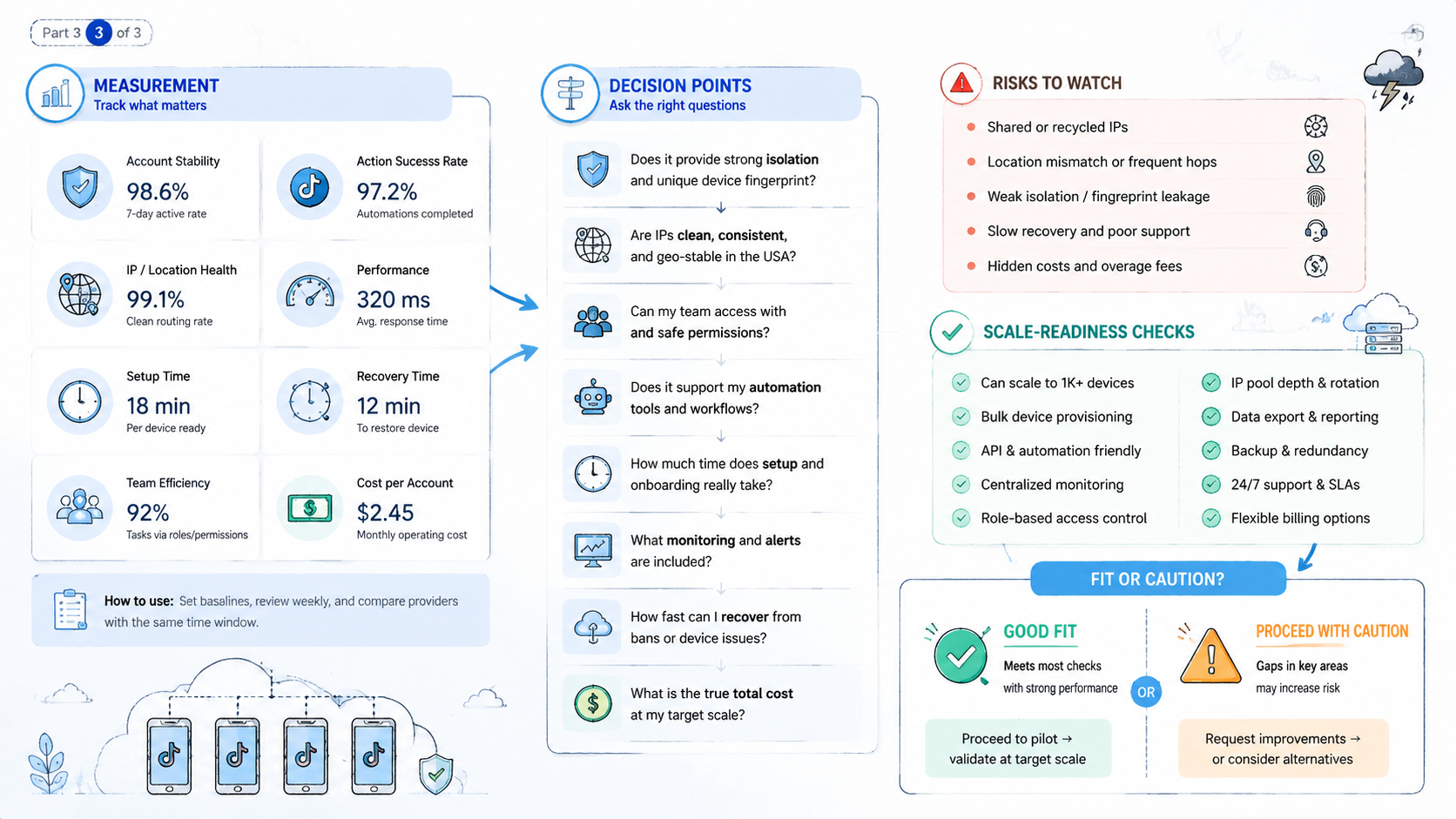
The best cloud phone for USA TikTok accounts is not the one that promises the most aggressive scaling. It is the one that fits your team's operating model. Look for persistent devices, clean isolation, routing control, team access, and recovery visibility.
Treat the cloud phone as one layer in a broader execution system. Pair it with clear account rules, platform-aware behavior, and a pilot that measures real workflow friction. If the pilot is stable, expand carefully. If it creates confusion, fix the process before adding more devices.