
Key Takeaways
- A cloud emulator is a remotely hosted Android-like environment used to run mobile workflows away from a local machine
- A local Android emulator is better for direct developer testing on one workstation
- Business teams compare remote Android setups when they need shared access, handoff, and repeatable mobile tasks
- Cloud phone vs emulator decisions should focus on workflow fit, device state, isolation, and recovery records
- A pilot should test task success, stopped tasks, operator handoff, and recovery clarity
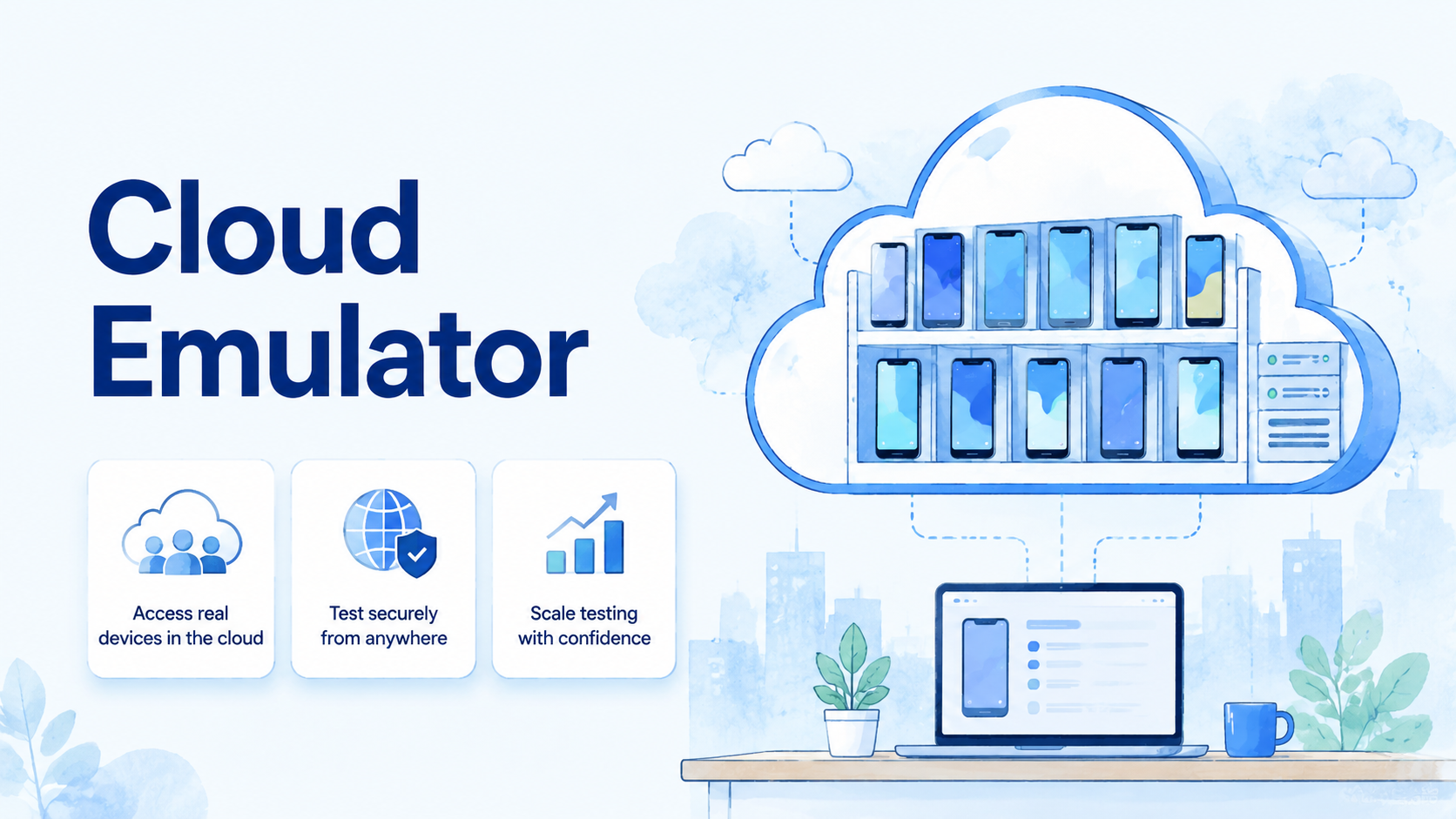
A cloud emulator is a remotely hosted Android-like environment that lets users run mobile apps or workflows without relying on one local machine. A local Android emulator runs on a developer's own workstation and is usually used for app development, testing, and debugging.
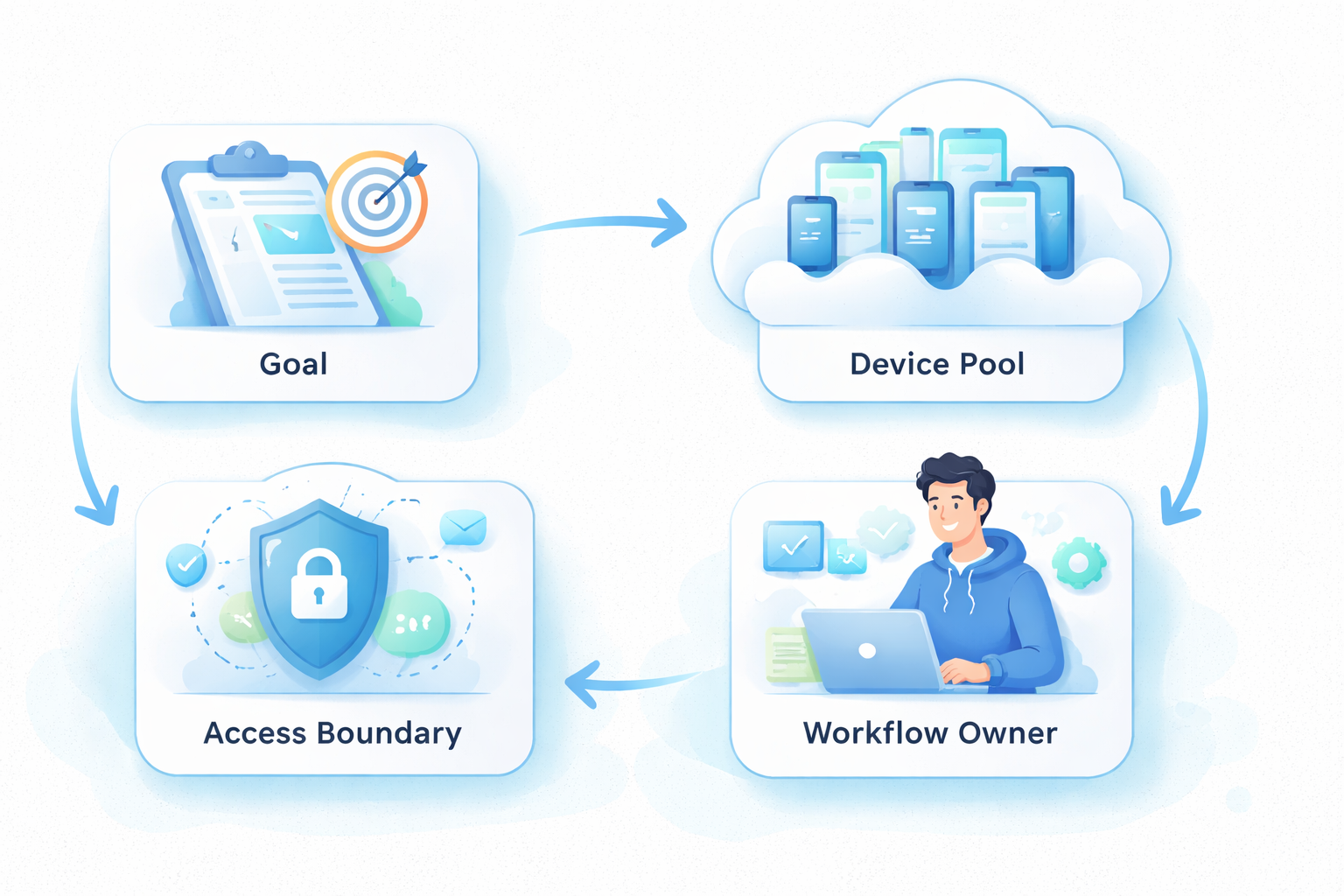
The difference matters because business teams do not only need a screen that runs Android. They need shared access, task ownership, repeatable setup, and a way to recover when a workflow stops.
For a developer, a local emulator may be enough. For an operations team, the decision often becomes broader: should the team use a hosted Android environment, a cloud phone, a device pool, or a managed mobile execution system?
Start with the workflow.
The Core Idea Behind a cloud emulator
The useful distinction is control location. A local Android emulator runs near the user. The remote option runs in hosted infrastructure. That changes who can access it, how it is managed, and how the team records work.
Android Developers describes the Android Emulator as a tool for running Android devices on a computer: Android Developers: Emulator. That local model is strong for development because the developer can control the setup, run builds, inspect behavior, and debug directly.
A hosted setup shifts that environment away from the workstation. The team may access the environment through a browser, API, console, or remote session. The value is not only distance. The value is shared operation.
Use this simple comparison:
| Area | Local Android emulator | Cloud emulator |
|---|---|---|
| Location | Runs on one workstation | Runs in remote infrastructure |
| Primary user | Developer or tester | Team, operator, or shared workflow |
| Setup | Local install and local resources | Provider or platform environment |
| Handoff | Usually manual | Can be tied to shared records |
| Scaling | Limited by local machine and process | Depends on remote capacity and management |
| Recovery | Developer investigates locally | Team needs visible stop reasons |
This does not make one option universally better. It defines the decision.
Why Teams Search for This Topic
The myth is that the cloud version is simply a faster or more modern local emulator. That view is too narrow. The real difference is the operating model.
A developer may ask whether a local emulator can run an app. A business team asks whether the same mobile task can run every day, across operators, with records that survive handoff. Those are different questions.
Teams usually search this topic when local setups stop scaling. One operator may know the local state. Another operator may not.
That gap grows quickly when the task depends on app state, account lane, route note, and one person's memory.
A script may work on one machine but fail when moved to another laptop. Notes may sit in chat instead of a workflow record.
The failure is not the laptop; the failure is that the team cannot see the same state from the same shared record.
A cloud setup can reduce those problems when it adds shared access and management. The same setup may also add confusion when the team does not define ownership, stop rules, and recovery fields.
Google Search Central recommends useful content that helps people complete real tasks: Google Search Central. The same practical standard applies here. Choose the environment that helps the team complete and review the real workflow.
The search is about control, not only compute.
Who Benefits Most and In What Situations
A hosted Android environment fits teams that need repeatable remote access but do not need every workflow to run on a physical device. The setup may fit QA review, app checks, content verification, demo environments, or basic remote Android tasks.
Three groups should evaluate it carefully:
- QA teams: they need consistent test setup, app checks, screenshots, and logs
- Operations teams: they need shared access, task status, ownership, and handoff
- Automation teams: they need known starting states, stop rules, and recovery records
The not-fit case is important. A hosted emulator may not be enough when the workflow needs device-level state, account isolation, app-side persistence, or mobile execution at team scale. In those cases, teams may compare cloud phone infrastructure instead.
For account-heavy work, device isolation becomes part of the evaluation. The team should know whether environments are separated by account, operator, task lane, or test purpose.
For marketing operations, such as cloud phone for tiktok automation or cloud phones for whatsapp marketing, the team should be extra cautious. The decision should focus on task records, platform rules, review, and controlled execution. Avoid choosing a tool because it sounds like a shortcut.
Fit comes before labels.
Cloud emulator vs Local Android Emulator
Cloud phone vs emulator comparisons can become confusing because people mix several layers. Local emulators, hosted Android environments, cloud phones, phone farms, and real devices can all serve different jobs.
Compare the options with this decision table:
| Need | Better starting point | Reason |
|---|---|---|
| App development on one workstation | Local Android emulator | Direct control and fast iteration |
| Shared QA review | Hosted emulator or cloud phone | Team access and records matter |
| Device pool operations | Phone farm | Capacity and management matter |
| Account-lane separation | Cloud phone with isolation | State boundaries matter |
| Repeated app actions | Managed mobile automation | Runbook and stop rules matter |
| Routing-sensitive work | Cloud phone plus route policy | Network decisions need records |
The comparison should not start with brand names. It should start with the job. For local app debugging, a local emulator may be the clean choice. For shared mobile operations, a remote environment may fit better.
The same Android screen can represent two different needs: one developer checking a build, or a team managing a repeatable work queue.
For teams comparing phone farm capacity, the question shifts again. The team may need many environments, labels, owners, and status checks. That is an operations problem, not only an emulator problem.
Keep the comparison narrow enough that one repeated task decides the first test, with the same owner, inputs, stop rule, and review note every time.
Use one workflow because the first test should reveal the operating gap, not hide it behind a broad migration.
Anything broader makes it harder to tell whether the environment failed or the workflow was never defined.
Pick a task with a clear start, a clear finish, and one person responsible for reviewing stopped runs.
Write that task down before the provider demo.
How to Evaluate or Start Using a Cloud Emulator
Start with one workflow. Do not move every app, account, and operator into a cloud environment at once. Too many variables will hide the real failure.
Follow this step path:
-
Name the task: QA, demo, app check, account review, or automation support
-
Define the environment unit: one app, account lane, region, operator, or task lane
-
List required state: app version, login state, route policy, device label, and last action
-
Set stop rules: pause on unknown screens, login changes, failed installs, missing inputs, or unclear app state
-
Choose the handoff record: owner, status, next action, and stop reason
-
Run a small pilot: use 5 to 10 environments for one week before expanding
-
Review failed runs: tag each stop as environment, app state, account state, route, input, or operator issue
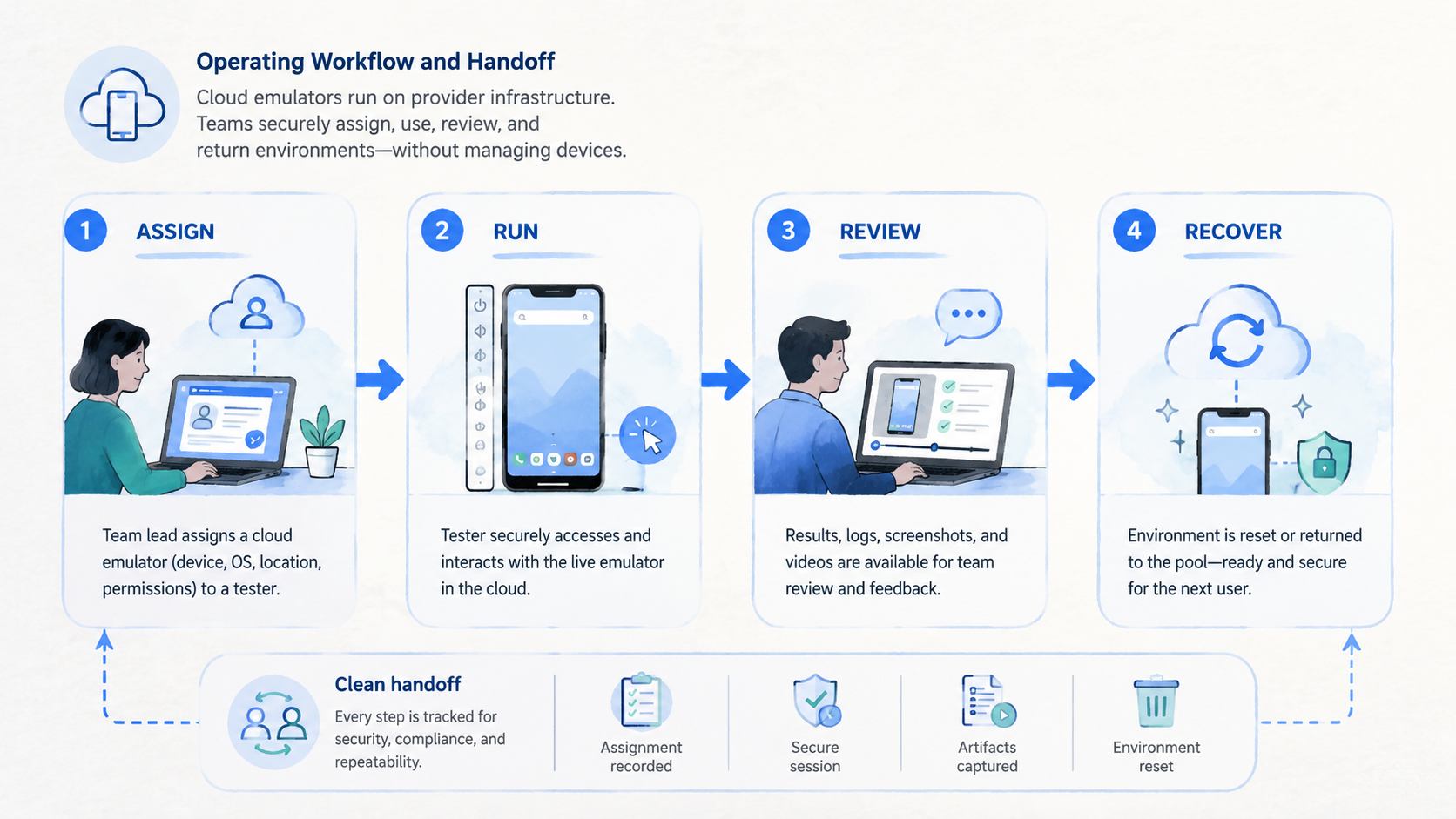
This path makes the decision measurable. The remote environment should not only run the task. It should make the task easier to assign, continue, and recover.
Teams planning mobile automation need an extra check. Automation should run from known states. If the environment starts in an unknown app screen, the script should stop rather than guess.
Google's SEO Starter Guide emphasizes clarity and structure for users: Google Search Central SEO Starter Guide. Mobile workflow records need the same clarity. A next operator should understand what happened without asking the original operator.
That is the practical test for any remote setup, because hidden context turns a simple task into a slow investigation.
Mistakes That Reduce Results
The biggest mistake is assuming remote access equals team readiness. A hosted emulator can solve access friction while leaving ownership, state, and recovery unclear.
Another mistake is testing only the happy path. A demo may show that an app opens. It may not show what happens when the app state changes, the login expires, the route changes, or another operator takes over.
Avoid these failures:
- No owner field for each environment
- No account or task lane label
- No stop rule for unexpected screens
- Local notes that do not follow the workflow
- Automation that retries unknown states
- No recovery owner after a failed run
- No difference between QA tasks and account operations
Routing is another hidden area. If the workflow depends on geography or network policy, the team should document it. A proxy network should support a known route policy, not become an invisible variable.
The practical fix is simple. Treat each environment as a work unit with owner, lane, last action, next action, and stop reason. That record is more valuable than a vague screenshot of a working session.
Make state visible.
Fit Boundaries for Remote Android Workflows
Fit boundaries protect teams from using the wrong environment for the wrong job. A remote Android session can be helpful for shared work, but it should not be treated as a universal replacement for every device workflow.
Read this fit grid before expanding:
| Workflow need | Good fit | Caution |
|---|---|---|
| App demo | Shared remote session | Demo state must be reset |
| QA smoke test | Repeatable setup and screenshots | Logs and build versions need records |
| Account operation | Clear owner and lane | Isolation may need stronger controls |
| Automation support | Known start state | Unknown screens must stop scripts |
| Marketing workflow | Task queue and review | Policy and account state need oversight |
| Device-specific test | Real device or cloud phone may fit better | Emulation may not match the needed state |
A good fit has one named task, one owner, one lane, and one stop rule. It does not require a large process. It requires enough structure to let another person continue the work.
The caution zone appears when the workflow depends on persistent app state, account history, device identity, or route policy. Those areas may require cloud phone infrastructure, device isolation, or a managed execution layer with clearer ownership than a basic remote screen can provide.
Pause there.
One practical test works well: ask a second operator to continue a stopped task from the record. If that person cannot proceed from the note, the environment is not the main problem. The operating model needs repair before more environments are added.
The next step is to repair ownership, status fields, lane labels, and stop reasons before adding more environments.
Do not skip this.
Fix the record first.
When the record works, the second operator can see the lane, last action, stop reason, and next owner without a private explanation.
Repair the model first.
Cloud emulator Pilot Measurement and Recovery Review
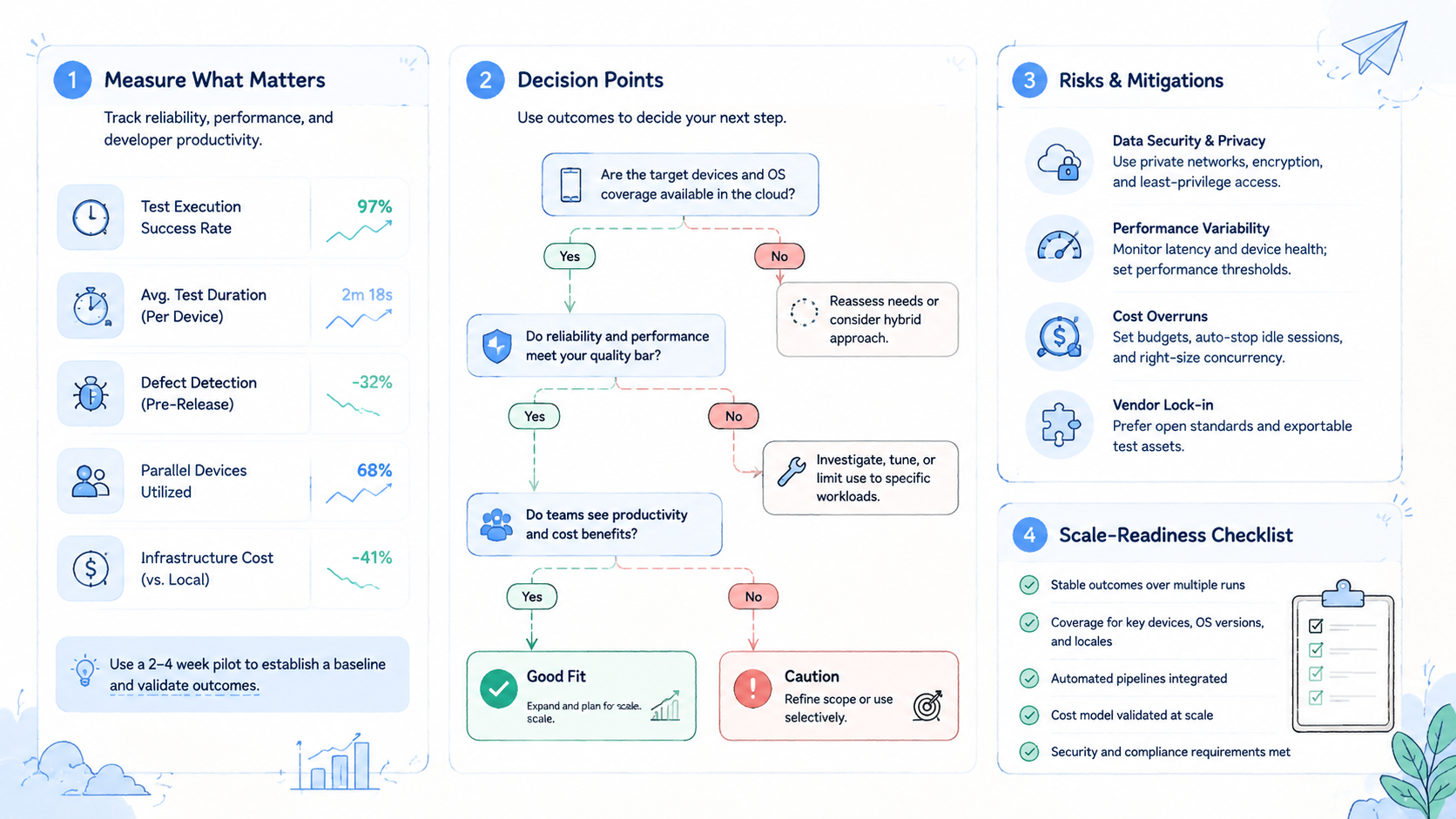
A pilot should test both the running path and the stopped path. Success means the workflow can be completed and explained.
Use a compact pilot:
- 1 workflow
- 5 to 10 environments
- 2 operators
- 1 review owner
- 5 required fields
- 7 days of runs
Track these fields:
| Field | Purpose |
|---|---|
| Environment ID | Shows where the task ran |
| Task lane | Shows what the environment is for |
| Operator | Shows who performed the last action |
| Last action | Gives handoff context |
| Stop reason | Explains failure |
| Recovery owner | Assigns follow-up |
Measure task completion rate, unclear stops, recovery time, and handoff success. Handoff success means another operator can continue from the record.
The pilot should also show whether the team can explain a failed run in one short status note.
Set a pass bar before the pilot. For example, require every stopped task to have a stop reason and recovery owner. The exact target can change, but the rule should be written before the test starts.
When stopped tasks cannot be explained, the environment is not ready for scale.
Scenario: Choosing for TikTok and WhatsApp Workflows
Social and messaging workflows need extra care because account state, app state, route decisions, and human review all affect the result. A team searching for cloud phone for tiktok automation or cloud phones for whatsapp marketing should avoid choosing by access alone.
Use a scenario-led check. A team runs a daily content review across 8 environments, 2 operators, and 3 account lanes. Each run needs a starting state, a route note, a last action, and a stop reason. The tool choice should support those records before any automation is added.
This keeps the workflow grounded in reviewable evidence rather than in a hope that scripts will understand every app state.
Keep proof close to the task.
For TikTok-style workflows, the team may care about repeatable app actions, review queues, and stop rules for unknown screens. For WhatsApp-style workflows, the team may care about message state, account ownership, and operator handoff. The exact policy and platform requirements vary, so the team should keep claims cautious and record-driven.
The first pilot should answer four questions. Keep the answers short enough for a weekly review.
-
Can the operator start from a known state before the assigned mobile task begins and before any automation is allowed to run?
-
Can the environment keep the task lane clear from start to stop, including account lane, app state, route note, and recovery owner?
-
Can automation stop before it touches an unknown screen, missing input, unclear account state, or unreviewed route change?
-
Can the reviewer explain every stopped run without private context?
These four answers show whether the work can survive a real shift change, not only a clean demo run.
When the answer is no, the team should not scale. Add records, stop rules, and ownership before adding capacity.
Capacity comes later.
Frequently Asked Questions
What is a cloud emulator?
A remote Android-like environment is used to run apps or workflows outside a local machine. The setup may support shared access and remote operations.
The exact value depends on whether the team records task lane, last action, and stop reason.
Those fields turn remote access into a workflow record that can be checked, handed off, and repaired after the first operator leaves.
A workflow record is what lets another operator continue the task without rebuilding context from memory.
How is it different from a local Android emulator?
A local Android emulator runs on one workstation. The hosted option runs remotely and can be managed as part of a shared workflow across owners, task lanes, and review records.
That management layer is the main difference for teams, because records and ownership matter after the first run.
Is a cloud emulator the same as a cloud phone?
No. A cloud phone usually refers to a remote Android device environment for mobile execution. A hosted emulator may be more focused on emulated Android access. The fit depends on the workflow and on the state the team must preserve.
Compare the task, not the label.
The label is less useful than the state the team must preserve.
State is the real decision point because the team needs to know what changed, who changed it, and what should happen next.
When should teams use a local emulator?
Use a local emulator for direct app development, debugging, and individual testing where one workstation is enough.
When should teams use a cloud setup?
Use a cloud setup when the team needs shared access, remote capacity, handoff, records, and repeatable operations.
Is this useful for TikTok or WhatsApp workflows?
The topic may be relevant, but the team should evaluate policy, account state, route decisions, review, and stop rules. Avoid using any environment as a shortcut around governance.
Governance comes first.
What should be tested first?
Test one task with known inputs, required fields, stop rules, and recovery notes. Move one workflow first.
That small test will show whether the environment improves the work or only moves the same confusion into a new console.
What is the biggest risk?
The biggest risk is unclear state. If no one knows what happened last, the team cannot recover cleanly.
Conclusion
A hosted Android-like environment is best understood as a remote layer for shared mobile workflows. A local Android emulator is usually better for direct development and individual testing. The right choice depends on task ownership, state visibility, handoff, and recovery needs.
Apply this action gate before choosing: define the task, define the environment unit, write required fields, add stop rules, and run a small pilot. When another operator can continue from the record, the setup may be ready for broader evaluation.
When the workflow needs stronger mobile execution, isolation, routing, or account-lane control, compare hosted emulator options with cloud phone infrastructure instead of treating every Android environment as the same tool.



