
Key Takeaways
- A fingerprint browser is a browser workspace that helps teams separate profiles, browser state, and configuration across account lanes
- It works by managing profile-level settings such as cookies, storage, browser traits, and routing rules
- The tool is useful for multi-account operations only when profile ownership, route policy, and review rules are clear
- It does not replace mobile execution, device isolation, or account policy when work happens inside native apps
- Teams should pilot one workflow first and measure task quality, handoff, stop reasons, and recovery time
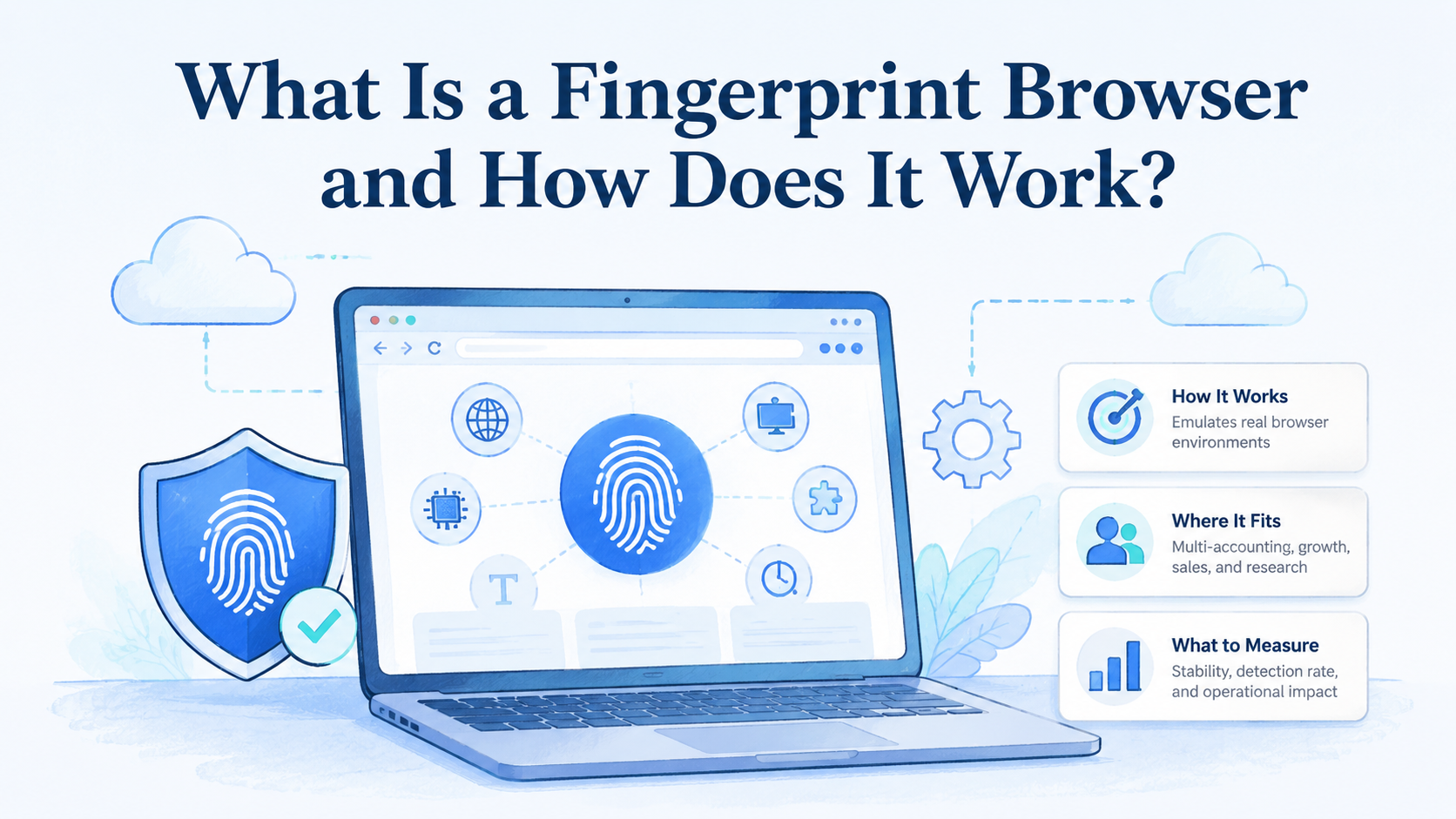
A fingerprint browser is a browser environment used to create and manage separate profiles for account-based online work. It helps teams keep browser state, account lanes, and task context separated instead of mixing everything inside one shared browser.
Start there.
The basic problem is not new. Teams that run many accounts, clients, regions, or roles need clean boundaries. Cookies, local storage, extensions, routes, and profile notes can affect what happens during a web task. If those pieces drift across accounts, operators lose trust in the workflow.
That boundary matters.
A fingerprint browser can help, but it is not a full operating system. It should sit inside a wider process for multi-account management, review, routing, and recovery. The tool creates the profile layer. The team still owns policy, task rules, and what happens after an exception.
Keep that visible.
The Core Idea Behind a Fingerprint Browser
A fingerprint browser gives each account or workflow a separate profile. That profile may include browser state, storage, settings, route information, and operational notes. The goal is to let a team run account work without constantly rebuilding the environment.
Use a named lane.
Browser fingerprinting is the broader idea that websites can observe many browser and device signals. The exact signals vary by site and workflow, so teams should avoid overconfident claims. Operationally, the useful point is simpler: browser state and browser traits should not be mixed casually across unrelated accounts.
Do not guess.
Playwright describes browser contexts as isolated environments with separate storage such as cookies and local storage: Playwright browser contexts. A fingerprint browser applies a related separation idea to team operations. It gives operators named profiles instead of loose tabs.
The name helps.
Good profile design usually includes:
- Profile name
- Account or client lane
- Owner
- Route group
- Last action
- Next action
- Stop reason
- Recovery note
Those fields matter more than a flashy profile count. A team with fewer clean profiles can operate better than a team with many profiles that no one can explain.
Keep it boring.
Why Teams Search for This Topic
Teams search for fingerprint browser guidance when multi-account work starts to feel fragile. One operator may know which profile belongs to which account. Another person may not. A third person may change a route or login state without leaving a note.
That is the risk.
The workable view is that a fingerprint browser reduces profile chaos when paired with rules. It does not make account work safe by default. Platform rules, account quality, content behavior, review practices, and route history still matter.
Rules come first.
Use this decision frame:
| Problem | What a fingerprint browser can help with | What still needs process |
|---|---|---|
| Mixed sessions | Separate profiles and storage | Account ownership |
| Unclear routes | Route labels and policy fields | Network review |
| Shift handoff | Profile notes and status | Operator discipline |
| Account pools | Profile groups | Review and retirement |
| Failed tasks | Last action and stop reason | Recovery owner |
Chrome DevTools Protocol documents browser inspection domains such as page, network, runtime, and storage areas: Chrome DevTools Protocol. Operations teams do not need to expose raw protocol details to every user. They do need enough evidence to understand what failed.
Evidence beats memory.
The search question is usually practical. Teams want to know whether a fingerprint browser will help them scale account workflows. The answer depends on how clean their profile rules are.
Profile rules decide.
Who Benefits Most and In What Situations
The strongest use case is repeated web work across multiple account lanes. Agencies, growth teams, QA teams, and social operations teams often face this pattern. The tool is most helpful when web sessions need separation and handoff.
Handoff is the test.
Strong use cases include:
- Client account dashboards
- Marketplace or social account review
- Region-specific web checks
- QA roles and test profiles
- Account pool monitoring
- Repeated report pulls from web tools
For teams managing many accounts, connect profile work to multi-account management. A profile should map to an account lane or workflow lane. It should not be a random browser container with a vague name.
Mobile-heavy teams need a different fit check. If most work happens inside native Android apps, a fingerprint browser may only cover the web-side task. MoiMobi's cloud phone and mobile automation layers are better to evaluate when app execution is central.
The best fit is a mixed but clear workflow. A browser profile handles web dashboards. A mobile environment handles app-side actions. A task queue tracks what happens next.
Split the layers.
Fingerprint Browser Fit Boundaries for Real Teams
This tool is not equally useful for every account workflow. It fits best when the work can be described as browser-side, repeatable, and reviewable. Browser-side means the main action happens in a web dashboard, admin console, reporting page, or web version of a platform.
Scope comes first.
Repeatable means the same task happens often enough that profile setup saves time. Reviewable means another teammate can inspect the profile record and understand what happened.
Reviewability matters.
That fit boundary keeps teams from overbuying the wrong layer. A profile tool may look powerful during a demo because it can create many separated browsers. The harder question is whether those profiles map to real work. If a team cannot name the owner, account lane, route group, and next action for each profile, the tool will add another place where confusion can hide.
Names prevent drift.
Use this fit test before rollout:
| Question | Good answer | Warning sign |
|---|---|---|
| What work happens in the browser? | A named dashboard, review flow, or reporting task | "Many things" |
| Who owns each profile? | A named operator or team lane | Shared ownership with no handoff |
| What changes are allowed? | Clear route, login, and extension rules | Operators decide case by case |
| What stops the task? | Written stop reasons | Work continues through unknown warnings |
| What happens after failure? | Recovery owner and review note | Private chat or memory |
The warning signs do not mean the team should avoid a fingerprint browser. They mean the operating model is not ready yet. Fix the profile map first, then test the tool.
Map before scale.
There is also a security and compliance boundary. Teams should use profile separation to reduce internal mistakes, not to ignore platform rules or hide unclear behavior. The cleanest setups make responsibility more visible. They show who used a profile, what task was attempted, what changed, and why the work stopped.
Visibility is the point.
For a small team, the right first version may be only ten profiles. Each profile has one owner, one account lane, one route policy, and one clear task. That smaller setup can produce better evidence than a large import with hundreds of unclear records.
Ten can be enough.
How to Evaluate or Start Using a Fingerprint Browser
Do not start by importing every account. Start with a small workflow and a clean profile map. That will show whether the tool solves the real operating problem.
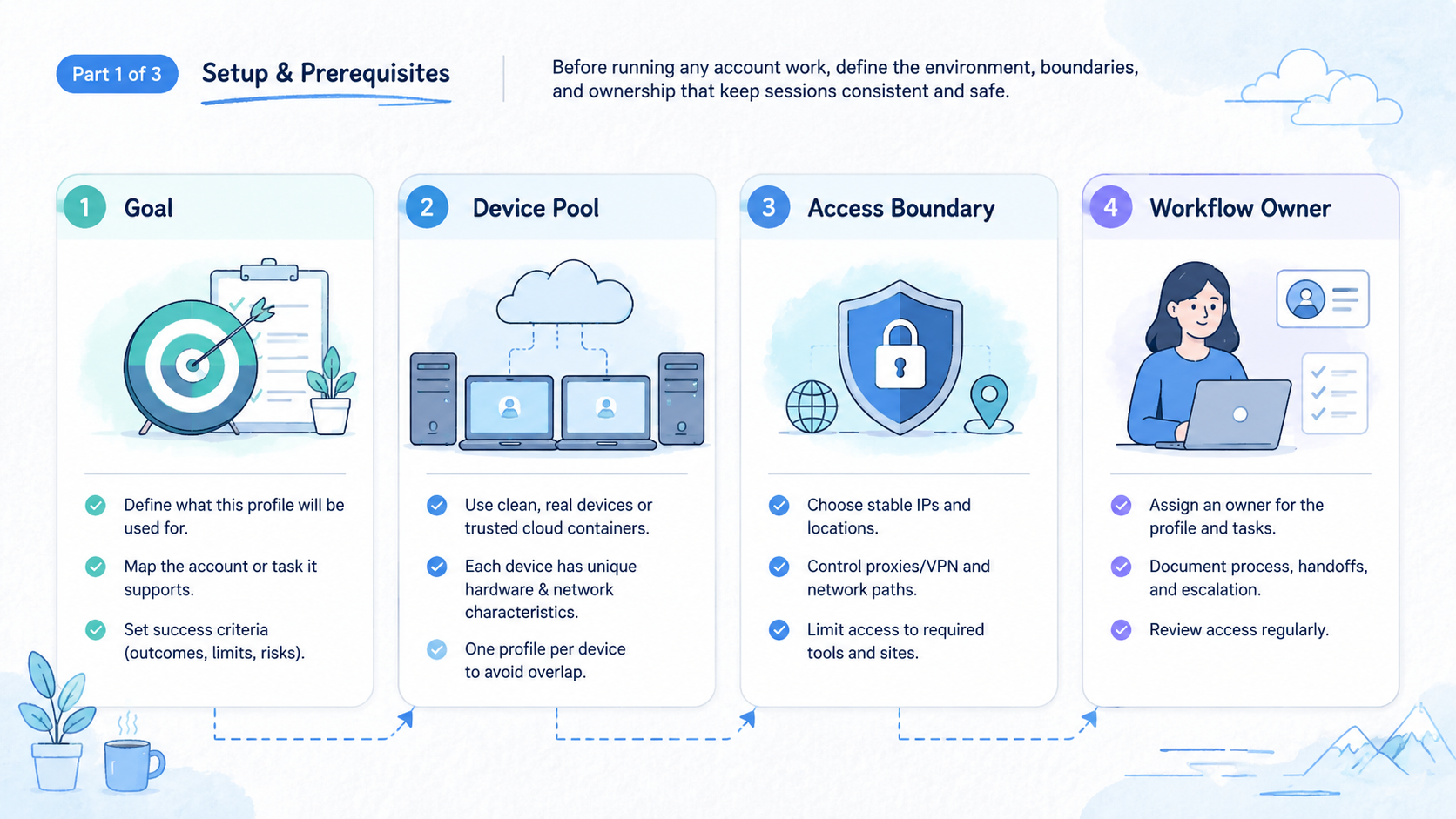
- Define the profile unit: decide whether one profile maps to one account, one client, one region, or one workflow lane
- Set required fields: owner, account lane, route group, last action, next action, and status
- Write stop rules: pause on unknown warnings, changed login screens, route mismatch, or unclear account state
- Choose output format: use a sheet row, ticket, or profile note that the next person can read
- Run one pilot batch: choose a small account group with known value and low operational risk
- Review errors: label each issue as route, login, page change, account state, missing input, or operator error
- Retire old profiles: do not keep unused or unclear profiles active forever
Use a basic profile card:
| Field | Example |
|---|---|
| Profile | Client A account 14 |
| Owner | Mina |
| Route group | US east account pool |
| Last action | Dashboard checked |
| Next action | Review warning banner |
| Stop rule | Pause on new login proof |
| Status | Needs review |
The profile card is boring on purpose. It makes handoff possible. If another teammate cannot understand the profile in one minute, the setup is too vague.
One minute is enough.
Device-level needs should be handled separately. When account work depends on separate mobile environments, evaluate device isolation instead of forcing browser profiles to carry the whole model.
Choose the right layer.
Mistakes That Reduce Results
The biggest mistake is treating a fingerprint browser as a shortcut around account policy. The tool can separate profiles. It cannot decide which accounts should exist, who owns them, or whether a workflow follows platform rules.
Policy still rules.
Another mistake is changing routes without a record. A profile should have a route policy. If a route changes silently, the team may misread account behavior later.
Tie routing to account policy and review it before scaling. A proxy network should support a known account lane, not become a hidden variable.
Record every change.
The practical fix is a route change log. Keep the reason short: maintenance, region test, failed route, or client request. That note gives the next operator enough context without turning every profile into a long diary.
Short notes work.
Avoid these failures:
- Profiles named only by number
- Shared routes with no review
- Old profiles that no one owns
- Account state mixed across clients
- Operators fixing issues in private notes
- No stop rule for changed login screens
- Browser profiles used for mobile-only tasks
Google Search Central recommends creating helpful, reliable content rather than content made only for search visits: Google Search Central. The same idea applies to operations. Use a fingerprint browser because it makes work clearer, not because the label sounds advanced.
Clarity is the value.
Good teams also write retirement rules. A profile should be archived when the account, client, route, or workflow is no longer active. Clutter creates risk during handoff.
Clutter adds risk.
Fingerprint Browser Pilot Rollout and Recovery Checks
A pilot should prove that profile separation improves the workflow. It should not prove only that profiles can be created. Creation is easy. Clean handoff is harder.
Test the handoff.
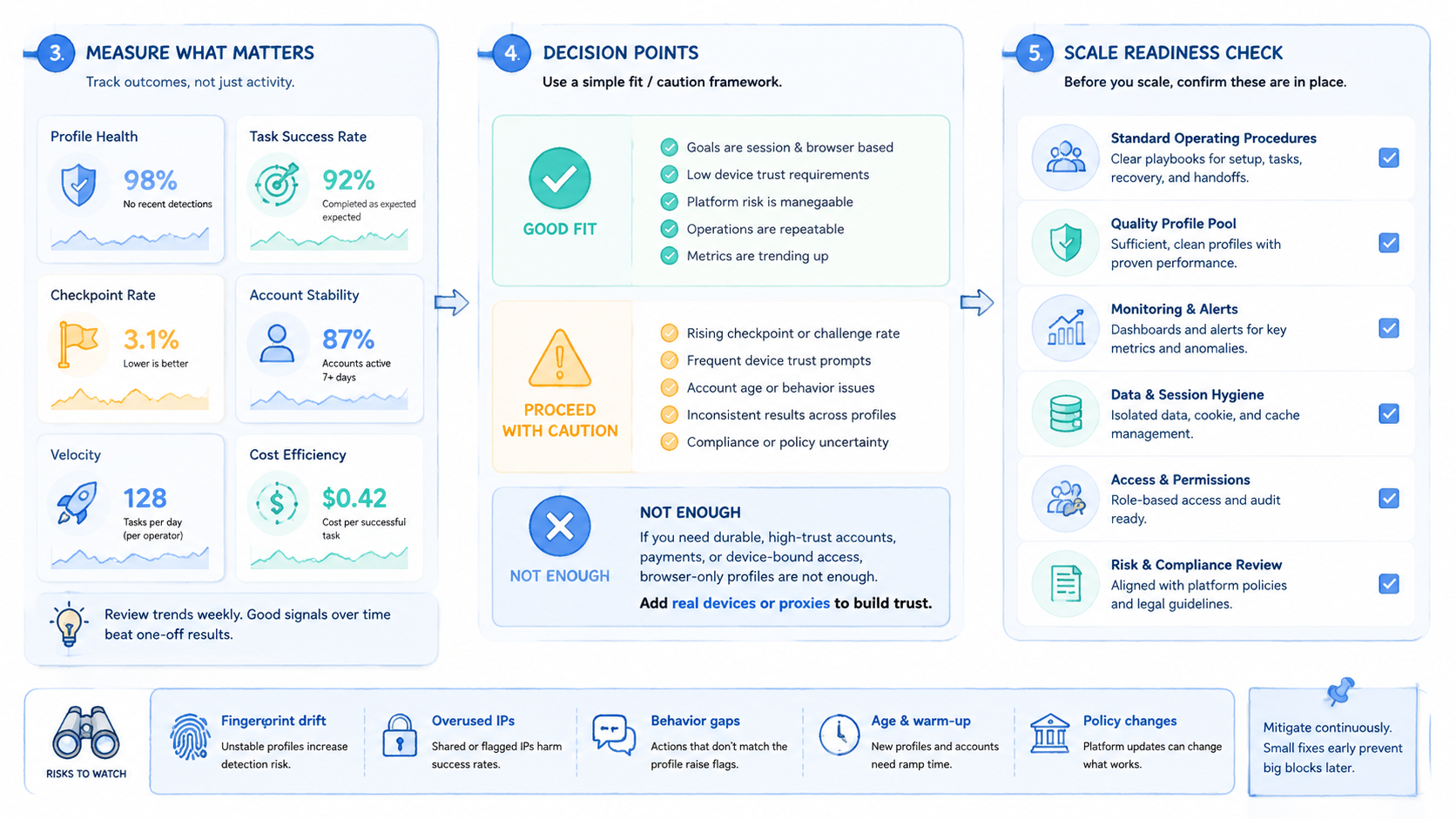
Measure five things:
- Task completion rate
- Review time
- Stop reason
- Duplicate work
- Recovery time
Run the pilot with one account group. Keep the task simple. A daily dashboard check or weekly status pull is enough. Record normal results and stopped results separately.
Separate the outcomes.
Use one review note:
- Pilot: account dashboard check
- Profiles: 20
- Normal results: 16
- Stopped results: 4
- Top stop reason: changed login page
- Next fix: add a login-state label before the task starts
Recovery is the real test. If a profile fails and the team can explain the state, the workflow can improve. If no one knows who changed the profile, reduce scope and repair the profile model first.
Repair the model.
After the first pilot, review the result by workflow type instead of by operator opinion. A strong pilot has fewer repeated logins, fewer mixed-session mistakes, clearer stop reasons, and faster recovery. A weak pilot only creates more places to check.
Measure the work.
Add a short weekly review while the process is new:
- Which profiles were used
- Which profiles were idle
- Which routes changed
- Which accounts stopped
- Which notes were missing
- Which tasks should move to mobile execution
This review prevents the profile library from becoming stale. It also helps teams decide when a browser profile is no longer the right unit. Some workflows start in a web dashboard and then move into an app, device, or automation layer. When that happens, the profile should hand off to the next environment instead of pretending that the browser still owns the entire task.
Hand off cleanly.
The best operating metric is not profile count. It is the percentage of stopped work that can be explained without asking the original operator. If that number improves, the browser workspace is making the team more reliable.
Use that metric.
Team Roles and Governance for Fingerprint Browser Work
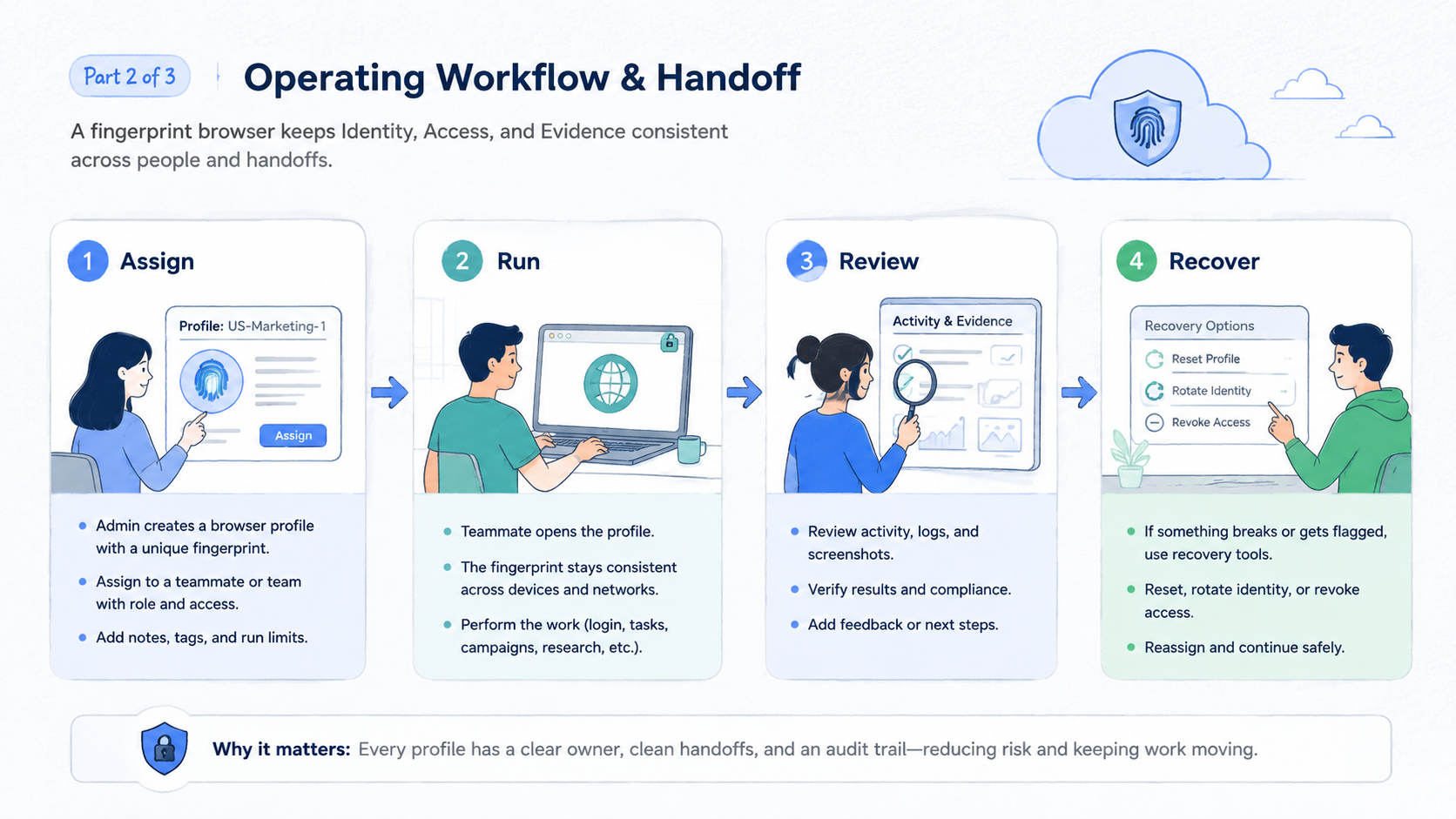
Teams get better results when they separate operator work from profile governance. The operator runs the assigned task. A profile owner approves structural changes such as route group, extension set, account lane, and retirement status. This division prevents urgent task work from quietly changing the environment.
Protect the environment.
Use three simple roles:
- Operator: runs the task and records last action
- Profile owner: approves route, account lane, and status changes
- Reviewer: checks stopped work and recovery notes
Small teams can assign more than one role to the same person, but the record should still show which role made the decision. That matters during review. A failed task caused by a page change is different from a failed task caused by an unapproved profile change.
Cause matters.
Governance should stay lightweight. Do not create a heavy approval process for every normal click. Focus approval on changes that affect future work: route policy, login state, account grouping, browser extension set, profile retirement, and workflow ownership.
Keep approval narrow.
The outcome is a cleaner audit trail. When a profile works, the team knows why. When it stops, the reviewer knows where to look first.
That saves time.
Frequently Asked Questions
What is a fingerprint browser?
It is a browser workspace for managing separate profiles, settings, and state across account workflows. Teams use it to reduce mixed-session work.
Separation is the core.
How does a fingerprint browser work?
It creates separate profiles with their own browser state, settings, labels, and sometimes routing rules. The team decides how each profile maps to account work.
The map matters.
Is it the same as browser fingerprinting?
No. Browser fingerprinting describes observable browser and device signals. A fingerprint browser is a tool used to manage profile environments for workflows.
They are related, not identical.
Does it make accounts safe?
No. It can reduce internal mistakes, but account quality, platform rules, content behavior, route history, and review still matter.
No tool removes judgment.
Who should use it?
Teams with repeatable web work across multiple account lanes are the best fit. One-off users with few accounts may not need the added process.
Process has a cost.
When is mobile execution better?
Mobile execution is better when the workflow happens in native Android apps or needs device-level state. Browser profiles are not enough for app-side work.
Use mobile layers there.
What should every profile include?
Use owner, account lane, route group, last action, next action, status, and recovery note. Keep the fields short.
Short fields get used.
What should teams measure first?
Measure recovery time. Fast recovery shows that profile state, ownership, and notes are clear enough for team work.
Recovery reveals clarity.
Conclusion
In practice, this category works best as a profile management layer for account-based web operations. It helps teams keep sessions, routes, account lanes, and notes separated. It does not replace account policy, mobile execution, or human review.
That distinction matters.
The next step is practical. Pick one account workflow, define the profile unit, write required fields, set stop rules, and run a small pilot. If the work moves into mobile apps or device-level state, pair browser profiles with the right mobile execution layer instead of forcing all work into the browser.
Start with one workflow.



