
Key Takeaways
- Browser profile automation is the structured use of separate browser profiles, controlled state, and repeatable actions across account workflows
- Operations teams need it when manual profile handling creates drift, unclear ownership, or weak recovery after failed tasks
- The strongest setup combines profile rules, network routing, device or session isolation, and a pilot scorecard
- A browser profile is not a full operating environment, so teams should know when mobile execution or device isolation is the better layer
- Start with a small workflow, measure error patterns, then expand only after handoff and recovery are repeatable
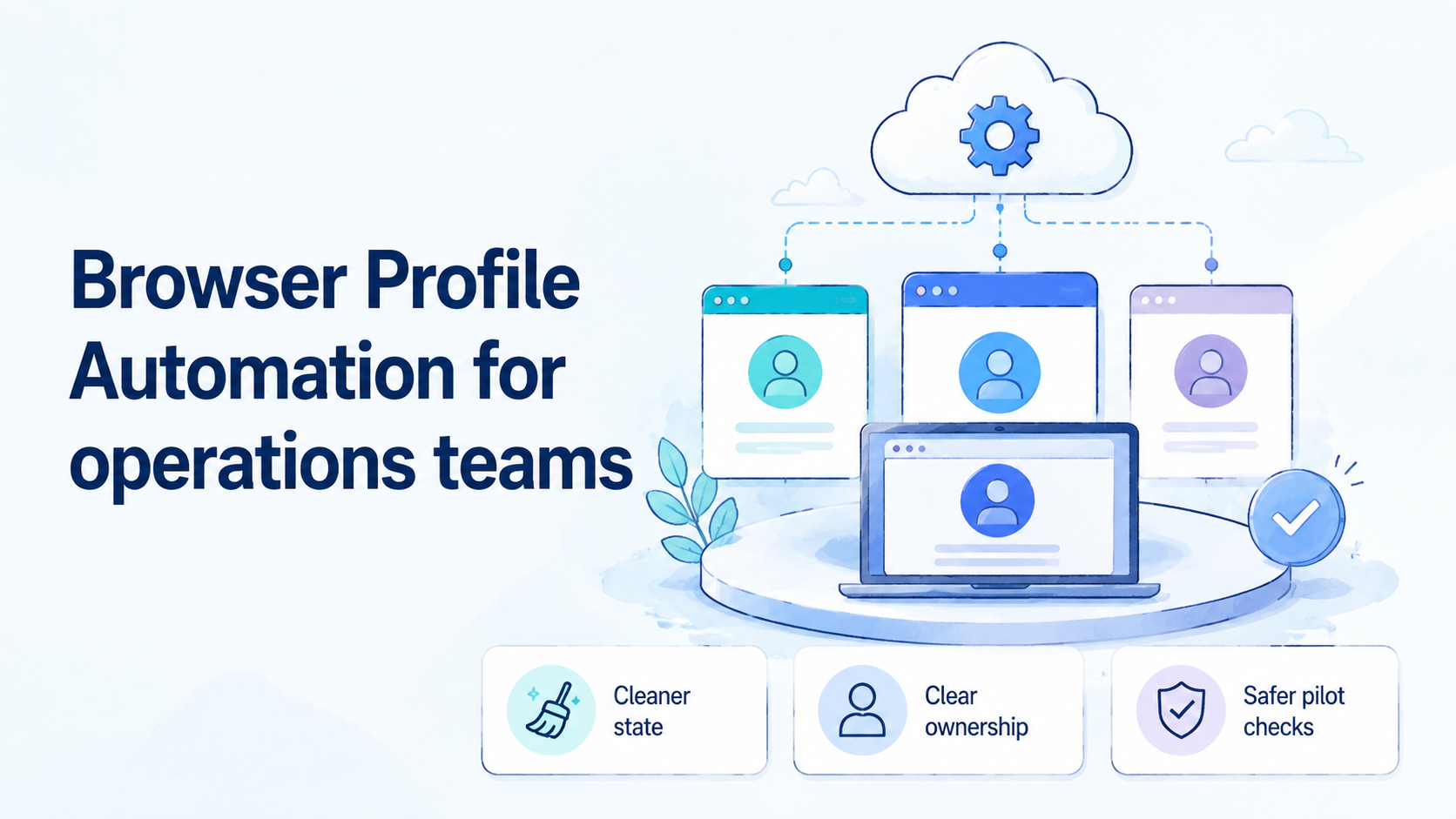
Browser profile automation is a way to run repeatable account work through separate browser profiles, assigned state, and controlled tasks. It helps operations teams avoid shared logins, mixed cookies, unclear proxy use, and one-off manual steps. The aim is simple. Make profile-based work easier to assign, audit, recover, and scale.
For an operations lead, the core question is practical. Can a team run many browser-based sessions without losing track of who owns each account, which route is used, what task happened, and what to do after a failure? A casual fingerprint browser may solve part of that problem for one user. A team workflow needs stronger rules.
The right approach connects profile design with task design. Account state, browser storage, routing, permissions, and operator handoff need clear boundaries. Playwright describes browser contexts as isolated environments for tests, with separate cookies and local storage, which is a useful technical reference point for why separated state matters in automation workflows: Playwright browser contexts. Operations teams apply a similar idea, but with production accounts, team roles, and recovery rules.
Stop here before any script runs.
What Is Browser Profile Automation for operations teams?
For operations teams, this work means more than opening many profiles in a fingerprint browser. Each profile needs a defined purpose, owner, route, state rule, and allowed task list. The automation layer then repeats approved actions without forcing operators to rebuild the setup each time.
A browser profile usually carries items such as cookies, local storage, extensions, browser settings, and sometimes fingerprint-related configuration. WebDriver and browser-control tools show how browsers can be controlled through standard automation interfaces; MDN describes WebDriver as a remote-control interface for user agents: MDN WebDriver. That control layer is only one part of an operations system.
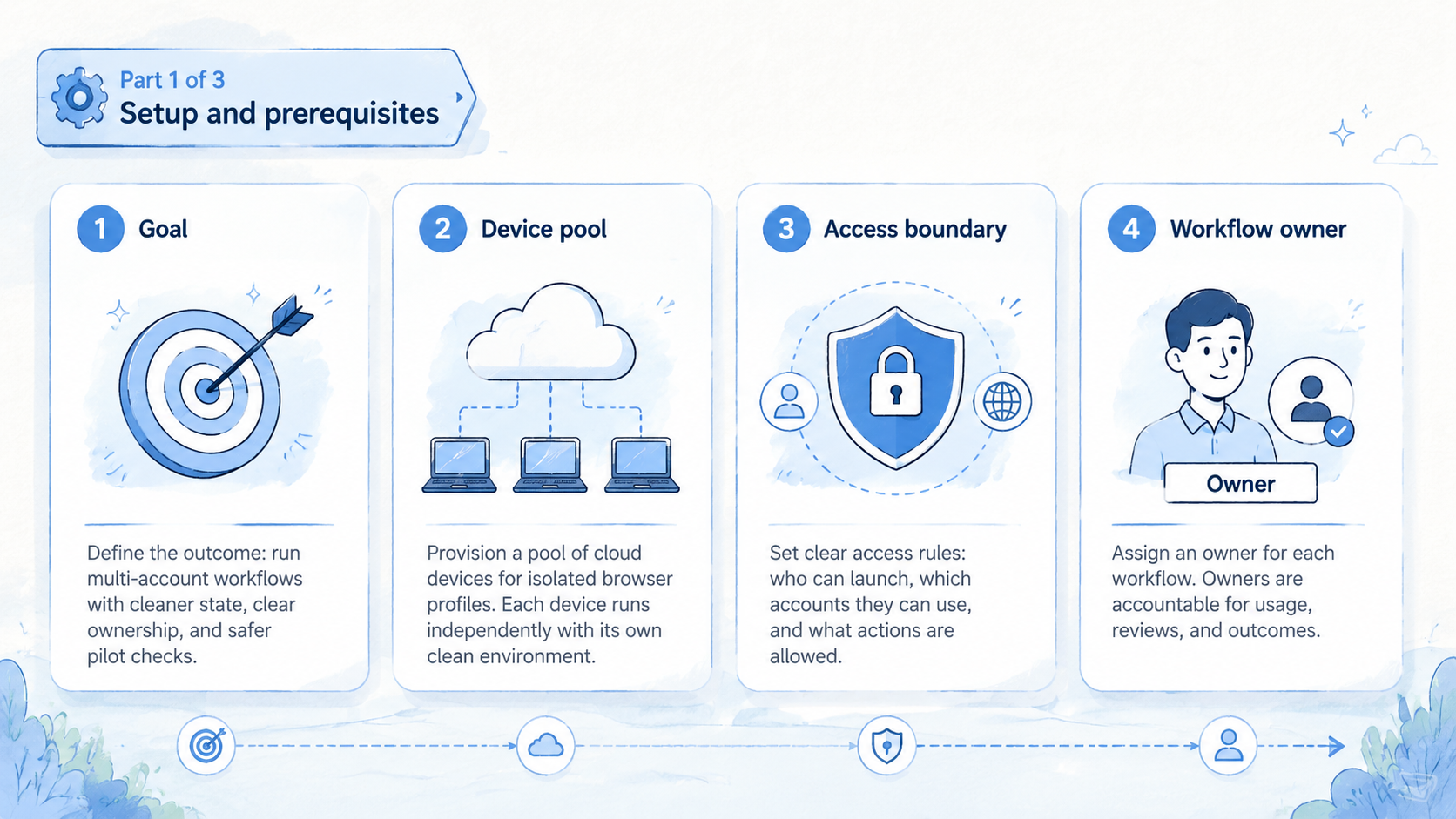
Team use adds four requirements:
- Identity of work: every profile maps to an account, client, campaign, region, or workflow lane
- State boundaries: cookies, sessions, and storage do not drift across unrelated work
- Execution rules: operators know which actions are manual, scripted, reviewed, or blocked
- Recovery paths: failed logins, route changes, and task errors have a clear response
Without those rules, profile automation becomes a pile of browser windows. It may look scalable, but the real bottleneck moves to troubleshooting. Teams then spend more time asking who touched a profile than finishing the work.
Good profile automation feels boring. A teammate can pick up a task, see the account lane, understand the profile state, run the next step, and leave useful notes. Managers can review status without asking for screenshots from every operator. Engineers can improve the automation without guessing how the team actually works.
Why Browser Profile Automation for operations teams Matters
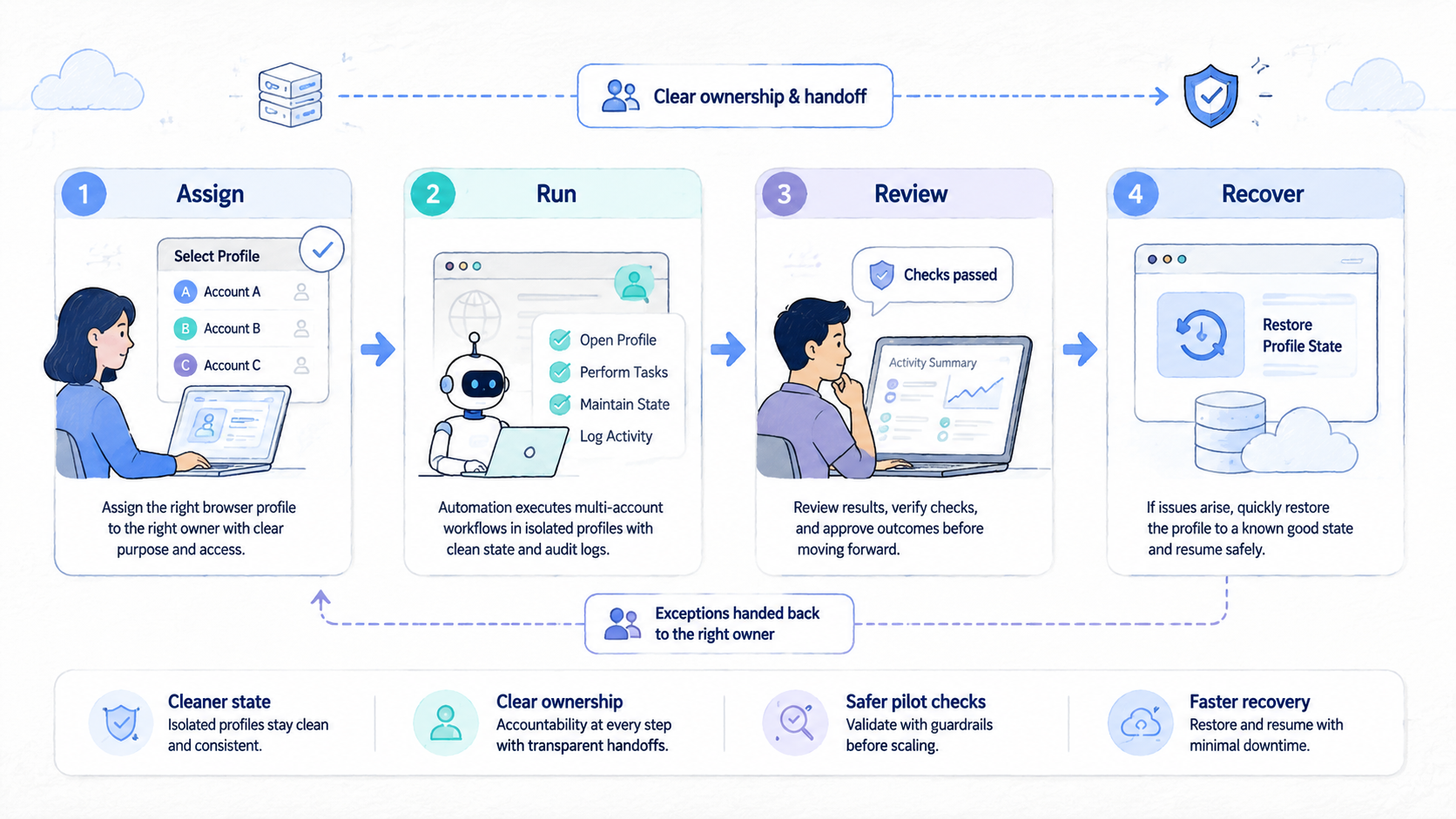
Manual profile work breaks down at the handoff point. One person may remember which browser, proxy, account, and tab state belong together. A team cannot rely on that memory. Browser profile automation matters because it turns scattered session work into a controlled operating model.
The first value is consistency. A team can define how a profile is created, named, routed, warmed up, paused, reviewed, and retired. That pattern reduces accidental reuse of the wrong profile for the wrong account. It also gives operators fewer judgment calls during routine work.
The second value is recoverability. Browser tasks fail for ordinary reasons: expired sessions, changed page flows, weak selectors, missing permissions, or a stale route. Chrome DevTools Protocol documents browser domains for inspection and debugging, which shows why modern browser work often needs visibility into page, network, and runtime behavior: Chrome DevTools Protocol. Operations teams do not need to expose every detail to every operator, but they do need enough evidence to diagnose repeat failures.
The third value is clean capacity planning. Managers need to know how much work a profile pool can handle before quality drops. A raw count of profiles is not enough. Capacity depends on task length, login stability, review needs, handoff cost, and recovery time.
A small pool with clean notes will beat a large pool that no one can explain after a failed shift.
For teams that also run mobile workflows, browser profiles should sit beside other execution layers. MoiMobi positions cloud phones as part of broader execution infrastructure, not as a browser-only replacement. When a workflow crosses app actions, device identity, and account isolation, teams may need cloud phone infrastructure or device isolation instead of browser-only sessions.
Key Benefits and Use Cases
The strongest use cases share one pattern: many similar accounts need repeatable work, but the team still needs control. Browser profile automation is a fit when account lanes are distinct and tasks are repetitive enough to standardize.
| Use case | Why profiles help | Control needed |
|---|---|---|
| Client account operations | Each client can have a separate profile lane | Owner, route, task log, and handoff notes |
| Social or marketplace workflows | Teams can avoid mixing account sessions | Account state rules and review before scaling |
| QA and monitoring | Profiles can represent regions, roles, or user states | Repeatable scripts and failure evidence |
| Growth operations | Operators can work in defined batches | Rate limits, task queues, and recovery owners |
One benefit is clearer ownership. A profile should show who owns the account, which workflow it belongs to, and when it was last touched. That removes guesswork during shift changes.
Another benefit is safer change management. Instead of changing every account lane at once, a team can test a new script on a small group of profiles. If the test fails, the impact stays visible and limited.
Browser profile automation also supports better training. New operators learn the workflow from profile labels, allowed actions, and task notes. They do not need to copy a senior teammate's private browser setup.
That reduces shadow work.
For teams running many accounts, the natural next step is a structured multi-account management model. Profiles are one layer in that model. They should connect to account policy, route policy, and review policy.
How to Get Started with Browser Profile Automation for operations teams
Do not begin by importing every account into a tool. That creates a larger mess if profile names, routes, permissions, and handoff rules are unclear. Start with one narrow workflow and prove that the team can run it cleanly.
- Step 1, define the profile unit: decide whether one profile maps to one account, one client, one region, or one task lane; do not mix these models inside the same pilot
- Step 2, record required fields: include owner, account ID, route group, status, last action, next action, and recovery note; keep the fields short enough for daily use
- Step 3, set allowed actions: separate manual actions, assisted actions, scheduled tasks, and blocked actions; operators need boundaries before automation expands
- Step 4, attach route policy: document which proxy or network path belongs to a profile; avoid silent route changes during a live task
- Step 5, create a handoff rule: define what must be true before another operator can take over a profile; a good handoff includes current state and next safe step
- Step 6, run a pilot batch: choose a small account group with known value and low operational risk; measure failures before adding more accounts
- Step 7, review after every cycle: track task completion, login issues, duplicate work, route errors, and recovery time; expand only when those numbers are understandable
The first automation should be deliberately limited. A login check, profile health check, content review queue, or routine monitoring task is easier to measure than a complex end-to-end campaign. A limited task also makes operator feedback more useful.
Teams should also decide where browser automation stops. If the workflow requires Android app actions, device-level state, or app-store behavior, browser profiles may not be enough. In that case, a mobile automation layer can handle app-side execution while browser profiles handle web-side work.
Common Mistakes to Avoid
The common mistake is treating a fingerprint browser as the whole operating system. A fingerprint browser may help manage profiles, but operations work still needs naming rules, access rules, evidence, and recovery. Tool choice cannot replace process design.
Another mistake is over-automating before the profile model is stable. Teams sometimes script actions across messy profiles because manual work feels slow. That move hides errors. It also makes the failure harder to diagnose because the team cannot tell whether the issue came from the script, the profile, the route, or the account state.
Avoid these failure modes:
- Duplicate route use without review: two profiles may accidentally share a route when the team expected separation
- Unclear profile ownership: no one knows who changed a session before a failure
- Shared recovery habits: operators fix issues in private notes instead of updating the profile record
- Mixed work types: one profile handles login checks, posting, review, and monitoring without clear boundaries
- No retirement policy: old profiles remain active after accounts, clients, or campaigns change
Search quality guidance from Google emphasizes helpful, reliable, people-first content rather than content made only for ranking: Google Search Central. The same idea applies to operations. Do not build this system only because it sounds scalable. Build it when it produces clearer work, better evidence, and fewer avoidable errors.
Use proof, not hope.
Security language also needs care when teams work across clients, markets, routes, and account pools with different rules. Browser profile automation does not make account work safe by default. It can reduce internal mistakes when implemented well, but platform rules, account quality, content behavior, network history, and review practices still matter.
Who It Fits and When It Is a Strong Match
Browser profile automation fits teams with repeatable browser work, multiple account lanes, and a need for accountable handoff. It is less useful when work is rare, highly creative, or mostly inside mobile apps.
Strong fit
- Teams manage many web accounts with recurring tasks
- Profiles need separate cookies, storage, and routes
- Operators share work across shifts or clients
- Managers need task status without manual screenshots
- Engineers need repeatable evidence for failures
Weak fit
- One person handles a small number of accounts
- Most work happens inside native Android apps
- Account rules are not defined yet
- The team wants automation before process cleanup
- No one owns review, recovery, or retirement
Agencies often fit this model because client work needs separation. A profile can represent one client account lane, while a task board tracks status and review needs. That structure reduces the chance that an operator uses the wrong account for the wrong client.
Internal growth teams may also fit when tasks repeat across markets or brands. The key is restraint. Browser profile automation should support clean execution, not turn every account into an unmanaged batch job.
When app workflows dominate, browser-only tooling becomes thin. Teams that need web plus Android workflows should compare profile automation with Android antidetect and device-level execution options. The better layer depends on where the real work happens.
Pilot Rollout, Measurement, and Recovery Checks
A good pilot proves that the operating model works before the team scales the profile count. Pick one workflow, one owner, one account group, and one review window. Then measure whether browser profile automation improves control.
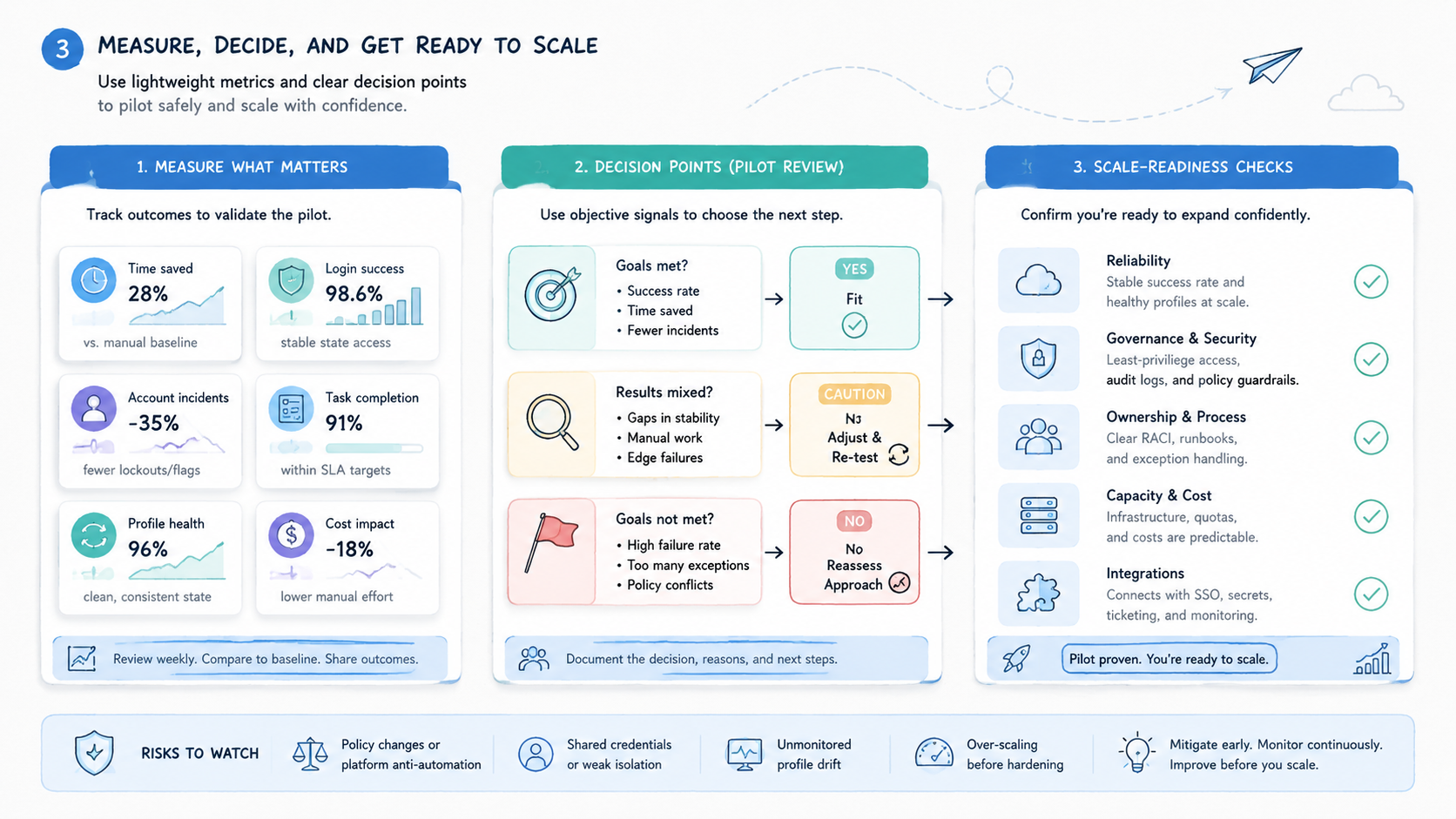
Use a simple scorecard:
- Completion rate: how many assigned tasks finished without manual rescue
- Failure reason: was the issue caused by login, page flow, route, selector, operator error, or unclear policy
- Recovery time: how long did it take to return a profile to a known state
- Handoff quality: could another teammate continue without asking for private context
- Duplicate work: did two people touch the same task by mistake
- Profile hygiene: were labels, notes, and route fields updated after each cycle
Review the scorecard after a full task cycle. A strong pilot does not need perfect results. It needs visible patterns.
If most failures come from poor naming or missing notes, fix the profile model before adding scripts. Route issues point elsewhere. Review the network layer before expanding the account pool.
Recovery checks deserve special attention. A profile should have a known clean state, a current state, and a next action. Operators should know when to pause a profile instead of trying another quick fix. Pausing is not wasted time; it protects the evidence needed for repair.
Teams that already use a broader execution stack can connect browser profiles to proxy network rules, device pools, and account review queues. Keep the first version simple. Complexity should follow measured need, not tool enthusiasm.
Here is a plain pilot log that works for a small team.
- Owner: Ana
- Lane: client A, store two
- Route: US east pool
- Last step: login check passed
- Next step: review order page
- Stop rule: pause if the route changes or the login page asks for new proof
- Note: do not post from this lane today
This kind of note is short, but it tells the next person what to do.
Keep the same plain style in daily notes.
- Name the owner
- Name the lane
- Say what changed
- Say what comes next
Small notes save time when work moves between people.
Frequently Asked Questions
Is browser profile automation the same as a fingerprint browser?
No. Keep the split clear.
No. A fingerprint browser is often one tool used to create and manage separated profiles. Browser profile automation is the wider operating model around profile state, tasks, owners, routing, and recovery.
How many profiles should an operations team start with?
Start small.
Start with a small batch that one owner can review closely. The exact number depends on task length, account value, and recovery capacity. A pilot is too large if failures cannot be explained within one review cycle.
Does browser profile automation replace mobile automation?
Usually not.
Not when the work happens inside native mobile apps. Browser profiles are useful for web sessions. Mobile workflows may need cloud phones, device isolation, app automation, and mobile-specific routing.
What should every profile record include?
Keep it plain.
Use owner, account lane, route group, status, last action, next action, and recovery notes. Add only fields the team will maintain. Unused fields become noise.
Can browser profile automation reduce account mistakes?
It can help.
It can reduce internal mistakes such as mixed sessions, unclear handoff, and duplicate work. It does not remove platform risk or make weak account behavior acceptable.
When should a profile be paused?
Pause early.
Pause a profile when the route changes unexpectedly, login state becomes unclear, repeated errors appear, or no one can explain the last action. Resume after the record and state are understood.
Who should own the automation rules?
Split the work.
Operations should own the workflow rules. Engineering can own scripts, tests, logs, and integrations that make the workflow easier to run and easier to review. Bring risk or compliance into the review when a workflow touches sensitive platforms, client rules, or account pools with high business value.
What is the first metric to watch?
Watch recovery.
Track recovery time first. Fast recovery shows that state, notes, and ownership are clear. Slow recovery usually exposes weak profile design before scale makes it worse.
Conclusion
For operations teams, the value is highest when scattered browser work becomes assigned, measured execution. The system gives teams a way to separate account state, define ownership, repeat routine tasks, and recover from failures without relying on private memory.
The priority order is simple. Start with the unit. Next, connect each profile to owner, route, status, and next action so the team can read the lane without private notes.
Then pilot one narrow workflow and review the failure data. Pause if the evidence is unclear. Add more profiles, scripts, or account groups only after the workflow holds up under a full handoff.
Do not rush.
Browser profiles are not the whole execution stack. They are one layer for web-based work. When workflows move into mobile apps, device environments, or larger account pools, teams should compare browser automation with mobile execution infrastructure and isolation layers. The best next step is to select one workflow, write the profile fields, and run a measured pilot before scaling.



