
Key Takeaways
- An AI employee execution platform is the system that lets AI workers run assigned tasks across browser, mobile, account, and review workflows
- It is different from a chat assistant because it manages execution state, environments, handoff, logs, and recovery
- The platform should define what the AI worker can do, when it must stop, and who reviews the result
- Strong use cases include account checks, report pulls, queue review, monitoring, and repeatable mobile or browser operations
- Teams should start with one narrow workflow and measure task time, review effort, error reason, and recovery time
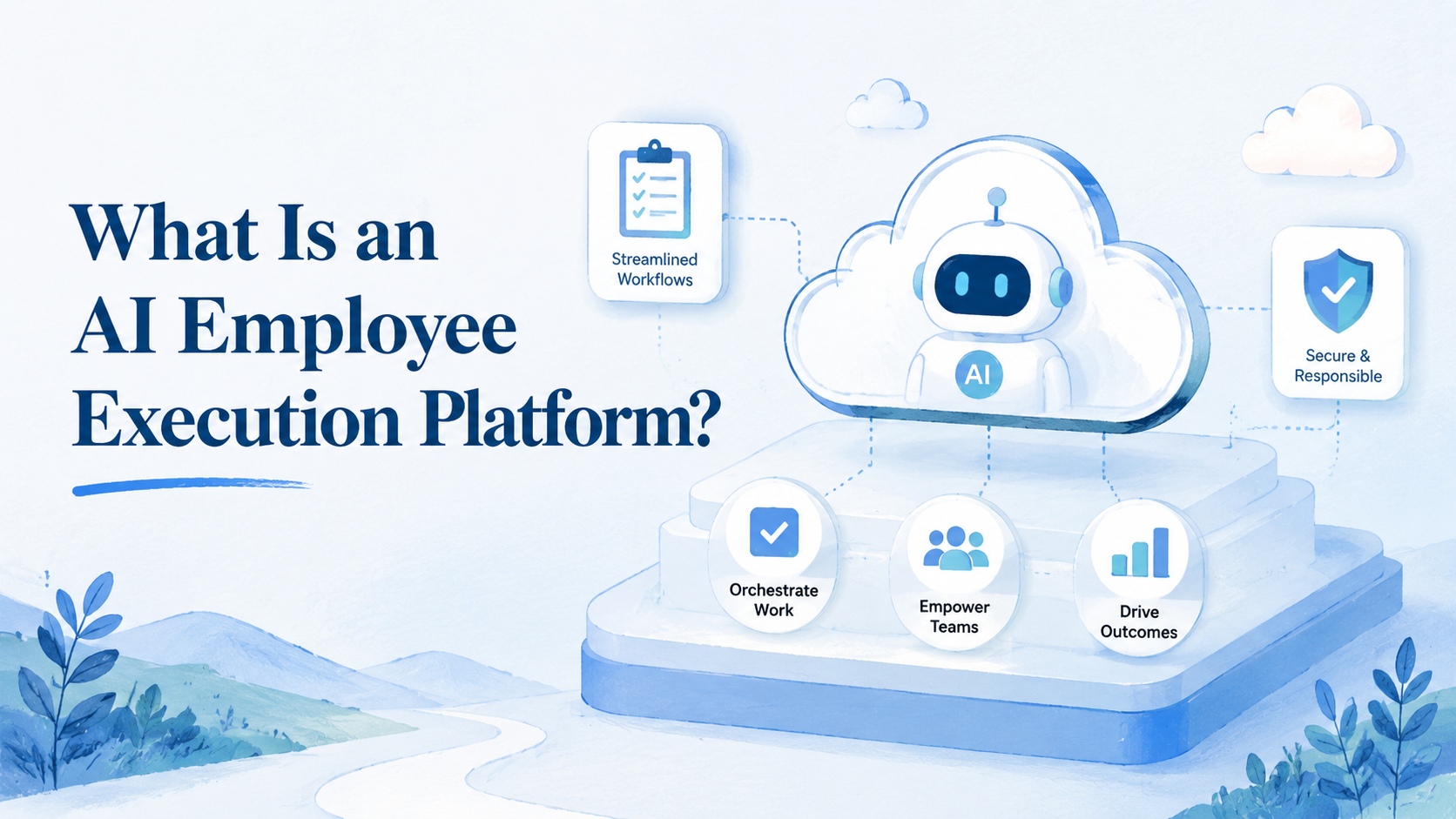
An AI employee execution platform is the operating layer that lets AI workers perform assigned business tasks in controlled environments. It gives teams a way to move from chat-based help to repeatable execution, with task queues, profiles, routes, logs, review rules, and recovery paths.
The term matters because many AI tools stop at advice. They can draft text, answer questions, or suggest next steps. Operations teams need something different. They need AI workers that can open a browser, use an account lane, run a mobile task, collect evidence, stop on exceptions, and hand results back to a person.
That does not mean the platform replaces a team. It should reduce repeated work and expose failure points. People still define policy, approve edge cases, and decide what should happen after an exception. The execution platform should make that work easier to assign and safer to review.
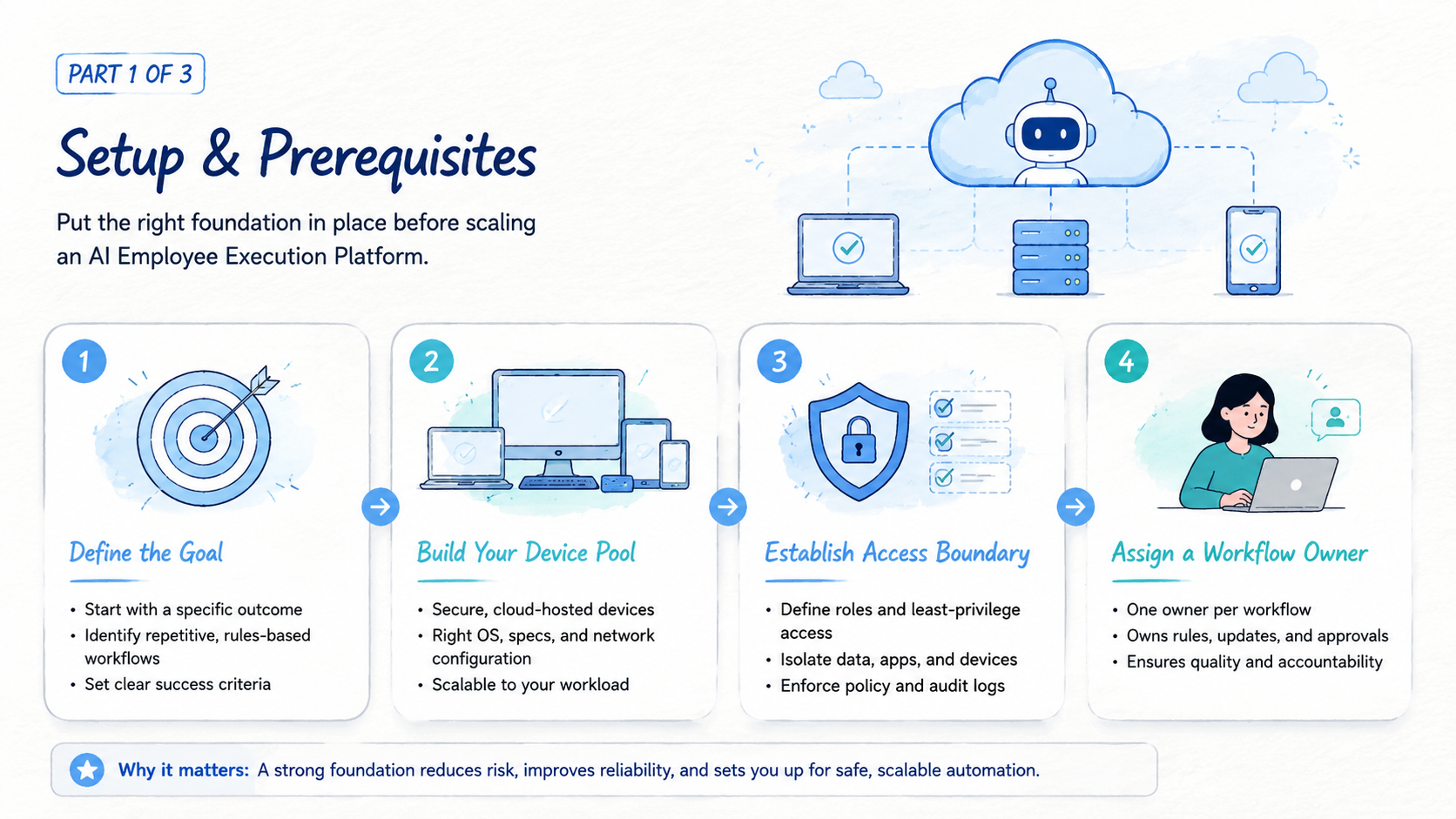
MoiMobi's view is infrastructure-minded. AI workers need more than a prompt. They need an execution environment, clean routing, device or browser isolation where needed, and a shared model for handoff.
What Is an AI Employee Execution Platform?
An AI employee execution platform is not just AI employee software with a task list. It is the system that connects AI workers to the places where work happens. Those places may include web dashboards, mobile apps, account pools, spreadsheets, inboxes, monitoring pages, or internal tools.
The core idea is simple. A team defines a task. The platform assigns it to an AI worker.
The worker runs the task inside a controlled environment. The platform records what happened, stops when rules require review, and sends the result to the right person or system.
That execution layer usually needs several parts:
- Task queue: what the AI worker should do next
- Environment: browser profile, cloud phone, app session, or device lane
- Identity and access: which account or role the task uses
- Routing: proxy, network path, or region policy where relevant
- Stop rules: when the worker must pause
- Output format: what result must be saved
- Review owner: who checks exceptions
- Recovery path: how a failed task returns to a known state
Browser automation has a technical history. MDN describes WebDriver as a way to remotely control user agents: MDN WebDriver. An execution platform uses the same broad idea of controlled actions, then adds operational rules and team governance.
The practical difference is ownership. A simple agent can run a task once. A platform helps a team run the same kind of task again tomorrow, with clearer state and less private memory.
That repeatability changes the buying question. Do not ask only whether the AI worker can complete a demo. Ask whether the team can assign the task again next week, review the output, and recover from a stopped run without private context.
Use a hard test. Give the same task to the platform twice, with a normal case and an exception case. The second run shows whether the system has a real operating model or only a polished first demo.
Why an AI Employee Execution Platform Matters
Operations teams lose time when repeated tasks live in private tabs, private notes, and private judgment. One person knows which account was checked. Another person knows why a workflow stopped.
A third person has the spreadsheet where the result belongs. That model does not scale because the work cannot move cleanly between people.
An execution platform matters because it turns AI work into assigned work with enough structure for managers, operators, and engineers to share the same view. The task has a lane, environment, owner, and output. The result has a record. The exception has a review path.
Use this simple decision frame:
| Question | Weak setup | Strong platform setup |
|---|---|---|
| Where does the task run? | In someone's browser | In an assigned environment |
| Who owns the result? | Unclear | Named reviewer or queue |
| What happens on failure? | Someone asks in chat | Stop reason and recovery rule |
| How is state protected? | Shared sessions | Profile, device, or account lanes |
| How does the team improve? | Anecdotes | Run logs and error reasons |
Playwright describes browser contexts as isolated environments with separate storage such as cookies and local storage: Playwright browser contexts. That concept matters in operations too. Workflows need boundaries. Without boundaries, teams cannot trust the output.
It also helps managers see capacity across accounts, clients, shifts, and queues where hidden manual work can distort planning. A raw count of AI workers is not enough. Teams need to know how many tasks finish, how many stop, how long review takes, and how quickly failed work recovers.
Key Benefits and Use Cases
The main benefit is repeatable execution. A team can define a task once, run it many times, and improve it from evidence. That is different from asking a model to improvise each time.
Common use cases include:
- Account status checks across web dashboards
- Report pulls from repeated sources
- Queue review and exception labeling
- Social or marketplace monitoring
- Mobile app task execution
- Browser research with fixed fields
- Account pool review before campaigns
A scenario shows the difference. A growth team checks thirty accounts every morning. Manual work means opening dashboards, reviewing warnings, copying status fields, and asking a lead about odd cases.
With an execution platform, the team creates a task lane. The AI worker opens each assigned environment, checks the same fields, saves a standard row, and stops on unknown warnings. The lead reviews exceptions instead of rechecking every normal account.
For web-first work, an AI browser execution platform may run repeated page tasks. Mobile-side work changes the layer. Pause there.
Teams may need cloud phone infrastructure or device isolation. The right layer depends on where the task actually happens.
Do not treat every use case as automation-ready. A task with unclear policy, changing judgment, or no review owner should stay manual until the process is cleaner.
How to Get Started with an AI Employee Execution Platform
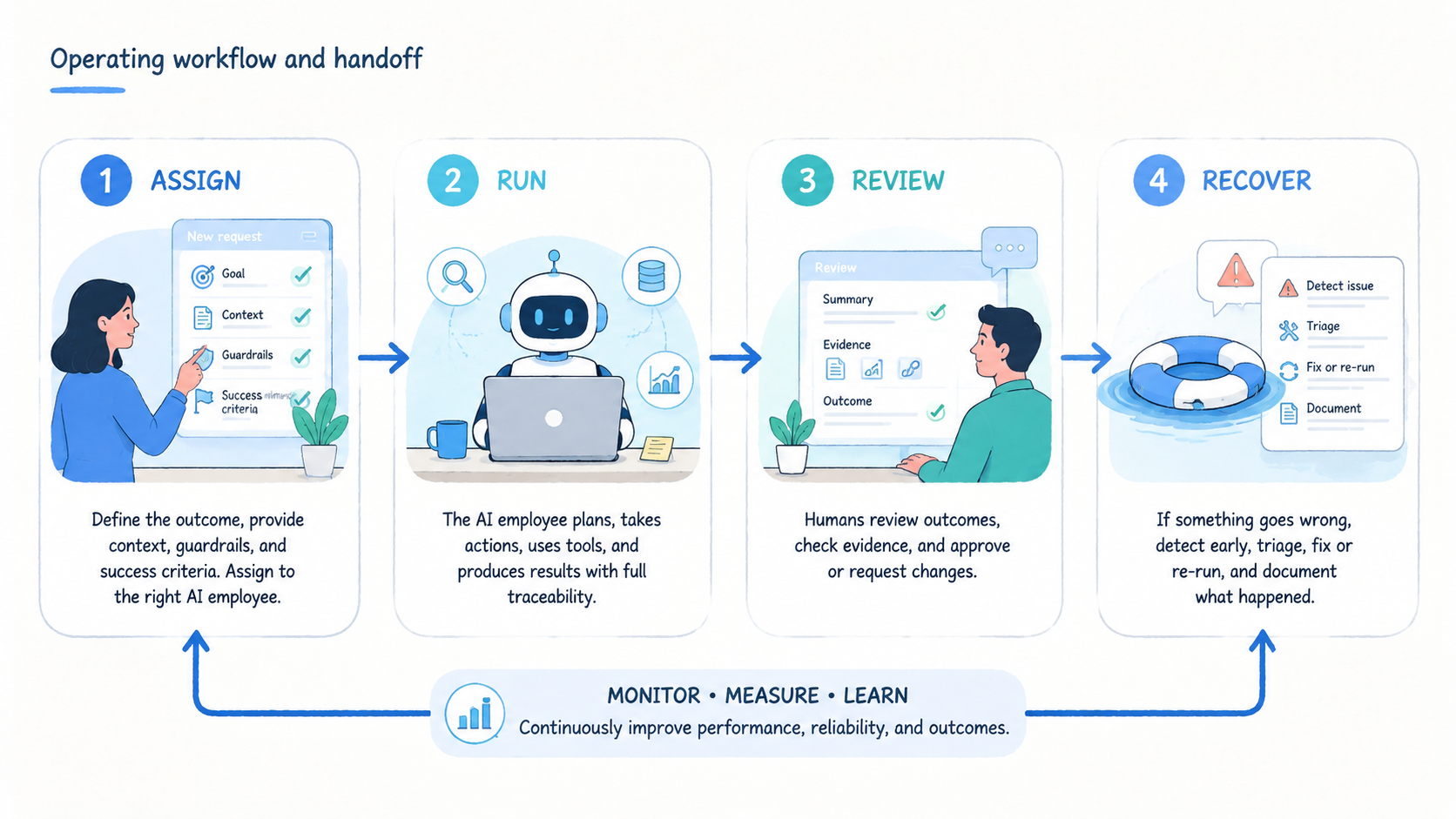
Start with one workflow, not a full AI workforce. A narrow workflow gives the team a clean test. It also exposes whether the environment, stop rules, and review loop are ready.
- Step 1, choose one repeated task: pick a daily or weekly task with a clear normal result; account checks, report pulls, and queue review are good candidates
- Step 2, define the task lane: write the input, environment, account role, allowed actions, output, and owner; keep it short enough for daily use
- Step 3, set the environment rule: decide whether the task needs a browser profile, cloud phone, app session, or device lane; do not mix account states without a rule
- Step 4, write stop conditions: pause on new login prompts, unknown warnings, changed screens, missing fields, or high-impact actions; stop rules are part of execution quality
- Step 5, choose the output format: use a sheet row, ticket, dashboard record, or short status note; the result should be easy to review
- Step 6, run a pilot batch: start with a small account or task group; measure before expanding
- Step 7, review failure reasons: label each stop as login, route, account state, page change, missing input, or unclear instruction
Use a simple pilot card:
| Field | Example |
|---|---|
| Workflow | Daily account health check |
| Worker lane | AI worker A |
| Environment | Browser profile per account |
| Input | Account URL list |
| Output | Status, warning, next action |
| Stop rule | New verification or unknown warning |
| Reviewer | Operations lead |
| Recovery note | Pause account before retry |
The highest-risk step is usually environment selection. Browser tasks should not be forced into mobile workflows. App-side tasks should not be treated as browser tasks. If the work happens inside Android apps, mobile automation is the better layer to evaluate.
Add one handoff field before the first run: next action owner. That field tells the team whether the next step belongs to an AI worker, an operator, an engineer, or a manager. It also prevents stopped tasks from sitting in a queue with no clear owner.
Common Mistakes to Avoid
The common mistake is treating the AI worker as the product. The worker matters, but the execution system matters more. A worker without environment rules, stop rules, review rules, output checks, and recovery notes becomes another source of operational drift.
Another mistake is measuring only task speed. A task that runs quickly but creates review confusion is not saving time. Measure the full loop: setup, run, review, recovery, and next action.
Avoid these failure modes:
- Giving AI workers broad access before task rules are clear
- Mixing accounts inside one browser or device lane
- Letting a worker continue after a new login or warning screen
- Saving output without a source page or timestamp
- Running mobile app tasks through a browser-only workflow
- Scaling before failure reasons are understood
- Removing human review before the pilot has evidence
Google Search Central advises creators to focus on helpful, reliable content rather than content made only for search visits: Google Search Central. The same standard applies inside operations. Deploy AI workers because the task becomes clearer and easier to trust, not because the term sounds new.
Security language also needs care. This system does not make accounts safe by default. It can reduce internal mistakes when workflows are designed well, reviewed often, and tied to clear account rules. Platform rules, account quality, network history, and review practice still matter.
Good teams keep failure review short. Record the task lane, environment, stop reason, page or app state, reviewer, and next safe action. Put that note where the next operator sees it before touching the same account or device.
Who It Fits and When It Is a Strong Match
An AI employee execution platform fits teams with repeatable online work, account lanes, and review needs. It is strongest when tasks happen often enough to justify process design.
Strong fit
- Operations teams with repeated web or mobile tasks
- Agencies that manage client account workflows
- Growth teams that check dashboards and queues
- Support teams that triage structured cases
- QA teams that test roles or app states
- Teams that need handoff across shifts
Weak fit
- One-off research with no repeatable path
- Tasks that depend on high-stakes judgment
- Workflows without account ownership
- Teams that cannot review stopped runs
- Processes that change every day
- Use cases where policy is still unclear
For account-heavy work, connect the platform to multi-account management. For route-sensitive workflows, align tasks with a proxy network policy. Environment choices should follow the account model, not the other way around.
Fit should be reviewed after the pilot. A task may begin as browser work and later reveal mobile, route, or device isolation needs. Treat that as useful evidence.
That finding should change the execution map. A browser task can remain web-side, while an app task can move to mobile execution after the pilot exposes where the real work happens.
A route issue can move to network policy review. Good. The system is working when it makes those boundaries visible.
Pilot Rollout, Measurement, and Recovery Checks
A pilot should answer one question: does the AI employee execution platform reduce total team effort without making the result harder to trust? The answer requires numbers and notes.
Track these measures:
- Task time: minutes from assignment to saved output
- Review time: minutes to confirm or reject the result
- Stop count: how many tasks paused for review
- Error reason: login, page change, route, account state, app state, missing input, or unclear instruction
- Recovery time: minutes to return to a known state
- Handoff quality: whether the next person can continue without private context
Run the pilot for a full cycle. A daily task should run for several days. A weekly task should run at least one week. One clean demo is not enough.
Use one plain review note:
- Run ID: worker-health-check-2026-05-07
- Task lane: account health review
- Normal results: 28
- Stopped results: 4
- Top stop reason: changed login screen
- Owner: Sam
- Next fix: add a pre-login state check
Recovery is the real test. A failed task that returns to a known state quickly can become a better workflow. Reduce scope before adding more workers when no one can explain the state.
Run one review meeting after the pilot. Operations should bring stop reasons and handoff notes. Engineering should bring run logs, environment errors, timing patterns, and any places where the worker made the same mistake twice. The output should be one next fix, not a list of vague ideas.
Frequently Asked Questions
What is an AI employee execution platform?
It is the system that lets AI workers run assigned tasks in controlled environments. It includes task queues, environments, logs, stop rules, review paths, and recovery checks. Start with one lane.
How is it different from AI employee software?
AI employee software may describe the worker or interface. An execution platform focuses on where the worker runs, what it can access, and how results are reviewed.
Does it replace human operators?
No. It handles repeated task paths. People still own policy, exception review, client judgment, and final decisions.
What tasks should teams start with?
Begin with frequent tasks that have a clear normal path. Account checks, report pulls, monitoring, and queue review are strong first pilots because review is fast.
When should the AI worker stop?
It should stop on new login prompts, unknown warnings, missing fields, changed screens, or high-impact actions. Stop rules prevent silent bad work.
Does every workflow need a cloud phone?
No. Web workflows may only need browser execution. Native mobile app workflows may need cloud phones, mobile automation, or device isolation.
What should a pilot measure?
Measure task time, review time, stop count, error reason, recovery time, and handoff quality. Those numbers show whether execution is improving.
How many AI workers should a team launch first?
Launch one worker lane and one workflow first. Add more workers after the team can explain failures and recover cleanly.
Conclusion
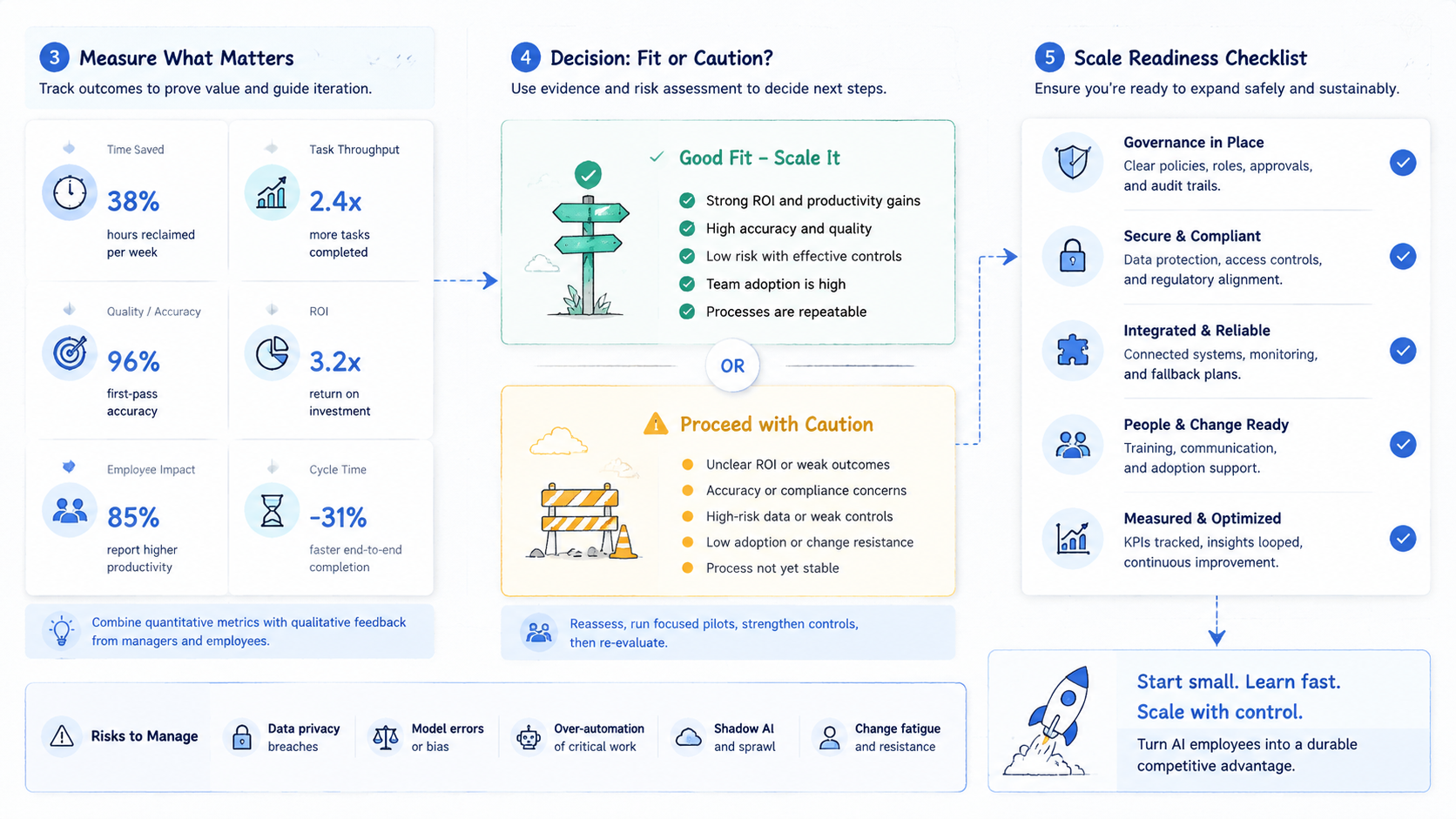
An AI employee execution platform is the bridge between AI assistance and real operational work. It gives AI workers a place to run, a task to complete, a boundary to respect, and a review path when the work does not follow the normal route.
The safest next step is narrow. Pick one repeated workflow. Define the environment, account lane, output, stop rule, reviewer, and recovery path.
Run a small pilot and measure the full loop. If the task crosses browser and mobile work, choose the right execution layer instead of forcing every task through one interface.



